
GSheetConnector for WooCommerce – Send your Orders and Products to Google Sheet in Real-Time
Active Installs
3,000+
Last Updated
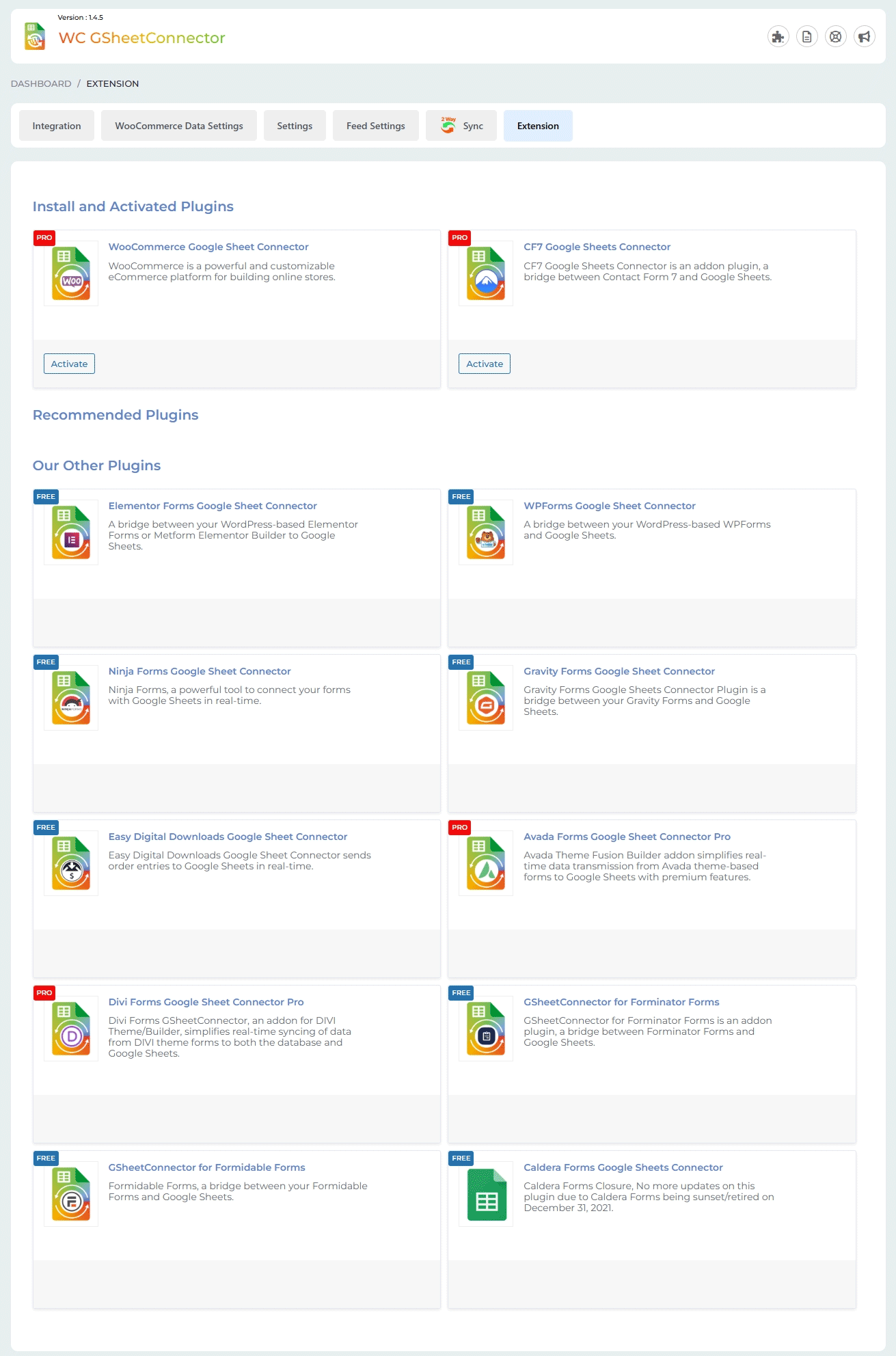
June 18, 2026
First Released
November 4, 2021
Download History (Last one month)
Contributors
GSheetConnector for WooCommerce is a powerful and easy-to-use Google Sheets integration plugin that connects your WooCommerce store directly with Google Sheets. Automatically sync WooCommerce orders, products, customers, and more into a Google Spreadsheet to organize, analyze, and manage your store data efficiently.
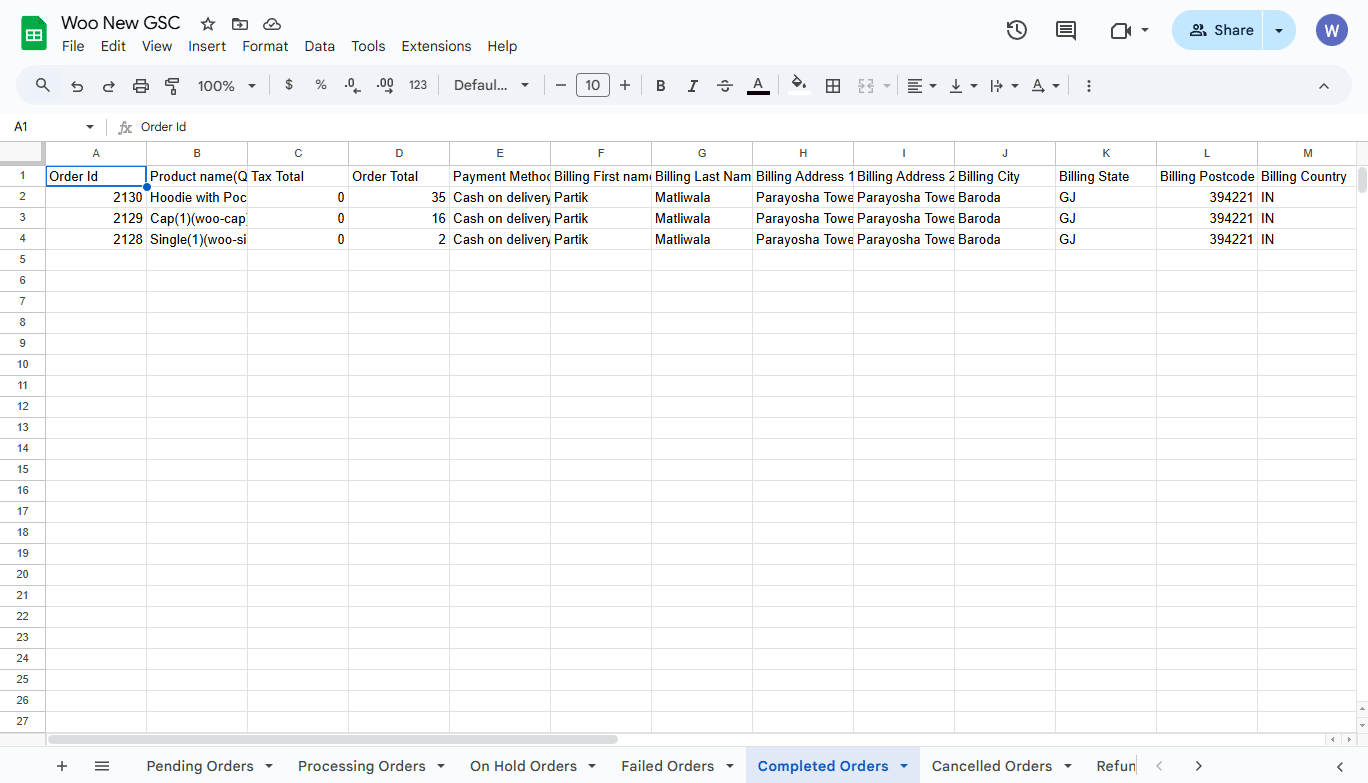
With real-time data sync, every new WooCommerce order is instantly added as a new row in your selected Google Sheet. You can also create separate tabs based on order status (Processing, Completed, Pending, Cancelled, Refunded) for better tracking and reporting.
This plugin is perfect for store owners, marketing teams, and accounting departments who want a simple and reliable way to maintain WooCommerce order data for reporting, analytics, inventory planning, and team collaboration.
🚀 Why Use This Plugin?
➜ Real-time sync of WooCommerce orders to Google Sheets
➜ Sync Products, Product Variations, Coupons, and Customers
➜ Automatically create separate sheets tabs based on order status
➜ Customize and organize column headers in Google Sheets
➜ Simple and secure Google account authentication
➜ Debug logs for quick troubleshooting
🧪 Check Live Demo
Demo Link: Open Demo
Google Sheet (View Submitted Data): View Sheet
How to Use this Plugin
-
Step: 1 – In Google Sheets
➜ Log into your Google Sheets.
➜ Create a new sheet and name it. ( You can also select existing sheet while setting the connection as per Step 3). -
Step: 2 – In WordPress Admin
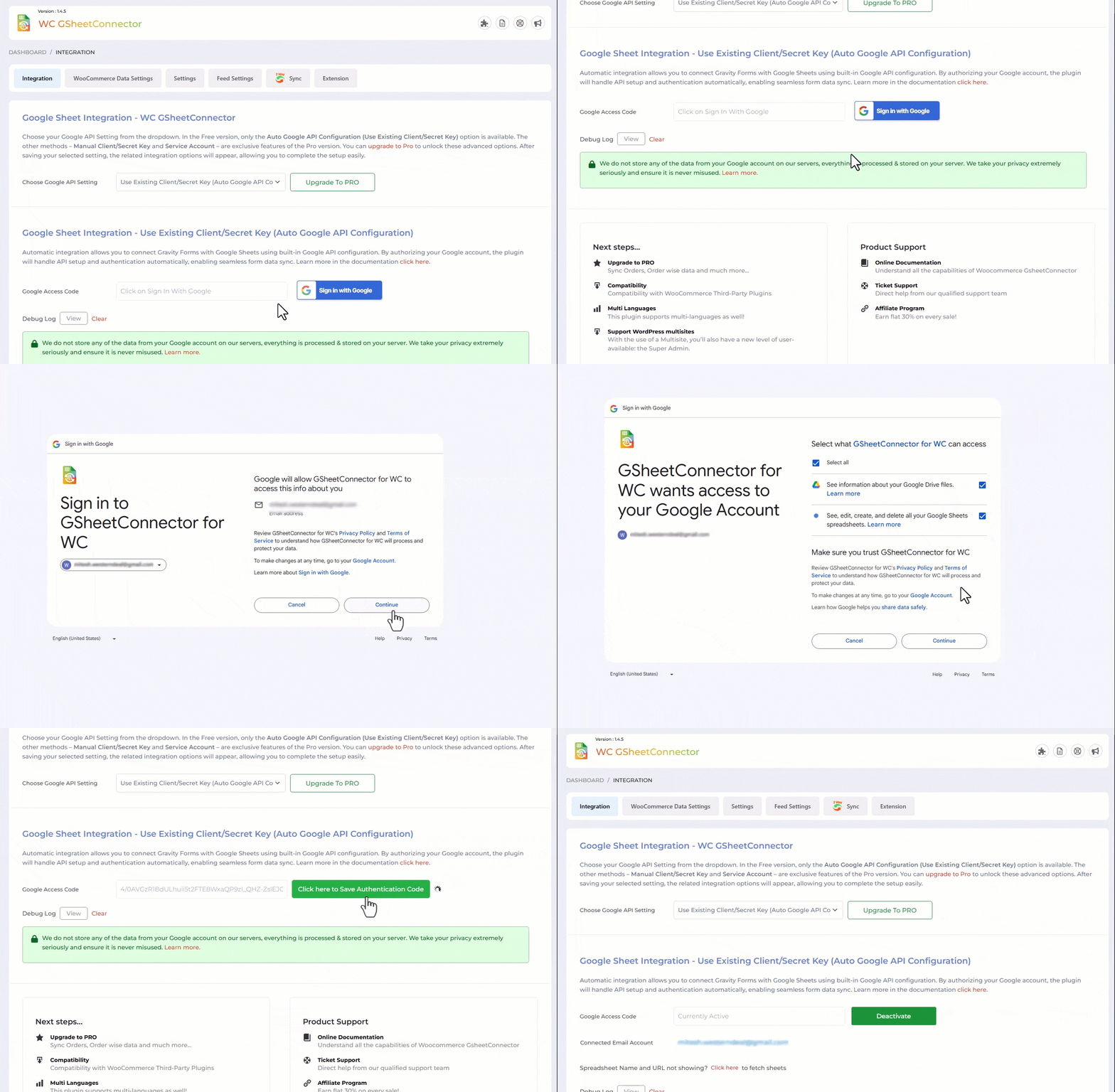
➜ Navigate to WooCommerce > Google Sheet > Integration Tab
➜ Authenticate with Google using new “Google Access Code” while clicking on “Get Code”
➜ Make Sure to ALLOW Google Permissions for Google Drive and Google Sheets and then copy the code and paste in Google Access Code field, and Hit Save & Authenticate.
➜ Now fetch the sheet details by clicking “Click here to fetch Sheet details to be set at WooCommerce settings.” -
Step: 3 – Connect with Google Sheet
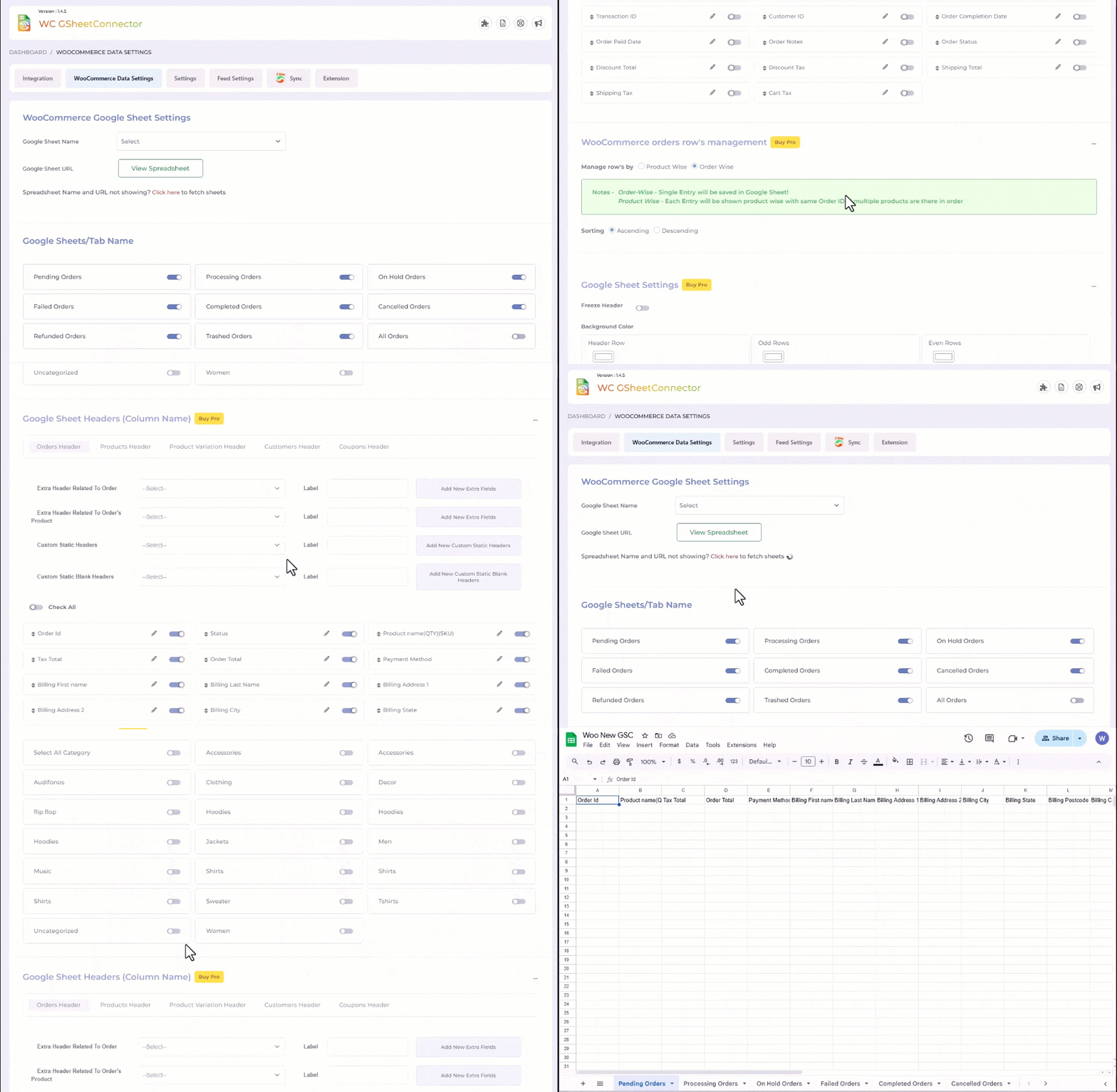
➜ Navigate to WooCommerce > Google Sheet > WooCommerce Data Settings.
➜ Select the appropriate Sheet from the “Google Sheet Name” dropdown box.
➜ Select WooCommerce Order Status to create Sheet Tabs and add headers to your selected Google Sheet.
➜ Lastly test by ordering any product and putting it to a different order states ( Processing, Hold etc).
🚀 Pro Plugin Features
➜ Sync all WooCommerce orders (default + custom order statuses) to Google Sheets in real time.
➜ Sync all Products, Product Variations, Coupons, and Customers.
➜ Sync existing orders, missed entries, and data based on order status or date range.
➜ Cron-based automatic syncing at user-defined time intervals.
➜ Bi-directional sync for Orders, Products, Variations, Coupons, and Customers (Google Sheet WooCommerce).
➜ Sync Custom Fields and Meta Fields (including third-party plugin data).
➜ Choose from three different integration methods based on organizational needs.
➜ Create multiple feeds and send data to different Google Sheets as required.
➜ Create Individual feeds with individual sheets for Orders, Products, Products Variations, Users & Coupons
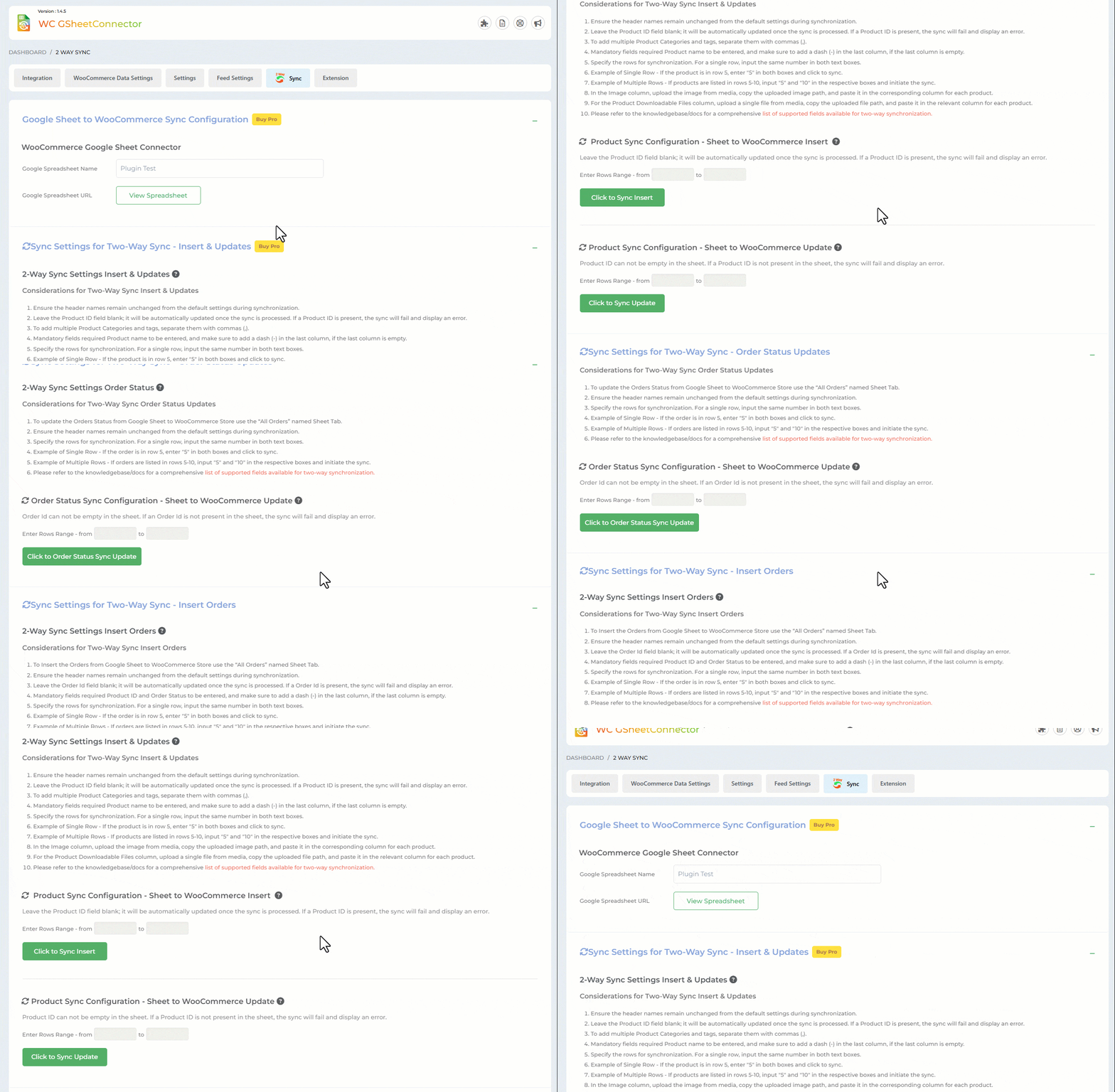
➜ 2-way Sync – Send data from Google Sheets to your WooCommerce store via the connected sheet.
➜ Easy tracking and monitoring through advanced error logs.
➜ Freeze headers, add header color, and apply odd/even row background colors in Google Sheets.
➜ Manage data row structure order-wise or product-wise.
➜ Filter and sync data based on selected product categories.
➜ Add and customize header names as needed.
➜ Compatible with 50+ popular WooCommerce add-on plugins.
🔒 Upgrade to Pro? Get it Now
🔗 Other Google Sheets Integrations
Contact Forms to Google Sheet Integration
CF7 GSheetConnector Pro
WPForms GSheetConnector Pro
Gravity Forms GSheetConnector Pro
Ninja Forms GSheetConnector pro
Forminator Forms GSheetConnector Pro
Formidable Forms GSheetConnector Pro
Fluent Forms GSheetConnector Pro
eCommerce to Google Sheet Integration
WooCommerce GSheetConnector PRO
GSheetConnector PRO for Easy Digital Downloads
Page Builders to Google Sheet Integration
Elementor Forms Google Sheet Connector
Avada Forms Google Sheet Connector
DIVI Forms Google Sheet Connector
GSheetConnector For Core
- Upload “wc-gsheetconnector” to the “/wp-content/plugins/” directory, OR “Site Admin > Plugins > New > Search > GSheetConnector WooCommerce > Install`.
- Activate the plugin through the ‘Plugins’ screen in WordPress.
- Use the
Admin Panel > WooCommerce > Google Sheet > Integrationscreen to connect toGoogle Sheetsby entering the Access Code. You can get the Access Code by clicking the “Get Code” button.
Enjoy!
If the new submitted orders never shows in your Sheet then one of these things might be the reason:
1. Wrong access code or did not allowed permission to Google Drive and Google Sheets(Check debug log under Integration Tab)
Please double-check those items and hopefully getting them right will fix the issue.
Make sure to enable debug log from wp-config.php if submitted order is not showing in sheet, It will helps to show the conflict issue (if there is any) or shows what is making an issue.
Changelog
1.4.8 (18-06-2026)
- Added: Admin notice slider for plugin announcements, review requests, upgrade prompts, and authentication reminders.
- Added: Dashboard tab for quick access to plugin information, notices, and settings.
- Improved: Optimized bundled library files by including only the required components.
- Fixed: Proper handling and display of error messages when required Google Sheets and Google Drive permissions are not granted in the Integration tab.
- Fixed: Improved handling of invalid OAuth tokens to prevent repeated debug log entries during page refresh.
- Fixed: Issues with Activate, Install, and Deactivate actions in the Extensions tab.
- Fixed: Improved compatibility with PHP 8.x versions.
1.4.7 (25-03-2026)
- Fixed: Addressed all identified issues to improve overall stability and compliance.
1.4.6 (14-11-2025)
- Added: “Next Steps…” section in the Integration tab.
- Updated: Updated the header logo and the dashboard widget logo.
- Fixed: Improved responsive CSS.
1.4.5 (19-09-2025)
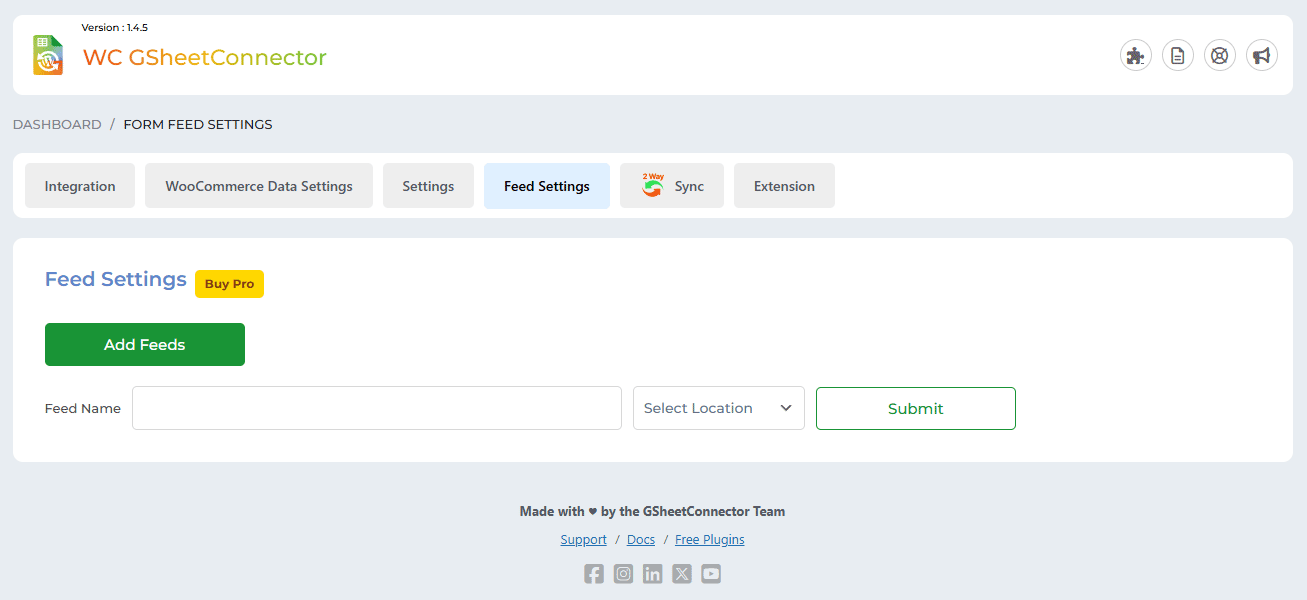
- Added: Feed settings for Pro features.
- Updated: Readme file.
- Updated: UI design improvements.
1.4.4 (23-07-2025)
- Added: Extension tab added.
- Added: Debug logs file will be created under wp-upload folder.
- Moved freemius folder under Library folder insider vendor folder.
1.4.3 (16-07-2025)
- Fixed: Solved Licensing/Trademark issues in main plugin file and readme.
- Removed direct links to 5-star reviews to comply with WordPress plugin guidelines.
- Updated “Tested Up To” value to reflect compatibility with the latest WordPress version.
- Replaced static and tags with wp_enqueue_script and wp_enqueue_style for proper asset loading and dependency management.
- Eliminated all remote file inclusions to improve security and meet WordPress repository requirements.
- Removed plugin folder write operations and any instructions requiring users to manually edit/write files inside the plugin directory.
- Escaped all variables and options before outputting to the frontend or admin interface.
- Replaced generic function/class/constant/option names with properly prefixed versions to avoid naming collisions.
- Corrected text domain to match the plugin slug for consistent internationalization support.
- Blocked direct file access by adding appropriate file-level checks (e.g., defined( ‘ABSPATH’ ) || exit;).
- Implemented proper nonce verification and security best practices throughout AJAX and form submissions.
- Passed Plugin Check review with all critical issues resolved.
1.3.20 (21-04-2025)
- Fixed: Connected Email display issue.
1.3.19 (19-04-2025)
- Added: Moved saving of credentials to database for Auto API Integration.
1.3.18 (27-01-2025)
- Fixed: Minor UI Changes.
- Added: Require plugins added.
1.3.17 (07-01-2025)
- Added: A Dashboard Widget has been added.
- Added: Showcased the “Manual Method” button on the Integration tab.
- Added: The “Copy Log” button has been added.
- Fixed: Undefined error when clicking the “Copy to Clipboard” button in the System Info tab.
- Fixed: The issue with the Debug Log view and the close button has been fixed.
1.3.16 (27-07-2024)
- Fixed: The issue of the Shipping Method Title Field displaying code in the sheet has been resolved.
1.3.15 (07-06-2024)
- Fixed: Undefined error.
1.3.14 (04-04-2024)
- Fixed: UI changes.
- Added: Added links for support,docs and upgrade to pro.
1.3.13 (20-02-2024)
- Secured code from the Vulnerabilities.
1.3.12 (16-02-2024)
- Fixed: Uninstallation of Plugin.
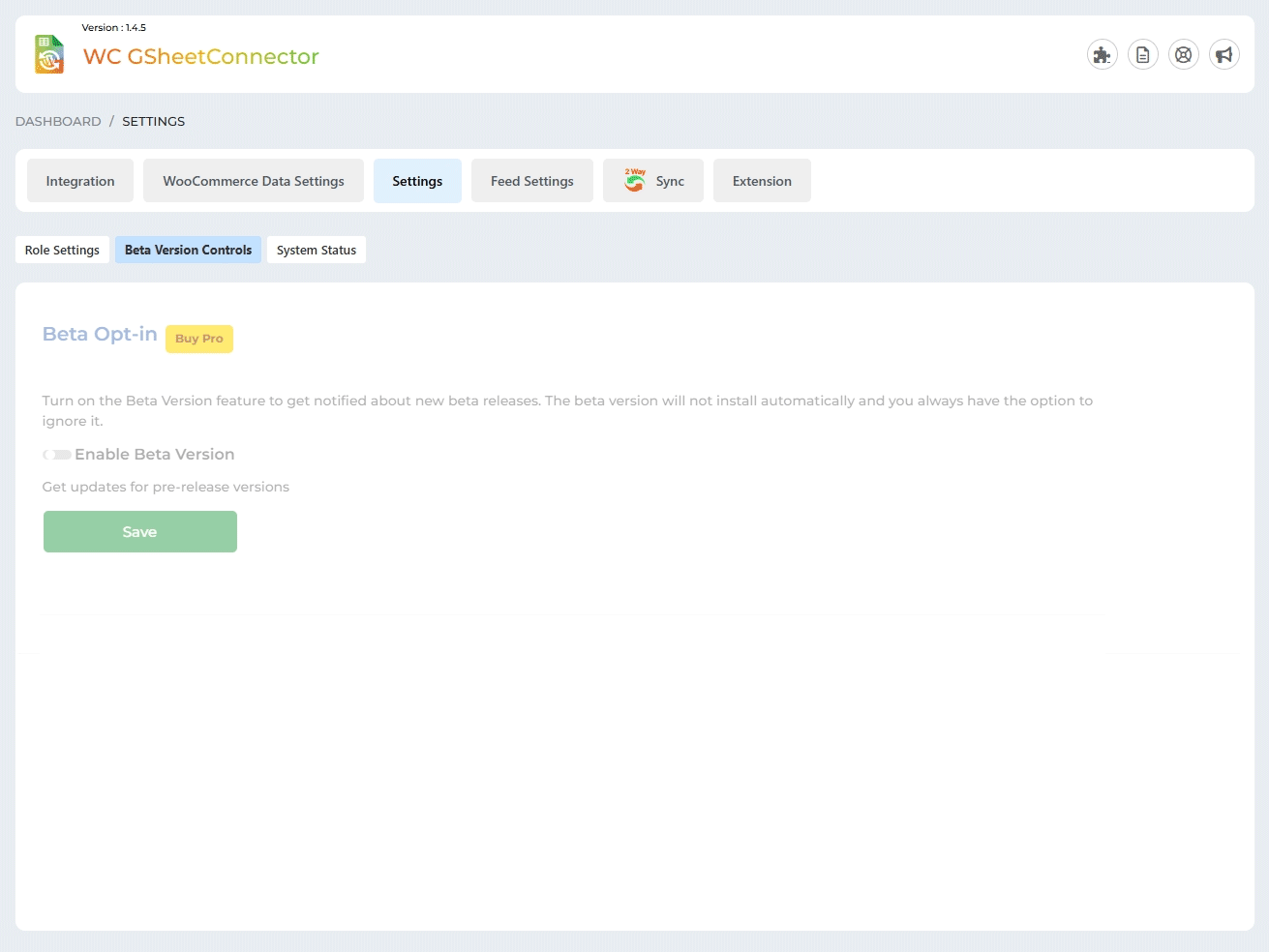
- Added: Pro features(Custom Order Status,Other Sheet Tabs to Enable,Custom Static Headers,Custom Static Blank Headers, Coupons Header,Subscriptions Header,Sync Coupons,Sync Subscriptions ) display on woocommerce data settings page and also Pro features display(Beta Version, Debug Logs)Tabs.
1.3.11 (29-12-2023)
- Fixed : Fixed validate parent plugin exists or not then show alert message display issue.
1.3.10 (02-12-2023)
- Added : Orders Header – Values are shown in extra header related to order and extra header related to order’s product option.
1.3.9 (17-10-2023)
- Fixed : Undefined image path issue resolved.
1.3.8 (13-10-2023)
- Fixed : Solved Conflict CSS Issue in Google Sheet Tab Settings.
Version 1.3.8 (09-10-2023)
Key Highlights:
- Client library updated : Google API V-2.12.6 .
- Authorization Form Settings: Alerts for Unauthorized Access.
- Streamlined Authentication: Replaced “Get Code” button with “Sign in with Google” for ease of use.
- Permissions Alert: Users lacking Google Drive and Sheets permissions now receive a clear alert during authentication.
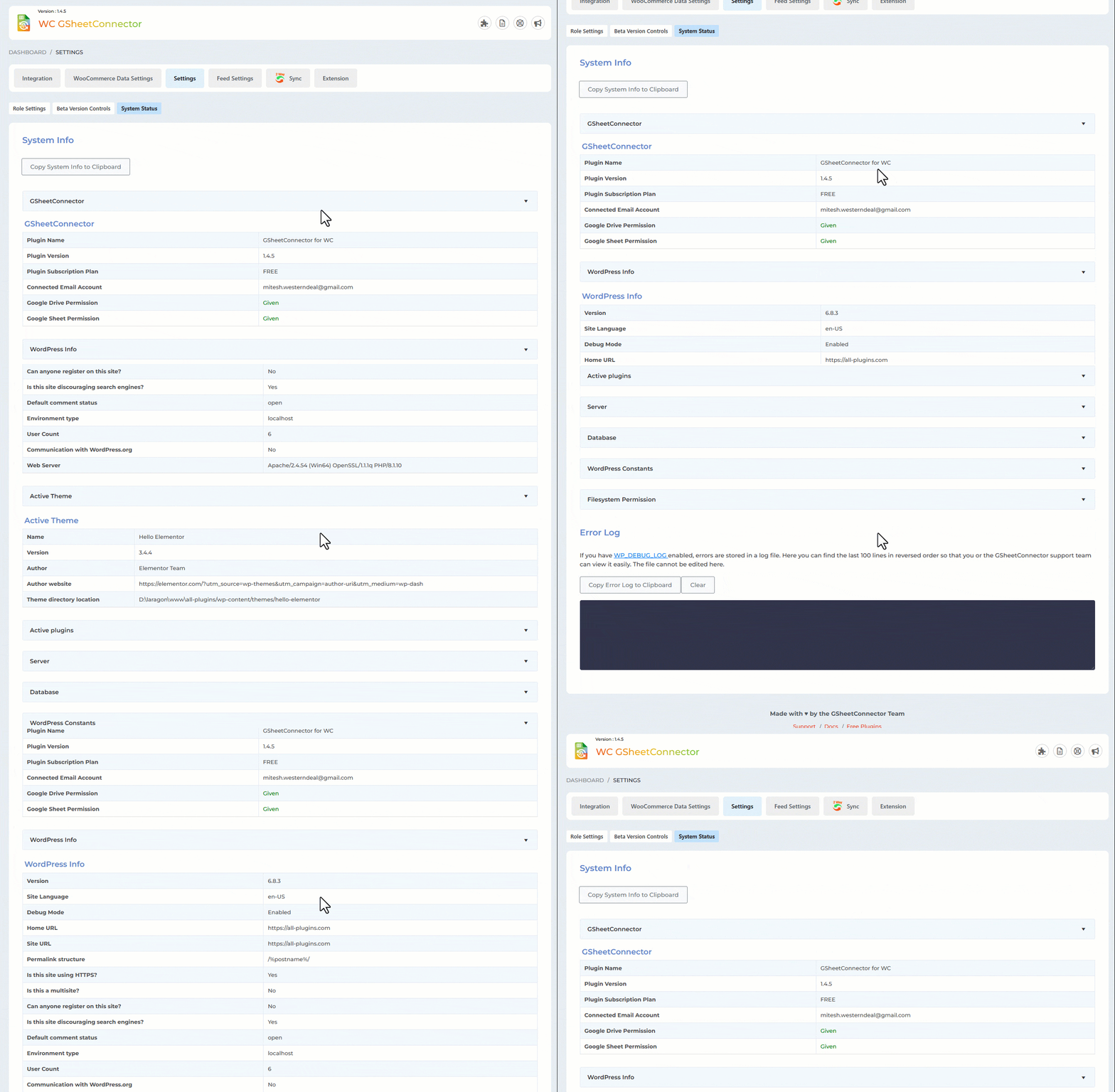
- Enhanced System Status: Redesigned System Status and Error Log for improved functionality.
- Pro-Version Feature Expansion: Extended a Pro-Version feature tab for added capabilities.
Bug Fixes and Updates:
- Deprecation Fixes: Resolved deprecated function errors related to Freemius integration.
- Multi-Site Optimization: Freemius optimized for multi-site compatibility.
- UI Enhancements: Several user interface fixes and additions to the Integration Page.
1.3.6 (07-08-2023)
- Fixed : Vulnerabilities issues.
1.3.5 (05-07-2023)
- Updated Freemius SDK version to 2.5.10.
1.3.4 (08-06-2023)
- Fixed : Undefined option issues is resolved.
- Change UI : Pro features display on setting page and Integration Page.
1.3.3 (28-04-2023)
- Fixed : Vulnerabilities issue resolved.
1.3.2 (08-04-2023)
- Removed unused code.
1.3.1 (15-03-2023)
- Undefined “get_sku()” function issue resolved.
1.3.0 (02-08-2022)
- Freemius issues resolved: (1)Undefined property: stdClass::$plugins
1.2.9 (01-08-2022)
- Freemius issues – (1)count(): Parameter must be an array or an object issues are resolved.
1.2.8 (30-07-2022)
- Wrong option name issue is resolved.
1.2.7 (29-07-2022)
- New Google Integration method implemented using web app.
- Code Optimization
1.2.6 (18-06-2022)
- Compatible with WooCommerce GSheetConnector PRO.
1.2.5 (30-05-2022)
- Is Plugin active error resolved in some cases.
1.2.4 (28-05-2022)
- Free and Pro both plugins can be activated at the same time.
1.2.3 (21-03-2022)
- Freemius SDK updated to 2.4.3
- Solved PHP Notice: “Undefined property: stdClass::$plugin”
- Solved PHP Warning: “count(): Parameter must be an array or an object that implements Countable”
1.2.2 (22-02-2022)
- Changed UI of Google Sheet Setting Page.
1.2.1 (18-09-2021)
- Resolved Notice Error for WooCommerce as a required plugin.
1.2 (12-09-2021)
- Freemius Integration.
1.1 (18-11-2021)
- Added Validation For Google Settings Form.
- Fixed : Errors throws while updating orders without changing order status.
1.0 Released Initial version
" width="120" height="120">
Available Versions
| Version | Download | Type |
|---|---|---|
| 1.4.8 | Download | Stable |
| 1.4.7 | Download | Stable |
| 1.4.6 | Download | Stable |
| 1.4.5 | Download | Stable |
| 1.4.4 | Download | Stable |
| 1.4.3 | Download | Stable |
| 1.3.20 | Download | Stable |
| 1.3.19 | Download | Stable |
| 1.3.18 | Download | Stable |
| 1.3.17 | Download | Stable |
| 1.3.16 | Download | Stable |
| 1.3.15 | Download | Stable |
| 1.3.14 | Download | Stable |
| 1.3.13 | Download | Stable |
| 1.3.12 | Download | Stable |
| 1.3.11 | Download | Stable |
| 1.3.10 | Download | Stable |
| 1.3.9 | Download | Stable |
| 1.3.6 | Download | Stable |
| 1.3.4 | Download | Stable |
| 1.3.3 | Download | Stable |
| 1.3.2 | Download | Stable |
| 1.3.1 | Download | Stable |
| 1.3.0 | Download | Stable |
| 1.2.6 | Download | Stable |
| 1.2.5 | Download | Stable |
| 1.2.3 | Download | Stable |
| 1.2.2 | Download | Stable |
| 1.2.1 | Download | Stable |
| Development | Download | Trunk |
