
LiteSpeed Cache
Active Installs
7,000,000+
Last Updated
September 1, 2026
First Released
January 29, 2016
Download History (Last one month)
Contributors
LiteSpeed Cache for WordPress (LSCWP) is an all-in-one site acceleration plugin, featuring an exclusive server-level cache and a collection of optimization features.
LSCWP supports WordPress Multisite and is compatible with most popular plugins, including WooCommerce, bbPress, and Yoast SEO.
LiteSpeed Cache for WordPress is compatible with ClassicPress.
Requirements
General Features may be used by anyone with any web server (LiteSpeed, Apache, NGINX, etc.).
LiteSpeed Exclusive Features require one of the following: OpenLiteSpeed, commercial LiteSpeed products, LiteSpeed-powered hosting, or QUIC.cloud CDN. Why?
Plugin Features
General Features
- Free QUIC.cloud CDN Cache
- Object Cache (Memcached/LSMCD/Redis) Support+
- Image Optimization (Lossless/Lossy)
- Minify CSS, JavaScript, and HTML
- Minify inline & external CSS/JS
- Combine CSS/JS
- Automatically generate Critical CSS
- Lazy-load images/iframes
- Responsive Image Placeholders
- Multiple CDN Support+
- Load CSS Asynchronously
- Defer/delay JS loading
- Browser Cache Support+
- Database Cleaner and Optimizer
- PageSpeed score (including Core Web Vitals) optimization
- OPcode Cache Support+
- HTTP/2 Push for CSS/JS (on web servers that support it)
- DNS Prefetch
- Cloudflare API
- Single Site and Multisite (Network) support
- Import/Export settings
- Attractive, easy-to-understand interface
- AVIF/WebP image format support
- Heartbeat control
+ This service is not provided by the LSCache plugin, nor is it guaranteed to be installed by your service provider. However, the plugin is compatible with the service if it is in use on your site.
LiteSpeed Exclusive Features
- Automatic page caching to greatly improve site performance
- Automatic purge of related pages based on certain events
- Private cache for logged-in users
- Caching of WordPress REST API calls
- Separate caching of desktop and mobile views
- Ability to schedule purge for specified URLs
- WooCommerce and bbPress support
- WordPress CLI commands
- API system for easy cache integration
- Exclude from cache by URI, Category, Tag, Cookie, User Agent
- Smart preload crawler with support for SEO-friendly sitemap
- Multiple crawlers for cache varies
- HTTP/2 support
- HTTP/3 & QUIC support
- ESI (Edge Side Includes) support*
- Widgets and Shortcodes as ESI blocks* (requires Classic Widgets plugin for WP 5.8+)
* Feature not available in OpenLiteSpeed
LSCWP Resources
- Join our Slack community to connect with other LiteSpeed users.
- Ask a question on our support forum.
- View detailed documentation.
- Read about LSCWP and WordPress on our blog.
- Help translate LSCWP.
- Contribute to the LSCWP GitHub repo.
Third Party Compatibility
The vast majority of plugins and themes are compatible with LSCache. Our API is available for those that are not. Use the API to customize smart purging, customize cache rules, create cache varies, and make WP nonce cacheable, among other things.
Privacy
This plugin includes some suggested text that you can add to your site’s Privacy Policy via the Guide in the WordPress Privacy settings.
For your own information: LiteSpeed Cache for WordPress potentially stores a duplicate copy of every web page on display on your site. The pages are stored locally on the system where LiteSpeed server software is installed and are not transferred to or accessed by LiteSpeed employees in any way, except as necessary in providing routine technical support if you request it. All cache files are temporary, and may easily be purged before their natural expiration, if necessary, via a Purge All command. It is up to individual site administrators to come up with their own cache expiration rules.
In addition to caching, our WordPress plugin has online features provided by QUIC.cloud for Image Optimization and Page Optimization services. When one of these optimizations is requested, data is transmitted to a remote QUIC.cloud server, processed, and then transmitted back for use on your site. QUIC.cloud keeps copies of that data for up to 7 days and then permanently deletes it. Similarly, the WordPress plugin has a Reporting feature whereby a site owner can transmit an environment report to LiteSpeed so that we may better provide technical support. None of these features collects any visitor data. Only server and site data are involved.
QUIC.cloud CDN, if enabled, uses LSCache technology to access your site, and serve your content from remote global nodes. Your data is not accessed by QUIC.cloud employees in any way, except as necessary in providing maintenance or technical support.
Please see the QUIC.cloud Privacy Policy for our complete Privacy/GDPR statement.
For Optimization Without a LiteSpeed Web Server
- Install the LiteSpeed Cache for WordPress plugin and activate it.
- From the WordPress Dashboard, navigate to LiteSpeed Cache > Page Optimization. Enable the available optimization features in the various tabs.
For Caching and Optimization With a LiteSpeed Web Server
- Install LiteSpeed Web Server Enterprise with LSCache Module, LiteSpeed Web ADC, or OpenLiteSpeed with cache module (Free). Or sign up for QUIC.cloud CDN.
- Install the LiteSpeed Cache for WordPress plugin and activate it.
- From the WordPress Dashboard, navigate to LiteSpeed Cache > Cache, make sure the option Enable LiteSpeed Cache is set to
ON. - Enable any desired caching and optimization features in the various tabs.
Notes for LiteSpeed Web Server Enterprise
- Make sure that your license includes the LSCache module. A 2-CPU trial license with LSCache module is available for free for 15 days.
- The server must be configured to have caching enabled. If you are the server admin, click here for instructions. Otherwise, please request that the server admin configure the cache root for the server.
Notes for OpenLiteSpeed
- This integration utilizes OpenLiteSpeed’s cache module.
- If it is a fresh OLS installation, the easiest way to integrate is to use ols1clk. If using an existing WordPress installation, use the
--wordpresspathparameter. - If OLS and WordPress are both already installed, please follow the instructions in How To Set Up LSCache For WordPress.
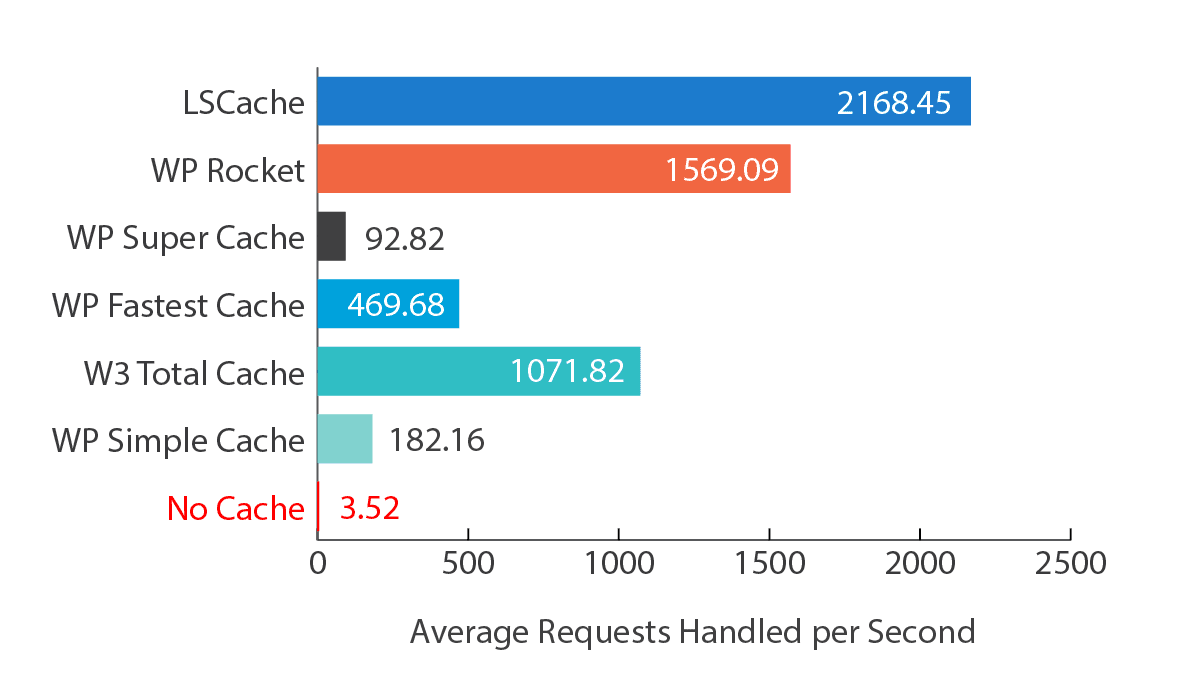
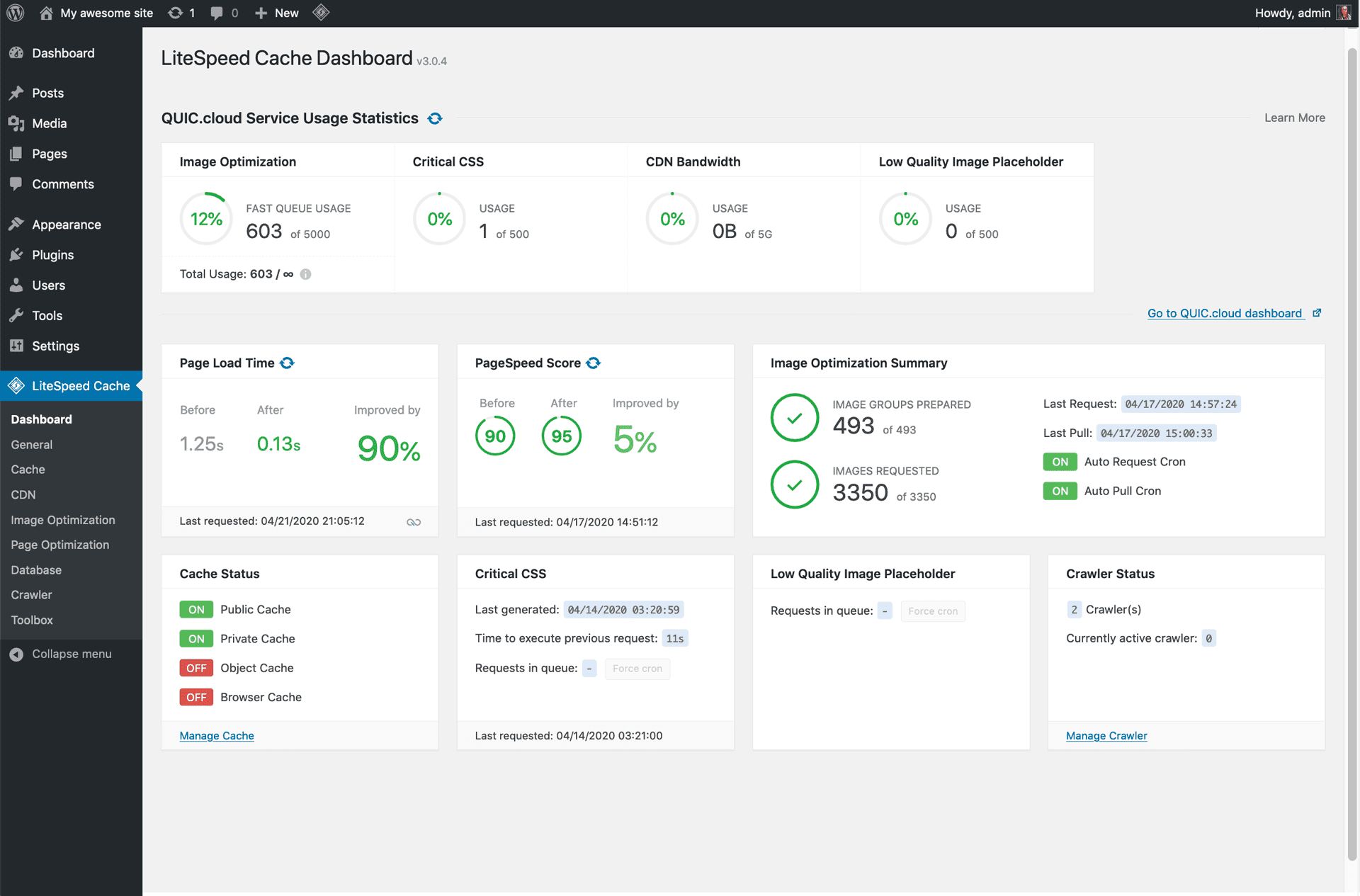
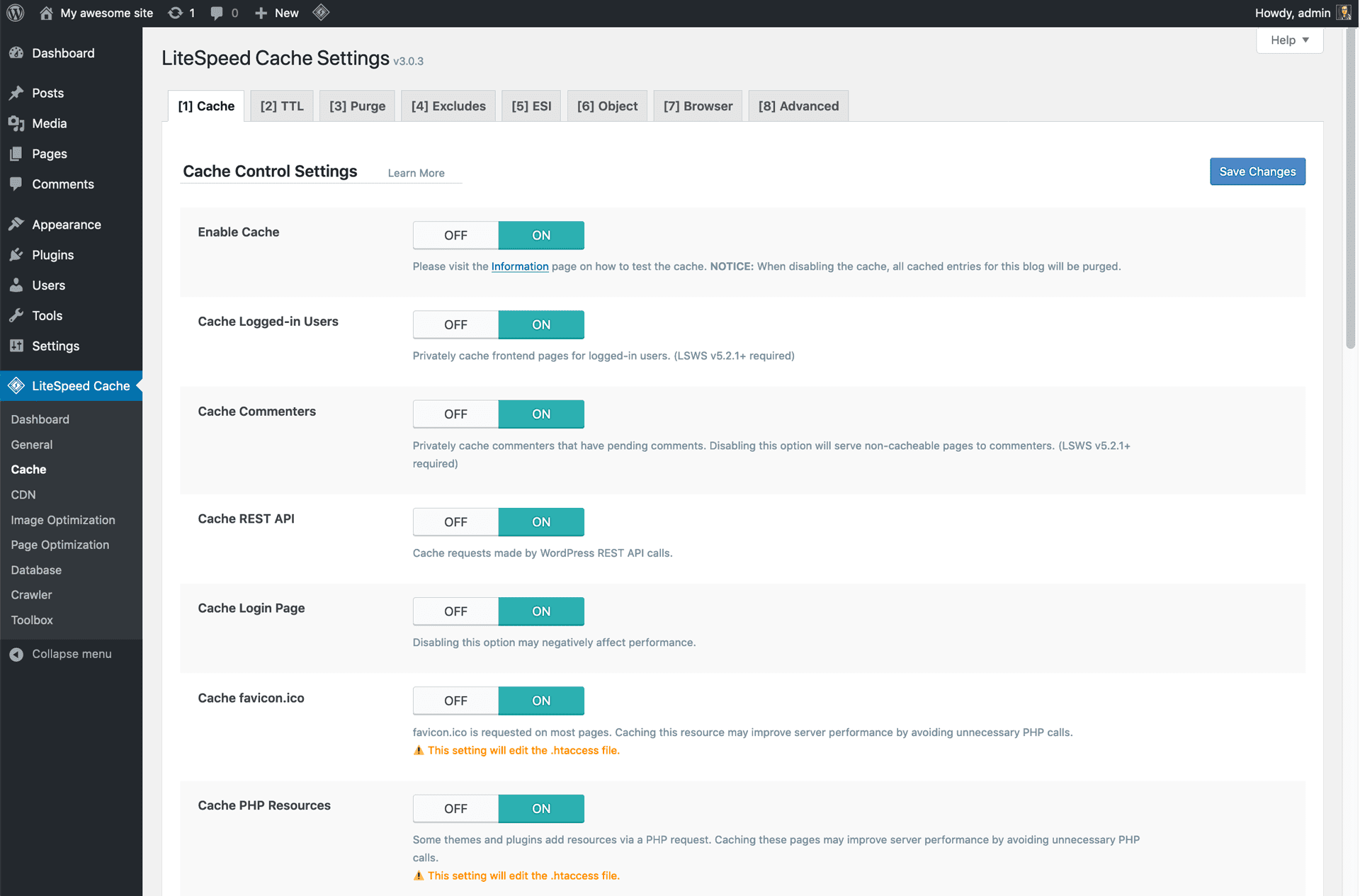
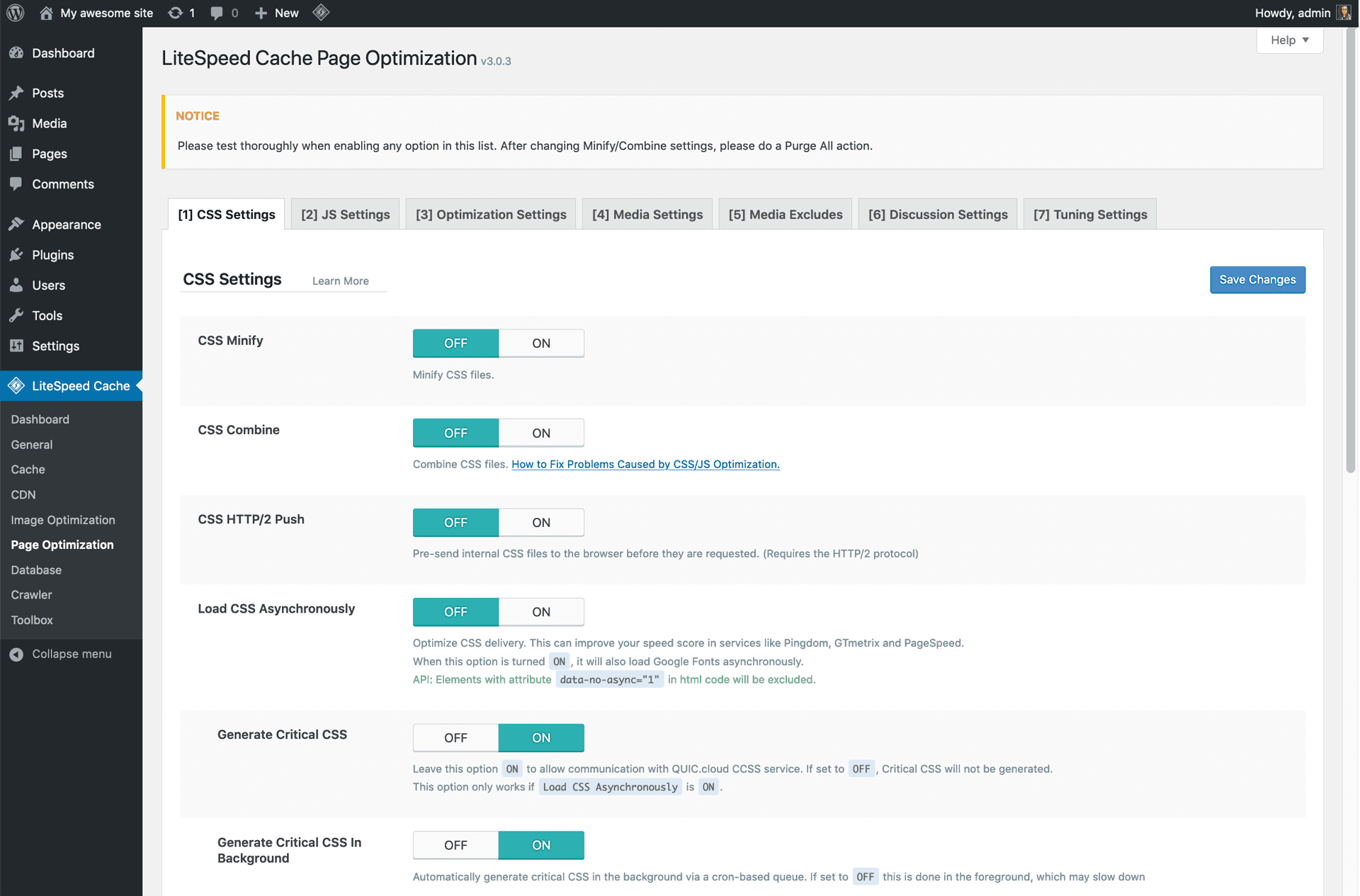
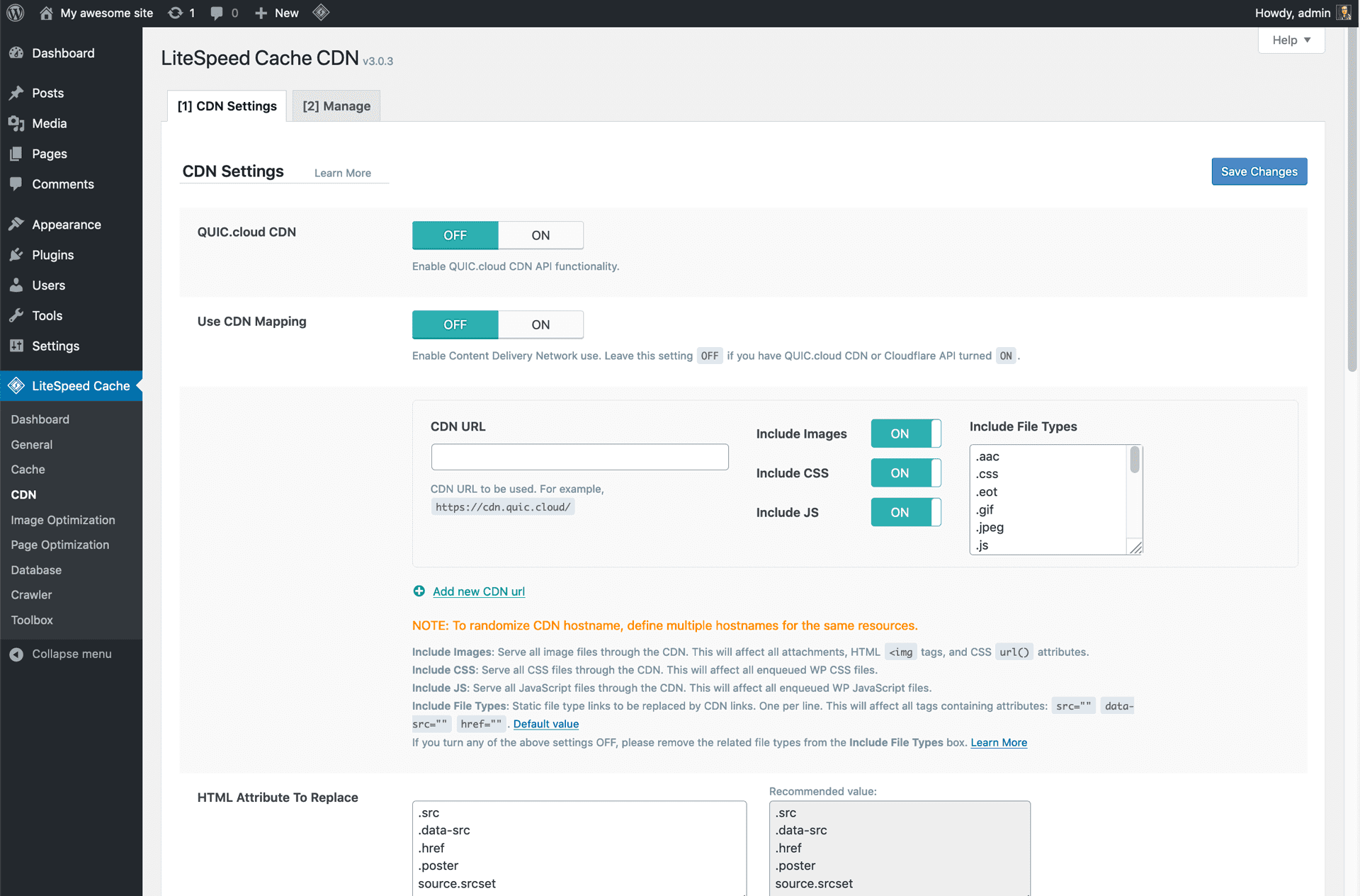
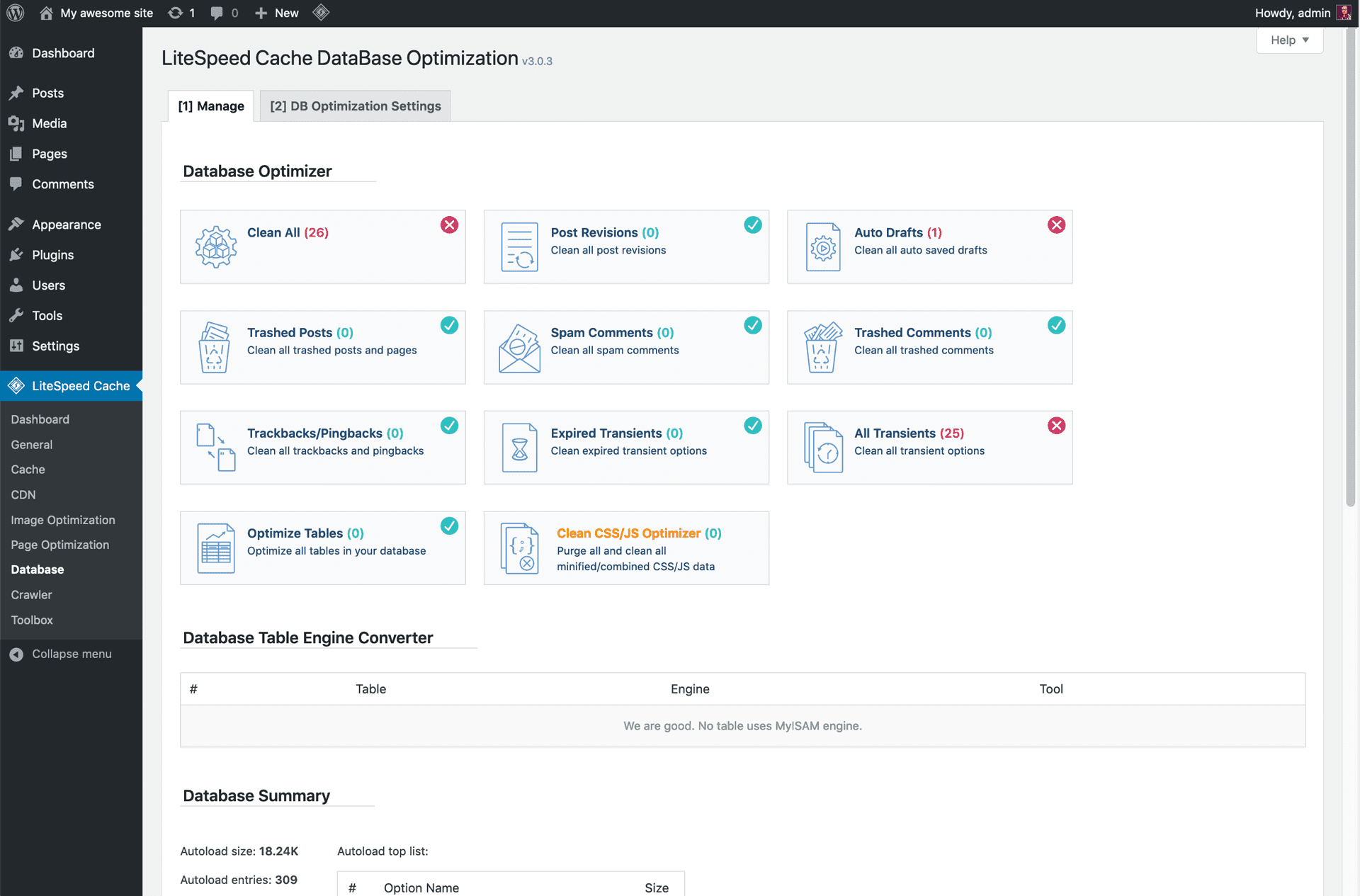
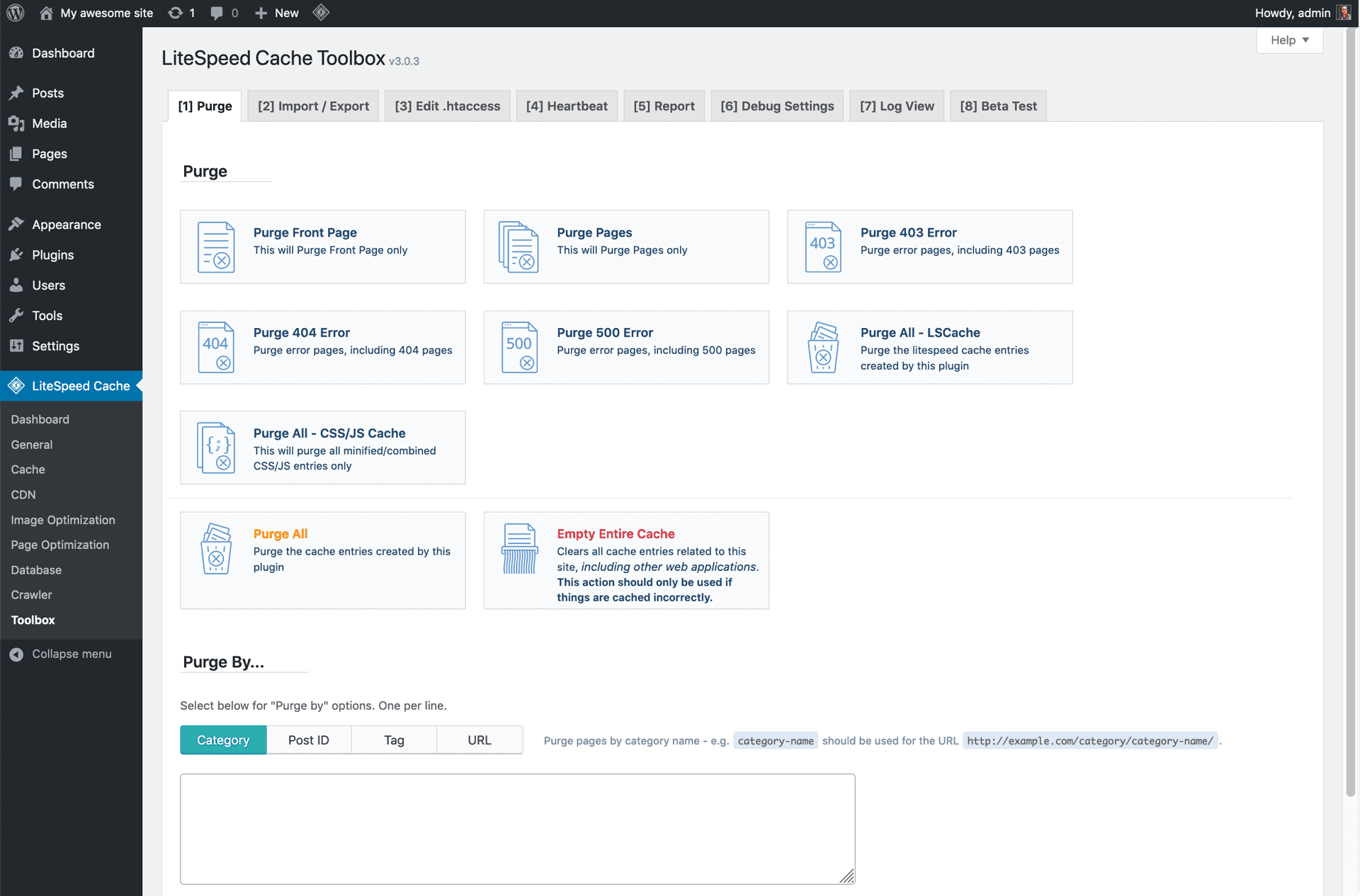
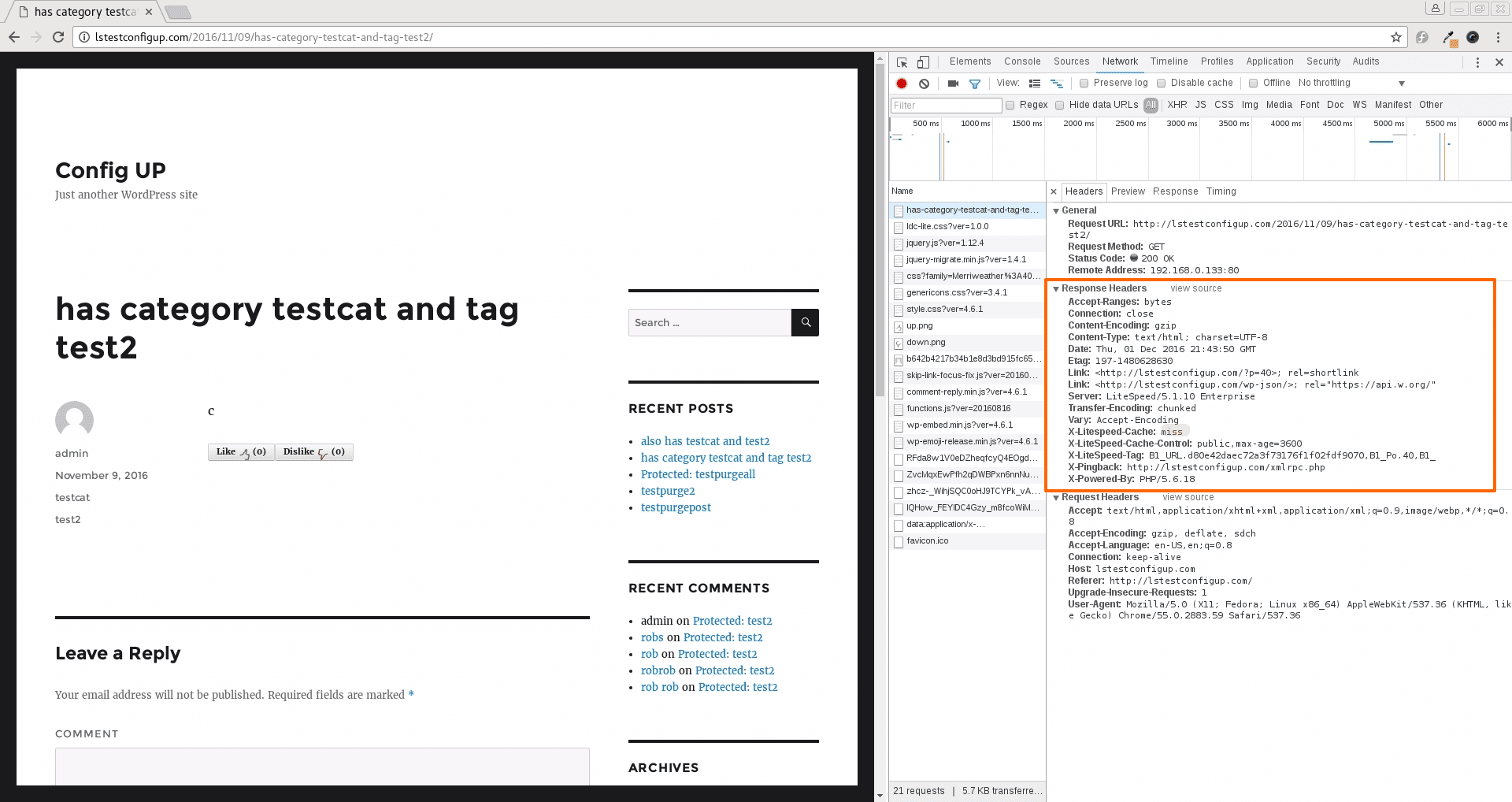
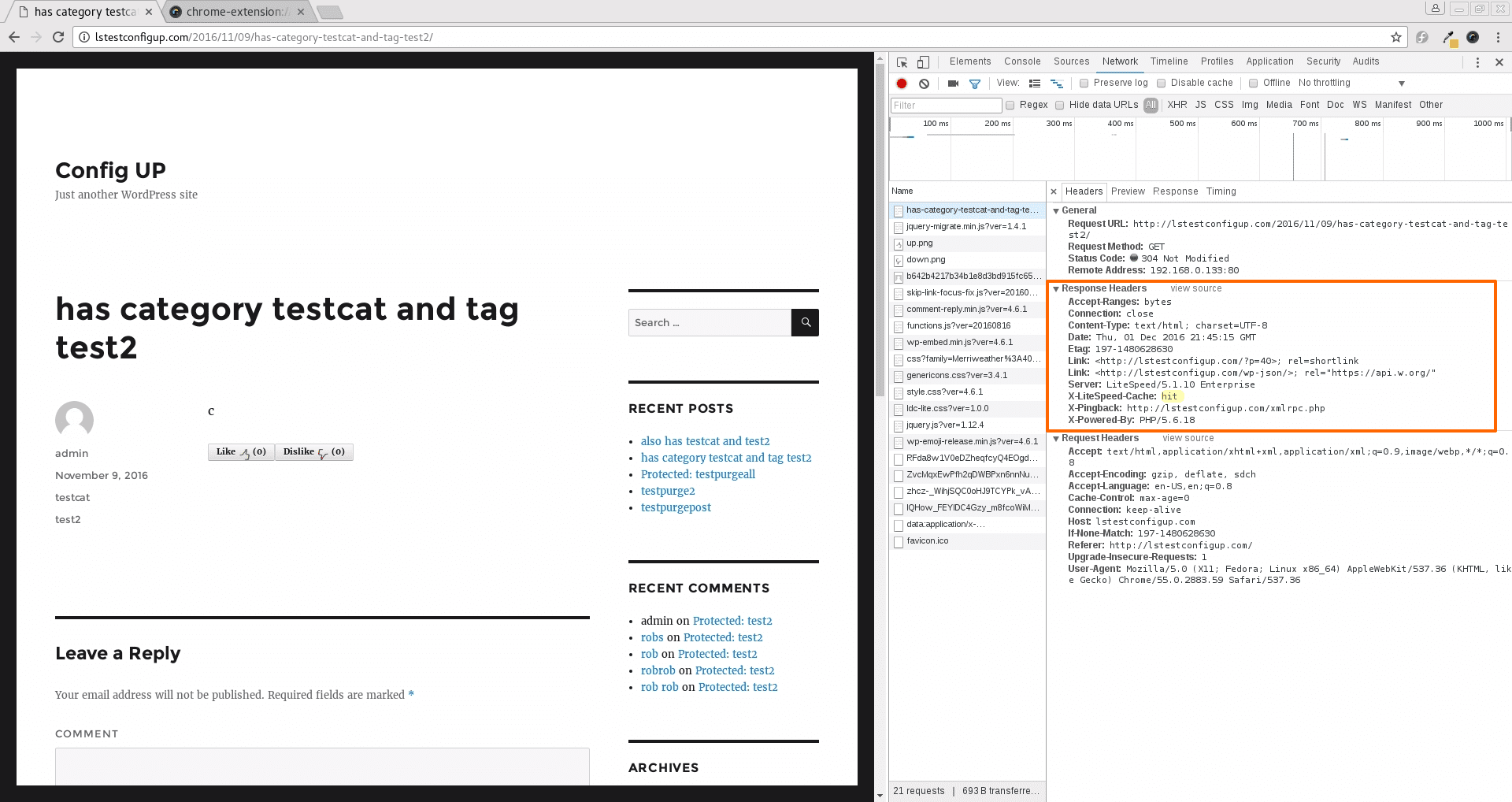
This plugin communicates with your LiteSpeed Web Server and its built-in page cache (LSCache) to deliver superior performance to your WordPress site. The plugin’s cache features indicate to the server that a page is cacheable and for how long, or they invalidate particular cached pages using tags.
LSCache is a server-level cache, so it’s faster than PHP-level caches. Compare with other PHP-based caches.
A page cache allows the server to bypass PHP and database queries altogether. LSCache, in particular, because of its close relationship with the server, can remember things about the cache entries that other plugins cannot, and it can analyze dependencies. It can utilize tags to manage the smart purging of the cache, and it can use vary cookies to serve multiple versions of cached content based on things like mobile vs. desktop, geographic location, and currencies. See our Caching 101 blog series.
If all of that sounds complicated, no need to worry. LSCWP works right out of the box with default settings that are appropriate for most sites. See the Beginner’s Guide.
Don’t have a LiteSpeed server? Try our QUIC.cloud CDN service. It allows sites on any server (NGINX and Apache included) to experience the power of LiteSpeed caching! Click here to learn more or to give QUIC.cloud a try.
LSCWP includes additional optimization features, such as Database Optimization, Minification and Combination of CSS and JS files, HTTP/2 Push, CDN Support, Browser Cache, Object Cache, Lazy Load for Images, and Image Optimization! These features do not require the use of a LiteSpeed web server.
Yes, LSCWP will always be free and open source. That said, a LiteSpeed server is required for the cache features, and there are fees associated with some LiteSpeed server editions. Some of the premium online services provided through QUIC.cloud (CDN Service, Image Optimization, Critical CSS, Low-Quality Image Placeholder, etc.) require payment at certain usage levels. You can learn more about what these services cost, and what levels of service are free, on your QUIC.cloud dashboard.
A LiteSpeed solution is required in order to use the LiteSpeed Exclusive features of this plugin. Any one of the following will work:
- LiteSpeed Web Server Enterprise with LSCache Module (v5.0.10+)
- OpenLiteSpeed (v1.4.17+)
- LiteSpeed WebADC (v2.0+)
- QUIC.cloud CDN
The General Features may be used with any web server. LiteSpeed is not required.
The cache entries are stored at the LiteSpeed server level. The simplest solution is to use LiteSpeed WebADC, as the cache entries will be stored at that level.
If using another load balancer, the cache entries will only be stored at the backend nodes, not at the load balancer.
The purges will also not be synchronized across the nodes, so this is not recommended.
If a customized solution is required, please contact LiteSpeed Technologies at info@litespeedtech.com
NOTICE: The rewrite rules created by this plugin must be copied to the Load Balancer.
The actual cached pages are stored and managed by LiteSpeed Servers.
Nothing is stored within the WordPress file structure.
Yes it can work well with OpenLiteSpeed, although some features may not be supported. See Plugin Features above for details. Any setting changes that require modifying the .htaccess file will require a server restart.
In short, yes. However, for some WooCommerce themes, the cart may not be updated correctly. Please visit our blog for a quick tutorial on how to detect this problem and fix it if necessary.
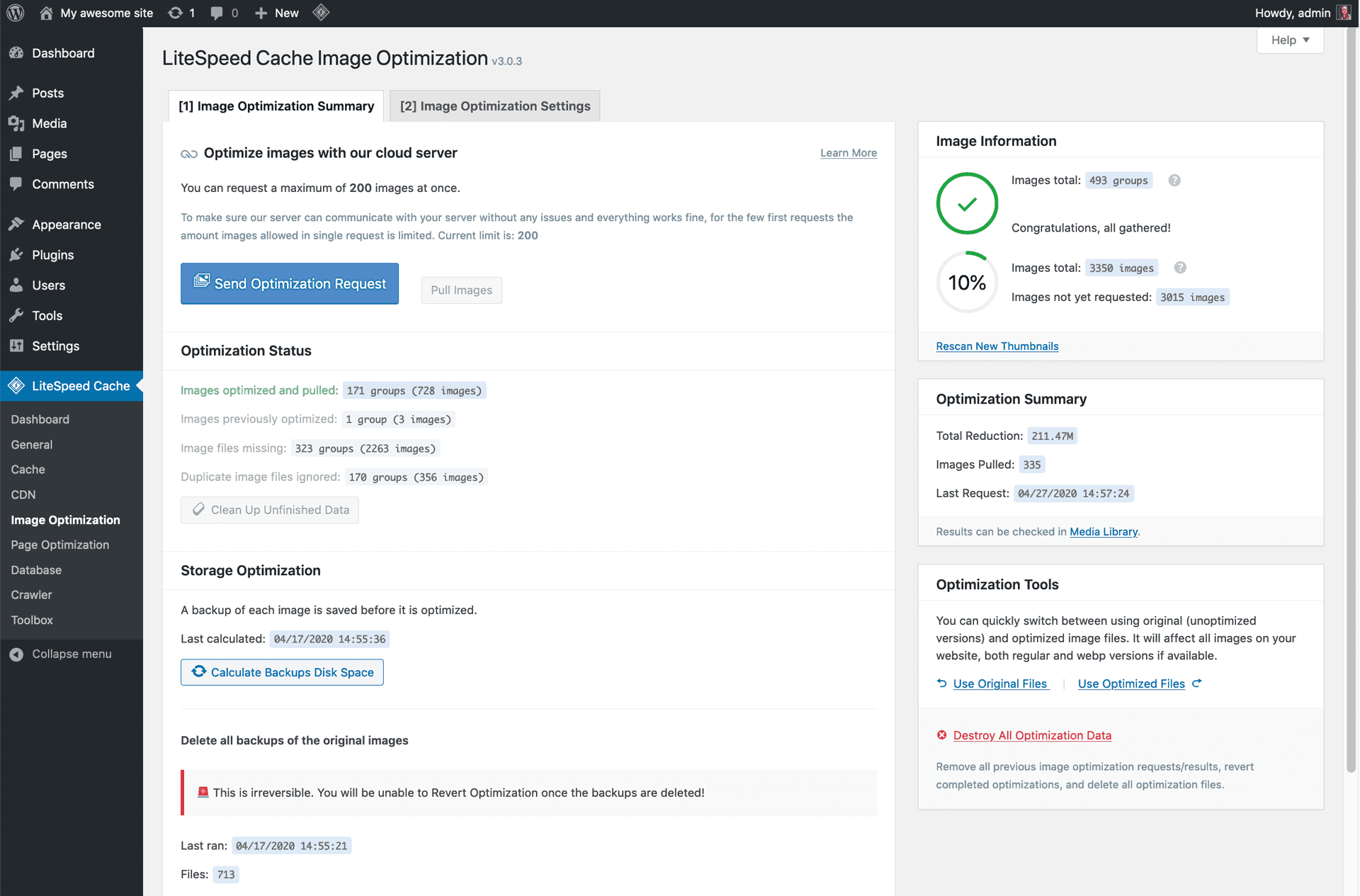
Images are not optimized automatically unless you set LiteSpeed Cache > Image Optimization > Image Optimization Settings > Auto Request Cron to ON. You may also optimize your images manually. Learn more.
Our API includes a function that uses ESI to “punch a hole” in a cached page for a nonce. This allows the nonce to be cached separately, regardless of the TTL of the page it is on. Learn more in the API documentation. We also welcome contributions to our predefined list of known third party plugin nonces that users can optionally include via the plugin’s ESI settings.
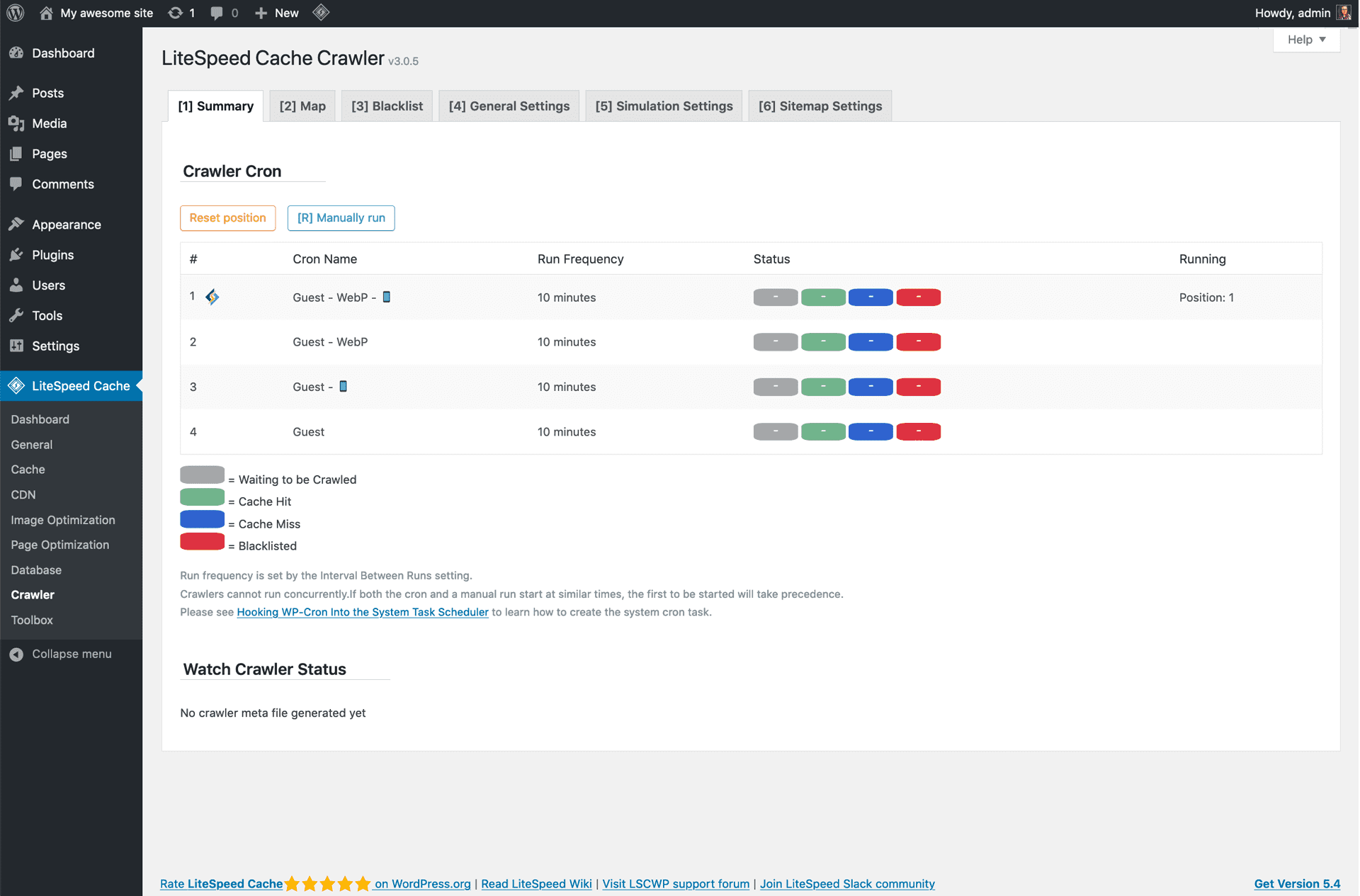
The crawler is disabled by default, and must be enabled by the server admin first.
Once the crawler is enabled on the server side, navigate to LiteSpeed Cache > Crawler > General Settings and set Crawler to ON.
For more detailed information about crawler setup, please see the Crawler documentation.
- WPML
- DoLogin Security
- bbPress
- WooCommerce
- Contact Form 7
- All in One SEO
- Google XML Sitemaps
- Yoast SEO
- Wordfence Security
- NextGen Gallery
- ShortPixel
- Aelia CurrencySwitcher
- Fast Velocity Minify – Thanks Raul Peixoto!
- Autoptimize
- Better WP Minify
- WP Touch
- Theme My Login
- WPLister
- WP-PostRatings
- Avada 5.1 RC1+
- Elegant Themes Divi 3.0.67+
- Elegant Divi Builder
- Caldera Forms 1.5.6.2+
- Login With Ajax
- Ninja Forms
- Post Types Order 1.9.3.6+
- BoomBox — Viral Magazine WordPress Theme
- FacetWP (LSWS 5.3.6+)
- Beaver Builder
- WpDiscuz
- WP-Stateless
- Elementor
- WS Form
- WP Statistics
The vast majority of plugins and themes are compatible with LiteSpeed Cache. The most up-to-date compatibility information can be found in our documentation
Report a suspected vulnerability through either channel:
- The Patchstack Vulnerability Disclosure Program, where the Patchstack team help validate and triage the report.
- Email
support@litespeedtech.com, or open a private ticket from the LiteSpeed Client Area.
Please don’t report a suspected vulnerability in this support forum. Reporting details are in security.md in the plugin folder.
Changelog
8.0 – Coming soon 2026
- 🌱OptiMax OptiMax to maximize the page score.
7.9.1 – Sep 1 2026
- Core Aligned the runtime PHP and WordPress guards with the published minimum requirements.
- ESI Prevented Guest Mode pages from creating ESI subrequests when an integration registered its ESI hooks before Guest Mode detection.
- ESI Bound ESI execution to the signed query payload so POST parameters cannot replace validated block data.
- Image Optimize Fixed a fatal error when the WordPress HTTP fallback could not download an image.
- Image Optimize The image optimization callback is now verified by a QUIC.cloud signature instead of the source IP address, and every notified download location is validated before use.
- Image Optimize Successful callback retries now ignore rows already returned to the raw queue without blocking other live rows in the same batch.
- Image Optimize An image whose queued file can no longer be verified against its attachment is now dropped instead of being sent back for optimization, so it can no longer request optimization again on every cron run.
- Image Optimize Bounded and expired pending image-completion notifications without keeping the image pull cron running indefinitely.
- Image Optimize Optimized image downloads now use the WordPress safe HTTP API, refuse redirects, and validate each response before publication.
- Image Optimize Image pull notices now distinguish download, remote-service, and local-save failures.
- Cache Do Not Cache, Private Cached, Force Cache, Optimization and Lazy Load URI rules now compare the same query string against both spellings of a REST route, so a rule naming a query argument, or anchored to an exact address, applies to plain-permalink sites the same way it does elsewhere.
- Optimization Remote images, avatars, localized JavaScript, CSS/JS cache files, and Guest Mode lists now share bounded streamed downloads and atomic file publication.
- VPI Fixed queue-key collisions on plain-permalink sites and enforced the configured queue limit.
- Cloud Every QUIC.cloud callback — CDN status, error domains, IP validation and ping — is now verified by a QUIC.cloud signature rather than by the source IP address, and the source IP allow list has been removed. Activation, echo, account-link and CDN-enable signatures are now bound to their purpose and site.
- Cloud Added stable callback error codes so QUIC.cloud can distinguish retryable timestamp, storage and replay-cache-capacity failures from terminal authorization failures.
- REST Removed the legacy
check_imgdiagnostic endpoint. - API Removed the
litespeed_is_from_cloudfilter. Each callback is now authorized by its own signature instead of by a request-wide flag. - API Added the
litespeed_static_dir_htaccessfilter so hosts can remove unsupported directives from the generated static-directory protection file. (vvvllll #1043) - Avatar Prevented failed on-demand avatar downloads from redirecting visitors to the WordPress admin area.
7.9 – Aug 5 2026
- Cloud Changed Health service to run asynchronously, resuming through WP cron when the cloud defers the request.
- Cache Respected the existing cache control header when sending the default WP header. (dieter93)
- Conf Updated default cache login value to false.
- Core Minimum required PHP version escalated to PHP v7.4.0.
- Core Minimum required WP version escalated to WP v6.0.
- Media Improved WebP/AVIF data handling and inline script output.
- CDN Stripped file types from settings when the matching Include Images/CSS/JS toggle is on.
- CDN Added Cloudflare purge only when Cloudflare is active. (PR#996)
- CDN Bypassed CDN replacement for REST JSON. (#216585)
- Object Cache Bypassed object cache operations after a failed connection.
- Object Cache Enabled Redis zstd compression via phpredis. (Octavian)
- Object Cache Validated the Host setting on save. (PR#889)
- UCSS Dropped notification step.
- CCSS Dropped notification step. Added try_later handling and sync mode support.
- Page Optimize Fixed race condition when concurrent requests come to same CSS file. (unsetfocus)
- Page Optimize Fixed blob execution in JS Delay. (PR#956, Zsombor Franczia, Marks Dev)
- Page Optimize Fixed JS Combine corrupting URLs inside template literals. (mschroettle #981)
- Page Optimize Fixed CSS Combine serving unstyled pages when the placeholder link tag uses default WordPress whitespace. (Faisal Ahammad #999 PR#1002)
- Page Optimize Resolved WP 7.0 HTML attribute parse compatibility for Font Display setting. (PR#1017)
- Image Optimize Skipped sending queued images from the queue when their optimized files already exist. (terratag)
- Image Optimize Dropped legacy image_optm table.
- Crawler Blacklisted a URL after 3 consecutive failures instead of the first one. (Ryan D)
- ESI Fixed ESI nonce generation for actions with custom nonce lifetimes. (Robert Staddon PR#1006)
- ESI Fixed duplicate comment form appearing alongside its ESI block on non-optimized pages.
- ESI Bypassed comment for silent blocks that fail
_hashvalidation. (Robert Staddon PR#1008) - VPI Added
fetchpriority=highto VPI preload links. (Maciej Mroziński PR#993) - LQIP Fixed LQIP generation failing for native WebP/AVIF images. (Ashok PR#976)
- Toolbox Delayed report submission to finish 3rd party conf injection.
- GUI Dropped redundant menu from WP admin Settings page.
- GUI Fixed styles lost on WP 7.0 when heartbeat is disabled.
- GUI Settings tabs no longer flash on page load, are remembered per page, and support browser Back/Forward navigation. (Ryan D PR#984)
- 3rd Crawler can now support WCML currencies.
- 3rd Cache purge compatibility w/ RankMath SEO. (Ryan D, PR#977)
- 3rd DIVI 5 – Disable Rest API cache to fix the invalid_nonce issue. (PR#1004)
- 3rd Added Gravity Forms ESI nonce detection. (pascalminator PR#1011)
- Misc Blocked public access to data files in the static cache folder. (Alexander #335626)
- Misc Deactivation survey modal now shows only until the first real deactivation, then stays suppressed. (narratorben)
- Avatar Disabling Avatar Cache now stops the queue counter, gravatar generation, and on-demand static avatar generation.
- Purge Deferred the purge-all success notice to fix the upgrade warning.
7.8.1 – Apr 1 2026
- CDN Fixed Cloudflare API key type detection for the compatibility w/ the new key format.
7.8.0.1 – Mar 17 2026
- Object Cache Improved Object Cache resilience: auto disable when connection fails, network subsites fallback to database, and dropped TTL setting to respect never-expired transients.
7.8 – Mar 3 2026
- Cloud Changed Health service to run asynchronously.
- Object Cache Dropped
Store Transientsoption. Transients now always use Object Cache when available, preventing potential database bloat from expired transients not being cleared. (ravanh) - Media Added extension check for WebP/AVIF replacement efficiency – only processes jpg/jpeg/png/gif, skips svg/ico/bmp etc.
- Media Added WebP/AVIF support for macOS Safari >= 16.4. (PR#948)
- Media Fixed pie chart not displaying in media library.
- Image Optimize Fixed infinite redirect loop issue for image optimization actions. (giangel84 PR#959)
- Image Optimize Fixed image optimization data not being cleared when images are replaced using third-party plugins.
- Image Optimize Fixed reset single image not deleting records from img_optm and img_optming database tables.
- Page Optimize Fixed font optimization in certain themes. (rbabt PR#955)
- Page Optimize Filtered HTML tags when saving CSS content.
- Object Cache Fixed methods returning
nullinstead offalseon failure, matching WordPress Object Cache API convention.(jkolodziej) - Conf Improved network subsites config loading efficiency. (dassels43)
- Toolbox Added download button for log files to download complete logs.
- 3rd Purge product cache when orders are cancelled in WooCommerce. (haralampiev12 PR#954)
- Misc Added Apache rewrite rule support for security check. (PR#948)
- Misc Split Cloud and Image Optimization classes into traits for better maintainability.
" width="120" height="120">
Available Versions
| Version | Download | Type |
|---|---|---|
| 7.9.1 | Download | Stable |
| 7.9 | Download | Stable |
| 7.8.1 | Download | Stable |
| 7.8.0.1 | Download | Stable |
| 7.8 | Download | Stable |
| 7.7 | Download | Stable |
| 7.6.2 | Download | Stable |
| 7.6.1 | Download | Stable |
| 7.6 | Download | Stable |
| 7.5.0.1 | Download | Stable |
| 7.5 | Download | Stable |
| 7.4 | Download | Stable |
| 7.3.0.1 | Download | Stable |
| 7.3 | Download | Stable |
| 7.2 | Download | Stable |
| 7.1 | Download | Stable |
| 7.0.1 | Download | Stable |
| 7.0.0.1 | Download | Stable |
| 6.5.4 | Download | Stable |
| 5.7.0.1 | Download | Stable |
| 4.6 | Download | Stable |
| 3.6.4 | Download | Stable |
| 2.9.9.2 | Download | Stable |
| 1.9.1.1 | Download | Stable |
| 1.0.15 | Download | Stable |
| Development | Download | Trunk |
