
Usher
Active Installs
0+
Last Updated
July 1, 2021
First Released
March 24, 2019
Download History (Last one month)
Contributors
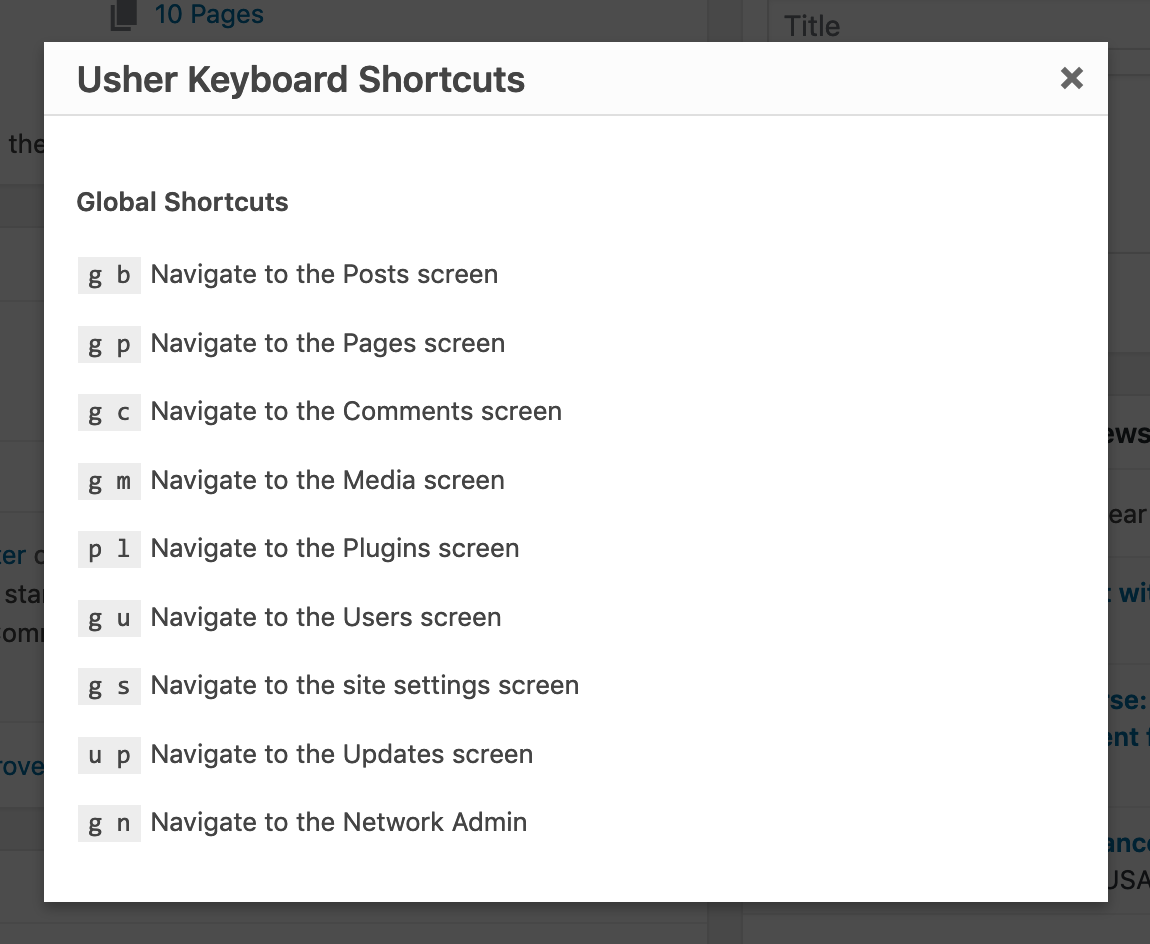
Usher brings Gmail-like keyboard shortcuts for navigating around the various core pages of the WordPress admin.
Additionally, it includes a robust API for registering new global and screen-specific keyboard shortcuts.
To register new shortcuts, use the Usher\register_shortcut() function. For example:
Add a shortcut for the EDD Dashboard
Usher\register_shortcut( 'g d', array(
    'label' => __( 'Navigate to the EDD dashboard', 'textdomain' ),
    'url'   => 'edit.php?post_type=download',
    'cap'   => 'manage_shop_settings'
) );
Add a shortcut for the Jetpack Dashboard
Usher\register_shortcut( 'g j', array(
    'label' => __( 'Navigate to the Jetpack dashboard', 'textdomain' ),
    'url'   => 'admin.php?page=jetpack',
    'cap'   => 'manage_options',
) );
No installation instructions provided.
Screenshot Gallery
No FAQ provided.
Changelog
1.0.1
- New: Shortcuts can now be registered with fully-qualified URLs
- Tweak: Updated the Plugins, Updates, and Network Admin screen shortcuts to two letters because of the unreliability of three-letter shortcuts
- Fix: Ensure shortcuts targeted for the current screen get properly bound to the Usher JS object
1.0
- Initial Release
