
UpdraftCentral Dashboard
Active Installs
5,000+
Last Updated
August 13, 2026
First Released
March 31, 2016
Download History (Last one month)
Contributors
UpdraftCentral is a powerful remote control dashboard for WordPress that allows you to manage your WordPress sites from one central location.
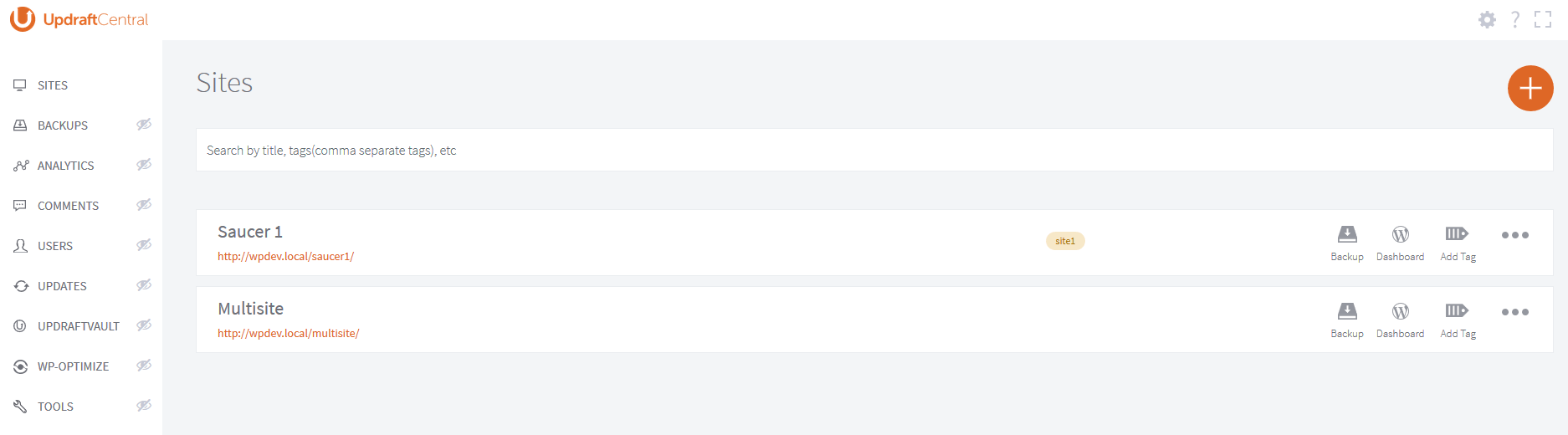
You can centrally manage backups, updates and more, accessing each site quickly and efficiently.
This plugin is the central dashboard plugin for installing on the site you want your dashboard (the “mothership”). On the sites you want to control, you instead install UpdraftPlus.
Don’t want to self-host a dashboard? A premium cloud version of UpdraftCentral hosted and maintained by us is also available with many more features – with control of 5 sites available for free.
UpdraftCentral is the latest release from the makers of UpdraftPlus, WordPress’ #1 most installed and trusted backup plugin (active on over a million WordPress sites). As a relatively young plugin we’re keen to get your feedback. If you discover a problem, please let us know (rather than slamming us with a bad review!). You can find support or make suggestions here.
Quick links: how to install | how to add a site | FAQs
Features of this self-install version
Built with state-of-the-art technology, UpdraftCentral is full of features that increase your efficiency and productivity.
With UpdraftCentral, you can…
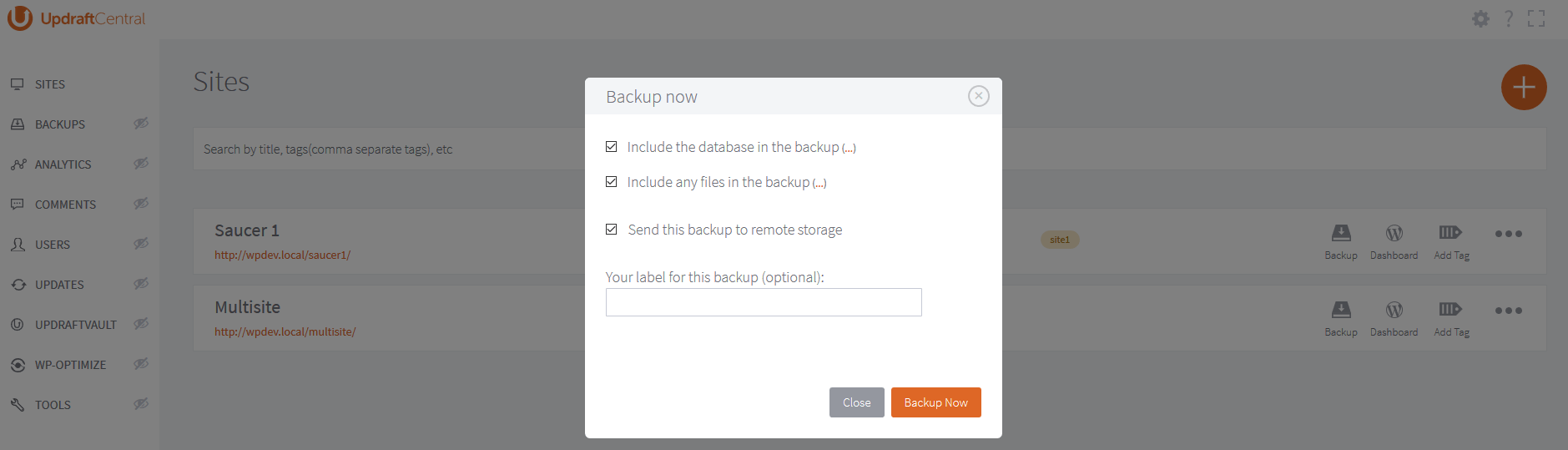
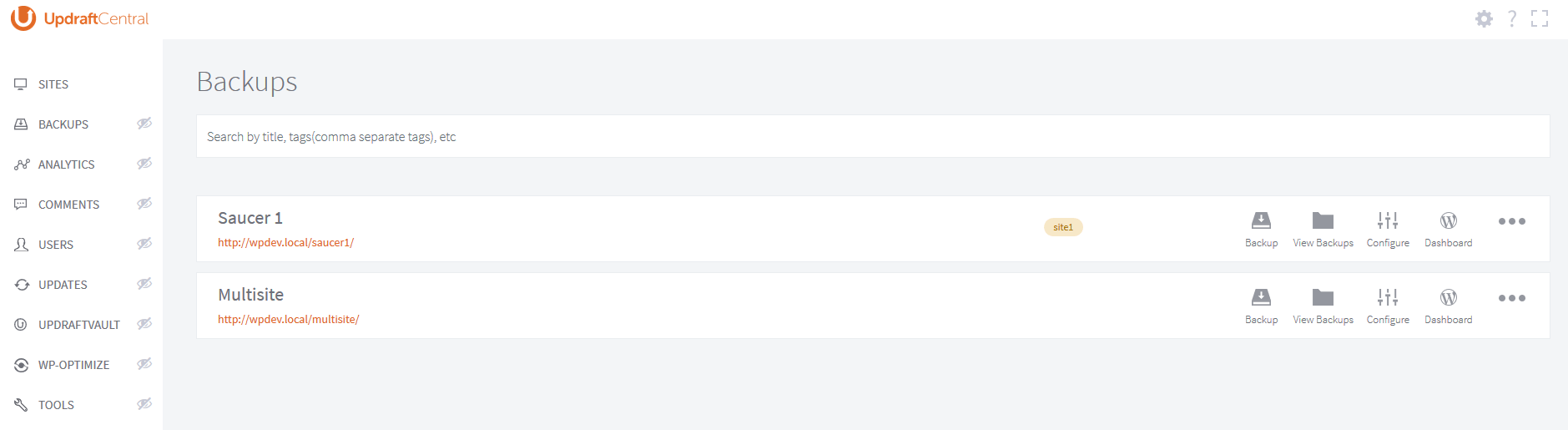
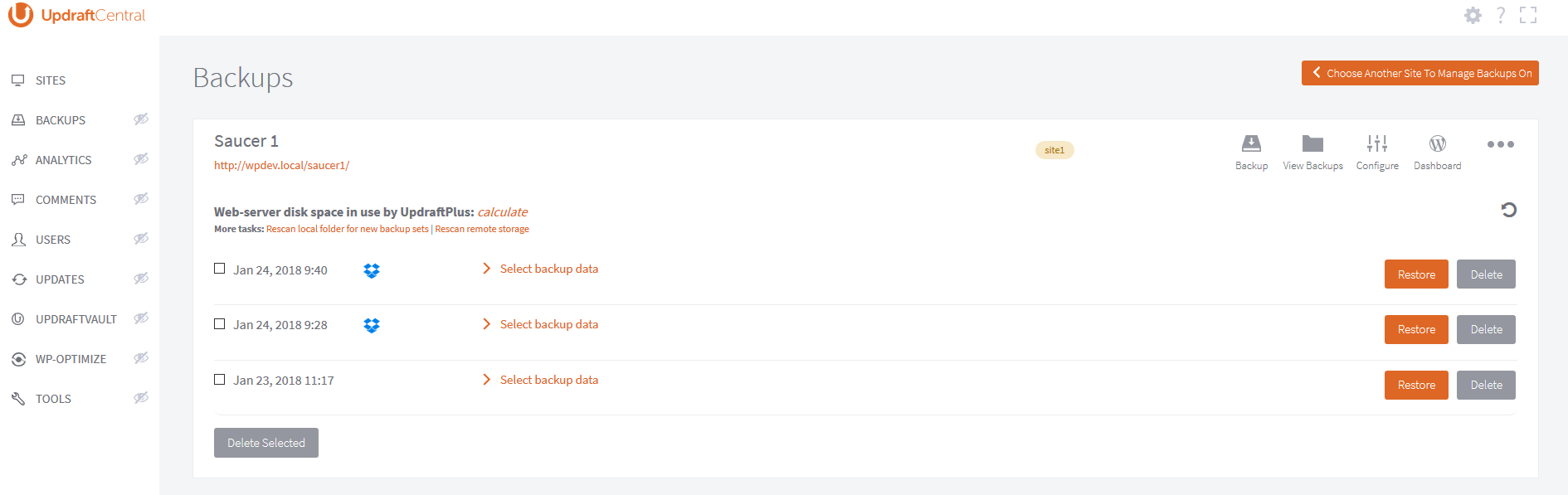
- Quickly manage all your UpdraftPlus backups from a single place (backup, see/edit settings, see/download/delete backups, initiate restore)
- Log in to the WP dashboard of any connected site with a single click.
- Update the WordPress core, plus plugins and themes of any connected site.
- Clearly view updates from all sites and carry them out according to sophisticated filters from a single screen.
- Clean your database on any site by remotely controlling our WP-Optimize plugin, the #1 most-installed WP database optimization plugin
- Control policies for updates via control of Easy Updates Manager
- Manage UpdraftVault storage
- Easily inspect current system information in order to manage site configurations and settings, and troubleshoot problems.
- See below for extra features in UpdraftCentral Premium
UpdraftCentral Advantages:
- No annoying page refreshes and no WP dashboard to get in your way (this is a single-page/dynamic JavaScript application which runs in the front end and on full-screen mode).
- Fast and efficient: all communications are sent directly from the browser where possible, rather than through a back-end server).
- Secure: all communications between sites are RSA encrypted and signed, and every connection has a unique key-pair. Can be run by localhost, so you can have the dashboard website (i.e. the one that controls all the others) off the public Internet.
- Mobile-ready and responsive
- Extensible and developer friendly: it uses WordPress hooks widely, and all of its JavaScript is documented with JSDoc.
Features of UpdraftPlus Premium Cloud:
UpdraftCentral Premium Cloud is a hosted, cloud version of UpdraftCentral which we maintain so that you don’t have to.
It has many more features:
- Run Google Analytics to get an instant overview of important KPIs from all sites
- Easily manage comments on all your sites from one place
- Manage users, giving different levels of access
- Create tags to organize websites into different categories
- Fully supported via a fast, professional ticketed support service and active forum.
- Manage (activate, deactivate or delete) plugins from one or multiple websites all in one place
- Install one or more plugins straight from wordpress.org and automatically activate them
- Manage themes, choose and set your default theme easily and automatically
- Search, choose and click to install themes to one or multiple websites
How to install:
Using the WordPress dashboard
- Navigate to the ‘Add New’ in the plugins dashboard
- Search for ‘UpdraftCentral’
- Click ‘Install Now’
- Activate the plugin on the Plugin dashboard
Uploading in WordPress Dashboard
- Download the latest version of this plugin from https://wordpress.org/plugins/updraftcentral/
- Navigate to the ‘Add New’ in the plugins dashboard
- Navigate to the ‘Upload’ area
- Select the zip file (from step 1.) from your computer
- Click ‘Install Now’
- Activate the plugin in the Plugin dashboard
Using FTP
- Download the latest version of this plugin from https://wordpress.org/plugins/updraftcentral/
- Unzip the zip file, which will extract the updraftcentral directory to your computer
- Upload the updraftcentral directory to the /wp-content/plugins/ directory in your web space
- Activate the plugin in the Plugin dashboard
From our YouTube channel, here’s how to add a new site:
Requirements
The website being controlled must have all of these:
- WordPress 3.4 (June 2012) or later. There are no further version PHP/MySQL requirements.
- UpdraftPlus version 1.12.2 (free version) / 2.12.2 (paid versions) or later installed and active (but, for full functionality and compatibility, you should have the latest release)
- No active security modules (whether a WordPress plugin, or webserver component) that block traffic based on unusual patterns – encrypted traffic from a remote control plugin is likely to be blocked, as it looks very different to regular website visits from a web browser. We have tested with the most popular WordPress plugins, and these are all not a problem in all the configurations we have tested.
The website that is running the dashboard (i.e. this plugin, UpdraftCentral) must have:
- WordPress 4.4 (Dec 2015) or later
- PHP 5.6 or later
The web browser that you visit the UpdraftCentral dashboard must not have not been end-of-lifed by its maker. Specifically, Internet Explorer 9 (or earlier) is not supported. UpdraftCentral is built using modern JavaScript technologies.
Acknowledgements
We recognise and thank all those whose code and/or libraries are used and/or modified under the terms of their open source licences in UpdraftCentral, at: https://updraftplus.com/acknowledgements/You should install using the standard WordPress procedure:
- Search for ‘UpdraftCentral’ via the ‘Plugins’ dashboard page in WordPress.
- Click the ‘Install’ button. (Make sure you pick the right one)
- Activate the plugin through the ‘Plugins’ menu in WordPress
Then, you must create a front-end page for your site, to contain the dashboard. i.e. Go to the “Pages” screen in your WordPress dashboard, and follow the link for “Add New”. You are recommended to use a template that allows UpdraftCentral as much width as possible – but, note that UpdraftCentral has a “full screen” mode; so, even if your theme is narrow, it’s not a problem.
Upon this front-end page, place this shortcode: [updraft_central] . This will allow logged-in site administrators, who visit that page, to use UpdraftCentral. If you want users with roles to also be able to use UpdraftCentral (note that every user has their own list of sites – giving users access to UpdraftCentral does not give them access to your sites, only to their own list of sites), then please see this FAQ for information on how it is done: https://updraftplus.com/faqs/can-allow-non-admin-users-updraftcentral-dashboard/
Then, to start using UpdraftCentral, simply visit the page, and you can begin adding sites, using this guide.
Screenshot Gallery
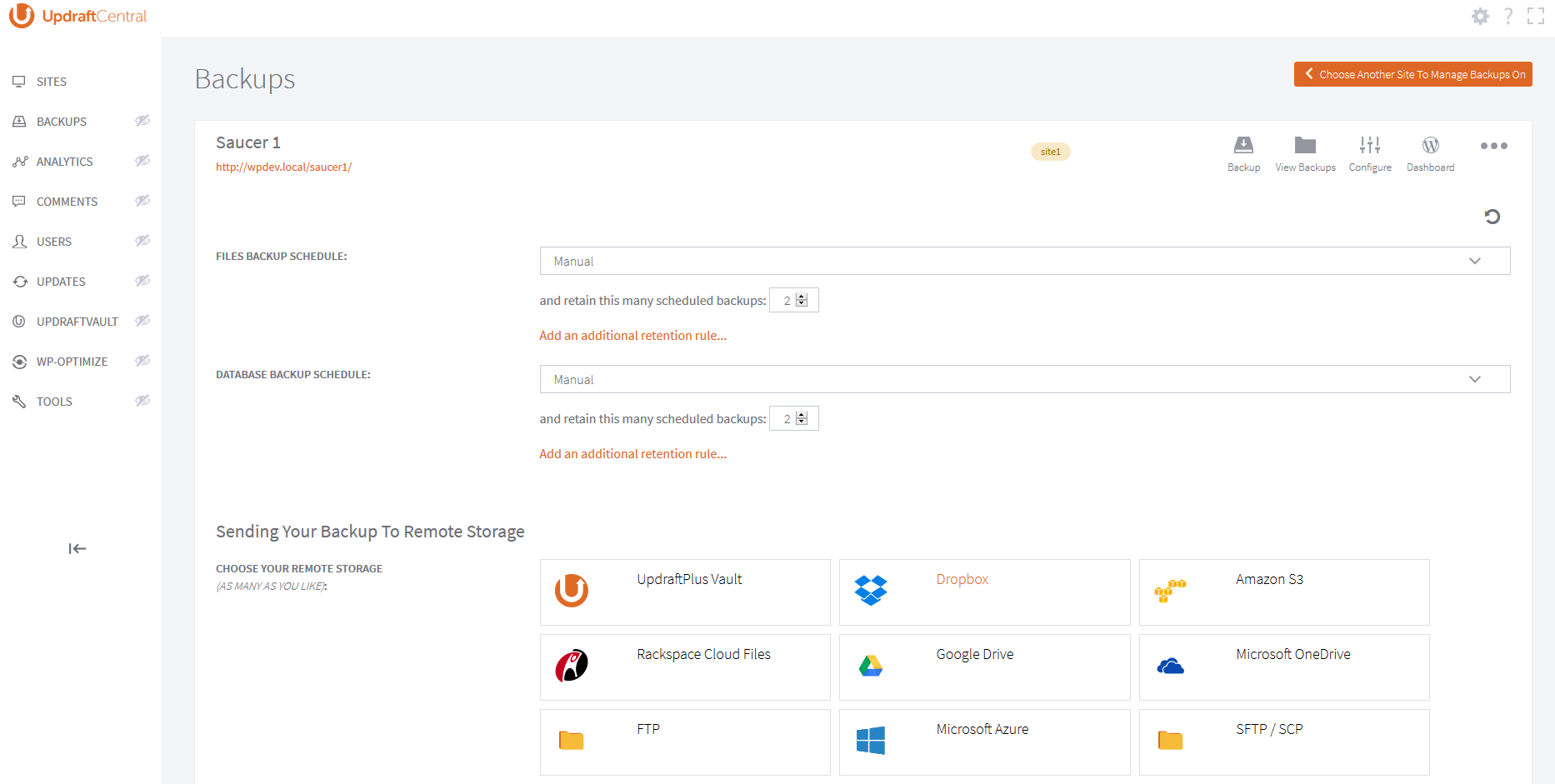
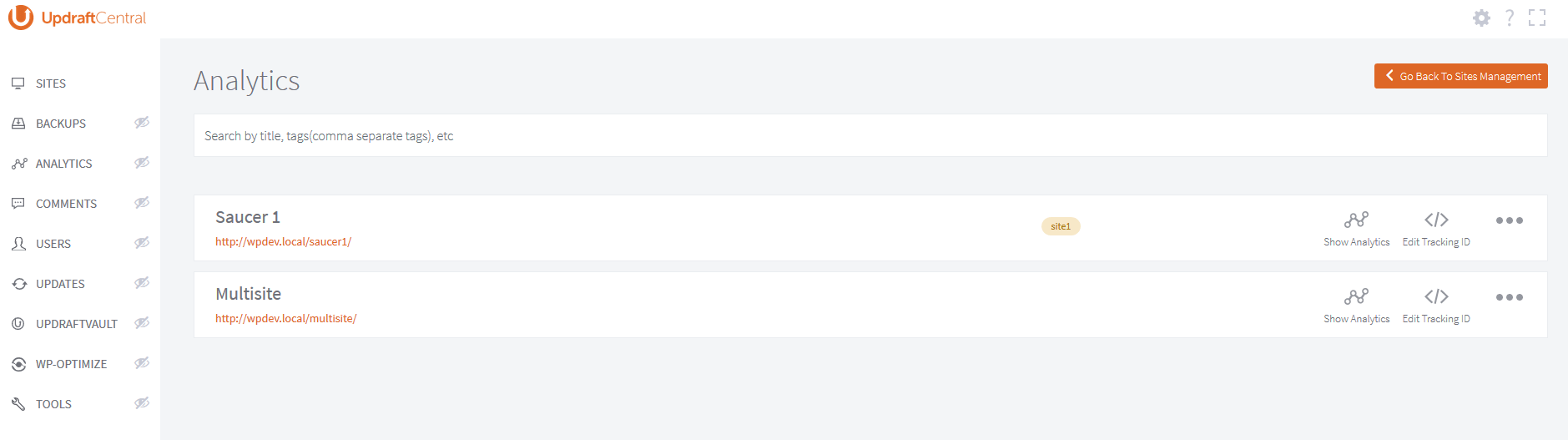
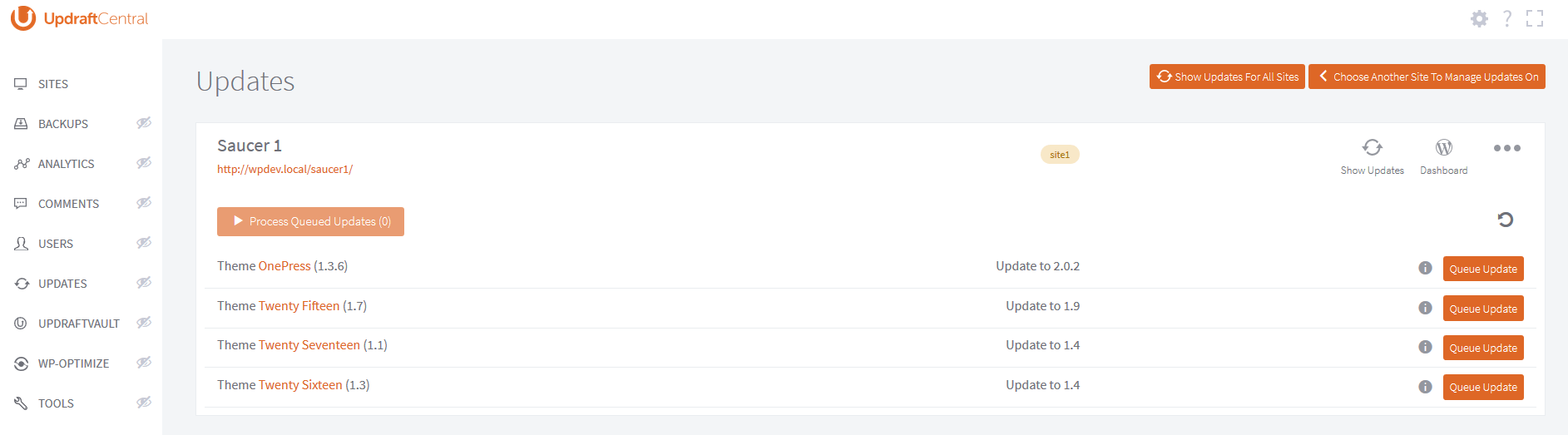
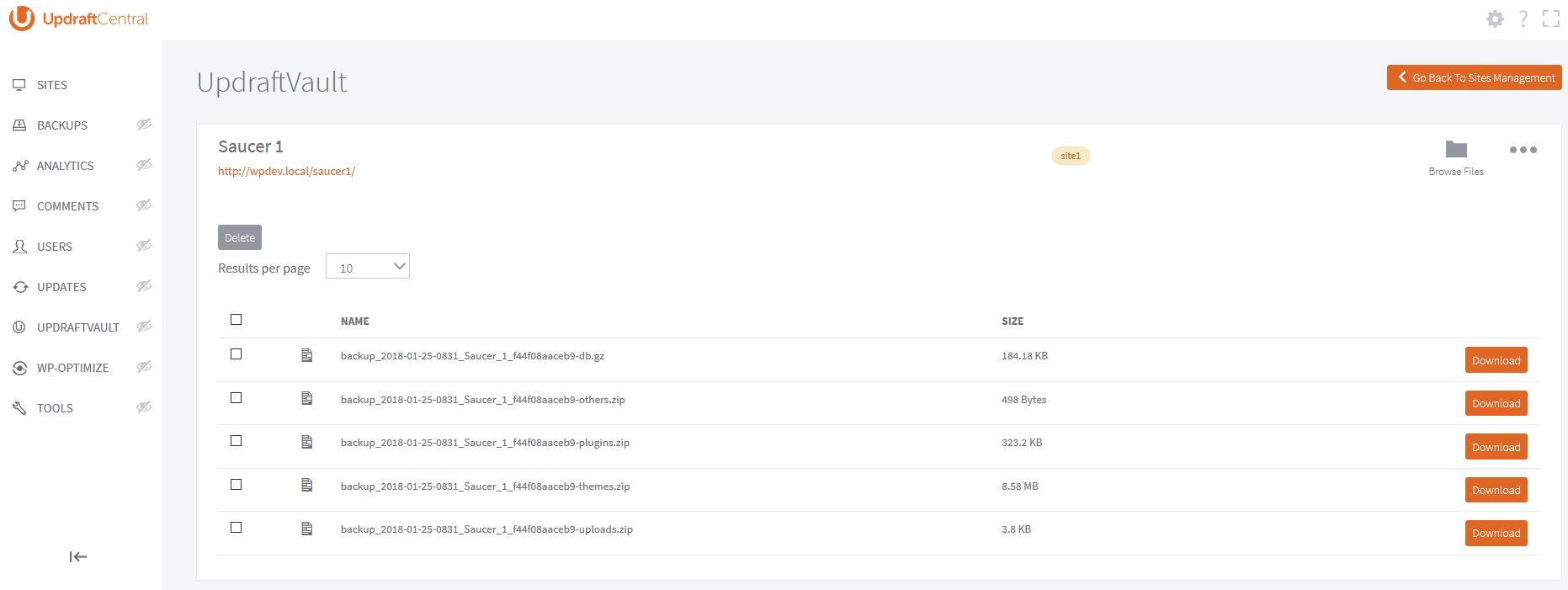
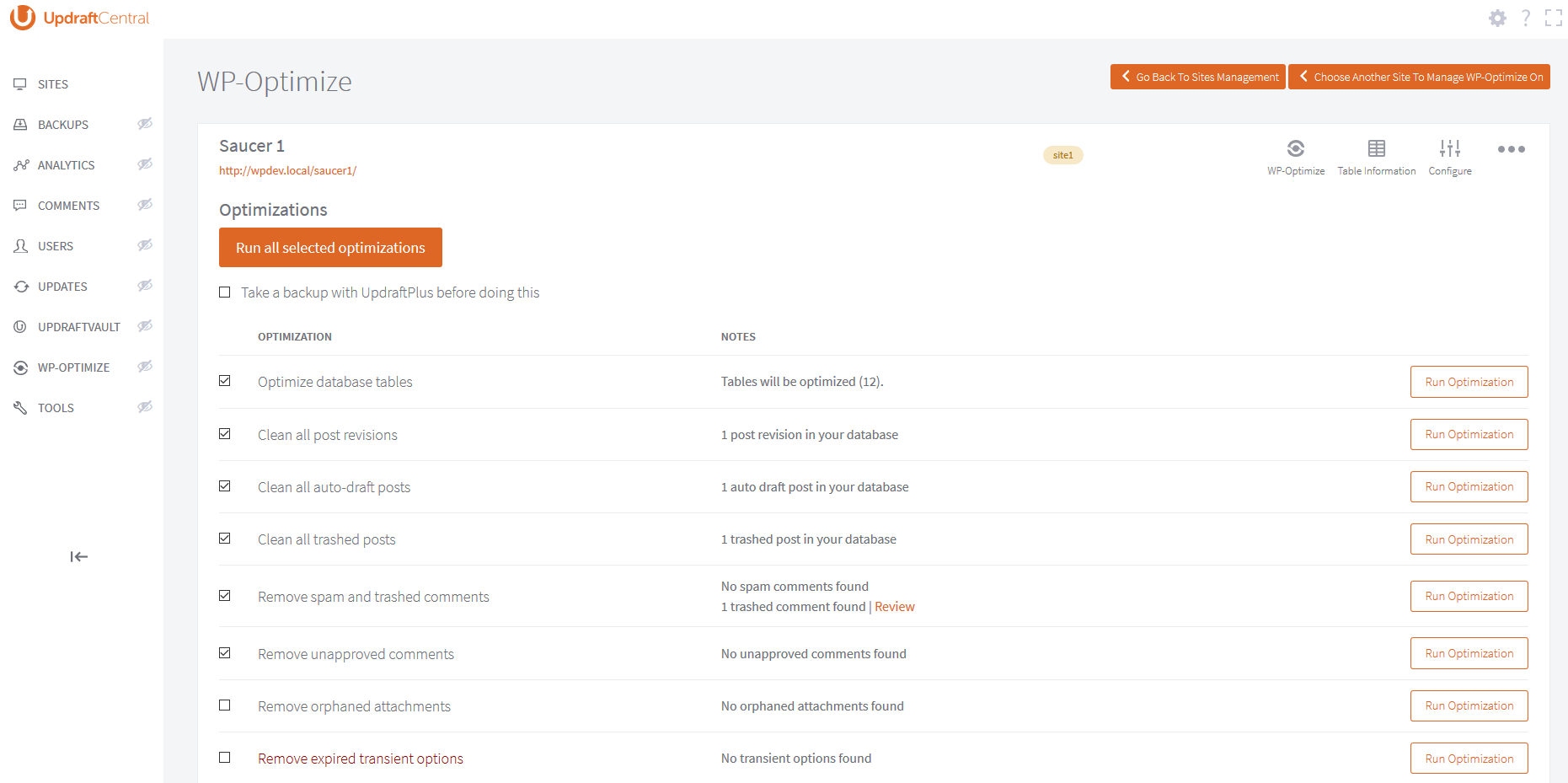
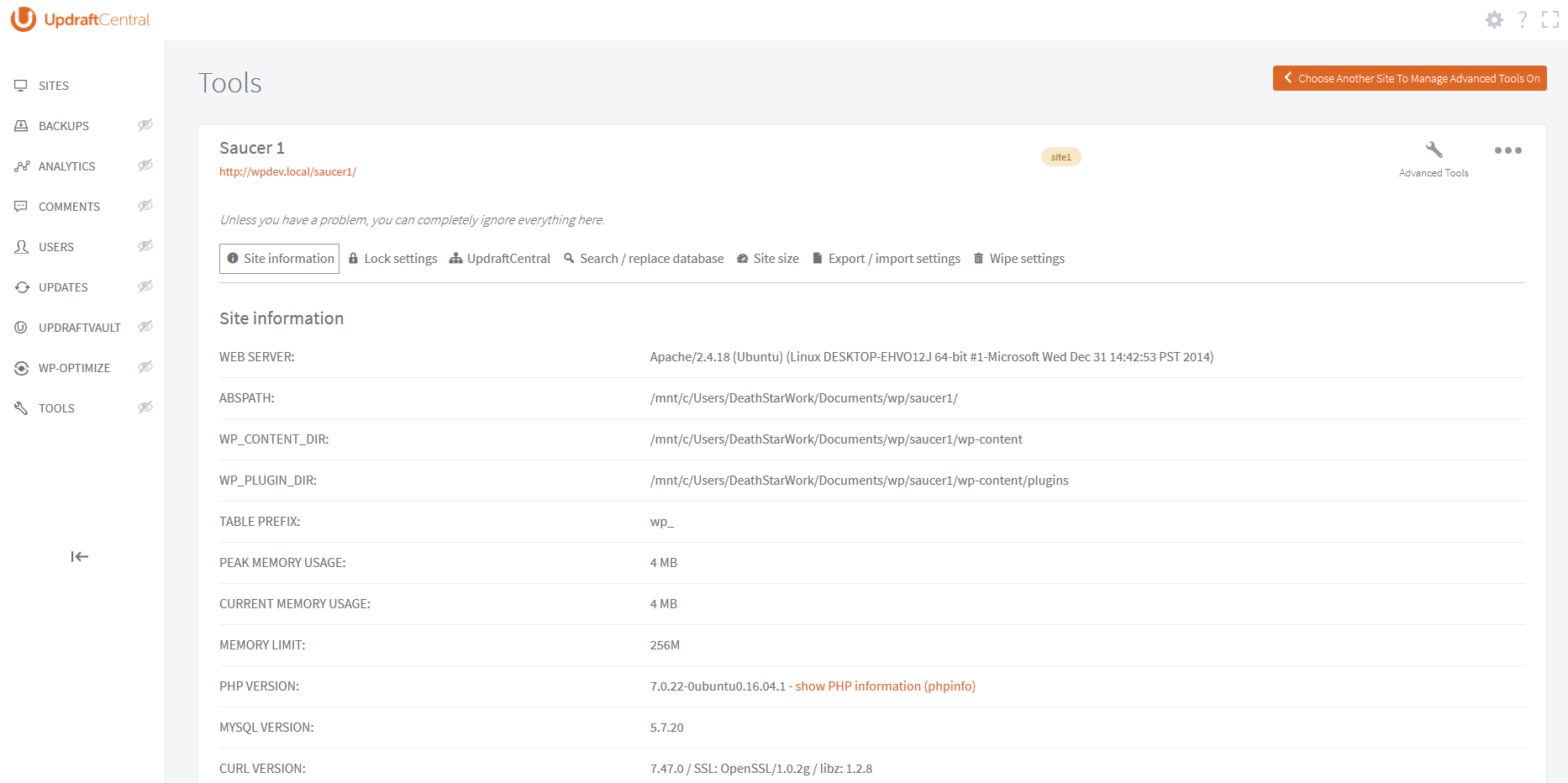
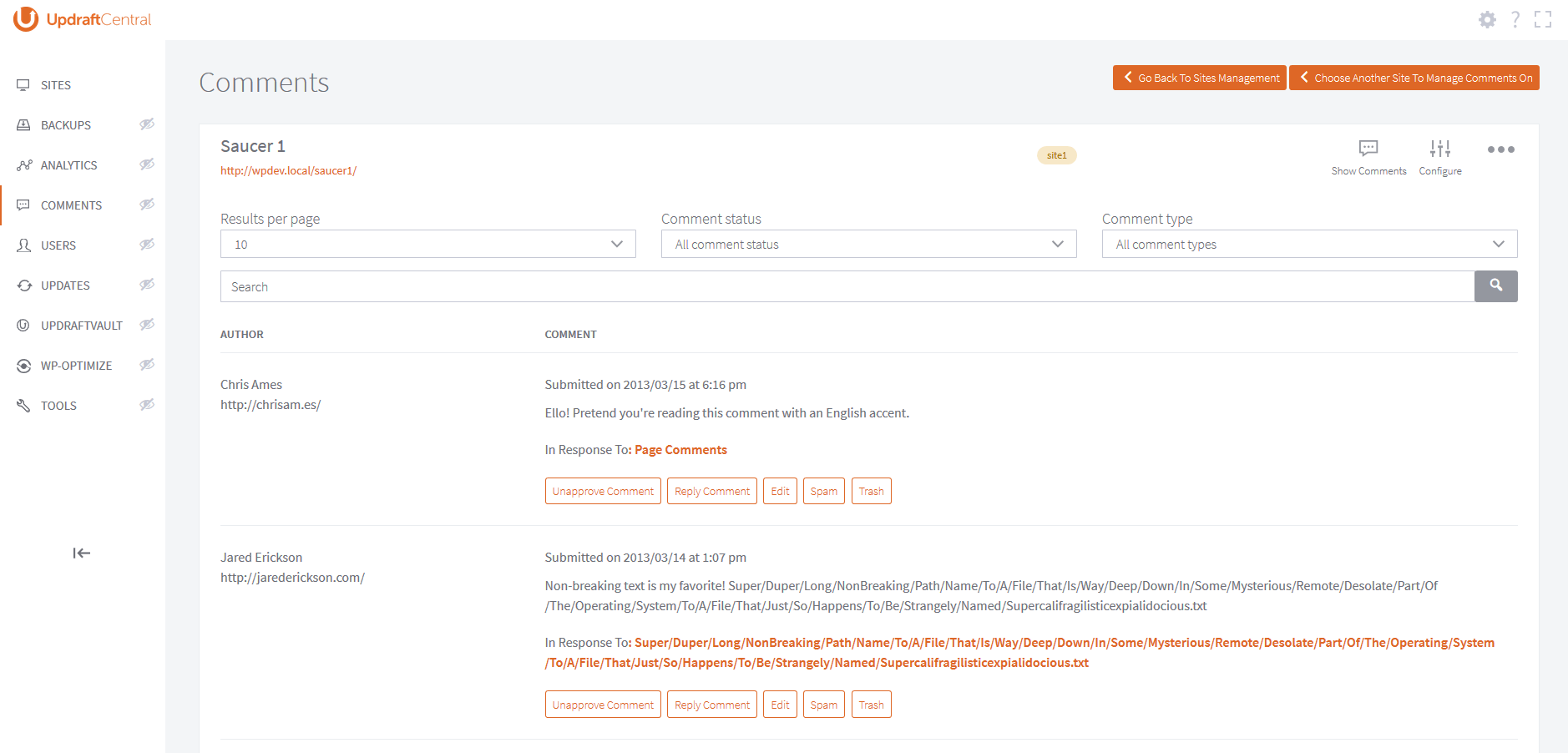
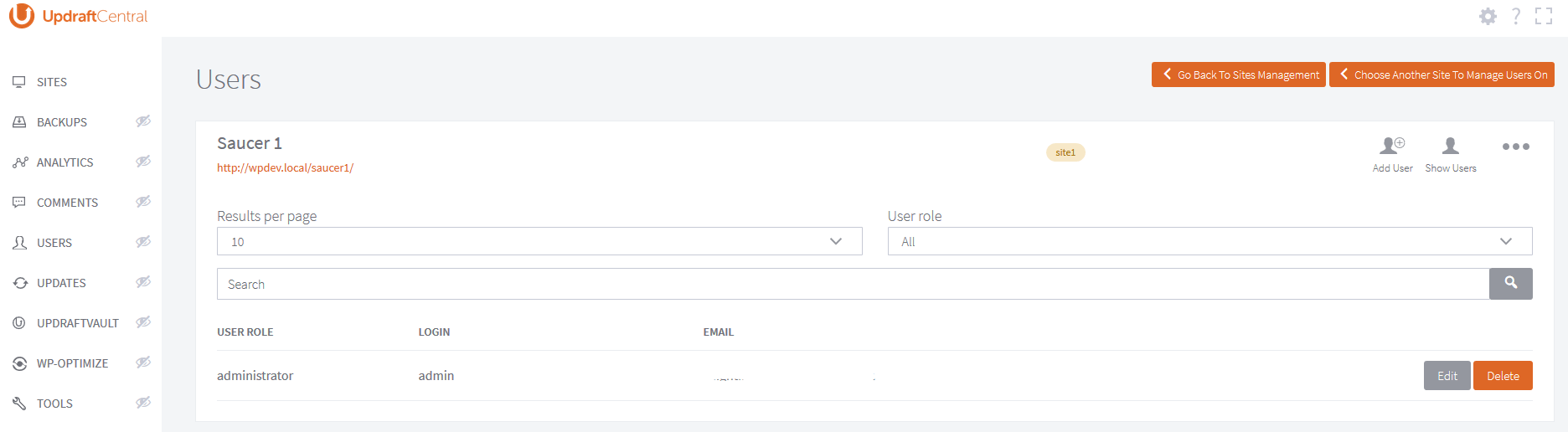
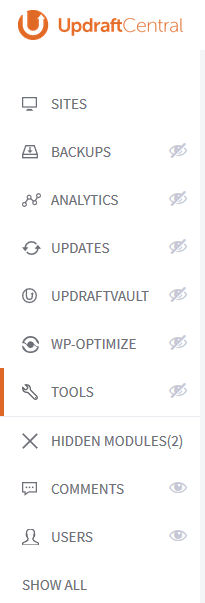
For all our FAQs, and all other support documentation, please go here: https://updraftplus.com/updraftcentral-frequently-asked-questions/
Changelog
0.8.33 – 10/Aug/2026
- SECURITY: Fix improper sanitisation of a parameter. A logged-in hostile user could carry out an SQL query which would allow him to test database contents for matches. This allows eventual (very slow) extraction of database contents, if the user is allowed to carry out enough queries (by looking for matches, piece by piece).
0.8.32 – 05/Jun/2026
- SECURITY: If UpdraftPlus is installed and active, then previous versions allowed sites with an active Migrator key (paid versions only) or UpdraftCentral key (free and paid versions) to have unauthorised operations carried out on them. All users should update immediately both UpdraftCentral and UpdraftPlus.
- TWEAK: Update bundled common-libs version
- TWEAK: Update Updraft_Notice interface
0.8.30 – 27/Mar/2024
- FIX: “Manage Themes” items list is broken when anchor links are present in the displayed description
- FIX: Convert to InnoDB table not working under the WP-Optimize module’s “Table Info” area
- FIX: Select/deselect buttons not working when choosing WordPress database tables for backup
- FIX: UpdraftCentral unresponsive after closing the “test connection methods” dialog
- TWEAK: Add WP-Optimize action button (tab) images
- TWEAK: Add styles for the latest changes applied to the WP-Optimize module
- TWEAK: Fix WP_Theme_JSON_Resolver::theme_has_support deprecation error
- TWEAK: Fix deprecated notices for sites_table and sitemeta_table
- TWEAK: Fix dropdown menu’s transparency and alignment
- TWEAK: Replace the default Datatable sorting symbols with HTML entities to prevent unfamiliar sorting arrows caused by different charsets
- TWEAK: Suppress some PHP 8.2 deprecation notices from use of ${} style variables
- TWEAK: The installation modal dialog of plugin/theme now has a new look where the option to activate or not to activate the plugin/theme is transformed to a checkbox
- TWEAK: To stay the user remains on the dashboard, open the documentation page in a new tab.
- TWEAK: Update phpseclib library from version 1 to 2.
- TWEAK: Use UpdraftCentral version when loading bootstrap style
- TWEAK: Fix popup window close button UI.
- TWEAK: Include WP_Screen class while enqueuing editor scripts. This is to ensure that the WordPress class which is by default included for the admin dashboard is also included for the UpdraftCentral dashboard as well thus preventing fatal error from happening especially when the class is instantiated by other plugins during UpdraftCentral page load.
- TWEAK: Resolve accessibility issue.
- TWEAK: Add the ability for user to add the UpdraftCentral dashboard as a Gutenberg block
- TWEAK: Add updates filter/option to show/hide incompatible plugins/themes for update
- TWEAK: Translation items are added in the search result when the “Patch releases” checkbox is checked
- TWEAK: Split multiple sentences into separate translation calls
0.8.29 – 23/May/2023
- FIX: Don’t check what file type of chunks that are sent from the browser when manually uploading a plugin/theme in chunks because it can lead to a false positive result
- FIX: “Show updates for all updates” hangs and never completes when UTF8MB4 characters and/or double and single quotes are present on the site title.
- TWEAK: Create abstraction layer for access to UpdraftCentral tables
- TWEAK: Show the install and/or activate option when UpdraftPlus plugin is not active on the remote site and the backup feature is accessed outside the “Backups” area.
- TWEAK: Disable backup feature if UpdraftPlus is currently not active on the remote website
0.8.28 – 23/Dec/2022
- FIX: Remove double-escaping leading to printing of HTML in site-row template
0.8.27 – 20/Dec/2022
- TWEAK: Tweak query for site tags retrieval
- TWEAK: Tweak query for setting and retrieving of user metas
- FIX: Fix broken horizontal notice
0.8.26 – 17/Dec/2022
- FIX: Fix broken hidden menus
- TWEAK: Add pCloud icon for a better look on the remote storage button selector and reduce the size of pCloud logo on the configuration template
- TWEAK: Trasfer “refresh_available_updates_display” method from updates module to UpdraftCentral class for reuse
0.8.25 – 10/Dec/2022
- TWEAK: Upgrade bootstrap to 5.2.3 (latest)
- TWEAK: Upgrade bootbox to 6.0.0 (latest)
- TWEAK: Remove no longer needed libraries (e.g. momentjs and popperjs)
- TWEAK: Adjust UI elements (e.g. dropdowns, badges, modal, etc.) based on latest bootstrap changes
- TWEAK: Adjust modal dialog initialization code
0.8.24 – 01/Dec/2022
- FIX: Remove unused code introduced in 0.8.23 which opened up a cross-site request HTTP forgery hole.
0.8.23 – 28/Nov/2022
- FIX: Plugin and Theme modules causes an issue when php_events are exposed/returned from the remote website using PHP 8.1
- FIX: Plugin and Theme modules freezes when bulk actions are executed
- TWEAK: Ensure compatibility of the Handlebars partial templates of UpdraftPlus
- TWEAK: Display appropriate plugin and theme failure message
- TWEAK: Load events initially based on latest entries
- TWEAK: Add website filter to events table
- TWEAK: Improve SQL statement when retrieving captured events
- TWEAK: Prevent UpdraftVault to display multiple error dialogs when UpdraftPlus plugin is not installed or active on the remote site
- TWEAK: Add IndexedDB Storage as the default storage for getting and saving metadata
- TWEAK: Change “UpdraftCentral.get_wporg_metadata” to Promise method but preserved legacy call for compatibility
- TWEAK: Remove pre-filling of metadata when loading items for updates
- TWEAK: Add on-demand request to WordPress.org when data is not available or has expired
- TWEAK: Align the new site confirmation dialog on the center
- TWEAK: Upgrade block editor with the latest changes applied to WordPress core
0.8.22 – 09/Jul/2022
- FIX: Non-functional manual authentication button
- FIX: Default label empty when adding additional storage account using UpdraftPlus premium
- FIX: Unexpected in-progress dialog display when triggering a button with two or more selectors
- FIX: Prevent updates process to stop due to invalid cached data
- FIX: The instance label/title of the remote storage was unclickable, hence the editing of the label could only be done through the UpdraftPlus plugin
- FIX: The ‘Only email the database backup’ checkbox of the UpdraftPlus’ reporting settings is not clickable
- TWEAK: Add a CSS class that can be used across all remote storage to prevent UpdraftPlus’ double warning being displayed on the pre-configuration form/template
- TWEAK: Add new CSS classes (pre-defined width in pixel size) as a helper to harmonise the size of the HTML input tags on each remote storage
- TWEAK: Update class-udrpc
- TWEAK: Trigger an UpdraftCentral event on error
- TWEAK: Update notice class
0.8.21 – 11/May/2022
- FIX: Invalidate entities with the same post ID when editing post or page using the block editor
- FIX: Email remote storage option when pressed displays blank or empty content
- TWEAK: Improve UpdraftPlus module in presenting FTP Handlebars template that is now CSP-compliant
- TWEAK: Loading and processing updates in parallel
- TWEAK: Remember or persist the backup first option selected by the user from previous updates process
- TWEAK: Initialize an empty array if command currently does not have entries in local cache collection
- TWEAK: Limit search on site title and url
- TWEAK: Limit updates on the mass updates area to sites filtered by the user using tags
- TWEAK: Pass UpdraftCentral_User instance as parameter for “updraftcentral_get_user_tags” filter
0.8.20 – 23/Feb/2022
- FEATURE: Ability to display logged events
- FIX: Fix deprecation error when sending request using GuzzleHttp
- FIX: Fix an issue where blank logs are entered into the log file when UpdraftCentral is loaded
- FIX: Add proper check and instantiation for UpdraftCentral_Site_Meta class before usage
- FIX: Fix button where ‘Return to updates’ label is retained after switching to updates area
- FIX: Fix rearrange_priority reference
- TWEAK: Hide option to delete backup from remote storage if backup doesn’t have remote storage setup
- TWEAK: Fix jQuery deprecations
- TWEAK: Prioritize reachable sites during background process
- TWEAK: Make “Site Management” consistent across modules
- TWEAK: Allow adding of tags in the ‘Add Site’ dialog
- TWEAK: Remove deprecated polyfill for IE9
- TWEAK: Improve cached data retrieval and usage
- TWEAK: Change background process log level to “info” and “debug”
- TWEAK: Allows user to configure UpdraftCentral to load without filling the entire content area
- TWEAK: Replace deprecated jQuery.trim()
- TWEAK: Update udrpc library to reduce unnecessarily noisy logging for unreached sites
- TWEAK: Reduce log level when updraftcentral_cron lock cannot be gained
0.8.19 – 19/Oct/2021
- FIX: Fix empty page being displayed after the currently recorded site has been suspended
- FIX: Fix NaN (not a number) issue when displaying dates on the plugin module’s install area
- FEATURE: Log update and install events
- TWEAK: Show available updates for each site based on the background information gathering
- TWEAK: Make spinner consistent in both single and mass update process
- TWEAK: Display an alert icon if site not reachable
- TWEAK: Use version 3 of the semaphore class when implementing semaphore locks
- TWEAK: Add a table for logging events
- TWEAK: Get raw backup history when double clicking the backup date
0.8.18 – 30/Jun/2021
- FIX: Fix inconsistent UI elements rendering on Chrome browser
- FIX: Fix unexpected error popping up when editing page or post on a fresh WP install
- FIX: Fix UpdraftCentral’s keyboard shortcut feature
- FIX: Fix post get stuck when loading for block editing
- FIX: Fix empty credentials dialog popping up while running the updates process
- FIX: Fix updraftvault layout
- FIX: Fix tooltip issues
- FIX: Fix sidebar’s collapse/expand button issues
- FIX: Fix content not changing when switching to another post or page when editing using the block editor in WordPress 5.7
- FIX: Fix modal dialog on fullscreen
- FIX: Fix intermittent loading of cached data
- TWEAK: Add useful entries to the site menu which are shortcuts to common functions
- TWEAK: Retrieve fresh data and cached it after a successful update is done
- TWEAK: Added Update URI header field to avoid accidentally being overwritten with an update of a plugin of a similar name from the WordPress.org Plugin Directory.
- TWEAK: Prevent showing the communication error dialog when reloading UpdraftCentral
- TWEAK: Load UpdraftCentral in full view on initial load
- TWEAK: Improvements to feature media support
- TWEAK: Replace hasUploadPermissions JS API with canUser
- TWEAK: Store or cache remote response when user clicks the reload button
- TWEAK: Tweak updates module to incorporate loading of cached data whenever applicable
0.8.17 – 08/Mar/2021
- TWEAK: Remove unused JavaScript code that was part of the UDP’s scheduled destination backups feature
- TWEAK: Add dayjs library for use by the updates module
- TWEAK: Fix deprecated Guzzle parameter used when sending from the mothership
0.8.16 – 09/Feb/2021
- TWEAK: Transfer post and page module’s code into UpdraftCentral_Post class to completely remove redundancy
0.8.15 – 22/Jan/2021
- FEATURE: Backup destinations with conditional logic rules for scheduled backups
- FIX: Fix WebDAV test error
- TWEAK: Minor adjustments for both page and post modules
- TWEAK: Add new methods that are needed when refactoring the fetching process
- TWEAK: Prevent deprecation notice on PHP 8.0
- TWEAK: Now marked as requiring (for the dashboard plugin) PHP 5.6+
- TWEAK: Add the ability to disable semaphore logging
- TWEAK: Add conditions/checks prior to using some metabox fields
- TWEAK: Update bundled class-udrpc library
- TWEAK: Supporting tweaks for page and post modules
- TWEAK: Improve EUM plugin discovery
- TWEAK: Tweak updraftcentral_get_site_metadata return value for single entry
- TWEAK: Update jQuery document ready style to the one not deprecated in jQuery 3.0
0.8.14 – 03/Jul/2020
- FIX: Fix currently shown menu is not closed when a new tab is selected
- FIX: Fix missing sites after editing site description and clicking choose another site to manage button
- FIX: Fix computed cached key retrieval error
- TWEAK: Call action updraftcentral_version_updated upon update
- TWEAK: Load sites information from background process
0.8.13 – 24/Jun/2020
- FEATURE: Added the ability to choose the remote storage locations you want to send your backup to in the “Backup Now” modal
- FIX: Fix scheduled commands execution through WP cron
- FIX: Fix can’t delete backup item without refreshing the list after a successful restore process
- FIX: Fix layout/css glitch on the backup settings page
- FIX: Fix popper.js related error and warning
- TWEAK: Improve UX and accessibility with better keyboard navigation
- TWEAK: Register updates retrieval to run in the background
- TWEAK: Add editor class for page and post modules
- TWEAK: Add new error message to the rpcerrors collection
- TWEAK: Show upload errors in dialog as well as in browser console if debug level is set
- TWEAK: Improve JavaScript’s compatibility with minification and merging, in particular WP-Optimize
- TWEAK: Add REST controller files for page and post modules
- TWEAK: Add internal capability to install plugin or theme through zip file
- TWEAK: Upgrade Bootstrap and Bootbox libraries to current versions
- TWEAK: Force the connection method ‘via_mothership’ if the command is in the UpdraftClone namespace
0.8.12 – 26/Mar/2020
- FEATURE: Add the ability to allow user to deactivate keyboard shortcuts
- FEATURE: Add option to select all ‘patch’ releases in mass updates area
0.8.11 – 15/Jan/2020
- FIX: Update handling of messages received within the is_latest_version function
- TWEAK: Adding support for Easy Updates Manager 9.0.0 settings in the General tab
- TWEAK: Open site link in a new browser window or tab
- TWEAK: Increased the minimum supported version for the dashboard to WordPress 4.4 (no change to the minimum supported version for controlled sites)
0.8.10 – 04/Nov/2019
- FEATURE: Easy Updates Manager Premium module allows for enabling and disabling of version control protection
- FEATURE: Easy Updates Manager Premium module allows for enabling and disabling of plugin checks for unmaintained plugins
- TWEAK: Changes applied related to media module integration to UpdraftCentral
- TWEAK: Mask classified information in WebDAV URL settings
- TWEAK: Handle handlebars version-enqueing differently to prevent caching problems
- TWEAK: Removed the Keyy notice
0.8.9 – 03/Oct/2019
- FEATURE: Import function to import data from an export file
- FEATURE: Open the UpdraftCentral page at a particular module using a querystring parameter
- FIX: Prevent the in-progress dialog to show on subsequent requests
- FIX: Fix inclusion of “up_to_date” return code as error
- FIX: Fix search area display on non-visible sites list
- TWEAK: Add debug/console information for troubleshooting FTP credentials failure easily
- TWEAK: Add new items to the list in the upgrade page
- TWEAK: Make the checkboxes bigger
0.8.8 – 23/Jul/2019
- TWEAK: Add page filter to mass updates
- TWEAK: Avoid one-per-site SQL queries for tags
- TWEAK: Better debugging with “action in progress”
0.8.7 – 10/Jun/2019
- FEATURE: Add handler for the WP-Optimize remove table feature
- FEATURE: Export site settings and other relevant information
- FEATURE: Add the ability to update translations
- FIX: Fix WP-Optimize refresh tables feature
- FIX: Fix mass updates issues
- FIX: Fix a couple of issues found when searching websites
- FIX: Prevent PHP error if the “not authorised” form needs displaying multiple times on a page
- TWEAK: Controlled sites must now be running at least WordPress 3.4 (June 2012) (though, we strongly recommend updating anything you’ve got that is that old!).
- TWEAK: If localStorage.storage_set() fails, then try purging old data; also purge upon initialisation
- TWEAK: Cache SQL results in UpdraftCentral_User::get_site_tags() to prevent unnecessary duplicate calls
0.8.6 – 24/Apr/2019
- FEATURE: Add capability to suspend a site
- FIX: Fix fetching of updates fails if permissions fail on one site
- TWEAK: Make it easier to control pre-upgrade backups
- TWEAK: Make it easier to manage queued items in the mass update screen
- TWEAK: Make it easy to add all sites in the “Manage on other websites” section
- TWEAK: Add parameters to some filters
- TWEAK: Add specificity to some general CSS
- TWEAK: Update bundled UDRPC library to version 1.4.18
- TWEAK: Backup status checks are now performed less often once a backup lasts longer than 3 minutes
0.8.5 – 28/Feb/2019
- FEATURE: Added the ability to take incremental backups
- TWEAK: Updated bundled UDRPC library to version 1.4.17
- TWEAK: Add more filters and docblocks to the licence manager class
- TWEAK: Prevent a potential PHP notice when fetching cached site metadata
0.8.4 – 31/Jan/2019
- TWEAK: Remove debug lines and fix backup include files layout
- TWEAK: Prevent a PHP notice on PHP 7.2+
0.8.3 – 19/Dec/2018
- TWEAK: CSS tweak to the Backup dialog for compatibility with UpdraftPlus changes
0.8.2 – 04/Dec/2018
- FEATURE: Easy Updates Manager module now shows logs by default
0.8.1 – 13/Nov/2018
- FIX: Fix Easy Updates Manager issue where it freezes during installation and activation
- TWEAK: Enabled the Easy Updates Manager module
- TWEAK: Tweak backup settings UI
- TWEAK: Tweak the dashboard_ajaxaction_newsite function to make returning/rendering of the sites’ HTML optional
- TWEAK: Mark as supporting WordPress 5.0
0.8.0 – 19/Sep/2018
- FEATURE: Add the ability for users to configure timeout in the settings dialog
- FEATURE: Add optional ‘fingerprint’ configuration for UpdraftPlus sftp/scp remote storage, allowing the connection to be halted if the server’s fingerprint does not match what was entered
- FEATURE: Easy Updates Manager (https://wordpress.org/plugins/stops-core-theme-and-plugin-updates/) control module (requires a new release of Easy Updates Manager – not yet out there)
- FIX: Raised warning when checking cached data
- TWEAK: Replace style’s class name that handles the display of tags in UpdraftCentral
- TWEAK: Add up-sell info for plugin and theme modules
- TWEAK: UI edits
- TWEAK: Generate cache meta key for new request with empty data
- TWEAK: Return an empty string when handlebarsjs function received an undefined value
- TWEAK: Add WordPress.org search feature for plugins and themes and a few improvement tweaks
- TWEAK: Added additional helper functions and widgets
- TWEAK: Add get_site_tags api to UpdraftCentral_User class
- TWEAK: Update get_site_meta API to support fields retrieval
- TWEAK: Include users’ stored sites information in the WP Export Personal Data tool
- TWEAK: Prevent a possible PHP debugging notice related to a non-present key
0.7.4 – 24/May/2018
- TWEAK: When a WP user is deleted, make sure that their data is deleted from the UpdraftCentral database tables
- TWEAK: Displayed “Web-server disk space in use by UpdraftPlus” information in the Site information section for the advanced tools
0.7.3 – 08/May/2018
- TWEAK: On the cron scheduler, bypass process if there are currently no commands available to execute
- TWEAK: On the cron scheduler, bypass process if user does not currently have any websites
- TWEAK: On the cron scheduler, try to set the maximum execution time to be at least the lock timeout
- FIX: WP-Optimize (Premium) logger’s settings feature was not controllable
- FIX: WP-Optimize (Premium) cron scheduling control was not operative
- TWEAK: Change the PHP logger to only log at the debug and info levels if WP_DEBUG is set
- TWEAK: Make the UpdraftCentral_User::load_user_sites() to not fetch sitemeta for unnecessary sites
0.7.2 – 24/Mar/2018
- FIX: Issue with UpdraftCentral cron table not existing for new WP install
0.7.1 – 22/Mar/2018
- FIX: Restore ability to manage UpdraftVault for recent new users
- FEATURE: Activate the WP-Optimize control module – requires WP-Optimize 2.2.0 or later
- TWEAK: Refactor how scheduled commands are being processed using cron
- TWEAK: Make modules that were not listed in the visibility list visible by default
- TWEAK: Fix the positioning of the “processing” message in the single site updates area
- TWEAK: Replace use of jQuery.parseJSON() with JSON.parse()
- TWEAK: Add a “Database only” option to the UpdraftPlus email backup options
- FEATURE: Added the option to upload local backups to remote storage
0.7.0 – 06/Feb/2018
- FEATURE: Bulk delete for existing backups
- FEATURE: Options to hide unwanted modules
- FEATURE: Site choice persistency across different modules
- FEATURE: Add Multiple remote storage of the same type
- FEATURE: OneDrive deauthorise link provided after authentication
- FEATURE: Allow major functions to be accessible quickly and efficiently via keyboard shortcuts
- FEATURE: Ability to control WP-Optimize (https://wordpress.org/plugins/wp-optimize) (requires as-yet unreleased WP-O version, coming soon)
- FEATURE: Install and/or activate WP-Optimize plugin (requires as-yet unreleased WP-O version, coming soon)
- FIX: Alert, Prompt and confirmation dialogs will show again, if previously closed with
esckey - TWEAK: Confirm dialog and prompt dialog visibility
- TWEAK: Add background fetching of desired data
- TWEAK: Refactor command dispatcher
- TWEAK: Add collapse/expand menu tooltips
- TWEAK: Replace input box with textarea for new site key entry
- TWEAK: Add “Keyboard Shortcuts” link in site configuration
- TWEAK: Improve WP-Optimize plugin installation and activation routines
- TWEAK: Add created column to site meta api with site meta functions enhancements
- TWEAK: Improvements on mobile menu behaviour
- TWEAK: Add page title to content based on the menu selected
- TWEAK: Changing “Delete Selected” button state depending on the number of items selected
- TWEAK: New mobile menu that slides in and out from the left
- TWEAK: Show and hide toggle functionality to reveal backups
- TWEAK: Change dismiss trigger for advert notices from “Dismiss” word to icon
- TWEAK: Collapse sidebar menus to icons
- TWEAK: Display add site content inside designated tab containers (standard, advanced)
- TWEAK: Prevent switching menus or executing another process while a certain action or process is on-going
- TWEAK: Support tags for sites (Premium feature)
- TWEAK: Site search module css fix
- TWEAK: Update from Bootstrap alpha 5 to 6
- TWEAK: Update class-udrpc to latest (1.4.14) which removes a conflict with other code that may interact with CORS OPTIONS requests
- TWEAK: UpdraftVault commands now pass an instance_id
- TWEAK: Site row hooks now pass on site object, filter for site search field placeholder value
- TWEAK: UpdraftPlus remote storage modules configuration templates transition using handlebarjs
- TWEAK: Added backblaze remote method icon and resolved icons/folder.png path for updraftplus module
- TWEAK: Standardise the way OAuth remote storage methods authorise/deauthorise settings
0.6.2 – 20/Jun/2017
- TWEAK: When sending updates requests, only send necessary parameters
- TWEAK: When a consumer attempts to send non-serializable data over the network, the console logging now also includes the data path
0.6.1 – 15/Jun/2017
- FEATURE: Allow site order to be set (Just drag and drop the sites into the order you want)
- FIX: Adding to queue (not working) when updates failed to pull information from wordpress.org
- FIX: Fix issue whereby cancelling a filesystem credentials dialog left the UI locked until reload
- FIX: Handle apparently-but-not-really available updates (e.g. Affiliates-WP when not licensed)
- FIX: The “select all” button for mass updates
- TWEAK: With mass updates, do not abort the whole queue when one fails
- TWEAK: When a consumer attempts to send non-serializable data over the network, log more in the console
- TWEAK: Prevent Tether message in JS console, via including it
- TWEAK: More feedback in UI on backup progress
- TWEAK: Prevent JS console error messages regarding to the Sanitizer
- TWEAK: Not opening new window or tab when clicking links on mass updates panel
- TWEAK: Adjust timeout on updates request
- TWEAK: Marked as compatible with WordPress 4.8
- TWEAK: Add website description to error dialog
- TWEAK: Stop the TwentySeventeen theme from hiding site’s menus
- TWEAK: Removed legacy CSS vendor prefixes
0.6.0 – 02/May/2017
- FEATURE: Mass updates (show and update from all sites on a single panel)
- TWEAK: Prevent a function being defined twice
- TWEAK: Remove index on ‘url’ field when creating sites table, to prevent errors on some bespoke MySQL setups
- TWEAK: Update handling of UpdraftPlus WebDAV settings to parse new format
- TWEAK: Show an icon for directly reaching the WP dashboard on every panel, not just the ‘Sites’ one
- TWEAK: Use jQuery properties, not attributes, where appropriate
- TWEAK: Added a version check when saving settings to prevent errors or lost settings
- FIX: Only use hash_equals() on PHP versions where it is available
- FIX: Fixed JavaScript reference error when running a connection method test
0.5.2 – 03/Mar/2017
- FEATURE: Quick site filter/search facility
- FEATURE: Added the ability to select which tables you want to backup when using the ‘Backup now’ modal
- FIX: Fixed the ability for non-admin users to be permitted access to an UpdraftCentral dashboard. Please see this FAQ for setup details if you want to use this facility: https://updraftplus.com/faqs/can-allow-non-admin-users-updraftcentral-dashboard/
- TWEAK: UpdraftPlus ‘Test’ buttons are now instance-aware
- TWEAK: A re-factoring of the updates module to enable future features
- TWEAK: Update forge library to 0.7 series, now fetched at build-time instead of hard-wired/bundled
- TWEAK: Add progress bar support when running updates
- TWEAK: Site-wide updates now uses the D3 queue library
0.5.1 – 26/Jan/2017
- FIX: Characters that were UTF-16 but not UTF-8 were being mangled in transmission
- FEATURE: Add the capability to list, download and delete files stored in UpdraftVault
- TWEAK: Removed the triple click and replaced it with standard double click
- TWEAK: JavaScript libraries now fetched and minimised during build process by Gulp
- TWEAK: Enabled wipe settings and export / import settings for the advanced tools
0.5.0 – 23/Dec/2016
- FEATURE: Advanced tools – manage the same tools and get detailed site information (as in UpdraftPlus’s “advanced tools” tab). Requires UpdraftPlus 1.12.30 or later on the controlled site.
- FEATURE: Manage comments on both ordinary installs and multisite installs (Premium – https://updraftplus.com/shop/updraftcentral-premium/). Requires UpdraftPlus 1.12.30 or later on the controlled site.
- TWEAK: Add dashboard notice infrastructure and extend existing notices API
- TWEAK: Improve the styling in a few places
- TWEAK: Slightly improve the pagination class.
- TWEAK: Improve the UI’s buttons in various places
- TWEAK: Displays a progress bar during a backup
0.4.4 – 10/Nov/2016
- FIX: You can now install your dashboard on a WP multisite install
- TWEAK: Update bundled UDRPC library to 1.4.11
- TWEAK: Changed menu to be vertical, and hence now more responsive/future-proof
- TWEAK: Added the D3 queue library for future use
- TWEAK: Plugin build now controlled by Gulp
- TWEAK: Add module giving information about SaaS and Premium versions
0.4.3 – 19/Oct/2016
- FIX: Add a missing file from the phpseclib install to WordPress SVN
0.4.2 – 13/Oct/2016
- FIX: Extra databases configured for backup in UpdraftPlus were not showing in UpdraftCentral
- FIX: Various fixes for handling data returned by controlled sites running older (back to 3.2) WP versions
- FIX: The “Backup Now” menu entry did not work on initial dashboard load (but did after switching tabs)
- TWEAK: Display a warning if the user attempts to enter an invalid WebDAV hostname in UpdraftPlus backup settings
- TWEAK: Correct the plugin text domain
- TWEAK: Updated phpseclib, Guzzle and Bootstrap versions
0.4.1 – 16/Aug/2016
- TWEAK: Fix a few minor layout regressions in 0.4.0
- FIX: Fix a JavaScript error in 0.4.0 when checking updates on sites with none
0.4.0 – 04/Aug/2016
- FEATURE: Management of updates (for plugins, themes and WordPress core)
- FEATURE: The UpdraftPlus module now includes the Rackspace setup wizard (when the add-on exists on the controlled site)
- COMPATIBILITY: Marked as compatible with WP 4.6
- FIX: Modals were not showing when in fullscreen mode (regression in 0.3.6)
- FIX: Restore the ability to communicate with WP versions older than 3.5 in certain modes (regression in 0.3.8)
- TWEAK: Route communications via admin-ajax.php in the back-end, instead of index.php, to avoid issues from security plugins that intercept on index.php.
- TWEAK: Store the last time that a user loaded their dashboard as usermeta
- TWEAK: Update bundled UDRPC library to 1.4.8
- TWEAK: Integrate new WebDAV configuration mode from UpdraftPlus
- TWEAK: Re-worked template loader, to make it possible/straightforward for external modules to use Handlebars
- TWEAK: Straighten out some incorrect use of error codes
- TWEAK: Update bundled Labelauty version to our patched (added accessibility) version
- TWEAK: All JavaScript and JSDoc now linted
- DOCUMENTATION: Finished adding JSDoc documentation to the UpdraftPlus control module
0.3.10 – 15/Jun/2016
- FIX: Fix a JavaScript error when attempting to run the connection test since 0.3.8
0.3.9 – 07/Jun/2016
- PERFORMANCE: Small change to the JS API, such that listeners are now only registered when a tab is active, thus signifiantly reducing the number active
- INTERNALS: The core JS library now has methods for browser-local storing and cacheing
- TWEAK: The network timeout parameter was not being correctly passed through in all situations
0.3.8 – 03/Jun/2016
- TWEAK: Communications are now posted to a back-end URL, instead of front-end, because some plugins will only initiate relevant code (e.g. update checkers) on the back-end. Theoretically, some sites may need to remove and re-create their key, and/or adjust their advanced settings, if they are deploying different security measures (e.g. different HTTP password) to access the back-end.
- TWEAK: In the connection test dialog, if there is an HTTP error code, then display more info about it
- TWEAK: Strip out extraneous PHP debug output sent by remote sites that broke communications in more situations
- TWEAK: Audit/update all use of wp_remote_ functions to reflect API changes in the upcoming WP 4.6. Amongst other things, this is required for UpdraftVault to work with WP 4.6+ (release expected August 2016).
- TWEAK: When the remote site does not support a particular command, then report this more gracefully
- TWEAK: Move to lazy-loading command on the client side as needed for a …
" width="120" height="120">
Available Versions
| Version | Download | Type |
|---|---|---|
| 0.8.33 | Download | Stable |
| 0.8.32 | Download | Stable |
| 0.8.31 | Download | Stable |
| 0.8.30 | Download | Stable |
| 0.8.29 | Download | Stable |
| 0.8.28 | Download | Stable |
| 0.8.27 | Download | Stable |
| 0.8.26 | Download | Stable |
| 0.8.25 | Download | Stable |
| 0.8.24 | Download | Stable |
| 0.8.23 | Download | Stable |
| 0.8.22 | Download | Stable |
| 0.8.21 | Download | Stable |
| 0.8.20 | Download | Stable |
| 0.8.19 | Download | Stable |
| 0.8.18 | Download | Stable |
| 0.8.17 | Download | Stable |
| 0.8.16 | Download | Stable |
| 0.8.15 | Download | Stable |
| 0.8.14 | Download | Stable |
| 0.8.13 | Download | Stable |
| 0.8.12 | Download | Stable |
| 0.8.11 | Download | Stable |
| 0.8.10 | Download | Stable |
| 0.8.9 | Download | Stable |
| 0.8.8 | Download | Stable |
| 0.8.7 | Download | Stable |
| 0.8.6 | Download | Stable |
| 0.8.5 | Download | Stable |
| 0.8.4 | Download | Stable |
| 0.8.3 | Download | Stable |
| 0.8.2 | Download | Stable |
| 0.8.1 | Download | Stable |
| 0.8.0 | Download | Stable |
| 0.7.4 | Download | Stable |
| 0.7.3 | Download | Stable |
| 0.7.2 | Download | Stable |
| 0.7.1 | Download | Stable |
| 0.7.0 | Download | Stable |
| 0.6.2 | Download | Stable |
| 0.6.1 | Download | Stable |
| 0.6.0 | Download | Stable |
| 0.5.1 | Download | Stable |
| 0.5.0 | Download | Stable |
| 0.4.3 | Download | Stable |
| 0.4.2 | Download | Stable |
| 0.4.1 | Download | Stable |
| 0.3.6 | Download | Stable |
| 0.3.5 | Download | Stable |
| 0.3.4 | Download | Stable |
| Development | Download | Trunk |
