
Universally – AI Translation & Multilingual SEO: Translate Your Site into 110+ Languages
Active Installs
20+
Last Updated
June 5, 2026
First Released
May 14, 2026
Download History (Last one month)
Contributors
The Best AI Translation Plugin for Multilingual WordPress Sites
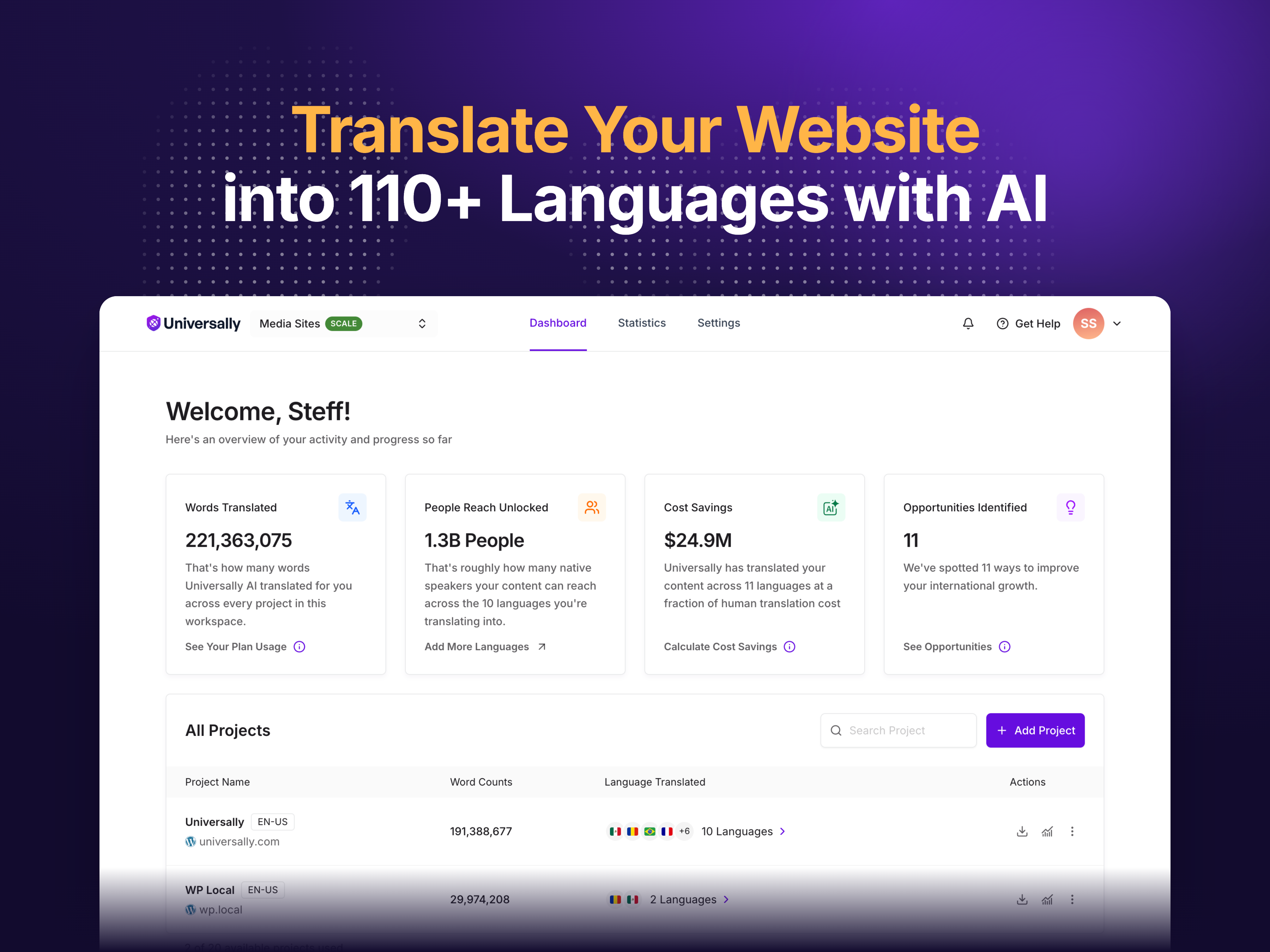
Universally is the fastest way to translate your WordPress website into 110+ languages and run a fully multilingual site. The plugin connects WordPress to the Universally AI translation service — install the plugin, connect your site, pick your languages, and every page is automatically translated with clean URLs, hreflang tags, and translated metadata. No code, no template editing, no database bloat from a million extra translation rows.
Your visitors land on translated pages at URLs like yoursite.com/fr/ or yoursite.com/es/, with proper hreflang tags and translated page metadata, so search engines crawl and rank every language version of your site independently. That is the multilingual SEO foundation most translation plugins skip — and the reason translated content stays invisible in Google when you use them.
Upgrade Your Translation
Universally is free for one language and up to 2,000 translated words. Upgrade to a paid plan to translate more words across more languages and more sites — with the AI translation glossary, multilingual SEO controls, custom translation rules, the translation analytics dashboard, and priority support. Enterprise unlocks unlimited words, languages, and sites with a dedicated success manager. See Universally pricing for details on every translation plan.
Translate Your WordPress Site into 110+ Languages
Most WordPress translation plugins ask you to duplicate every post, every product, and every menu — then translate strings one at a time inside the admin. Universally does the opposite. The plugin sits between your visitor and your page, translates the full HTML output on the fly, and serves a fully translated page back. Whether your content is built with the block editor, a page builder, a shortcode, or a custom theme, the translation just works.
You don’t translate anything manually. Universally detects new content automatically — posts, pages, products, menus, widgets, custom fields, and dynamic content — and translates it as it appears. Publish a new blog post or add a new WooCommerce product, and the translation is generated on the next visit and cached for everyone after. Translate once, serve forever.
AI Translation That Understands Context, Not Just Words
Generic automatic translation tools translate word-by-word and produce robotic results. Universally uses AI translation that understands sentence context, your industry, and your brand voice. Idioms get adapted, product descriptions read like product descriptions, marketing copy keeps its rhythm, and legal language stays precise. Because translation happens at the HTML level, every button, form, menu, error message, and popup gets translated — if a visitor can read it, Universally can translate it.
Multilingual SEO with Hreflang, Translated URLs, and Translated Metadata
Multilingual SEO is the whole reason you translate your site. If Google can’t index your translated pages, you have a translated site that nobody finds. Universally handles every technical multilingual SEO requirement automatically.
Each language gets its own URL prefix (/fr/, /es/, /de/) so each translation is fully crawlable and indexable. Hreflang tags are added to every translated page so Google serves the right language to the right country. Page titles, meta descriptions, Open Graph tags, and Twitter card metadata are translated for an optimized snippet in every language. XML sitemaps include every translation, canonical tags point correctly, and translated content gets indexed as translated content. Universally is fully compatible with All in One SEO, Yoast SEO, Rank Math, and SEOPress — your existing SEO settings carry over to every translated page.
Translation Glossary: Lock Down Brand Names, Product Names, and Industry Terms
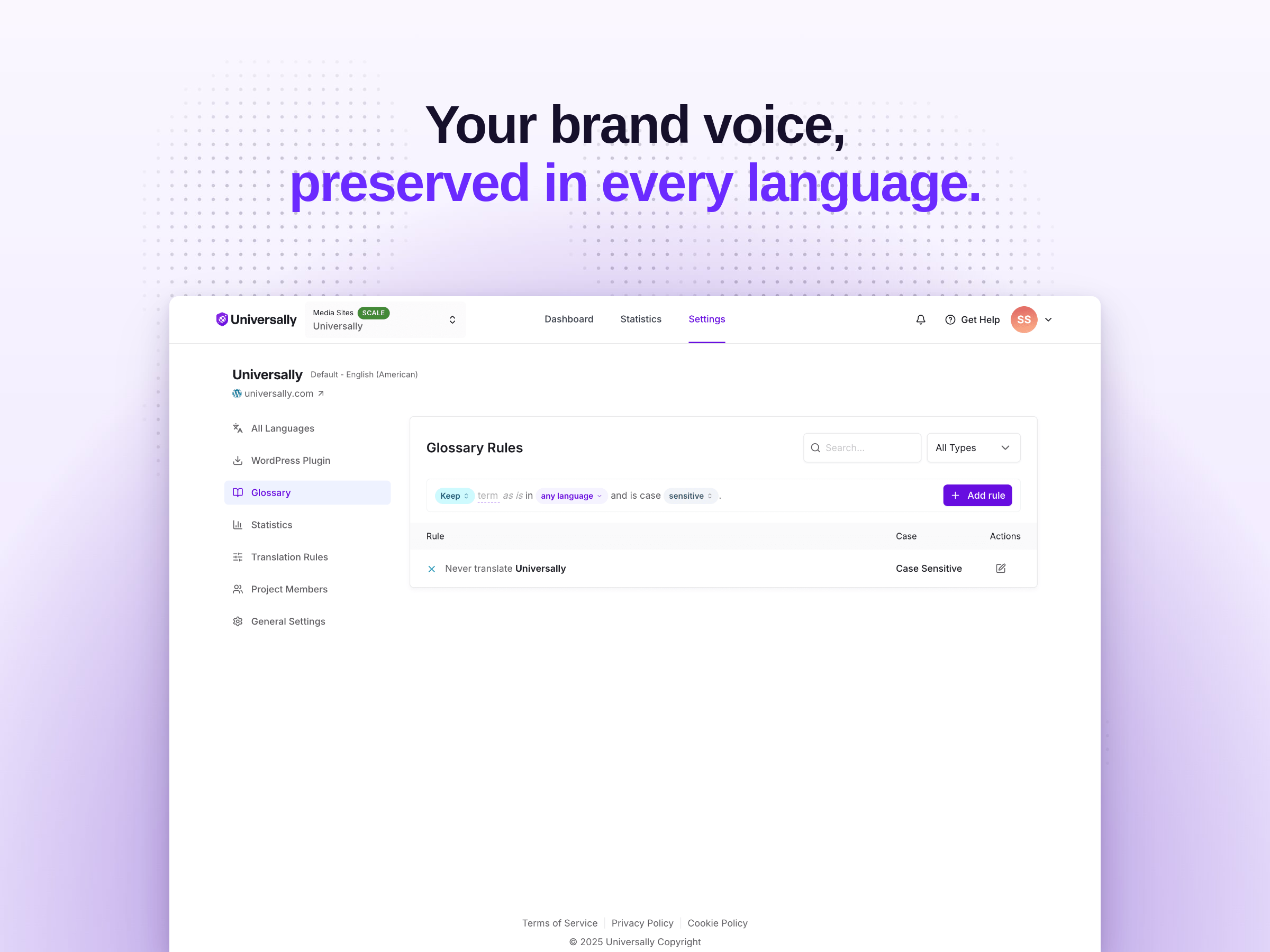
A good multilingual website never translates the things that shouldn’t be translated. With the Universally translation glossary, you control exactly how specific terms get translated — or whether they get translated at all. Keep brand names, product names, and trademarks in their original form. Override AI translations with the exact wording you want per language. Case-sensitive matching lets you handle terms like “Apple” the company differently from “apple” the fruit. Glossary rules apply across every page of every site connected to your translation account.
Custom Translation Rules for Granular Multilingual Control
Sometimes the right translation is no translation at all — like a code block, a legal disclaimer that must appear in the source language, or a section of a page where translation breaks the layout. Universally custom translation rules let you exclude specific selectors, classes, IDs, or entire pages from translation with zero code.
Want to keep the pricing table in English but translate the rest of the page? Add a rule. Need to translate everything except a specific shortcode output? Add a rule. Custom translation rules give you precise control over what Universally translates and what it leaves alone, all from a visual rule editor in your dashboard.
Language Switcher: Let Visitors Choose Their Translation
The Universally language switcher is built into the plugin and ready to drop on your site. Use the auto-placement option to pin the switcher to the bottom-right, bottom-left, top-right, or top-left of every page — or place it manually with the [universally_switcher] shortcode, the Gutenberg block, or a PHP function for theme integration.
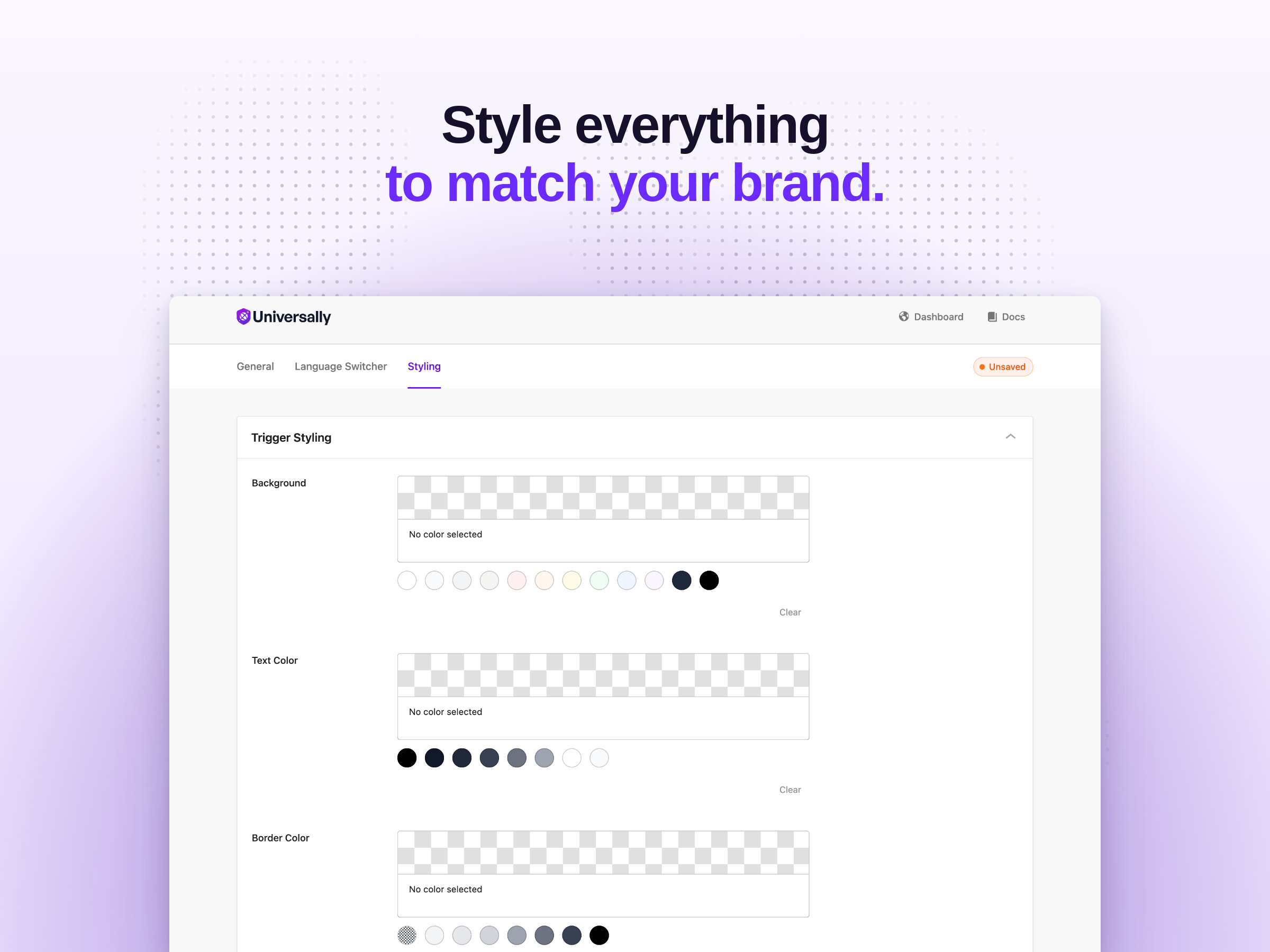
Customize everything about how the language switcher looks: trigger colors, dropdown colors, borders, border radius, country flag style (rounded or square), whether to show the language name, whether to show the flag, and whether to show the country code. The switcher is fully responsive, accessibility-friendly, and adds zero layout shift to your page load.
Translation Analytics Dashboard: Track Translation Volume by Language and Page
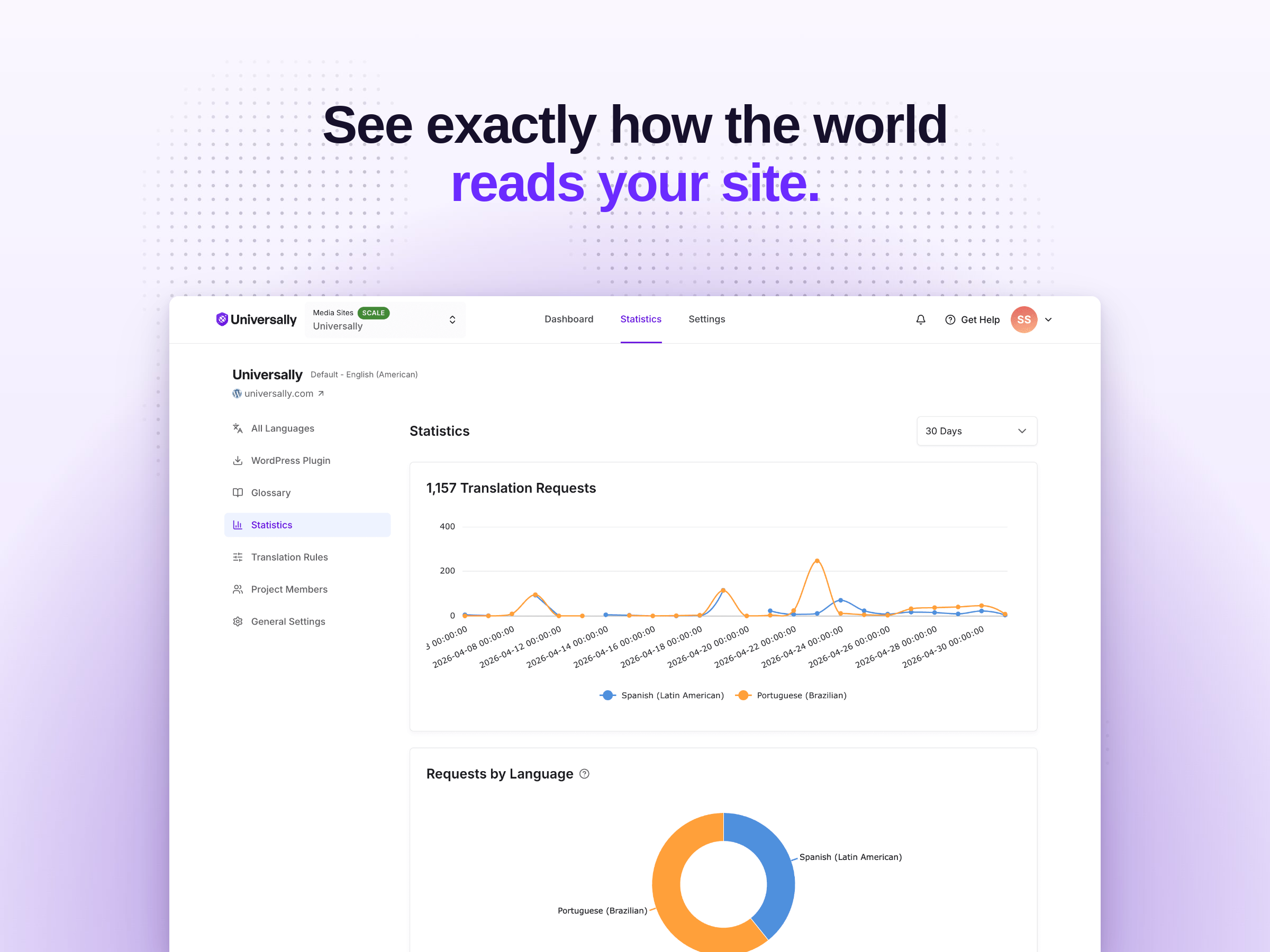
The Universally analytics dashboard gives you a clear view of how much translation activity your multilingual site is generating. See total translation requests over time, the share of requests by language, and a per-URL table of the pages getting translated most often. Pick the time window — last 30 days, or a custom range — to spot trends.
Use the translation analytics to see which languages are most active on your site, which pages drive the most translated requests, and how translation usage changes week over week. It’s the cleanest way to understand how visitors are actually using your translated content.
WordPress, WooCommerce, and Page Builder Translation in One Multilingual Plugin
Universally translates everything visitors see, regardless of how your WordPress site is built. That means full compatibility with the plugins, themes, and builders you already use:
- WooCommerce translation — products, categories, tags, cart, checkout, account pages, and order emails all translated automatically.
- Page builder translation — Elementor, Divi, Beaver Builder, WPBakery, SeedProd, Brizy, Oxygen, Bricks, and Gutenberg content all translate without configuration.
- Form translation — WPForms, Gravity Forms, Contact Form 7, Ninja Forms, Formidable Forms, and Fluent Forms translated on the front end, including labels, placeholders, and validation messages.
- SEO plugin compatibility — All in One SEO (AIOSEO), Yoast SEO, Rank Math, and SEOPress all flow translated metadata correctly.
- Membership and LMS translation — MemberPress, LearnDash, LifterLMS, TutorLMS, and Restrict Content Pro all supported.
- Caching and CDN compatibility — WP Rocket, W3 Total Cache, WP Super Cache, LiteSpeed Cache, Cloudflare, and BunnyCDN.
If your WordPress site is built with it, Universally translates it. Because translation happens at the output level, you never wait for an integration to support a new page builder or plugin.
Industry Use Cases for Multilingual WordPress Translation
- WooCommerce translation — translate products, categories, cart, and checkout into 110+ languages to sell globally.
- Travel and hospitality translation — translate booking pages, room descriptions, and itineraries.
- SaaS and software translation — translate landing pages, pricing, documentation, and support content.
- Real estate translation — translate property listings, agent profiles, and contact forms.
- Restaurant and local business translation — translate menus, hours, and location pages.
- Education and online courses translation — translate course pages, syllabi, and enrollment forms.
- News, magazine, and publisher translation — translate articles in real time as new content publishes.
- Healthcare and clinic translation — translate service pages, appointment forms, and patient resources.
- Agency and freelancer translation — translate client sites quickly and resell multilingual SEO as a service.
Why Universally Beats Legacy Translation Plugins
Traditional WordPress translation plugins duplicate every post and every product, fill your database with thousands of extra rows, and slow your site to a crawl. Universally translates entire pages in the cloud and returns translated HTML to the visitor — zero database bloat, instant compatibility with any theme or plugin, and translations cached on a global edge network. You don’t maintain a translation queue or babysit a string editor. You install the plugin, connect your site, and Universally handles the rest.
Free Translation Features
The free plan of Universally includes everything you need to test the AI translation service on a real site — one language, up to 2,000 translated words, the language switcher, SEO-friendly translated URLs, hreflang tags, translated metadata, automatic content detection, and compatibility with every theme, plugin, page builder, and SEO tool listed above. No credit card required.
Universally Paid Translation Plan Features
Paid plans of Universally unlock everything the multilingual web has to offer: more languages, more sites, and a larger translated word allowance — scaling all the way up to unlimited languages, unlimited sites, and unlimited translated words on Enterprise. Every paid plan includes the AI translation glossary, custom translation rules, multilingual SEO controls, the translation analytics dashboard, and priority support, with a dedicated success manager on Enterprise. See pricing for the full breakdown of every translation plan.
Full Universally Translation Plugin Feature List
- AI translation — context-aware AI translation across 110+ languages, with idioms, tone, and industry-specific phrasing handled automatically.
- Multilingual SEO — automatic hreflang tags, translated URLs, translated metadata, and multilingual XML sitemaps so every translation ranks in Google.
- Translation glossary — keep brand names, product names, and technical terms exactly the way you want in every language.
- Custom translation rules — exclude specific selectors, classes, IDs, or whole pages from translation with a visual rule editor.
- Language switcher — built-in language switcher with country flags, full styling control, shortcode, Gutenberg block, and PHP function.
- Translation analytics — translation request volume over time, broken down by language and page URL.
- Automatic content detection — translates posts, pages, custom post types, taxonomies, menus, widgets, custom fields, and dynamic content with no configuration.
- SEO-friendly translated URLs —
/fr/,/es/,/de/style prefixes for every translated page. - WooCommerce translation — products, categories, cart, checkout, and order emails fully multilingual.
- Page builder translation — Elementor, Divi, Beaver Builder, WPBakery, Gutenberg, SeedProd, Bricks, and Oxygen all supported out of the box.
- Form plugin translation — WPForms, Gravity Forms, Contact Form 7, Ninja Forms, and Formidable Forms translated on the front end.
- SEO plugin compatibility — All in One SEO, Yoast SEO, Rank Math, and SEOPress integrations.
- Caching plugin compatibility — WP Rocket, W3 Total Cache, WP Super Cache, LiteSpeed Cache, and CDN-friendly translation delivery.
- RTL language support — full right-to-left language translation for Arabic, Hebrew, Persian, Urdu, and other RTL languages.
- No database bloat — translations live in the cloud, not in your WordPress database, so your site stays fast.
- Edge-cached translations — translated pages are served from a global CDN for instant load times.
- Translation memory — once a string is translated, it’s reused everywhere it appears across your site.
- Per-language translation overrides — fine-tune the exact wording of a translation for a specific language without touching others.
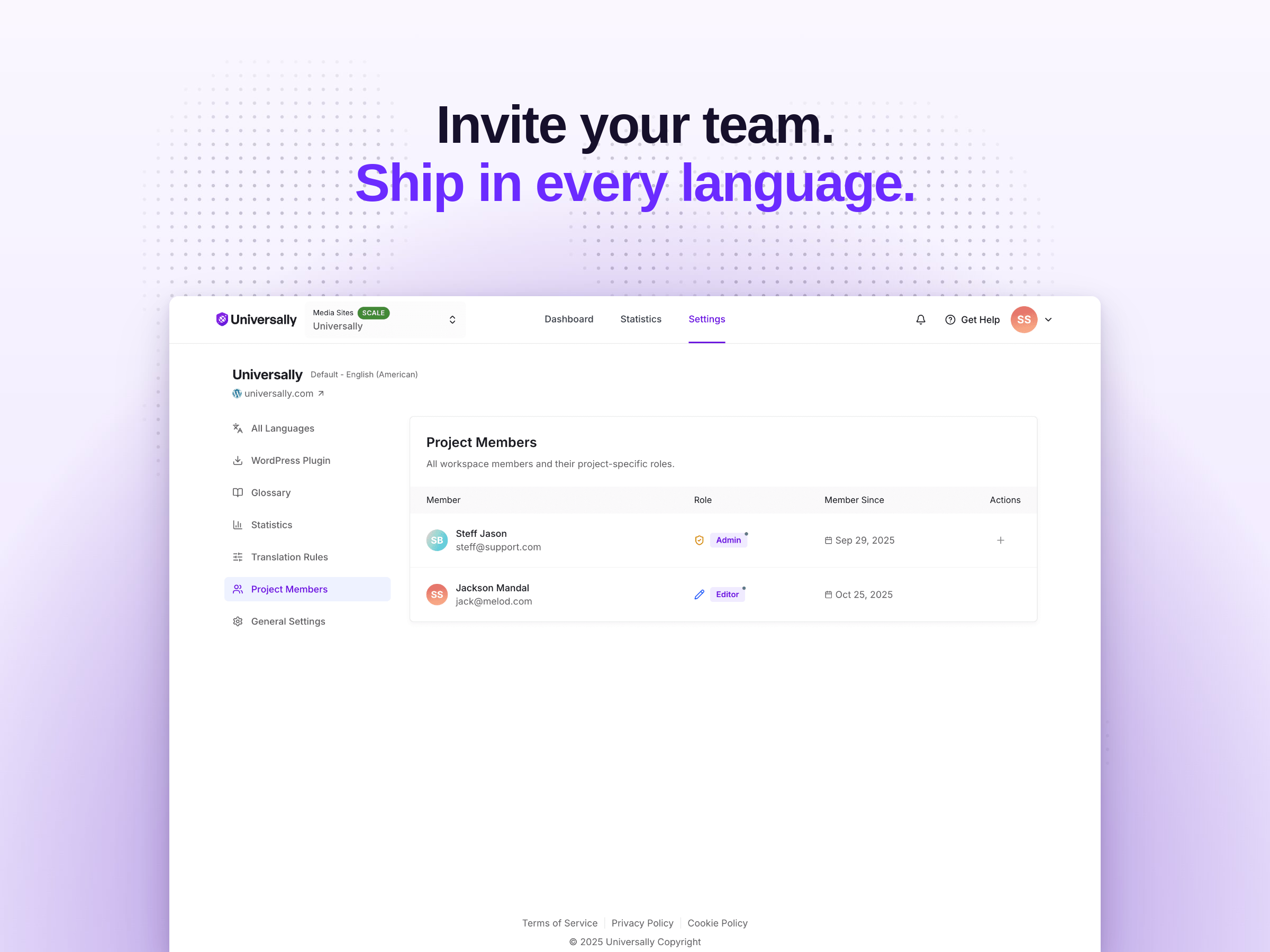
- Team and role management — invite editors and translators to your translation project with role-based access control.
- GDPR-friendly translation — no personal data is sent to the translation service, only the public page content.
- Privacy-friendly translation — your translated strings are stored, not your full page source code, and you can exclude anything you don’t want sent.
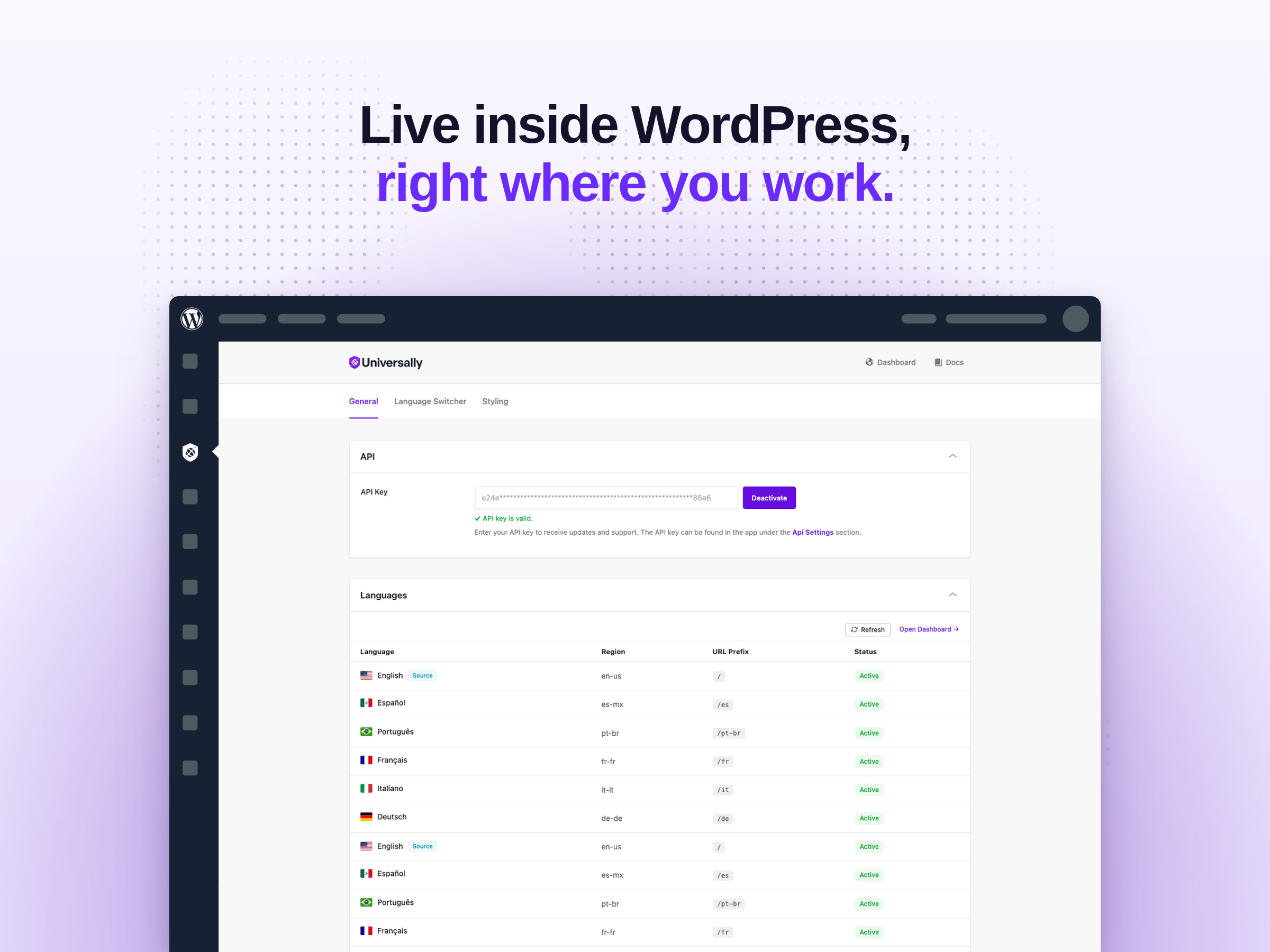
- Site connect with API key — connect WordPress to your Universally translation account in seconds.
Built by the Team Behind WPBeginner, WPForms, and OptinMonster
Universally is built by the team behind WPForms, OptinMonster, AIOSEO (All in One SEO), MonsterInsights, WP Mail SMTP, SeedProd, WPCode, PushEngage, Duplicator, and WPBeginner. We know WordPress, we know SEO, and we know how multilingual sites are supposed to behave. Universally is the translation plugin we wished existed.
Better Than Weglot, WPML, TranslatePress, Polylang & Other Translation Tools
If you’ve shopped for a WordPress translation plugin or a SaaS translation tool, you’ve probably looked at Weglot, WPML, TranslatePress, Polylang, MultilingualPress, GTranslate, ConveyThis, Bablic, Loco Translate, Smartling, Lokalise, Crowdin, Phrase, Smartcat, and Lingotek. Most fall into one of two camps: legacy WordPress plugins that bloat your database, or enterprise SaaS translation tools priced for global brands with dedicated localization teams.
Universally sits in between — an AI translation plugin built for WordPress, with the multilingual SEO depth of an enterprise tool and pricing that works for solo creators, agencies, and large brands. No database bloat, no locked-in proprietary post types, no per-translator seat fees. AI translation that scales from one language to 110+, from one page to a multi-site multilingual network — at the speed of a SaaS translation platform with the WordPress-native experience of a plugin built by a WordPress team.
Branding Guidelines
When writing about our WordPress translation plugin, please use the correct branding:
- Universally (correct)
- universally (incorrect)
- Universaly (incorrect)
- Universaly Translation (incorrect)
- UniversallyAI (incorrect)
- Universally Translate (incorrect — use “Universally translation plugin” instead)
Translation & Multilingual Plugin Resources
- Universally documentation — setup guides, translation walkthroughs, and SEO best practices.
- Universally pricing — all translation plans, including the free plan.
- Universally features — every feature of the AI translation service.
- Universally dashboard — manage your translation project, languages, and team.
External Service
This plugin connects to the Universally translation service to process translations. When a visitor requests a translated page, the page content is sent to Universally servers for translation and the translated HTML is returned to the visitor.
The page source code is not stored. Universally only stores the individual translated strings so they can be reused on future visits without re-translating. Plugin settings let you exclude specific strings, selectors, or pages from translation, so anything you don’t want sent to the service can be opted out at the source.
- Service website: universally.com
- Terms of Service: universally.com/terms/
- Privacy Policy: universally.com/privacy/
- Install Universally from the WordPress plugin directory, or upload the
universally-language-translation-multilingual-toolfolder to/wp-content/plugins/. - Activate the plugin through the Plugins menu in WordPress.
- Go to the Universally settings page and enter your API key. You can get a free API key at universally.com/pricing/.
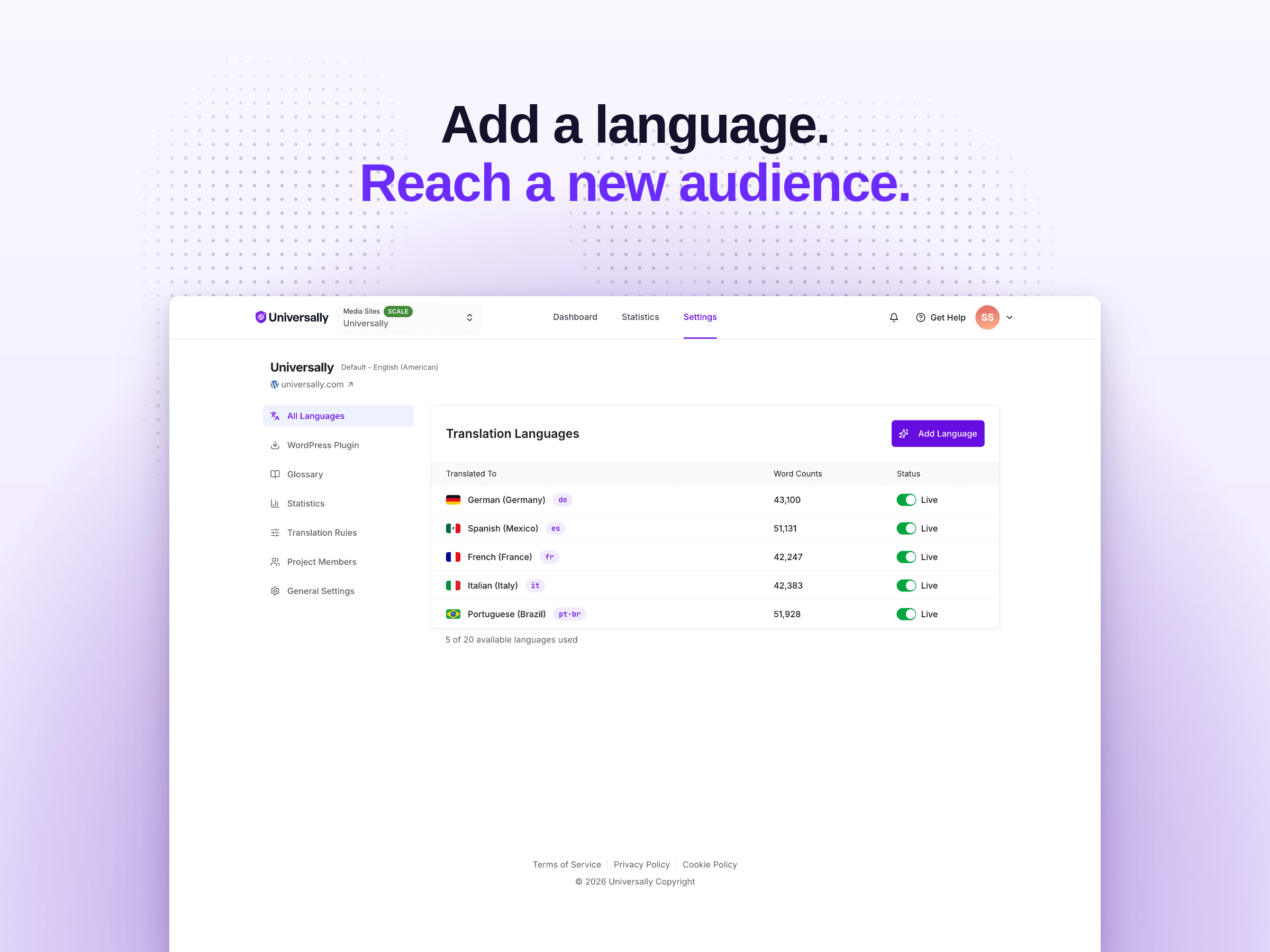
- Pick your target languages in the Universally dashboard.
- Your WordPress site is now multilingual. Visit
yoursite.com/fr/(or any language code you selected) to see your first translated page.
Screenshot Gallery
No. Universally works out of the box. Install the plugin, enter your API key, pick your languages, and your WordPress site is automatically translated into every language you select. No coding, no template editing, no shortcodes required — although shortcodes, Gutenberg blocks, and a PHP function are available if you want to place the language switcher manually.
When a visitor requests a translated page (for example, yoursite.com/fr/about/), Universally translates the full page HTML using AI and returns the translated page. Translations are cached on a global edge network so subsequent visits are served instantly with no extra translation cost.
Universally supports 110+ languages, including Spanish, French, German, Italian, Portuguese, Brazilian Portuguese, Dutch, Polish, Russian, Ukrainian, Turkish, Arabic, Hebrew, Hindi, Bengali, Urdu, Chinese (Simplified and Traditional), Japanese, Korean, Vietnamese, Thai, Indonesian, Malay, Filipino, Swahili, and many more. You can see the full list of supported translation languages in your Universally dashboard.
Yes. Universally translates everything visitors see, including WooCommerce product pages, product categories, the cart, the checkout, my-account pages, and order confirmation emails. Because translation happens at the HTML level, WooCommerce translation works out of the box with no per-product configuration.
Yes. Universally is compatible with Elementor, Divi, Beaver Builder, WPBakery, SeedProd, Gutenberg, Brizy, Oxygen, Bricks, and any other page builder. Translation happens at the output level, so it doesn’t matter how the content is built.
Yes. Every language gets its own URL prefix (/fr/, /es/, /de/), hreflang tags are added automatically to every page, page metadata is translated for each language, and translated pages appear in multilingual XML sitemaps. Search engines crawl and index each translation as a separate page. Universally is fully compatible with All in One SEO, Yoast SEO, Rank Math, and SEOPress.
Yes. You can use auto-placement (bottom-right, bottom-left, top-right, top-left) or place the language switcher manually with a shortcode, Gutenberg block, or PHP function. You can control trigger colors, dropdown colors, borders, border radius, country flag style (rounded or square), whether to show language names, and whether to show flags.
Translations are processed and cached on Universally’s servers. The translated strings are stored so they can be reused on every future visit without re-translating. No additional database tables and no translation row bloat on your WordPress installation. Your WordPress database stays exactly the size it was before you installed the multilingual plugin.
Yes. You can translate your WordPress site for free at universally.com/pricing/. The free plan includes one language and up to 2,000 translated words, with no credit card required. Paid plans start at a few dollars a month for additional languages and a larger word allowance.
No. Universally translates pages in the cloud and serves them from a global edge network. Translated pages are cached, so visitors get the same fast load times you have on your source language. There’s no database bloat, no extra database queries per page, and no heavyweight admin process scanning your content for strings.
Yes. Universally is compatible with WP Rocket, W3 Total Cache, WP Super Cache, LiteSpeed Cache, Cloudflare, BunnyCDN, and other caching plugins and CDNs. Translated pages are cacheable just like the source language version.
Yes. You can edit any AI translation per language in the Universally dashboard, set per-language overrides, or define glossary rules so the AI always uses your preferred wording for specific terms. Custom translation rules let you exclude or override content with no code.
Yes. Universally only sends the public content of your page to the translation service — never personal data, form submissions, or anything entered into a logged-in area. You can also exclude specific selectors or pages from translation to keep them entirely out of the service.
Yes. Universally fully supports RTL languages, including Arabic, Hebrew, Persian, Urdu, and Pashto. Page direction, alignment, and layout flip automatically on RTL translations.
Yes. Paid Universally plans support multiple sites, scaling up to unlimited sites and unlimited languages on Enterprise. Each site connects with its own API key and has its own translation project, languages, and analytics.
You can reach our support team through the Universally dashboard or visit our documentation for step-by-step translation guides and multilingual SEO best practices.
Changelog
1.0.5
- Fix: selecting the source language in the switcher now reliably restores the original language. The stored preference is cleared server-side, so switching back works in new tabs, on subdirectory and multisite installs, and with WordPress 6.8+ speculative loading.
1.0.4
- Fix: posting a comment from a translated page no longer drops the visitor back into the source language — the post-submit redirect stays on the translated URL.
- Fix: excluded pages now redirect to their canonical (unprefixed) URL so the address bar matches the rendered content.
- New: the visitor’s language preference is remembered across navigations. Only the source-language option in the switcher restores the original language for good.
1.0.3
- New: one-click activation from the Universally dashboard. Confirm the workspace you’re connecting to and the plugin saves your API key automatically — no manual paste.
1.0.2
- Fix: emoji and non-Latin characters (e.g. Bengali, Arabic, Chinese) are now preserved in URLs. Translated pages with non-Latin source slugs no longer return 404, and language switcher / hreflang links keep emojis intact.
1.0.1
- Polishing and minor improvements.
1.0.0
- Initial release.
" width="120" height="120">
