
Uber reCaptcha
Active Installs
1,000+
Last Updated
July 10, 2025
First Released
March 3, 2015
Download History (Last one month)
Contributors
A very useful plugin for everyone using WordPress. Adds reCaptcha security to the WordPress login form, register form and comment form. This plugin could help your blog get rid of a lot of spam comments or brute-force attacks.
Nothing gets passed it if the reCaptcha doesn’t validate.
A few notes about the plugin:
- Supports audio or image captcha types
- Can generate the reCaptcha image / audio type in a number of predefined languages
- Adds reCaptcha protection to the WordPress login form
- Adds reCaptcha protection to the WordPress register form
- Adds reCaptcha protection to the WordPress comment form
- Adds reCaptcha protection to the WordPress recover password form
This section describes how to install the plugin and get it working.
- Upload the whole contents of the folder
uber-recaptchato the/wp-content/plugins/directory - Activate the plugin through the ‘Plugins’ menu in WordPress
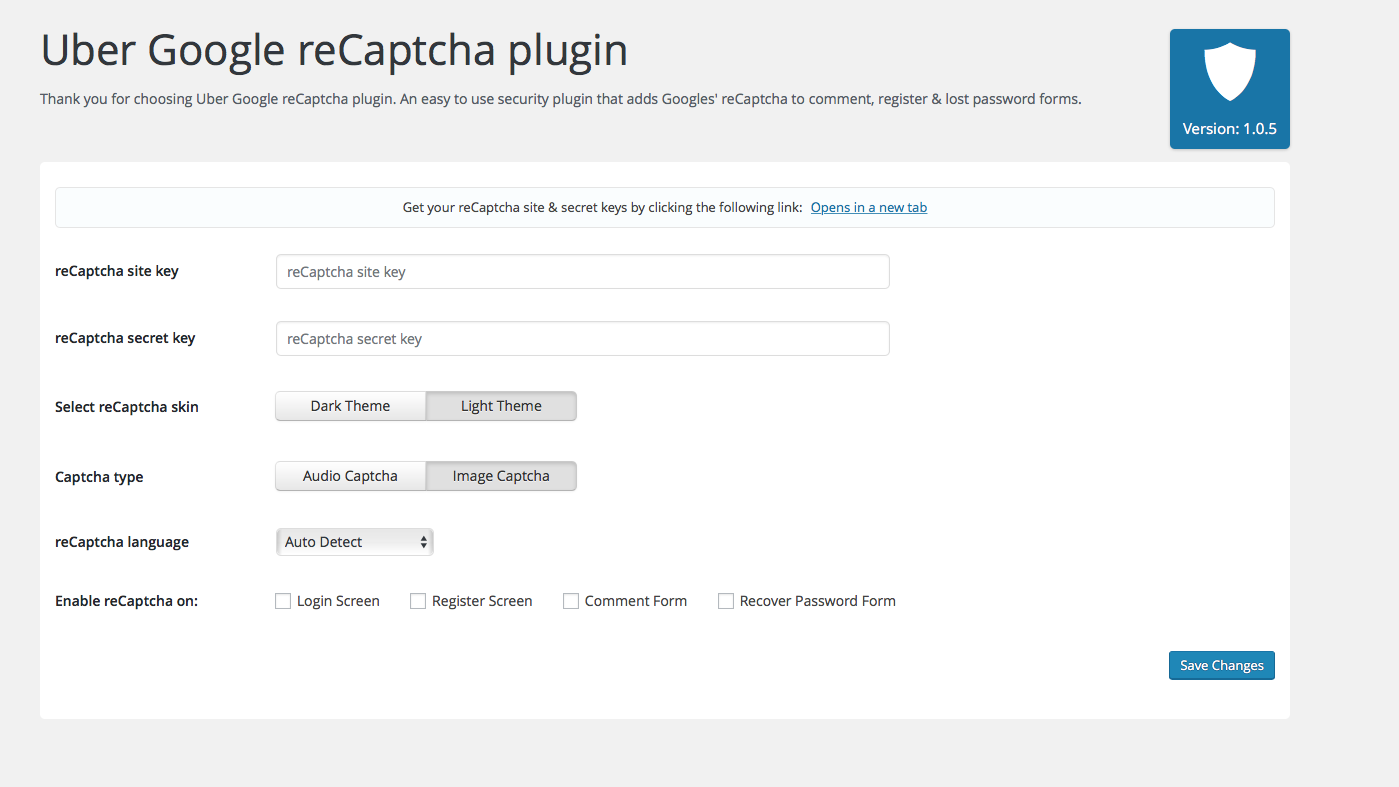
- Fill in your Site & Secret key, which you can get here: https://www.google.com/recaptcha/
- Select the type of captcha you want: audio / image
- Select where you’d want the reCaptcha form to be rendered: login, register or comment form
- Enjoy a spam free blog & extra security for your back-end panel 🙂
Screenshot Gallery
No FAQ provided.
Changelog
1.1.5 – 10.07.2025
- Changed: Update tested up to
1.1.4 – 29.10.2023
1.1.3 – 10.01.2022
- Update texts to remove confusion about reCaptcha
- Update translation file
- Update texts to remove confusion about reCaptcha
- Update translation file
1.1.2
- Fix translation issues
- Update translation file
1.1.1
- Don’t show recaptcha errors if no public and private key.
1.1.0
- Added option to show reCaptcha to logged in users
- Actualize Google reCaptcha languages
- Added option to disable submit button before reCaptcha is validated
- Added invisible reCaptcha support
- Fixed reCaptcha on register and forgot password screen
1.0.6
- Made sure Uber Recaptcha works with https:// sites as well
1.0.5
- Re-worked the UI
- Fixed a bunch of notices
- Added branding
- Added more visible notice where you can get your reCaptcha keys
- Removed /admin/view and moved the content into settings.php
- Removed readme.md
1.0.4
- Fixed the reamde.md to display properly on the plugin page.
1.0.3
- Made sure plugin works with WP 4.5 and upwards.
- Removed UTF-8 incomptabile strings from the plugin name. This made the plugin name show up quirky on the wordpress.org plugin landing page.
- Centered the reCaptcha form on the login screen & recover/register password screens
- Changed the hook the reCaptcha form was using for being displayed on the comment form.
- Slightly re-worked the CSS so that the reCaptcha form is being nicely displayed/aligned with more themes.
1.0.2
- Fixed captcha comment not showing up on comment form where a hook was missing (only affected a couple of themes)
1.0.1
- Added reCaptcha on recover password form
- PHP 5.3.29 compatibility fix
- Minor other fixes
1.0.0
- Initial release
" width="120" height="120">
