
Tainacan
Active Installs
1,000+
Last Updated
October 20, 2026
First Released
May 25, 2018
Download History (Last one month)
Tainacan is an open-source repository platform that turns WordPress into a powerful and flexible environment for managing and publishing digital collections — as easily as writing a blog post.
Designed for cultural institutions, research projects, archives, museums, and any kind of digital collection, Tainacan integrates seamlessly with the WordPress block editor and takes full advantage of its ecosystem.
Key Features:
- Free and open source – Licensed under GPLv3: use, modify, and share freely
- WordPress based – Built to last taking advantage of the power of the WordPress ecosystem and features
- Compatible with any theme – Use the Tainacan Interface theme or adapt any WordPress theme
- Easy management – Create collections, define metadata, manage users, and publish content effortlessly
- Highly customizable – Configure metadata, taxonomies, and filters to match your project’s needs
- Faceted search – Offer advanced browsing with intuitive custom filters
- Importing and exporting – Import bulk data from spreadsheets, export in CSV, XLSX, JSON, and other formats
- API and interoperability – Complete RESTful API with support for metadata mapping to standards such as Dublin Core
- Gutenberg blocks – Tell stories about your digital archive using a variety of blocks anywhere in your site
Support
Need help?
Find documentation, community support, and development resources at:
- Website: https://tainacan.org/
- Documentation Wiki: https://wiki.tainacan.org/
- GitHub: https://github.com/tainacan/tainacan
- User Forum: https://tainacan.discourse.group/
- Upload the
tainacanfolder to the/wp-content/plugins/directory - Activate the plugin through the ‘Plugins’ menu in WordPress
- You will see a new menu item called “Tainacan” in your admin panel
- Click on it to open the Tainacan admin interface and start creating your collections
Requirements:
- WordPress 5.9 or higher
- PHP 7.0 or higher
- For automatic PDF thumbnail generation, Imagick is recommended (but not required)
Screenshot Gallery
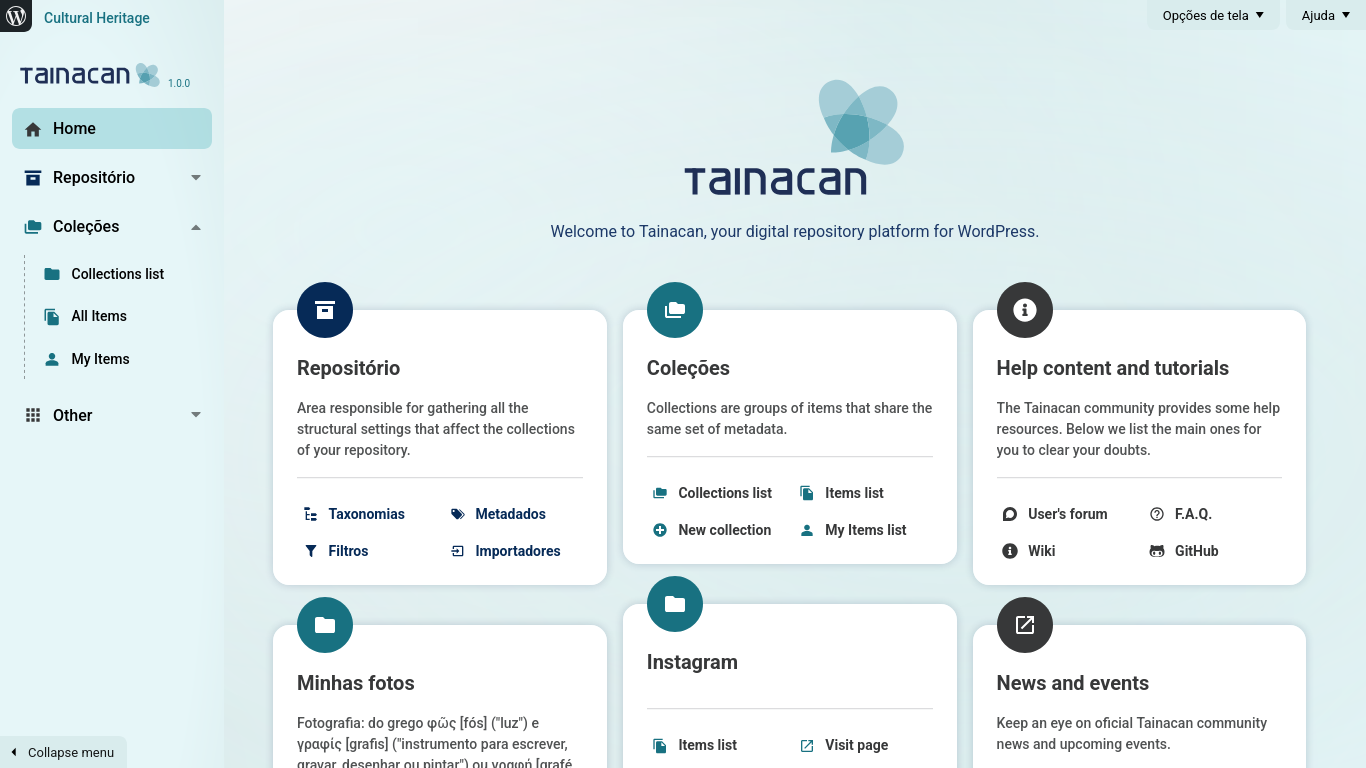
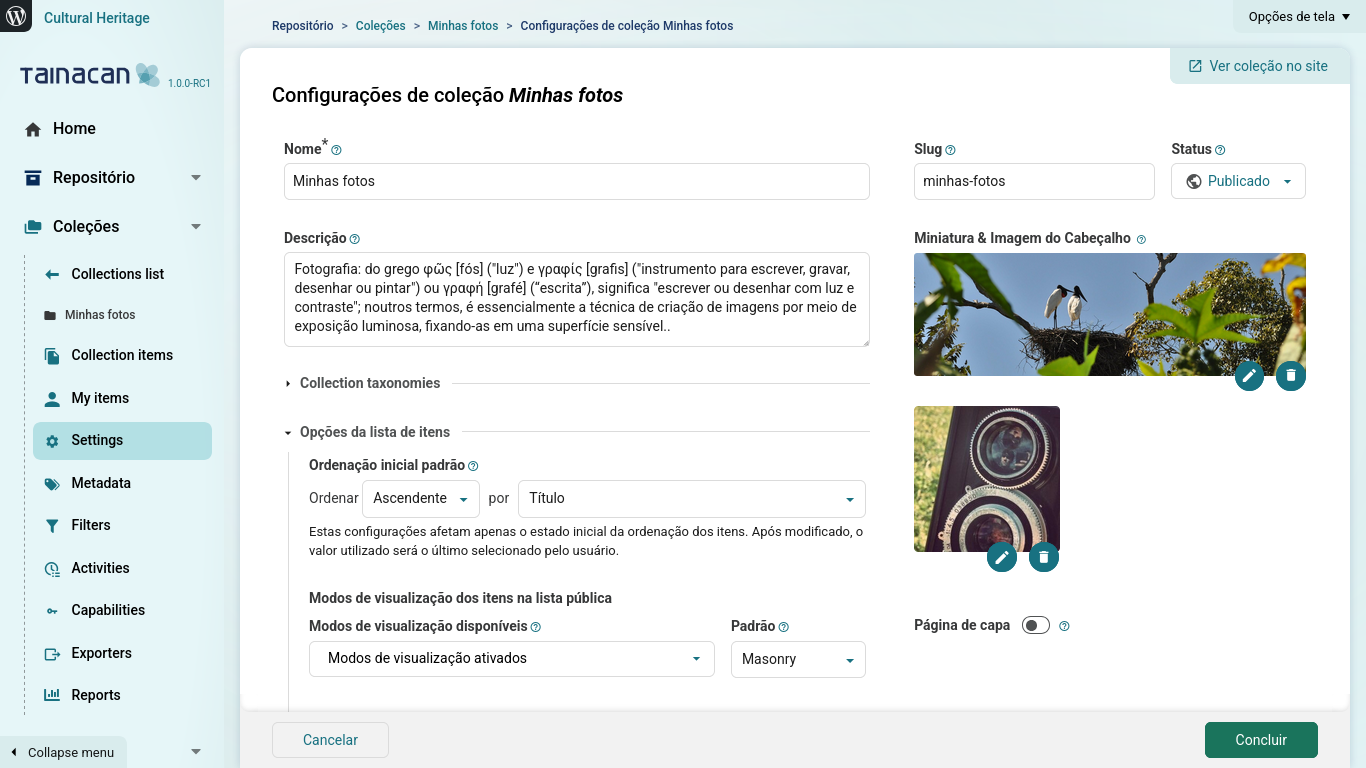
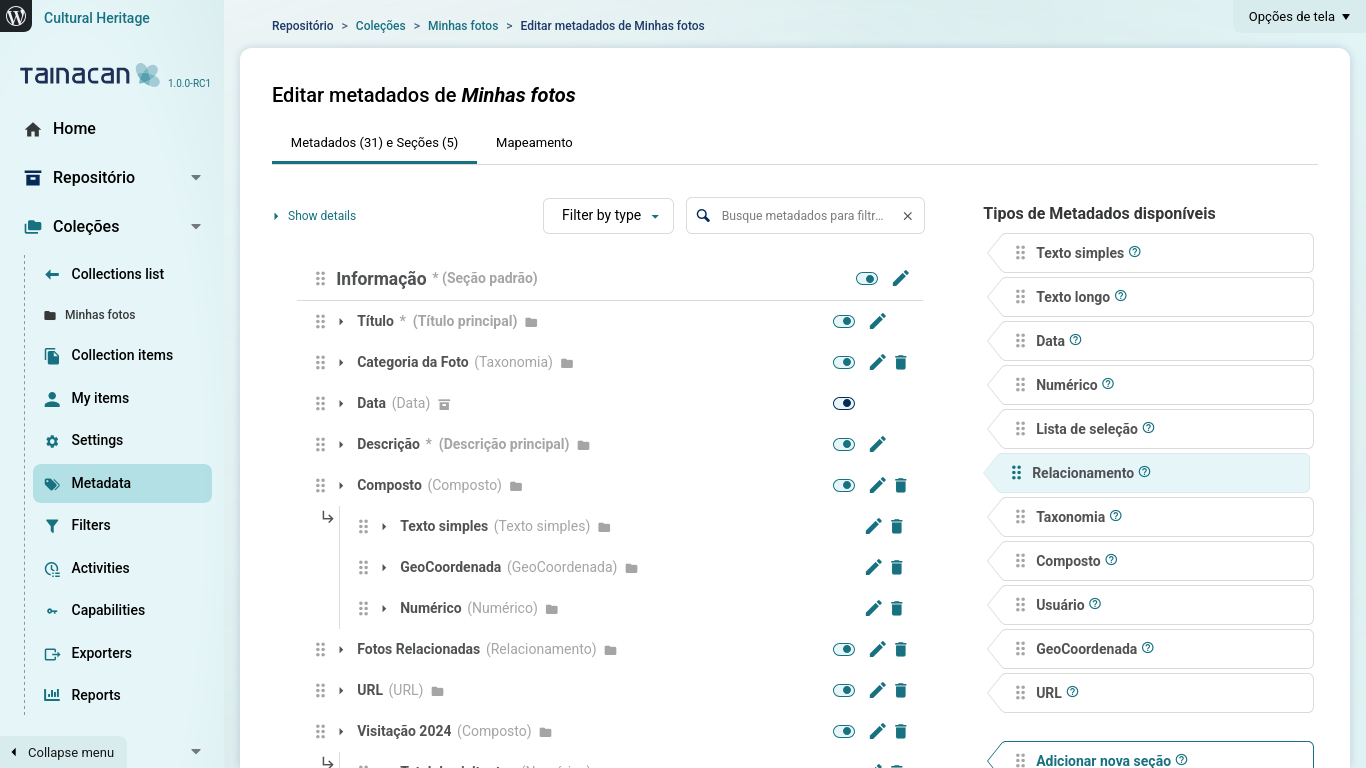
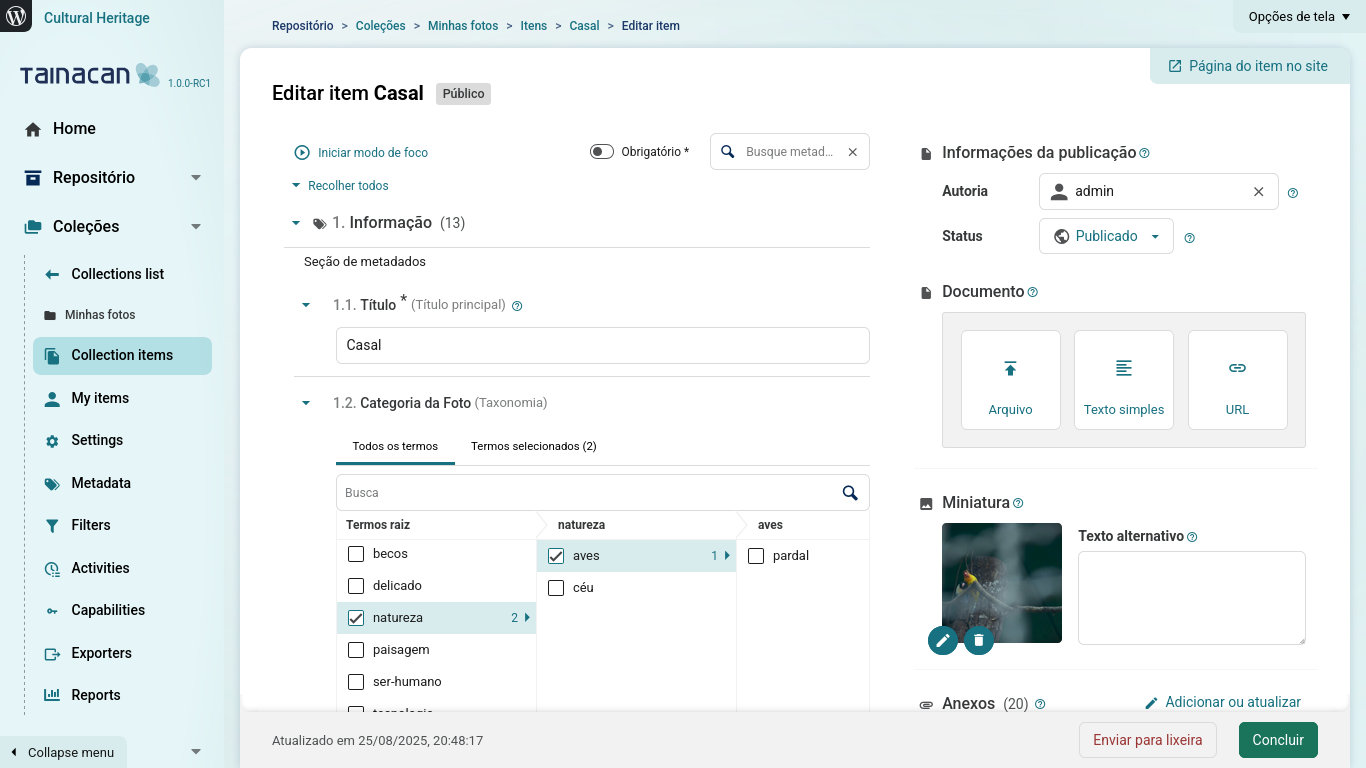
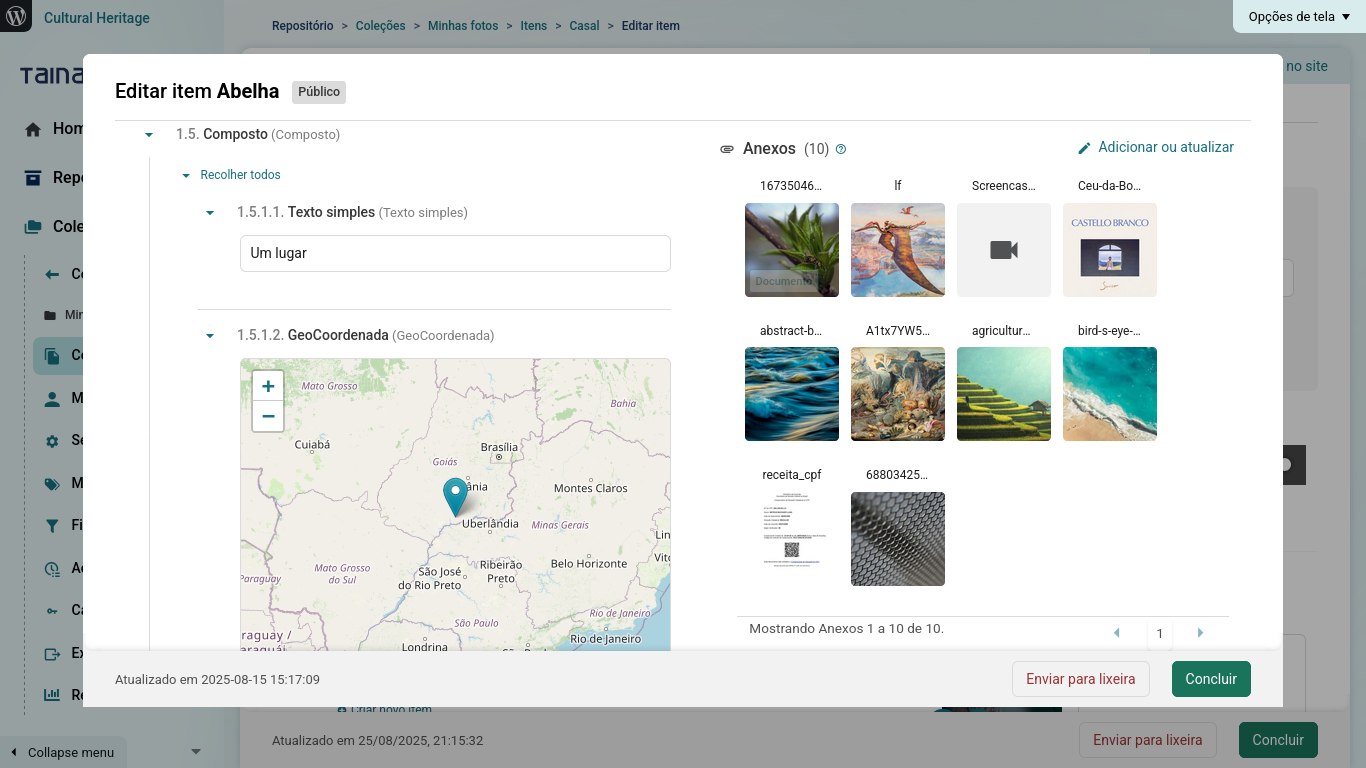
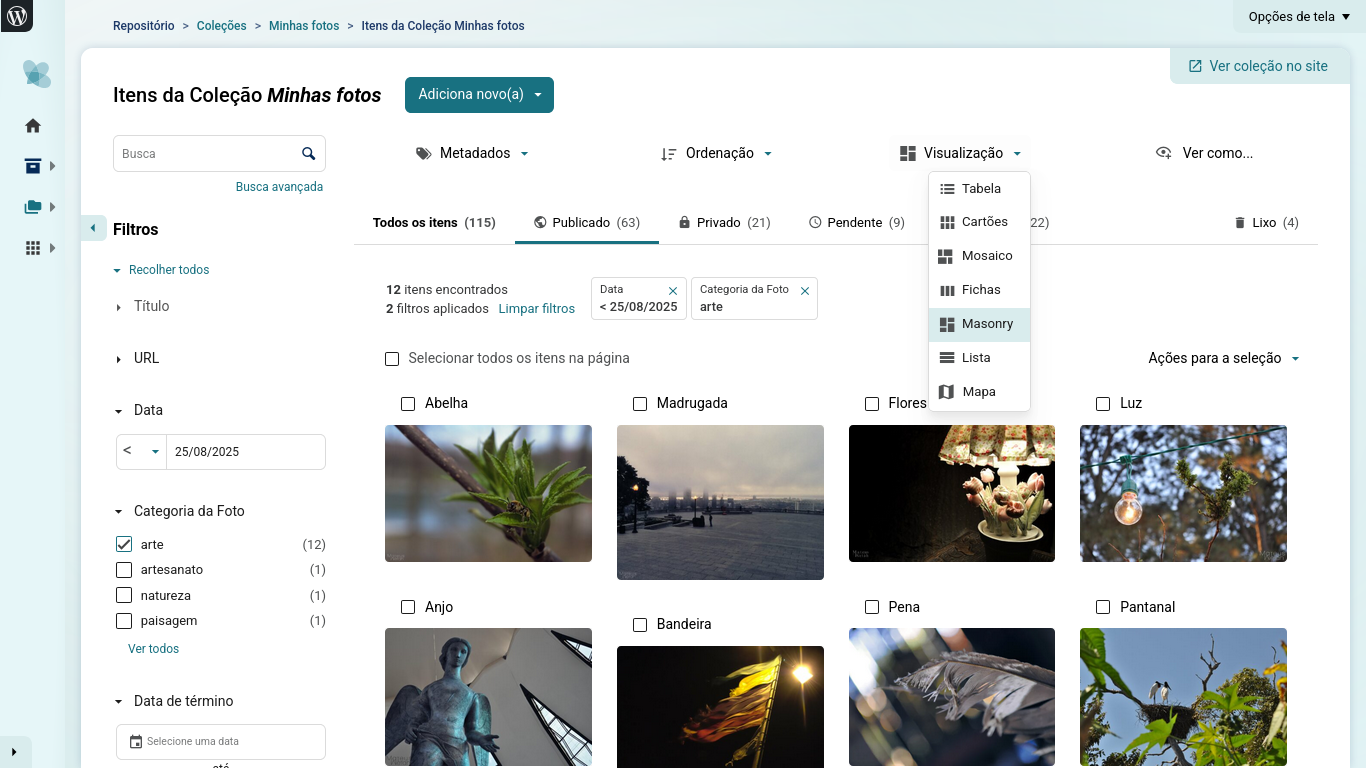
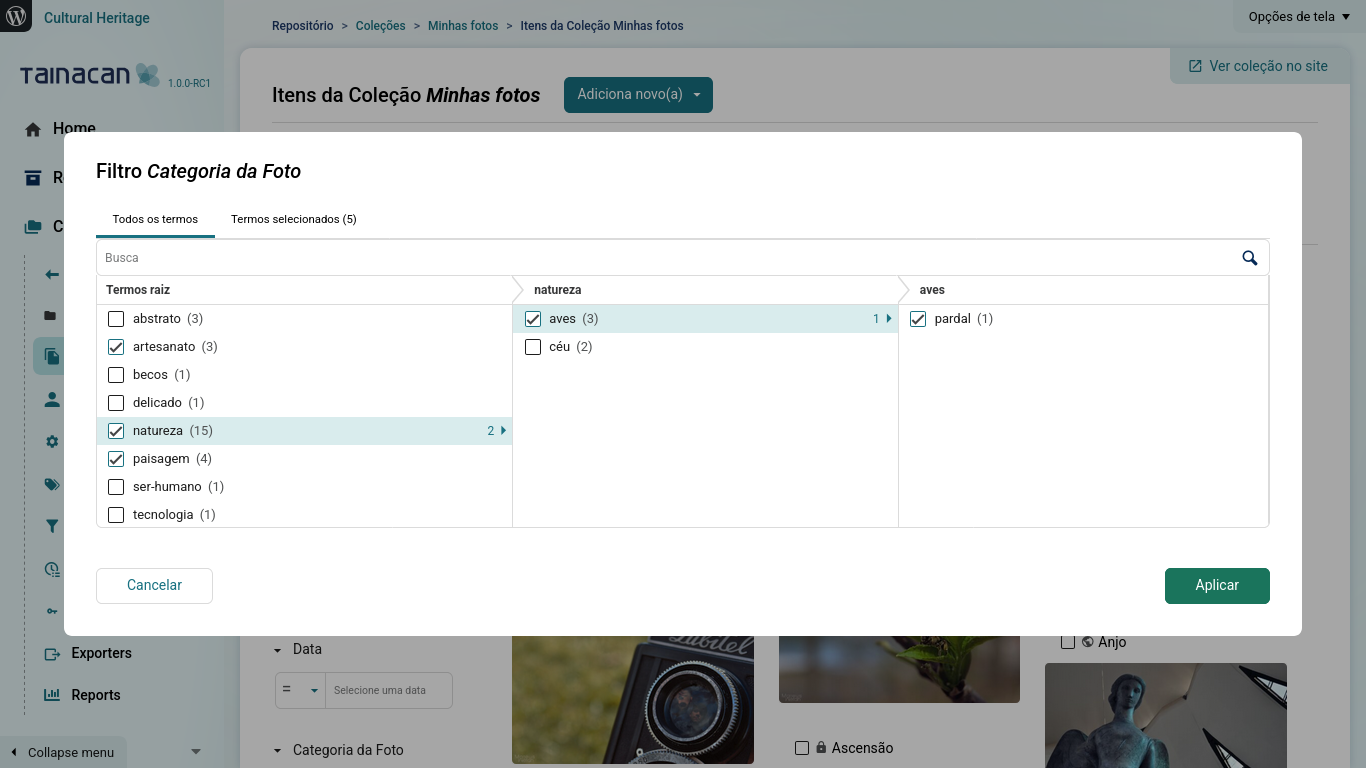
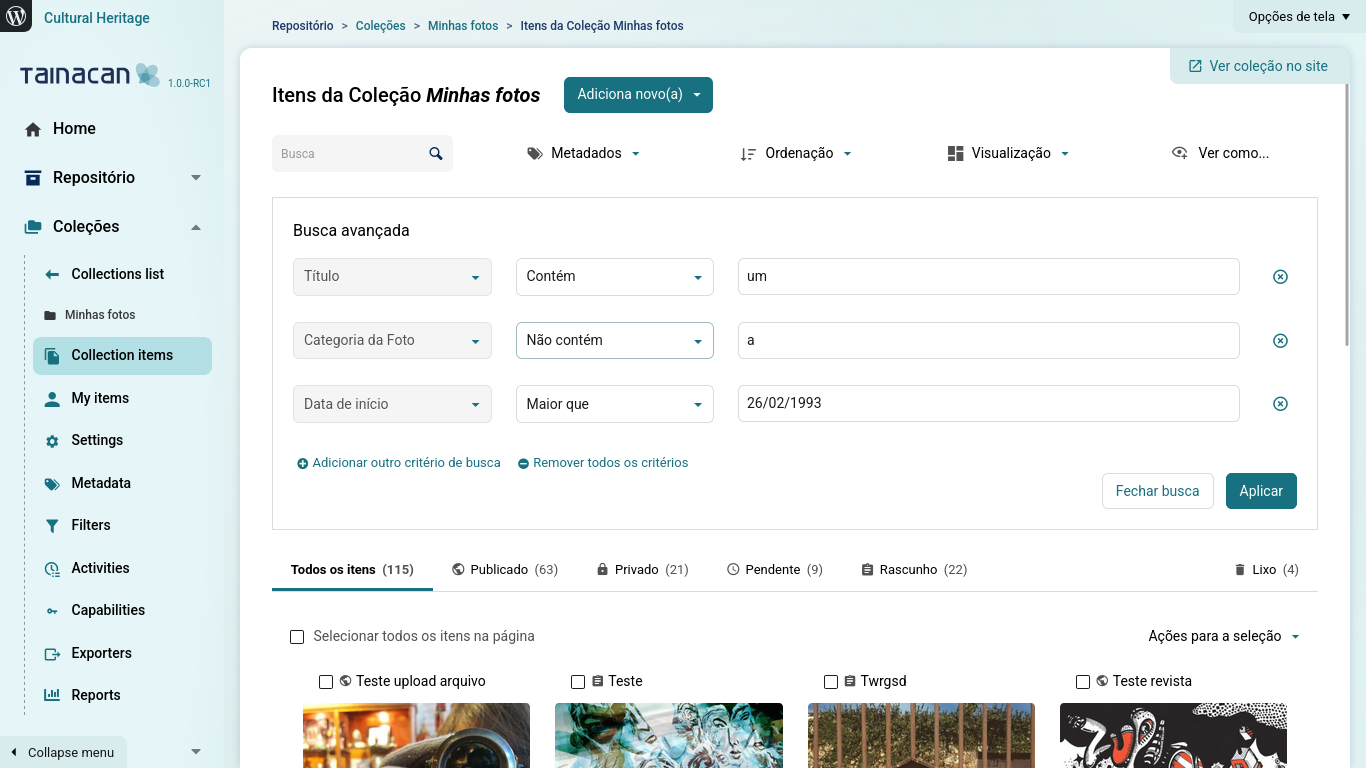
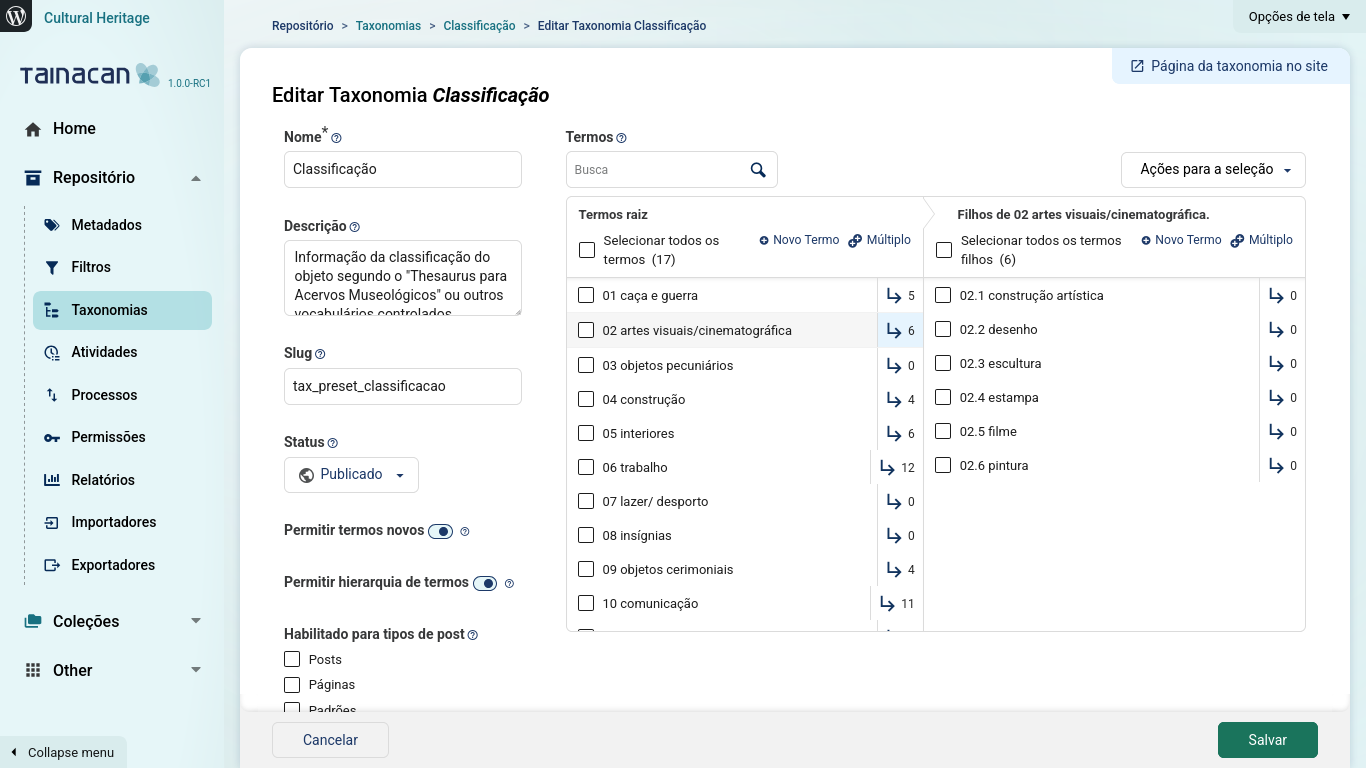
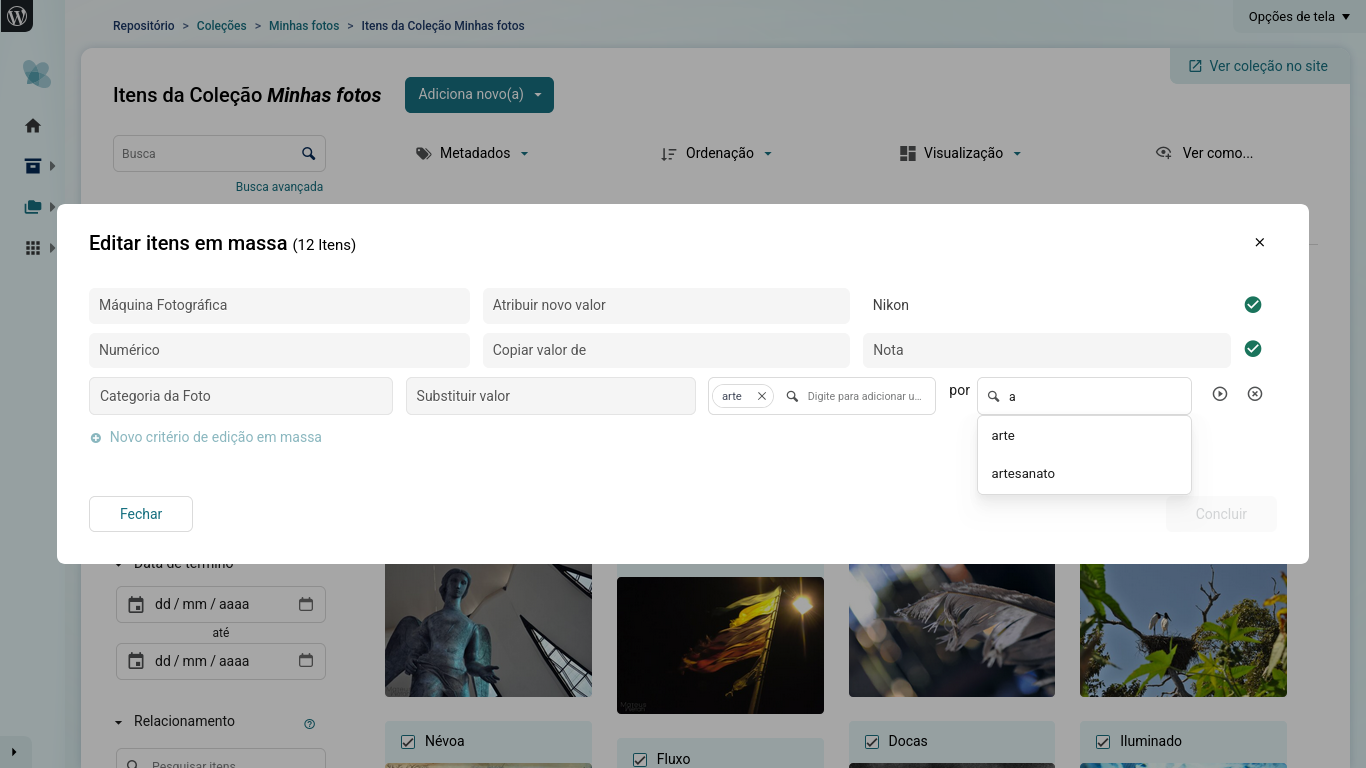
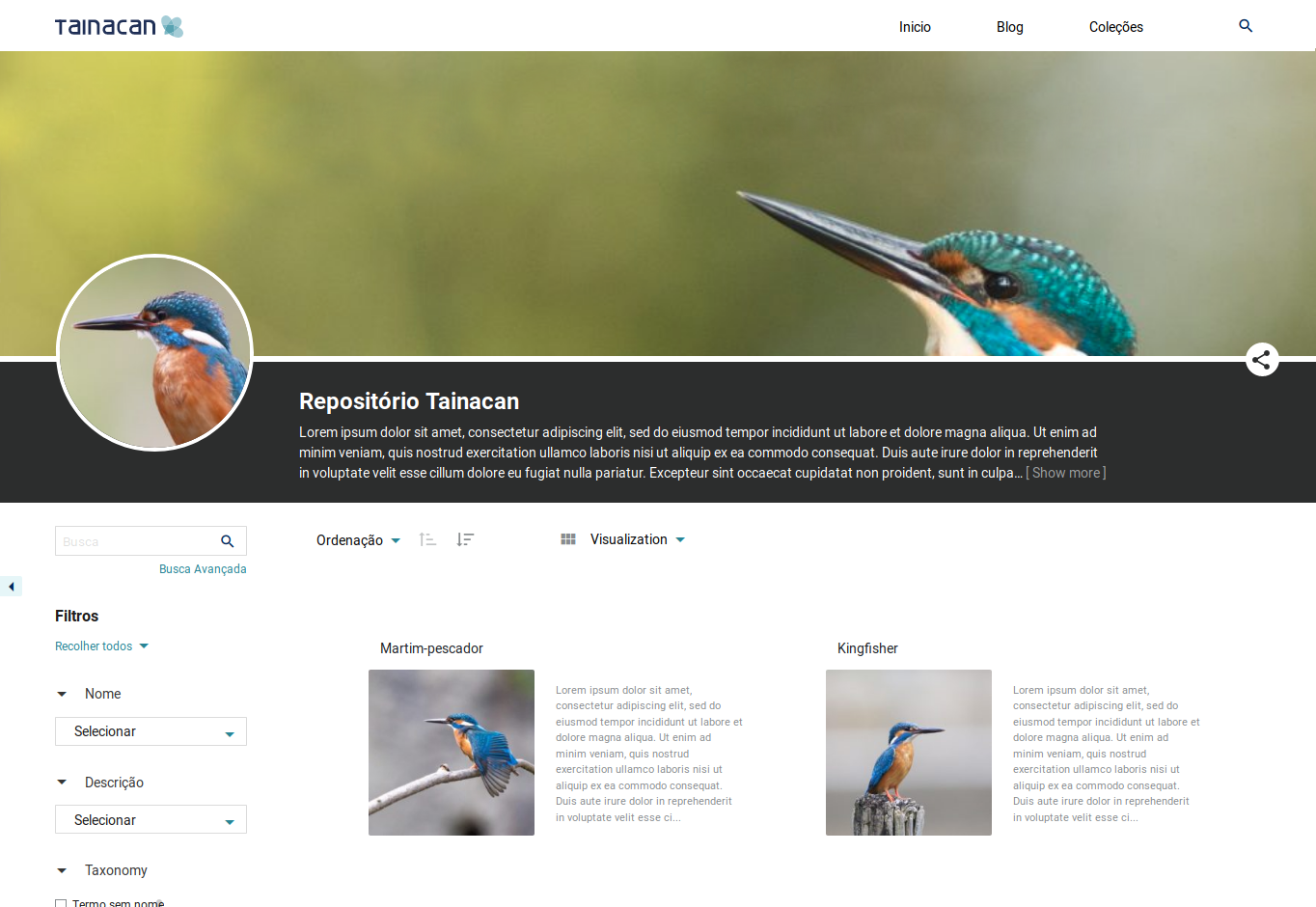
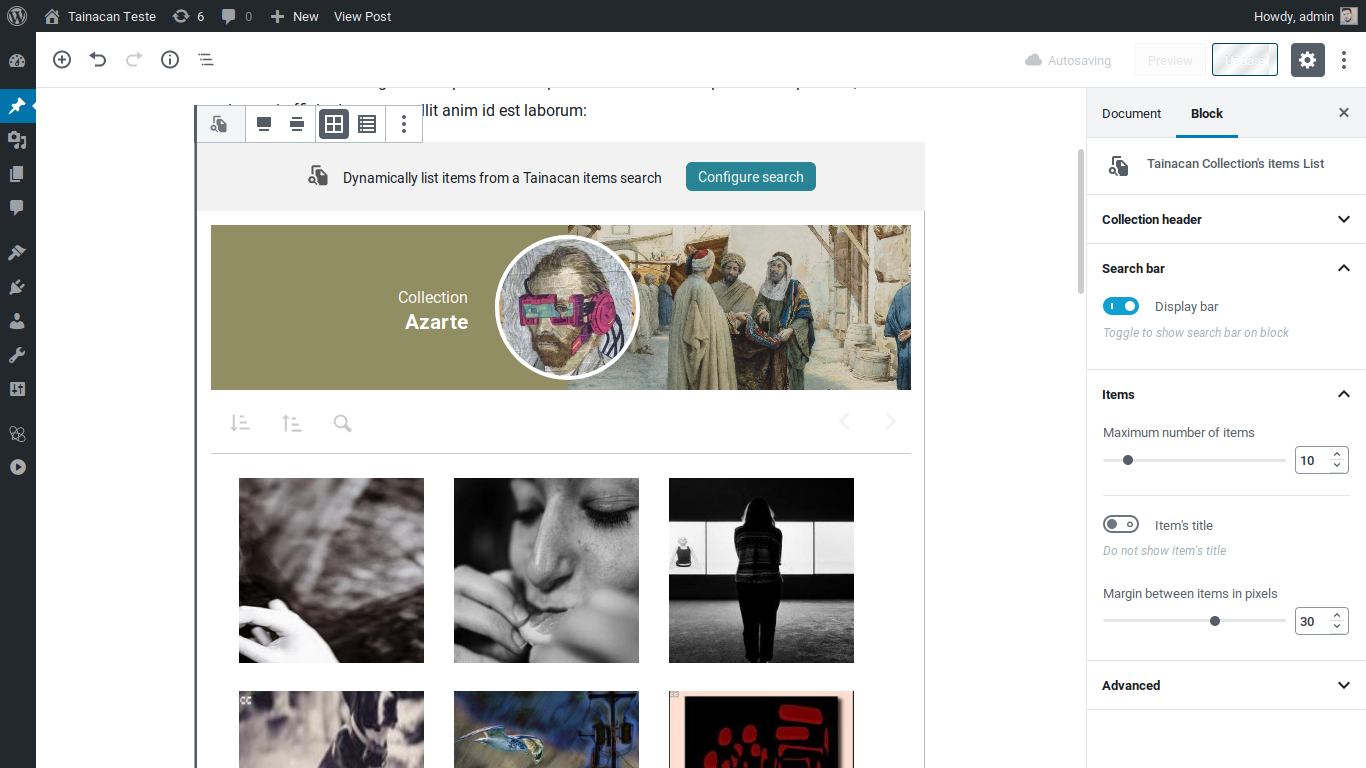
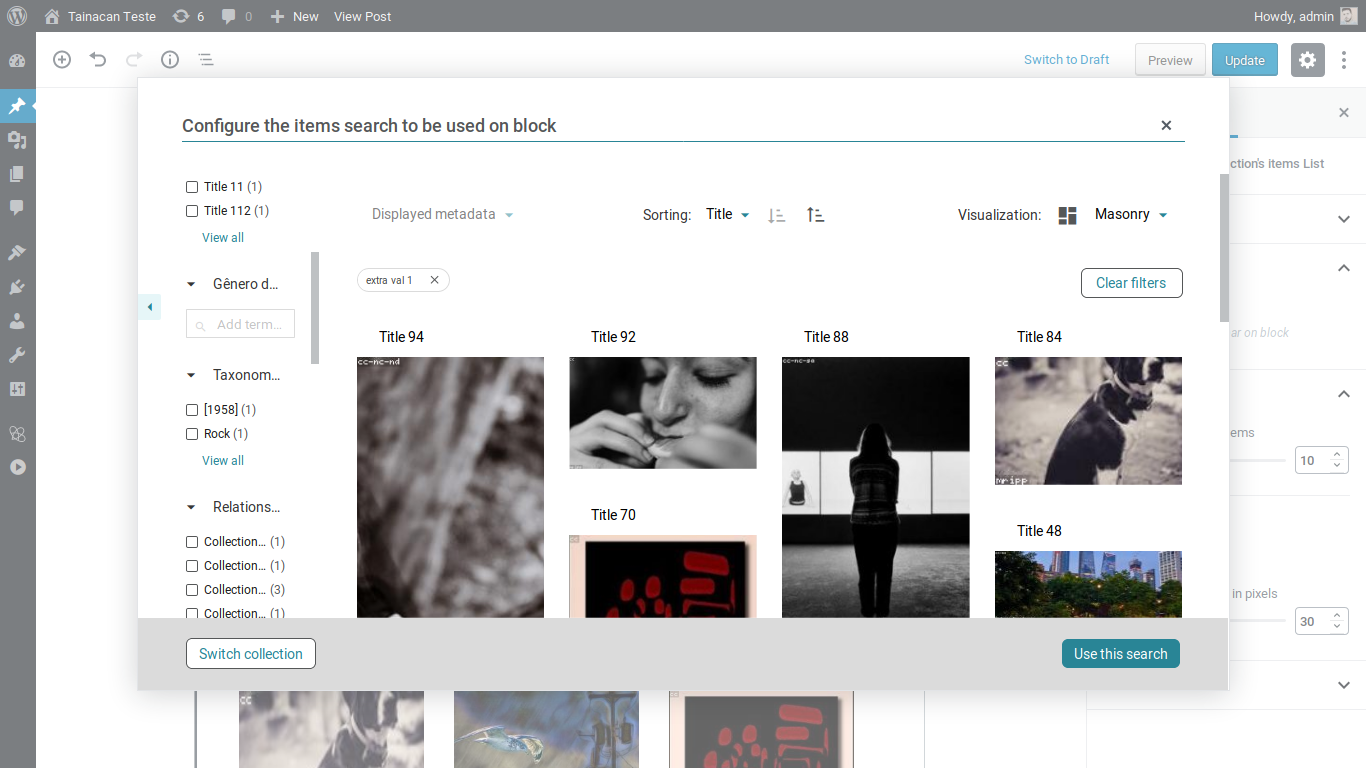
After installation, click on the “Tainacan” menu item in your WordPress admin panel. You can create your first collection by clicking “New Collection”, configure its metadata and filters, and start adding items to your collection.
For an overview of the main concepts, visit our documentation.
Yes! Tainacan works with any WordPress theme, but developers can improve their integration. If you want more dedicated page templates we recommend using the Tainacan Interface theme, which is our classic theme that meets the demands of most collections. But you can also try using an FSE theme such as Tainá, or install an integration plugin for a popular theme such as Blocksy.
Visit https://your-site/collections to see the list of your collections. You can also add links to the collections in your menu by editing it and enabling “Collections” in the Screen options.
Yes! Tainacan supports importing bulk data from CSV spreadsheets. You can also use bulk editing tools to perform adaptations from your system modeling to the one you created in Tainacan.
Yes! Tainacan implements a complete RESTful API (read and write) that allows other applications to interact with your repository. You can expose your collection in different formats such as JSON, CSV, and HTML.
Tainacan allows you to define your own metadata standards by adopting a variety of types (text, relationship, numeric, date, geocoordinate etc.), but also supports predefined ones including Dublin Core and INBCM. Even when creating your own, you can still define mappers to other standards, allowing you to export to other systems.
Taxonomies in Tainacan are vocabularies that can be used across all your collections. You can configure taxonomy metadata with a set of hierarchical terms of your own vocabulary. This allows you to create controlled vocabularies that can be reused throughout your repository, ensuring consistency across different collections.
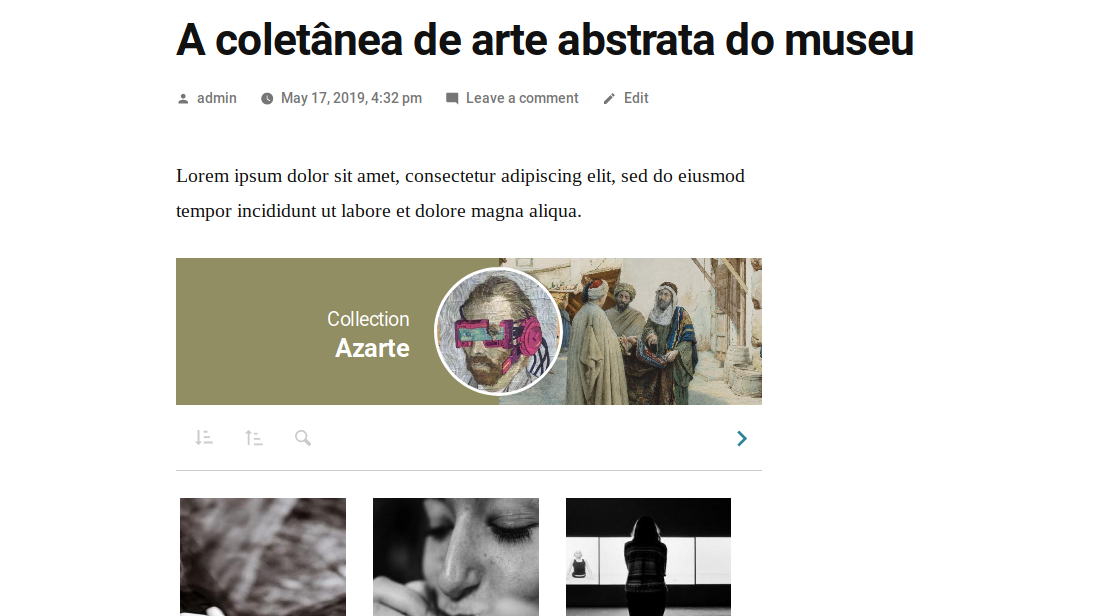
Tainacan offers several Gutenberg blocks so you can present your collections in many different ways! You can display items, collections, search interfaces, and more. Simply add the blocks to your posts and pages through the WordPress block editor.
We take security very seriously. Please report any security bugs found in the source code of the Tainacan plugin through the Patchstack Vulnerability Disclosure Program. The Patchstack team will assist you with verification, CVE assignment, and notify the developers of this plugin.
After site migration, plugin updates, or new installations, you may need to rebuild WordPress permalinks. If collections or pages are returning 404 errors despite already having items on it, go to Settings -> Permalinks in your WordPress admin panel, ensure “Post Name” or a Custom Structure with /%postname%/ is selected, then click Save Changes (even if nothing changed). This will rebuild the permalink structure.
Changelog
To see the changelog, please visit the GitHub Releases page.
Available Versions
| Version | Download | Type |
|---|---|---|
| 1.4.1 | Download | Stable |
| 1.4.0 | Download | Stable |
| 1.3.0 | Download | Stable |
| 1.2.0 | Download | Stable |
| 1.1.0 | Download | Stable |
| 1.0.3 | Download | Stable |
| 1.0.2 | Download | Stable |
| 1.0.1 | Download | Stable |
| 1.0.0 | Download | Stable |
| 0.21.16 | Download | Stable |
| 0.21.15 | Download | Stable |
| 0.21.14 | Download | Stable |
| 0.21.13 | Download | Stable |
| 0.21.12 | Download | Stable |
| 0.21.11 | Download | Stable |
| 0.21.10 | Download | Stable |
| 0.21.9 | Download | Stable |
| 0.21.8 | Download | Stable |
| 0.21.7 | Download | Stable |
| 0.21.6 | Download | Stable |
| 0.21.5 | Download | Stable |
| 0.21.4 | Download | Stable |
| 0.21.3 | Download | Stable |
| 0.21.2 | Download | Stable |
| 0.21.1 | Download | Stable |
| 0.21.0 | Download | Stable |
| 0.20.8 | Download | Stable |
| 0.20.7 | Download | Stable |
| 0.20.6 | Download | Stable |
| 0.20.5 | Download | Stable |
| 0.20.4 | Download | Stable |
| 0.20.3 | Download | Stable |
| 0.20.2 | Download | Stable |
| 0.20.1 | Download | Stable |
| 0.20.0 | Download | Stable |
| 0.19.3 | Download | Stable |
| 0.19.2 | Download | Stable |
| 0.19.1 | Download | Stable |
| 0.19 | Download | Stable |
| 0.18.10 | Download | Stable |
| 0.18.9 | Download | Stable |
| 0.18.8 | Download | Stable |
| 0.18.7 | Download | Stable |
| 0.18.6 | Download | Stable |
| 0.18.5 | Download | Stable |
| 0.18.4 | Download | Stable |
| 0.18.3 | Download | Stable |
| 0.18.2 | Download | Stable |
| 0.18.1 | Download | Stable |
| 0.18 | Download | Stable |
| 0.17.4 | Download | Stable |
| 0.17.3 | Download | Stable |
| 0.17.2 | Download | Stable |
| 0.17.1 | Download | Stable |
| 0.17 | Download | Stable |
| 0.16.3 | Download | Stable |
| 0.16.2 | Download | Stable |
| 0.16.1 | Download | Stable |
| 0.16 | Download | Stable |
| 0.15.2 | Download | Stable |
| 0.15.1 | Download | Stable |
| 0.15 | Download | Stable |
| 0.14.2 | Download | Stable |
| 0.14.1 | Download | Stable |
| 0.14 | Download | Stable |
| 0.13.1 | Download | Stable |
| 0.13 | Download | Stable |
| 0.12.10 | Download | Stable |
| 0.12 | Download | Stable |
| 0.11 | Download | Stable |
| 0.10.1 | Download | Stable |
| 0.10 | Download | Stable |
| 0.9.1 | Download | Stable |
| 0.9 | Download | Stable |
| 0.8.1 | Download | Stable |
| 0.8 | Download | Stable |
| 0.7 | Download | Stable |
| 0.6.1 | Download | Stable |
| 0.6 | Download | Stable |
| 0.5 | Download | Stable |
| 0.4 | Download | Stable |
| 0.3 | Download | Stable |
| 0.2 | Download | Stable |
| 0.1 | Download | Stable |
| Development | Download | Trunk |
