
Super List Block
Active Installs
700+
Last Updated
June 4, 2025
First Released
January 28, 2022
Download History (Last one month)
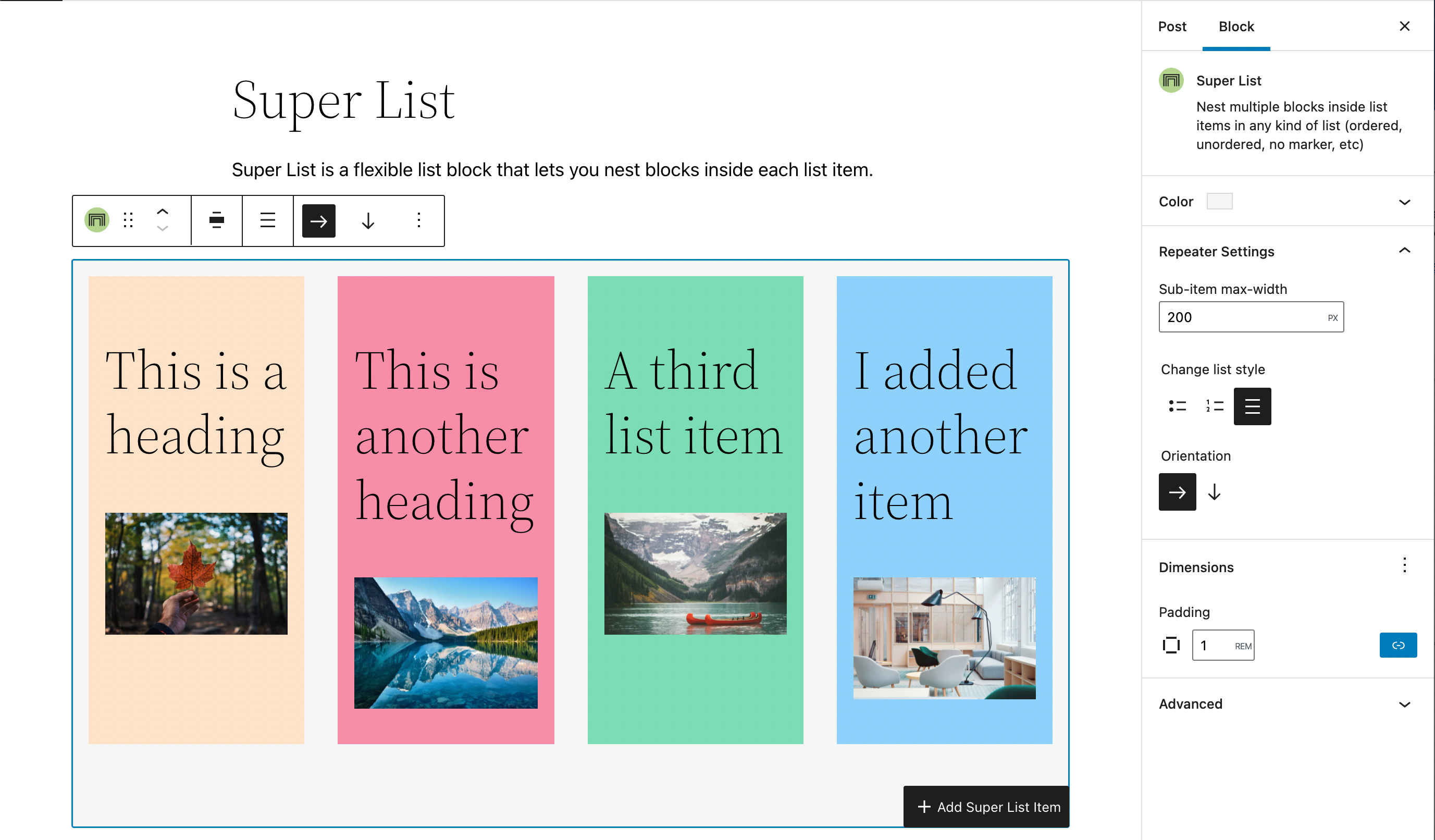
A handy little block that can be used in a variety of ways. Use it to nest other blocks inside list items, to create simple grid layouts ( like a properly responsive pricing table, or a wrapping icon list), or however you please.
This block is very light on styles (and avoids unnecessary div soup!). It aims to provide you with as much flexibility as possible, so you can harness it to create the content structure and layout you like.
If you enjoy the block, please leave a review! ⭐
If you have a feature request, please create an issue in the GitHub repository. ➕
If you need support, please use the support forum to reach out. 🆘
Key Features
A video tutorial to guide you through the features
- Nest blocks inside ordered and unordered lists.
- Nest blocks inside lists without any markers.
- Let’s you create single column content or grid like content with the horizontal orientation setting.
- Supports native color, padding, and margin settings. 🎉
- Has a handy
addbutton in the toolbar of list items to easily add more items while you’re in the flow. - Exposes the inner inserter with a clear text label for easy insertion.
- Built entirely native WordPress Block Editor components
- There is a pro version coming with even more features!
Stay Connected
- Upload the plugin files to the
/wp-content/plugins/directory, install the plugin through the WordPress plugins screen directly, or search forSuper List Blockin the Block Library. - Activate the plugin through the ‘Plugins’ screen in WordPress if installed manually or through the WordPress plugins screen.
- Use the
Super Listblock in the Block Editor


No FAQ provided.
Changelog
0.1.4
- Fix issue where you can’t add new list items
- When adding a new Super List, only one list item is added by default
- List items no longer auto-add a paragraph block, matching the behavior of the Core better
- Fix issue where the Super List level block appender wasn’t showing the text label
- Added a blueprint for the plugin repository.
0.1.3
- Fix semantic output for lists without markers
- Mark plugin as tested with WordPress 6.7.2
0.1.1
- Fix registration bug that was causing the block to not install correctly
- Clarify Panel and List Item Max Width labels
- Allow indentation for super lists nested inside a list item
- Add typography support to both blocks
- Add transform from core/list block (by @cr0ybot)
- Add fix to ensure Super List is installable from the Block Library search
- Update language .pot file
- Add Anchor Block Support and Vertical Alignment capability
- Add theme.json support
0.1.0
- Release
