
Sticky Header Effects for Elementor
Active Installs
300,000+
Last Updated
March 3, 2026
First Released
May 26, 2018
Download History (Last one month)
Contributors
Create advanced Sticky Headers in Elementor Free or Pro with scroll effects, blur, shrink, hide on scroll & full responsive controls.
Sticky Header Effects for Elementor – Build Smart, Responsive Sticky Headers
Sticky headers are essential for improving navigation, branding visibility, and user experience on any modern website. With the Sticky Header Effects for Elementor plugin, you can now build sleek, customizable sticky headers that respond to user scroll behavior — all with Elementor Free or Pro.
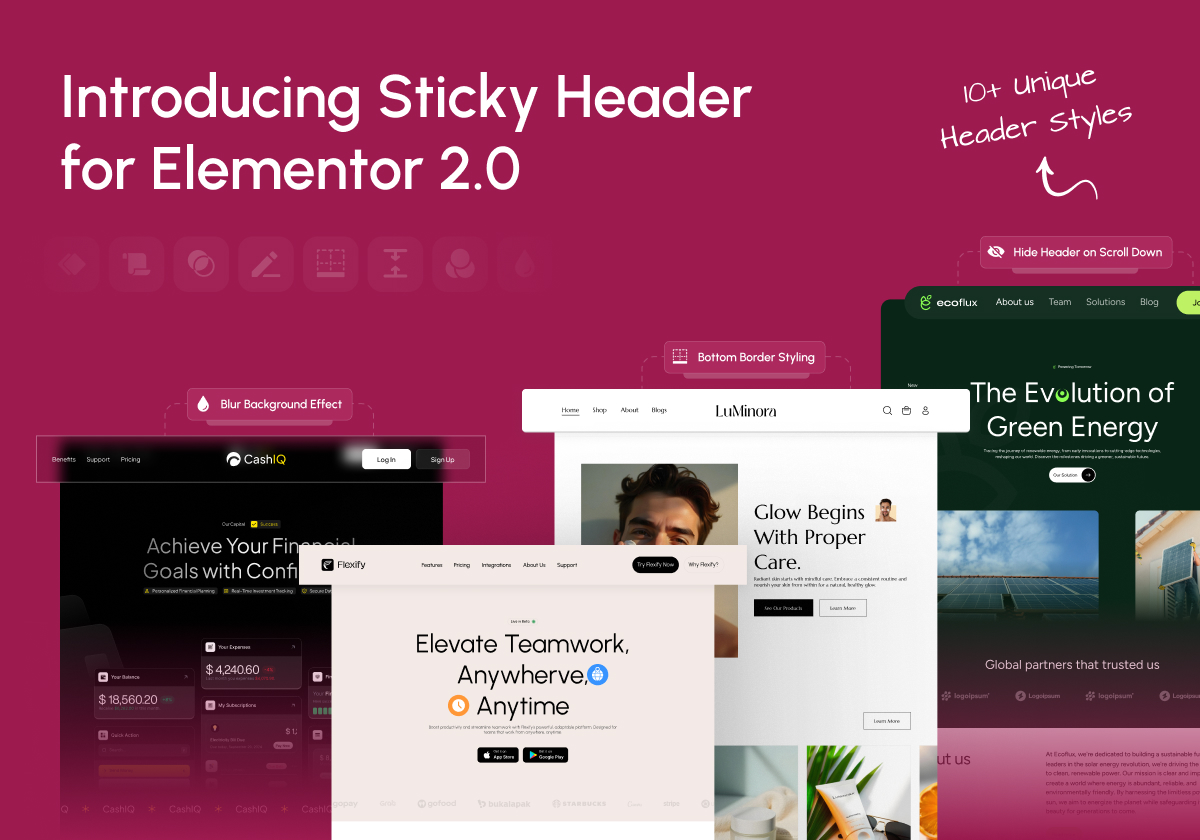
From transparent overlays to animated shrinking effects, dynamic background changes, and blur visuals — this plugin gives you 10+ scroll-based effects that help your header adapt beautifully to your page design.
This plugin is perfect for developers, designers, bloggers, and agencies who want more control over header behavior without writing a single line of code.
This Plugin has been Acquired by POSIMYTH Innovations – Read Announcement Blog
🌐 Visit Website| 🖼️ Sticky Header Templates Demos | 📹 Video Tutorials | 📑 Documentations | 👥 Join Community | 🤝 Free Support
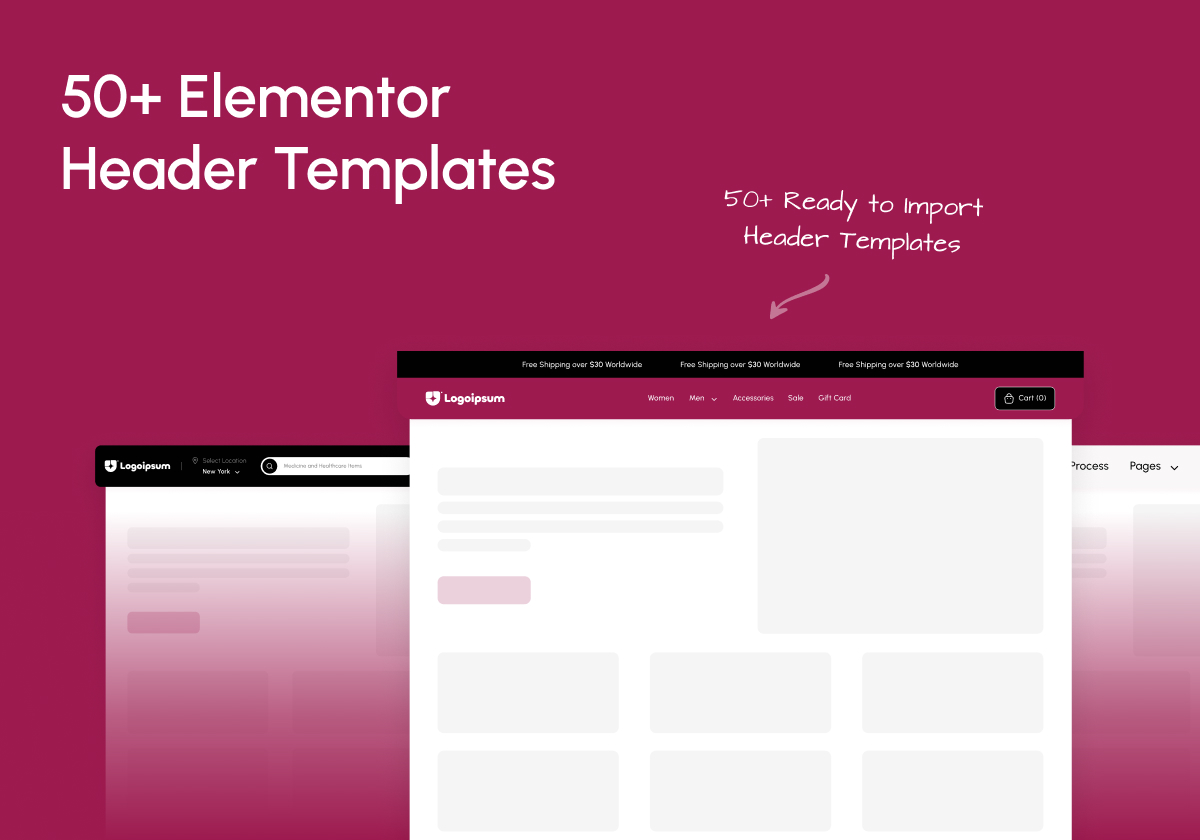
🔥 Comes with 50+ Ready to Import Templates for Elementor Headers with Sticky Header
👑 10+ Powerful Elementor Sticky Header Effects
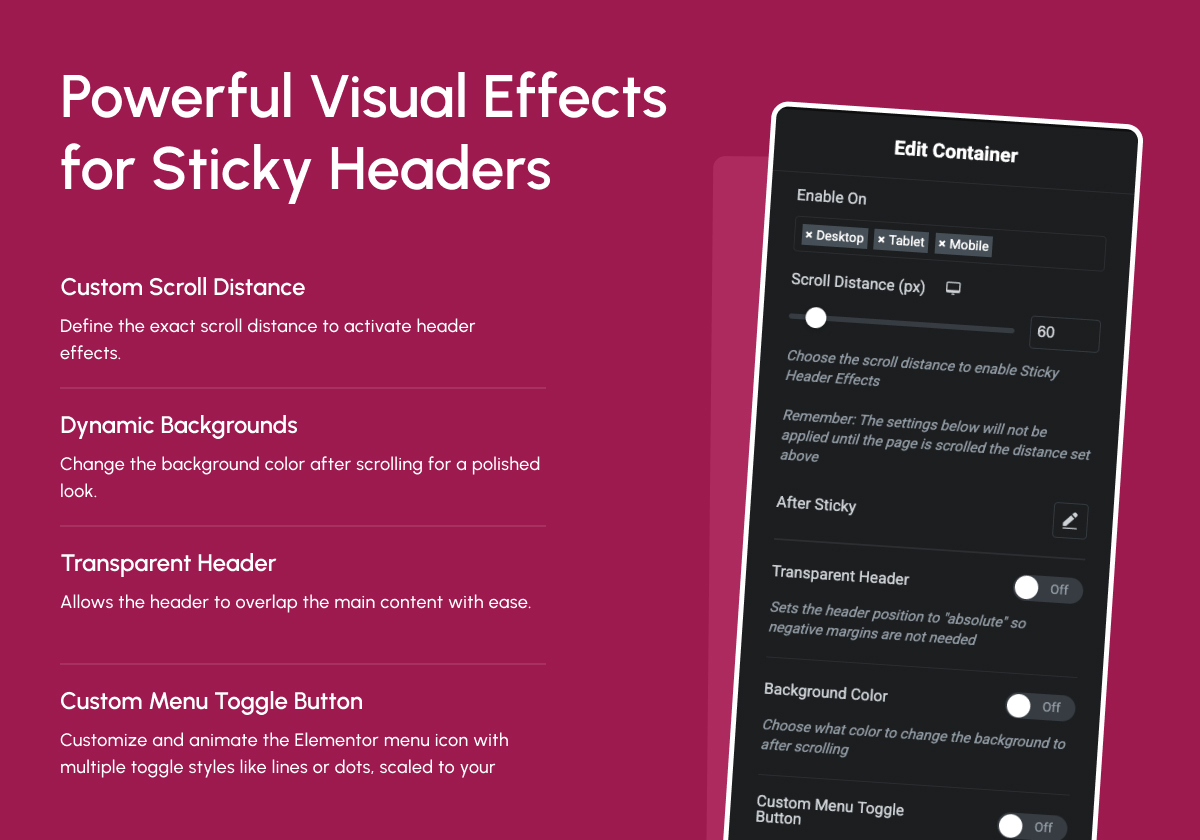
1. Header Scroll Distance Effect
Set Scroll Trigger Threshold
Define how far the user scrolls before sticky effects activate. Perfect for precise control over header behavior.
👉 View Demo
2. Transparent Header Background Effect
Overlay with Elegance
Allow your header to overlay your hero or banner sections with full transparency. Ideal for modern homepage designs.
👉 View Demo
3. Dynamic Background Color Change
Auto Background Switching
Change your header’s background color on scroll to match different sections or maintain contrast.
👉 View Demo
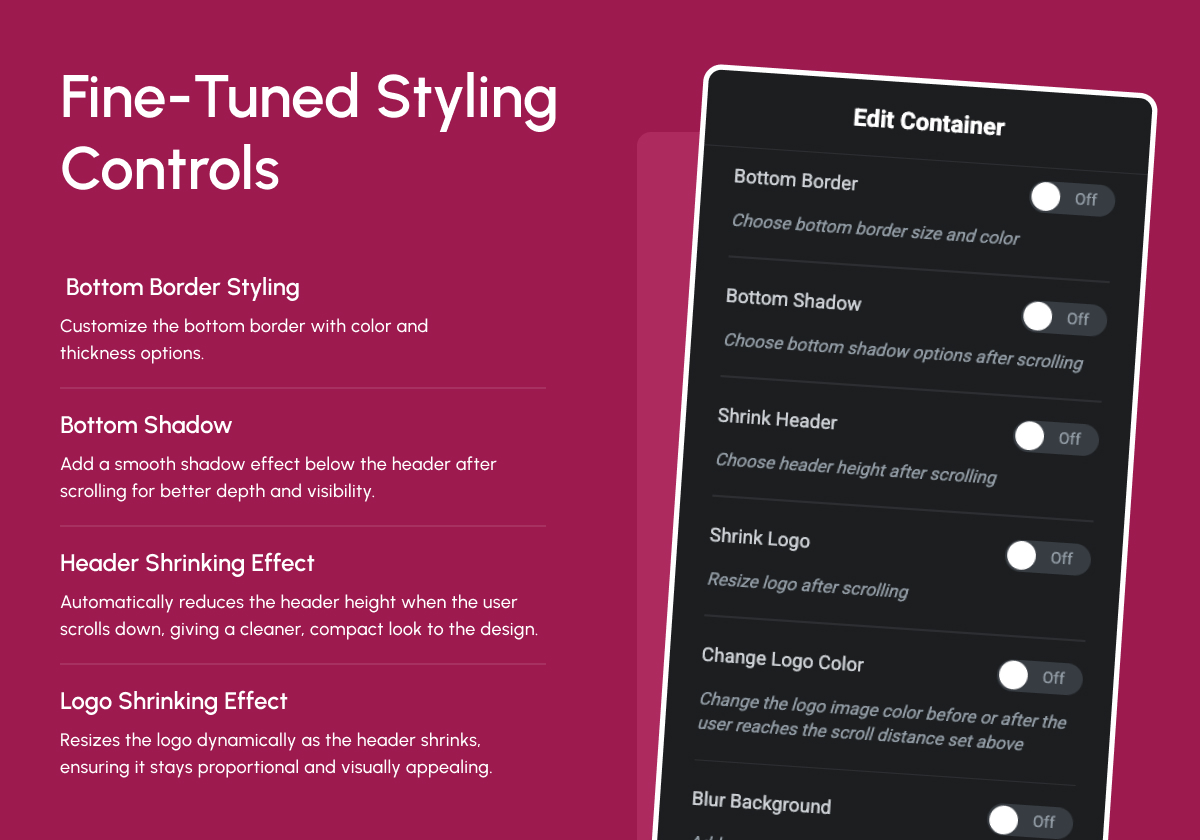
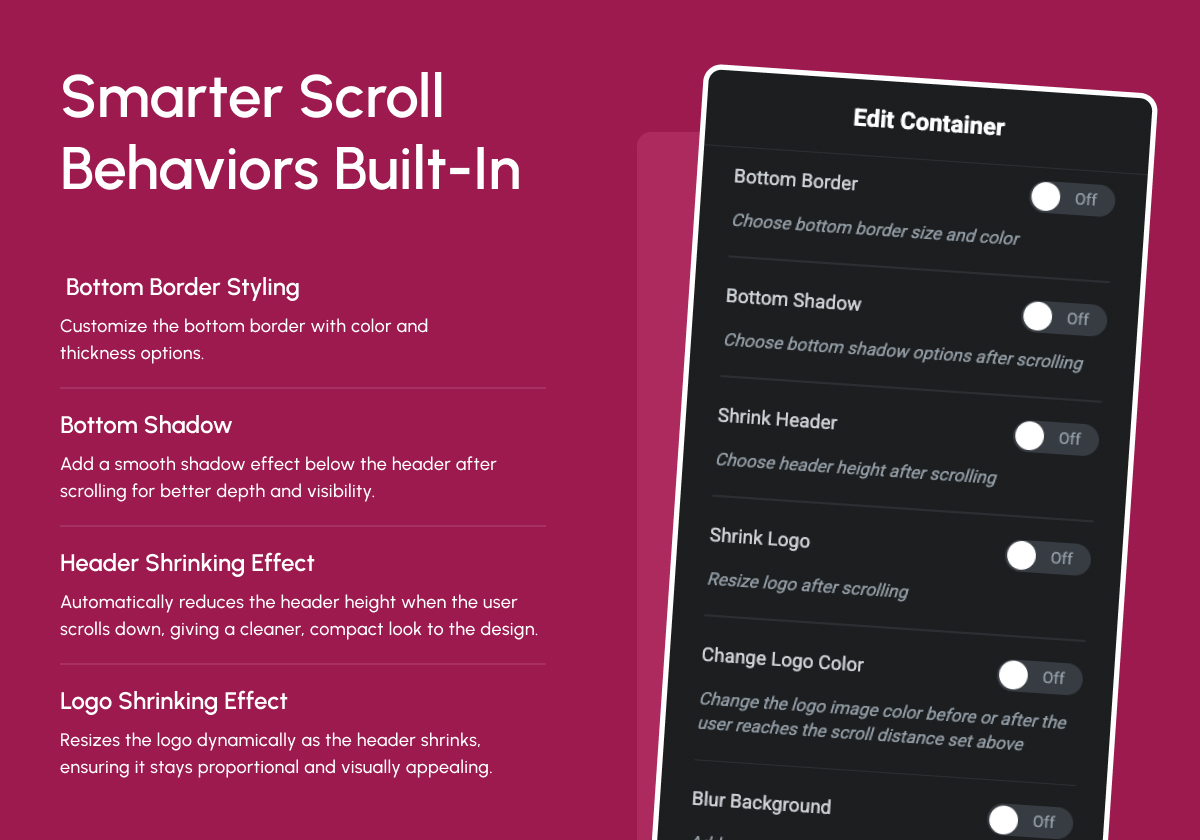
4. Bottom Border Styling Effect
Subtle Section Separation
Add customizable borders below your sticky header for better definition and clean design.
👉 View Demo
5. Header Shrinking Effect
Reduce Header Height Dynamically
Shrink the entire header after scrolling to save space and focus attention on the page content.
👉 View Demo
6. Logo Shrinking Effect
Responsive Logo Transition
Shrink the logo proportionally during scroll, maintaining visual balance and brand presence.
👉 View Demo
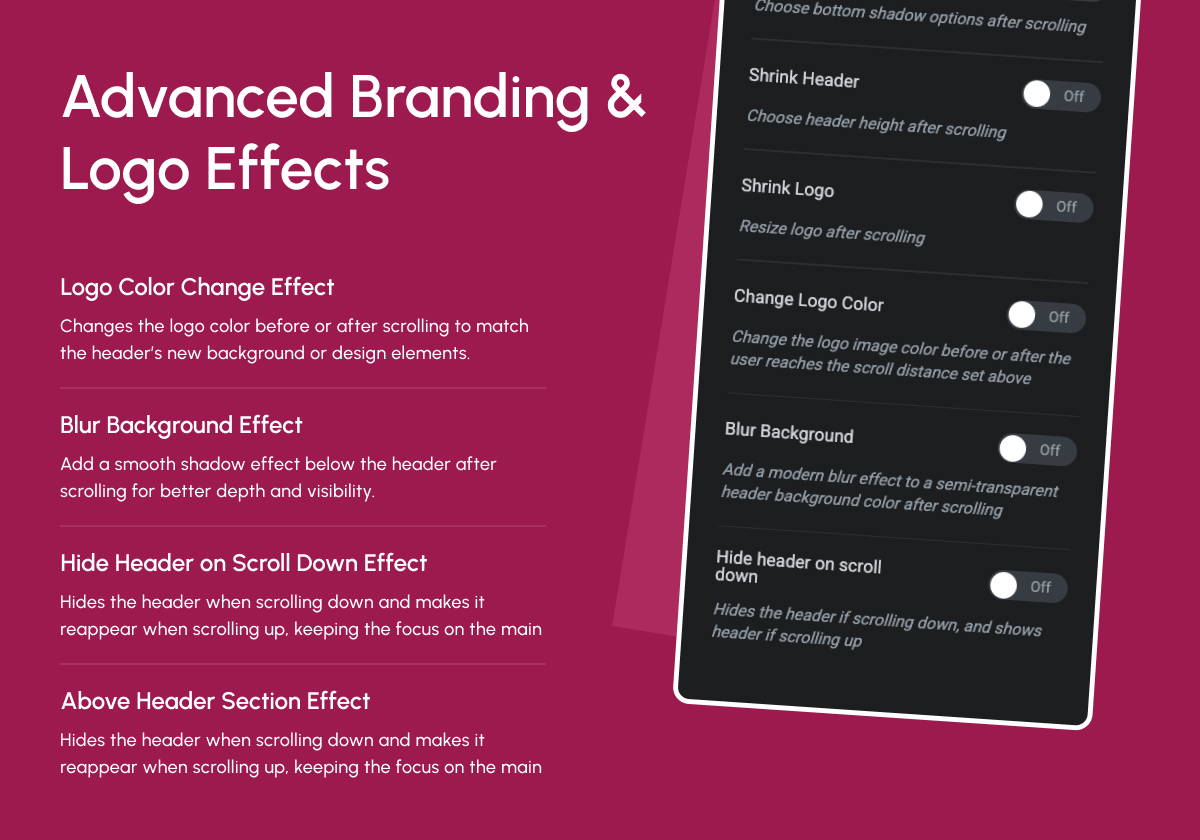
7. Logo Color Change Effect
Switch Logo Color for Better Contrast
Automatically switch to a contrasting logo color on scroll based on background or user behavior.
👉 View Demo
8. Blur Background Effect
Add Modern Blur Transition
Enhance the visual flow by applying a subtle blur effect to the background of your sticky header.
👉 View Demo
9. Hide Header on Scroll Down Effect
Hide & Reappear on Scroll
Auto-hide the header when scrolling down and show it again on scroll up — great for content-heavy pages.
👉 View Demo
10. Above Header Section Effect
Sync Above Sections Seamlessly
Align your sticky effects with sections above the main header for unified motion and cleaner transitions.
👉 View Demo
🔍 Check our other Products
🥇 The Plus Addons for Elementor – Nexter Extension works seamlessly with The Plus Addons for Elementor. Get 120+ unique Elementor widgets, Elementor templates, and more. Includes Free Elementor Theme Builder.
🥇 Nexter Blocks – Nexter Theme works in sync with core Gutenberg. Add 90+ powerful, highly customizable blocks.
🥇 NexterWP Theme – Best & Lightest Starter Theme for WordPress & Elementor.
🥇 Nexter Extension – Power up your WordPress website with 20+ extensions for layout, performance, security & more.
🥇 UiChemy – Figma to Elementor Converter – Convert your Figma Templates into live Elementor websites using our Free Figma Plugin.
🥇 WDesignKit – 1000+ Templates, Elementor & Gutenberg Widget Builder, Cloud Storage, Widget to Block Converter & More.
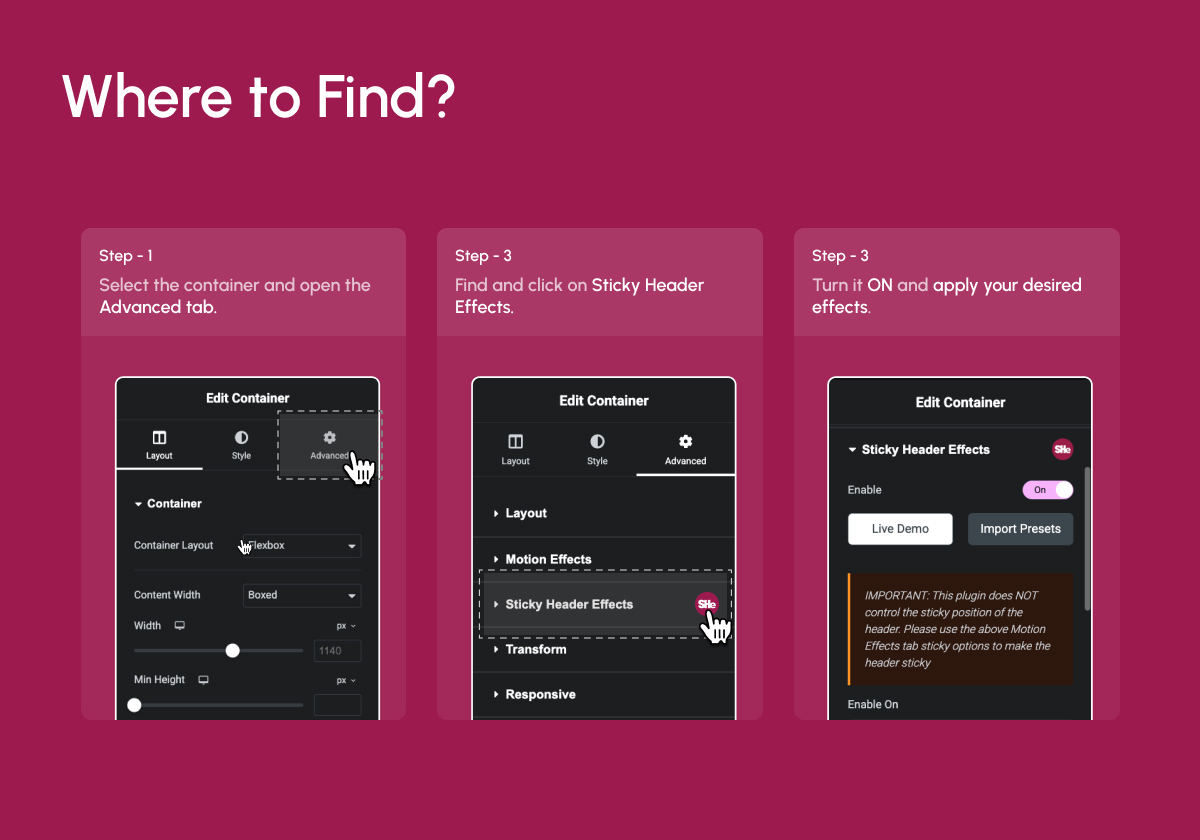
☑️ How to Install Sticky Header Effects for Elementor in 3 Easy Steps
- Make sure Elementor (Free or Pro) is installed and activated.
- Install the Sticky Header Effects for Elementor plugin from the WordPress plugin repository.
- Open any page with Elementor Select a container or section Go to the Advanced Tab Enable Sticky Header Settings.
Screenshot Gallery
The header cannot shrink smaller than the objects inside of it!
The “shrink” effect is restricted by the size of the content in the header section. Such as logos, images, menus, widgets, and also all of the padding and margins of those elements. This also inclused the padding and margins of the sections and columns themselves.
To get the best “shrink” effect use these settings:
* Set the top and bottom padding to 0px on your sticky header section, column, and elements inside of it.
* Set a custom logo and other image height(you can leave the width blank for “auto”).
* Set the header section height to “min height” and adjust it to your desired height.
Basically what happens is that the content of the header is “too tall” to shrink down anymore.
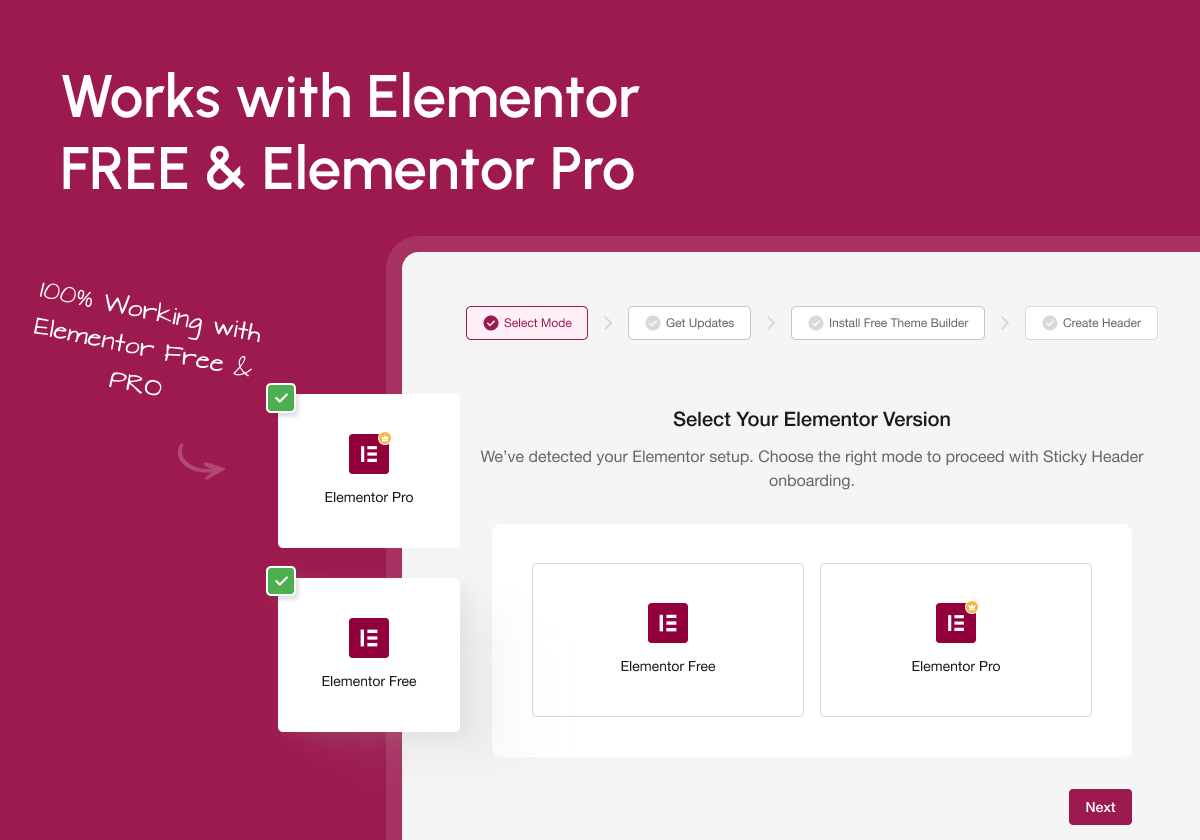
No, this plugin works perfectly with Elementor Free, If you are using Free Navigation Widget from The Plus Addons for Elementor. You’ll only need Elementor Pro if you’re using Pro Navigation widgets.
No, it requires Elementor Free or Pro. It extends Elementor’s functionality with new header scroll effects.
Inside Elementor Editor Select any container Go to Advanced Tab Scroll to Sticky Header Effects section.
Yes, it works seamlessly with most Elementor-optimized themes, including Hello, Nexter, Astra, and more.
Not at all. It’s highly optimized for performance and coded lightweight to ensure fast page loads. It’s lightest sticky header menu option with Google Page Speed optimized for top notch score.
You can report security bugs through the Patchstack Vulnerability Disclosure Program. The Patchstack team helps validate, triage and handle any security vulnerabilities. Report a security vulnerability.
Changelog
2.1.8
- Maintenance: WordPress 6.9 compatibility update
2.1.7
- Improvement: UI Related Minor Bug Fixes
2.1.6
- Fixed: Minor Bug Fixes & Performance Improvements
2.1.5
- Fixed: Minor Bug Fixes & Performance Improvements
2.1.4
- Fixed: Minor Bug Fixes & Performance Improvements
2.1.3
- Fixed: Security Patch (Low Security)
2.1.2
- Improvement : WDesignKit 2.0 Compatibility
- Fixed: Minor Bug Fixes & Performance Improvements
2.1.1
- improvement: Header Template Import Process
- Fixed: Minor Bug Fixes & Performance Improvements
2.1.0
- Fixed: Header Resize Issue Fixed
- Fixed: Minor Bug Fixes & Performance Improvements
2.0
- New: Dashboard for better UI/UX
- New: Add Preset Option for the Ready Design
- New: Dashboard : Plugin Rollback Option
- Fixed: Minor Bug Fixes & Performance Improvements
1.7.8
- Fixed: Offset issues on the frontend
- Fixed: Minor Bug Fixes & Performance Improvements
1.7.7
- Fixed: Minor Bug Fixes & Performance Improvements
1.7.6
- Fixed: Offset issues on the frontend
- Fixed: Minor Bug Fixes & Performance Improvements
1.7.5
- Added: Offset Option for Sticky Elements to Control the Distance from the Top With Responsive Support.
- Added: Padding Option to Customize Spacing for Sticky Elements with Responsive Support.
- Added: Width Option to Define the Width of Sticky Elements Dynamically With Responsive Support.
- Fixed: Minor Bug Fixes & Performance Improvements
1.7.4
- Added: Compatibility with Elementor Containers
- Fixed: Minor Bug Fixes & Performance Improvements
1.7.3
- Maintenance: WordPress 6.7 compatibility update
1.7.2
- Fixed: Bugs
1.7.1
- Fixed: Improved method for not overriding elementor sticky settings.
1.7
- Maintenance: WordPress 6.5 compatibility update
- Notice: Plugin will only receive minimal support
- Added: Pro features that would have never been released(Disable Fully Transparent Background, Background Type, Custom Menu Toggle Button, Bottom Shadow, Blur Background settings)
1.6.11
- Maintenance: WordPress 6.5 compatibility update
1.6.10
- Maintenance: WordPress 6.4 compatibility update
1.6.9
Fixed: Javascript bug with sections
Fixed: Header width bug
Tweaked: Optimized CSS
1.6.8
Fixed: Shrink logo bug
Fixed: Shrink header bug
Fixed: Transparent header bug
Fixed: All CSS color and size transitions
Added: Compatibility with new elementor “mega” menu
Added: Ability to override logo color change on elements using class “not-logo”
Tweaked: Logo color change optimized so “full color” option no longer overwrites elementor css settings
1.6.7
- Fixed: Transparent header bug
1.6.6
- Fixed: Shrink header bug
- Fixed: Bottom border color and size transitions
- Added: Compatibility with new elementor “mega” menu
- Added: Ability to override logo color change on elements using class “not-logo”
- Tweaked: Logo color change optimized so “full color” option no longer overwrites elementor css settings
1.6.5
- Tweaked: Logo transition CSS for image widget
- Tweaked: Logo color CSS for image widget
- Maintenance: WordPress 6.2 compatibility update
1.6.4
- Fixed: Js bug
- Fixed: Logo color not changing on scroll
- Fixed: CSS for smooth transitions
- Konwn Bugs: Shrink logo/header
1.6.3
- Reverted to 1.5.5 only with container compatibility
1.6.2
- Fixed: Section height bug
1.6.1
- Fixed: Js bug
- Fixed: Container shrink bug
1.6
- Fixed: Shrinking Logo bug
- Fixed: Container support using Elementor free
- Fixed: Logo color change set to none doesn’t remove CSS filter settings
- Added: Disable/enable completely transparent header
- Tweak: Changed logo color settings to be more clear
- Maintenence: Optimized CSS for v2.0
- Maintenence: Optimized JavaScript for v2.0
- Maintenence: Optimized Elementor controls for v2.0
1.5.5
- Fixed: Shrinking Logo bug
- Fixed: Header section top position
- Maintenence: Optimized CSS code
1.5.4
- Fixed: Shrinking Logo bug
1.5.3
- Fixed: Gap above mobile header bug
1.5.2
- Fixed: Gap above header bug
1.5.1
- Fixed: WordPress admin bar bug
1.5
- Fixed: Gap above header bug
1.4.9
- Added: Compatibility with Elementor Containers
- Maintenance: WordPress 6.0 compatibility update
1.4.8
- Maintenance: WordPress 5.9 compatibility update
1.4.7
- Fixed: Misc Bugs
1.4.6
- Fixed: Hide header bug
1.4.5
- Fixed: WP admin bar bug
1.4.4
- Maintenance: WordPress 5.8 compatibility update
- Fixed: Header width bug
- Update: Better responsive Worspress admin bar handling
1.4.3
- Fixed: Full color logo after scroll bug
1.4.2
- Fixed: Bugs
1.4.1
- Fixed: Gap above header bug
1.4.0
- Added: WordPress 5.5 compatibility
- Added: Elementor 3 compatibility
- Added: Hide on scroll down feature
- Added: Blur background feature
- Added: Before and after scrolling logo color options
- Fixed: Opera browser hash links not activating scrolling effects
- Fixed: Editor handle bug
- Fixed: All labels and descriptions to help with user operation
- Fixed: Various code optimizations
- Fixed: Transparent on mobile bug
- Fixed: Stretched section broke transparent header
1.3.2
- Fixed: Transition CSS
1.3.1
- Fixed: Bugs
1.3.0
- Added: Shrink Logo feature
1.2.3
- Fixed: Hook on the new Elementor Pro 2.4.7 version
1.2.2
- Removed: Stretched section condition
1.2.1
- Added: Compatibility with the new Elementor 2.1.1 version
- Fixed: JavaScript error
1.2.0
- Removed: Sticky Header feature(Elementor fixed theirs)
- Added: Transparent header feature
- Added: Compatibility with the new Elementor 2.1 version
- Added: Change javascript to external file
- Fixed: Bugs
1.1.2
- Fixed: Bugs
1.1.1
- Fixed: Bug where section didn’t move to top of page
1.1.0
- Added: Sticky header feature
- Added: Bottom border feature
- Fixed: Bugs with tablet and mobile responsive modes
- Fixed: Padding issues when using the “shrink” effect
1.0.0
- Initial stable release
" width="120" height="120">
Available Versions
| Version | Download | Type |
|---|---|---|
| 2.1.8 | Download | Stable |
| 2.1.7 | Download | Stable |
| 2.1.6 | Download | Stable |
| 2.1.5 | Download | Stable |
| 2.1.4 | Download | Stable |
| 2.1.3 | Download | Stable |
| 2.1.2 | Download | Stable |
| 2.1.1 | Download | Stable |
| 2.1.0 | Download | Stable |
| 2.0.0 | Download | Stable |
| 1.7.8 | Download | Stable |
| 1.7.7 | Download | Stable |
| 1.7.6 | Download | Stable |
| 1.7.5 | Download | Stable |
| 1.7.4 | Download | Stable |
| 1.7.3 | Download | Stable |
| 1.7.2 | Download | Stable |
| 1.7.1 | Download | Stable |
| 1.7 | Download | Stable |
| 1.6.11 | Download | Stable |
| 1.6.10 | Download | Stable |
| 1.6.9 | Download | Stable |
| 1.6.8 | Download | Stable |
| 1.6.7 | Download | Stable |
| 1.6.6 | Download | Stable |
| 1.6.5 | Download | Stable |
| 1.6.4 | Download | Stable |
| 1.6.3 | Download | Stable |
| 1.6.2 | Download | Stable |
| 1.6.1 | Download | Stable |
| 1.6 | Download | Stable |
| 1.5.5 | Download | Stable |
| 1.5.4 | Download | Stable |
| 1.5.3 | Download | Stable |
| 1.5.2 | Download | Stable |
| 1.5.1 | Download | Stable |
| 1.5 | Download | Stable |
| 1.4.9 | Download | Stable |
| 1.4.8 | Download | Stable |
| 1.4.7 | Download | Stable |
| 1.4.6 | Download | Stable |
| 1.4.5 | Download | Stable |
| 1.4.4 | Download | Stable |
| 1.4.3 | Download | Stable |
| 1.4.2 | Download | Stable |
| 1.4.1 | Download | Stable |
| 1.4.0 | Download | Stable |
| 1.3.2 | Download | Stable |
| 1.3.1 | Download | Stable |
| 1.3.0 | Download | Stable |
| 1.2.3 | Download | Stable |
| 1.2.2 | Download | Stable |
| 1.2.1 | Download | Stable |
| 1.2.0 | Download | Stable |
| 1.1.2 | Download | Stable |
| 1.1.1 | Download | Stable |
| 1.1.0 | Download | Stable |
| 1.0.0 | Download | Stable |
| Development | Download | Trunk |
