
Slideshow
Active Installs
1,000+
Last Updated
November 28, 2017
First Released
September 21, 2010
Download History (Last one month)
Contributors
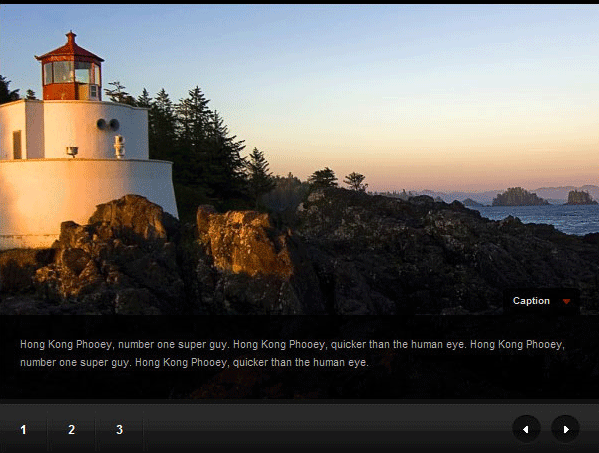
The Slideshow plugin gives you a shortcode called [slideshow], which pulls any image attachments for a post (or any post type) and formats them into a nicely-designed slideshow.
The Slideshow plugin was originally developed as a feature of the News theme (if you’re using that theme, please don’t install this plugin). Realizing that users sometimes switch themes, we wanted to give those users a way to continue using their slideshows with other themes. This also allows us to make the slideshow feature something that anyone can use, even if they’re not using one of our themes.
- Upload
slideshowto the/wp-content/plugins/directory. - Activate the plugin through the ‘Plugins’ menu in WordPress.
More detailed instructions are included in the plugin’s readme.html file.
Screenshot Gallery
Installation Instructions
- Upload
slideshowto the/wp-content/plugins/directory. - Activate the plugin through the ‘Plugins’ menu in WordPress.
More detailed instructions are included in the plugin’s readme.html file.
Why was this plugin created?
To provide a simple shortcode for users to create elegant slideshows on their sites.
How do I use it?
You must first upload some images while creating a post. You then need to add the [slideshow] shortcode to the post editor. It works exactly like the WordPress [gallery] shortcode.
To add captions, write some text in the “description” or “caption” field for the images.
Changelog
Version 0.1
- Plugin launch. Everything’s new!
