
Simple Website Redirect
Active Installs
5,000+
Last Updated
March 15, 2025
First Released
February 6, 2018
Download History (Last one month)
Contributors
The Simple Website Redirect plugin allows to you redirect an entire website (except the WordPress backend) to another website.
The URL path and query string is preserved when redirecting to the new site. Ideally, the new site would handle any one-off redirects where a URL for an old page should point to a new page. The Redirection plugin is great for this purpose.
Find out more about website redirects for SEO.
Usage Instructions
Using this plugin is simple:
- Install the plugin
- Activate the plugin
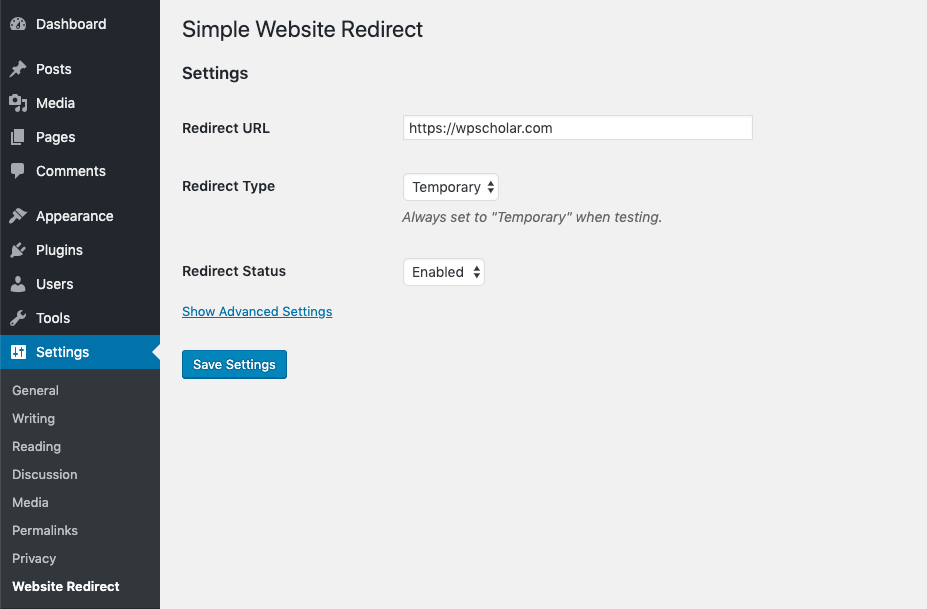
- Go to ‘Settings’ in the WordPress admin menu and then click on ‘Website Redirect’.
- Enter the URL you want to redirect the site to, set the desired redirection type, set the status to ‘Enabled’ and save your changes!
Note: Redirection type can either be ‘Temporary’ or ‘Permanent’. It is recommended that you start with ‘Temporary’ while testing and then convert to ‘Permanent’ after testing for maximum SEO benefit. Please be aware that browsers cache permanent redirects.
Prerequisites
If you don’t meet the below requirements, I highly recommend you upgrade your WordPress install or move to a web host that supports a more recent version of PHP.
- Requires WordPress version 4.0 or greater
- Requires PHP version 5.4 or greater
The Easy Way
- In your WordPress admin, go to ‘Plugins’ and then click on ‘Add New’.
- In the search box, type in ‘Simple Website Redirect’ and hit enter. This plugin should be the first and likely the only result.
- Click on the ‘Install’ link.
- Once installed, click the ‘Activate this plugin’ link.
The Hard Way
- Download the .zip file containing the plugin.
- Upload the file into your
/wp-content/plugins/directory and unzip - Find the plugin in the WordPress admin on the ‘Plugins’ page and click ‘Activate’
Screenshot Gallery
No FAQ provided.
Changelog
1.3.2
- Add wp-cron.php to the exclude path.
1.3.1
- Fix logic for supporting query param exclusion.
1.3.0
- Fix issue where query params weren’t properly being checked.
- Allow all REST API calls to work without being redirected (allows WP editor and other page builders to work in the admin area).
1.2.9
- Fix issue where redirects were not properly preserving URL query parameters.
1.2.8
- Fix issue where redirects were preventing WP-CLI commands from running properly.
1.2.7
- Allow saving any redirect URL value, but provide a warning to the user if redirecting to the same domain.
- Fix issue where a trailing slash was being added to URLs when it shouldn’t be.
1.2.6
- Fix issue where some URLs containing file extensions had a trailing slash added.
- Added WordPress-Redirect-By header.
1.2.5
- Fix issue with build where vendor directory wasn’t generated.
1.2.4
- Don’t redirect the REST API
- Fix to allow use of the customizer without redirecting its contents
- Fix to allow use of Elementor without redirecting key assets
1.2.3
- Bug fix to handle issues when saving without setting a redirect URL.
1.2.2
- Make sure the URL path associated with the WordPress home URL doesn’t get appended to the URL when preserving URL paths.
- Properly sanitize the redirect URL to prevent redirect loops while ensuring compatibility with sites installed in a subdirectory.
- Fixed issue where an empty redirect URL could result in a non-empty redirect URL after filtering.
1.2.1
- Added the ability to bypass any redirect by appending the
?simple-website-redirectquery string. - Ensure that redirects are prevented for admin and login pages regardless of where WordPress is installed.
- Fix minor issue where some urls would have double slashes at the beginning of the path.
1.2
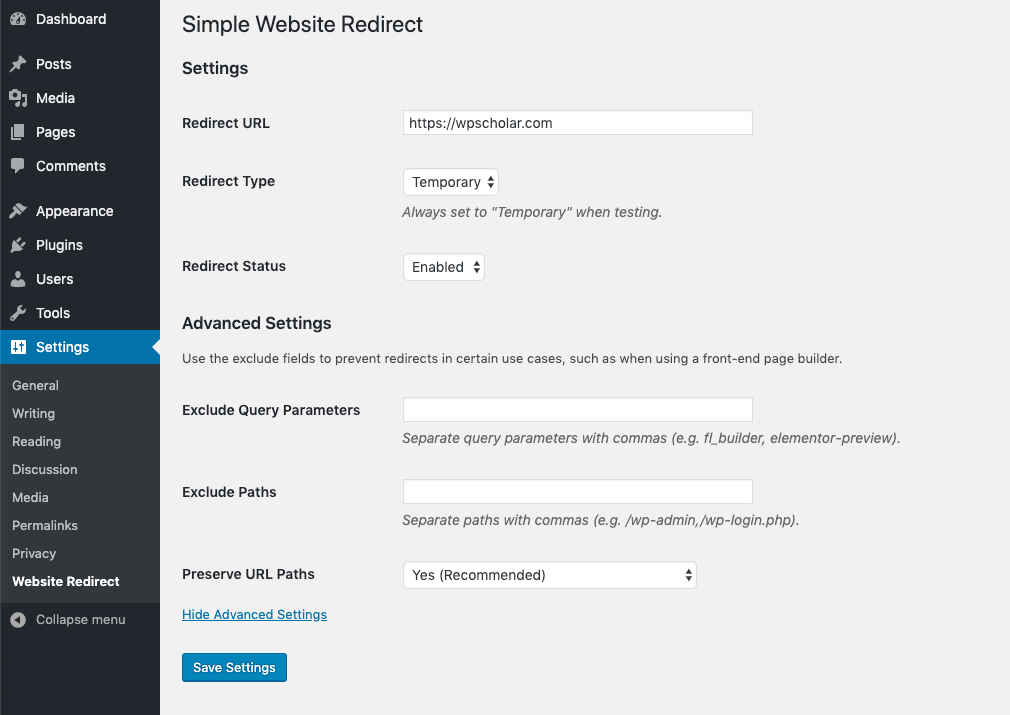
- Added the ability to add exclude paths and exclude parameters which, when set, will prevent redirects from occurring if a match with one of these exclusions is found.
1.1
- Updated code to comply with strict coding standards.
- Added an option to redirect all pages to the homepage.
1.0.2
- Fix bug where redirect URL cannot contain a path
- Fix bug where redirect URL is sanitized when redirect is disabled.
1.0.1
- Fix bug where redirect occurred when on login page.
1.0
- Initial commit
" width="120" height="120">
Available Versions
| Version | Download | Type |
|---|---|---|
| 1.3.2 | Download | Stable |
| 1.3.1 | Download | Stable |
| 1.3.0 | Download | Stable |
| 1.2.9 | Download | Stable |
| 1.2.8 | Download | Stable |
| 1.2.7 | Download | Stable |
| 1.2.6 | Download | Stable |
| 1.2.5 | Download | Stable |
| 1.2.4 | Download | Stable |
| 1.2.3 | Download | Stable |
| 1.2.2 | Download | Stable |
| 1.2.1 | Download | Stable |
| 1.2 | Download | Stable |
| 1.1 | Download | Stable |
| 1.0.2 | Download | Stable |
| 1.0.1 | Download | Stable |
| 1.0 | Download | Stable |
| Development | Download | Trunk |
