
Transliterator – Multilingual and Multi-script Text Conversion
Active Installs
3,000+
Last Updated
July 9, 2026
First Released
August 27, 2020
Download History (Last one month)
Contributors
✅ MULTILINGUAL SCRIPT SUPPORT:
Serbian, Bosnian, Montenegrin, Russian, Belarusian, Bulgarian, Macedonian, Kazakh, Ukrainian, Georgian, Greek, Arabic, Armenian, Uzbek, Tajik, Kyrgyz, Mongolian, Bashkir
This plugin provides a modern, modular, and extensible solution for transliterating WordPress content between Cyrillic and Latin scripts – with additional support for Arabic-based and other regional alphabets. Originally launched as “Serbian Transliteration,” it has evolved into a general-purpose transliteration tool built to serve a wider multilingual audience.
📝 Discover the evolution of this plugin
You can transliterate entire posts, pages, permalinks, media filenames, usernames, and even selectively control output using built-in shortcodes. Whether you’re managing a bilingual site or just want cleaner slugs, you remain in control.
🔁 Features include:
- Real-time conversion between Cyrillic and Latin scripts
- Transliteration of titles, content, permalinks, filenames, usernames
- Shortcodes for partial or conditional transliteration
- Bilingual search across both script types
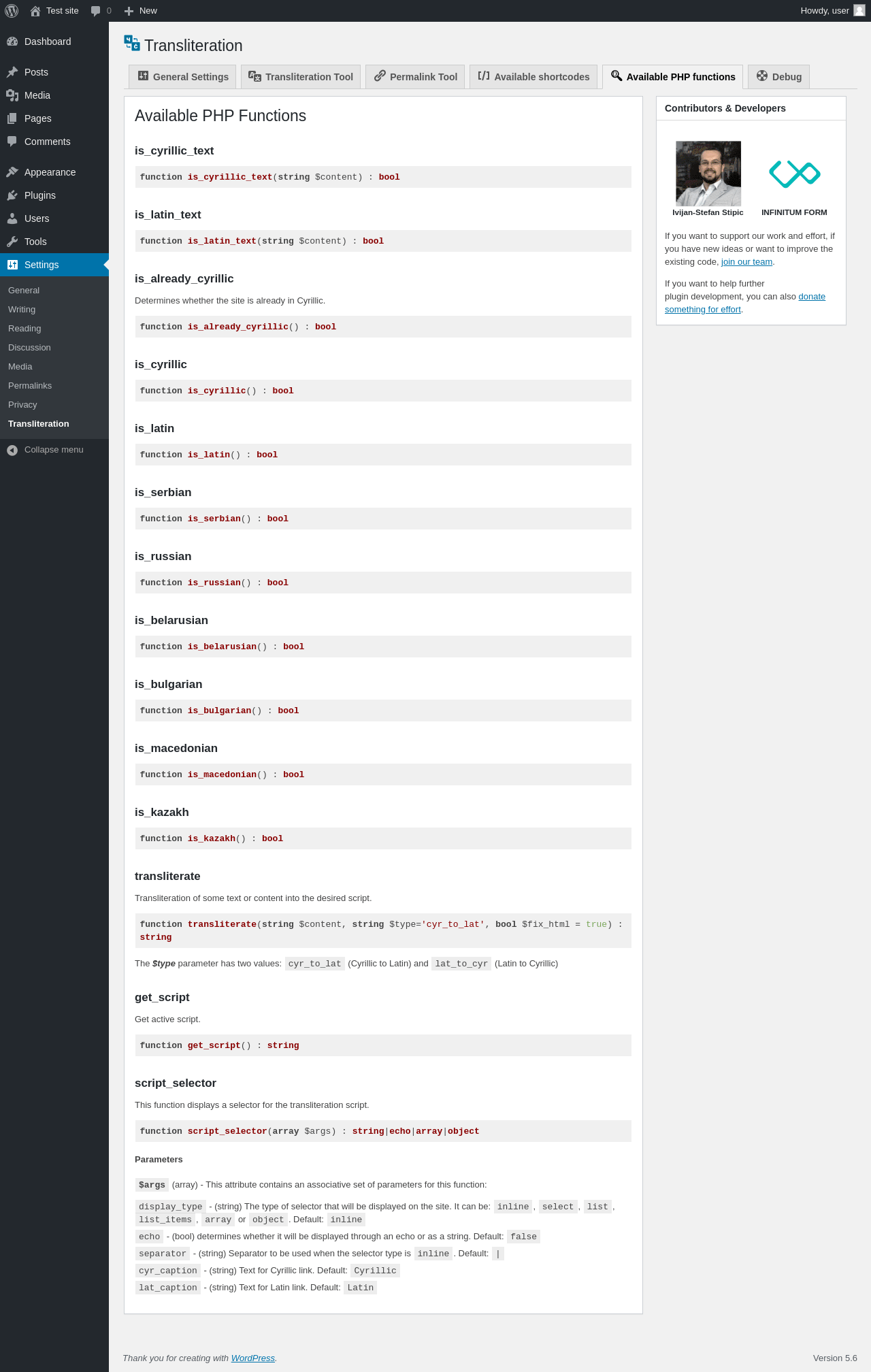
- Developer API with hooks and filters
- No database changes – safe to enable or disable anytime
- Supports Arabic, Greek, Cyrillic, and regional language variants
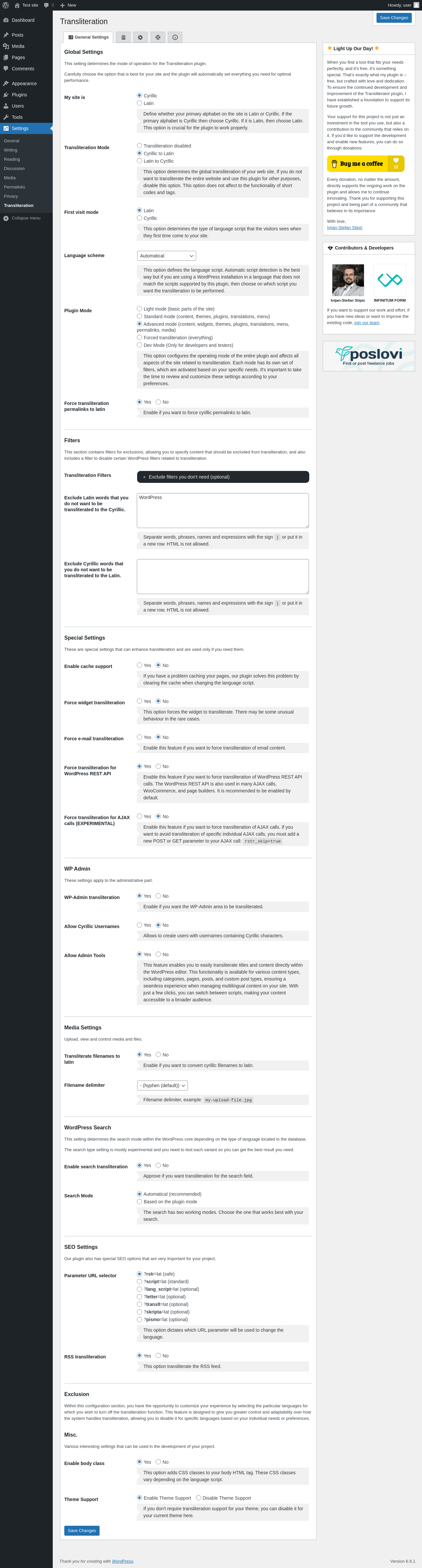
All settings are available under Settings → Transliteration.
📦 In terms of functionality, this plugin covers and extends what several popular tools offer individually, such as: SrbTransLatin, Cyr-To-Lat, Allow Cyrillic Usernames, Filenames to Latin, Cyrillic Permalinks, Latin Now!, Cyrillic 2 Latin, Ukr-To-Lat, Cyr to Lat Enhanced, HyToLat, Cyrlitera, Arabic to Latin, Geo to Lat, RusToLat, and srlatin.
Instead of relying on multiple separate tools, this all-in-one plugin brings together everything you need in a single, lightweight package – without compromising performance or flexibility.
Every feature in this plugin can be selectively enabled or disabled based on your needs. Additionally, developers can make use of available filters and hooks to further customize behavior. We’ve designed this plugin with flexibility and compatibility in mind.
🧩 Fully compatible with popular plugins and page builders, including:
- WooCommerce
- Polylang
- Elementor
- CF Geo Plugin
- Yoast SEO
- Data Tables Generator by Supsystic
- Slider Revolution
- Avada theme
- Themify
- Divi
Make your multilingual content readable, searchable, and SEO-friendly – Transliterate once. Control forever. Latin now!
Plugin Updates
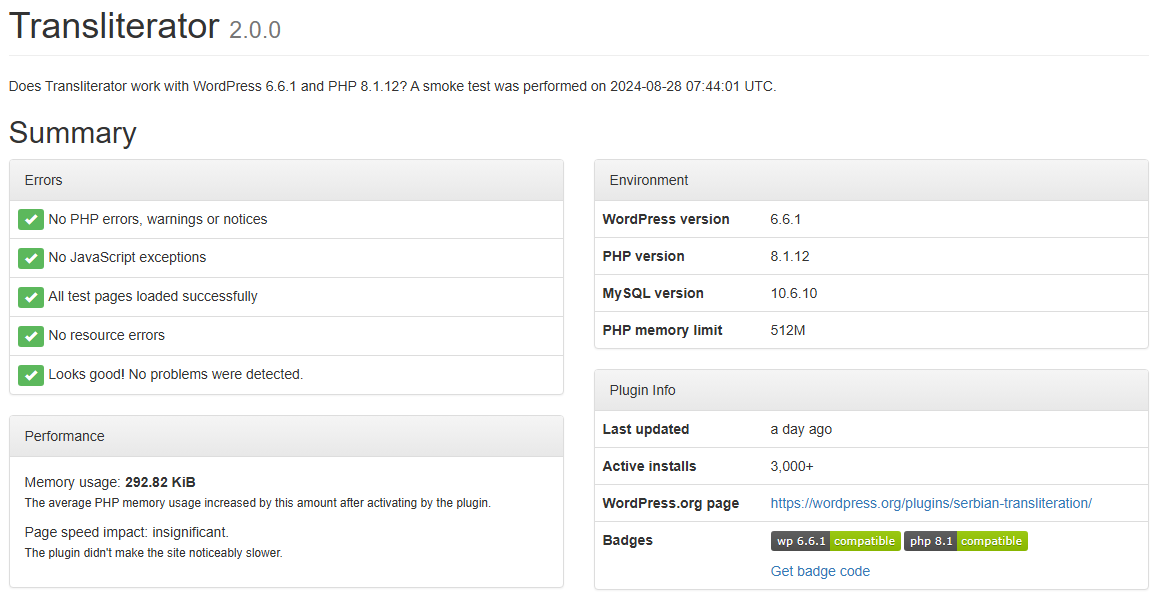
We regularly update the Transliterator plugin to improve its functionality, enhance performance, and ensure compatibility with the latest versions of WordPress and PHP. Keep your plugin up to date to benefit from the latest features and fixes. To stay informed about updates, visit our plugin page on WordPress.org or follow us on social media.
Support and Feedback
If you encounter any issues or have suggestions for improving the plugin, please don’t hesitate to reach out. You can contact us through the support forum on WordPress.org, or directly via GitHub repository. We value your feedback and are committed to providing prompt and effective support.
Compatibility
The Transliterator plugin is compatible with a wide range of WordPress versions and works seamlessly with many popular plugins. However, due to the vast number of available plugins, there’s a small chance of encountering conflicts. If you experience any issues, please check for plugin conflicts and update your WordPress installation and all plugins.
Contributing
We welcome contributions from the community! If you’re a developer or a user with ideas for improvement, visit our GitHub repository to contribute. You can report issues, suggest new features, or submit pull requests.
Credits
Special thanks to all contributors and beta testers who helped in developing and refining this plugin. Your feedback and support are invaluable.
-
Install via WordPress Admin:
- Navigate to
WP-Admin -> Plugins -> Add New. - In the search bar, type “WordPress Transliteration”.
- Once you find the plugin, click on the “Install Now” button.
- Navigate to
-
Install via Upload:
- Download the serbian-transliteration.zip file.
- Go to
WP-Admin -> Plugins -> Add New -> Upload Plugin. - Click on “Choose File”, select the downloaded ZIP file, and then click “Install Now”.
- Alternatively, you can manually upload the unzipped plugin folder to the
/wp-content/pluginsdirectory via FTP.
-
Activate the Plugin:
- Once the plugin is installed, go to
WP-Admin -> Plugins. - Find “WordPress Transliteration” in the list and click “Activate”.
- Once the plugin is installed, go to
-
Configure the Plugin:
- After activation, go to
Settings -> Transliterationin your WordPress admin panel. - Adjust the settings according to your needs and save the changes.
- After activation, go to
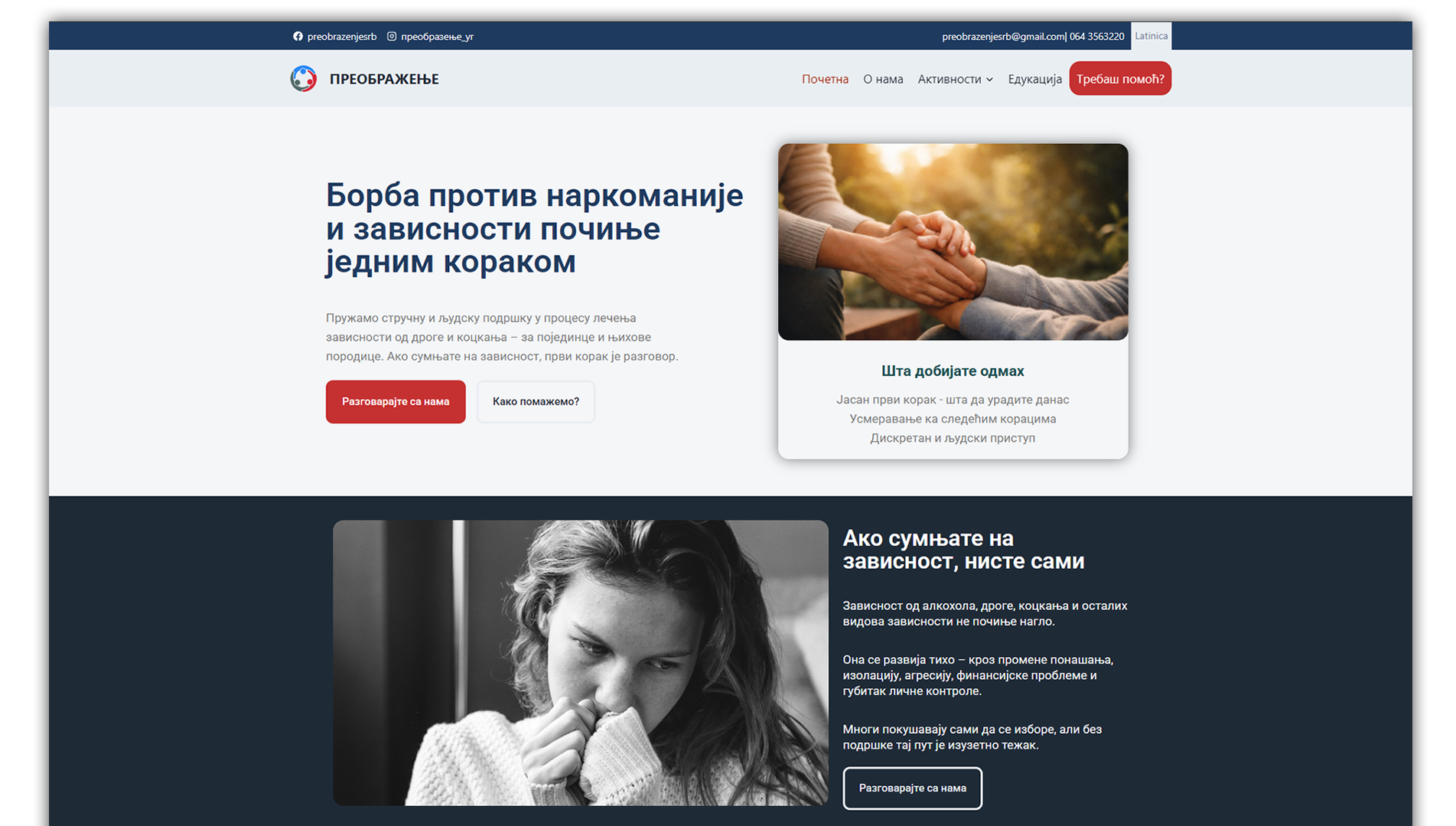
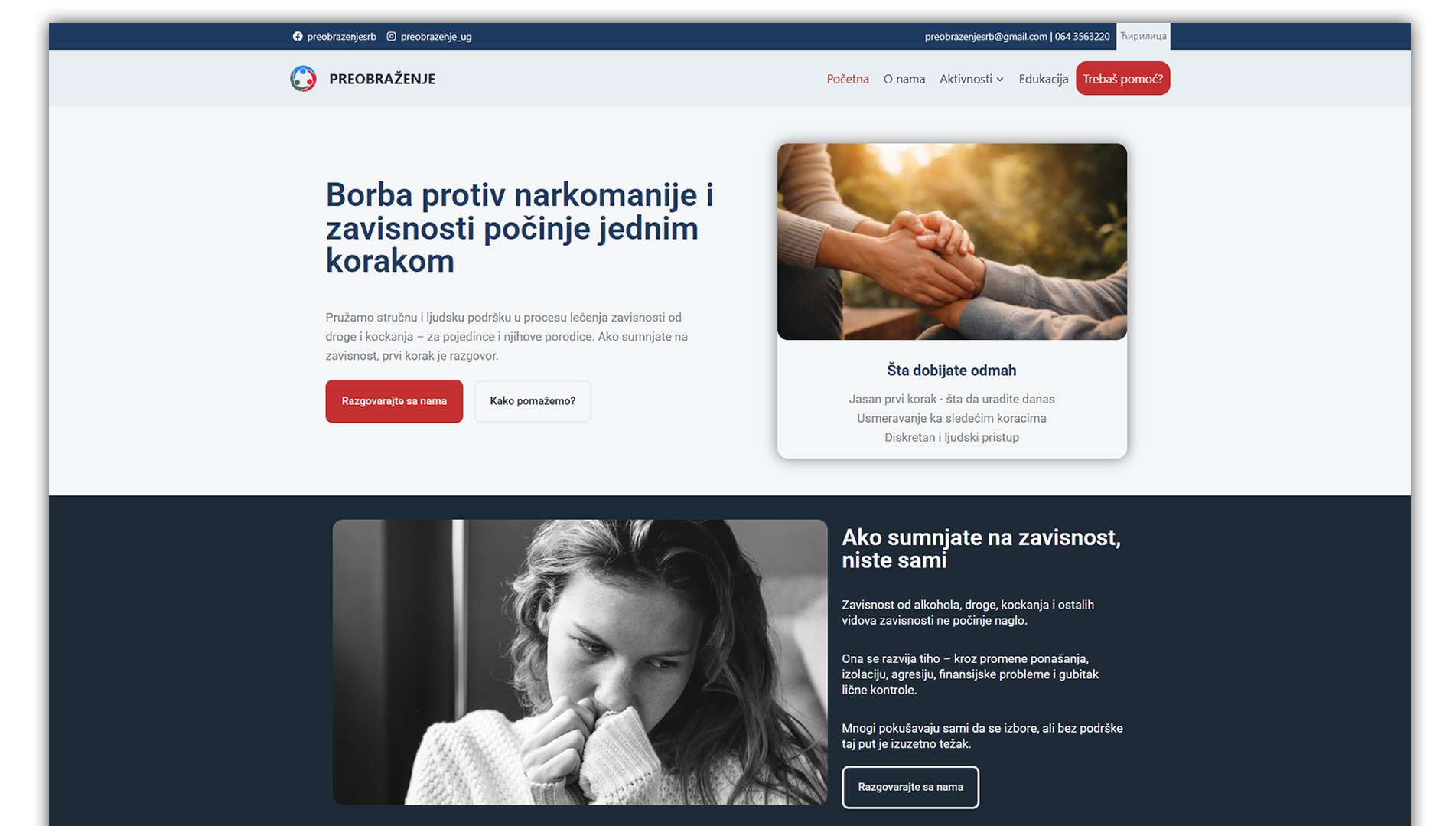



Romanisation or Latinisation, in linguistics, is the conversion of writing from a different writing system to the Roman (Latin) script, or a system for doing so. Methods of romanization include transliteration, for representing written text, and transcription, for representing the spoken word, and combinations of both.
This plugin supports several world letters written in Cyrillic and enables their Romanization
- Romanization of Serbian what include Bosnian and Montenegrin
- Romanization of Russian
- Romanization of Belarusian
- Romanization of Bulgarian
- Romanization of Macedonian
- Romanization of Kazakh
- Romanization of Ukrainian
- Romanization of Greek
- Romanization of Arabic (EXPERIMENTAL)
- Romanization of Armenian (EXPERIMENTAL)
Each of these transliterations is created separately and follows the rules of the active language.
Through various experiences, we came to the conclusion that it is best to create the entire site in Cyrillic and enable transliteration for Latin.
The reason for this solution lies in the problem of transliteration of Latin into Cyrillic due to encoding and, depending on the server, can create certain problems, especially in communication with the database. Creating a site in Cyrillic bypasses all problems and is very easily translated into Latin.
According to Google documentation and discussions on forums and blogs, it is concluded that Latin is much better for SEO and it is necessary to practice Latin at least when permalinks and file names are in Latin, while the text can be in both letters but Latin is always preferred.
YES! Without any problems or conflicts.
YES! This plugin can translate a Latin site into Cyrillic, but this is not recommended and often causes problems. It is suggested that this approach be approached experimentally.
The best practice is to create a Cyrillic site including all other content and in the end just add transliteration to navigation so that the visitor can choose the desired script.
This plugin has a tool that transliterates already recorded permalinks in your database. This option is safe but requires extra effort to satisfy SEO.
With this tool, you permanently change the permalinks in your WordPress installation and a 404 error can occur if you visit old Cyrillic paths.
Therefore, you must re-asign your sitemap or make additional efforts to redirect old permalinks to new ones, which our plugin does not do.
If you are using WP-CLI, this function can also be started with a simple shell command: wp transliterate permalinks
You can customize the transliteration process by defining your own substitutions directly in your theme’s functions.php file. This is done by using filters specific to the language you want to modify.
To create custom substitutions, use the following filter:
add_filter( 'transliteration_map_{$locale}', 'function_callback', 10, 1 );
Here’s an example for Serbian (sr_RS) that demonstrates how to modify both single letters and multiple-letter combinations.
/*
  * Modify conversion table for Serbian language.
  *
  * @param array $map Conversion map.
  *
  * @return array
  */
function my_transliteration__sr_RS( $map ) {

    // Example for 2 or more letters
    $new_map = [
        'Ња' => 'nja',
        'Ње' => 'nje',
        'Обједињени' => 'Objedinjeni'
    ];
    $map = array_merge($new_map, $map);

    // Example for one letter
    $new_map = [
        'А' => 'X',
        'Б' => 'Y',
        'В' => 'Z'
    ];
    $map = array_merge($map, $new_map);

    return $map;
}
add_filter( 'transliteration_map_sr_RS', 'my_transliteration__sr_RS', 10, 1 );
In this example:
– The first $new_map array defines substitutions for combinations of two or more letters.
– The second $new_map array defines substitutions for individual letters.
This custom mapping will override the default transliteration rules for the specified language (sr_RS in this case).
Changelog
2.5.5
- Fix PHP 8 compatibility
- Improved email handling and engine stability
2.5.4
- Added new rstr_keep shortcode for exact content preservation
- Improved skip transliteration behavior for mixed-script content
- Fixed Roman numeral handling inside protected transliteration blocks
- Improved nested shortcode processing for transliteration tags
2.5.3
- Corrected spelling errors
- Updated translations
2.5.2
- WordPress 7.0 compatibility
2.5.1
- Fixed woocommerce problems with missing transliterations
- Fixed the order of transliteration
- Fixed excluded transliterations
2.5.0
- Added JavaScript dynamic transliteration for AJAX and frontend content
- Fixed Latin to Cyrillic and Cyrillic to Latin inconsistencies
- Improved handling of excluded words
- Fixed edge cases with dynamic content rendering
- Minor UX improvements
2.4.4
- Fixed nested plugins_loaded issue
- Refactored REST init
- Versioned APCu class map
- Secured and sanitized AJAX HTML input/output
- Purge autoloader cache on update
- UX update
2.4.3
- Fixing issue with PHP 8.4 + FPM + OPcache
2.4.2
- Fixed PHP 8.4 compatibility issue in autoloader (private method visibility).
2.4.1
- Fixed problem with transition codes
- Fixed issue with shortcodes conflicts
- Fixed a problem with the transfer algorithm
- Improved UX
- Removed ads
2.4.0
- Fixed language detection with PLL plugin
- Fixed problem with stuck loops
- Fixed navigation issue
- Fixed gettext problems
" width="120" height="120">
Available Versions
| Version | Download | Type |
|---|---|---|
| 2.5.5 | Download | Stable |
| 2.5.4 | Download | Stable |
| 2.5.3 | Download | Stable |
| 2.5.2 | Download | Stable |
| 2.5.1 | Download | Stable |
| 2.5.0 | Download | Stable |
| 2.4.4 | Download | Stable |
| 2.4.3 | Download | Stable |
| 2.4.2 | Download | Stable |
| 2.4.1 | Download | Stable |
| 2.4.0 | Download | Stable |
| 2.3.10 | Download | Stable |
| 2.3.9 | Download | Stable |
| 2.3.8 | Download | Stable |
| 2.3.7 | Download | Stable |
| 2.3.6 | Download | Stable |
| 2.3.5 | Download | Stable |
| 2.3.4 | Download | Stable |
| 2.3.3 | Download | Stable |
| 2.3.2 | Download | Stable |
| 2.3.1 | Download | Stable |
| 2.3.0 | Download | Stable |
| 2.2.3 | Download | Stable |
| 2.2.2 | Download | Stable |
| 2.2.1 | Download | Stable |
| 2.2.0 | Download | Stable |
| 2.1.8 | Download | Stable |
| 2.1.7 | Download | Stable |
| 2.1.6 | Download | Stable |
| 2.1.5 | Download | Stable |
| 2.1.4 | Download | Stable |
| 2.1.3 | Download | Stable |
| 2.1.2 | Download | Stable |
| 2.1.1 | Download | Stable |
| 2.1.0 | Download | Stable |
| 2.0.9 | Download | Stable |
| 2.0.8 | Download | Stable |
| 2.0.7 | Download | Stable |
| 2.0.6 | Download | Stable |
| 2.0.5 | Download | Stable |
| 2.0.4 | Download | Stable |
| 2.0.3 | Download | Stable |
| 2.0.2 | Download | Stable |
| 2.0.1 | Download | Stable |
| 2.0.0 | Download | Stable |
| Development | Download | Trunk |
