Restore Admin Menu (ru_RU)
Active Installs
10+
Last Updated
May 5, 2015
First Released
September 1, 2013
Download History (Last one month)
Contributors
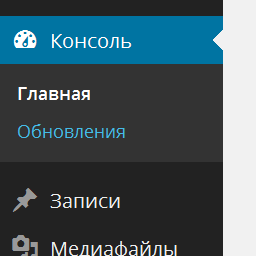
Up to 3.3.x, Russian WordPress packages had some CSS fixes to make room for translated strings in the admin menu and other UI elements.
In 3.4 and 3.5, those fixes were merged into core (see #19603 and #20975). However, obsolete language files are not deleted during an automatic update (see #20974). Unfortunately, this causes the admin menu to disappear when directly updating from 3.1.x or an older version to the latest releases from ru.wordpress.org.
The list of obsolete files:
wp-content/languages/ru_RU.php
wp-content/languages/ru_RU.css
wp-content/languages/ru_RU-ie.css
wp-content/languages/ms-ru_RU.css
The best option is just to remove them manually via FTP. If for some reason you can’t do that, you can try this plugin, which restores the admin menu by unhooking ru_accomodate_markup() function and attempts to remove the obsolete files.
After installing and activating the plugin, try deactivating it. If you still see the admin menu, you can safely remove the plugin, its job is done. If you can’t see the admin menu, activate the plugin again.
- Go to /wp-admin/plugin-install.php.
- Enter “Restore Admin Menu” in the search field.
- Install and activate the plugin.
Screenshot Gallery

No FAQ provided.
Changelog
0.2
- Account for
ru_extend_menu()function in unofficial builds
0.1
- Initial release
