
RestockRadar – Back in Stock Notifications & Waitlist for WooCommerce
Active Installs
0+
Last Updated
August 21, 2026
First Released
June 28, 2026
Download History (Last one month)
Contributors
RestockRadar turns sold-out WooCommerce products into waitlists and automatically emails every subscriber when items are back in stock – while giving store admins low stock warnings and out-of-stock alerts with sales velocity analysis, so you never miss a restock opportunity.
Key Features
- Admin Out-of-Stock Alerts: Automatically notifies store administrators when products go out of stock
- Low Stock Warnings: Get notified when products fall below your specified threshold with sales velocity analysis
- Customer Back-in-Stock Notifications: Allows customers to subscribe for notifications when out-of-stock products become available again
- Customizable Messages: Fully customize all notification text, email subjects, and form messages
- Rich Product Information: Detailed product data in notifications including sales history, categories, pricing, and stock analysis
- Smart Duplicate Prevention: Prevents sending duplicate notifications with intelligent tracking
- Clean Email Templates: Professional HTML email templates with product images and actionable insights
- Secure Subscription Forms: AJAX-powered forms with nonce verification and rate limiting
- Variable Product Support: Works with both simple and variable products
How It Works
- When a product’s stock falls below your threshold, admins receive a low stock warning with sales velocity analysis
- When a product goes completely out of stock, admins receive a detailed notification with full product information
- Customers see a customizable subscription form on out-of-stock product pages with pricing information
- When products are restocked, all subscribed customers receive notification emails automatically
- The plugin intelligently tracks notification status to prevent duplicate emails while allowing re-notifications for significant changes
- Upload the
restockradar-stock-waitlist-alertsfolder to the/wp-content/plugins/directory - Activate the plugin through the ‘Plugins’ menu in WordPress
- Ensure WooCommerce is installed and activated
- The plugin will start working automatically – no configuration needed!
Screenshot Gallery

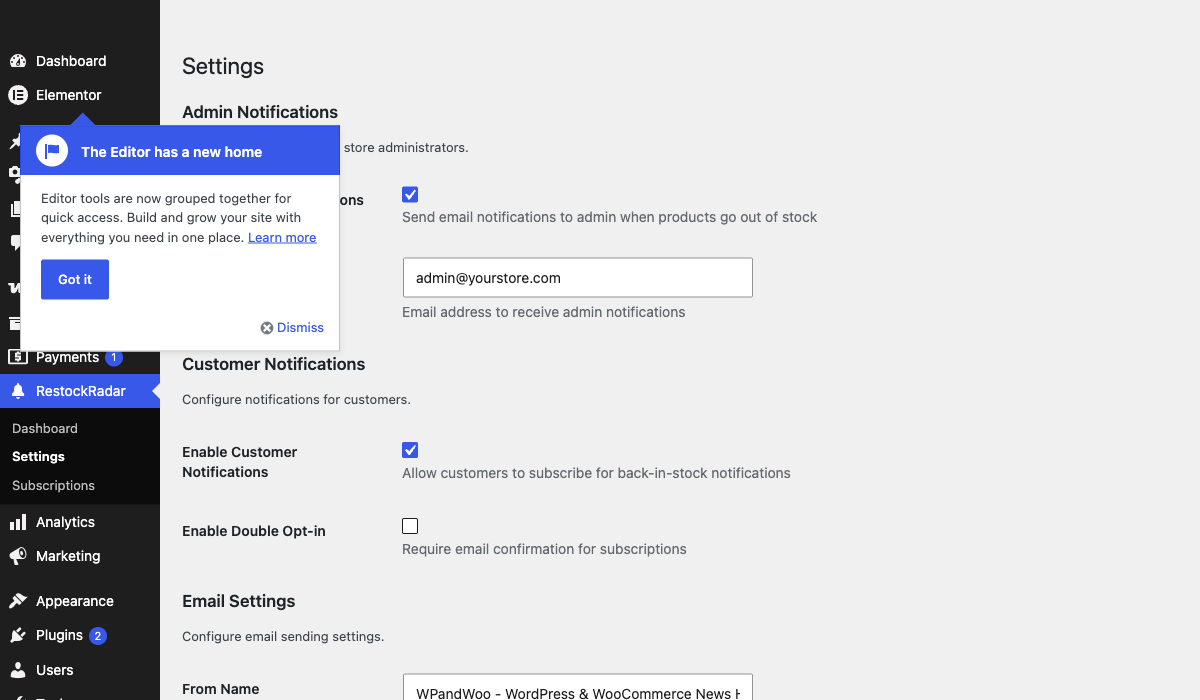
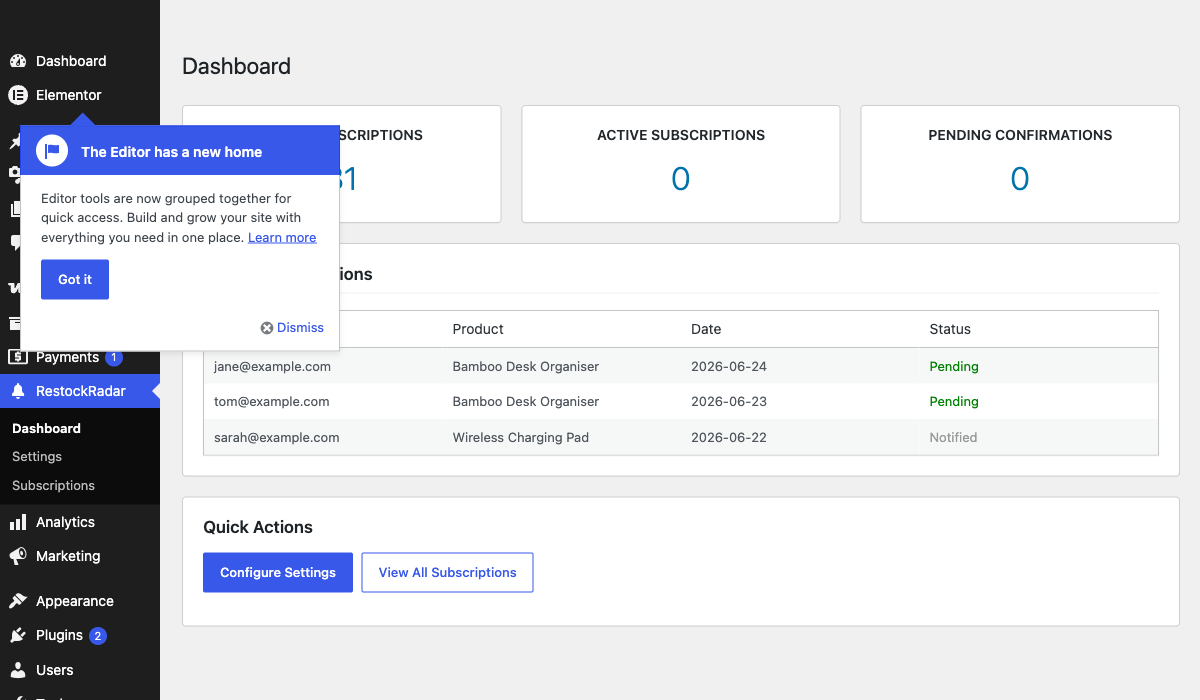
Install RestockRadar and it adds a “Notify me when back in stock” form to every out-of-stock product page. Customers subscribe with their email address, and when you restock the product, everyone on the waitlist receives an automatic back-in-stock email with a link to buy.
Yes. Every sold-out product becomes a waitlist automatically – no setup required. The RestockRadar dashboard shows total and active subscribers per product, and subscribed customers are notified the moment stock returns.
Yes. When stock falls below your threshold, admins receive an email warning that includes 30-day sales history, daily sales velocity, and estimated days until the product runs out.
No, RestockRadar works out of the box with sensible defaults. However, you can extensively customize the plugin through WP Admin RestockRadar Settings, including notification text, thresholds, and email preferences.
Yes! Navigate to WP Admin RestockRadar Settings Text Customization. You can customize:
* Email subject lines for all notification types
* Email headings and body text
* Customer form headings and descriptions
* Low stock warning messages
Go to WP Admin RestockRadar Settings Low Stock Notifications:
1. Enable “Low Stock Notifications”
2. Set your desired threshold (e.g., 5 units)
3. Customize the warning message if desired
The plugin will analyze sales velocity and estimate days until out of stock.
Currently, the plugin supports notifications at the product level. Variation-level notifications are planned for a future release.
The plugin intelligently tracks notifications:
* Out of stock: Only sends once per stock-out event
* Low stock: Re-sends only if stock drops by more than 50% from last notification
* Automatically resets tracking when products are restocked above thresholds
Admin emails include comprehensive product data:
* Product image and description
* Current stock levels and thresholds
* Sales history (last 30 days)
* Daily average sales velocity
* Estimated days until out of stock
* Categories, tags, pricing, and SKU
* Direct links to edit or view the product
The plugin stores only email addresses and product preferences. Consider adding appropriate privacy policy disclosures about email collection and usage.
Currently, notifications are sent to a single admin email address. You can configure this in Settings Admin Notifications. Multiple recipients are planned for a future release.
Changelog
1.0.1
- Improved listing title, tags, and description for clearer search discovery
- Added FAQs on back-in-stock notifications, waitlists, and low stock alerts
- Confirmed compatibility with WordPress 7.1
- No functional changes
1.0.0
- Initial release
- Admin out-of-stock email notifications
- Customer back-in-stock subscription system
- AJAX-powered subscription forms
- Rate limiting for security
- HTML email templates
" width="120" height="120">
