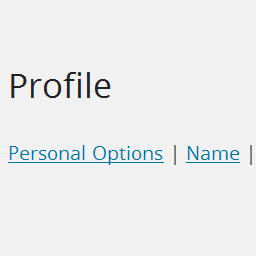
Profile Links
Active Installs
10+
Last Updated
December 3, 2023
First Released
February 2, 2014
Download History (Last one month)
Contributors
Have a lot of options in your user profile page and are tired of scrolling down through them to get to the one you want? Profile Links creates a jump list at the top of the page of all the option groups in your profile. It also converts each heading in to a jump back to the top of the page.
This code is released under the GPL v2, see license.txt for details.
- Extract the archive file into your plugins directory in the profile-links folder.
- Activate the plugin in the Plugin options.
Screenshot Gallery

Why doesn’t an option group for a plugin show up in the jump list?
Profile Links generates the jump list based on the H3 tags it finds in the profile page. If a plugin has used something other than an H3 tag Profile Links won’t find it.
Changelog
1.1
- Release date: February 16, 2016
- Added: Support for WP’s new use of H2 tags instead of H3 tags in the profile to denote sections.
1.0
- Release date: April 3, 2014
- Incremented version to 1.0.
0.1
- Release date: January 31, 2014
- Initial release.
