
Pixi Image Gallery
Active Installs
50+
Last Updated
August 14, 2026
First Released
March 22, 2022
Download History (Last one month)
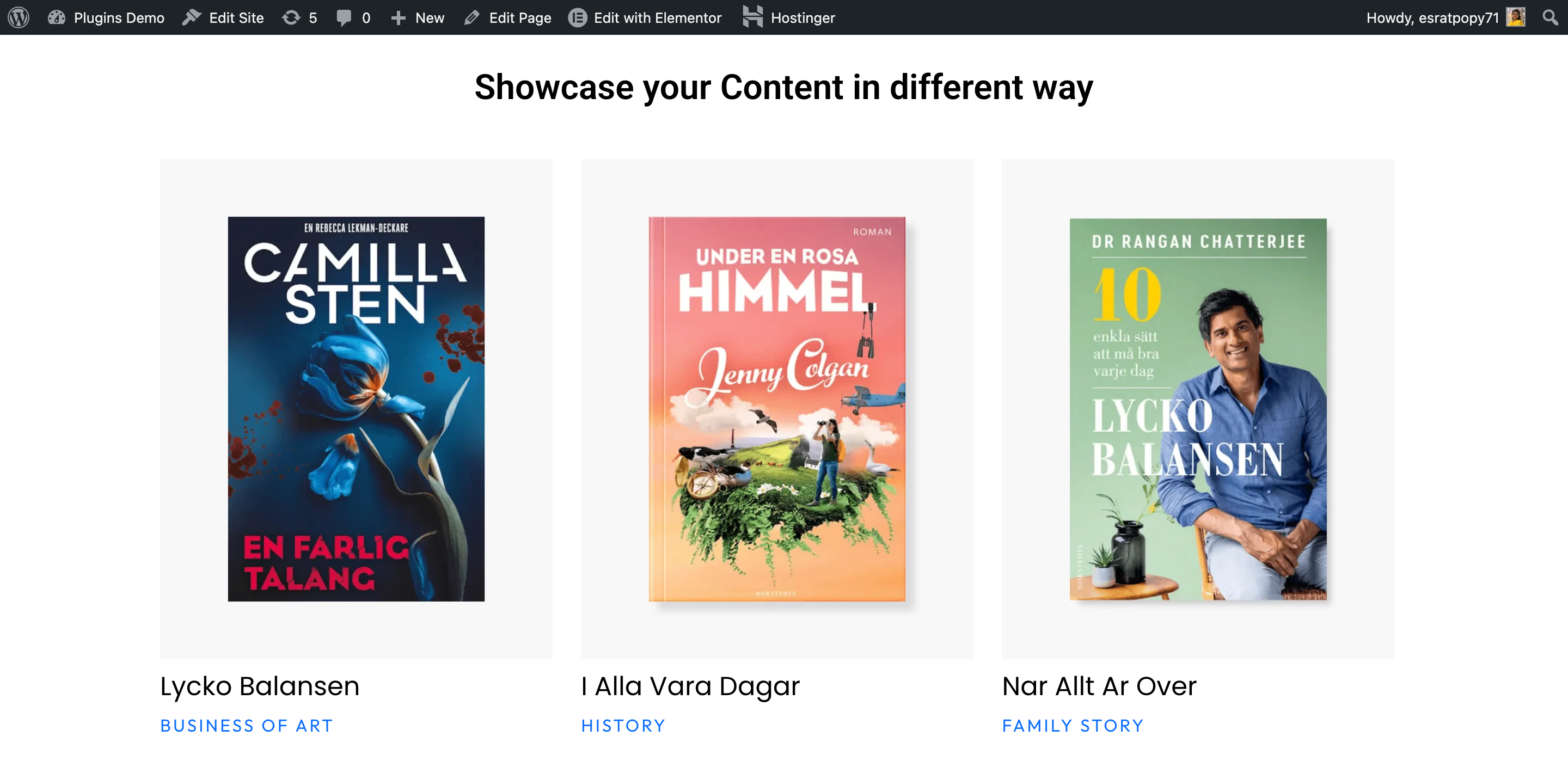
Pixi Image Gallery is a fast, responsive, and SEO-friendly WordPress gallery plugin with masonry layouts, lightbox, AJAX filtering, Elementor support, and modern image showcase features.
Whether you’re a photographer, designer, or business owner, Pixi Image Gallery gives you everything you need to showcase images beautifully — without slowing down your site.
Live Demo Peview: : Watch Demo Peview
Key Features:
- 🖼️ Masonry & grid layouts
- 🔍 Lightbox with smooth transitions
- ⚡ AJAX filtering by category
- 📱 Fully responsive on all devices
- 🔌 Elementor widget support
- 🚀 Optimized for speed and SEO
- 🎨 Customizable styles and colors
- ♿ Accessibility-friendly markup
- Upload the plugin files to
/wp-content/plugins/pixi-image-gallery, or install the plugin through the WordPress Plugins screen directly. - Activate the plugin through the Plugins screen in WordPress.
- Go to Pixi Gallery in your admin menu to create your first gallery.
- Use the shortcode
[pixi_gallery id="1"]or the Elementor widget to embed it anywhere.



Yes! The core plugin is completely free. Premium add-ons may be available separately.
Pixi Image Gallery is designed to work with any well-coded WordPress theme.
Yes, a dedicated Elementor widget is included out of the box.
No. The plugin uses lazy loading and optimized assets to keep your site fast.
Changelog
1.0.41
- Fixed: Flex mode now responsive — 2 columns on tablet, 1 column on mobile for all column counts
1.0.40
- New: Image Padding control added to main gallery widget Style Image section
- Fixed: Block display mode caused grid to collapse to 1 column — removed Block option; use column count = 1 for single-column instead
- Improvement: Display control now only shows Grid and Flex (both column-aware), with description note
1.0.39
- Fixed: Social icon first item always blank — root cause was ICONS control inside nested repeater does not populate defaults on first render; replaced with SELECT control which always returns a plain string value
- Improvement: Social icon options expanded to 18 platforms including Facebook, Twitter, Instagram, LinkedIn, YouTube, TikTok, GitHub, WhatsApp, Telegram, Discord, Dribbble, Behance, Vimeo, Snapchat, Email, Website, Link
1.0.38
- Fixed: Grid flex display — column_display and column_align selectors used {{UNIT}} instead of {{VALUE}}, display was never applied
- Fixed: Grid default changed from repeat(1,1fr) to repeat(3,1fr) to match the default 3-column setting
- Fixed: Slider shows one slide in editor — Swiper global may not be ready when element_ready fires; added retry loop
- Improvement: Display options updated — Grid is now the default, Block added, None removed
1.0.37
- Renamed: Pixi Custom Filter widget is now named Pixi CPT Gallery Filter
- New: Center slide highlight controls — inactive slide opacity and scale, active slide opacity and scale, transition speed
- Improvement: Center slide effects only activate when Centered Slides is enabled (scoped to .pixi-center-padding-active)
1.0.36
- Fixed: Slider center padding caused slides to scatter — padding now applied to wrapper instead of container so Swiper can calculate positions correctly
- Fixed: Overlay color was hardcoded in CSS — now fully controllable via style panel
- New: Hover overlay color control for all layout styles including Default layout
- New: Overlay normal/hover tabs with transition control
1.0.35
- New widget: Pixi List Grid — image left, content right horizontal layout with CSS Grid column control
- New widget: Pixi Gallery Slider — Swiper 11 based slider (horizontal/vertical, autoplay, loop, centered slides, arrows, pagination, scrollbar)
- New: Button with icon per gallery item across all grid widgets (disabled by default)
- New: Advanced style sections — Title, Content, Button with typography, color, hover, margin, padding
- New: Image width control in slider and list widgets
- Improvement: Grid column layout switched from inline-block to CSS Grid for correct editor preview
- Improvement: Autoplay now uses rewind mode so slider continues without requiring loop
- Improvement: Social icons alignment fixed — no longer inherits parent text-align center
- Minor fix: First social icon blank when nested repeater default not populated
- Minor fix: Image border radius now clips overlay correctly (applied to wrapper not img)
- Minor fix: wp_kses replaced with wp_kses_post for WYSIWYG content fields
- Minor fix: esc_attr/esc_html/esc_url 2-arg calls removed across all widgets
1.0.34
- Fixed: Autoplay not working — added rewind:true so slider restarts from first slide without requiring loop mode
- Fixed: Autoplay was also incorrectly blocked on live frontend — now only disabled in editor preview
- Fixed: Grid columns broken in Elementor editor — switched from inline-block/max-width to CSS Grid layout
- Fixed: img_height control hardcoded object-fit:cover, now object-fit is set separately via its own control
- New: Image width control added to Grid Slider widget
1.0.33
- New: Button width control added to all grid widgets
- New: Button with icon added to Pixi Grid Slider widget (disabled by default)
- New: Button with icon added to Pixi List Grid widget (disabled by default)
- New: Full button style section added to Grid Slider and List Grid widgets
1.0.32
- New: Button control per gallery item — text, link, icon with left/right position (disabled by default)
- New: Title advanced style section — typography, color, hover color, alignment, margin, padding
- New: Content/Description advanced style section — typography, color, hover color, alignment, margin, padding
- New: Button advanced style section — typography, color, bg, border, radius, padding, margin, icon size/gap, normal/hover tabs, box shadow, transition
- Fixed: Social icons always centered — explicit justify-content prevents parent text-align cascade
- Fixed: First social icon blank — empty icon value now skipped gracefully
1.0.31
- Minor fixes: List Grid widget — image now displays on the left, content on the right (horizontal layout)
- Minor fixes: Added image width control to List Grid style panel
- Minor fixes: Removed standalone Slider widget (use Grid Slider widget instead)
- Minor fixes: Tested up to updated to WordPress 7.0.4
1.0.30
- New: Pixi Gallery Slider widget — Swiper 11 based slider with horizontal/vertical direction
- New: Advanced slider controls — slides per view (responsive), space between, loop, autoplay, speed
- New: Centered slides with center padding to reveal adjacent slides
- New: Navigation arrows with custom icons, size, color, bg, position controls
- New: Pagination — Dots, Fraction, Progress Bar modes
- New: Scrollbar support
- New: Slide layout styles — Default, Image Overlay, Hover Content
- New: Hover effects — Zoom In, Shrink, Zoom Left
- New: Full style controls — slide card, image height/object-fit, title/desc typography, overlay bg
- Improvement: Swiper 11 loaded from CDN (no extra bundle weight)
1.0.29
- Fixed: esc_attr(), esc_html(), esc_url() called with 2 arguments across all widgets — second arg is silently ignored but flagged by WP plugin checker
- Fixed: wp_kses() called with string context instead of allowed-tags array — switched to wp_kses_post()
- Fixed: $layout_class uninitialized in filter widget — caused PHP notice on default-layout items
- Fixed: the_post_thumbnail_url() called without post ID — replaced with get_the_post_thumbnail_url()
- Fixed: the_permalink() used in esc_url() context — replaced with get_permalink()
- Fixed: Version constant (1.0.25) did not match plugin header (1.0.28) — both now set to 1.0.29
- Fixed: readme.txt Tested up to corrected to match current stable WordPress
- Fixed: Duplicate nested folder structure in zip package
1.0.24
- Admin Dashboard improved
1.0.12
- New layout Added
- Fixed lightbox z-index conflict with some themes
- Minor CSS improvements for mobile devices
1.0.6
- Improved AJAX filtering performance
- Fixed lightbox z-index conflict with some themes
- Minor CSS improvements for mobile devices
1.0.5
- Added Elementor widget support
- Improved accessibility markup
1.0.0
- Initial release
" width="120" height="120">
Available Versions
| Version | Download | Type |
|---|---|---|
| 1.0.41 | Download | Stable |
| 1.0.40 | Download | Stable |
| 1.0.37 | Download | Stable |
| 1.0.30 | Download | Stable |
| 1.0.29 | Download | Stable |
| 1.0.28 | Download | Stable |
| 1.0.25 | Download | Stable |
| 1.0.24 | Download | Stable |
| 1.0.20 | Download | Stable |
| 1.0.19 | Download | Stable |
| 1.0.18 | Download | Stable |
| 1.0.17 | Download | Stable |
| 1.0.16 | Download | Stable |
| 1.0.15 | Download | Stable |
| 1.0.14 | Download | Stable |
| 1.0.13 | Download | Stable |
| 1.0.12 | Download | Stable |
| 1.0.11 | Download | Stable |
| 1.0.10 | Download | Stable |
| 1.0.9 | Download | Stable |
| 1.0.5 | Download | Stable |
| 1.0.4 | Download | Stable |
| 1.0.3 | Download | Stable |
| 1.0 | Download | Stable |
| Development | Download | Trunk |
