
PDF Poster – Display PDF Files with Custom Viewer
Active Installs
20,000+
Last Updated
March 4, 2026
First Released
November 30, 2016
Download History (Last one month)
Contributors
The Ultimate PDF Embedder Plugin for WordPress, Loved by Over 20,000+ Users
PDF Poster | Documentation | Pricing | Support | Demo
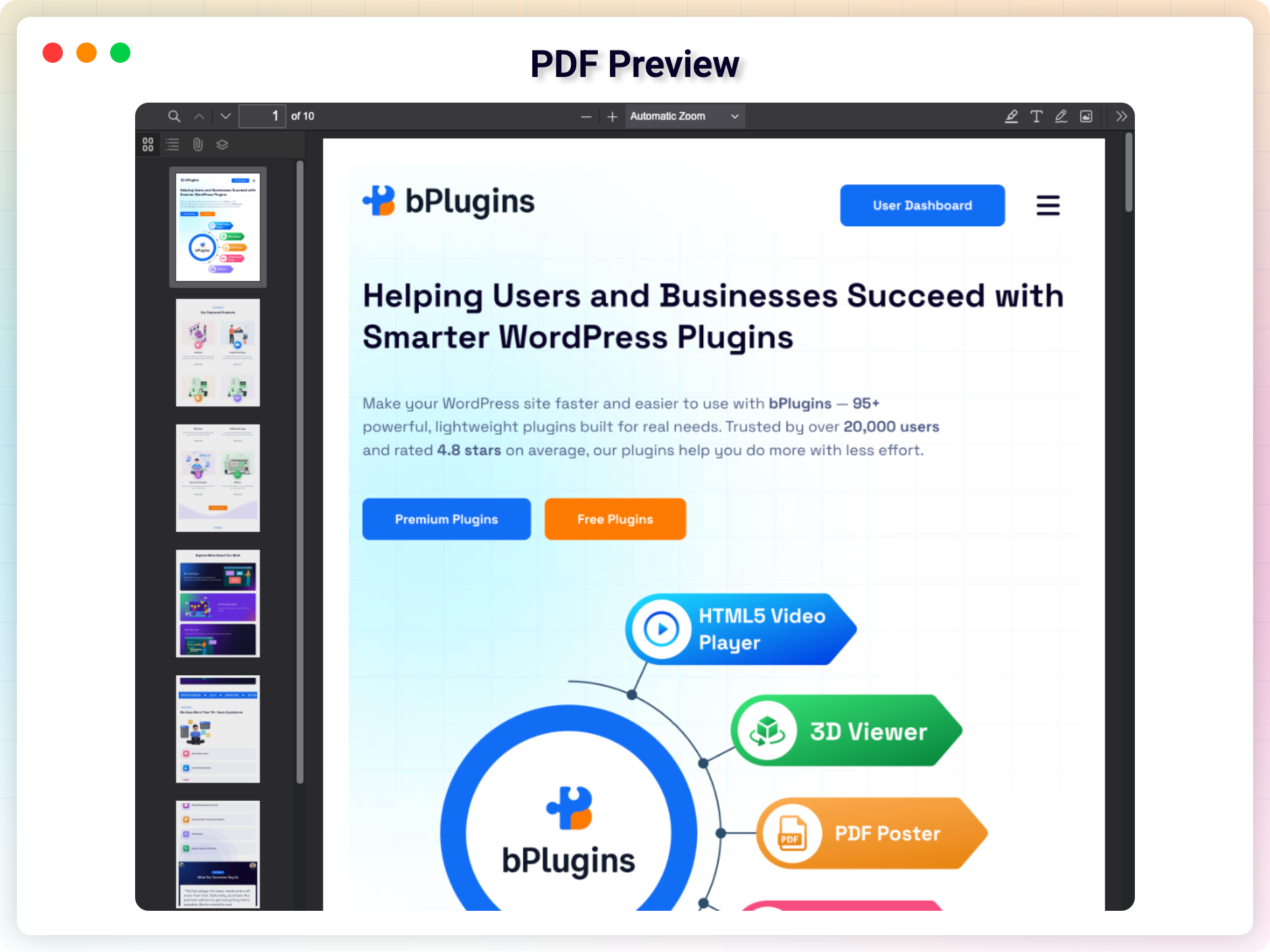
PDF Poster is a flexible plugin that allows you to embed PDF documents directly into WordPress posts, pages, widgets, or templates. Whether you’re sharing brochures, eBooks, business files, or portfolios, the plugin provides a responsive and accessible layout that works across all devices.
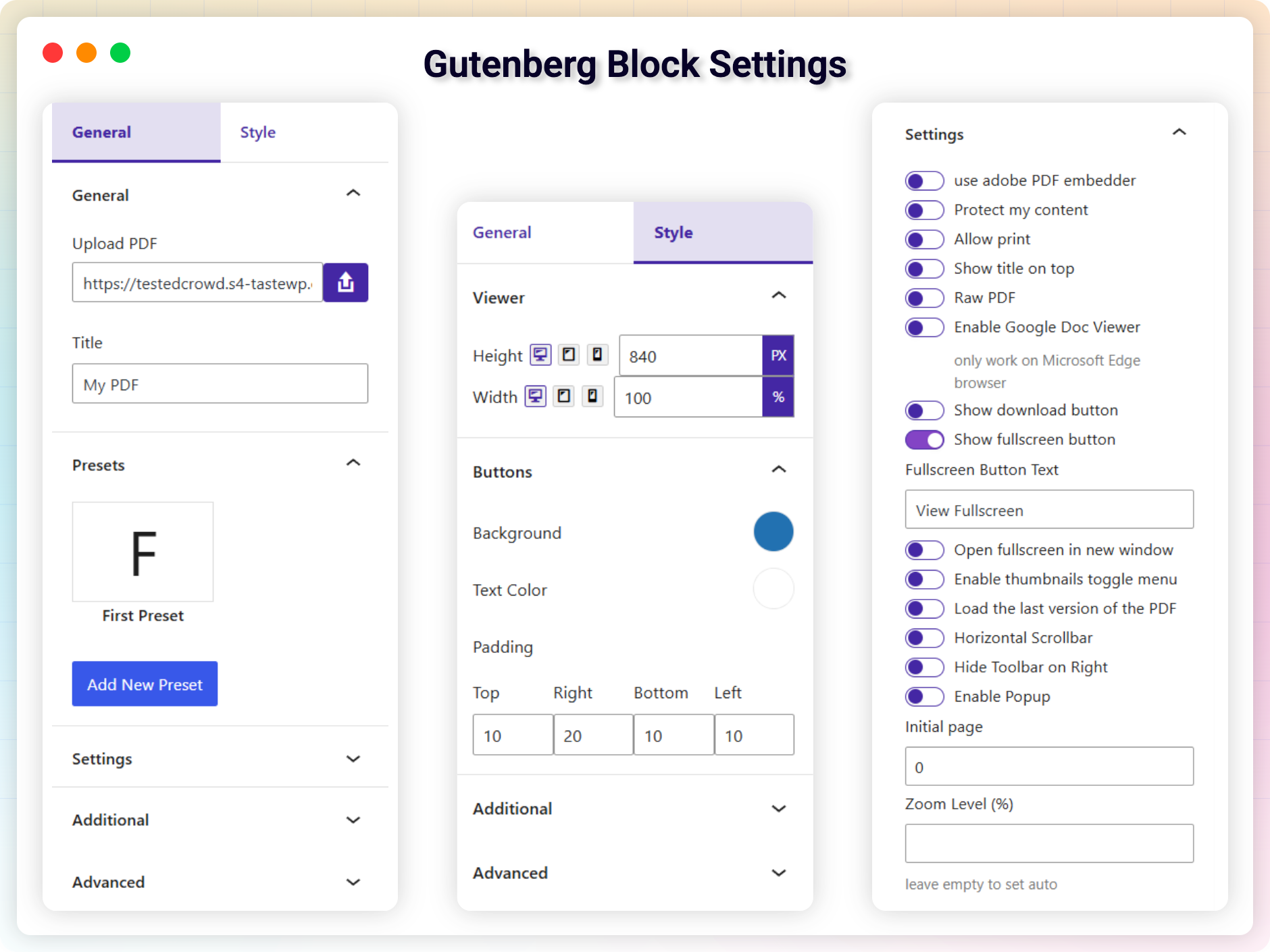
The plugin supports the Gutenberg block editor. It includes content protection, customization options for layout dimensions, full-screen mode, download and print buttons, and file display settings.
Key Features – Free Version
-
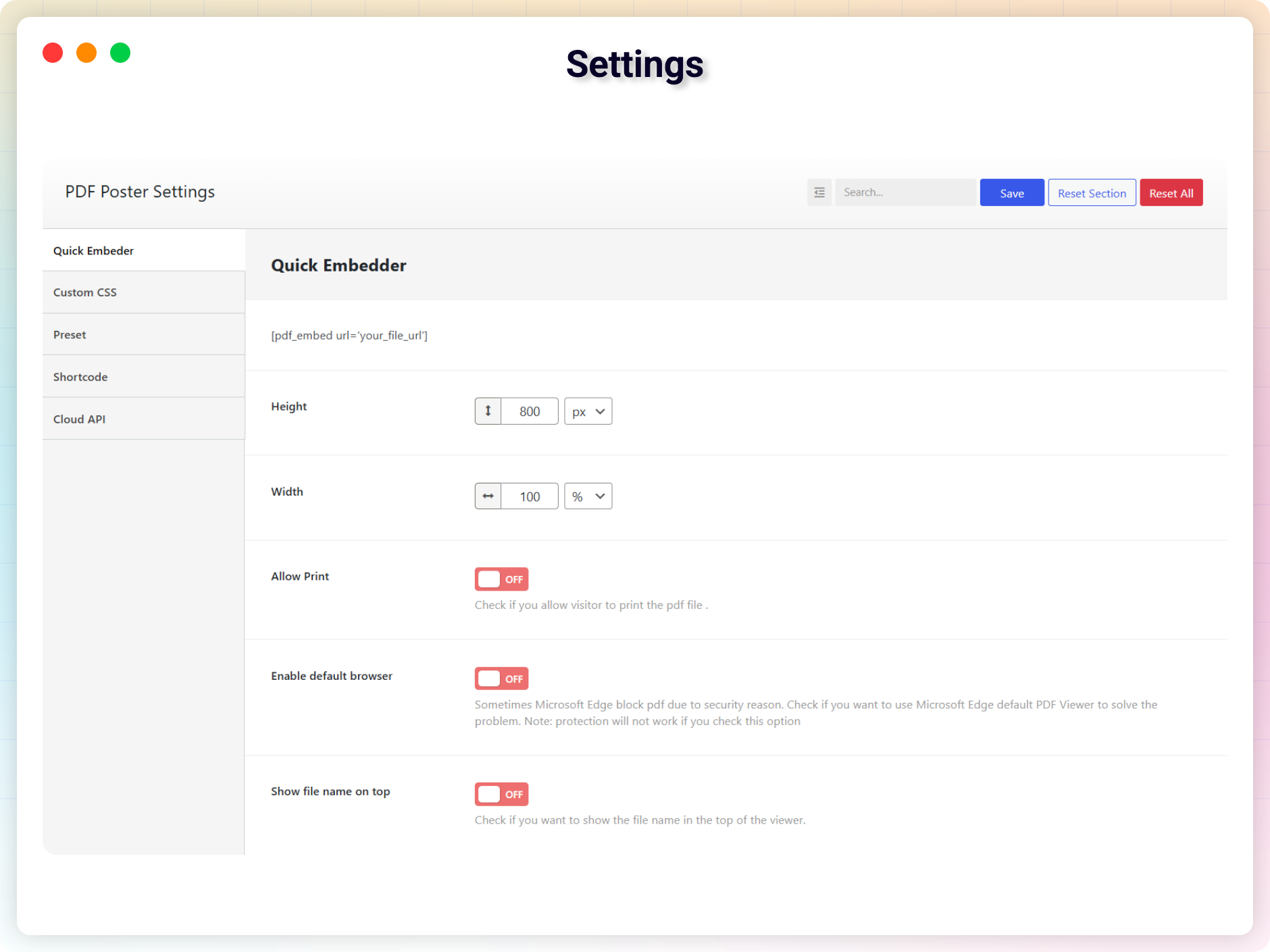
Custom Width & Height: Adjust PDF dimensions to perfectly fit your layout.
-
Print Support: Let users print PDFs directly from the viewer.
-
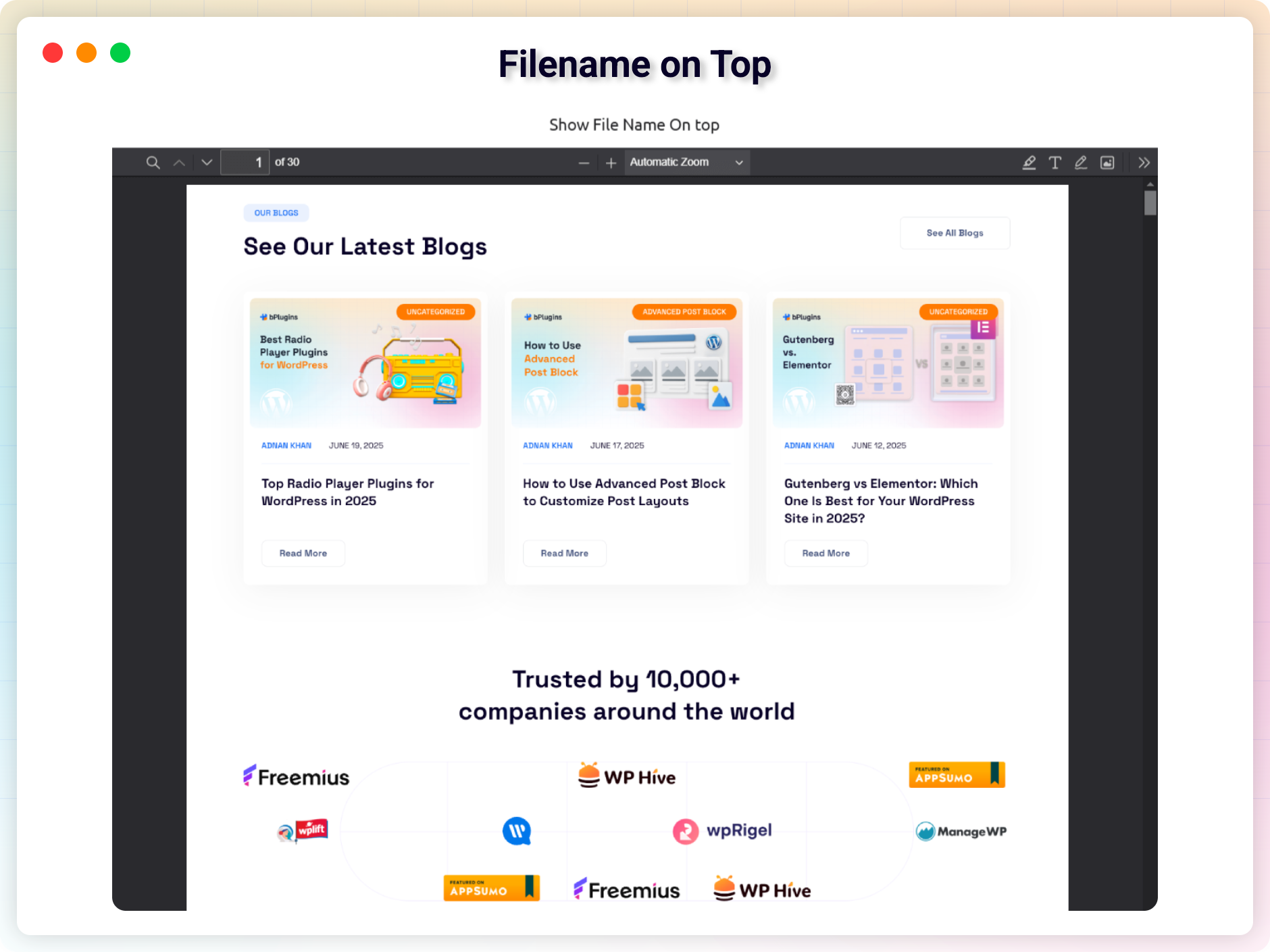
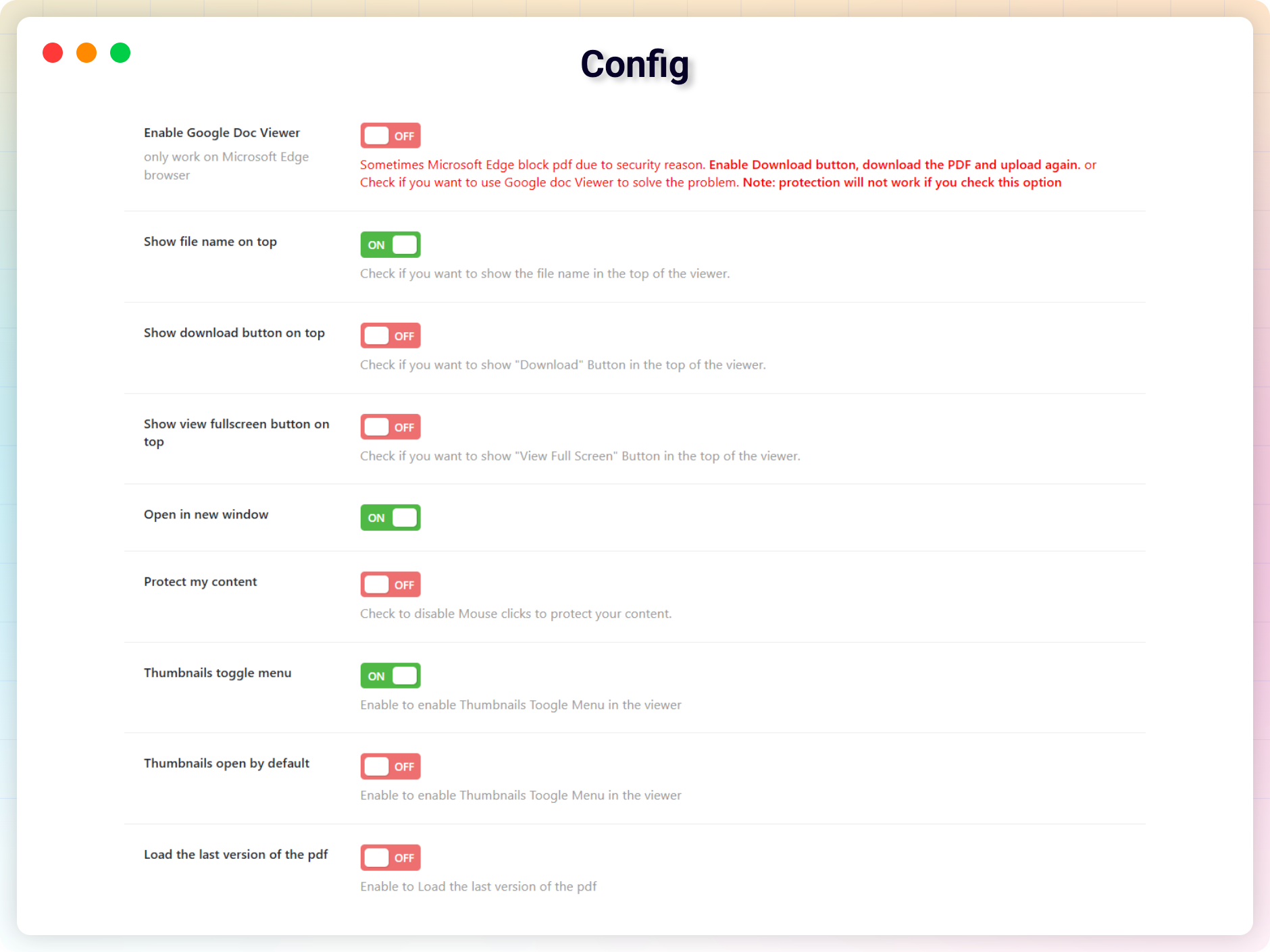
Filename Display: Show the PDF file name clearly at the top.
-
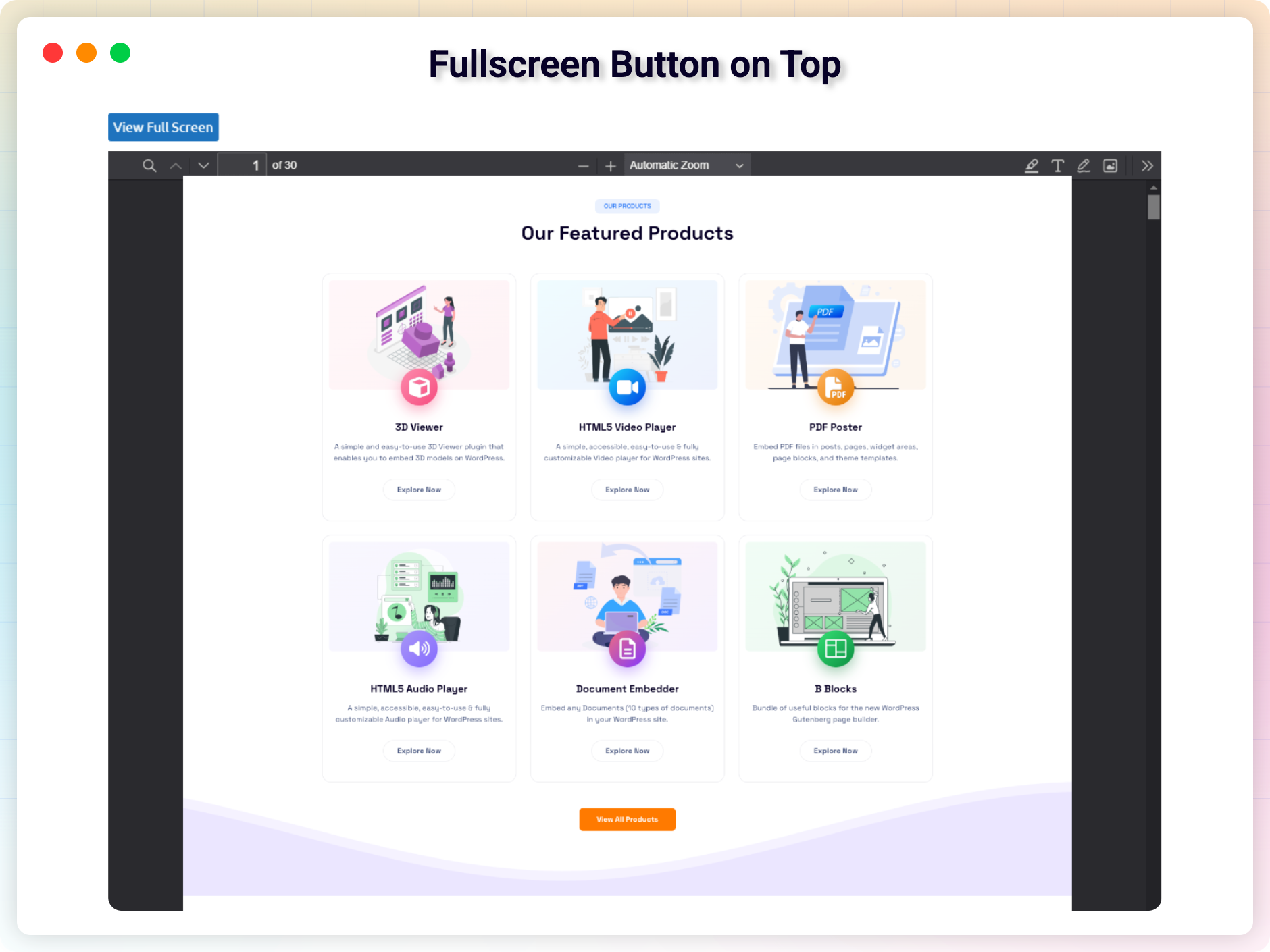
Full-Screen Button: Enhance readability with a dynamic full-screen toggle.
-
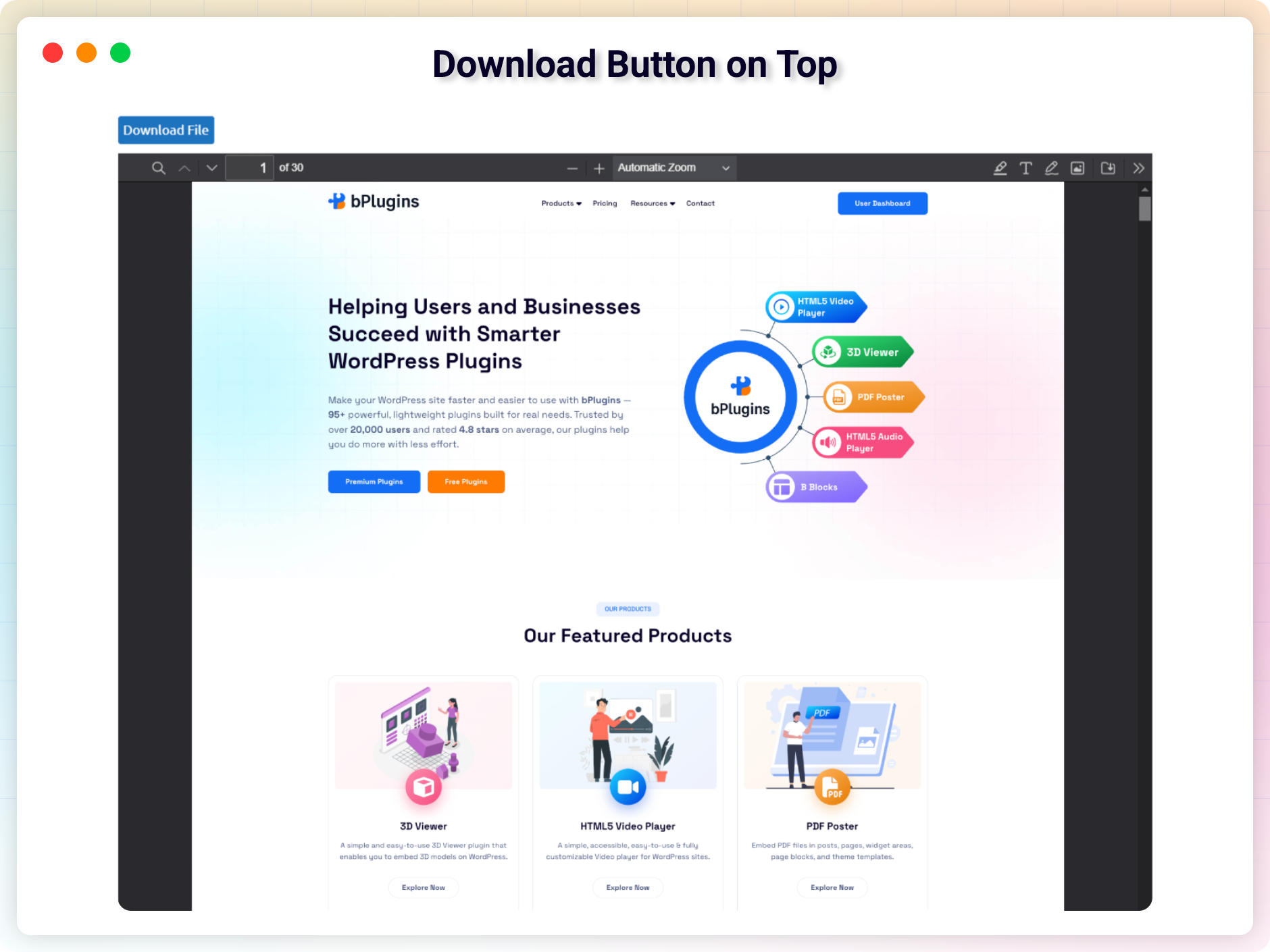
Download Button: One-click download is placed conveniently at the top.
-
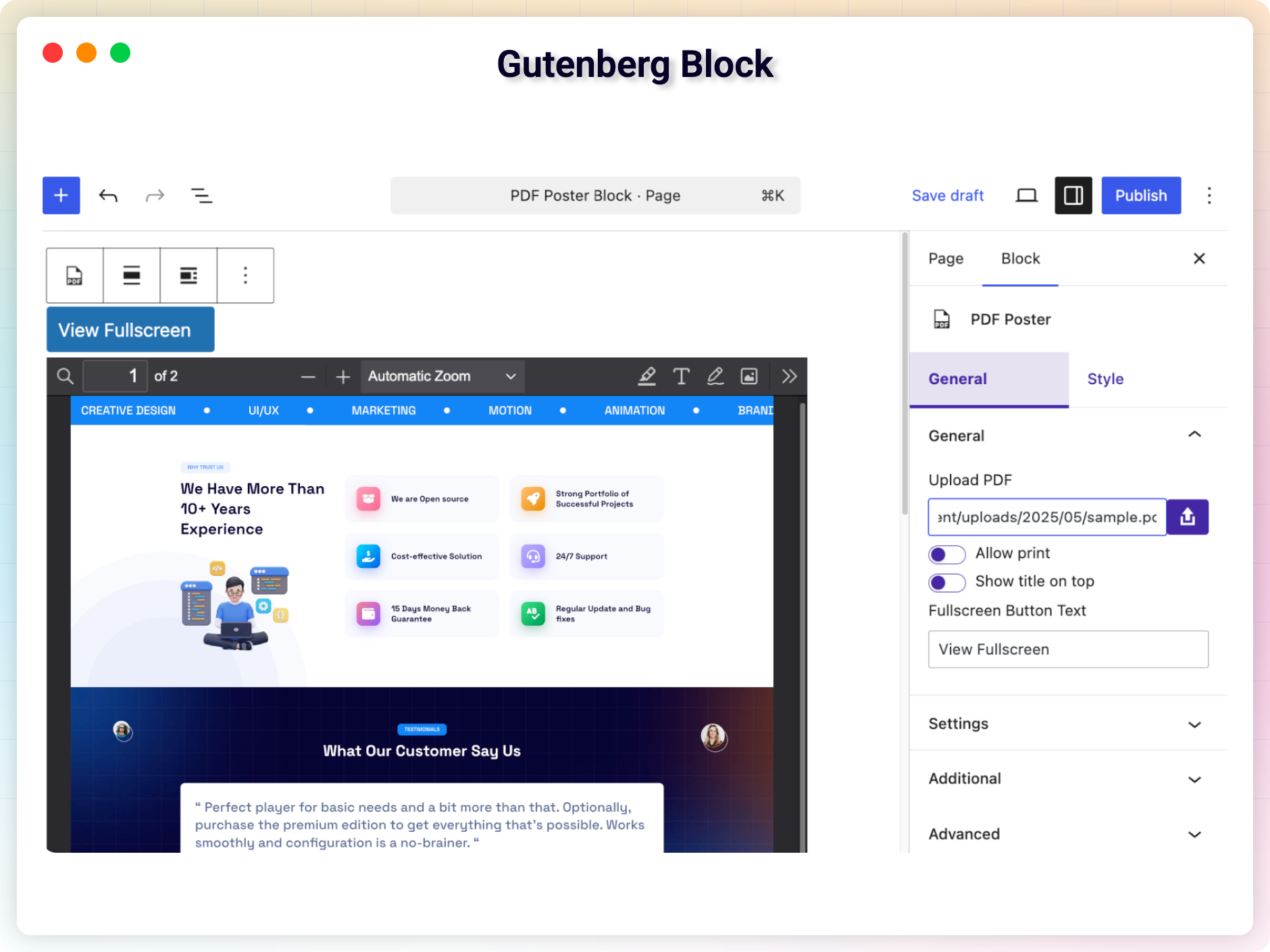
Gutenberg Block Integration: Easily add PDFs using the block editor.
-
User-Friendly Viewer: Smooth scrolling and reading experience across all devices.
PDF Poster Pro – Unlock Advanced Features
PDF Poster Pro adds features for advanced layout, control, and document protection.
Pro Features Include:
-
Raw PDF Viewer: Embed clean PDFs without black frames or toolbars.
-
Content Protection: Disable right-clicks and copying to safeguard your documents.
-
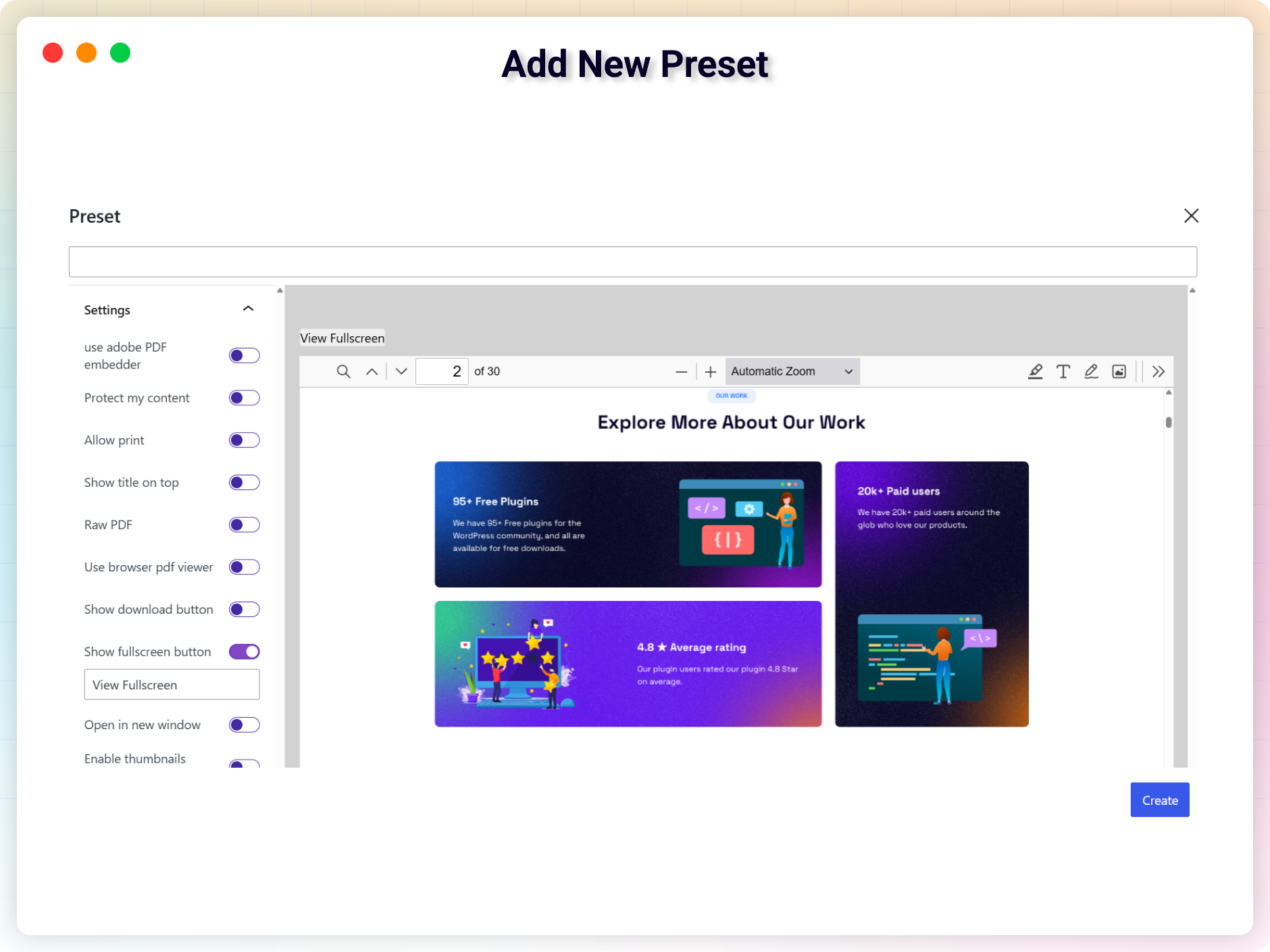
Preset Viewer Settings: Save time by setting default viewer preferences globally.
-
Shortcode Embedding: Use
[pdf_embed]to place PDFs anywhere — no clutter. -
Classic Editor Tools: Includes a quick embed tool and shortcode generator.
-
Additional Gutenberg Blocks: Includes 2 extra blocks for more flexibility.
-
Sidebar Toggle Menu: Allow viewers to navigate easily using a collapsible sidebar.
-
Full Control Over Buttons: Show/hide download and full-screen buttons.
-
Translate Buttons: Customize labels like “Download” and “Full-Screen” for localization.
-
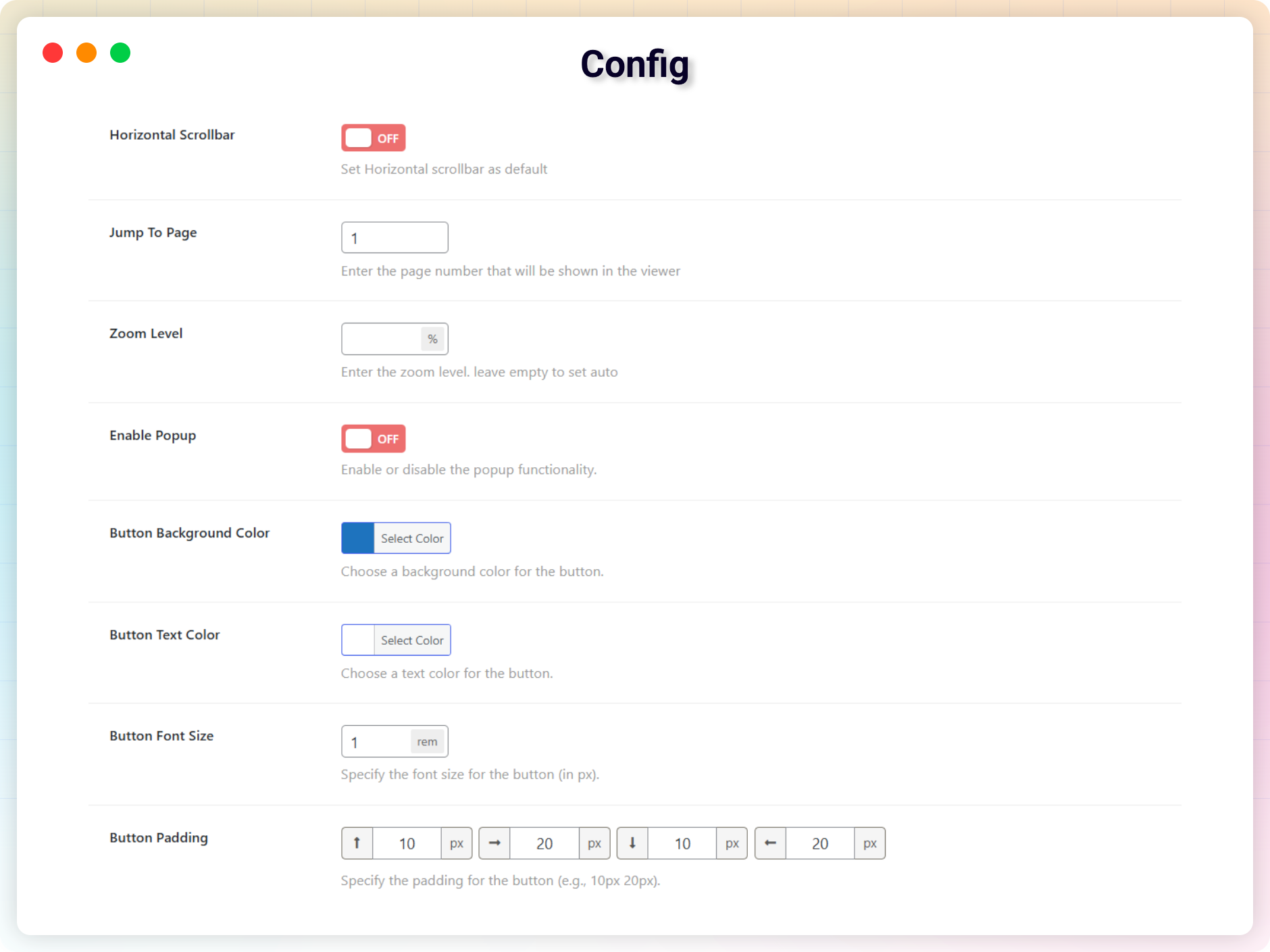
Jump to Page: Set a specific page number to open by default.
-
Zoom Level: Predefine a zoom percentage or leave it on auto.
-
Open in New Window: Choose to open PDFs in a separate tab.
-
Google Doc Viewer: Use this option to bypass PDF block issues in some browsers.
-
Horizontal Scrollbar: Enable horizontal scrolling as the default for wide PDFs.
-
Thumbnails Toggle: Show/hide thumbnail navigation panel.
-
Thumbnails Open by Default: Improve navigation with thumbnails visible on load.
-
Always Load the Latest Version: Ensure viewers always see the updated PDF file.
-
Enable Popup Viewer: Display PDFs in a modal popup window.
-
Show Only PDF: Hide the background and PDF menu for a distraction-free layout.
Try the PDF Poster PRO – Unlock all premium features now!
How to Use PDF Poster – Step-by-Step Guide
Getting started with PDF Poster is quick and easy!
Step-by-Step Instructions
-
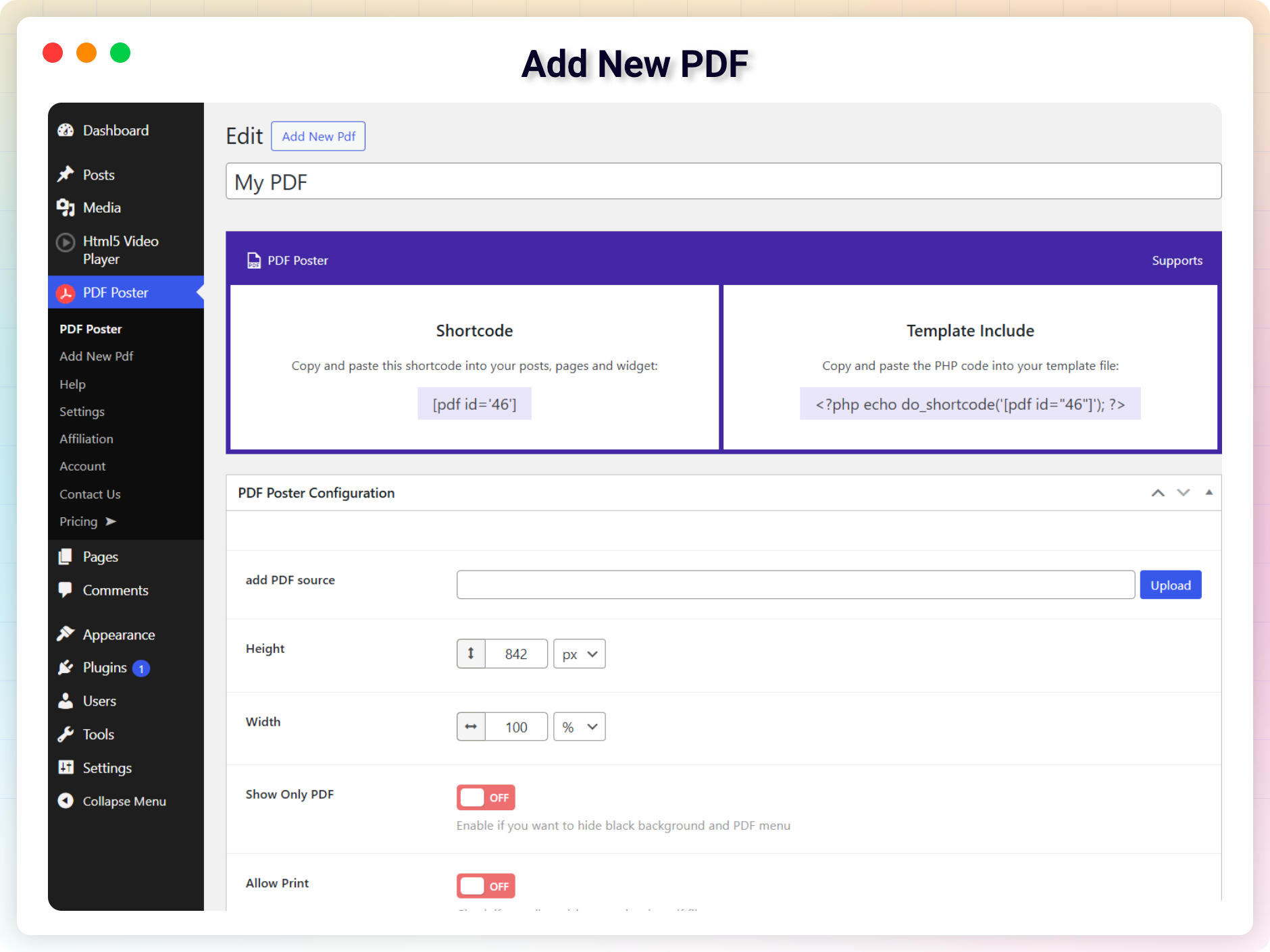
After installing, go to the “PDF Poster” menu in your WordPress dashboard
-
Upload one or more PDF documents
-
Copy the Shortcode shown in the editor or PDF list
-
Paste the shortcode into any post, page, or widget area
-
Hit the Publish button.
Enjoy your beautifully embedded PDF!
Gutenberg Block Integration
Using the block editor? Here’s how to embed PDFs in just a few clicks:
Open a post or page in the WordPress editor
-
Click the + icon or use the slash command (/pdf)
-
Find PDF Poster under the Layout Elements category
-
Click the icon to insert the block
-
Choose your PDF from the media library
-
Hit Publish and enjoy!
Live Demo | Get PDF Poster PRO
Shortcode Usage
Shortcode
[pdf_embed url=”https://example.com/document.pdf” width=”100%” height=”842px” print=”true” title=”My PDF Document” download_btn=”true” fullscreen_btn_text=”View in Fullscreen”]
Attributes
-
url (required): The URL of the PDF file.
- Default:
null - Example:
url="https://example.com/document.pdf"
- Default:
-
width (optional): Width of the PDF viewer.
- Default:
"100%" - Example:
width="80%"
- Default:
-
height (optional): Height of the PDF viewer.
- Default:
"842px" - Example:
height="600px"
- Default:
-
print (optional): Display a print button.
- Accepted values:
"true","false" - Default:
"false" - Example:
print="true"
- Accepted values:
-
title (optional): Title displayed above the PDF viewer.
- Default:
null - Example:
title="Document Title"
- Default:
-
download_btn (optional): Display a download button.
- Accepted values:
"true","false" - Default:
"false" - Example:
download_btn="true"
- Accepted values:
-
fullscreen_btn_text (optional): Text for the fullscreen button.
- Default:
"View Fullscreen" - Example:
fullscreen_btn_text="Open Fullscreen"
- Default:
User Feedback
⭐⭐⭐⭐⭐ Weronika Zielinska – Empp
❛❛A great plugin that makes it easy to add the necessary posters and pdfs! It makes it very easy to quickly create a website. I definitely recommend it and we will definitely use it always.❜❜
–empp
⭐⭐⭐⭐⭐ good plugin
❛❛This pdf poster plugin does really solve my requirement.❜❜
– Did you like this plugin? Dislike it? Have a feature request? Please share your feedback with us
Check out our other WordPress Plugins-
Html5 Video Player – Display videos as single and playlist in multiple skins.
Html5 Audio Player – Listen audios with awesome visuals.
StreamCast – Customizable radio player with different skins.
3D Viewer – Embed 3D models and 3D products with interaction.
Advanced Post Block – Show posts and custom posts in different layouts.
This section describes how to install the plugin and get it working.
e.g.
1. Upload plugin-directory to the /wp-content/plugins/ directory
2. Activate the plugin through the ‘Plugins’ menu in WordPress
3. Use shortcode on page, post, or in widgets.
4. If you want a news ticker in your theme php, Place <?php echo do_shortcode('YOUR_SHORTCODE'); ?> in your templates
There are no limitations! you can embed an unlimited number of PDF files.
No, You can’t. But we have another plugin for embedding Office Doc Called Document Embedder
Yes, You can allow / Disallow users to download the file, it’s totally in your control.
This plugin is compatible with most themes. But, unfortunately, we cannot check it with all third-party themes (especially paid ones) for compatibility, therefore there are cases when this plugin does not work with a third-party theme. We constantly check this plugin for compatibility with third-party themes. If we find that this plugin is incompatible with a third-party theme, and if we can fix it on our part, we release an update of our plugin to fix the problem.
If you find a conflict between our plugin and a third-party theme, please let us know and we will definitely release an update of our plugin to fix the problem.
This plugin is compatible with most plugins. But, unfortunately, we cannot check it with all third-party plugins (especially paid ones) for compatibility, therefore there are cases when this plugin does not work with a third-party plugin. We constantly check this plugin for compatibility with third-party plugins. If we find that this plugin is incompatible with a third-party plugin, and if we can fix it on our part, we release an update of our plugin to fix the problem.
If you find a conflict between our plugin and a third-party plugin, please let us know and we will definitely release an update of our plugin to fix the problem.
Please report security bugs found in the source code of the PDF Poster plugin through the Patchstack Vulnerability Disclosure Program. The Patchstack team will assist you with verification, CVE assignment, and notify the developers of this plugin.
Changelog
2.5.0 – 01 Mar, 2026
- New: Popup Trigger Type Image
- New : Popup Trigger Alignment
- New : Popup Trigger Image Size
- New : Popup Trigger Image PDF Icon
- Update: Help & Demo Page
- New: Added an option to move the action buttons (Print, Fullscreen, Download) to the top or bottom.
- Update: Hide sidebar on mobile devices
2.4.1 – 09 Feb, 2026
- Fixed: Warning: Attempt to read property “post_type” on null in WC Orders Add/Edit page
- Fixed: Broken Access Control
- Removed: Upgrade Section from Gutemberg Block (Premium)
- Removed: Upgrade Section from Classic Shortcode Generator (Premium)
2.4.0 – 20 Jan, 2026
- Added: Social Share feature
- Added: Icons before each PanelBody title in the Gutenberg block
- Added: Help text for control fields
- Improved: Gutenberg Block Settings UI
- Improved: Classic Shortcode Generator UI
- Improved: Overall UI consistency and clarity
- Fixed: Missing Google Drive icon
- Fixed: Google Drive integration issues
- Fixed: Dropbox integration issues
- Fixed: PDF Poster selector block not working
- Updated: PDF Poster menu icon
- Updated: Removed unexpected or unnecessary content
2.3.1 – 22 Sep, 2025
- Fixed: Fullscreen issue
- Fixed: Divi Builder Image Upload issue
2.3.0 – 13 Aug, 2025
- New Page: Dashboard
- Fixed: Fixed Preset Preview issue
- Fixed: Adobe Embedder issue
- Improved: Code
2.2.4 – 14 July, 2025
- Fixed: ACF Pro – wysiwig editor – “Add PDF” button does not work
- Fixed: quick embed options does not work
2.2.3 – 11 May, 2025
- Fixed: file upload issue
2.2.2 – 12 Feb, 2025
- Update: Visible scrollbar when selected ‘show only PDF/Raw PDF’
- Fixed: _load_textdomain_just_in_time() was called incorrectly.
2.2.1 – 28 Jan, 2025
- Fixed: your site doesn’t include support for the “pdfp/pdfposter” block.
- Update: WordPress SDK
2.2.0 – 06 Oct, 2024
- Fixed: Overlapping content
2.2.0 – 06 Oct, 2024
- Fixed: Overlapping content
2.1.25 – 24 July, 2024
- Fixed: 404 Not Found – PDFPro\Helper\Pipe::checkPipe()
2.1.24 – 29 June, 2024
- Fixed: iPad/iPhone issue
2.1.23 – 27 June, 2024
- Fixed: directive error
2.1.22 – 24 June, 2024
- Fixed: Vulnerability
2.1.21 – 25 March, 2024
- Fixed: Avada Builder style broken
2.1.20 – 19 Feb, 2024
- Fixed: Deprecated issue
2.1.19 – 9 Jan, 2024
- Feature: Show Download button
2.1.18 – 24 Dec, 2023
- Security: Improved
2.1.17 – 4 Dec, 2023
- Removed Ads
2.1.16 – 28 Nov, 2023
- Fixed: Can’t Edit Newsletter
2.1.15 – 24 Nov, 2023
- Fixed: Removed admin ber add
2.1.14 – 24 Nov, 2023
- Fixed: Sidebar open all time
2.1.12 – 17 Sep, 2023
- Fixed SSL issue
2.0.10 – 4/5/2022
- solved – “Oops! You forgot to select a pdf file.”
2.0.9 – 4/4/2022
- Fixed SSL issue
2.0.8 – 1/26/2022
- Fixed Responsive issue
2.0.7
- Forbidden issue fixed
2.0.6
- Disable Gutenberg as default shortcode generator
2.0.3
- Option to enable/disable Gutenberg Shortcode Generator
2.0.0
- Added Advanced Shortcode Generator
- Improved Security Performance
- Fixed Height issue on mobile device
1.6
- Fix isuue and make compatible with WordPress 5.5 Version
1.5
- Fix Gutenberg block issue
- Fix toggle menu in viewer
1.4
- Add support for Gutenberg Block
1.3
- Fix an issue
1.2
- removed an ad.
- fix issue which causes centralize the content.
- Improved performance.
1.1
- fix an issue with pdf positions
1.0
- Initial Release
" width="120" height="120">
Available Versions
| Version | Download | Type |
|---|---|---|
| 2.5.0 | Download | Stable |
| 2.4.1 | Download | Stable |
| 2.4.0 | Download | Stable |
| 2.3.1 | Download | Stable |
| 2.3.0 | Download | Stable |
| 2.2.4 | Download | Stable |
| 2.2.3 | Download | Stable |
| 2.2.1 | Download | Stable |
| 2.2.0 | Download | Stable |
| 2.1.24 | Download | Stable |
| 2.1.23 | Download | Stable |
| 2.1.22 | Download | Stable |
| 2.1.21 | Download | Stable |
| 2.1.20 | Download | Stable |
| 2.1.18 | Download | Stable |
| 2.1.12 | Download | Stable |
| 2.0.11 | Download | Stable |
| 2.0.8 | Download | Stable |
| 2.0.6 | Download | Stable |
| 1.6.5 | Download | Stable |
| 1.6.3 | Download | Stable |
| 1.5 | Download | Stable |
| 1.4 | Download | Stable |
| 1.3 | Download | Stable |
| 1.2 | Download | Stable |
| 1.1 | Download | Stable |
| Development | Download | Trunk |
