
Payment Forms for Paystack
Active Installs
3,000+
Last Updated
August 6, 2025
First Released
September 19, 2016
Download History (Last one month)
Contributors
With this plugin you can create forms with multiple input fields and have your users pay before submission. It also works with recurring payments.
Forms with recurring payments
To create a form so your users can make recurring payments for a standard fee.
- Create your plan on the official paystack dashboard
- Copy the plan code and paste it on the form plan code settings
For Churches and NGO’s
Setting the form payment amount to ‘0’ allows the user to make a custom payment of any amount.
When you set the ‘recur’ option to ‘optional’ on the form settings, your donors/members will have the option of making a one-time payment or weekly,monthly or annually recurring payment.
This can come in handy for weekly/monthly offerings & tithes or recurring donor donations.
For selling items
To create a form to allow your users buy or pay for value in quantity.
- Set quantified to be ‘yes’.
- Set the max quantity a user can buy.
Plugin Features
- Accept payment via MasterCard and Visa Cards.
- Seamless integration into any WordPress page or post. Accept subscription payments directly on your site
Suggestions / Feature Request
If you have suggestions or a new feature request, feel free to get in touch with us via http://paystack.com
You can also follow us on Twitter! @paystack
Minimum Requirements
- Confirm that your server can conclude a TLSv1.2 connection to Paystack’s servers. More information about this requirement can be gleaned here: TLS v1.2 requirement.
- A Paystack account
Automatic installation
Automatic installation is the easiest option as WordPress handles the file transfers itself and you don’t need to leave your web browser. To do an automatic install of Payment Forms of Paystack, log in to your WordPress dashboard, navigate to the Plugins menu and click Add New.
In the search field type “Payment Forms for Paystack” and click Search Plugins. Once you’ve found our payment plugin you can view details about it such as the point release, rating and description. Most importantly of course, you can install it by simply clicking “Install Now”.
Manual installation
The manual installation method involves downloading our payment plugin and uploading it to your webserver via your favourite FTP application. The WordPress codex contains instructions on how to do this here.
7. Paste the form shortcode on any page or widget.
Updating
Automatic updates should work like a charm; as always though, ensure you backup your site just in case.
Screenshot Gallery

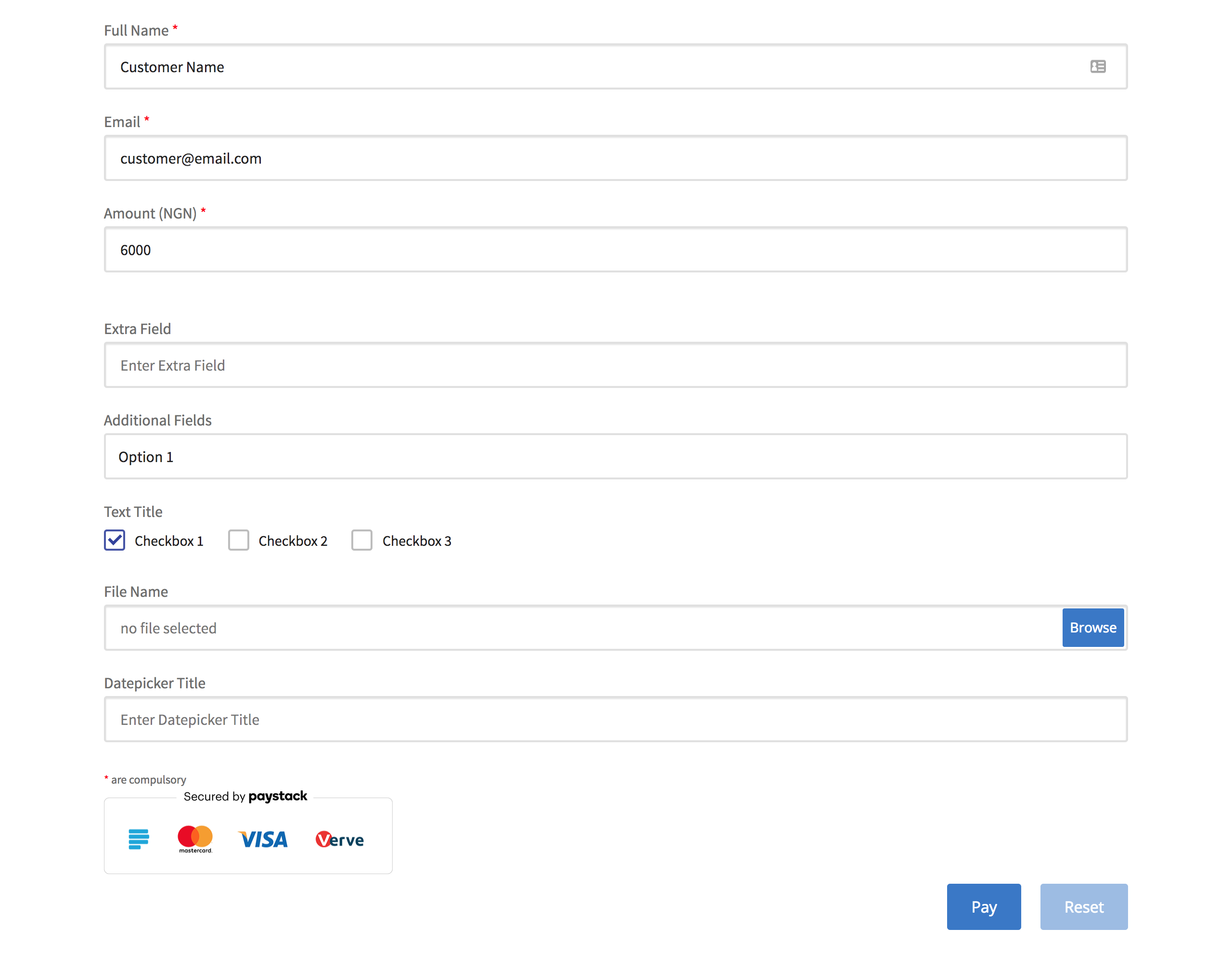
You can find help and information on Paystack on our Help Desk
If you get stuck, you can ask for help in the Payment Forms for Paystack Plugin Forum. You can also directly email support@paystack.com for assistance.
Yes you can! Join in on our GitHub repository 🙂
Changelog
4.0.5
-
- Compatibility with WordPress 6.8.1 and PHP 8.4.4
4.0.4
- Fixing the UAT error with the amount field and minimum amounts.
4.0.3
- Security update – Add extra sanitization to form fields
- Improved input sanitization
4.0.2
- Security Update – Adding in sanitization to the Payments List order variable.
4.0.1
- Updating the class initiation to be 7.4 compatible and additional 7.4 fixes
- Fixing the split transaction field
- Fixing the receipt owner amount and email address
- Fixing the display of the submissions page.
- Fixing the minimum amount field function and validation
- Updating sprintf for SQL injections.
4.0.0
- An entire plugin rewrite, keeping the same functionality.
- Tested with WordPress 6.2
3.4.0
- Support for WordPress 5.9
- Support for PHP 8
- Fix issue where plugim script files load on all pages, affecting performance of the site
3.3.13
- Add support for Kenyan Shillings (KES)
3.3.11
- Add support for South African Rand (ZAR)
3.3.9
- Fixed paid_at field not being set in database when plugin is being updated from previous versions with this bug
3.3.8
- Fixed paid_at field not being set in database
3.3.7.1
- Fixed bug that showed currency on receipt instead of name
3.3.7
- Added option for merchants to reset inventory
3.3.6
- Add the paystack plugin metrics tracker
= 3.3.5= - Add inventory option for merchant to fix number of items they are selling
3.3.4
- Fix issue where total is not displayed automatically for quantified payments
3.3.0
- Major fixes to convenience fee option!
- Now known as ‘Additional Charge’ to clarify it does not always pass transaction fees
- Now properly pass fee settings to both the frontend and backend
- Now properly considers fee when it comes to quantified payments
3.2.1
- Fixes an issue where leading zeroes were stripped
3.2.0
- Fix issue where quantified payments with minimum amounts not working for payments.
- Add daily and biannual plan options to the plugin.
3.0.3
- Fix JS revert where required fields were not being validated.
3.0.2
- Fix CSS for API Settings page.
3.0.0
- Add a panel for charging convenience fee
- Remove bug where plugin was causing a padding on sites
- Add settings link to plugins page
- Minor bug fixes
2.4.1
- Add quantity unit for people to specify number of persons, etc
2.4.0
- Add support for Ghanaian cedis
2.3.2
- Carry out validation for required fields
- Exports now carry dates of transaction
2.3.1
- Change transaction fees feature to convenience fee
2.3.0
- Fix export where commas were breaking text fields into multiple columns
- Fix upload fields using duplicate ID
2.2.1
- Fix export to csv metadata
2.2.0
- Bug fixes
2.1.9
- Fix JS bug associated with variable amount
- Added checkbox to hide form title
2.1.8
- Fix datepicker shortcode addition bug (Courtesy of Dane Medussa)
2.1.7
- Added Datepicker input field.
- Fix bug with required input fields.
2.1.6
- Fix bug with design breaking after installing the plugin.(SSL fix)
2.1.5
- Fix bug with agreement checkbox
2.1.4
- Updated list of countries
2.1.3
- Bug fix for ignoring NGN 2,000 transaction cap
- Use https for fontawesome
2.1.2
- Checkbox form Element.
- Special feature: Custom Start date use case for subscriptions.
2.1.1
- Bug fixes for minimum amount.
2.1.0
- Bug fixes for use variable amount
2.0.9
- Added multiple payment amounts on a single form
- General code improvement
2.0.8
- Bug fixes for transaction charge.
2.0.7
- Bug fixes for quantity.
2.0.6
- Set transaction_charge for sub account implementation
- Copyable shortcode on admin form page
- Block form if API keys aren’t set
2.0.5
- Set minimum payable amount.
2.0.4
- Fix for no action after clicking the pay button.
2.0.3
- Send email notification to merchant for every payment.
- Export payment data to CSV.
2.0.2
- Price calculation and bug fixes.
2.0.1
- Bug fixes.
2.0.1
- Added option to use subaccount on a form.
- General bug fixes.
2.0.0
- Fixed compatibility for PHP 5.3 and below.
- Added option to redirect to page after payment.
- Add retry payment link to email invoice.
- Fixed pricing calculation.
" width="120" height="120">
Available Versions
| Version | Download | Type |
|---|---|---|
| 4.0.5 | Download | Stable |
| 4.0.4 | Download | Stable |
| 4.0.3 | Download | Stable |
| 4.0.2 | Download | Stable |
| 4.0.1 | Download | Stable |
| 4.0.0 | Download | Stable |
| 3.4.3 | Download | Stable |
| 3.4.2 | Download | Stable |
| 3.4.1 | Download | Stable |
| 3.4.0 | Download | Stable |
| 3.3.13 | Download | Stable |
| 3.3.12 | Download | Stable |
| 3.3.11 | Download | Stable |
| 3.3.10 | Download | Stable |
| 3.3.9 | Download | Stable |
| 3.3.8 | Download | Stable |
| 3.3.7 | Download | Stable |
| 3.3.6 | Download | Stable |
| 3.3.5.1 | Download | Stable |
| 3.3.5 | Download | Stable |
| 3.3.4 | Download | Stable |
| 3.3.3 | Download | Stable |
| 3.3.2 | Download | Stable |
| 3.3.1 | Download | Stable |
| 3.3.0 | Download | Stable |
| 3.2.5 | Download | Stable |
| 3.2.0 | Download | Stable |
| 3.1.0 | Download | Stable |
| 3.0.3 | Download | Stable |
| 3.0.2 | Download | Stable |
| 3.0.1 | Download | Stable |
| 3.0.0 | Download | Stable |
| 2.4.1 | Download | Stable |
| 2.4.0 | Download | Stable |
| 2.3.2 | Download | Stable |
| 2.3.1 | Download | Stable |
| 2.3.0 | Download | Stable |
| 2.2.1 | Download | Stable |
| 2.1.3 | Download | Stable |
| Development | Download | Trunk |
