
Orange Comfort+ accessibility toolbar for WordPress
Active Installs
10+
Last Updated
February 5, 2026
First Released
July 23, 2024
Download History (Last one month)
Contributors
This plugin adds the Orange Comfort+ accessibility toolbar to your WordPress website. You can choose between version 4 and 5 of the toolbar.
Orange Comfort+ is a browser extension that facilitates reading and navigation on web pages. It adjusts the display of text, buttons, links, as well as vocalization and navigation by offering specific buttons, a large mouse pointer, a highly visible focus, and quick access to numerous settings.
Comfort+ settings will only work correctly on websites that comply with accessibility standards. If a site is inaccessible, its functionality may be significantly compromised.
For web developers, Comfort+ is an excellent way to showcase the accessibility improvements made to their websites.
The Orange Comfort+ service was created by Orange. It embodies a design approach centered on the diversity of users and follows the principles of universal design: an interface for everyone, with personalized settings for each individual.
Toolbar features
The Comfort+ palette is organized into groups of settings, some designed for users seeking just a bit more ease of use ( Easy+ mode), others for those looking for light visual adjustments ( Visual+ mode) or more advanced visual settings such as high zoom and very high contrast ( Visual++ mode).
Other settings are aimed at users needing reading accommodations, such as highly legible and vocalized text ( Reading+ mode) or more advanced tools like rulers, margins, and colorization ( Reading++ mode).
Finally, navigation settings are available for users who have difficulty with the mouse pointer and prefer larger buttons or even no-click navigation with automatic hovering clicks ( Pointing+ mode). Additional settings are available for users who navigate web pages exclusively using buttons or keyboard commands ( Motor+ mode).
Plugin options
- Toolbar versions: V4 or V5 can be set on Settings > Reading.
- Toolbar and button position avaibable for V4.
- Custom button position with a shortcode available for V4.
- Compatible with many Cookie Consent plugins via WP Consent API or V4.
- WordPress Multisite compatible.
Privacy / GDPR
Neither this plugin nor the Orange Comfort+ accessibility toolbar collect any user or visitor data. The Orange Comfort+ accessibility toolbar V4 uses two functional browser cookies, used for storing user selected accessibility options.
- UCI42 – Stores user toolbar settings; set at page load; domain specific; expires after 1 year.
- uci-bl – Stores toolbar on/off toggle; set when toolbar toggle is used; domain specific; session only.
Please update your site’s GDPR/Cookie Consent documentation to reflect this information.
This plugin is compatible with any Cookie Consent plugin that supports the WP Consent API. At this time, the WP Consent API proposal has not been merged into core yet, so you’ll need to install and acivate the WP Consent API plugin.
The toolbar V5 user settings are saved in the browser localStorage, thus depend on your domain. They are never shared with other websites or third parties.
No installation instructions provided.
Screenshot Gallery




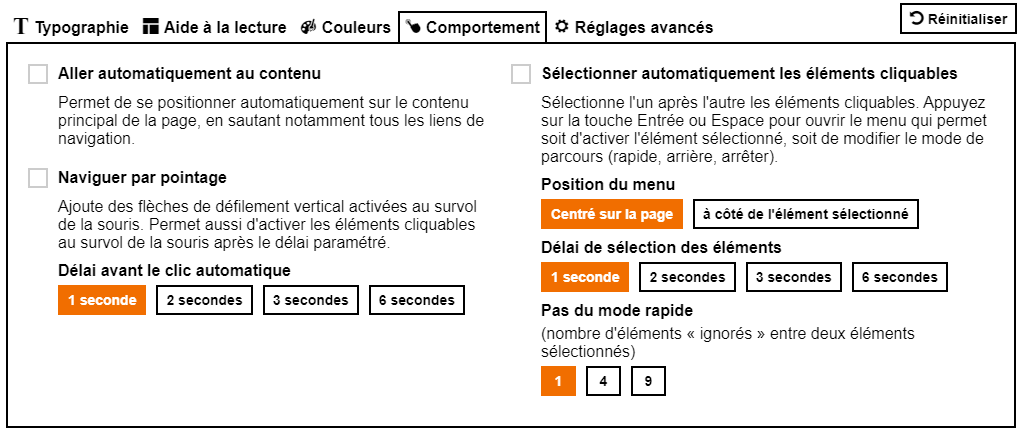

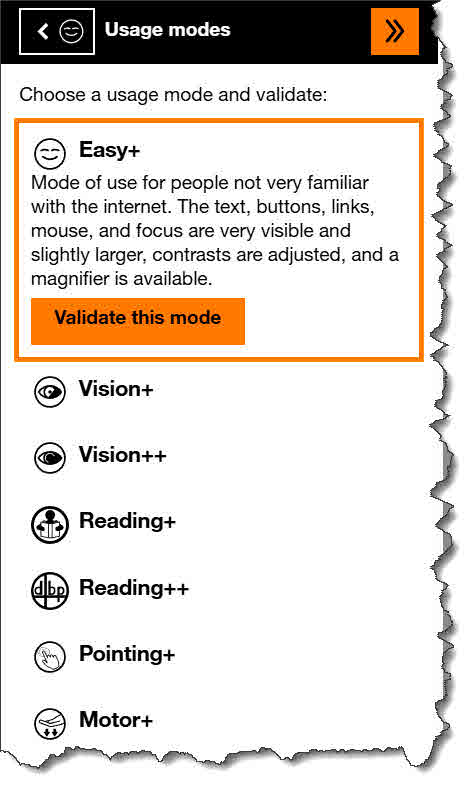
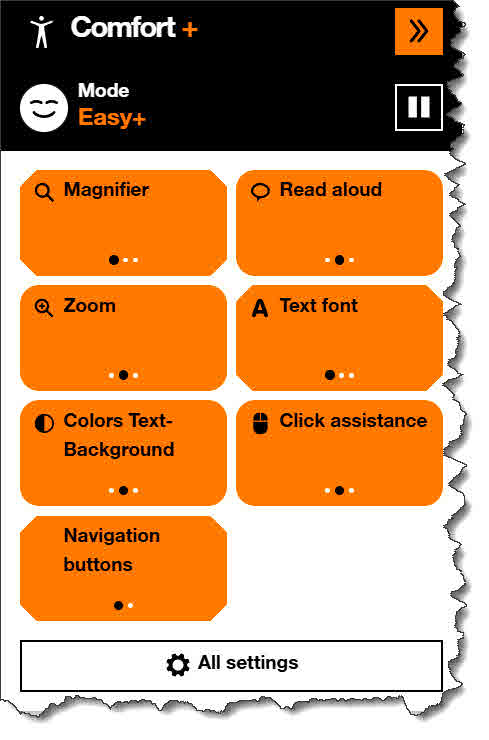
Toolbar version and position (V4 only) can be set on Settings > Reading.
A shortcode ocplus_button is available for the toolbar V4, to allow giving the Orange Comfort+ button a custom location. The shortcode will generate a Button block with one button “Comfort +”.
The toolbar V5 does not support the shortcode.
Add the following shortcode in an Shortcode block where you wish the button of the toolbar V4 to appear in any template part or widget zone. Note: the shortcode does not work with the toolbar V5.
[ocplus_button color="white" bgcolor="black" /]
If you wish to add the button to a custom, classic (non-FSE) theme PHP template file, you can use this:
echo do_shortcode( '[ocplus_button color="white" bgcolor="black" /]' );
These parameters are available to make it match your site theme more closely:
- color set the text color and outline color (default: white). Note: the + sign will always remain orange.
- bgcolor sets the button background color (default: not set).
Please note: there can be only one button on a web page and not all toolbar positions may work well in combination with a custom button position.
Changelog
0.8.0
20260204
* Toolbar version 5.0.1
* Version 4.3.6 optional
0.7.1
20260204
* FIX Undefined function
* PATCH Unsanitized shortcode attribute; CVE-2026-1808 (Muhammad Yudha – DJ, Wordfence)
0.7
20250922
* Orange Comfort+ script version 4.3.6
* Consent API wrapper script cache invalidation
* Plugin action/meta links
0.6
20240702
* Classes + autoload for modular file inclusion.
* Orange Comfort+ script version 4.3.5
0.5
20240629
* New toolbar position: Window top
* Shortcode with parameters style, color, bgcolor for custom button position.
0.4
20240609
* Toolbar Positions: Top/bottom, left/right
0.3
20240607
* WP Consent API compatibility
0.2
20240607
* Button position: bottom screen (fixed)
0.1
20240605
* Initial implementation, Orange Comfort+ script version 4.3.3
" width="120" height="120">
