
OmniForm
Active Installs
60+
Last Updated
January 7, 2026
First Released
September 6, 2023
Download History (Last one month)
Contributors
OmniForm is a powerful WordPress plugin that allows you to create and manage forms within your WordPress site. With OmniForm, you can easily create custom forms for your website, collect user data, and manage form submissions.
🌟 Features
- Complete and steadfast support for the block editor and block themes.
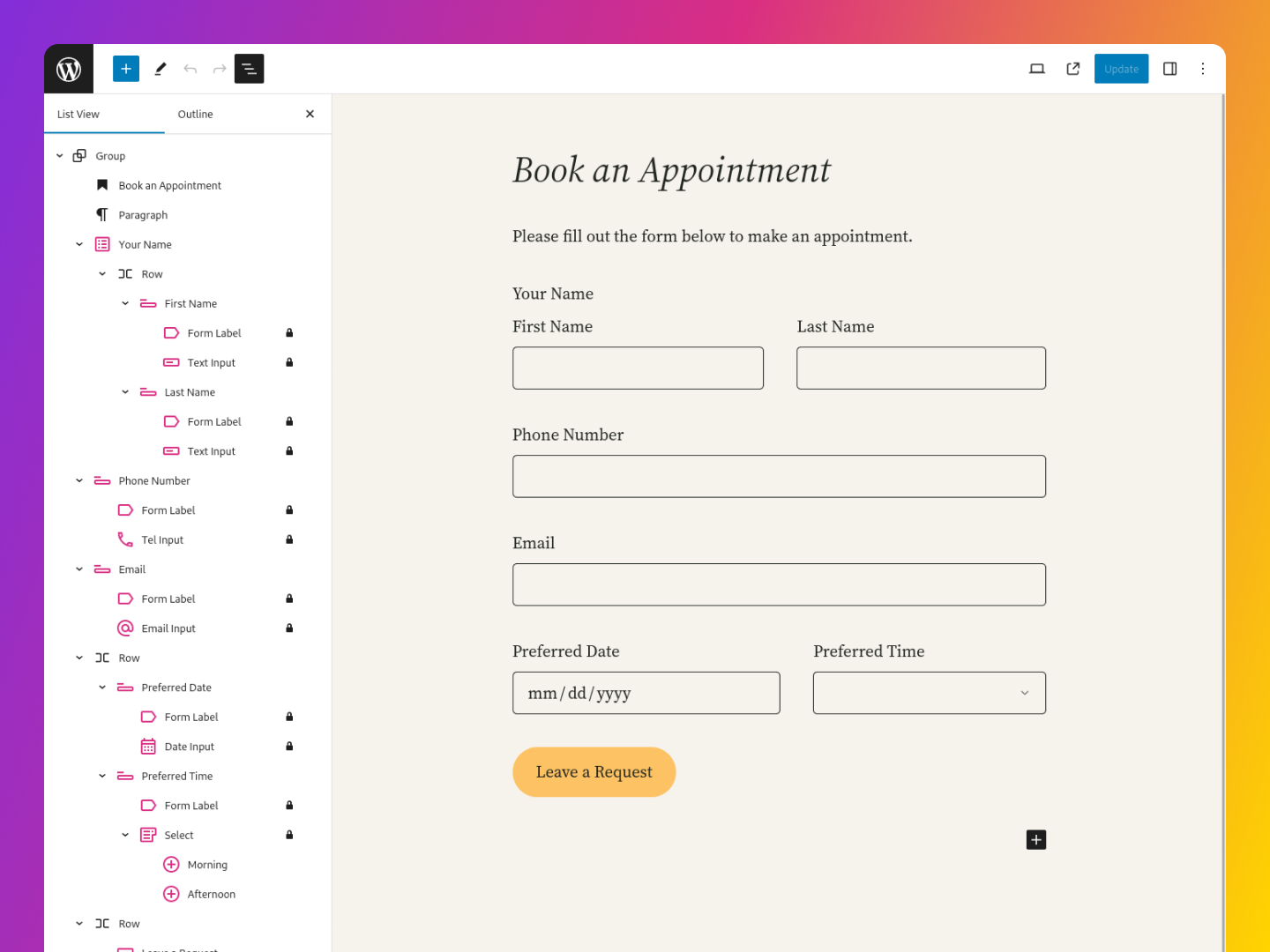
- Choose from 20+ form fields blocks, including text fields, checkboxes, radio buttons, and more
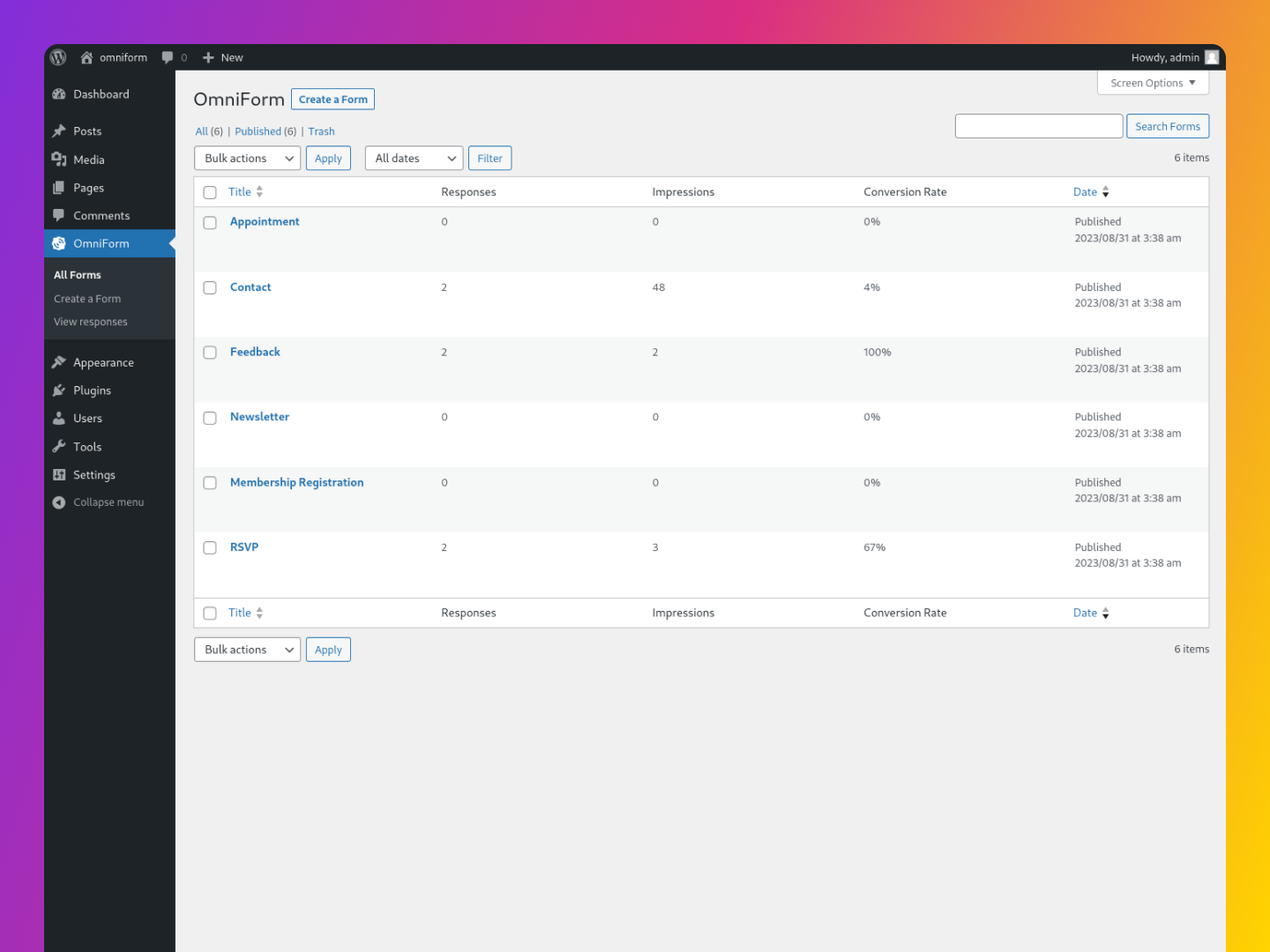
- Comprehensive analytics for tracking form impressions, submissions, and conversions.
- Choose from pre-built form templates or create your own from scratch
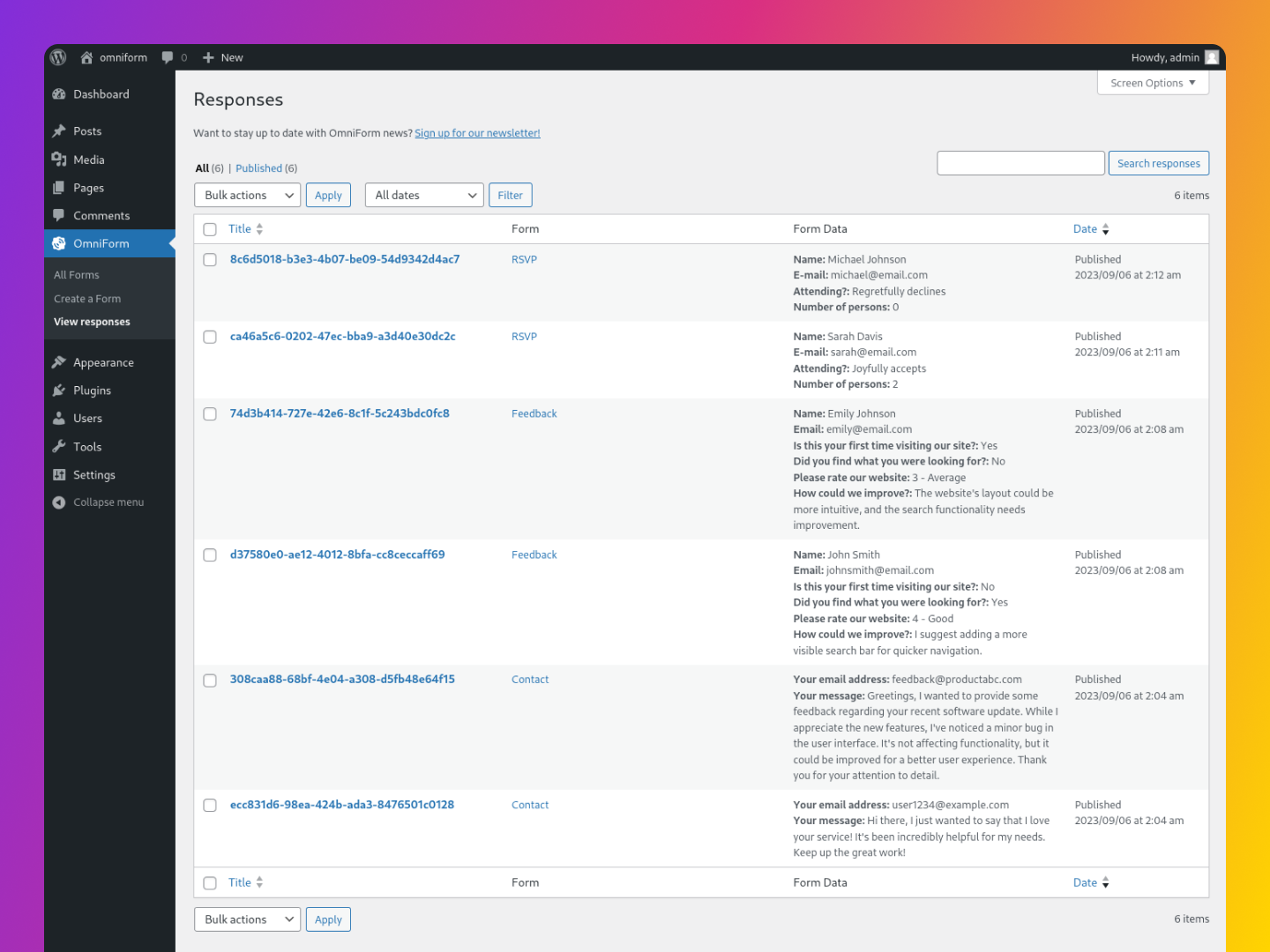
- Manage form submissions within the admin dashboard
- Email notifications for new form submissions
- Customize form styling to match your website’s design
- Spam protection with Cloudflare Turnstile, hCaptcha, and Google reCAPTCHA.
- Convert default WordPress blocks (like comments and search) into OmniForms for enhanced customization.
- Specific styling adjustments for various themes including Kanso, Twenty Twenty-Four, Twenty Twenty-Five, Ollie, and Rockbase.
🚀 Getting Started
To get started with OmniForm, simply install and activate the plugin on your WordPress site. Once activated, you can create new forms by navigating to the OmniForm menu in your WordPress dashboard.
From there, you can choose to create a new form from scratch or use one of the pre-built form templates. Once you’ve created your form, you can customize it to your liking using the block editor interface.
🙏 A Special Thanks from OmniForm
Whether you’re a first-time user or someone who’s considering giving OmniForm a try, thank you! Your interest is what fuels ongoing improvements and innovations.
Feel free to explore, provide feedback, or even contribute to the plugin’s development. Every bit of support counts and is highly appreciated.
Automatic installation
To do an automatic install of OmniForm, log in to your WordPress dashboard, navigate to the Plugins menu, and click “Add New.”
In the search field type “OmniForm,” then click “Search Plugins.” Once you’ve found us, you can click “Install Now” and WordPress will take it from there.
Manual installation
Manual installation method requires downloading the OmniForm plugin and uploading it to your web server via your favorite FTP application. The WordPress codex contains instructions on how to do this here.
Screenshot Gallery


No FAQ provided.
Changelog
1.3.3 / 2025-07-15
- Enhanced display of standalone checkboxes in response content. #43
- Implemented permission checks for form access in FormsController.
1.3.2 / 2025-03-14
- Fixed a fatal error on PHP 7.4 servers by correcting data serialization Bug Report
1.3.0 / 2025-01-22
- Introduced multiple form types with customizable submission methods and settings. #28
- Now forms can be added directly to any post or page, independent of default templates. #32
- Added comprehensive analytics to track form impressions, submissions, and conversions. #30
- Introduced a new onboarding experience to simplify setup, guiding users through CAPTCHA setup, form templates, and performance tracking. #38
- Convert the default core/post-comments-form block into an OmniForm for enhanced customization. #37, #33
- Convert the default core/search block into an OmniForm for enhanced customization. #36
- Convert Jetpack Forms into OmniForms with ease.
- Tailored styling added for Kanso, Twenty Twenty-Four, Twenty Twenty-Five, Ollie, and Rockbase themes.
- Improved labeling and structure of form elements for better accessibility.
- Expanded pattern and block variations for more design flexibility.
- Corrected various issues with form submissions and improved error management.
- Fixed inconsistencies in buttons, textareas, and required field indicators.
" width="120" height="120">
Available Versions
| Version | Download | Type |
|---|---|---|
| 1.3.4 | Download | Stable |
| 1.3.3 | Download | Stable |
| 1.3.2 | Download | Stable |
| 1.3.1 | Download | Stable |
| 1.3.0 | Download | Stable |
| 1.2.1 | Download | Stable |
| 1.2.0 | Download | Stable |
| 1.1.0 | Download | Stable |
| 1.0.5 | Download | Stable |
| 1.0.4 | Download | Stable |
| 1.0.3 | Download | Stable |
| 1.0.2 | Download | Stable |
| Development | Download | Trunk |
