
Ocean Modal Window
Active Installs
10,000+
Last Updated
November 26, 2025
First Released
January 31, 2017
Download History (Last one month)
Create the good kind of popups with ease and display anywhere on your website!
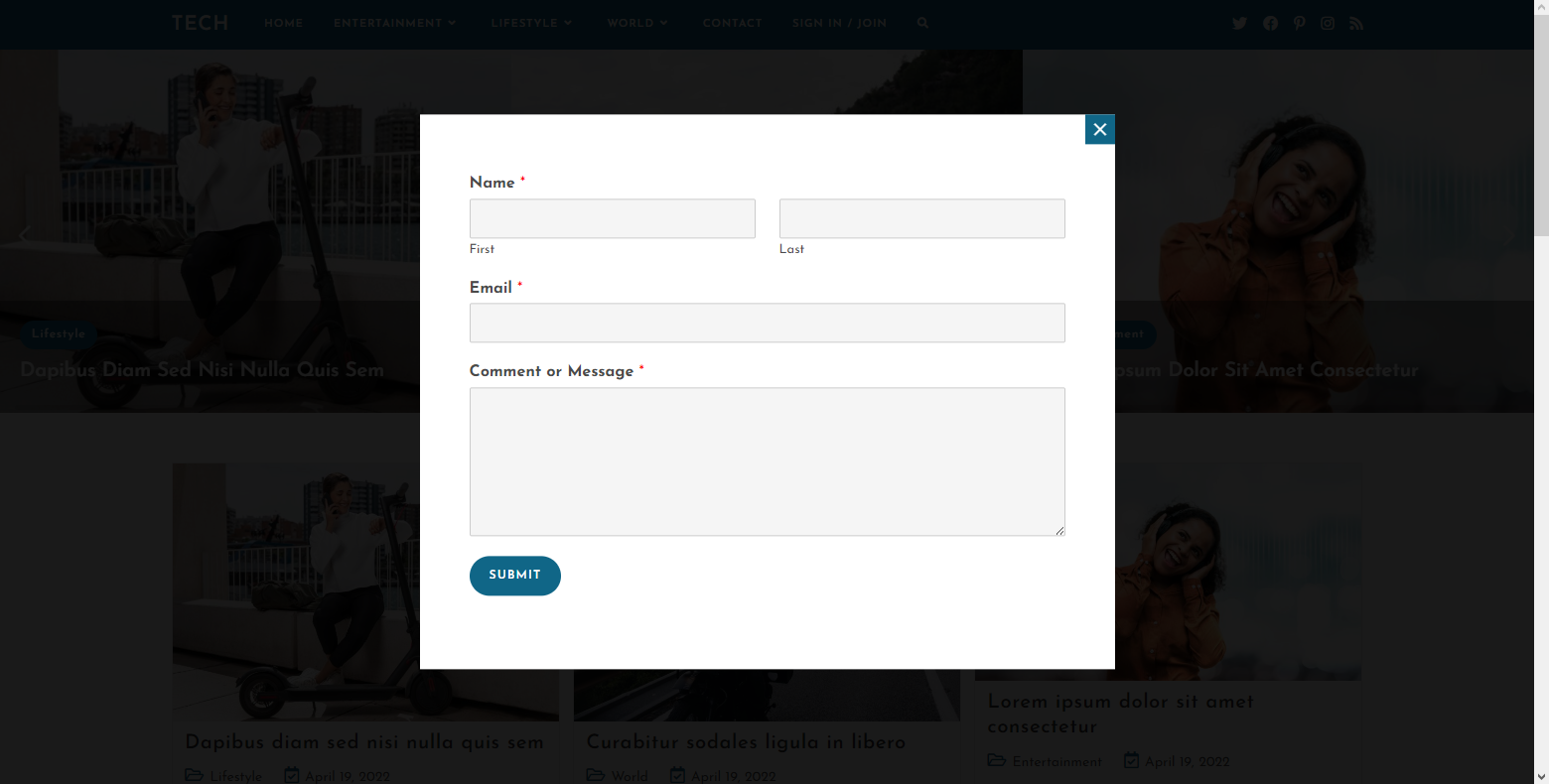
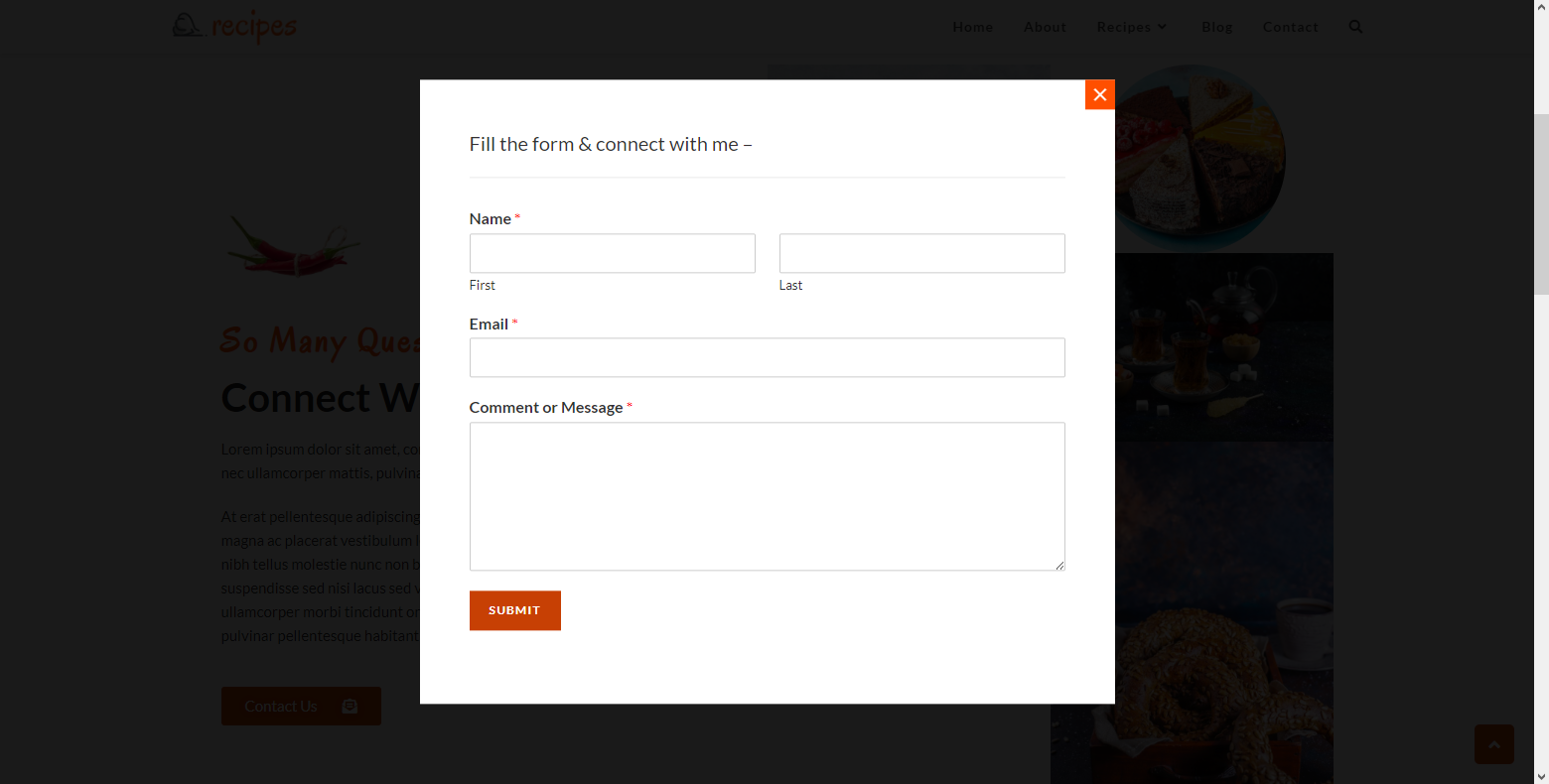
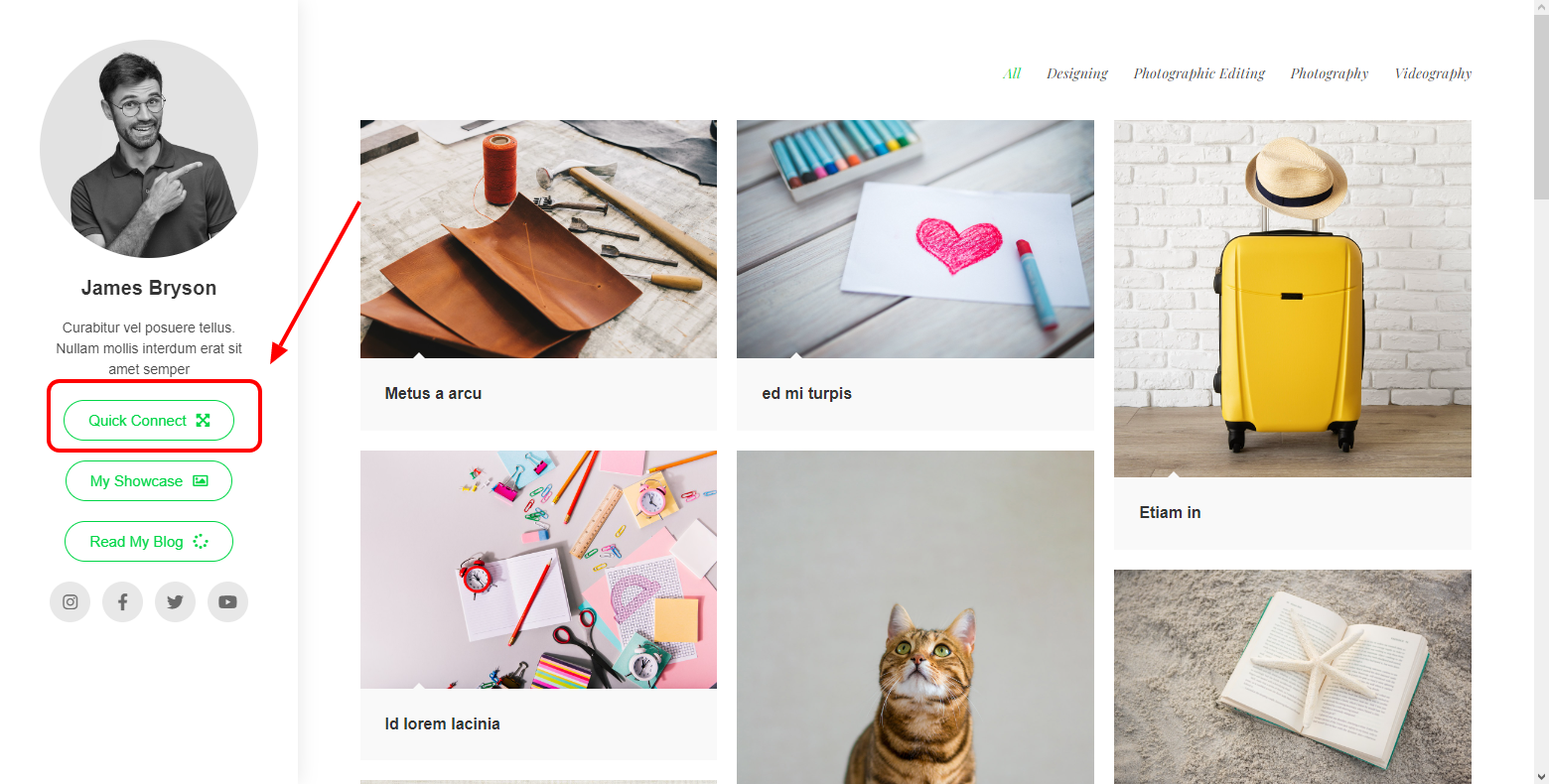
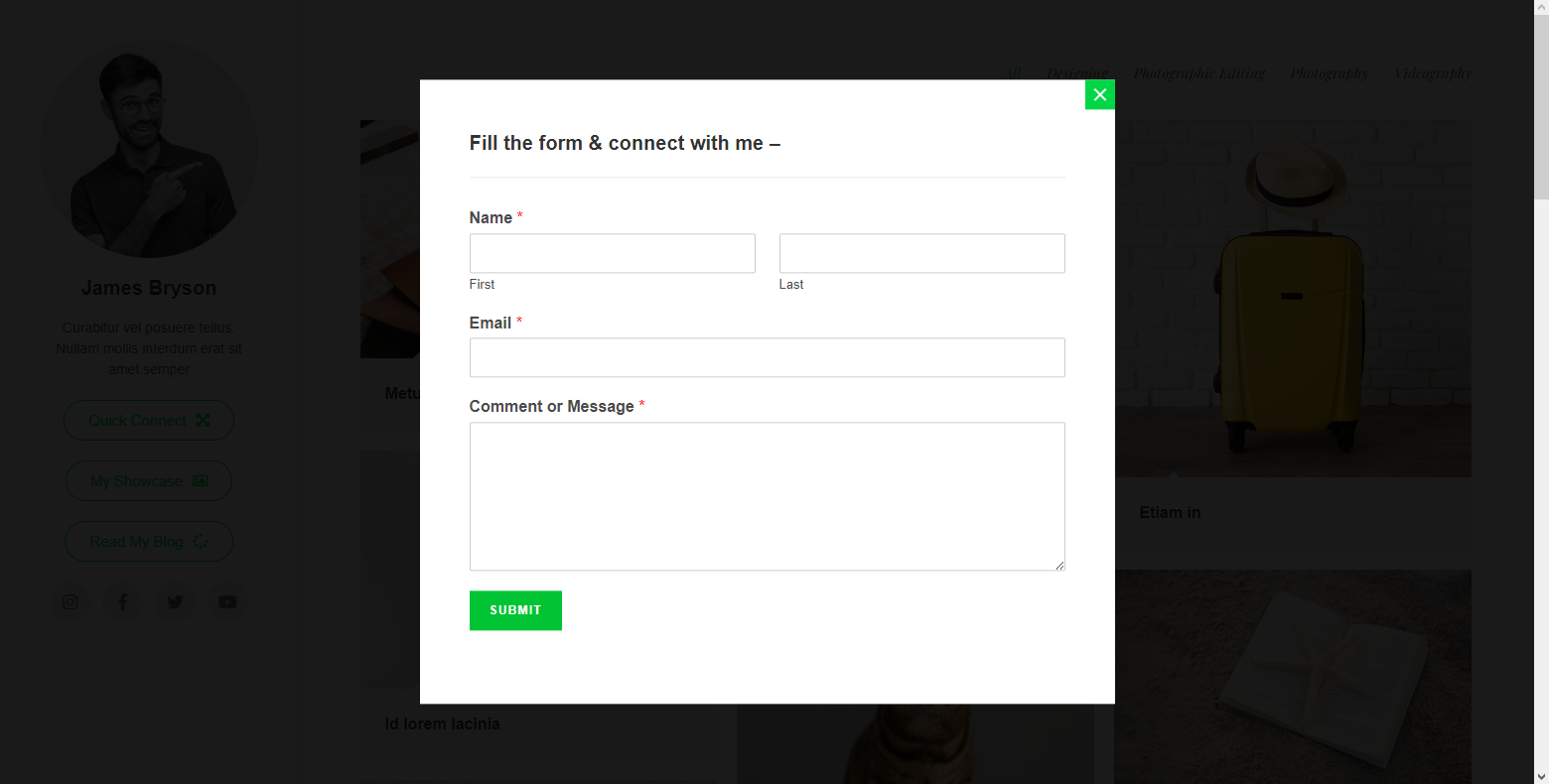
Ocean Modal Window allows you to display any content in a modal window. A modal window is a popup that loads on click action.
This plugin requires the OceanWP theme to be installed.
👉 Ocean Core Extensions Bundle
📘 Documentation
🎬 Video Tutorials
💙 Join the official OceanWP Facebook community and always be up to speed with the latest news.
Ocean Modal Window is a 100% free WordPress plugin that helps you display all content types and templates in a modal window. Place the opening link or the button anywhere on your website, including menus.
🔥 Check out the OceanWP Premium Features for additional power, energy and ability.
Features
- Display any content
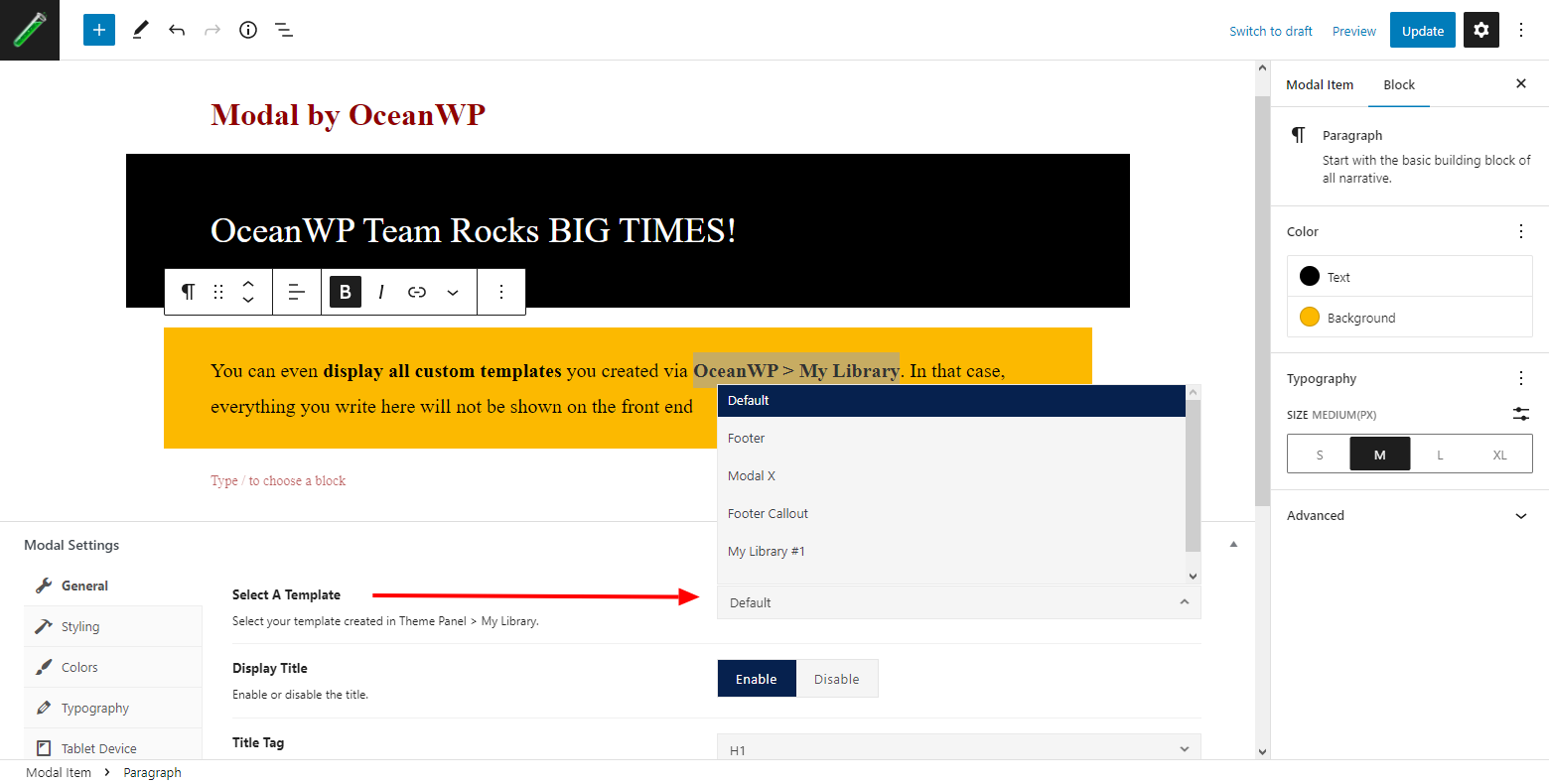
- Custom templates support
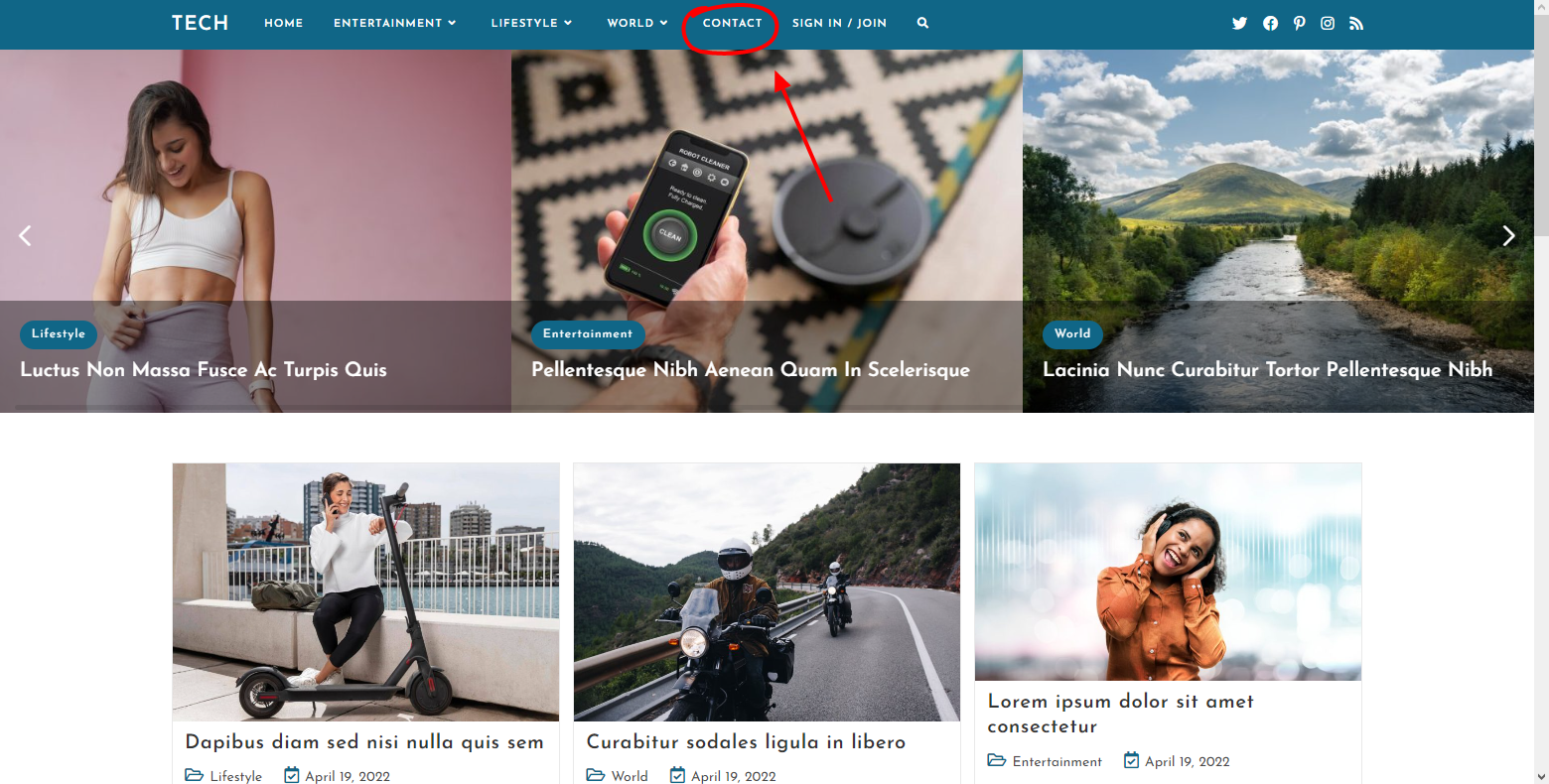
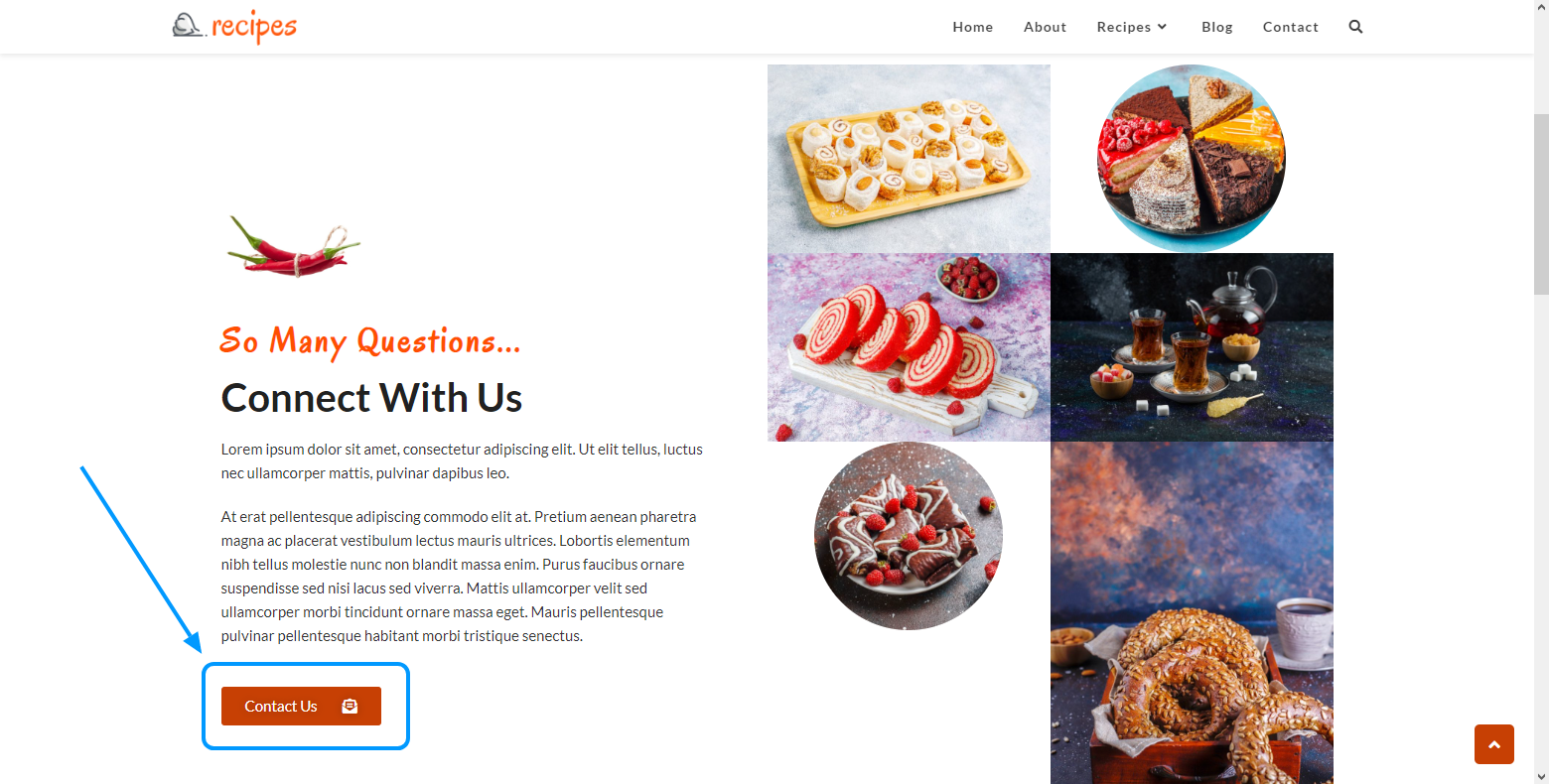
- Opening link / button anywhere on website
- Gutenberg support
- Page builders support
- Multiple styling options
- Responsive settings
DISPLAY ANY CONTENT
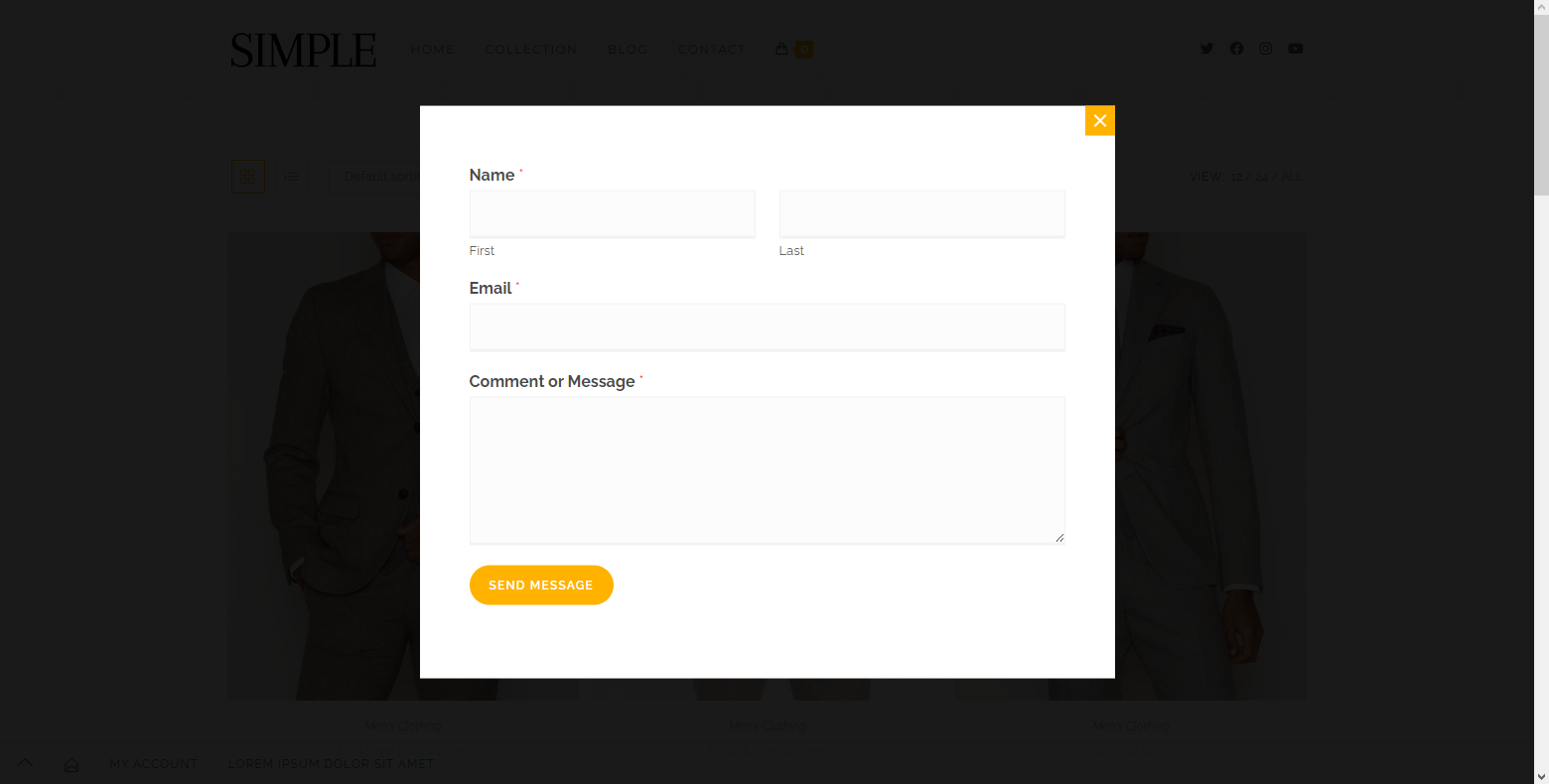
Display contact forms, newsletter subscription forms, relevant information, images or just about anything you want your visitors to have quick access to.
CUSTOM TEMPLATES SUPPORT
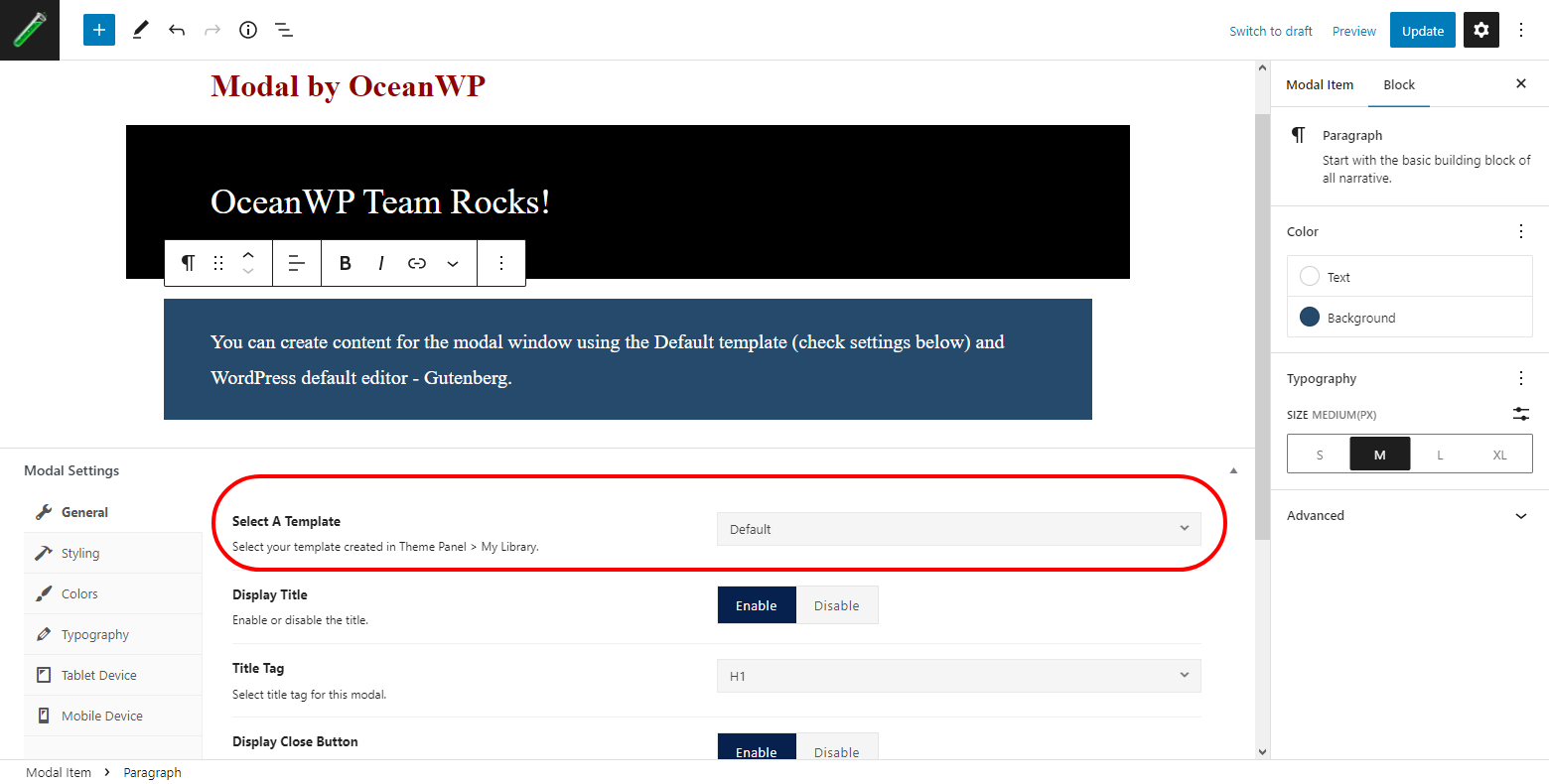
Design an awesome Call to Action or Newsletter Subscription form via OceanWP > My Library, and then display through your modal.
OPENING LINK OR BUTTON ANYWHERE ON WEBSITE
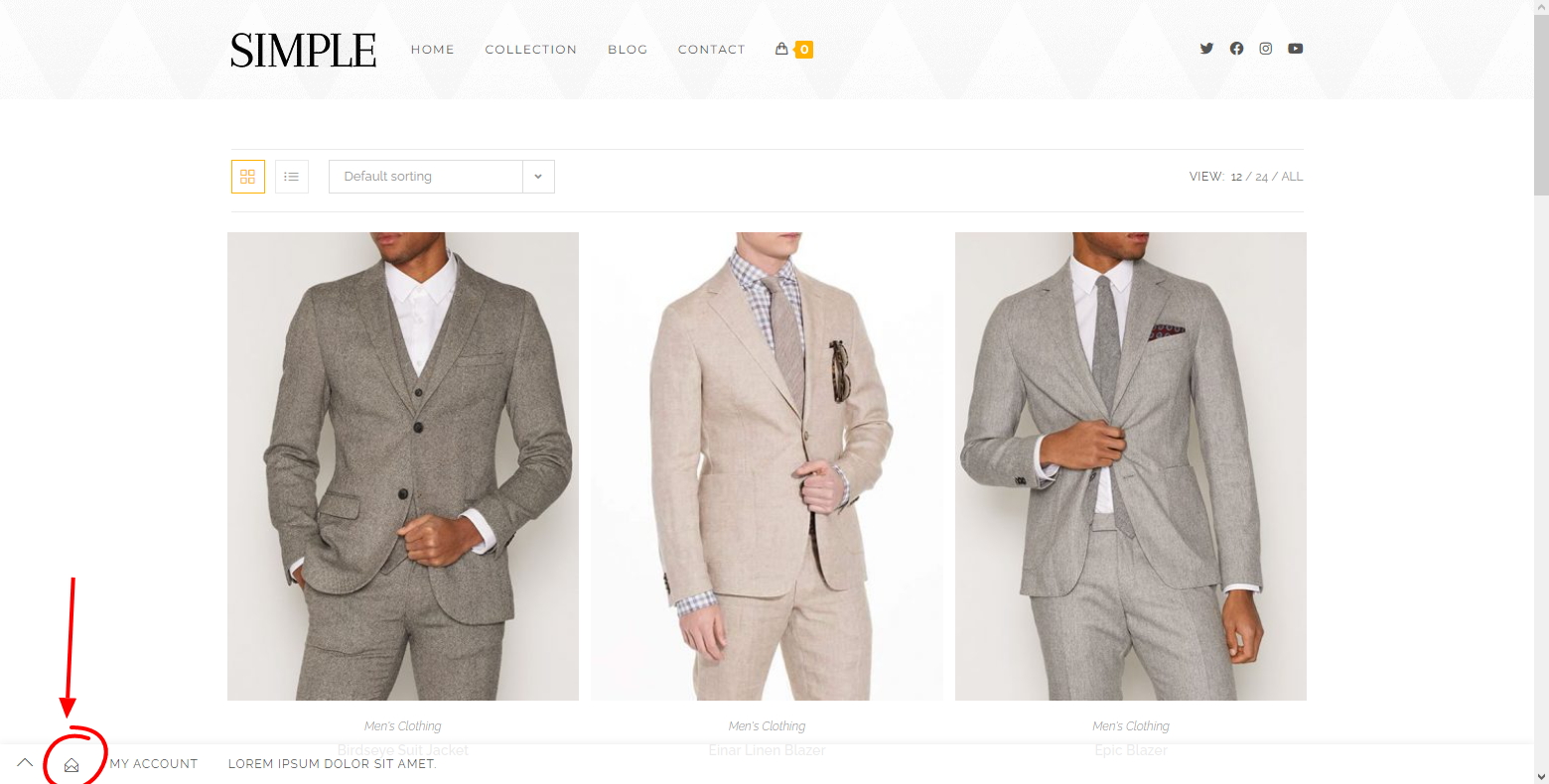
Place the modal opening link or button absolutely anywhere on your website: header menu item, custom header templates, content links and all types of buttons.
GUTENBERG SUPPORT
You can create the content for your modal window using Gutenberg, the default WordPress editor.
PAGE BUILDERS SUPPORT
You can create the content for your modal window using any page builder of your choice.
MULTIPLE STYLING OPTIONS
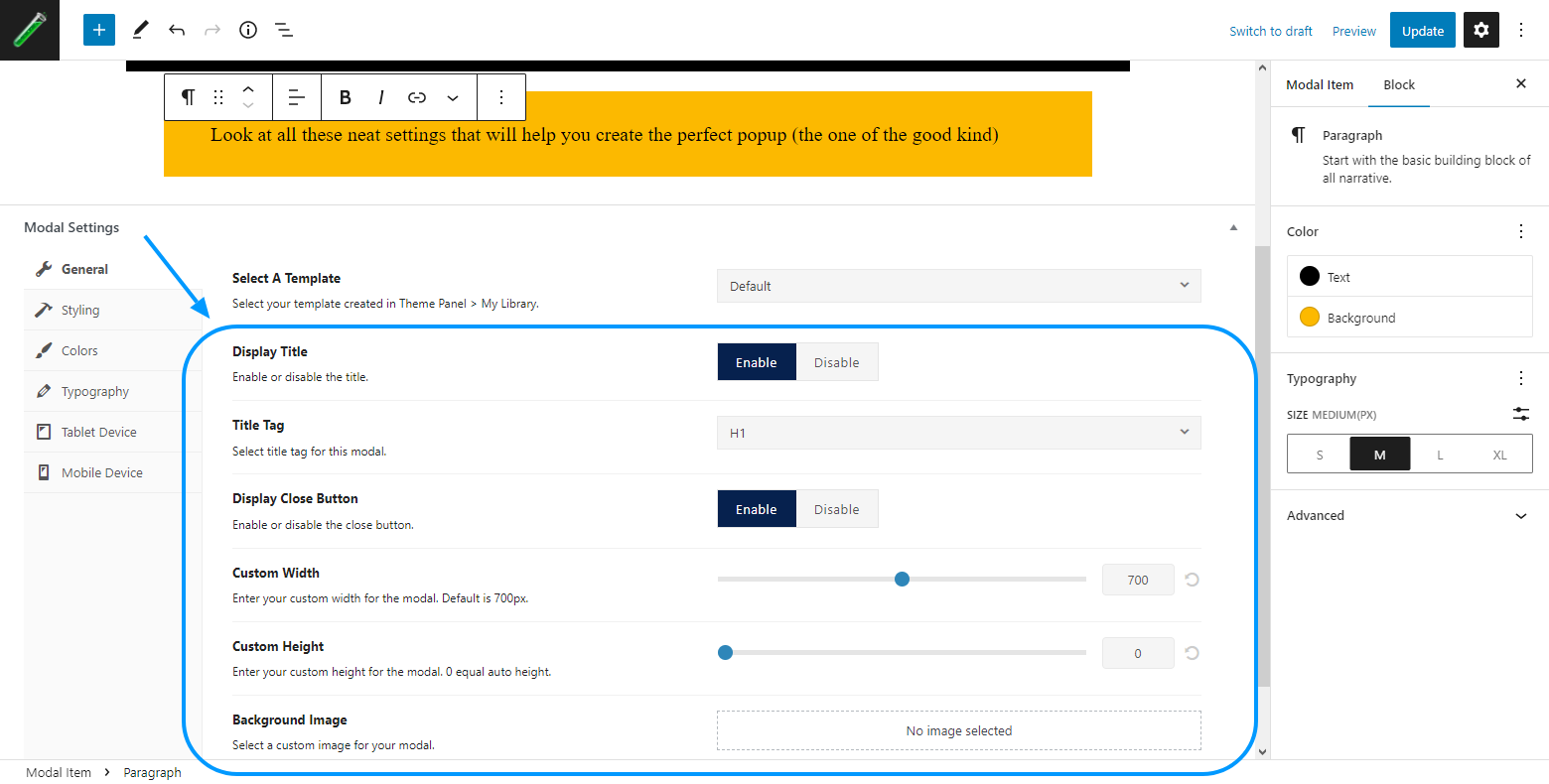
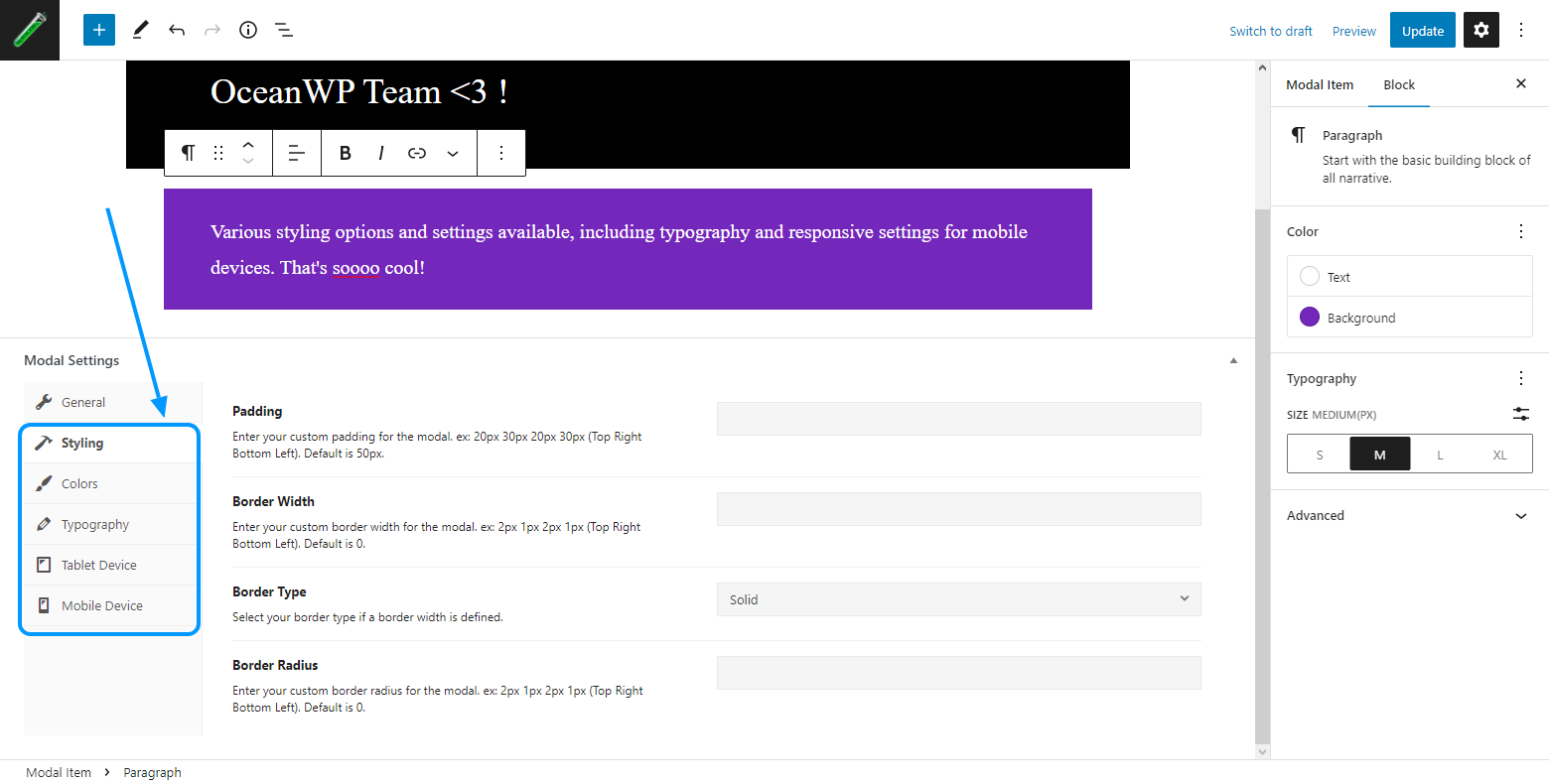
Make it perfect! Adjust the modal window height, width, background color overlay, backround image, typography, padding and more.
RESPONSIVE SETTINGS
Your modal windows will look amazing on all devices thanks to available responsive settings for tablets and mobile.
USING WORDPRESS PLUGIN INSTALLER
- Go to your WordPress Dashboard, ‘Plugins > Add New’.
- Search for ‘Ocean Modal Window’.
- Click ‘Install’ and then ‘Activate’.
- Done!
MANUAL INSTALLATION
- Download the ‘ocean-modal-window’ zip file.
- Extract the content and copy to the
/wp-content/plugins/directory of your WordPress installation. - Navigate to your WordPress dashboard, ‘Plugins > Installed Plugins’.
- Find the ‘Ocean Modal Window’ plugin and activate.
- Done!
Screenshot Gallery
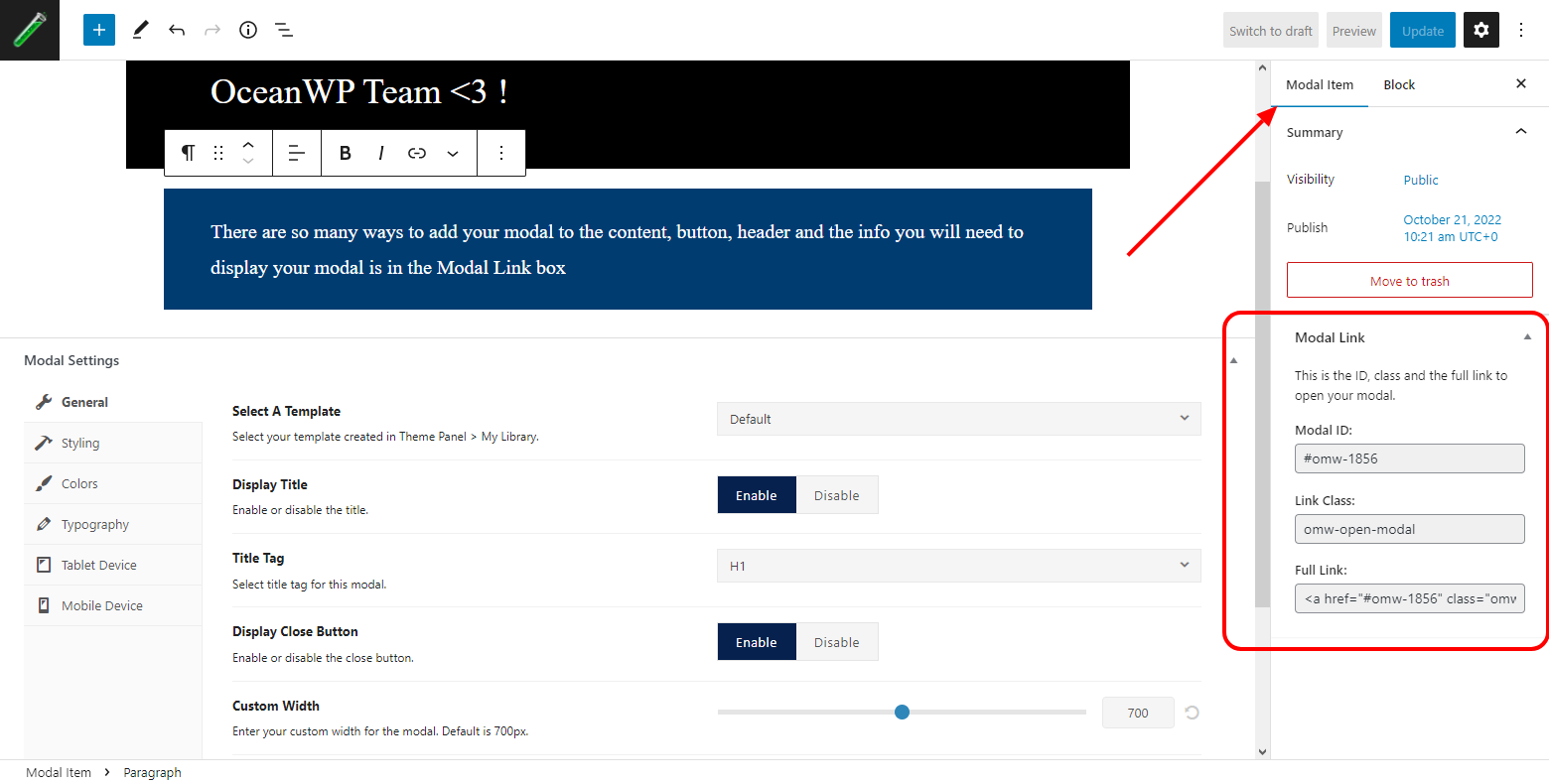
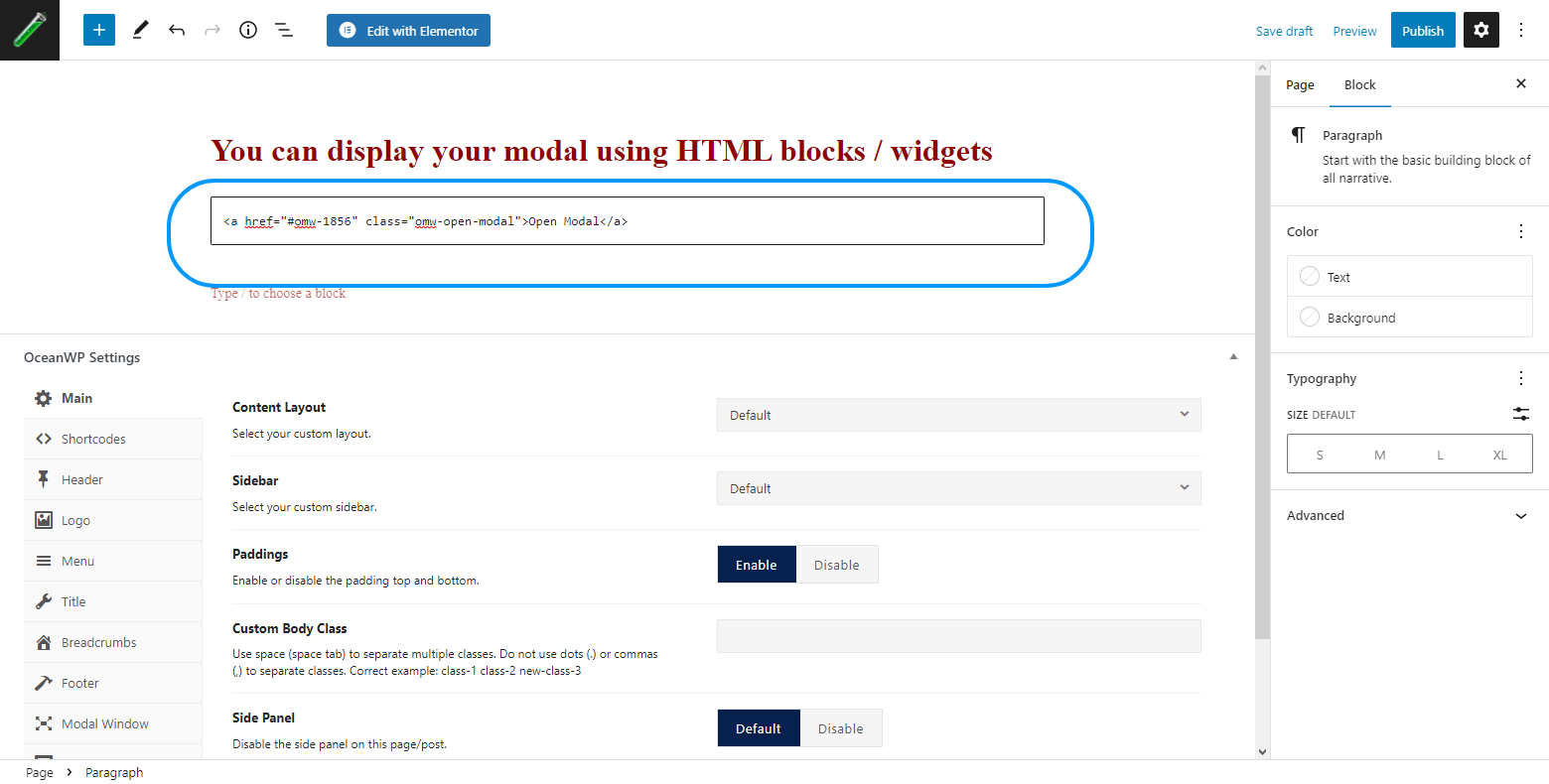
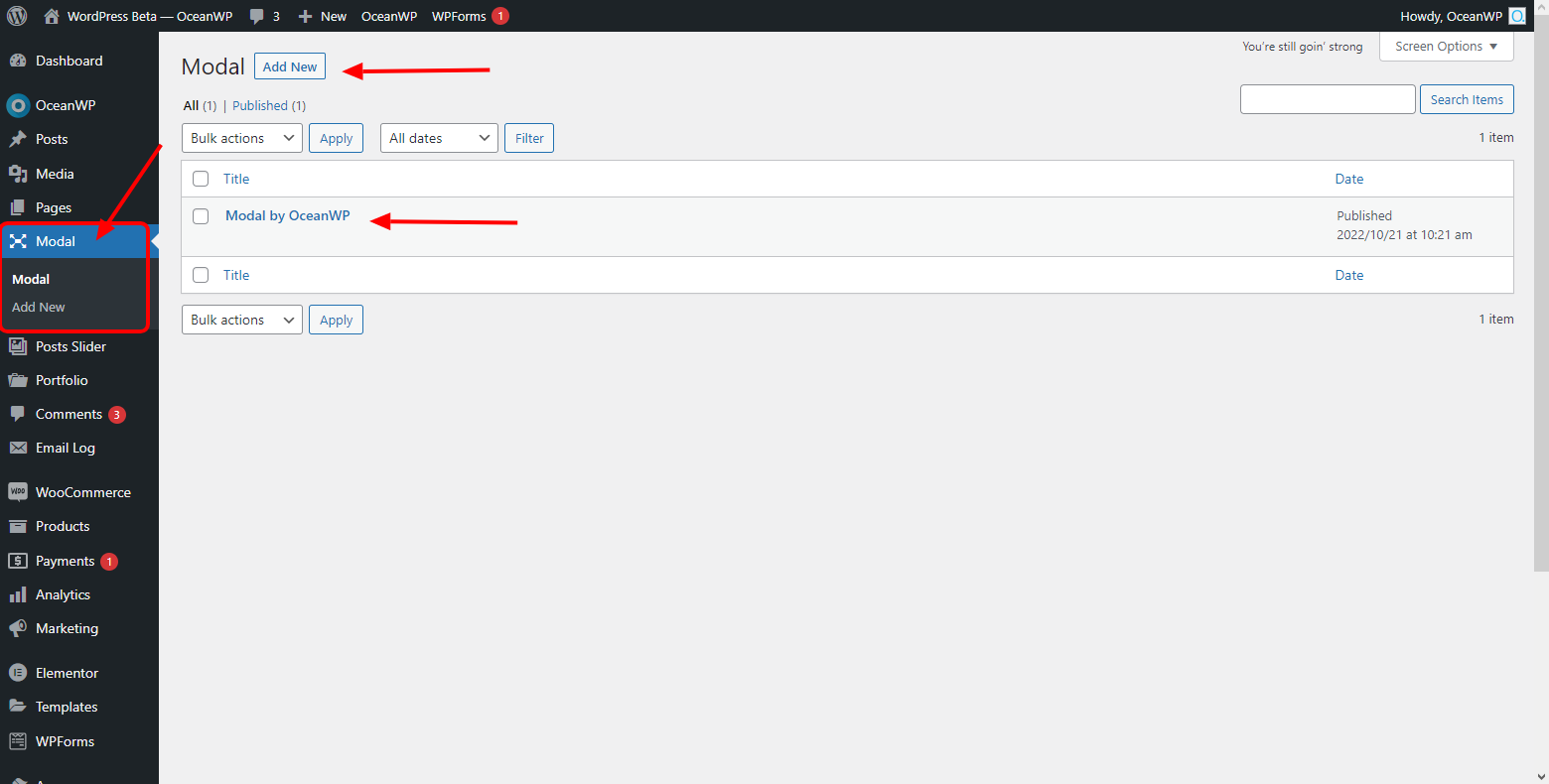
This plugin will only function with the OceanWP theme.
Ocean Modal Window is a 100% free WordPress plugin on full power mode and without any limitations on its features.
You can post your questions on the plugin support forum or the OceanWP support forum which is mostly used by all our users.
If you have a premium license, you can also submit a customer support ticket.
We do our best to test all changes before the official release. However, we will never be able to replicate all website conditions.
No matter what plugins you are running, it’s always recommended to test an update on a staging or test environment.
You can also check Support Notes and User Feedback before updating your plugin.
You can report problems on this support forum or on GitHub.
Changelog
2.3.3 – NOV 26 2025
- Added: Compatibility: WordPress: Upcoming 6.9 version.
- Fixed: Potential vulnerability patched: Report by WPScan from Nov 17th.
2.3.2 – MAY 19 2025
- Updated: Compatibility: WordPress version number.
2.3.1 – DEC 24 2024
- Added: Compatibility: WordPress: Bottom margin styles for wp.components.SelectControl is deprecated since 6.7 and will be removed in version 7.0.
- Added: Compatibility: WordPress: Bottom margin styles for wp.components.BaseControl is deprecated since 6.7 and will be removed in version 7.0.
- Added: Compatibility: WordPress: Bottom margin styles for wp.components.TextControl is deprecated since 6.7 and will be removed in version 7.0.
- Added: Compatibility: WordPress: Bottom margin styles for wp.components.RangeControl is deprecated since 6.7 and will be removed in version 7.0.
2.3.0 – OCT 16 2024
- NEW: Customizer: Library upgraded to default WordPress ReactJS.
- NEW: Customizer: Customizer Controls.
- NEW: Customizer: User Interface.
- NEW: Customizer: Reorganized settings for improved user experience.
- Removed: Customizer: Legacy PHP Controls.
2.2.3 – OCT 11 2024
- Added: Conditional checks for future updates.
- Updated: Compatibility: WordPress version number.
2.2.2 – MAY 20 2024
- Updated: Compatibility: WordPress version number.
2.2.1 – APR 29 2024
- Updated: Accessibility: Modal closing button link and text.
- Fixed: Metabox settings default values not displayed.
2.2.0 – SEP 6 2023
- NEW: Metabox Settings Interface: https://docs.oceanwp.org/category/826-oceanwp-settings
- Updated: Compatibility: WordPress version number.
2.1.0 – MAY 23 2023
- New: Option to load modal window content on specific pages only.
- Added: Compatibility: SiteOrigin: Custom templates support.
- Added: Compatibility: PHP 8.2.6: Creation of dynamic property Ocean_Modal_Window::$plugin_path and Ocean_Modal_Window::$plugin_url is deprecated.
2.0.9 – MAR 29 2023
- Updated: Version numbers for compatibility.
2.0.8 – NOV 9 2022
- Added: Option to choose modal title tag in metabox settings.
- Updated: Plugin description.
2.0.7
- Fixed: My Library: Custom Template: dynamic blocks is not rendering in custom template.
2.0.6
- Fixed: Custom Templates: Content display issues when templates used on Elementor pages.
2.0.5
- Added: Metabox settings to enable/disable the modal window at page level.
- Added: Block editor support Modal Window post type.
- Fixed: Custom Template is not rendering perfectly for custom locations.
2.0.4
- Updated: WordPress version number for compatibility.
2.0.3
- Fixed: Scripts: load issue.
2.0.2
- Improved: Fade and Slide transition effects.
- Fixed: Background Overlay: main page scrolls to top in background.
2.0.1
- Fixed: close button issue.
2.0.0
- Added: Vanilla JS.
1.1.1
- Added: Version updated for WordPress 5.7.
1.1.0
- Added: Version updated for WordPress 5.4.
1.0.14
- Added: Codes for the Freemius switch.
1.0.13
- Added: Polish translation, thanks to Fin Fafarafiel.
- Tweak: Better approch for calling the metabox scripts.
1.0.12
- Added: Spanish language, thank you to Angel Julian Mena.
- Deleted: Admin notice if OceanWP is not the theme used.
1.0.11
- Added: Close modal on ESC key.
- Fixed: Z-index issue with the close button.
- Fixed: Capabilities issue in the metabox.
- Removed: Deprecated fields.
1.0.10
- Tweak: Elementor instance.
1.0.9
- Added: New field to select template created from Theme Panel > My Library, now compatible with all page builders.
- Added: French translation, thanks a lot to Jean of freepixel.net.
1.0.8
- Tweak: Some code improvements for the metabox.
1.0.7
- Fixed: Customizer options issue.
1.0.6.2
- Added: All sanitize_callback for the customizer options.
1.0.6.1
- Fixed: Issue when you had lots of modals, they were not all displayed in front end.
1.0.6
- Added: New field to allow you to select your template created in Elementor > My Library that will replace your modal content, thanks to Munir Kamal who giving me this great idea..
1.0.5
- Added: Modal Window section in customizer to allow global customization of modals.
- Added: New Tablet & Mobile Device tabs to customize modals in responsive.
1.0.4.1
- Fixed: Issue with the overlay color option.
1.0.4
- Added: New option to add your own color for the overlay.
- Added: New option to enter your own padding.
- Added: New options to add a boder width, border style and border color.
- Added: New option to add a border radius.
- Added: New Typography tab to add your own font size, font family, font weight, font style, text transform, line height and letter spacing.
1.0.3
- Added: New option to add an height to the modal.
1.0.2
- Tweak: Video stops playing when you close your modal.
1.0.1
- Added: You can open a modal with a button created with your page builder.
1.0.0
- Initial release.
" width="120" height="120">
Available Versions
| Version | Download | Type |
|---|---|---|
| 2.3.3 | Download | Stable |
| 2.3.2 | Download | Stable |
| 2.3.1 | Download | Stable |
| 2.3.0 | Download | Stable |
| 2.2.3 | Download | Stable |
| 2.2.2 | Download | Stable |
| 2.2.1 | Download | Stable |
| 2.2.0 | Download | Stable |
| 2.1.0 | Download | Stable |
| 2.0.9 | Download | Stable |
| 1.1.0 | Download | Stable |
| 1.0.14 | Download | Stable |
| 1.0.13 | Download | Stable |
| 1.0.12 | Download | Stable |
| 1.0.11 | Download | Stable |
| 1.0.10 | Download | Stable |
| 1.0.9 | Download | Stable |
| 1.0.8 | Download | Stable |
| 1.0.7 | Download | Stable |
| 1.0.6.2 | Download | Stable |
| 1.0.6.1 | Download | Stable |
| 1.0.6 | Download | Stable |
| 1.0.5 | Download | Stable |
| 1.0.4.1 | Download | Stable |
| 1.0.4 | Download | Stable |
| 1.0.3 | Download | Stable |
| 1.0.2 | Download | Stable |
| 1.0.1 | Download | Stable |
| 1.0.0 | Download | Stable |
| Development | Download | Trunk |
