
All-in-one Sticky Floating Contact Form, Call, Click to Chat, and 50+ Social Icon Tabs – My Sticky Elements
Active Installs
40,000+
Last Updated
September 29, 2026
First Released
July 13, 2014
Download History (Last one month)
Contributors
Support | Demo | Recommended Plugins | Upgrade to Pro ⭐
Floating form and tabs for your website to help your visitors contact you through WhatsApp chat, Facebook, YouTube, open hours, address, phone number, email or any other important business information
With My Sticky Elements:
- Capture more leads and messages through WhatsApp, Facebook Messenger, and many other chat and social channels
- Get more followers
- Show important information such as open hours and address
🎥 My Sticky Elements overview
Check out My Sticky Elements Pro Plans.
📝 Contact form and social buttons in one plugin
Tabs that will help your website visitors contact you on any popular social channel such as Facebook, Messenger, Instagram, Threads, WhatsApp, Telegram, Pinterest, YouTube, WeChat, Line Messenger & more.
🚀 My Sticky Elements contact form, social & chat buttons
Contact form
Facebook
X.com – Twitter
Instagram page
Instagram Direct Messenger (Instagram DM)
Pinterest
WhatsApp chat
YouTube
Poptin
Click to call
Facebook Messenger
Email
Address
Open hours
WeChat
Telegram
TikTok
Threads
Vimeo
Spotify
iTunes by Apple
SoundCloud
VK
Viber
Snapchat
Line
SMS
Tumblr
Qzone
QQ
Behance
Dribble
Quora
Yelp
Amazon
Reddit
RSS
Flickrliv
eBay
Etsy
Slack
Trip Advisor
Medium
Google Play (Google)
App Store (Apple)
Fiverr
Shopify
Printful
Odnoklassniki (OK Одноклассники)
Gumroad
Custom Icon
Shortcode, IFrame or HTML icon
6 Custom icons (Pro)
6 Shortcode, IFrame or HTML icons (Pro)
🔗 MailChimp & MailPoet Integrations
Upgrade to the Pro version of My Sticky Elements & connect your My Sticky Elements contact forms to MailChimp or MailPoet.
=▶️ Live Demo =
A live demo of My Sticky Elements plugin is available at Premio’s demo site.
👩💻 Need a Live Chat & AI Chatbot plugin?
If you’re not interested in WhatsApp, Facebook Messenger, or other chat buttons, and instead want a live chat & AI chatbot solution for your website, Chatway Live Chat is a great choice. Adding Chatway, a WordPress live chat plugin, can help improve customer engagement on your site.
Chatway also comes with an AI chatbot that can instantly respond to common questions, support visitors in real time, and lower your support workload. It helps you stay available around the clock, speed up response times, and provide better customer support even outside business hours.
Chatway works smoothly with My Sticky Elements, giving you full control over the live chat icon. Add it along with your My Sticky Elements chat icons or display it anywhere on your website.
🆓 Free plan includes:
- Floating contact form
- Up to 2 different icons
- Floating contact form
- Set the position of the widget
- Variety of contact icons templates
- Entry effect
- Bottom and top position for mobile
- Call-To-Action for each tab
- Auto-launch the contact us form
- Icons’ text – add a label, for example, WhatsApp label for the WhatsApp channel, or Facebook Messenger label for the Facebook Messenger icon
- Background colors
- Change the order of icons
- Set tabs for mobile/desktop
- Open on hover or click or open the contact form automatically after a few seconds
- Duplicate channels – create two WhatsApp buttons or two Facebook Messenger, etc
- RTL support
- Save contact form leads
- Minimize tab
- Launch your contact form and chat channels using a JavaScript
- Change contact form fields order
- Full RTL support for RTL menus
- Change the font of all the buttons text
- Change the size of the widget bar
- Custom icons
- Shortcode, IFrame or HTML icon and display any embedded content on-hover or on-click. Use it to show a YouTube/Vimeo video, contact form 7 or any other shortcode or IFrame
- Preset messages for WhatsApp messages
- Track the URL from which your contact form was submitted
- Font Awesome icons
- My Sticky Elements is fully compatible with page builders like Elementor, Divi, Oxygen, SiteOrigin, Zion, Beaver, Visual Composer, and more 🙂
- Load Google fonts locally from your website
🔥 Pro plan includes:
Unlock the Pro features for only $59/year
- Unlimited tabs at the same time
- Get leads to your email
- Upload up to 6 custom icons
- Page targeting – show or hide your contact form, chat, call, and social networks channels on specific pages
- Widget analytics – discover most frequently used chat and social channels (e.g., WhatsApp, Facebook Messenger, contact form, etc)
- Country targeting
- Show the widget after a few seconds or page scroll
- Integrations with MailChimp & MailPoet – connect contact forms to MailChimp & MailPoet
- Create different bars for different pages. Show different icons, form and language based on page targeting rules
- Attention effects – grab attention to your chat and social buttons
- Custom CSS
- Custom height position of the contact us form and the chat channels
- Custom fields to your floating contact form
- Automatically close the contact form after submission
- Google reCAPTCHA
- Contact form file uploader
- Consent checkbox
- Google Analytics events
- Dropdown multi select field to your contact form
- Redirect to another page after the form is submitted
- Create 6 shortcode, IFrame or HTML icons and display any embedded content like YouTube videos, contact form 7 or any other form, maps, or any other shortcode or IFrame.
- Contact form custom text fields
- Send your contact form leads to as many email addresses you want
- Change the thank you message that’s displayed after the contact form is submitted
- Log the IP address of visitors that submit your contact us form
- Add a Text block to your contact form – add text to the upper part of your forms
- Traffic source targeting
- Available days and hours and specific date scheduling
- More text formatting options for the text block and consent checkbox text
- Add sender name in email subject for your contact form submissions
- Multiple file upload feature – there can now be up to 5 files that can be uploaded via the contact form
- Merge tags for WhatsApp, Email & SMS – add merge tag like the URL or the Title of the page when visitors message you on WhatsApp, SMS & Email
Upgrade to pro 🚀 to get all pro features 🙂
💻 How does each social button work?
-
My Sticky Elements Contact Form – your contact form can include Name field, Phone number field, Email field and Message field (textarea).
The phone and emails field have a built-in validation feature, and all the leads will be displayed on your “Contact Leads” tab in your admin panel. Get these leads by email in the Pro plan.
Add a country code formatting picker to your contact form, making it easier for your visitors to enter their phone number. -
Facebook page – add a link to your Facebook business page, and let your visitors find you on Facebook.
-
X.com Twitter page – add a link to your X.com Twitter business page, and let your visitors find you on X.com Twitter.
-
Instagram page – add a link to your Instagram business page or Instagram profile page, and let your visitors follow your brand on Instagram.
-
Instagram Direct Messenger – let visitors send you a DM directly through Instagram Direct Messenger.
-
Pinterest page – add a link to your Pinterest business page or even to a specific Pinterest board, and let your visitors follow your brand on Pinterest.
-
WhatsApp chat – enter your phone number and when your visitors click on the WhatsApp icon, WhatsApp chat interface will be launched. On mobile it will launch the WhatsApp app conversation window, and on desktop it will launch the desktop WhatsApp web interface. Add a preset message that’ll automatically be inserted to the WhatsApp messages your visitors send you. On desktop decide if you prefer to redirect users to WhatsApp app or WhatsApp web.
Adding WhatsApp button to your site will give WhatsApp users access to contact your immediately. -
YouTube channel – add a link to your YouTube channel or YouTube page.
-
Phone number (click to call) – A call button is very useful in mobile devices, but desktop visitors can also view your phone number or click to call you via different calling web apps (like WhatsApp).
-
Facebook Messenger – enter the direct link to the Facebook Messenger of your business page. and once the visitors click on the Facebook Messenger button, the Messenger conversation tab will be opened and they will be able to send you a message. You will get the message into your Facebook page inbox and if you have a bot (native Facebook Messenger bot, Manychat or Chatfuel) it will work automatically.
-
Email – enter your business email, and let your visitors click on the email button and send you an email via their email client.
-
TikTok – enter your TikTok handle and let your website visitors discover your TikTok profile.
-
Poptin – launch a Poptin pop up using the Poptin channel. Use Poptin to get more sales, leads, and email subscribers using smart pop ups and forms.
-
Address – show your business address for website visitors that want to arrive to your business.
-
Open hours – show your business hours for website visitors that want to arrive to your store. Add your workdays.
-
WeChat – enter your WeChat User ID and let your visitors search for you easily on the WeChat app and message you.
-
Telegram channel – add your Telegram channel link and let your visitors join your Telegram community.
-
Threads – add a link to your Threads profile so your visitors can connect with you easily
-
Vimeo – Let your visitors see all of your videos on Vimeo.
-
Spotify – link to your Spotify page.
-
iTunes – similar to Spotify but for Apple users. Add your iTunes link to let your visitors find your iTunes channel.
-
SoundCloud – this is another great channel like iTunes and Spotify to distribute music, interviews and podcasts.
-
VK – Add your VK VKontakte username in the field and it will automatically let your visitors chat with you.
-
Viber – Add your phone number and visitors who have Viber app installed can call and chat with you easily.
-
Snapchat – Very popular social messaging app used globally. Insert your Snapchat username and let your visitors message you anytime.
-
Line – Line is a free app for instant communications. Enter your Line link and let your visitors contact your easily.
-
SMS – Let your visitors send you SMS via their mobile phone.
-
Tumblr – Visitors can read your Tumblr posts and images and follow you.
-
Qzone – QZone is a very popular social network in China.
-
QQ – Tencent QQ is an instant messaging software service and web portal in China.
-
Behance – show your Behance portfolio
-
Dribbble – Like Behance, Dribbble is made for creatives and it is an online community.
-
Quora – Quora is a great place to gain and share knowledge.
-
LinkedIn – Enter the link to your LinkedIn profile and let your visitors connect with you on LinkedIn.
-
Yelp – Link to your Yelp profile and let your visitors find your business with ease.
-
Amazon – Link to your Amazon store or Amazon products to increase sales.
-
Reddit – Link to your Reddit community and help your visitors join the conversation.
-
RSS – Link to your RSS feed to make sure all your visitors are up-to-date.
-
Flickr – Link to your Flickr profile and make sure your visitors can browse your images.
-
eBay – Link to your eBay store or eBay products and increase sales.
-
Etsy – Link to your Etsy store and increase your sales.
-
Slack – Link to your Slack workplace so your visitors can chat with you.
-
Trip Advisor – Link to your Trip Advisor profile and let your visitors view your reviews.
-
Medium – Link to your Medium publication and expose your visitors to your posts.
-
Google Play (Google) – Let your visitors download and use your apps.
-
Fiverr – online marketplace for freelance services.
-
Shopify – online retailers a suite of services.
-
Printful a platform to create & sell your own custom design products online with print-on-demand dropshipping.
-
Odnoklassniki (OK Одноклассники) – social network service for classmates and old friends.
-
Gumroad – online platform that enables creators to sell products directly to consumers.
-
App Store (Apple) – download apps from the App Store.
-
Custom icons – add up to 3 customs icons on the Pro version and link to any website you want.
✉️ Add a Floating Contact Form to your WordPress website
With My Sticky Elements, create a floating contact form for your visitors. In the Pro version, customize this form by adding various types of input fields, such as dropdown, file upload, phone number, etc. Get leads to email.
💬 Social, chat buttons custom links & shortcode support
Select from 50+ chat and social buttons
🎯 Smart Targeting Options
Choose to show or not show the widget on specific using various rules combinations.
🛡️ Spam Protection using Google reCAPTCHA
With our Pro version integrate with reCAPTCHA and protect your contact form from spam and bots.
🔒 My Sticky Elements is GDPR compliant
All the data is saved locally.
🤗 Testimonials
“Great Plugin and amazing Customer Service
I have used both Premio’s myStickyElements and Chaty plugin on a couple of my clients websites with great success. To elaborate, the ability to customize features and track events has made me recommend the plugin to my fellow friends and colleagues. However, what really makes Premios services unique is the care for its customers. Without hesitation they quickly helped with my technical requests and difficulties.”Axel Looström, Pionedge AB
“Awesome plugin!
The plugin works perfectly. It looks so great, lot of options and cool design. Premio team is very kind, supportive and progressive. I can only recommend this awesome plugin.”Ondre Jvosecky, Global Duck
- Install and activate My Sticky Elements plugin on your WordPress website
- Customize your contact form and choose your social tabs and click on “Save changes”
- You’re all set! Your contact form and social tabs menu will now appear on your site
Screenshot Gallery

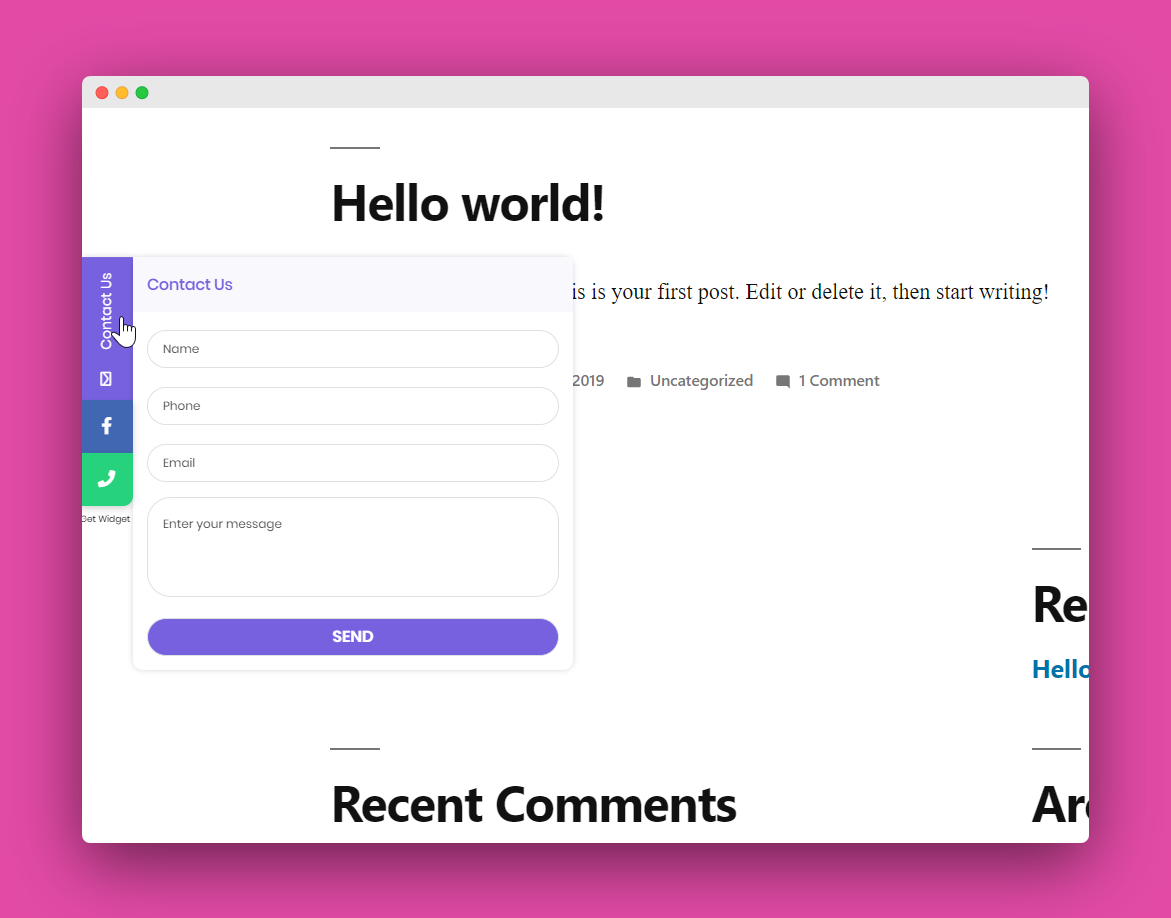
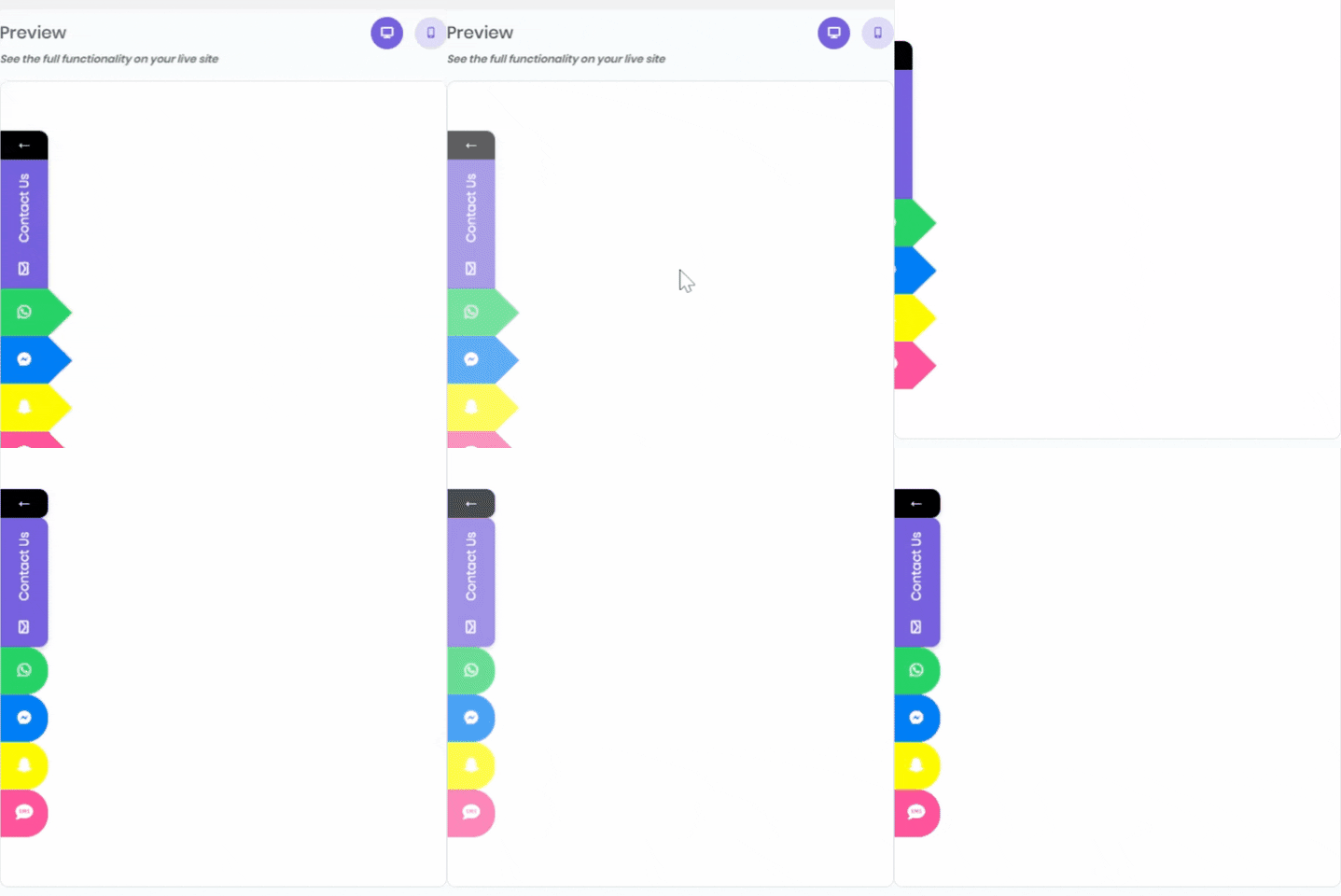
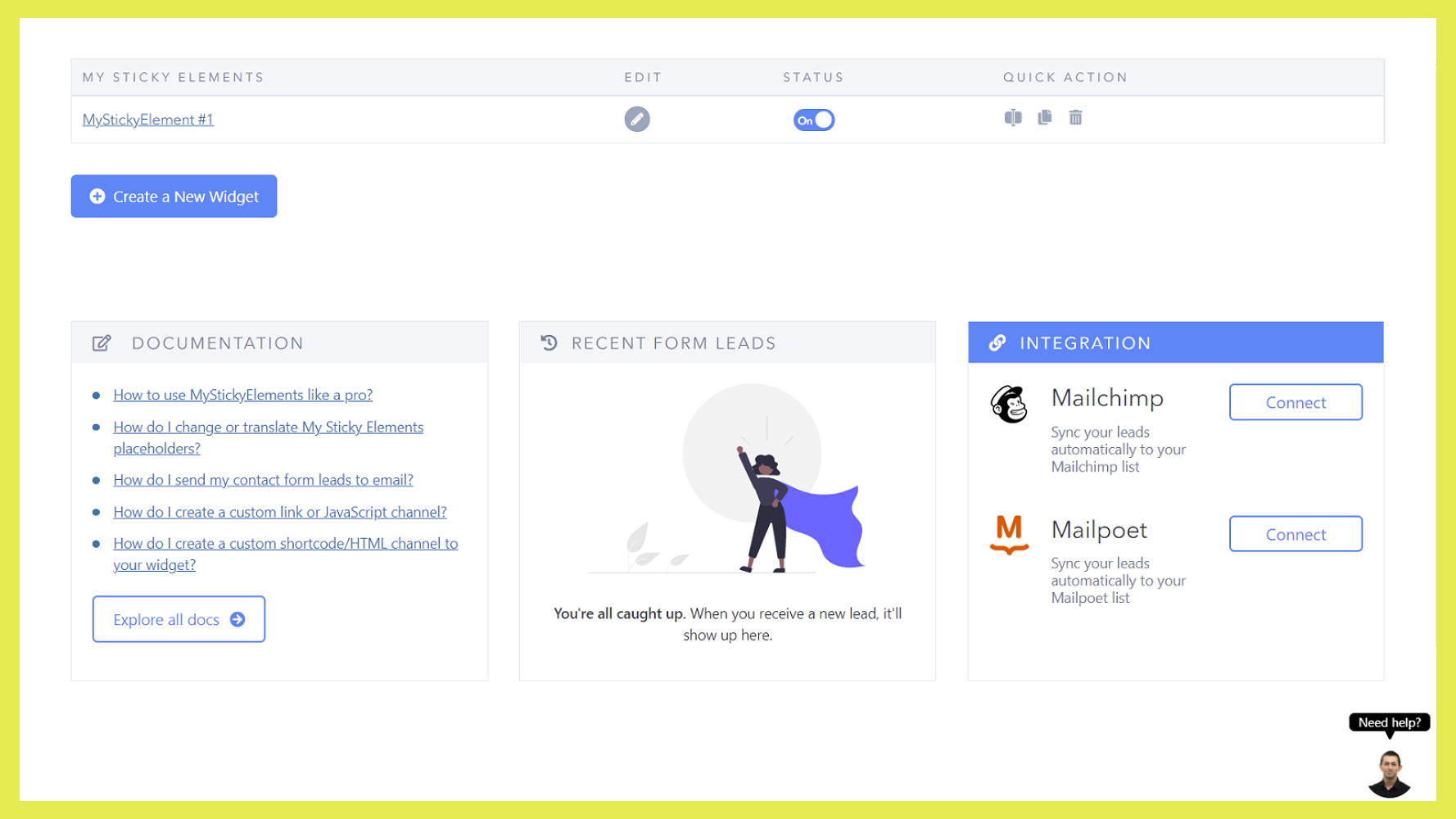
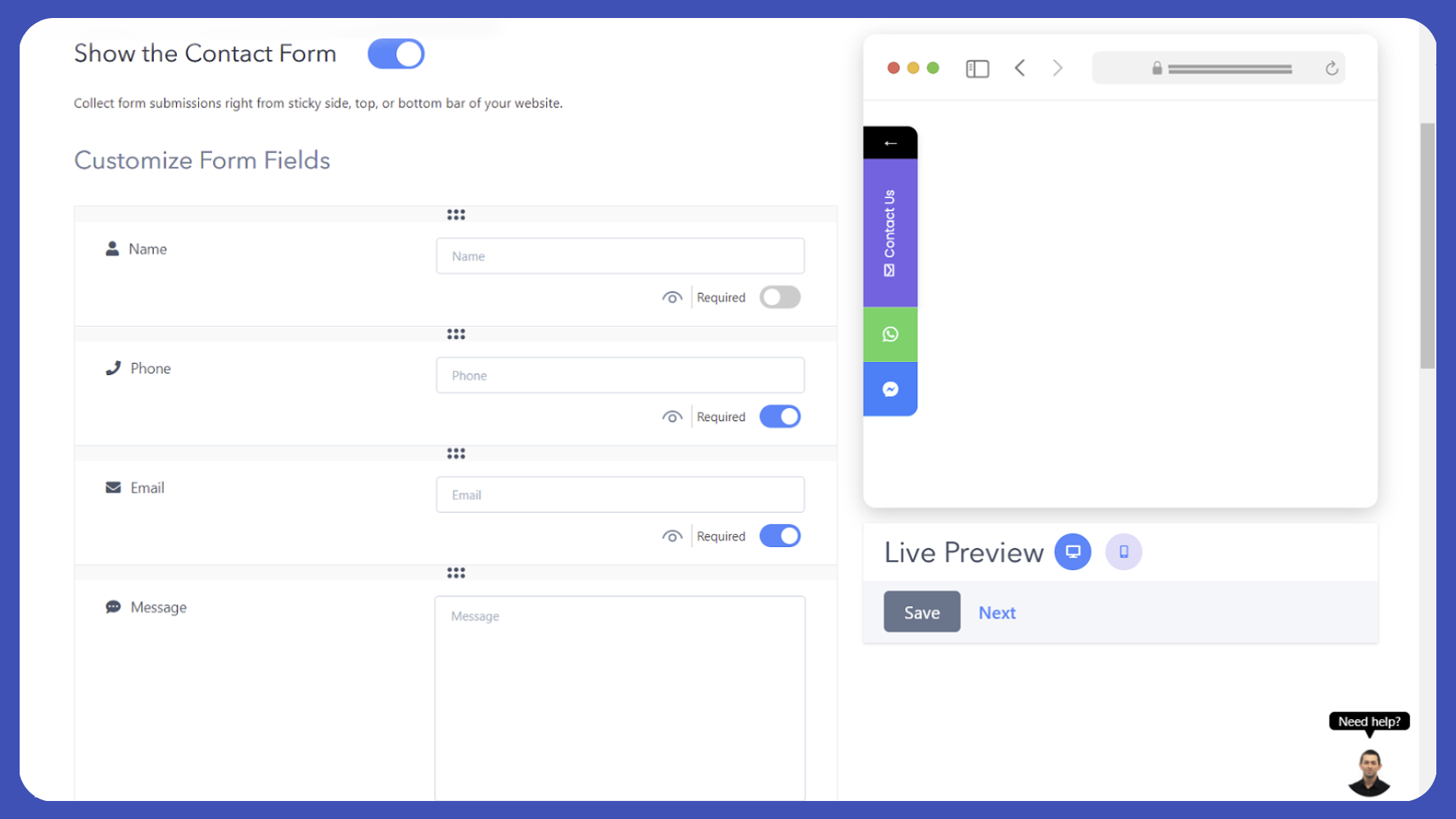
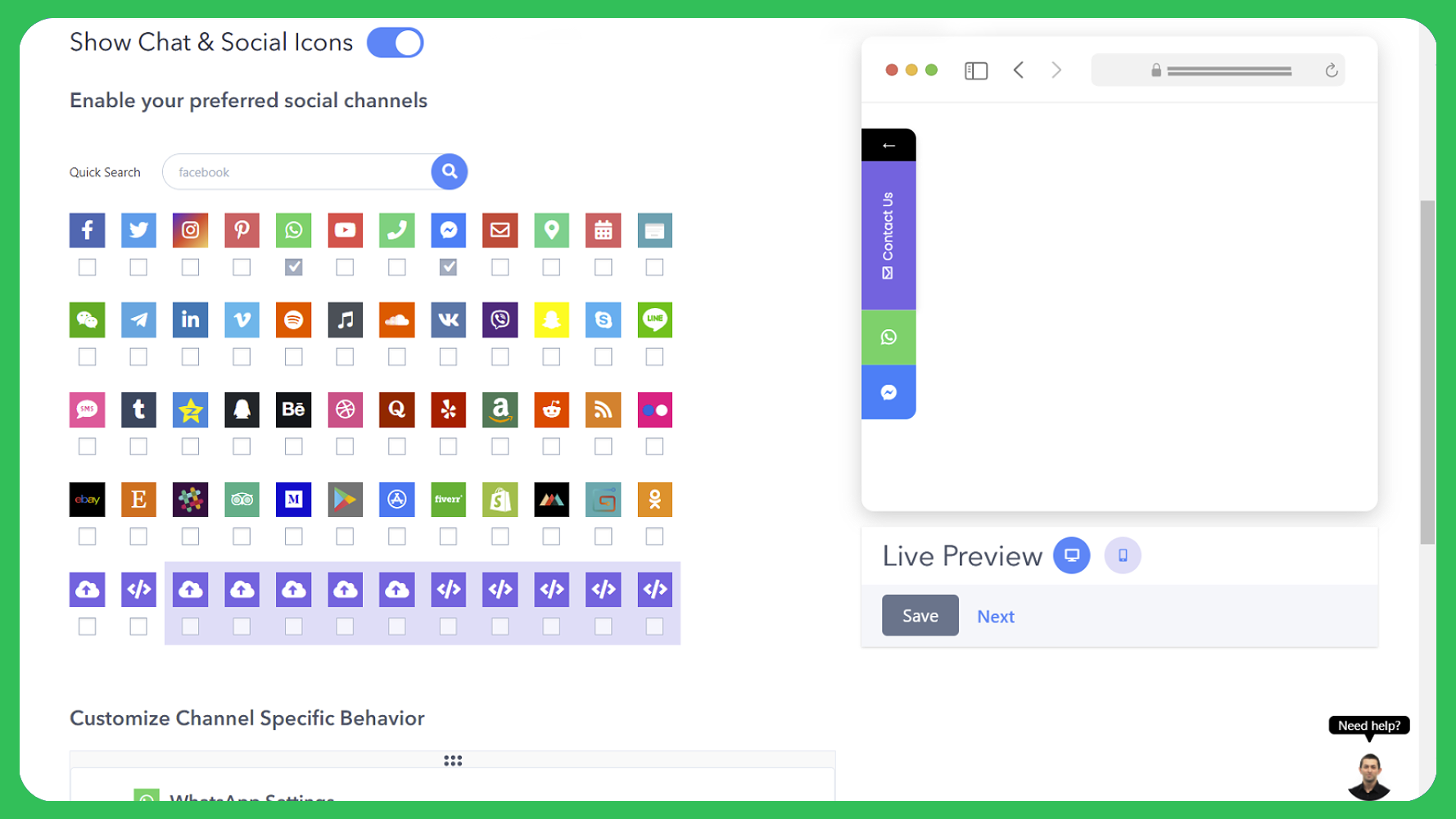
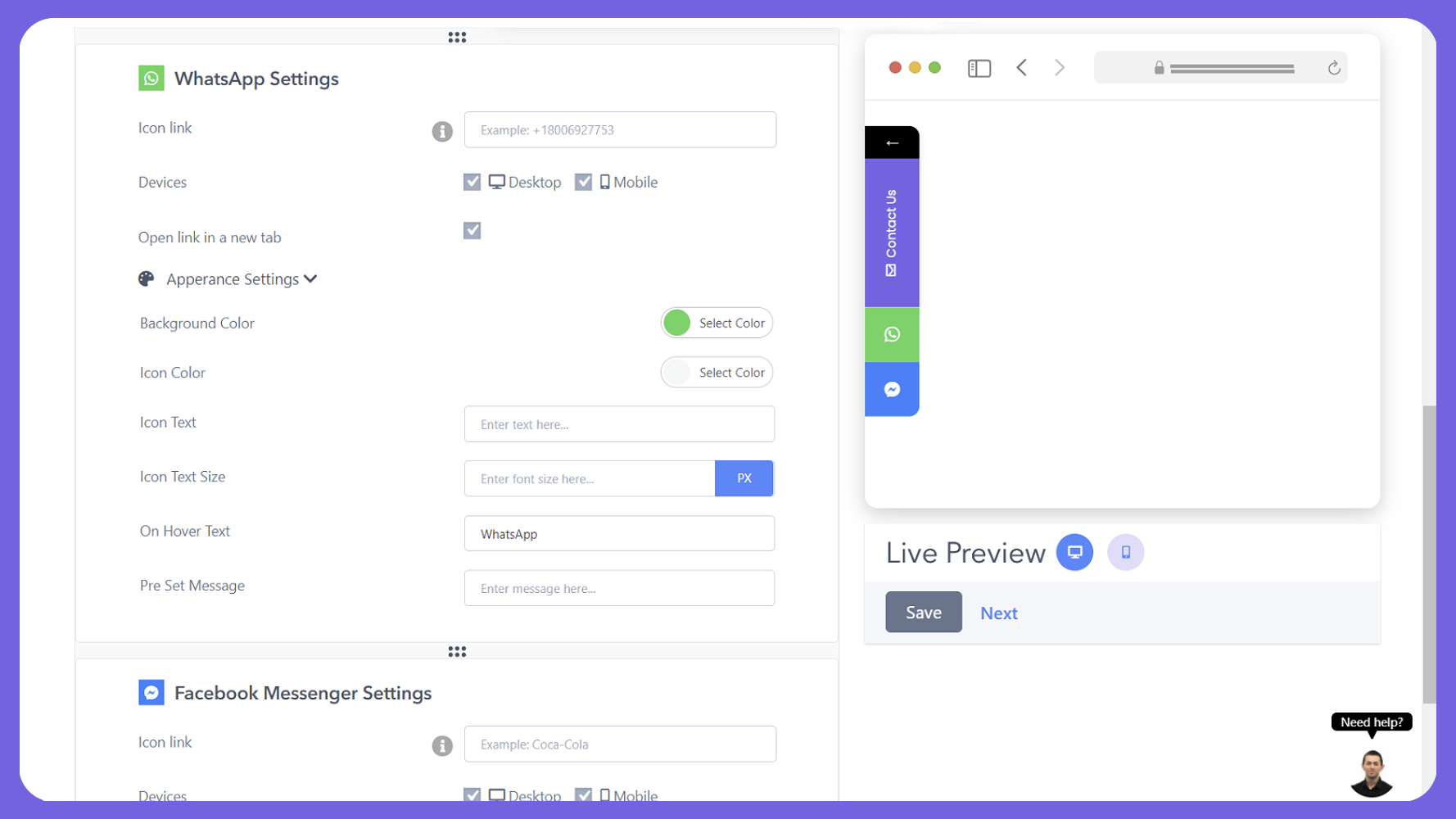
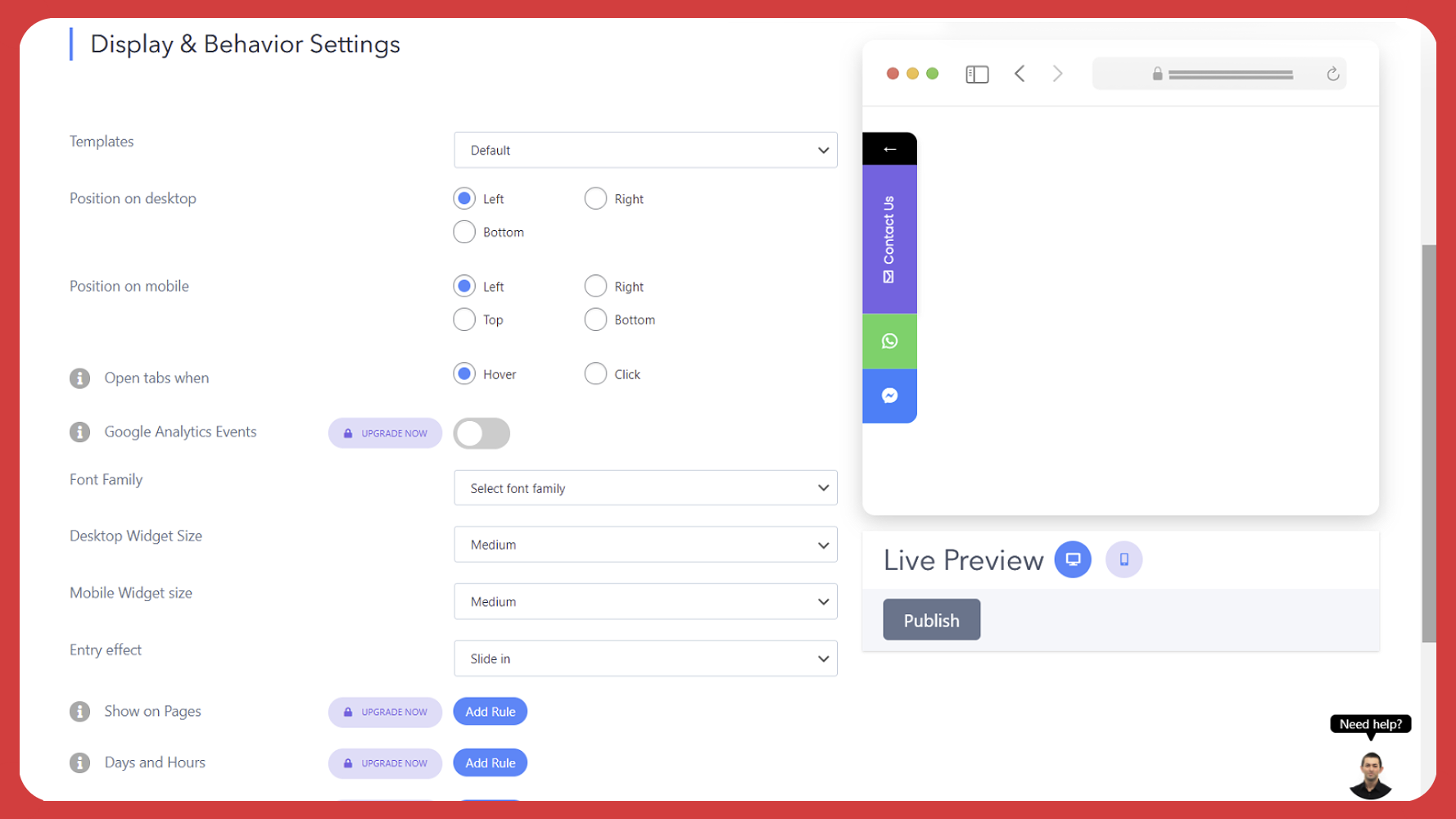
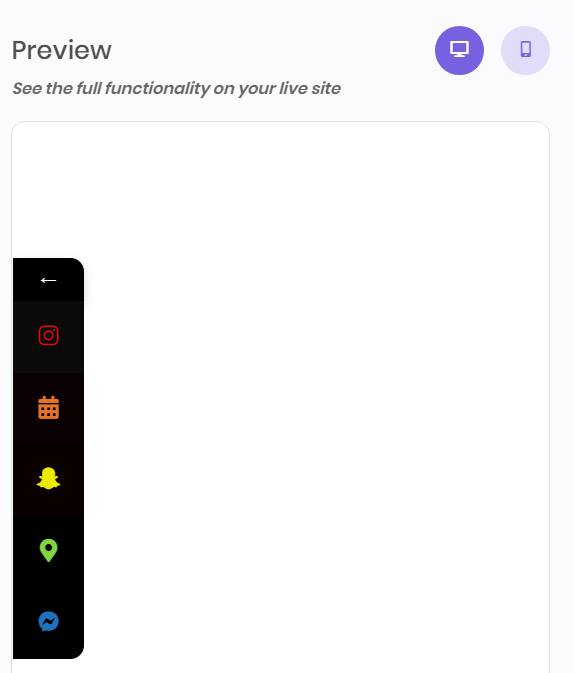
You can show a customized contact form and also up to two social channels (unlimited in the pro plan), display the floating tabs on desktop and mobile, choose LTR or RTL, change the background colors and call-to-action for each icon and more.
No. you can use the free plan as long as you want.
Yes! You can customize your contact form tab and choose to show only the contact tab without any social icon, or vice versa – show only social icons without the contact form.
Please make sure the toggles of the contact form and/or social channels are turned ON and click on “SAVE CHANGES” button.
Just follow our pro installation guide.
A live demo for My Sticky Elements plugin is available at Premio’s demo site.
Changelog
2.3.9
Added a close option for custom channels, making embedded custom content easier for visitors to dismiss.
Improved contact form notifications so submitted fields appear in the same order as the form.
Fixed widget visibility issues when positioned near the bottom of the screen on desktop and mobile.
Fixed several contact form and lead management issues, including automatic closing after submission and missing exported field values.
Resolved Font Awesome conflicts affecting phone, RSS, and TripAdvisor icons.
Added various UI and UX improvements, including better alignment, spacing, labels, buttons, toggles, and hover states.
2.3.8
Fixed JavaScript quick actions bug
2.3.7
Separator between buttons – Added a new option to show a separator between channels, including separator color and width settings. The separator appears both in preview and on the live widget.
Facebook Messenger icon update – Updated the Facebook Messenger icon across the product with the latest icon color.
2.3.6
Improve chat form interface
2.3.5
Improved support method
2.3.4
Contact form leads page bug was fixed
Fonts bug fixed
Phone field bug fixed
2.3.3
Live chat integration flow improvement
Menu structure improved
2.3.2
Mobile and desktop view bug fixed
2.3.1
Removed cookie dependency
2.3.0
Improved support flow
2.2.9
Open the contact form automatically after a few seconds
The contact form is shown in the preview
Attention effects for your My Sticky Elements widget (Pro)
Option to upload multiple files
Export My Sticky Elements settings
Option to change the position of the text block in the contact form
2.2.8
Settings page bug fixed
2.2.7
Skype was removed from the social chat channels (Skype EOL)
2.2.6
Contact form phone field bug fixed
2.2.5
Improved flow of creating a widget
2.2.4
Added Instagram Direct Messenger as one of the social chat channels
2.2.3
Contact form mobile bug fixed
2.2.2
Flyout bug fixed
Option to add the current URL to the contact form body as merge tag
Date scheduling (Pro)
Page scroll trigger (Pro)
URL & Title merge tags for the SMS and Email channels (Pro)
Country dropdown added to the contact form (Pro)
2.2.1
Add Threads as a channel
WPML bug fixed
Nofollow option for links was added
Other bugs were fixed
2.2
Option to open any tab by default when the page loads
Icon text color can be changed now
Font Awesome CSS files were optimized
Option to show the reCAPTCHA brand
Custom classes were added to all the My Sticky Elements channels
Various bugs were fixed
2.1.9
Improved live chat integration
2.1.8
Chatway live chat integration added
2.1.7
WordPress 6.5 compatibility
2.1.6
Layout bugs fixed
2.1.5
Added the option to target specific WordPress pages, posts, categories, and tags to the Pro version
The file upload option supports ZIP and RAR files
Renamed Twitter to X
Contact form bug fixed
Other bugs fixed
2.1.4
Safety bug fixed
2.1.3
PHP compatibility
Phone number validation is now available for the contact form
Form preview is now available
Added “defer” in script tag to boost performance
Smaller screens contact form scroll improvement
Added label for each input field (ADA)
Other bugs fixed
2.1.2
Google PageSpeed improvement and custom channels bug fixed
2.1.1
WhatsApp web support for desktop (or you can just use a regular WhatsApp app link)
Merge tags for WhatsApp (Pro feature)
UI improvements
2.1
Widget analytics – discover the most frequently used chat and social channels (Pro feature)
Fixed the auto close on hover bug
Fixed the country code bug
Added a trailing slash to the chat and social channels (to improve SEO)
Custom icon bug fixed
2.0.9
Fixed contact form bugs
2.0.8
Flow changes
2.0.7
Minor bug fixed
2.0.6
We’ve added the option to add a phone country picker and the option to load Google Fonts locally from your website (instead of the Google servers). We’ve also fixed some bugs 🙂
2.0.5
Activation hook minor bug fixed
2.0.4
Bugs fixed
2.0.3
Many performance and UI improvements were added in this release. We’ve also added some new features like the option to change placeholder color and more 🙂
2.0.2
Telegram bug fixed
2.0.1
Bugs fixed
2.0
Full revamp of the My Sticky Elements UI 🥳
Now it’s much easier and fun to create My Sticky Elements widgets
1.9.5
Bugs fixed: Viber and JavaScript launching function issues
1.9.4
Plans page typo fixed
1.9.3
Bugs fixed
1.9.2
Fixed the flyout flow and some other bugs
1.9.1
Fixed mobile buttons bug (top and bottom position)
1.9
New buttons shape: Sharp, added an option to change the background color, and fixed some bugs
1.8.9
More bugs fixed 🙂
1.8.8
Bugs fixed
1.8.7
MCB Icon Picker bug fixed
1.8.6
New channels (Poptin, Fiverr, Shopify, Printful, Odnoklassniki (Одноклассники OK), Gumroad), more custom channels and HTML/IFrame channels, Javascript function to launch My Sticky Elements channels, option to auto-launch the form on page load, option to make your custom channels act as an existing channel, and some bug fixes
1.8.5
Remove jQuery.live function dependency
1.8.4
WP 5.5
1.8.3
Contact form submission bug fixed
1.8.2
Infrastructure improvements
1.8.1
You can now stretch custom images end to end, set widget position separately for desktop and mobile, iPhone frontend fix and other frontend fixes
1.8
Option to change the headline of the form, Super cache support, UI improvements and frontend bugs fixed
1.7.9
Credit removal
1.7.8
Preview fix for some of the new channels
1.7.7
New channels: Yelp, Amazon, Reddit, RSS, Flickr, eBay, Etsy, Slack, Trip Advisor, Medium, Google Play (Google), and App Store (Apple).
1.7.6
Added two new positions for the widget (bottom left and right), fixed settings view for small screens,
1.7.5
Font Awesome 1 conflict fixed + onboarding popup video
1.7.4
Tooltip hover for all the chat and social icons, search input for all the chat and social icons, fixed some minor frontend bugs in the floating contact form and buttons.
1.7.3
You can now add text under the icons. We’ve also fixed some minor bugs
1.7.2
The social buttons text is now in the same color as the icon
1.7.1
Contact icons preview bug (mobile and desktop preview)
1.7
Added an accessible contact form leads
1.6.9
Contact form fields bug fixed
1.6.8
Contact form icon size when label is empty fix
1.6.7
Contact form empty name field bug
1.6.6
WP 5.3 adjustments including checkbox UI issues, and color picker height issue
1.6.5
Z-index bug fix. Also fixed icon size bug for Line.me and Facebook Messenger. My Sticky Elements is also now compatible with Google Lighthouse.
1.6.4
Top position for mobile, support for Facebook Messenger pages that don’t have a custom URL, and the contact form button becomes disabled until the contact form is submitted to avoid double submission.
1.6.3
Use Font Awesome icons with the custom widget and shortcode widget. We’ve also fixed a line.me bug and some other minor bugs.
1.6.2
You can now change the the color of the contact icons. You can also see what was the URL from which your contact form was submitted.
1.6.1
We’ve added 7 icon templates, you can make your icons rounded, diamond-shaped, arrowed shaped and more. You can also set an entry effect (fade or slide-in) for your widget. Desktop bottom position is also available for the widget. Change the color of the contact form headline. We’ve also improved our RTL menu support and added Hummingbird cache compatibility.
1.6
Added compatibility with many cache plugins like WP-Rocket, W3Cache, LiteSpeed Cache, WP Fastest Cache, Autoptimize and more. You can also add a preset message for the WhatsApp icon. We’ve also fixed some mobile bugs.
1.5.9
Added LinkedIn as a new channel
1.5.8
Fixed an Android click to call and click to sms bugs
1.5.7
You can add custom Javascript to the custom icon
1.5.6
Fixed a shortcode bug
1.5.5
You can now embed any shortcode, IFrame, and HTML using the new shortcode/HTML channel. we’ve also unlocked one custom channel for the free version
1.5.4
Control the size of the widget + performance improvement
1.5.3
Upgrade page update
1.5.2
Improved the UI – now the preview is sticky and the navigation is much easier
1.5.1
Fixed SMS channel bug
1.5
Brand new view for mobile, show all elements on the bottom of the screen. also added separate configuration for the minimize icon for desktop and mobile, and also decide if you want it open by default or not
1.4.2
Added font selection, bulk removal off leads, added date col to the leads table
1.4.1
- RTL support, easier facebook messenger integration, redirect after form submission to pro version
1.4
- Added 16 new channels: Vimeo, Spotify, Itunes, SoundCloud, VK, Viber, Snapchat, Skype
Line, SMS, Tumblr, Qzone, QQ, Behance, Dribbble, Quora
1.3.5
- Added dropdown box to your contact form + change the order of the fields in the contact form
1.3.4
- Minimize the widget * font awesome bug fix
1.3.3
- Bug fixes on mobile view
1.3.2
- Bug fixes
1.3.1
- On mobile the widgets are now closed on click
1.3
- Brand new UI, new channels, contact form and much more 🙂
1.2
- Fixed: close element on mobile devices (all events)
- Added: Language support.
1.1
- Fixed: close element on mobile devices (click event only)
- Added: Shortcode support.
1.0
- First version
" width="120" height="120">
Available Versions
| Version | Download | Type |
|---|---|---|
| 2.3.9 | Download | Stable |
| 2.3.8 | Download | Stable |
| 2.3.7 | Download | Stable |
| 2.3.6 | Download | Stable |
| 2.3.5 | Download | Stable |
| 2.3.4 | Download | Stable |
| 2.3.3 | Download | Stable |
| 2.3.2 | Download | Stable |
| 2.3.1 | Download | Stable |
| 2.3.0 | Download | Stable |
| 2.2.9 | Download | Stable |
| 2.2.8 | Download | Stable |
| 2.2.7 | Download | Stable |
| 2.2.6 | Download | Stable |
| 2.2.5 | Download | Stable |
| 2.2.4 | Download | Stable |
| 2.2.3 | Download | Stable |
| 2.2.2 | Download | Stable |
| 2.2.1 | Download | Stable |
| 2.2 | Download | Stable |
| 2.1.9 | Download | Stable |
| 2.1.8 | Download | Stable |
| 2.1.7 | Download | Stable |
| 2.1.6 | Download | Stable |
| 2.1.5 | Download | Stable |
| 2.1.4 | Download | Stable |
| 2.1.3 | Download | Stable |
| 2.1.2 | Download | Stable |
| 2.1.1 | Download | Stable |
| 2.1 | Download | Stable |
| 2.0.9 | Download | Stable |
| 2.0.8 | Download | Stable |
| 2.0.7 | Download | Stable |
| 2.0.6 | Download | Stable |
| 2.0.5 | Download | Stable |
| 2.0.4 | Download | Stable |
| 2.0.3 | Download | Stable |
| 2.0.2 | Download | Stable |
| 2.0.1 | Download | Stable |
| 2.0 | Download | Stable |
| 1.9.5 | Download | Stable |
| 1.9.4 | Download | Stable |
| 1.9.3 | Download | Stable |
| 1.9.2 | Download | Stable |
| 1.9.1 | Download | Stable |
| 1.9 | Download | Stable |
| 1.8.9 | Download | Stable |
| 1.8.8 | Download | Stable |
| 1.8.7 | Download | Stable |
| 1.8.6 | Download | Stable |
| 1.8.5 | Download | Stable |
| 1.8.4 | Download | Stable |
| 1.8.3 | Download | Stable |
| 1.8.2 | Download | Stable |
| 1.8.1 | Download | Stable |
| 1.8 | Download | Stable |
| 1.7.9 | Download | Stable |
| 1.7.8 | Download | Stable |
| 1.7.7 | Download | Stable |
| 1.7.6 | Download | Stable |
| 1.7.5 | Download | Stable |
| 1.7.4 | Download | Stable |
| 1.7.3 | Download | Stable |
| 1.7.2 | Download | Stable |
| 1.7.1 | Download | Stable |
| 1.7 | Download | Stable |
| 1.6.9 | Download | Stable |
| 1.6.8 | Download | Stable |
| 1.6.7 | Download | Stable |
| 1.6.6 | Download | Stable |
| 1.6.5 | Download | Stable |
| 1.6.4 | Download | Stable |
| 1.6.3 | Download | Stable |
| 1.6.2 | Download | Stable |
| 1.6.1 | Download | Stable |
| 1.6 | Download | Stable |
| 1.5.9 | Download | Stable |
| 1.5.8 | Download | Stable |
| 1.5.7 | Download | Stable |
| 1.5.6 | Download | Stable |
| 1.5.5 | Download | Stable |
| 1.5.4 | Download | Stable |
| 1.5.3 | Download | Stable |
| 1.5.2 | Download | Stable |
| 1.5.1 | Download | Stable |
| 1.5 | Download | Stable |
| 1.4.2 | Download | Stable |
| 1.4.1 | Download | Stable |
| 1.4 | Download | Stable |
| 1.3.5 | Download | Stable |
| 1.3.4 | Download | Stable |
| 1.3.3 | Download | Stable |
| 1.3.2 | Download | Stable |
| 1.3.1 | Download | Stable |
| 1.3 | Download | Stable |
| 1.2 | Download | Stable |
| 1.1 | Download | Stable |
| 1.0 | Download | Stable |
| Development | Download | Trunk |
