
Multisite Shared Menu
Active Installs
50+
Last Updated
July 8, 2015
First Released
January 8, 2015
Download History (Last one month)
Contributors
Allows users in a WordPress multisite network pull in menus from a main site in order to achieve universal navigation or shared navigation without needing to manually recreate menus.
Plugin is intended for WordPress Multisite environment for plugin to function properly and use the same theme to ensure menu name compatibility.
- Copy the folder into your /wp-content/plugins directory.
- Activate for the sites you wish to use plugin on. NOTE: Should not be activated on master menu site, and all sites sharing menus should use the same theme.
- If your master/main site does not yet have a menu, set up a menu to use as a “master”.
- To use this menu on other sites, browse to the site you wish to use the menu on.
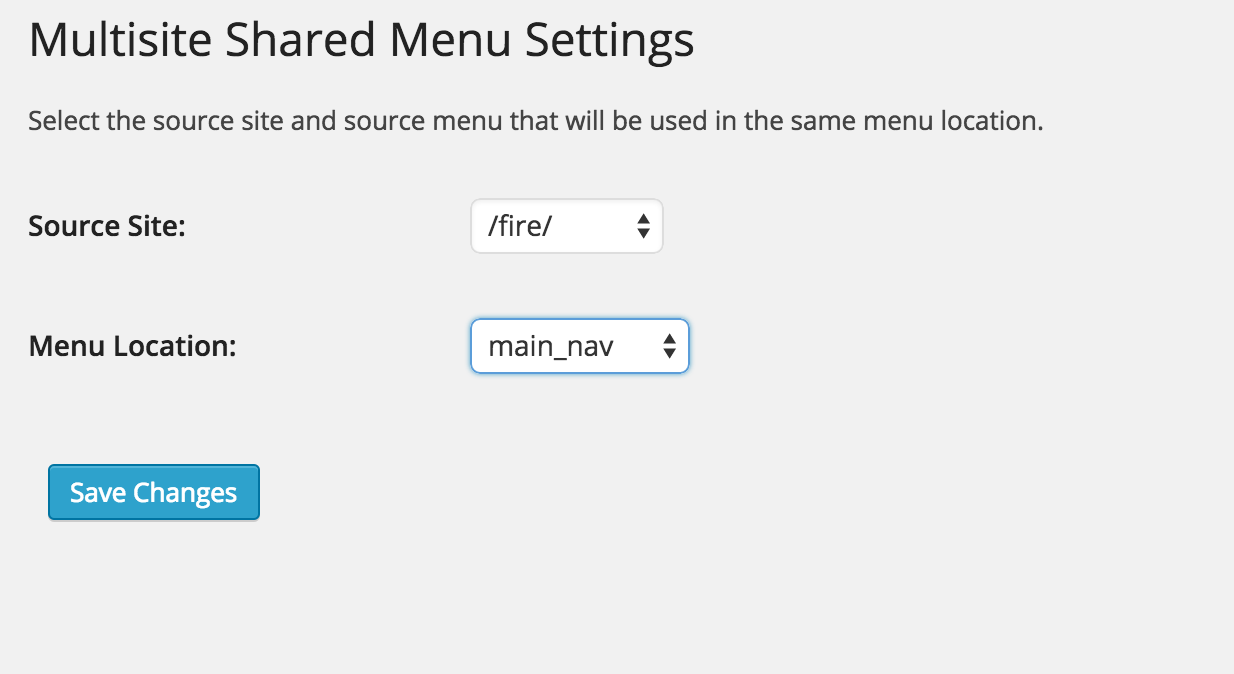
- Navigate to ‘Shared Menu Settings’ under the ‘Appearance’ menu.
- Select the source site that contains the menu you wish to use and select the menu location(s) to pull in from your primary site.
- Click ‘save changes’ to save your changes.
Screenshot Gallery
No FAQ provided.
Changelog
1.2
Multiple menu selection! You can now include one or more menus from your master menu site.
1.11
Documentation improvements and screenshots.
1.1
Fixed bugs relating to registered menu locations.
1.0
Initial Release
" width="120" height="120">
No previous versions available.
