
MC Server Status
Active Installs
100+
Last Updated
May 17, 2026
First Released
March 28, 2024
Download History (Last one month)
Contributors
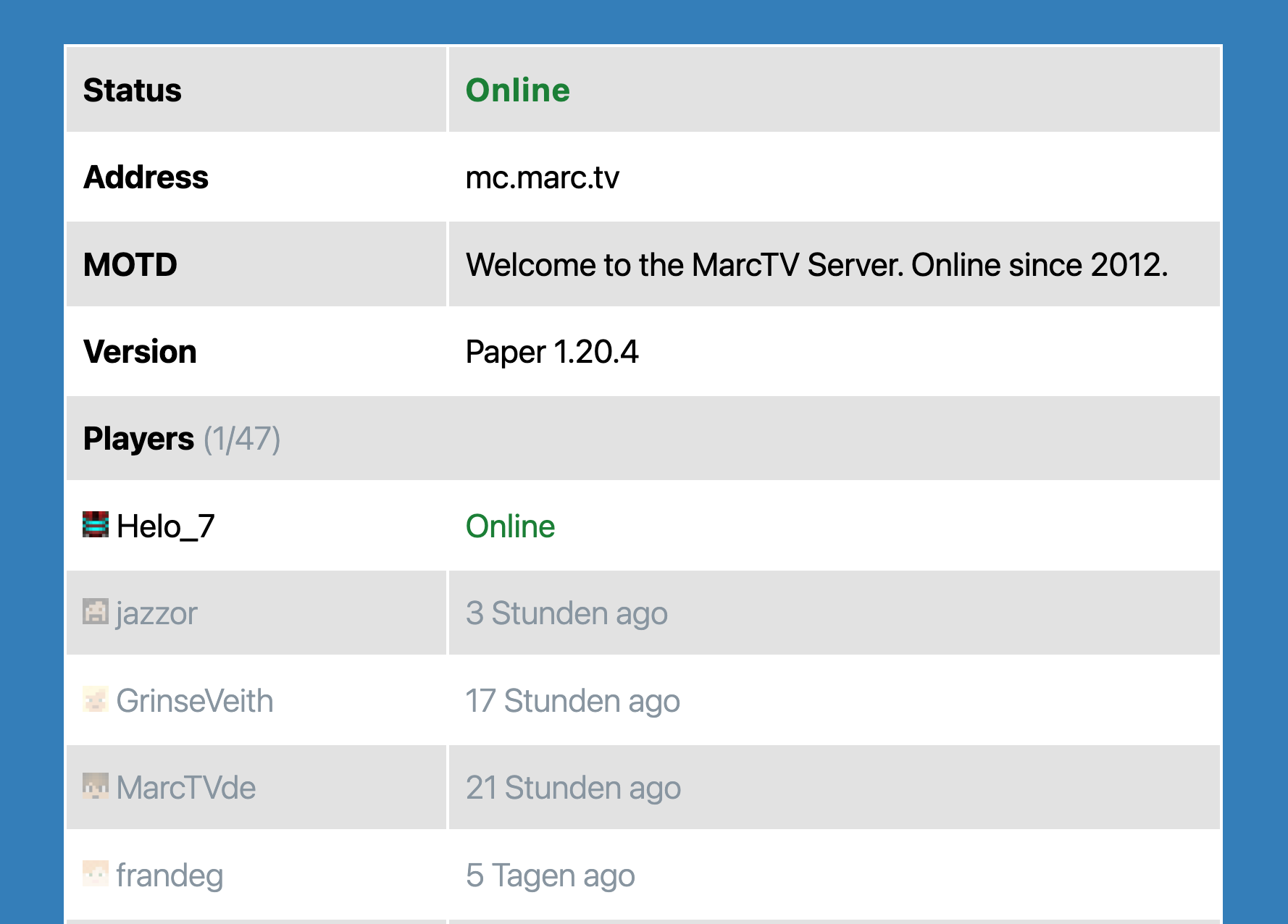
This plugin provides a dynamic display of your Minecraft server’s status, including current active players. Simply input your server’s address and port to get started.
Key Features
- Real-time Server Status: Instantly view whether your Minecraft server is online or offline.
- Active Player Display: See a list of currently active players on your server.
- Optional Server Details: Add a custom server name, description, icon, and modpack download link.
- Improved Frontend Actions: Copy the full server address with port and open Dynmap fullscreen without inline JavaScript handlers.
- Supports only Java Minecraft. Bedrock may be supported on popular demand.
Technology
Utilizes the robust PHP-Minecraft-Query library for retrieving server information. More details can be found on Packagist.
- Upload the plugin files to the
/wp-content/plugins/mc-server-statusdirectory, or install the plugin through the WordPress plugins screen directly. - Activate the plugin through the ‘Plugins’ screen in WordPress
Screenshot Gallery
No FAQ provided.
Changelog
1.6.1
- Prepared release for WordPress 7.0 compatibility.
1.6.0
- Added optional server name, description, icon, and modpack download URL fields.
- Improved output escaping for server data and Dynmap embeds.
- Improved copy-to-clipboard behavior to include the server port.
- Replaced inline frontend click handlers with delegated JavaScript handlers.
1.5.3
- Bugfix: Avoid PHP warnings when the Dynmap URL does not contain a host.
1.5.2
- Added offline failure message from server ping when server cannot be reached.
- Bugfix: Added safe null/array handling to avoid PHP warnings for malformed responses.
- Block now shows offline status with error text when ping fails.
- Dependencies updated.
- Tested compatibility with WordPress 6.9
1.5.1
- Dependencies updated.
- Tested compatibility with WordPress 6.8
1.3.0
- Better Dynmap and styling.
1.1.0
- Added prefix to generic function names.
- Tested up to WordPress 6.4.
- Added fix to prevent Direct File Access to plugin files.
1.0.0
- Initial Release
" width="120" height="120">
Available Versions
| Version | Download | Type |
|---|---|---|
| 1.6.1 | Download | Stable |
| 1.6.0 | Download | Stable |
| 1.5.3 | Download | Stable |
| 1.5.2 | Download | Stable |
| 1.5.1 | Download | Stable |
| 1.5.0 | Download | Stable |
| 1.5 | Download | Stable |
| 1.4.0 | Download | Stable |
| 1.3.1 | Download | Stable |
| 1.3.0 | Download | Stable |
| 1.1.4 | Download | Stable |
| 1.1.3 | Download | Stable |
| 1.1.2 | Download | Stable |
| 1.1.1 | Download | Stable |
| 1.1 | Download | Stable |
| Development | Download | Trunk |
