
Mautic Integration For Fluent Forms
Active Installs
300+
Last Updated
May 23, 2026
First Released
March 10, 2020
Download History (Last one month)
Contributors
Integration with Mautic for Fluent Forms sends WordPress form data of your to mautic automatically. You can segment your form data and push to Mautic CRM.
WHY GO FOR MAUTIC?
Mautic automates the process of getting and nurturing leads generated from landing pages and forms, segments contacts, handles and sends workflow email, text messages, web notifications, social media monitoring, and integrating with your CRM and other technologies.
Connecting with WordPress forms make your life and automation process more easy. This addon will connect your WordPress forms with Mautic directly using oAuth2 mautic api.
Mautic for FluentForms Features
- Secure connection with FluentForms
- Easy to integrate with your Mautic Api
- oAuth2 with V3 implementation
- Custom fields mapping
About Fluent Forms
WP Fluent Forms is the ultimate user-friendly, customizable drag-and-drop WordPress Contact Form Plugin that offers you all the premium features, plus many more completely unique additional features. A perfect WordPress Form builder plugin should be developed in a way, so that you don’t have to code every time you need to integrate a form in your website, but can be set up in minutes. And that’s why, we have developed WP Fluent Forms for you.
Setup
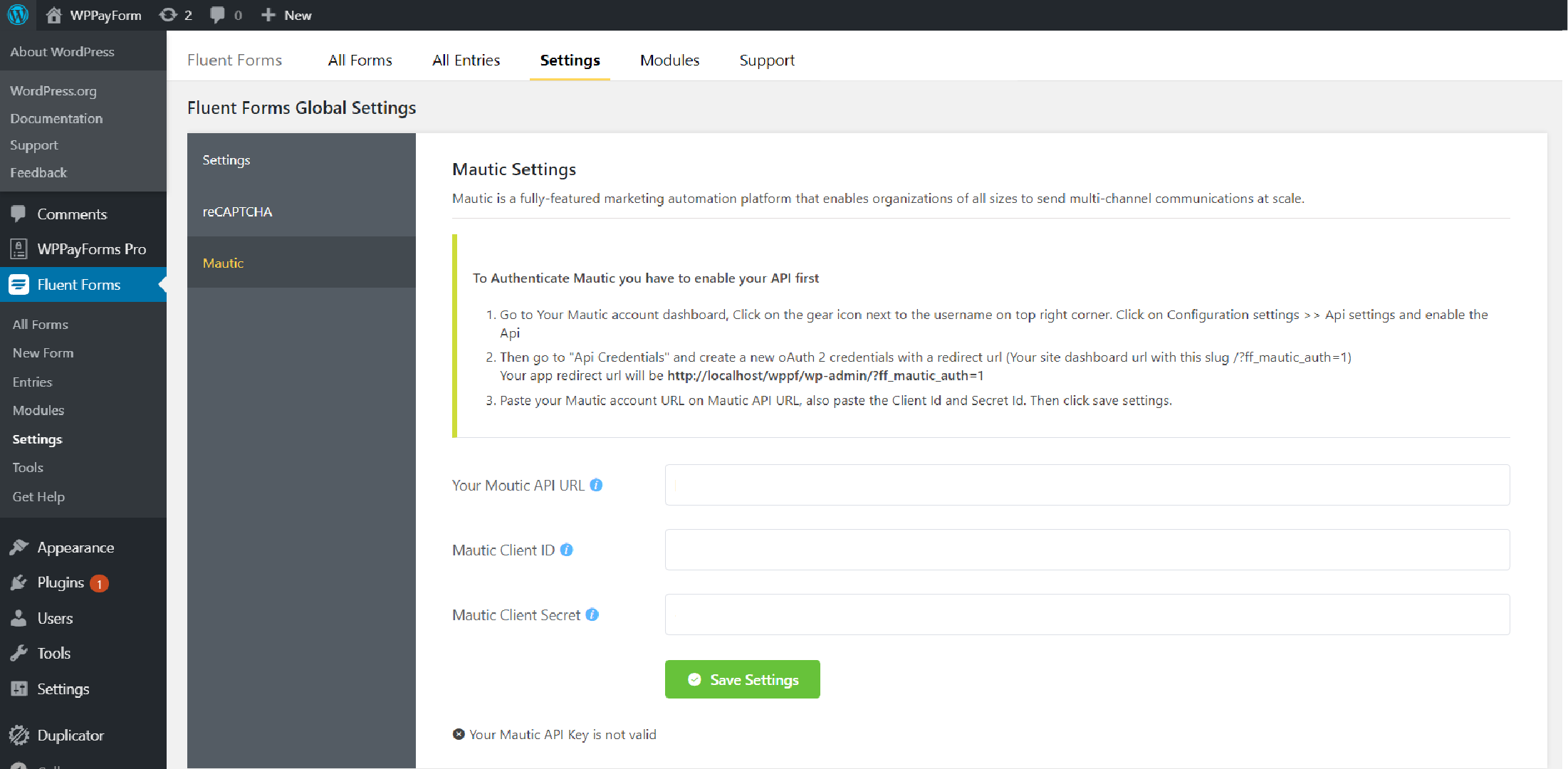
- To Authenticate Mautic you have to enable your Mautic API first
- Go to Your Mautic account dashboard, Click on the gear icon next to the username on top right corner. Click on Configuration settings >> Api settings and enable the Api
- Then go to “Api Credentials” and create a new oAuth2 credentials with a redirect url which will available on your global settings page.(Your site dashboard url with this slug /?ff_mautic_auth=1)
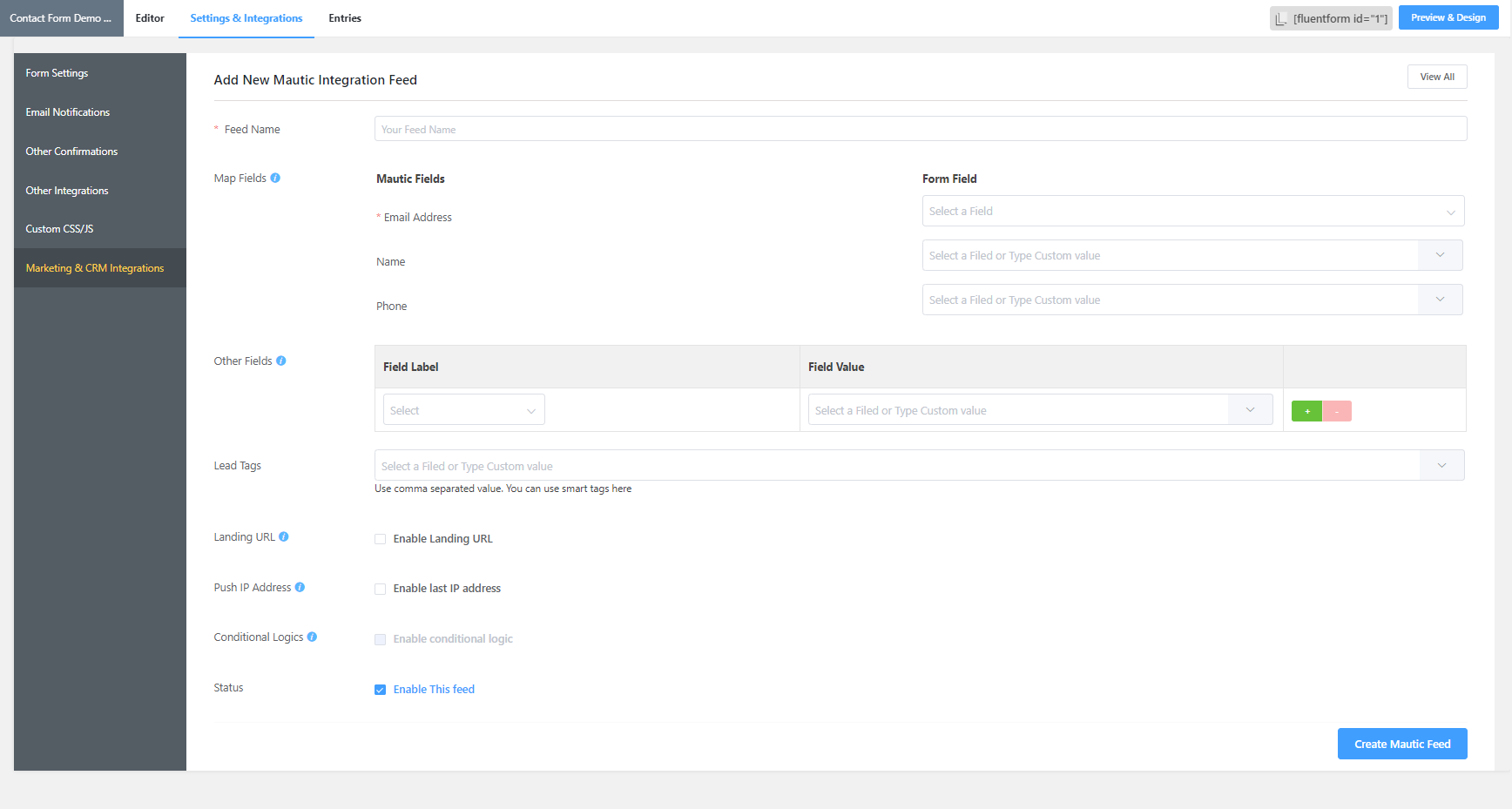
- If Mautic authentication done then map your form fields with Mautic from single form integration settings.
Awesome Support
Get dedicated support from our excellent happiness managers and developers. And Yes! It’s completely free.
If you have any suggestions or queries, feel free to open a ticket here.
This section describes how to install the plugin(Mautic for FlentForms) and get it working.
Install From WordPress Admin Panel:
- Login to your WordPress Admin Area
- Go to Plugins -> Add New
- Type “Mautic for FluentForms” into the Search and hit Enter.
- Find this plugin Click “install now”
- Activate The Plugin
- Use Mautic on your site form the FluentForms module dashboard.
Manual Installation
- Download the “Mautic for FluentForms” plugin from WordPress.org repository
- On your WordPress admin dashboard, go to Plugins -> Add New -> Upload Plugin
- Upload the downloaded plugin file (mautic-for-fluentforms.zip) and click Install Now
- Be sure your FluentForms plugin is activated already.
- Activate “Mautic for FluentForms” from your Plugins page.
- Use Mautic on your site form the FluentForms module dashboard.


No FAQ provided.
Changelog
1.0.5
- WordPress 7.0 Support Added
- Security Fix: Escape admin notice output and config page URL to prevent XSS
1.0.4
- Adds support for the API change
1.0.3
- Adds Support for Custom Fields
- Fixes Ip & last active issue
1.0.2
- Fix Name fields sync
- Fix Few labels
1.0.0
- Init Release
" width="120" height="120">
