
Markdown Mirror for WooCommerce
Active Installs
0+
Last Updated
July 16, 2026
First Released
July 16, 2026
Download History (Last one month)
Contributors
Markdown Mirror for WooCommerce serves a plain Markdown copy of each WooCommerce product page at the product URL plus a .md suffix. AI agents and crawlers that prefer token-light text get the same facts your product page shows, ordered so the decision-relevant data comes first: identifiers, specifications, price, availability, variants.
Example: https://example.com/product/ceramic-dripper/ also serves https://example.com/product/ceramic-dripper.md.
What each mirror contains
- The product name and a one-line factual summary
- Identifiers: GTIN (WooCommerce’s core field), SKU, brand
- Classification: categories as hierarchical paths and tags, each linked to its archive (or its .md mirror when taxonomy mirrors are enabled)
- Specifications: visible attributes, weight, dimensions
- Price with currency, sale end dates, and the store’s tax display
- Availability with the store’s own stock display (quantities appear exactly when your store shows them), and per-variation lines for variable products
- Reviews: the real average rating and review count, only when reviews exist
- Images: main and gallery image URLs with their alt text
- The product short and full descriptions as plain text (optional, on by default)
- A canonical link back to the product page and the real last-updated date
Sections with no data are omitted, never padded. Every mirror sends a canonical Link header pointing at your HTML page and an X-Robots-Tag: noindex header, so the mirror never competes with your product page in search. Each product page also gets one rel="alternate" link tag so agents can discover the mirror.
Taxonomy mirrors
Product categories (including hierarchical paths like /product-category/clothing/shirts.md), brands, and tags get .md mirrors of their archive pages too, each behind its own toggle. Each term mirror carries the term name and description, subcategories with their own mirror links, and a paginated product list (100 per page at /page/2.md, /page/3.md, and so on, with previous/next links stated in the document; never silent truncation). Term mirrors follow archive visibility rules, so catalog-hidden products stay out, exactly as on the archive page itself. Because terms carry no honest modified date, term mirrors send no Last-Modified header and print no fabricated freshness date.
You choose what mirrors carry
Everything is on by default. In WooCommerce, Settings, Products, Markdown mirrors you can switch off any product mirror section (identifiers, classification, specifications, price, availability, variants, reviews, images, short description, full description) and any taxonomy mirror group. Sections with no data are always omitted automatically.
What this plugin never does
- It never writes to your products, your theme, or your database content. Mirrors are virtual URLs, generated on request and cached.
- It never sends anything anywhere. No telemetry, no analytics, no remote requests, no tracking of you or your shoppers.
- It never lets the mirror say something your page does not. There is no setting for “agent-only” content, on purpose: the mirror always reflects the same product data your shoppers see. Serving different content to agents than to humans is cloaking, and this plugin makes it structurally impossible.
Requirements
- WooCommerce 9.2 or newer
- Pretty permalinks (Settings, Permalinks, anything except Plain)
For developers
mdmirwc_is_mirrored– exclude products from mirroringmdmirwc_sections– add or reorder document sections (for example shipping data your site actually holds)mdmirwc_document– filter the final documentmdmirwc_cache_max_age– HTTP Cache-Control max-age (default 300 seconds)mdmirwc_cache_ttl– server-side cache TTL (default one hour; invalidation hooks keep mirrors correct regardless)mdmirwc_max_variants– variant lines cap (default 50, disclosed in output when applied)mdmirwc_conflicting_plugins– the known list of other .md-serving pluginsmdmirwc_term_is_mirrored– exclude term archives from mirroringmdmirwc_term_sections/mdmirwc_term_document– extend or filter term mirror documentsmdmirwc_term_page_size– products per term mirror page (default 100)mdmirwc_term_cache_max_age/mdmirwc_term_cache_ttl– term mirror cache controls
No installation instructions provided.
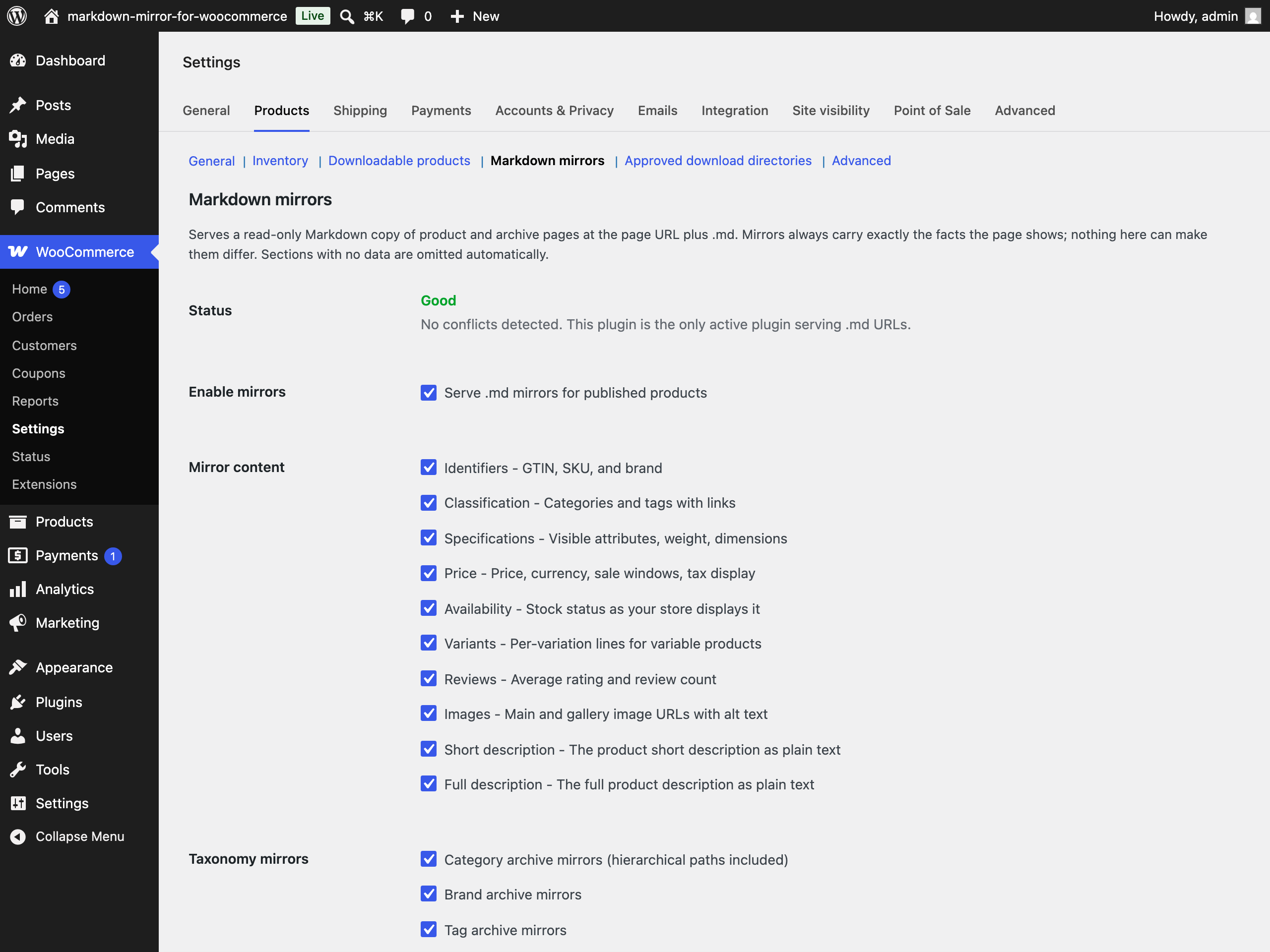
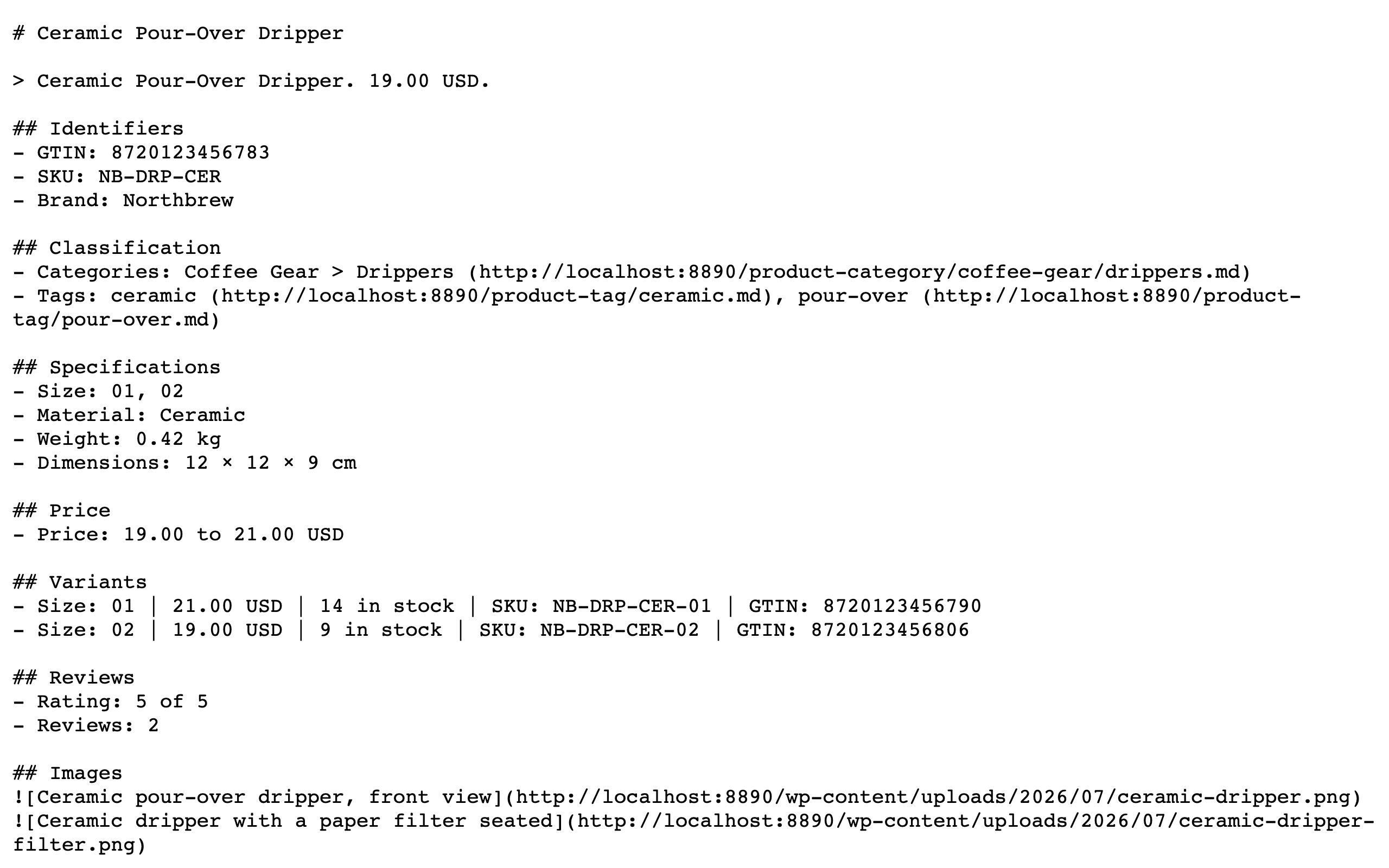
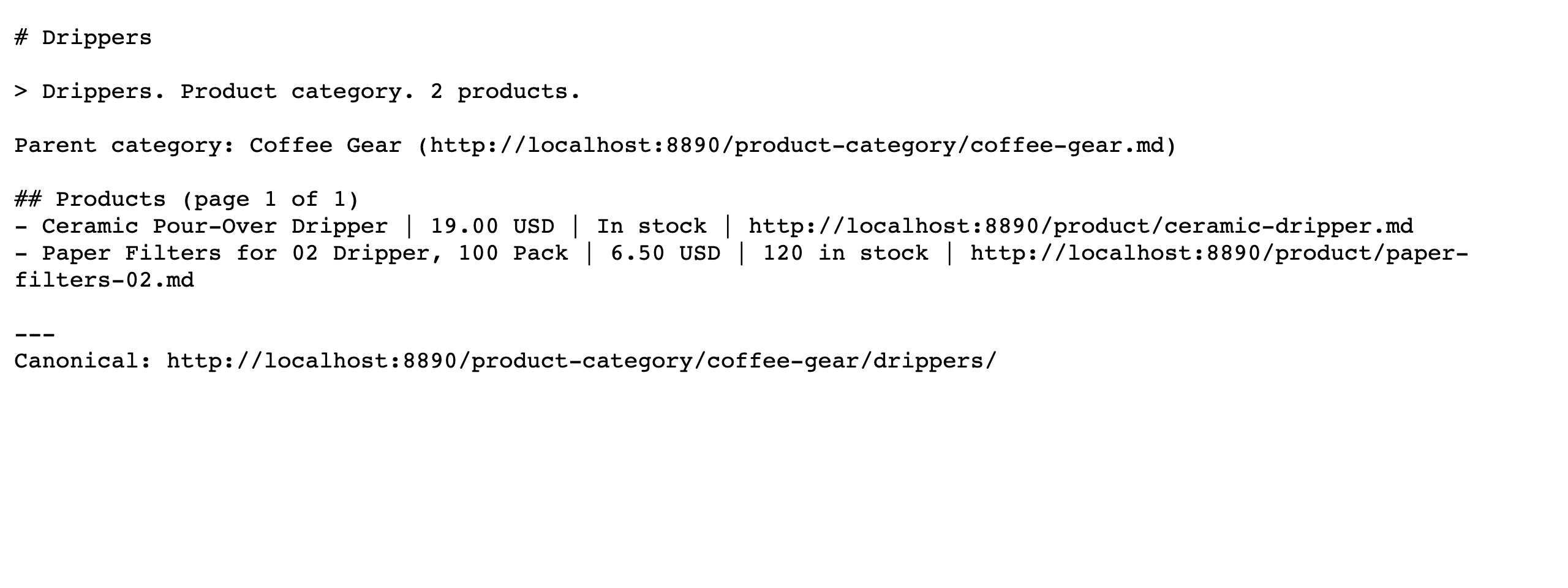
Take the product page URL, remove the trailing slash, and add .md. The product page’s HTML head also carries a link rel="alternate" type="text/markdown" tag pointing at it.
No. It makes zero remote requests. Everything is generated inside your site and served from your site.
Honestly: nobody can promise that, and this plugin does not. No shopping agent documents fetching product Markdown today. The mirror is cheap to serve and standards-shaped; treat it as groundwork.
WooCommerce holds no single honest answer for shipping cost or return terms at product level, and this plugin never invents data. Developers can add sections from data their site actually holds via the mdmirwc_sections filter.
No. The .md URLs need pretty permalinks (Settings, Permalinks). Nearly all WooCommerce stores already use them.
No. The plugin emits no schema, changes no canonicals or titles, and adds exactly one link tag to product pages. If another active plugin also serves .md URLs, the Status row on the plugin’s settings screen reports the conflict, names the other plugin, and explains why you should keep only one. The plugin adds no admin notices.
Changelog
1.0.0
- Initial release: product mirrors at {product-url}.md carrying identifiers, classification, specifications, price, availability, variants, reviews, images, and descriptions, with rel=alternate discovery, canonical and noindex headers, short-TTL caching with full invalidation, conflict detection, and complete uninstall.
- Taxonomy mirrors for product categories (hierarchical paths included), brands, and tags with paginated product lists (100 per page, previous/next links, honest 404 past the last page) and precise cache invalidation.
- Native settings section under WooCommerce, Settings, Products with per-section content control and a Status row reporting .md-serving conflicts (no admin notices); everything on by default; Settings link on the plugins screen.
