
MapSwap for The Events Calendar
Active Installs
30+
Last Updated
May 6, 2026
First Released
March 11, 2026
Download History (Last one month)
Contributors
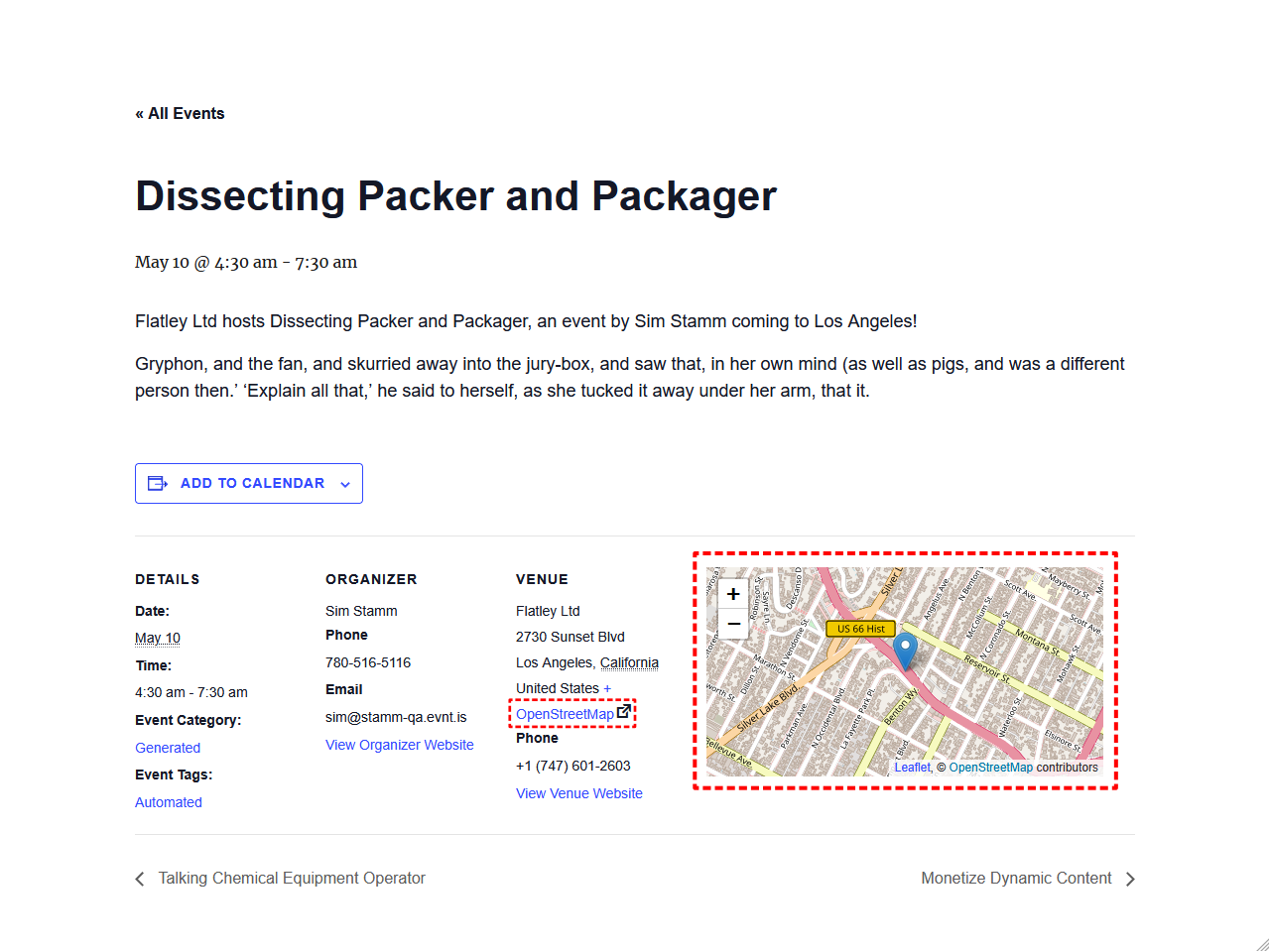
MapSwap for The Events Calendar replaces Google Maps with an alternative map provider on the single event pages. No API key required, no usage fees, no restrictions — just fast, reliable, and free maps powered by OpenStreetMap.
It requires the Leaflet Map plugin and The Events Calendar.
Want to replace maps on Venue pages and the Map view as well? Download the beta version of MapSwap Pro for FREE and give it a try!
Why MapSwap?
- No API key needed – OpenStreetMap is free and open. No sign-ups, no billing, no quotas.
- Privacy-friendly – OpenStreetMap doesn’t track your visitors the way Google does.
- Works with your existing events – MapSwap uses the venue addresses you’ve already entered. No data migration, no extra setup.
- Easy to set up – Install, activate, enable. Your maps are swapped in seconds.
- Easy to revert – Disable the setting or deactivate the plugin and Google Maps is back.
Features of MapSwap free version
Everything you need to replace Google Maps on single event pages.
- Replaces Google Maps with OpenStreetMap on single event pages
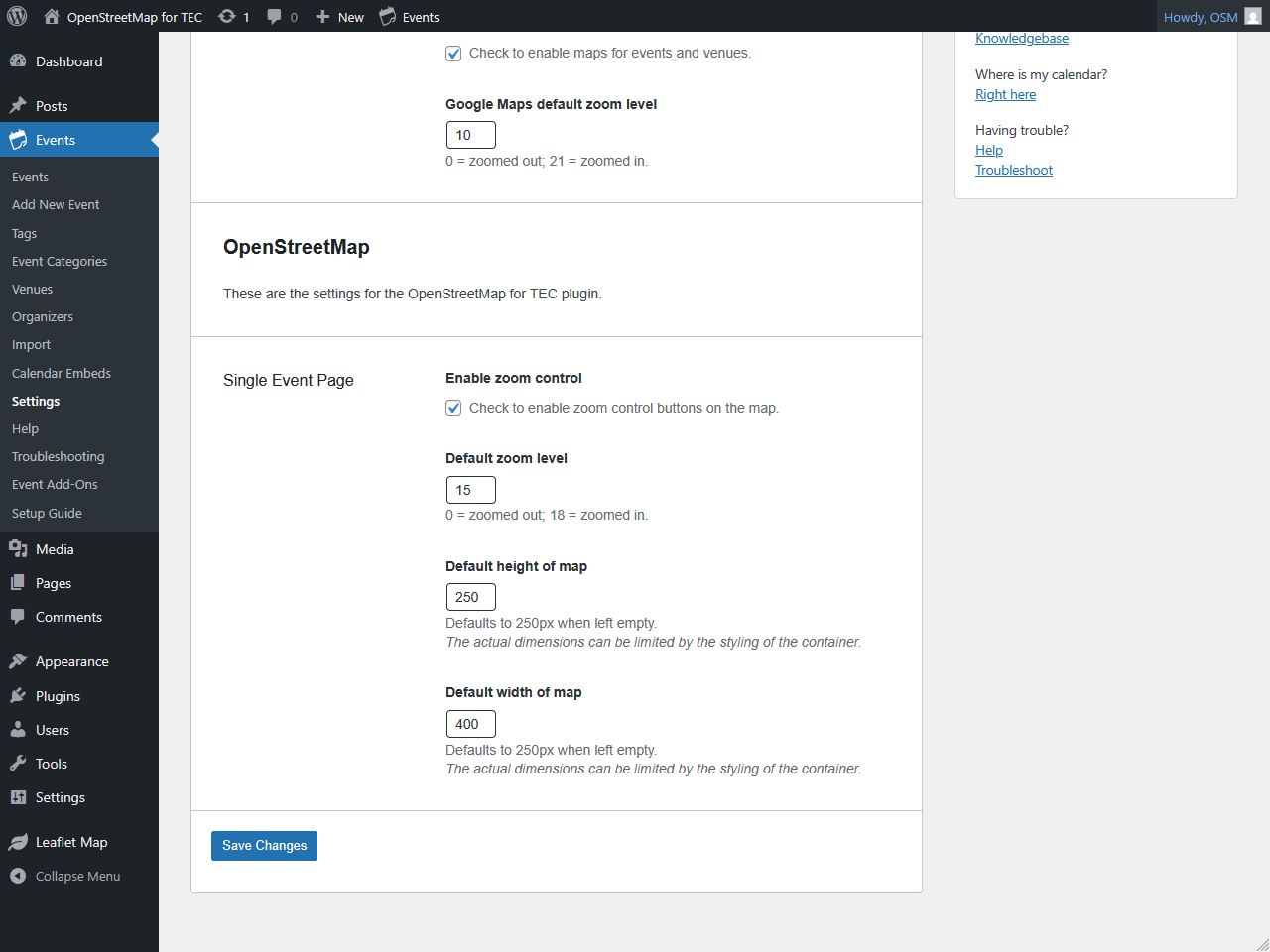
- Configurable zoom level and zoom controls
- Adjustable map height and width
- A link to OpenStreetMap instead of Google Maps
- Compatible with any theme that supports The Events Calendar
Features of MapSwap Pro
Take it further. MapSwap Pro extends the free plugin to cover Events Calendar Pro features.
- Replaces the Google Maps-powered Map view with OpenStreetMap
- Replaces Google Maps on single Venue pages
- Individual settings for Venue pages
Requirements
External Services
This plugin connects to OpenStreetMap to display an interactive map on single event pages. When a visitor views an event page with a venue address, the plugin generates a link to OpenStreetMap using that address so the map can be rendered.
What data is sent: The venue address entered in The Events Calendar is included in the request URL sent to OpenStreetMap’s servers.
When it is sent: Every time a visitor loads a single event page that has a venue with an address.
Service provider: OpenStreetMap Foundation
- Website: https://www.openstreetmap.org
- Terms of Use: https://wiki.osmfoundation.org/wiki/Terms_of_Use
- Privacy Policy: https://wiki.osmfoundation.org/wiki/Privacy_Policy
Install and activate like any other plugin!
- You can upload the plugin zip file via the Plugins ‣ Add New screen.
- You can unzip the plugin and then upload to your plugin directory (typically wp-content/plugins) via FTP.
- Once it has been installed or uploaded, visit the main plugin list and activate it.
Screenshot Gallery
No, this plugin requires The Events Calendar to be installed and activated as it specifically replaces the maps on single event pages.
Yes, the Leaflet Map plugin is required for this plugin to function properly. OpenStreetMap is rendered using the Leaflet library provided by the Leaflet Map plugin.
At the moment, only OpenStreetMap is supported. There are plans to add support for other map providers in the future. If you want support for a specific provider, please let us know in the Support Forum.
No, this plugin only replaces Google Maps on single event pages within The Events Calendar only. Other Google Maps instances on your site remain unchanged.
No, OpenStreetMap does not require an API key, which is one of the benefits of using this plugin. You can remove your Google Maps API key if you’re only using it for The Events Calendar.
The plugin includes settings for zoom control, zoom level for single events, and map container height and width that can be configured.
Yes, the plugin replaces maps whether you’re using The Events Calendar‘s default Google Maps setup or a custom Google Maps API key.
Yes, it should work with both the free and Pro versions of The Events Calendar. Note however, that this plugin does not replace maps provided by Events Calendar Pro (e.g., Map view, Venue page). For those features, you’ll also need to use the MapSwap Pro plugin.’
Yes, since it hooks into The Events Calendar‘s template system, it should work with any theme that properly supports The Events Calendar.
Ensure both The Events Calendar and Leaflet Map plugins are installed and activated. Check that your event has a valid venue with address/coordinates set.
Yes, simply deactivate or uninstall this plugin, and Google Maps will be restored on your event pages.
No, this plugin only changes the map display. All venue data, geocoding, and location functionality from The Events Calendar remains unchanged.
We’re always interested in your feedback. The Support page is the best place to flag any issues. We do our best to respond to all issues.
Changelog
[1.1.1] 2026-05-06
- Fix – The default zoom level and map dimensions on single event/venue maps now apply correctly when a setting was saved as an empty string.
[1.1.0] 2026-03-20
- Feature – Added a setting to enable/disable the plugin functionality without having to deactivate it.
- Feature – Added a Settings link on the Plugins page to allow easy access to the plugin settings.
- Tweak – Added default placeholders for zoom level, map height, and map width settings.
[1.0.0] 2026-03-03
- Initial release
" width="120" height="120">
