
MailerPress – Email Marketing, Newsletter, Email Automation & WooCommerce Emails
Active Installs
1,000+
Last Updated
October 26, 2026
First Released
July 23, 2025
Download History (Last one month)
Contributors
MailerPress is an email marketing plugin for WordPress. You design emails with blocks, keep your contacts in your own WordPress database and send campaigns from your admin, through your web host or an SMTP server. The free plugin has no limit on contacts, lists, tags or campaigns.
MailerPress Pro is a paid add-on. It adds email service providers (Amazon SES, Brevo, Mailgun and others), the automation workflow builder, segments, custom fields, A/B testing, WooCommerce and WordPress email design, AI tools and integrations with form and page builder plugins. Features that need Pro are marked (Pro) below.
Email editor
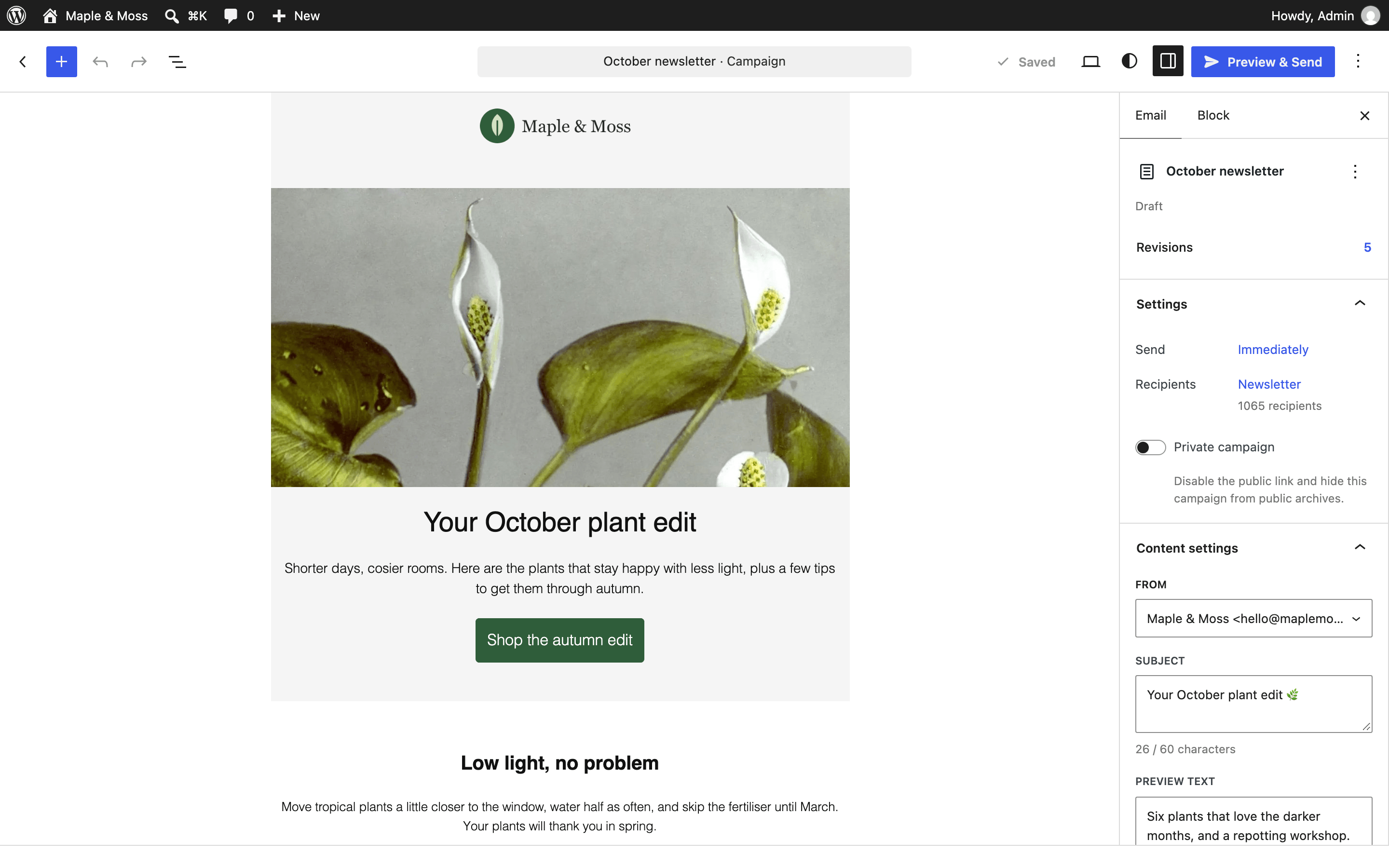
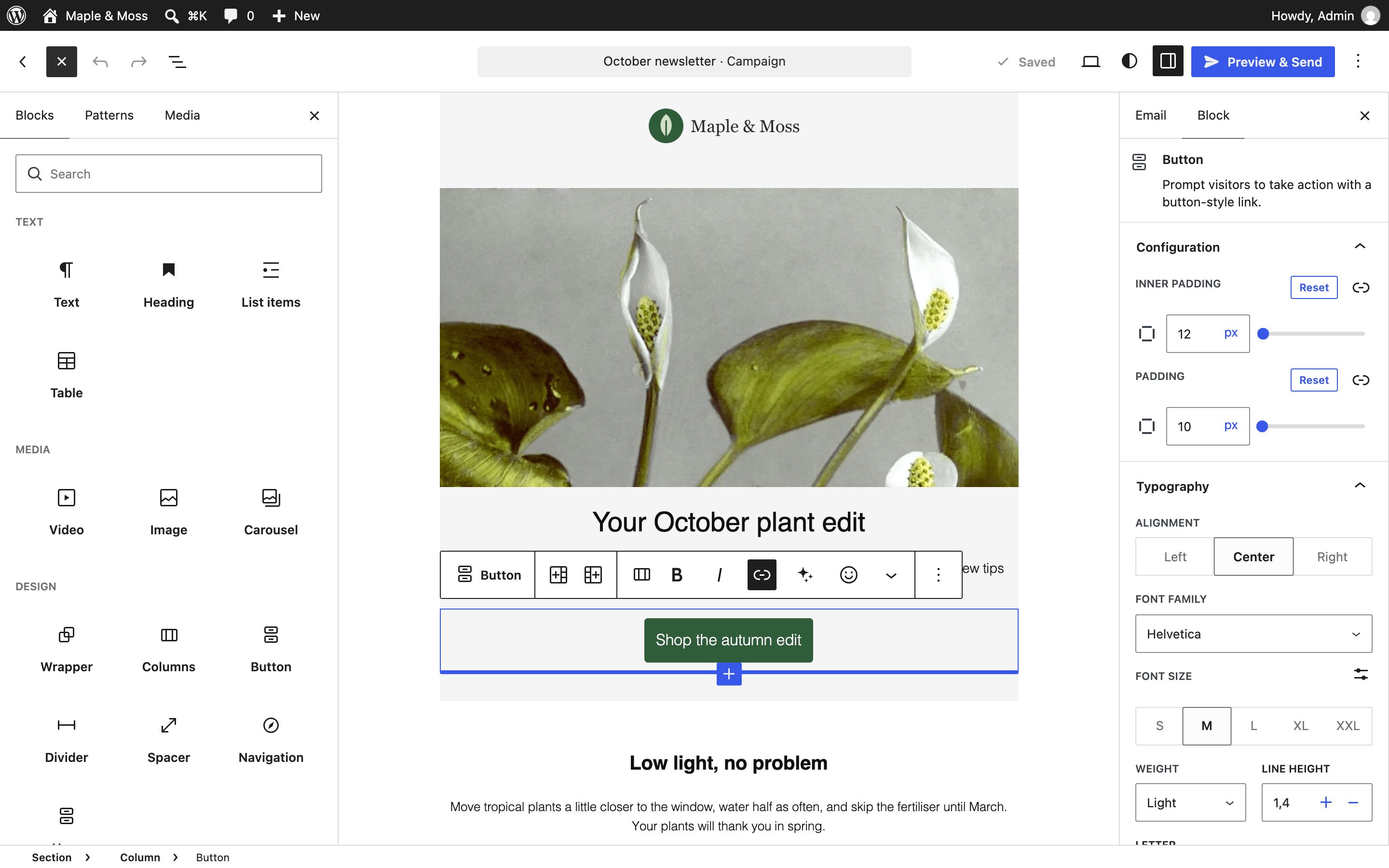
- Build emails with blocks: headings, text, images, buttons, columns, tables, social icons, video, image carousel, countdown timer and more.
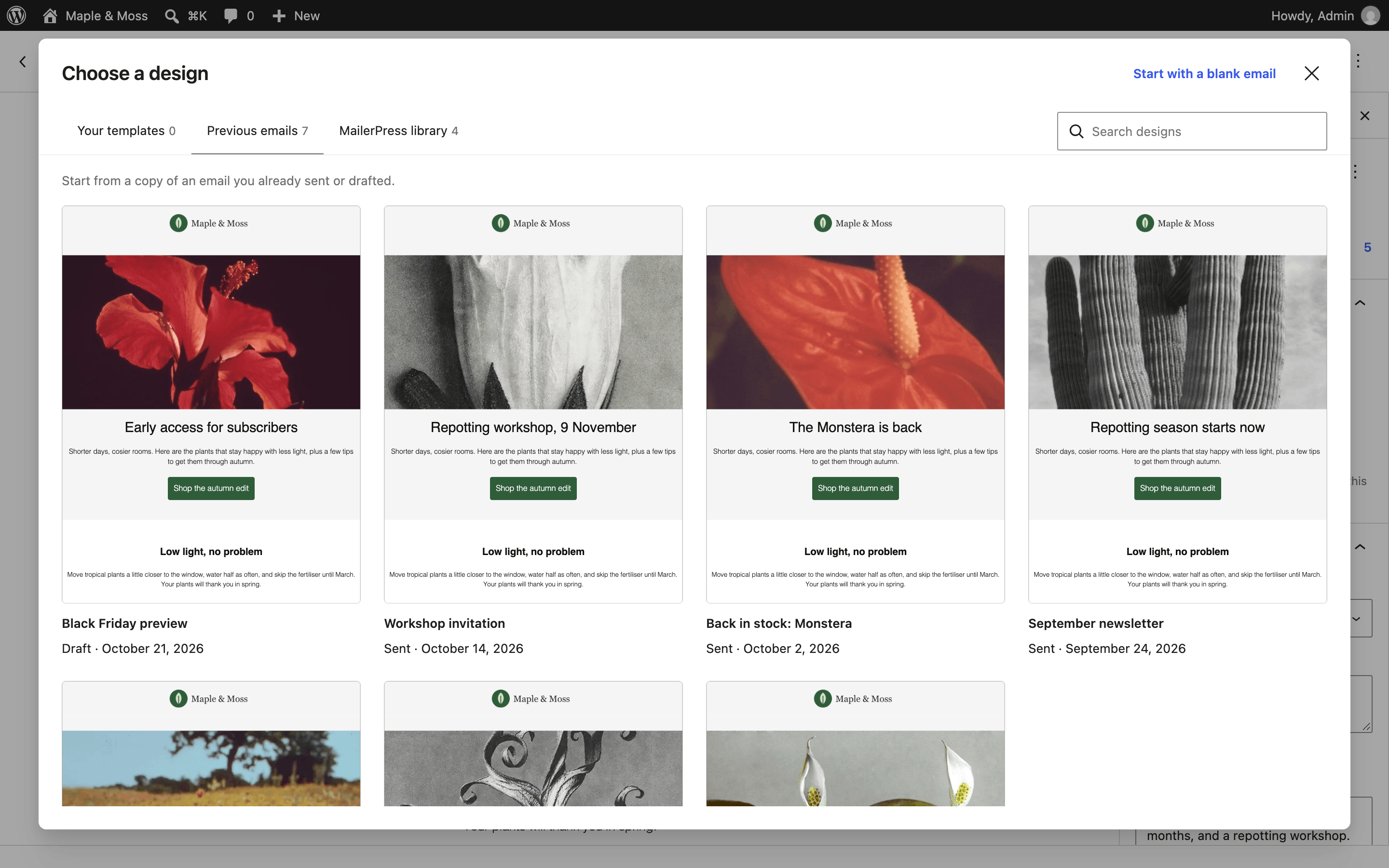
- Start from a blank email, a starter design, a template you saved, or a copy of a previous campaign.
- Add your latest posts with the Query block, or a full post with the Post Content block. With WooCommerce active, add products with the Product Showcase block.
- Reuse your theme’s colors, fonts and font sizes from theme.json. Google Fonts you pick are downloaded to your site.
- Paste content from Word or Google Docs and keep its formatting.
- Personalize emails with merge tags: first name, last name, full name, email, link to the online version.
- Search images from Openverse without leaving the editor.
- Import MJML, or write a campaign in raw HTML.
- Open the command palette with Cmd/Ctrl + K to reach any action from the keyboard.
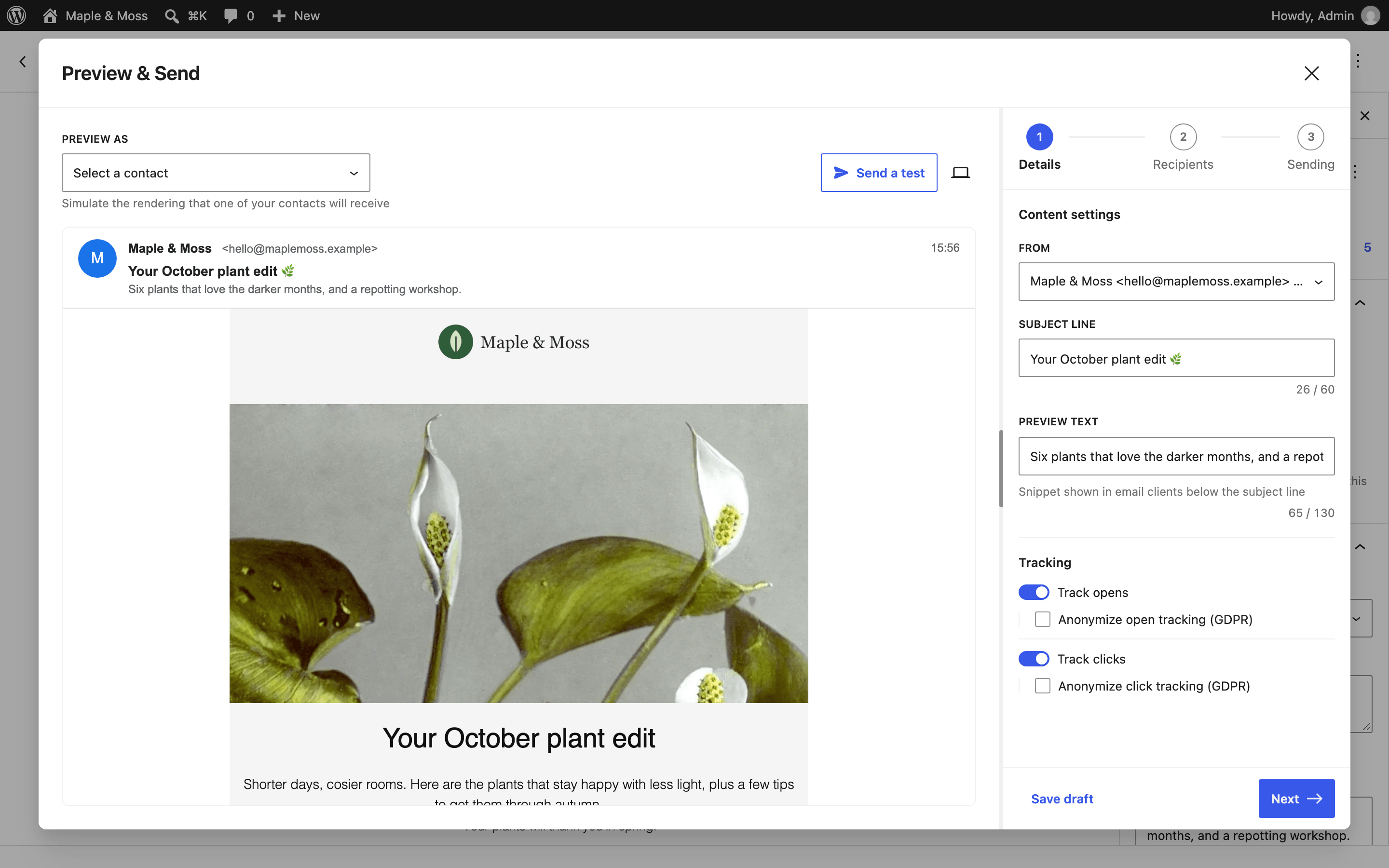
- Preview on desktop and mobile, and send yourself a test email before sending.
- Show or hide blocks depending on contact data, engagement or WooCommerce purchases. (Pro)
- Write subject lines and content, and generate images, with OpenAI, Anthropic Claude, Google Gemini, Mistral or DeepSeek. (Pro)
- 26 additional email templates. (Pro)
Campaigns and statistics
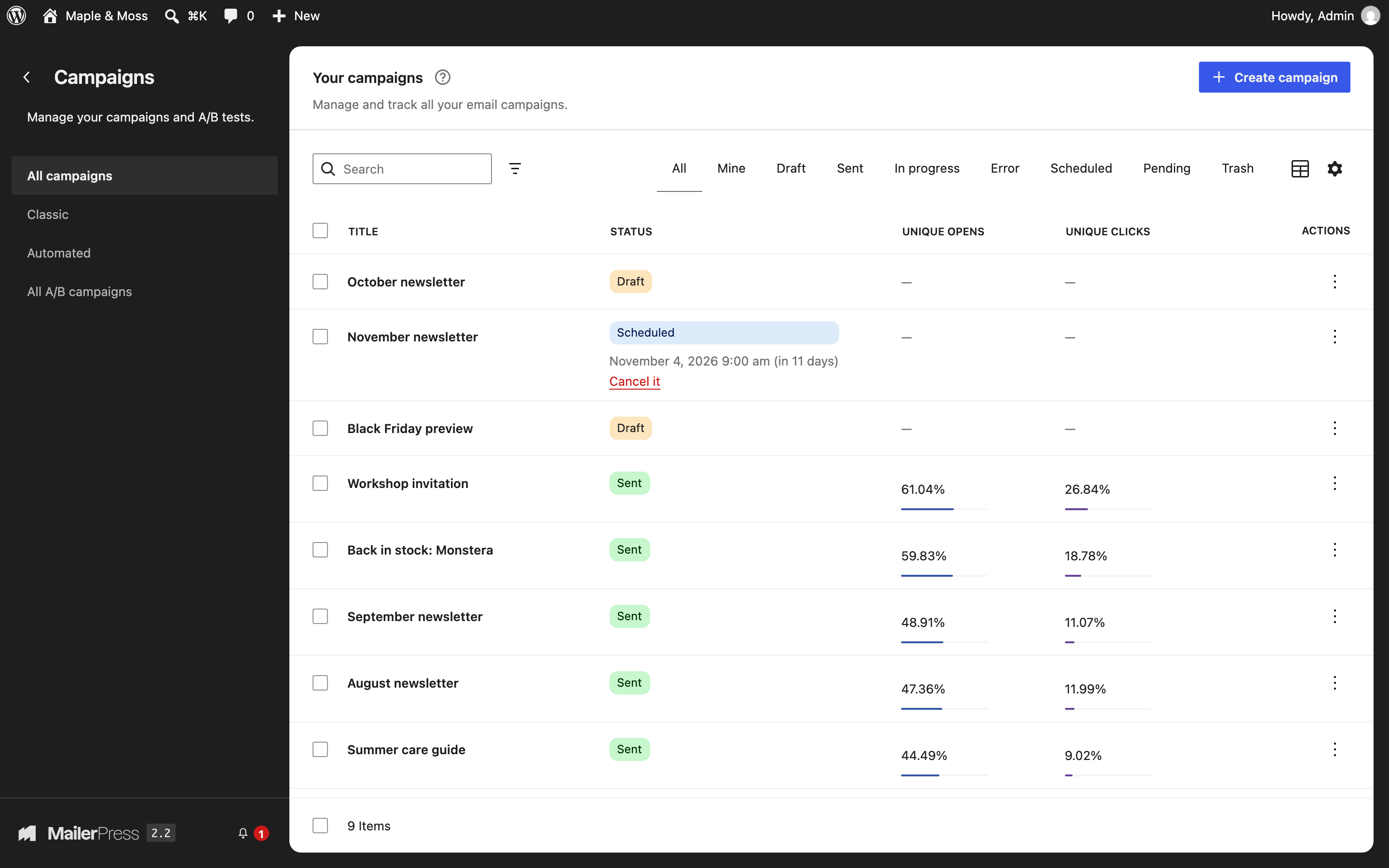
- Send a campaign now or schedule it.
- Choose recipients by list, and narrow them down with tags.
- Recurring campaigns: send an email each time you publish a post, or a daily, weekly or monthly digest of your latest posts.
- Save several sender addresses and pick one per campaign.
- Track opens and clicks, anonymize tracking, or turn it off.
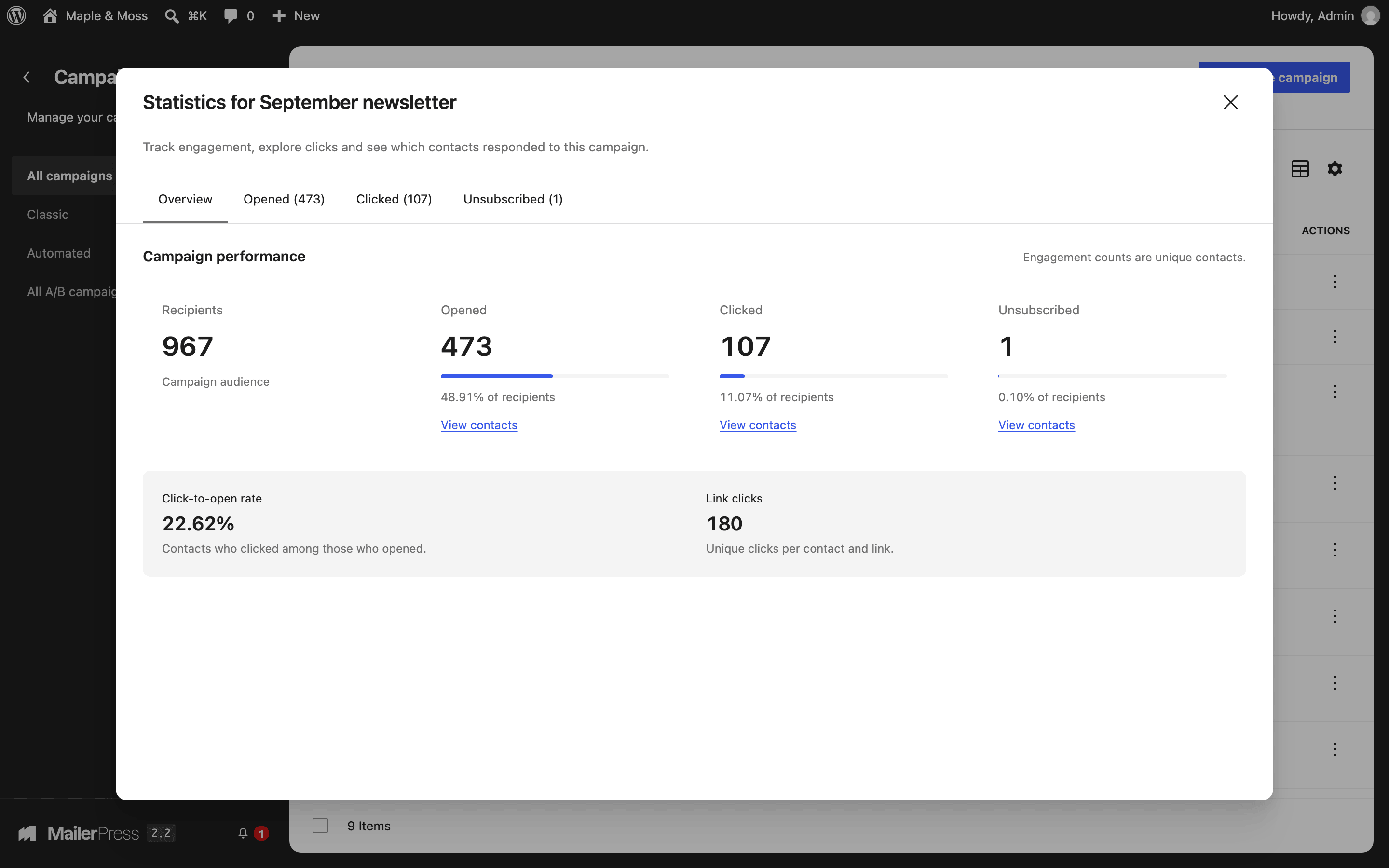
- For each campaign, see who opened, clicked or unsubscribed.
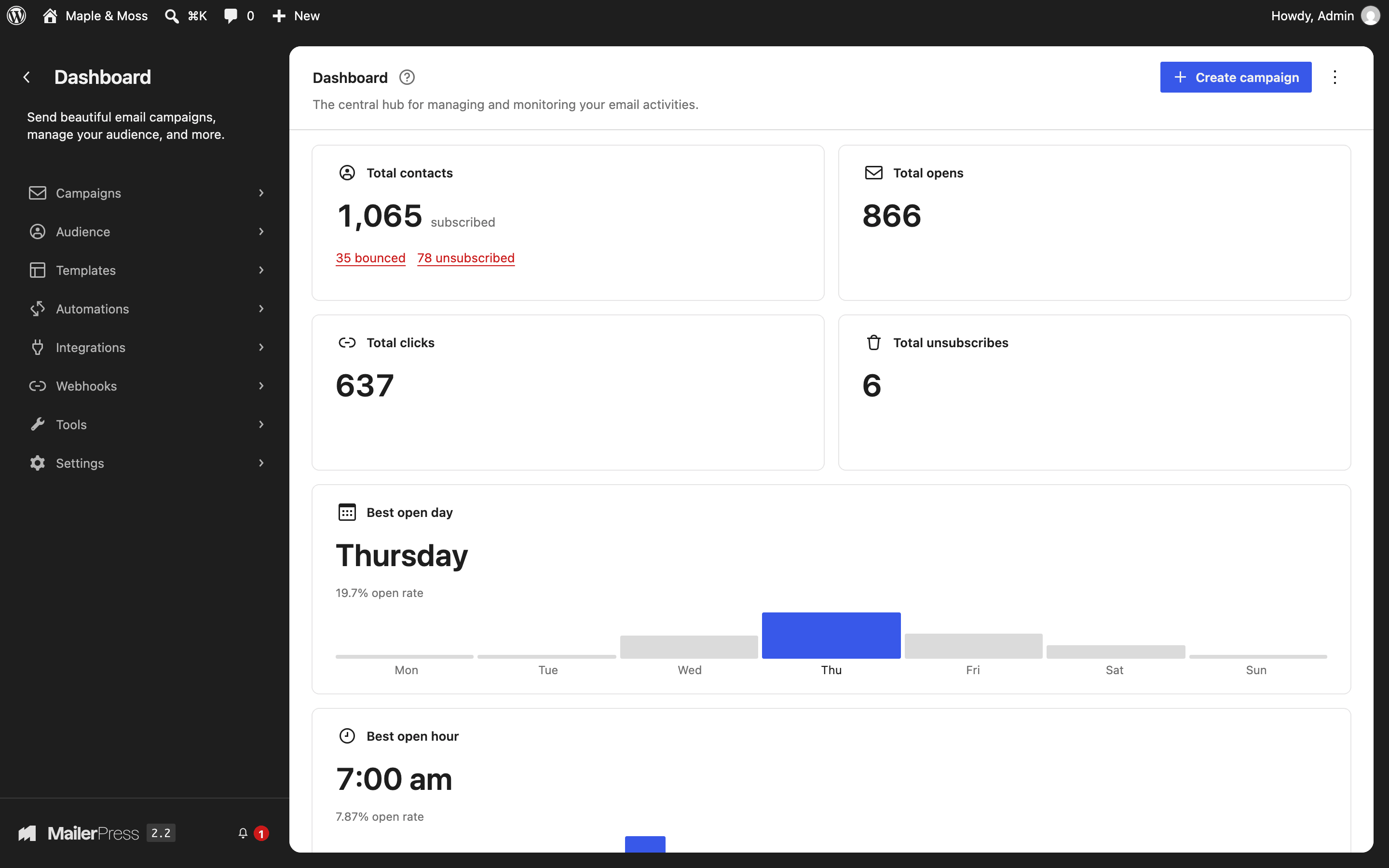
- Dashboard with totals and the best day and hour to send.
- Publish a public archive of your campaigns with the
[mailerpress_archive]shortcode. - A/B test up to five versions of a campaign and send the winner automatically. (Pro)
- Resend a campaign to contacts who did not open or click it. (Pro)
- Click heatmaps per campaign and per contact, and revenue per campaign for WooCommerce stores. (Pro)
Contacts and sign-up forms
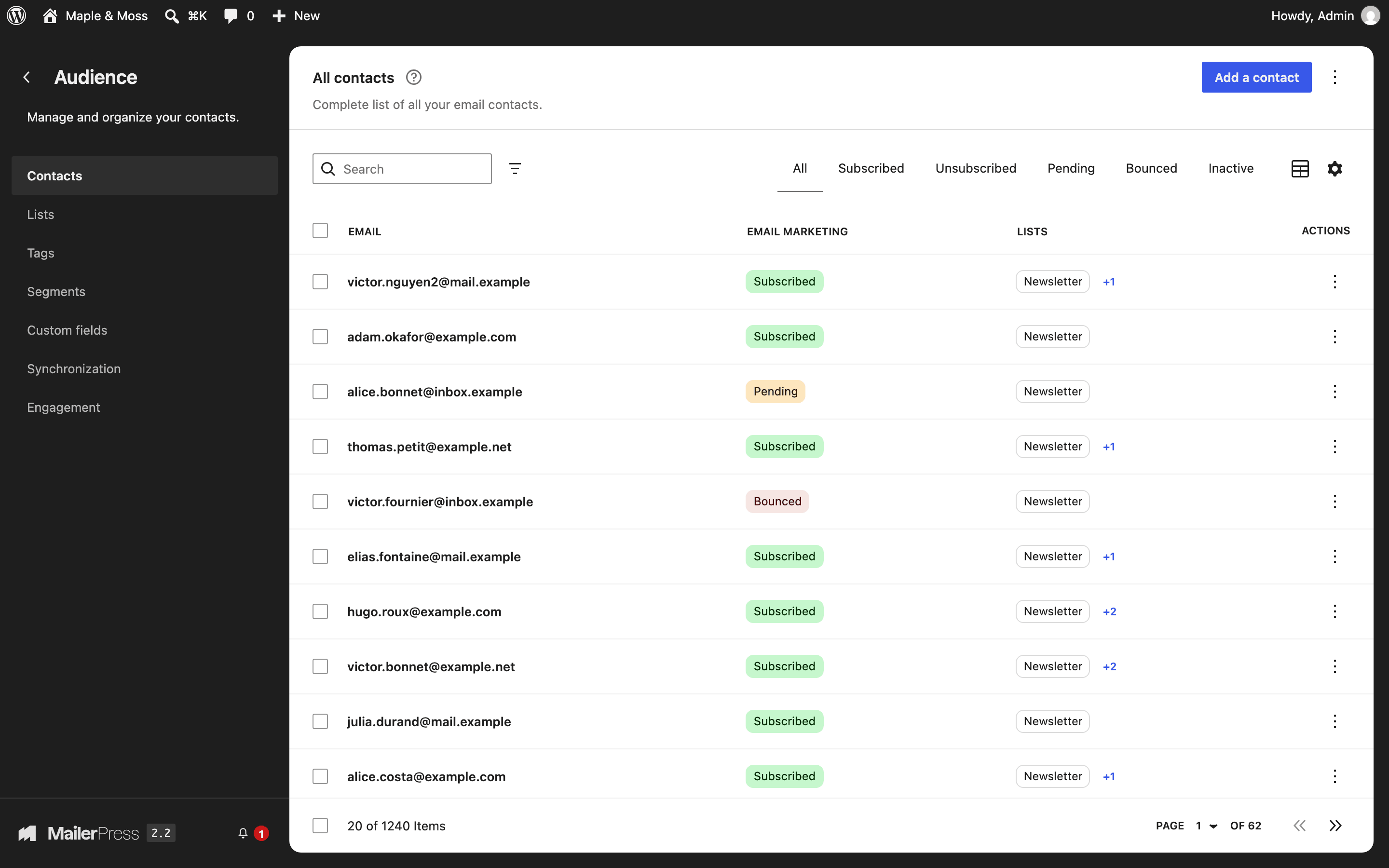
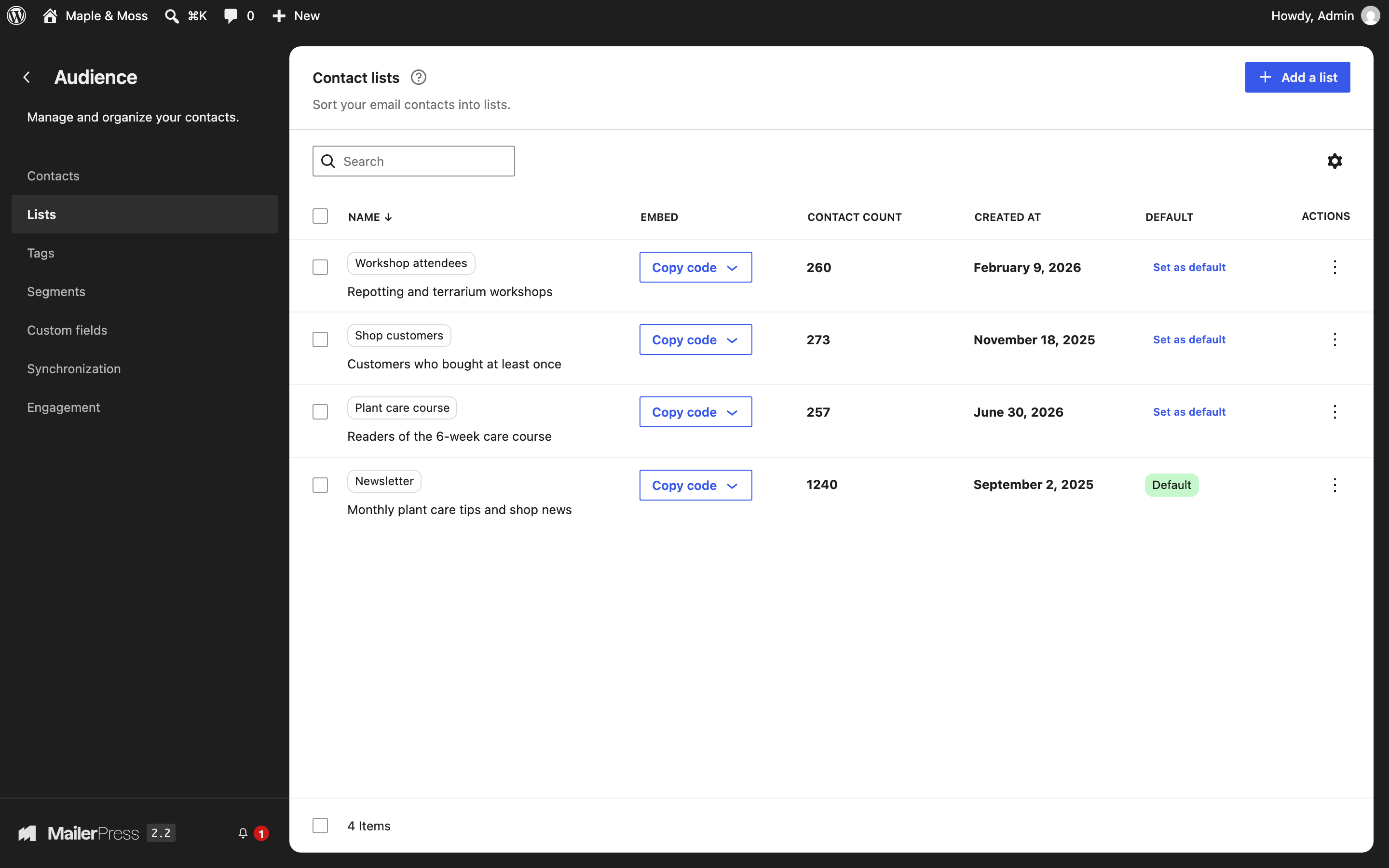
- Unlimited contacts, lists and tags.
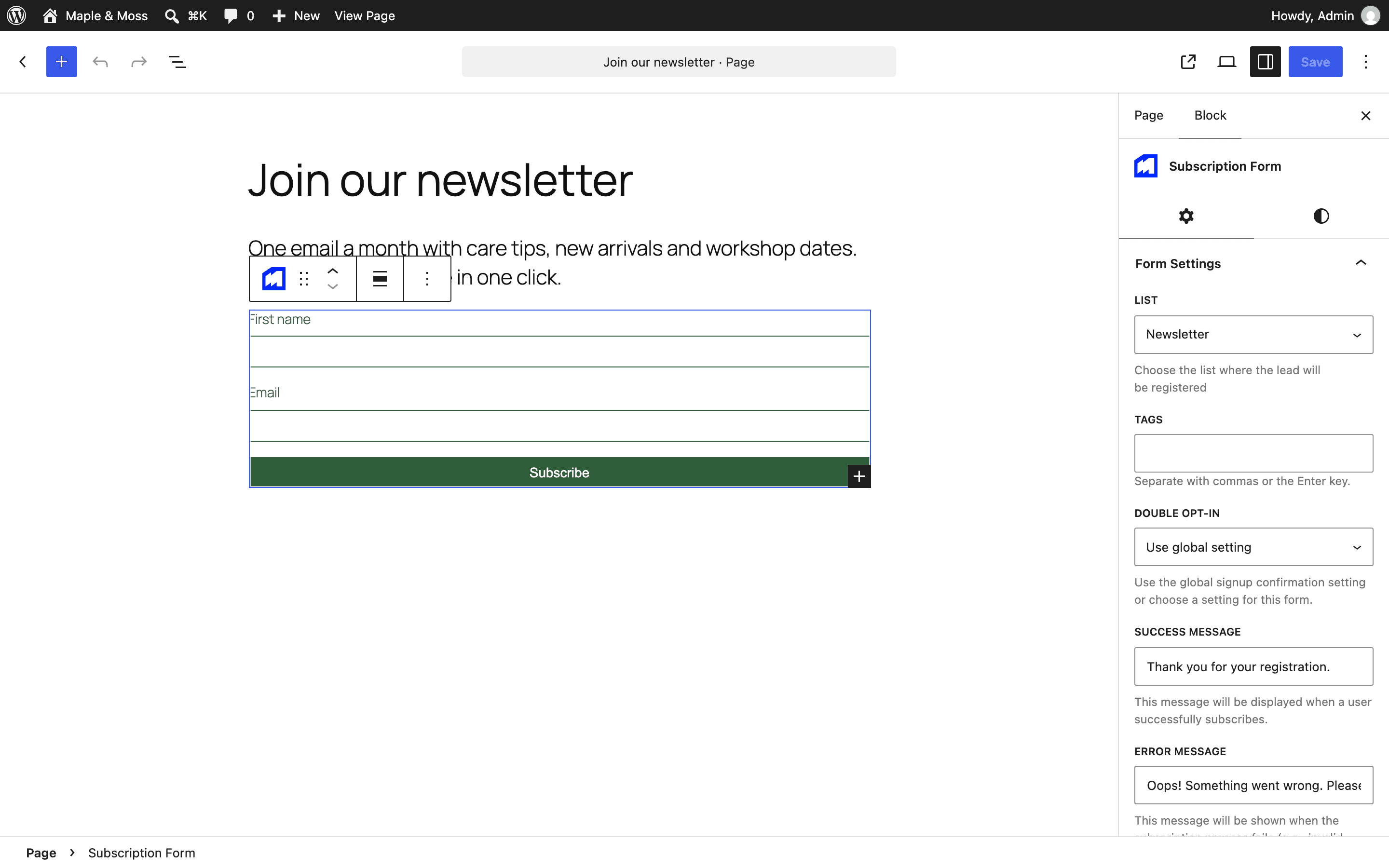
- Subscription Form block for the block editor, and a
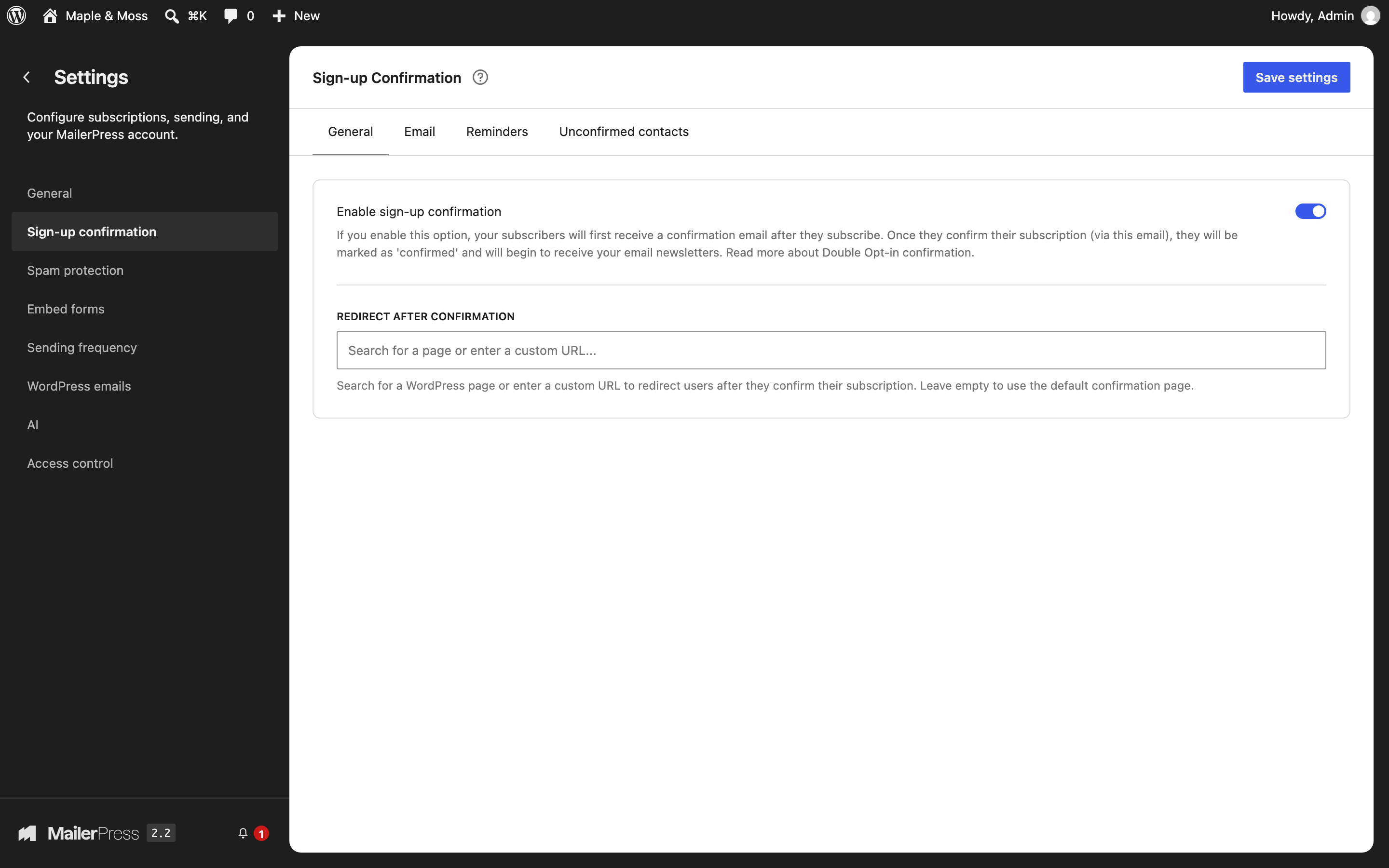
[mailerpress_optin]shortcode for page builders and classic themes. - Double opt-in, with an editable confirmation email and automatic reminders for contacts who have not confirmed.
- Honeypot field and rate limiting to block fake sign-ups.
- Import contacts from a CSV file, export them to CSV.
- Move your contacts, lists and tags from MailPoet or the Newsletter plugin.
- Detect inactive contacts and send them a re-engagement email.
- Manage subscription and unsubscribe pages, using the MailerPress design or your own pages. One-click unsubscribe in inboxes that support it.
- Segments based on contact data, engagement and purchases. (Pro)
- Custom contact fields. (Pro)
- Sign-up forms embedded on other websites, restricted to the domains you allow. (Pro)
- CAPTCHA on forms: Cloudflare Turnstile, reCAPTCHA v2 or hCaptcha. (Pro)
- Keep WordPress users in sync with your contacts, with separate rules per role. (Pro)
- Import contacts from Mailchimp, Brevo, MailerLite, SendGrid, Mailjet, Resend or Emailit. (Pro)
Automations
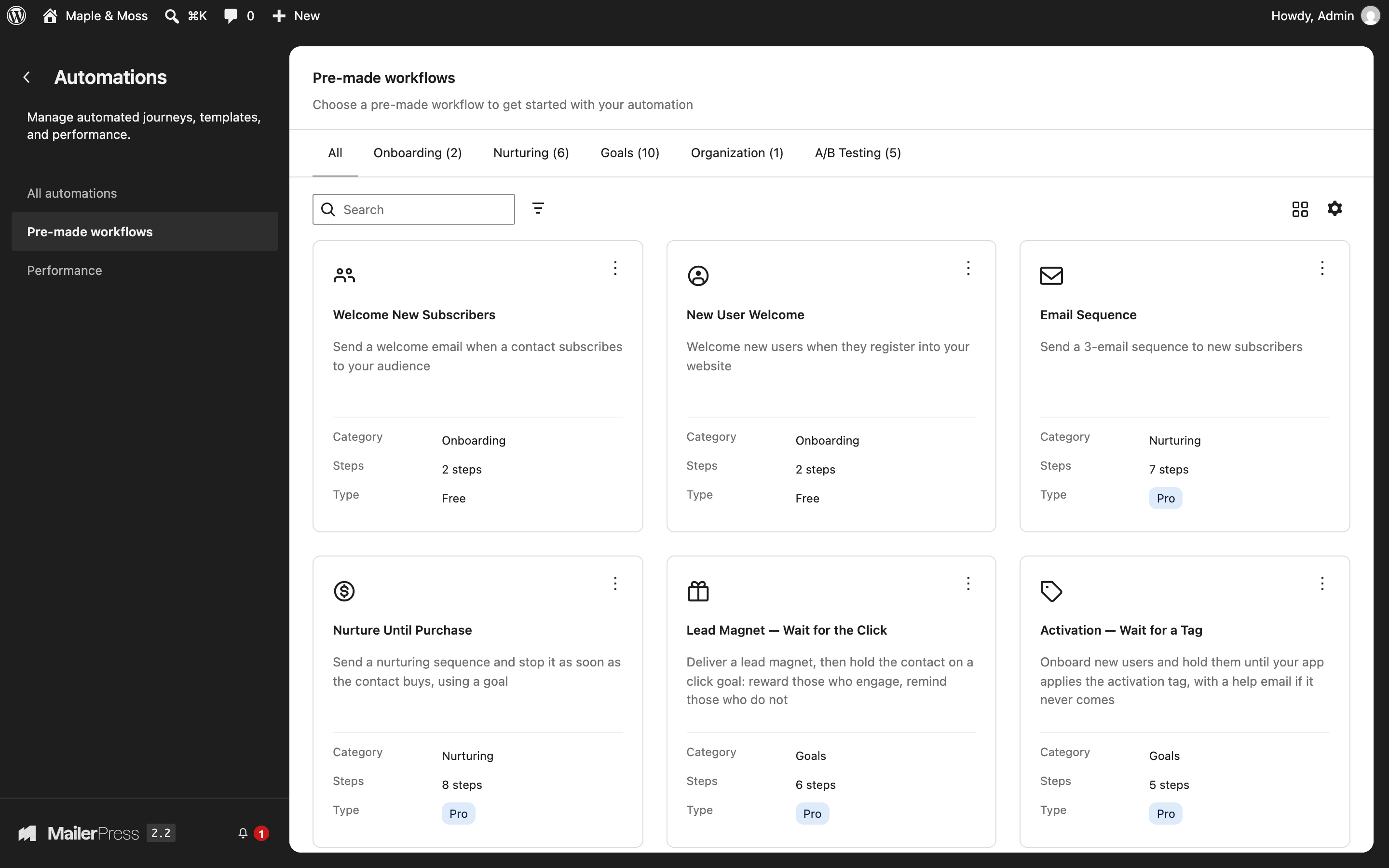
The free plugin includes two ready-made workflows: a welcome email for new subscribers and a welcome email for new WordPress users.
With MailerPress Pro, you build your own workflows. Start them when someone subscribes, joins a list or gets a tag, registers or logs in, comments, places a WooCommerce order, abandons a cart, stops buying, has a birthday, or when a webhook arrives. Then send emails, wait, branch on conditions, add or remove tags and lists, split-test two paths and track goals. Pro also includes 29 more ready-made workflows, such as abandoned cart recovery and customer win-back. (Pro)
Sending
- The free plugin sends through your web host (PHP mail) or any SMTP server.
- Bounces from an SMTP account can be read from an IMAP mailbox.
- Sending speed limits keep you within your host’s or provider’s quotas.
- Email service providers: Amazon SES, Brevo, Emailit, Gmail / Google Workspace, Mailgun, Mailjet, Postal, Postmark, Resend, SendGrid, SMTP2GO and ToSend. Bounces are processed automatically, except with Gmail. (Pro)
- Let an SMTP plugin you already use, such as WP Mail SMTP, send your campaigns. (Pro)
WooCommerce
- Product Showcase block to add products to any email.
- Newsletter opt-in at checkout, including FunnelKit checkouts, and subscription preferences in My Account. (Pro)
- Redesign WooCommerce customer and admin emails with the MailerPress editor: processing, completed, on-hold, refunded and failed orders, invoices, customer notes, new accounts, password resets, plus WooCommerce Subscriptions emails. (Pro)
- Abandoned cart, first order, inactive customer and purchase-based automations. (Pro)
- A WooCommerce tab on each contact with orders, total spent, cart in progress and the revenue your emails generated. (Pro)
Integrations
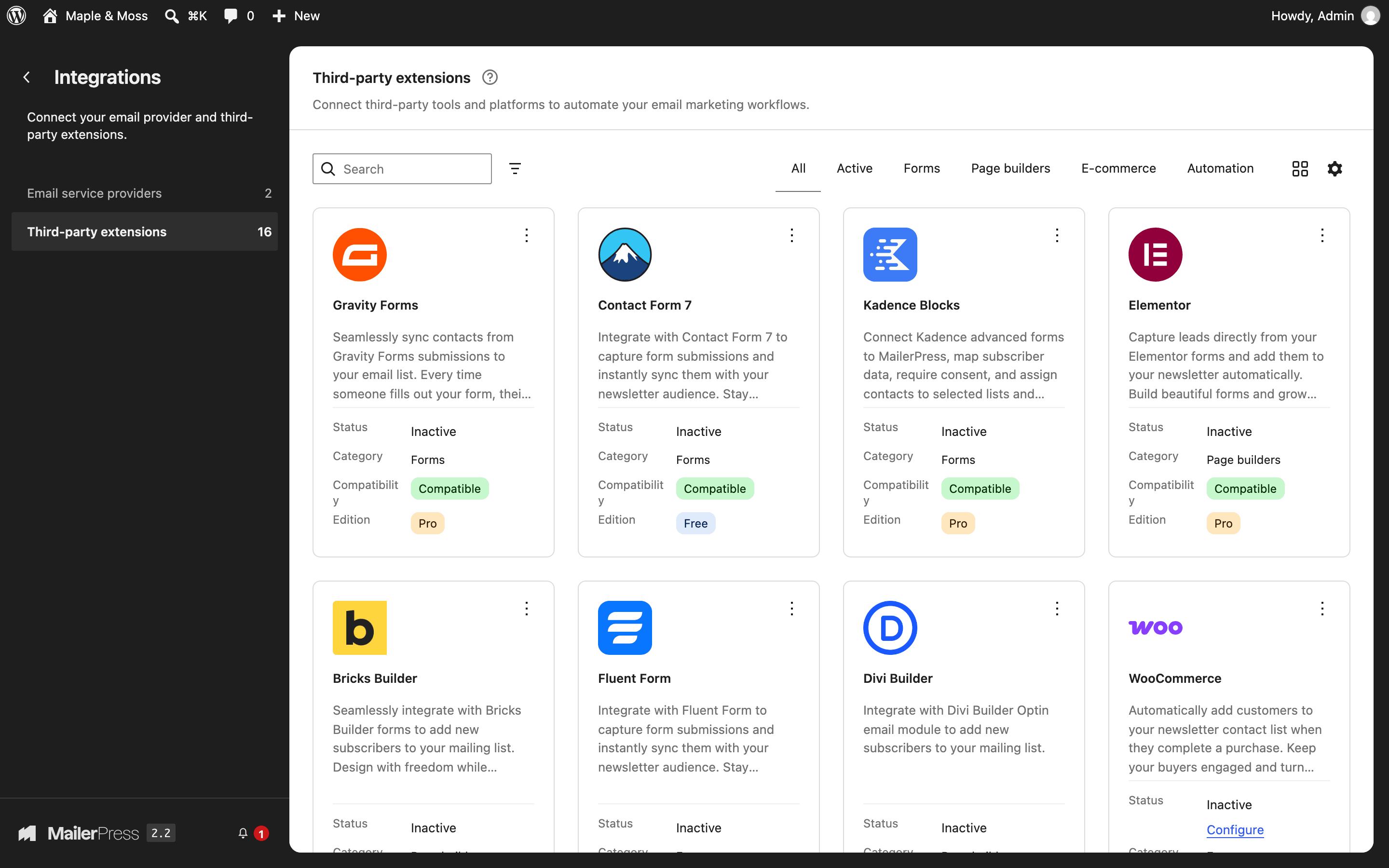
- Contact Form 7: add sign-ups to lists and tags, with field mapping and double opt-in.
- Gravity Forms, Fluent Forms and Kadence Blocks forms. (Pro)
- Elementor (MailerPress widget and Elementor Pro form action), Bricks Builder and Divi Builder. (Pro)
- Checkout opt-in for SureCart, FluentCart, Easy Digital Downloads and Paid Memberships Pro. (Pro)
- Advanced Custom Fields and ACPT fields in your emails. (Pro)
- Incoming webhooks to create or update contacts, and outgoing webhooks for 16 events, to connect Zapier, Make, n8n or your own code. (Pro)
- Redesign WordPress emails (new user, password reset, comment notifications, automatic update notices) with the MailerPress editor. (Pro)
- Access control by WordPress role, and white label options. (Pro)
Bit Flows, FlowMattic, OttoKit and SureForms also offer MailerPress integrations. Their authors maintain them, and some features may depend on their own plans. OttoKit 1.1.41’s “Add contact to list” action writes directly to the MailerPress tables: it skips sign-up confirmation and can resubscribe a contact who unsubscribed. Check its behavior before using it for newsletter sign-ups.
See the full list on mailerpress.com/integrations.
For developers
- REST API, with API keys you create in Tools > API keys.
- About 180 PHP actions and filters, plus JavaScript hooks for the editor.
- Register your own merge tags with
mailerpress_register_merge_tag_group(). - WP-CLI commands for database migrations and bounce processing.
- Add contacts from your code with
add_mailerpress_contact()(see below).
Adding contacts from another plugin
Call add_mailerpress_contact( $data ) once WordPress has loaded MailerPress, instead of writing to its tables or firing its hooks yourself. Pass email, and optionally first_name, last_name, lists and tags (arrays of IDs, or arrays containing id), custom_fields and an opt_in_source that names your integration. The function validates the email, assigns the default list when needed, updates existing contacts and runs the MailerPress lifecycle hooks.
- New contacts are
pendingand receive the confirmation email when sign-up confirmation is on, even if you passsubscribed. Otherwise they aresubscribed. - A pending contact cannot be confirmed by a regular update.
- An unsubscribed contact stays unsubscribed; its fields, lists and tags can still be updated. Pass
allow_resubscribe => trueonly after a new, explicit opt-in. Sign-up confirmation still applies. - The
manualsource skips confirmation and is reserved for trusted admin actions. It does not allow resubscription on its own. Never map this source or the resubscription flag from untrusted request data.
The legacy keys contactEmail, contactFirstName, contactLastName, contactStatus and subscriptionStatus still work. On success the function returns success, contact_id and data; on failure, success => false and error. Handle failures before your integration continues.
Privacy
Your contacts, campaigns and statistics are stored in your WordPress database. MailerPress gives you double opt-in, unsubscribe and subscription management pages, and anonymized or disabled tracking. When you use an email service provider, your contacts’ email addresses and the content of your emails go to that provider: check its privacy policy.
External services
MailerPress connects to the following services:
- MailerPress notices (mailerpress.com). In the MailerPress admin, the plugin fetches notices and offers from
https://mailerpress.com/wp-json/mailerpress-site/v1/promotions, at most every 30 minutes. The request includes your site URL and domain, the MailerPress version, the admin language, the number of days since installation, and whether MailerPress Pro is installed and its license is valid. To turn it off, addadd_filter( 'mailerpress_remote_promotions_enabled', '__return_false' );to your site. Privacy policy, terms. - MailerPress newsletter (mailerpress.com). Only if you click “Subscribe” in the last step of the setup wizard, your email address, site URL, MailerPress version and language are sent to mailerpress.com to subscribe you to product news. Privacy policy.
- Google Fonts. When you browse fonts in the editor, the font list is loaded from WordPress.org (s.w.org). When you add a Google Font, its files are downloaded from Google (fonts.googleapis.com, fonts.gstatic.com) and then served from your site. Google privacy policy, WordPress.org privacy policy.
- Openverse. When you search images in the editor, your search terms are sent to api.openverse.org. WordPress.org privacy policy.
- YouTube, Vimeo and Dailymotion. When you add a video block, the plugin loads the video thumbnail from the matching service. Google privacy policy, Vimeo privacy policy, Dailymotion privacy policy.
- Gravatar. The User Profile Card block in automation emails loads the recipient’s avatar from gravatar.com, using a hash of their email address. Automattic privacy policy.
Translations
You can help translate MailerPress into your language.
From the same team
SEOPress, an SEO plugin for WordPress.
- In your WordPress admin, go to Plugins > Add New, search for “MailerPress”, then install and activate it. You can also upload the plugin folder to
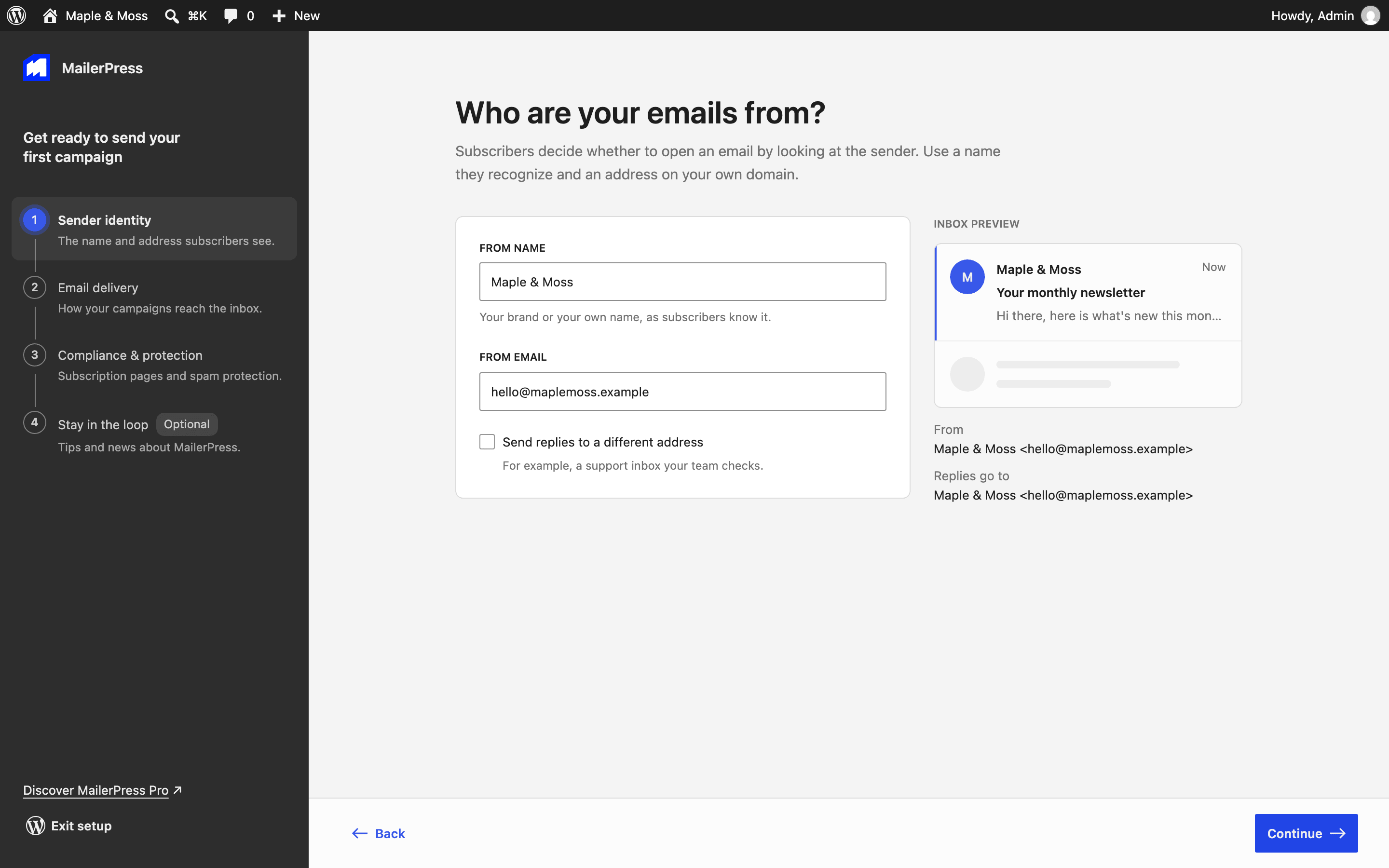
/wp-content/plugins/. - Open MailerPress in the admin menu. The setup wizard asks for your sender name and address, how you want to send, and your subscription page settings.
- Add a Subscription Form block to a page, or import your contacts from Tools > Import / Export.
- Go to Campaigns > Create campaign to write your first email.
Screenshot Gallery

Yes. The free plugin has no limit on contacts, lists, tags or campaigns, and includes the email editor, sign-up forms, double opt-in, scheduling, recurring campaigns and statistics. MailerPress Pro is a paid add-on for email service providers, automation workflows, segments, custom fields, A/B testing, WooCommerce emails and integrations with other plugins.
Go to Campaigns > Create campaign, name your campaign, then pick a design or start from a blank email. Write your content, choose your lists in the Recipients setting, then click Preview & Send to send it now or schedule it.
Yes. MailerPress imports contacts, lists and tags from MailPoet and the Newsletter plugin (Tools > Migrations), and contacts from any CSV file. MailerPress Pro adds imports from Mailchimp, Brevo, MailerLite, SendGrid, Mailjet, Resend and Emailit.
Add the Subscription Form block to any post or page, then choose its list, tags and double opt-in setting in the block sidebar. With a page builder or a classic theme, use the [mailerpress_optin] shortcode. Contact Form 7 forms can also add contacts.
The free plugin sends through your web host (PHP mail) or an SMTP server. MailerPress Pro adds Amazon SES, Brevo, Emailit, Gmail / Google Workspace, Mailgun, Mailjet, Postal, Postmark, Resend, SendGrid, SMTP2GO and ToSend. Sending from your web host works for testing and small lists, but emails are more likely to land in spam: use SMTP or an email service provider for regular campaigns.
Yes. Create a campaign and choose the Recurring type. MailerPress can send one email per new post, or a daily, weekly or monthly digest of your latest posts.
The free plugin includes two ready-made workflows: a welcome email for new subscribers and a welcome email for new WordPress users. Building your own workflows, and the other ready-made workflows, require MailerPress Pro.
The free plugin adds a Product Showcase block to put products in your emails. MailerPress Pro adds a newsletter opt-in at checkout, redesigned WooCommerce emails, abandoned cart and win-back automations, purchase-based segments and revenue statistics.
Yes. For each campaign, you can track opens and clicks normally, anonymize them, or turn them off.
MailerPress stores your contacts in your WordPress database, and gives you double opt-in, unsubscribe links, subscription management pages and anonymized tracking. Compliance also depends on how you collect consent and which email service provider you use. See the “External services” section for the connections the plugin makes.
Use the WordPress.org support forum. MailerPress Pro customers can contact us from mailerpress.com/support. Documentation is at mailerpress.com/docs.
Changelog
2.2 Read the blog post update
- IMPORTANT: Using MailerPress Pro? Update it to version 2.2 along with MailerPress to keep premium templates, WordPress emails and all your Pro features working. A notice reminds you if your Pro version is out of date.
- NEW: A fresh new look — MailerPress now looks and feels like WordPress itself, with native WordPress components, your admin color scheme and a simpler menu where every screen is one click away.
- NEW: Work from any screen — the email editor, the automation editor and all your lists now adapt to tablets and phones.
- NEW: A smarter email editor — a WordPress-style document bar, a command palette to reach any action from your keyboard, and a dedicated window to send yourself a test email in seconds.
- NEW: WooCommerce customer insights with MailerPress Pro — a new WooCommerce tab on each contact shows their orders, total spent, cart in progress, top products and the revenue your emails generated.
- NEW: Per-contact click heatmap with MailerPress Pro — pick any recipient in your campaign statistics to see exactly which links they clicked.
- IMPROVEMENT: Emails that match your site — new emails start with your theme fonts, and the editor uses the same color palettes, styles and font sizes as the Site Editor. Fonts you choose for an email stay with that email.
- IMPROVEMENT: A faster MailerPress — the dashboard, your campaign and contact lists, and the email editor open noticeably faster, with less background activity slowing down your admin.
- IMPROVEMENT: Your email provider API keys, tokens and SMTP passwords are now always masked and never sent to your browser.
- IMPROVEMENT: Redesigned AI settings with MailerPress Pro — choose your AI provider from a clear catalog and set it up in a simple settings window.
- IMPROVEMENT: Embedded signup forms from MailerPress Pro only accept submissions from the domains linked to your integration keys, and now display your custom messages.
- IMPROVEMENT: Clearer API keys — tick “Full access” to give a key every permission in one click, and your key list now shows at a glance what each key can do.
- IMPROVEMENT: Only logged-in editors can preview your subscriber pages, such as the Manage subscription page, so your site details stay private.
- IMPROVEMENT: With MailerPress Pro, the MailerPress Pages designer only appears when “Use MailerPress design” is turned on. When it is off, a short note reminds you that your pages use your theme’s styles.
- FIX: The “Create campaign” action in Contacts > Lists now opens a new campaign with the selected lists already set as recipients.
- FIX: Updating contacts with a CSV import now keeps their subscription status and existing names.
- FIX: The WooCommerce Inactive Customer automation no longer adds customers who never subscribed to your lists.
- FIX: Signup forms now respect the double opt-in setting chosen in the form block.
- FIX: Automation emails now use your default Reply-To address.
- FIX: A fatal error that could stop WP-Cron during scheduled task cleanup is fixed.
- FIX: Subscribers who fill in one of your signup forms again now stay subscribed and keep receiving your emails. Contacts who haven’t confirmed yet get a fresh confirmation email.
- FIX: Shortcuts to your email provider settings, such as the alert shown when your main provider is turned off, now open Integrations > Providers, and “Adjust sending frequency” works in every language.
- FIX: The help link on the WordPress sending option now opens the right documentation page.
- FIX: A/B tests with MailerPress Pro now send to the lists you selected.
- FIX: Birthday automations with MailerPress Pro now run at the “Check Time” you set.
- FIX: With MailerPress Pro, contacts who already confirmed their subscription stay confirmed when they submit a connected form again.
- FIX: Revenue statistics from MailerPress Pro now show your store’s currency.
- FIX: Mailjet bounce tracking with MailerPress Pro no longer asks for a webhook signature, and the webhook secret field only appears for providers that sign their webhooks.
- FIX: White label settings with MailerPress Pro now work as expected: your “Email footer” text replaces the “Made with MailerPress” badge in new emails, and “Hide Help screen” removes the help button and panel.
- FIX: After connecting Gmail with MailerPress Pro, you now return to Integrations > Providers with a message confirming the connection.
- FIX: With MailerPress Pro, a temporary delivery issue such as a full mailbox no longer removes a contact from your future campaigns when you send with Mailgun, Brevo, Postmark or EmailIt. Only permanent failures count as bounces.
- FIX: Bounces reported by your email provider now trigger your “Email Bounced” outgoing webhooks with MailerPress Pro.
- FIX: SendGrid bounce tracking with MailerPress Pro now works when SendGrid webhook signing is turned on.
- FIX: Refreshing A/B test statistics with MailerPress Pro no longer picks a winner too early. The winning version goes out when the test period ends, and sending it sooner asks for your confirmation.
- FIX: The Fluent Forms integration with MailerPress Pro no longer shows a subscription status setting that had no effect. The Double Opt-In option alone decides whether new contacts need to confirm.
Available Versions
| Version | Download | Type |
|---|---|---|
| 2.2 | Download | Stable |
| 2.1.3 | Download | Stable |
| 2.1.2 | Download | Stable |
| 2.1 | Download | Stable |
| 2.0.7 | Download | Stable |
| 2.0.6 | Download | Stable |
| 2.0.5 | Download | Stable |
| 2.0.4 | Download | Stable |
| 2.0.3 | Download | Stable |
| 2.0.2 | Download | Stable |
| 2.0.1 | Download | Stable |
| 2.0 | Download | Stable |
| 1.5.5 | Download | Stable |
| 1.5.4 | Download | Stable |
| 1.5.3 | Download | Stable |
| 1.5.2 | Download | Stable |
| 1.5.1 | Download | Stable |
| 1.5 | Download | Stable |
| 1.4.2 | Download | Stable |
| 1.4.1 | Download | Stable |
| 1.4 | Download | Stable |
| 1.3.1 | Download | Stable |
| 1.3 | Download | Stable |
| 1.2.1 | Download | Stable |
| 1.2 | Download | Stable |
| 1.1.4 | Download | Stable |
| 1.1.3 | Download | Stable |
| 1.1.2 | Download | Stable |
| 1.1.1 | Download | Stable |
| 1.1 | Download | Stable |
| 1.0.1 | Download | Stable |
| 1.0 | Download | Stable |
| 0.5.0 | Download | Stable |
| 0.4.0 | Download | Stable |
| 0.3.1 | Download | Stable |
| 0.3.0 | Download | Stable |
| 0.2.3 | Download | Stable |
| 0.2.2 | Download | Stable |
| 0.2.1 | Download | Stable |
| 0.2.0 | Download | Stable |
| Development | Download | Trunk |
