Instant Locations
Active Installs
10+
Last Updated
April 21, 2016
First Released
April 21, 2016
Download History (Last one month)
Contributors
Imagine you have to enter information for shops, hotels, or companies… you’d probably need various fields: address, state, suburb, post code, latitude, longitude… Each time you add or edit them, you must enter and check all these fields manually. It’s such a nightmare if you have hundreds or thoudsands posts because it’s slow, time-consuming and sometimes, inaccurate. You’ll need a better way to work with it. All data should auto populate immediately without setup location database.
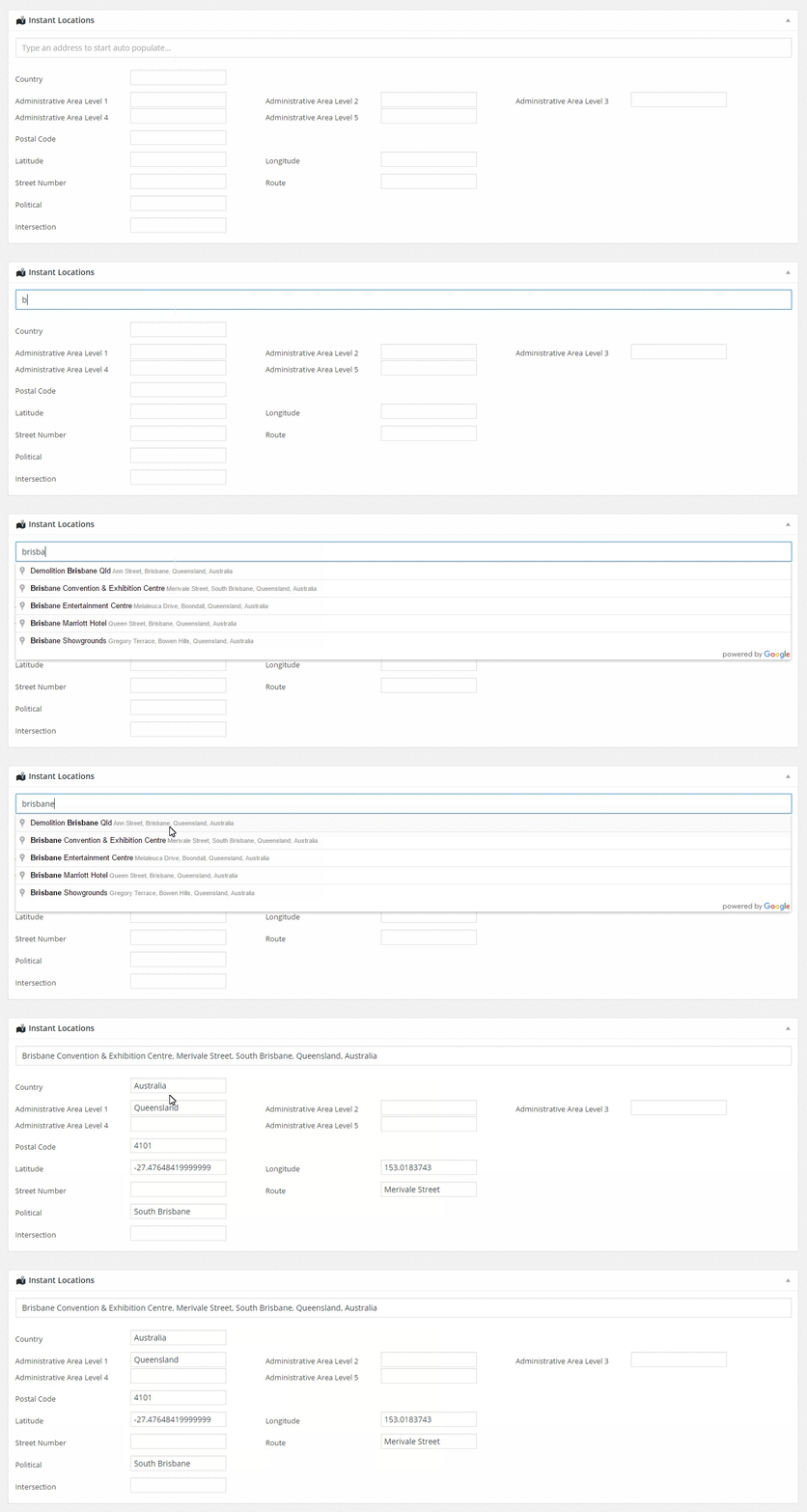
Instant Locations interacts with Google Maps API and automatically populates location data into your fields. Now you only have to type the desired address, verify it by the auto-suggested addresses from Google Maps API and then select the correct one from dropdown. All other fields’ values (post code, street, state, country, …) will be automatically filled in instantly.
Who need to use it?
As we mentioned above, all website which need to enter locations data. For exaple: real estate, dating, car parking, restaurant, hotel, tour, coffee shop, local…
Is this fast?
It’s not fast, it’s instant.
Plugin Links
- Upload the plugin files to the
/wp-content/plugins/instant-locationsdirectory, or install the plugin through the WordPress plugins screen directly. - Activate the plugin through the ‘Plugins’ screen in WordPress
- Use the
Settings\Instant Locationsscreen to configure the plugin
Screenshot Gallery


Do I have to setup location database?
Believe us, it’s a really bad idea to setup and maintain location database. This app connect directly to Google Maps service so you can trust.
Is this slow down my website?
It only runs when you need. Data is saved in separated table so it won’t create extra records in wp_postmeta and you can deactivate plugin or delete database table any time you want (We hope not) without affected to your website.
How to get the location data?
il_get_data($post_id, $address_component)
Where
$post_id your post id
$address_component not required. Address component type, it’s a column name, as also defined at Google:
https://developers.google.com/maps/documentation/geocoding/intro?csw=1#Types
Changelog
1.0 (April 19, 2016)
- Initial Release
" width="120" height="120">