
Import Meetup Events – Meetup Sync & Event Aggregator for WordPress
Active Installs
300+
Last Updated
August 18, 2026
First Released
October 14, 2016
Download History (Last one month)
Import Meetup Events lets you easily bring events from Meetup.com into your WordPress website, no API key, no authentication, and no Meetup Pro account required.
Whether you run a community site, business portal, or local meetup directory, you can start importing events instantly with just a few clicks. Focus on showcasing your events, while this plugin handles all the syncing and display effortlessly.
🆕 NEW: Meetup Live Feed Widget — Pro Version
Display Meetup events live on your site, no permanent importing required! The new Meetup Live Feed Widget fetches events directly from Meetup.com and renders them instantly using a simple shortcode, events are cached for performance but never saved as WordPress posts. Choose from 7 layout styles (Card Grid, List, Masonry, Minimal Grid, Compact List, Timeline, Ticket), control columns, pagination (AJAX, Load More, Infinite Scroll), and configure cache duration, all without cluttering your WordPress content.
📄 Documentation | ⭐ Upgrade to Pro | 🛟 Get Support | 👁️ Try Admin Demo
Stop manually copying events from Meetup.com to your WordPress site. Import Meetup Events connects your Meetup groups directly to your WordPress event calendar, saving you hours every week and keeping your website always up to date.
Whether you run a local tech meetup, a nonprofit community calendar, or a multi-city event network, this plugin eliminates the double-posting problem. Import once, display everywhere.
Why 8,000+ WordPress Sites Trust Our Plugin
⏱ Save 2+ Hours Per Week
Stop the copy-paste routine. Import all your Meetup.com events with a single click, including titles, descriptions, dates, venues, and organizer details.
⚙️ Works With Your Existing Calendar
No migration required. Works as a standalone event system AND as a powerful add-on for your existing calendar plugins:
- GatherPress — Import and manage events seamlessly with GatherPress, including support for event details, venues, and RSVP functionality.
- Easy Events Calendar — Display imported Facebook, Eventbrite, Meetup, iCal & more events in a clean calendar view on your WordPress site.
- The Events Calendar — Supported up to the latest version 6.x. Imported events appear natively in TEC calendar views, categories, and search.
- Events Manager — Full integration with Events Manager plugin.
- All-in-One Event Calendar — Import and display events seamlessly.
- EventON — Sync Meetup events into EventON.
- Event Organiser — Compatible for imported event management.
- My Calendar — Display imported events using My Calendar plugin.
🧱 Built-in Event Management
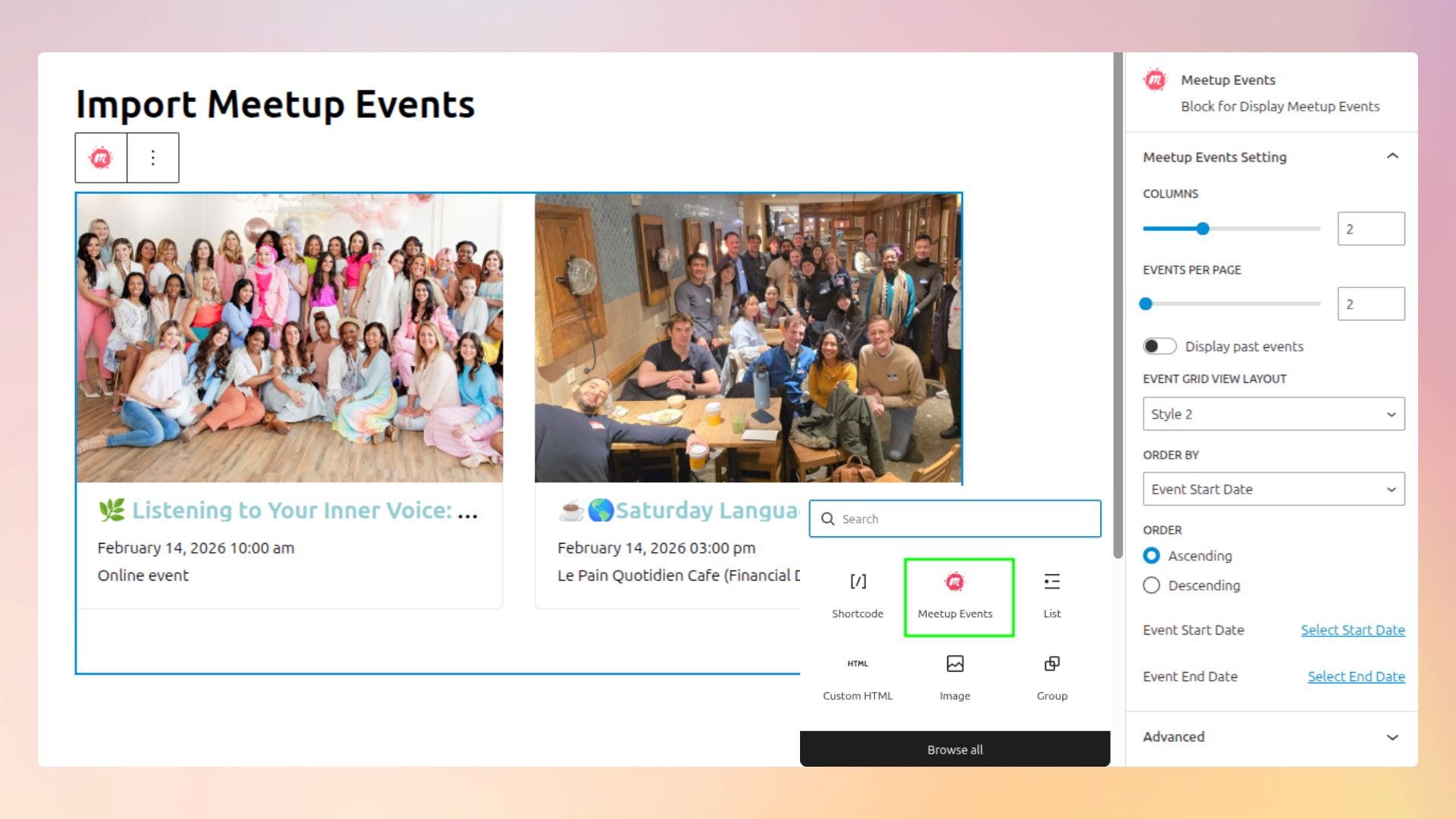
Don’t use a calendar plugin? No problem. Import Meetup Events includes its own lightweight event management system with shortcodes and a Gutenberg block. See Admin Demo
🚀 WHAT YOU CAN DO
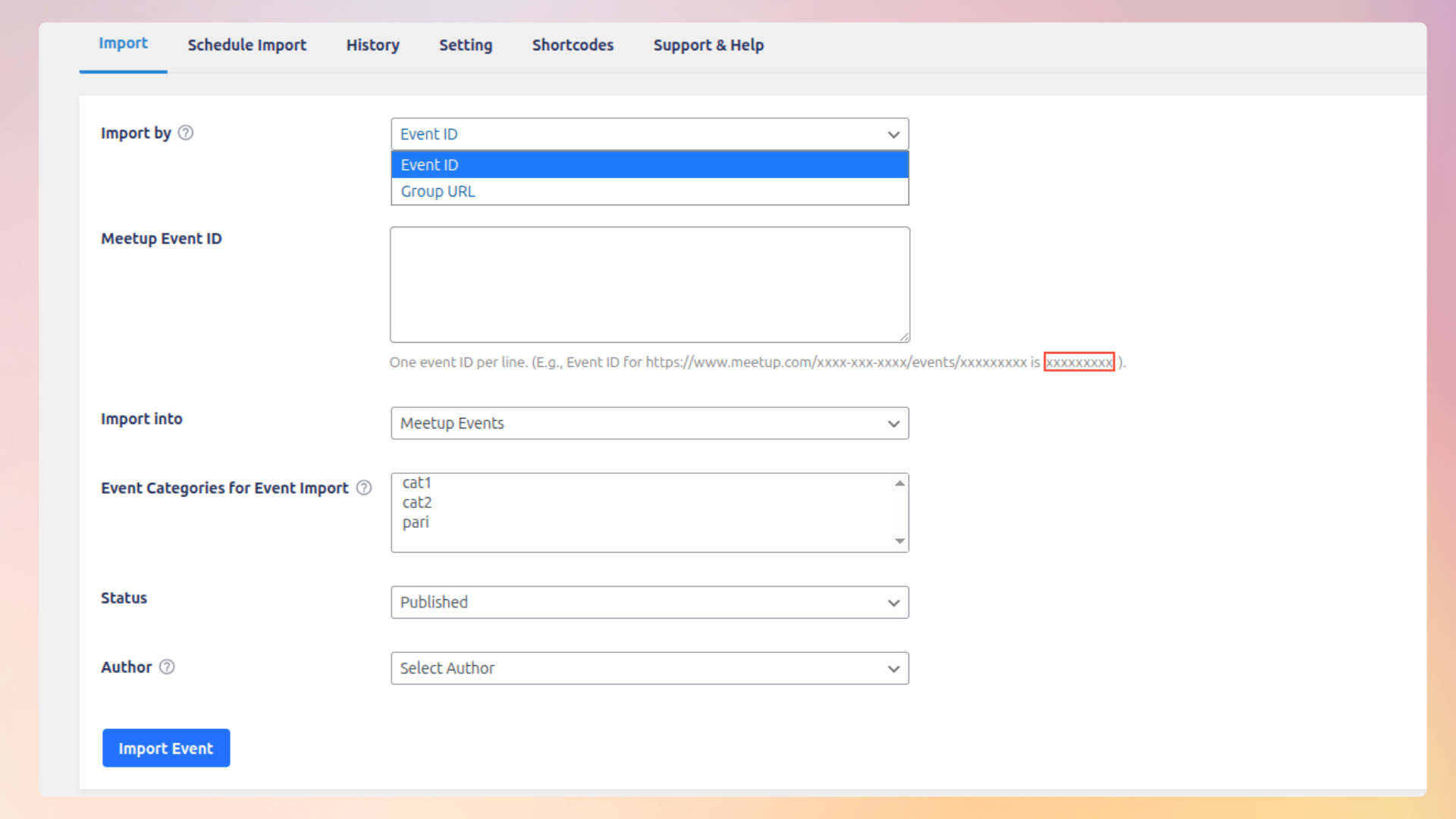
✔ Import events by Meetup Event ID
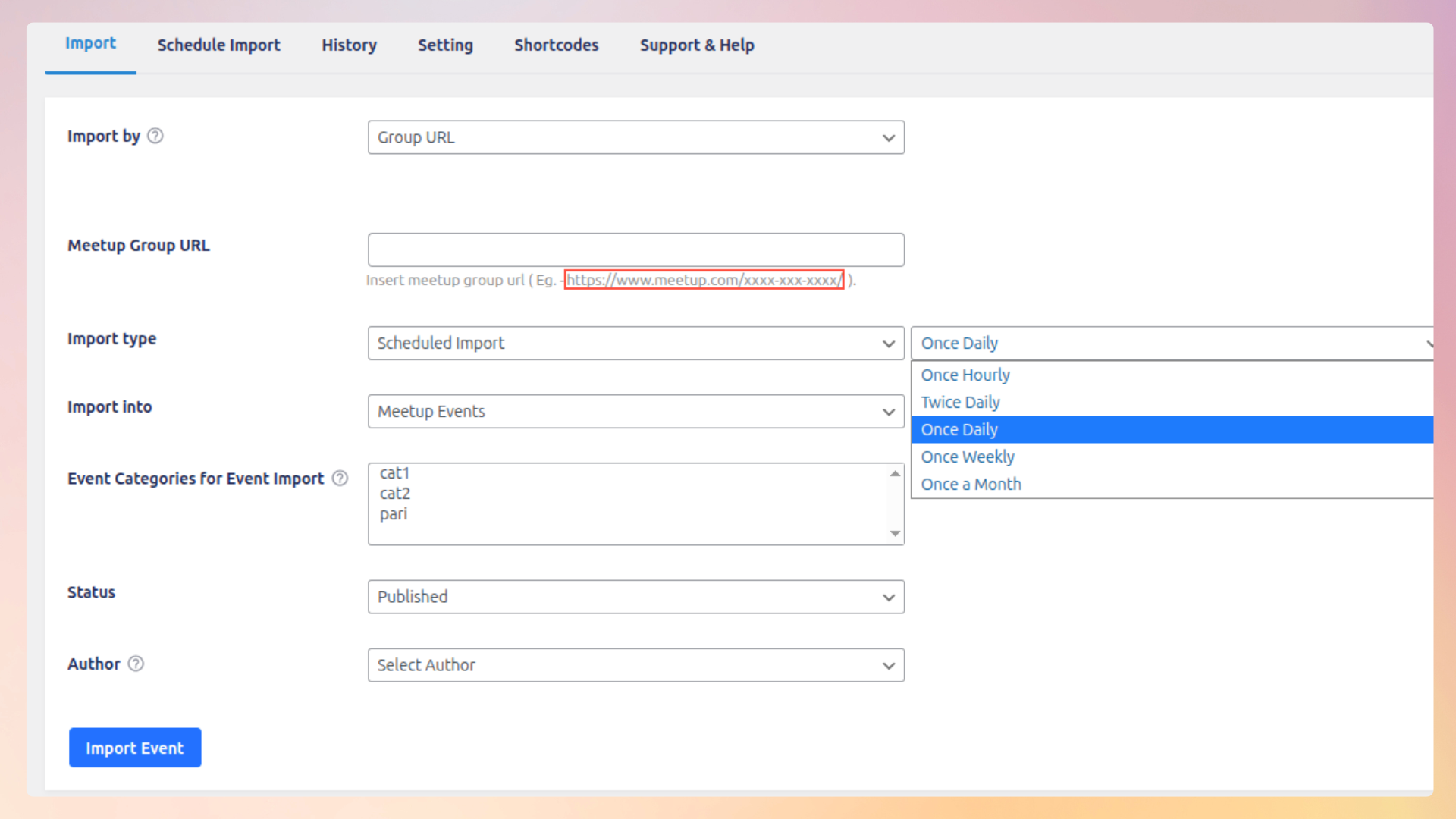
✔ Import events by Meetup Group URL — Pro Version
✔ Manually import events in one click
✔ Import past events (historical events) from Meetup groups Pro Version
✔ Schedule automatic imports — Pro Version
✔ Run background imports for large datasets — Pro Version
✔ Display events using shortcode, blocks, widgets, or page builders
🎯 FLEXIBLE DISPLAY OPTIONS
Display events anywhere on your website:
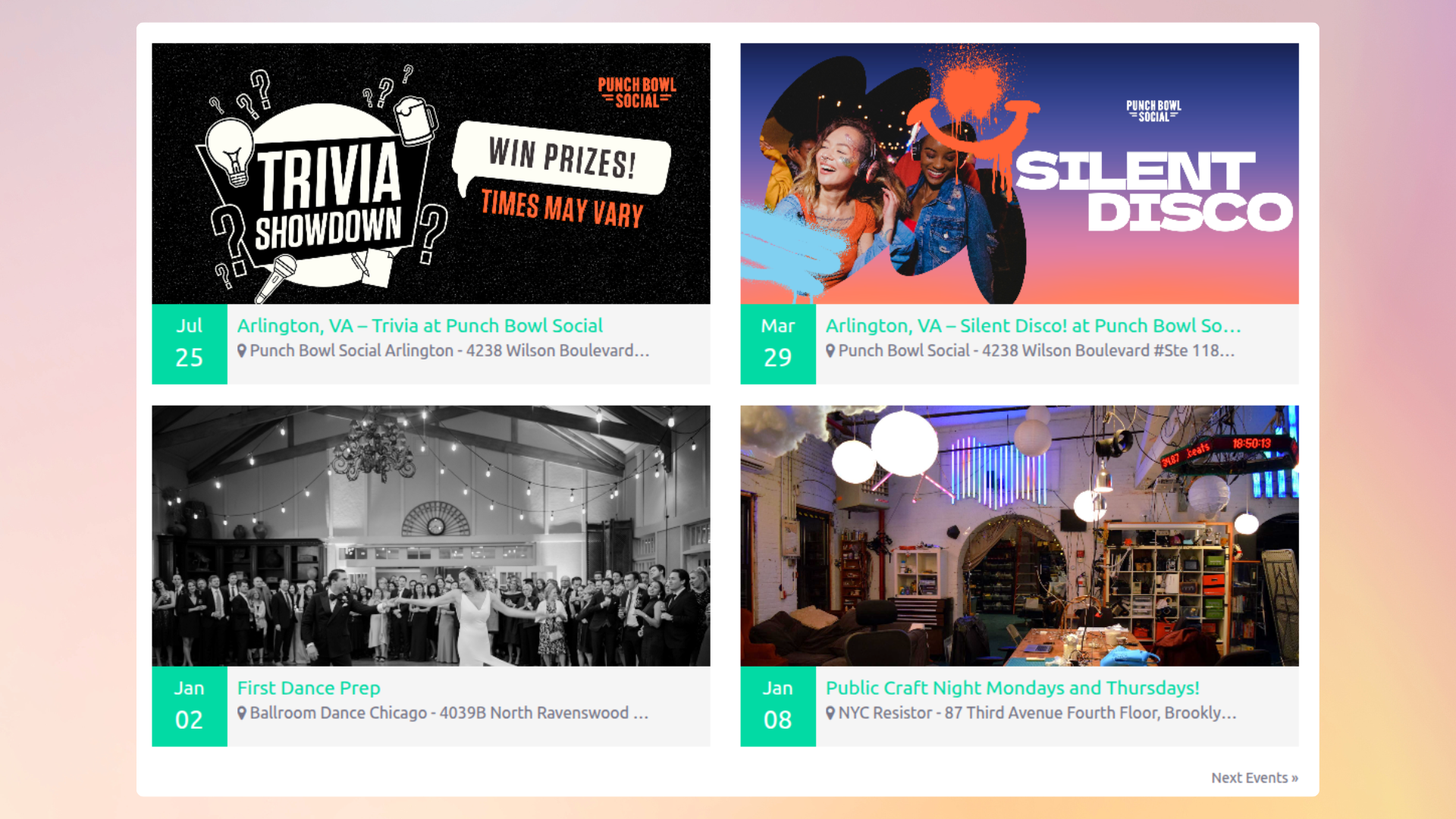
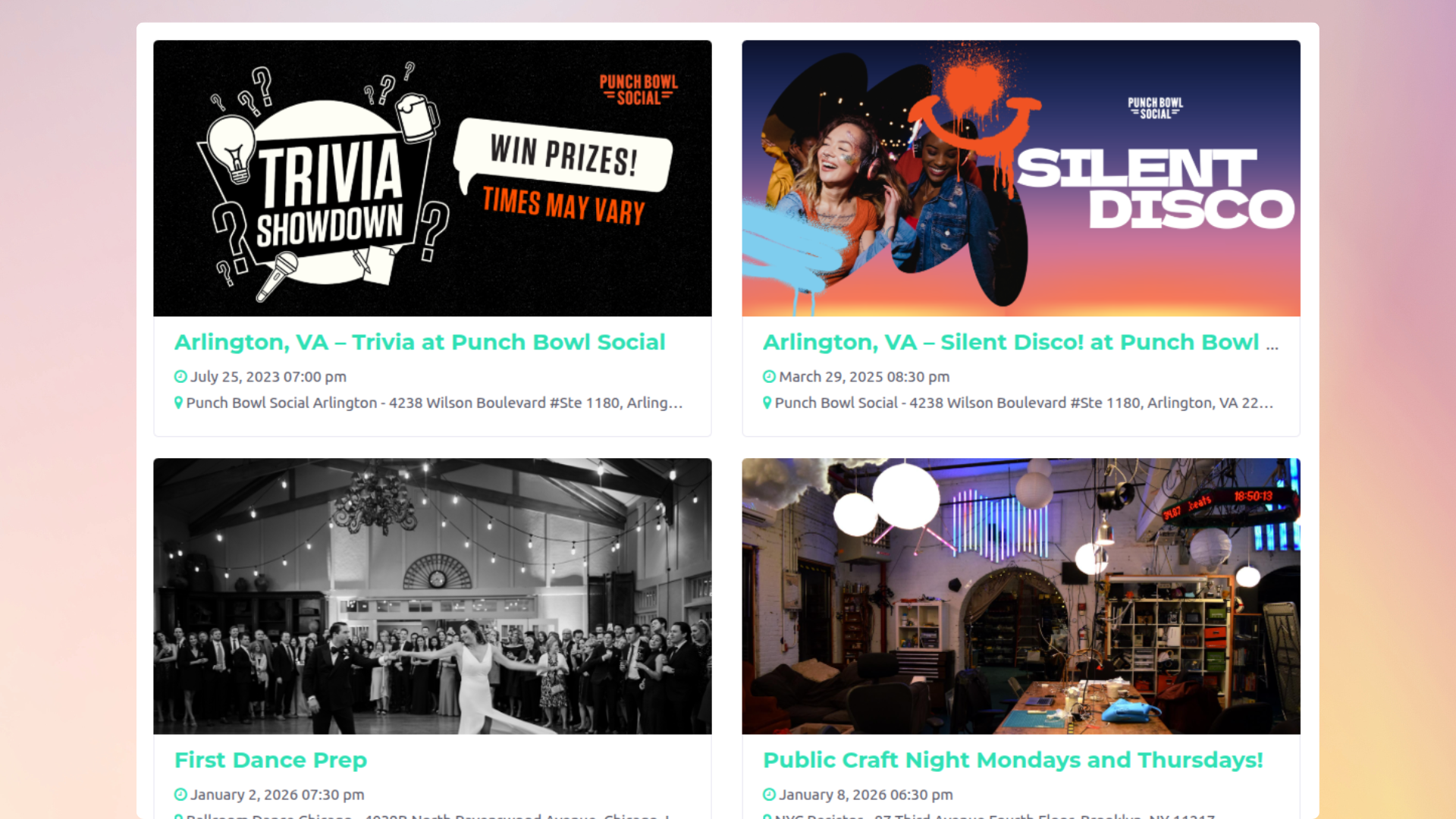
• 4 Modern Grid Layout Styles — Pro Version
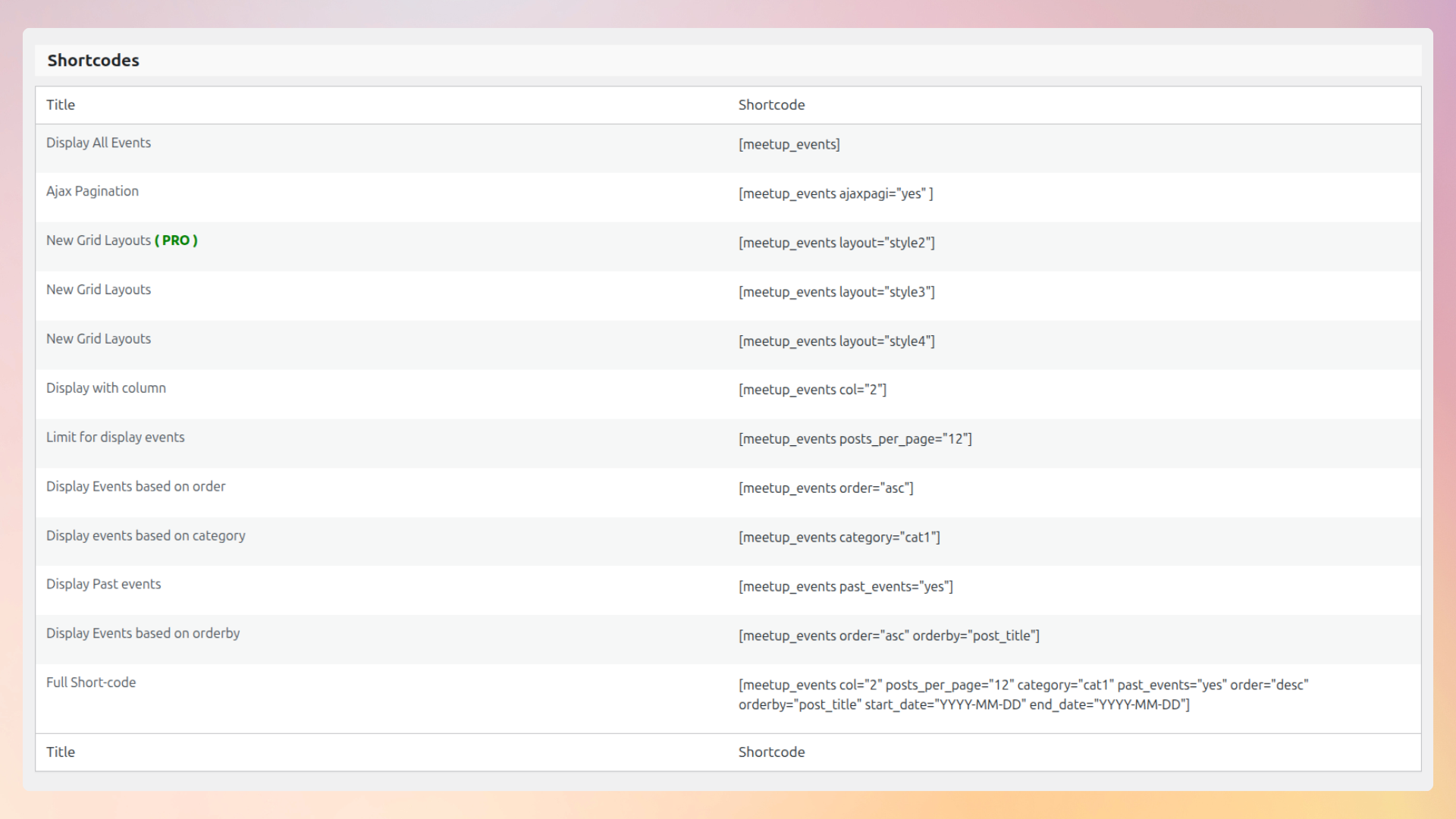
• Shortcode support: [meetup_events]
• Filter events by Group ID — Pro Version
• Gutenberg block support — Pro Version
• Elementor widget — Pro Version
• WPBakery Page Builder element — Pro Version
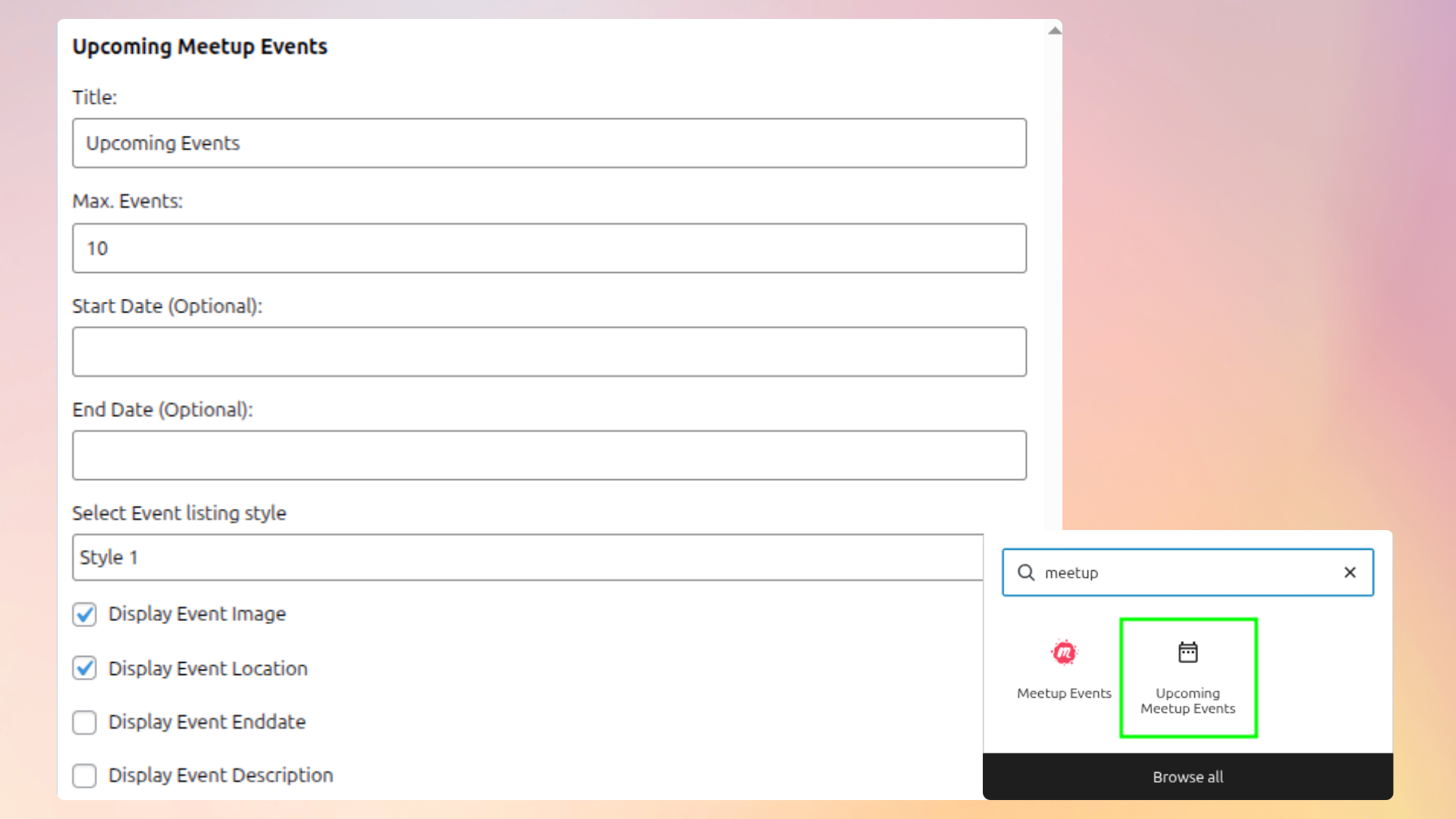
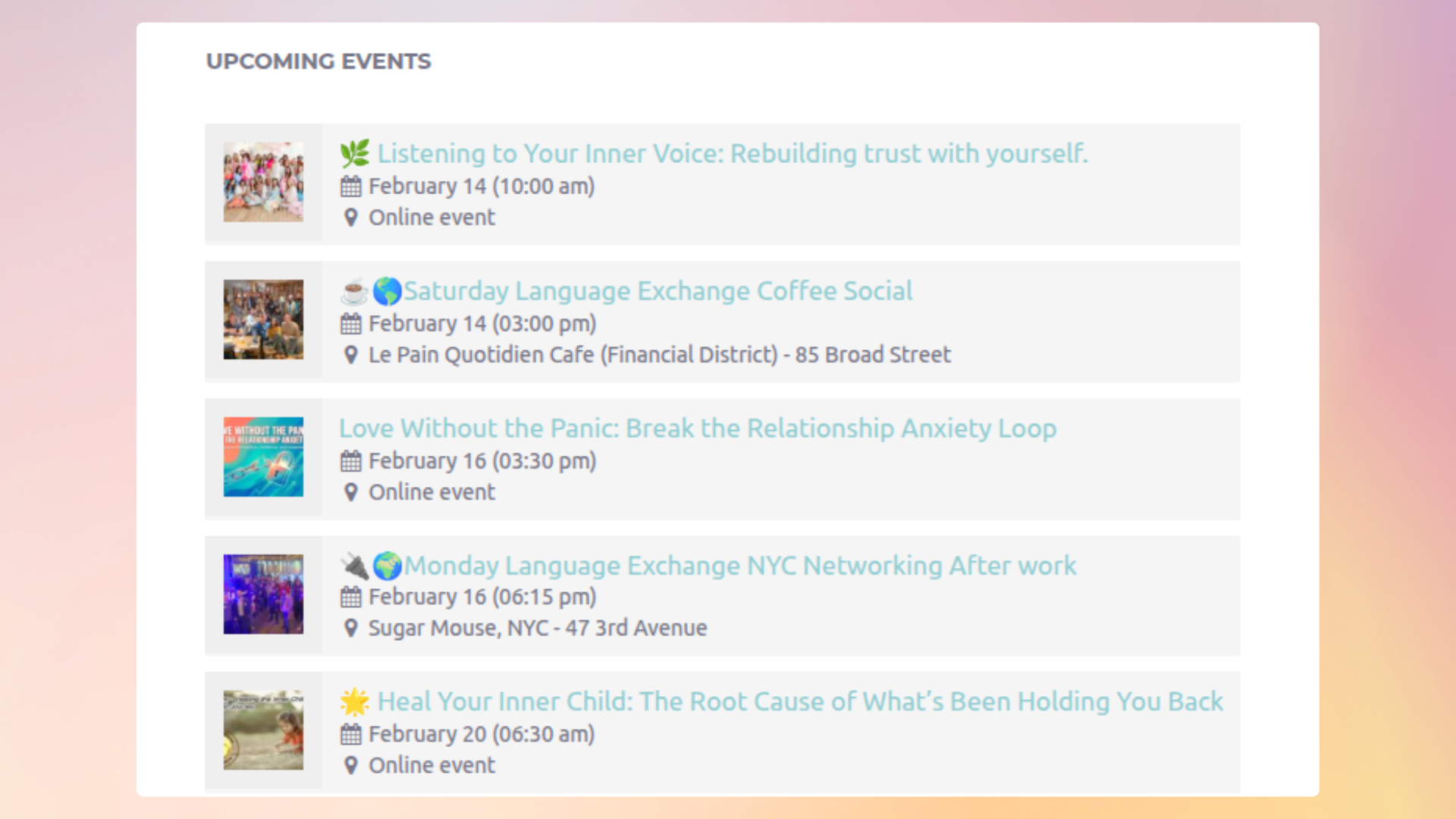
• Classic WordPress widget
Example usage:
[meetup_events layout="style2"]
⚙ IMPORT FEATURES
• Manual one-click event import
• Import events by ID
• Import events by Group URL — Pro Version
• Import past events from Meetup groups Pro Version
• Assign categories during import
• Set event status (Publish, Draft, Pending)
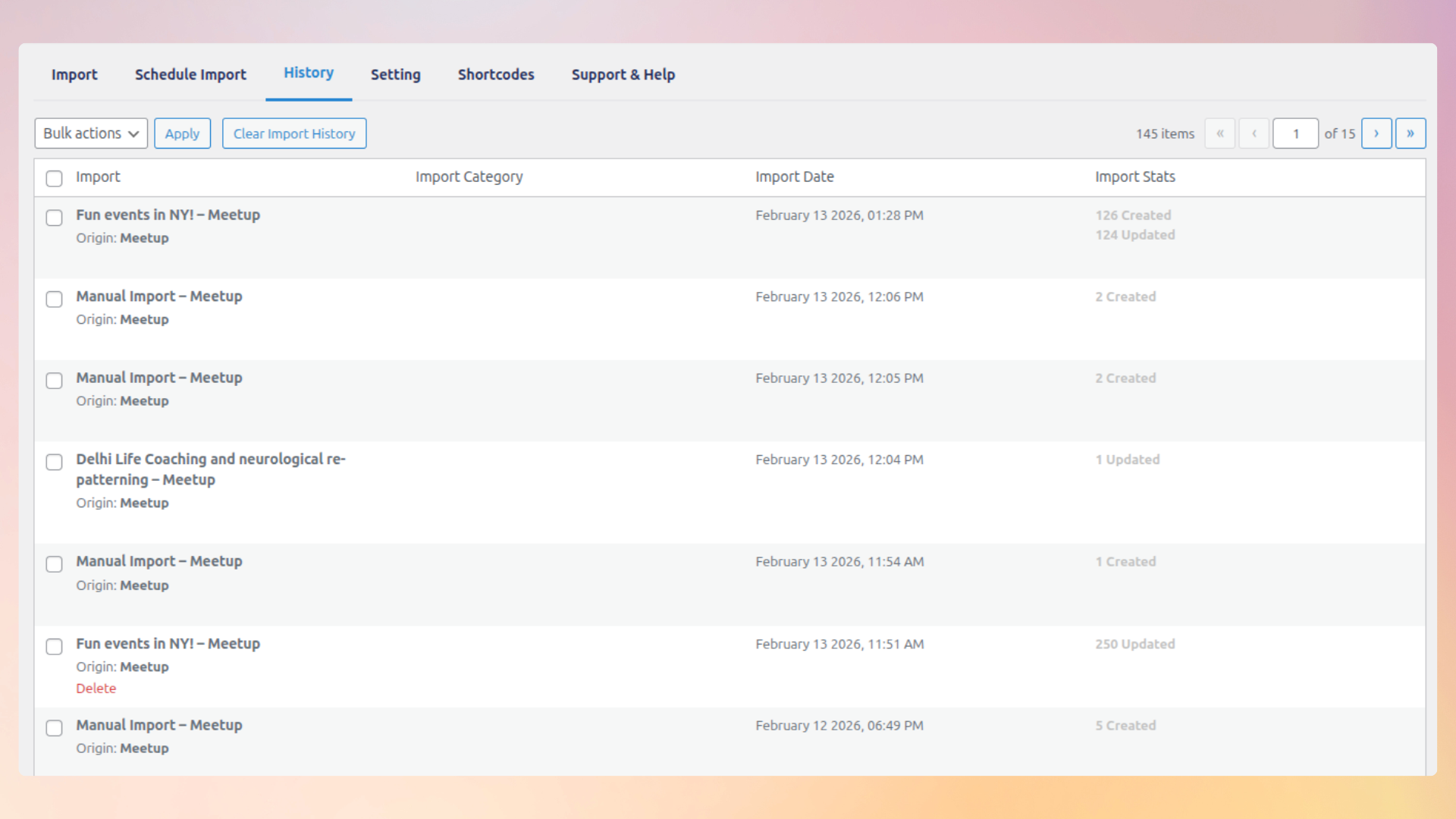
• Import history logs
• Automatic scheduled imports — Pro Version
• Custom time intervals — Pro Version
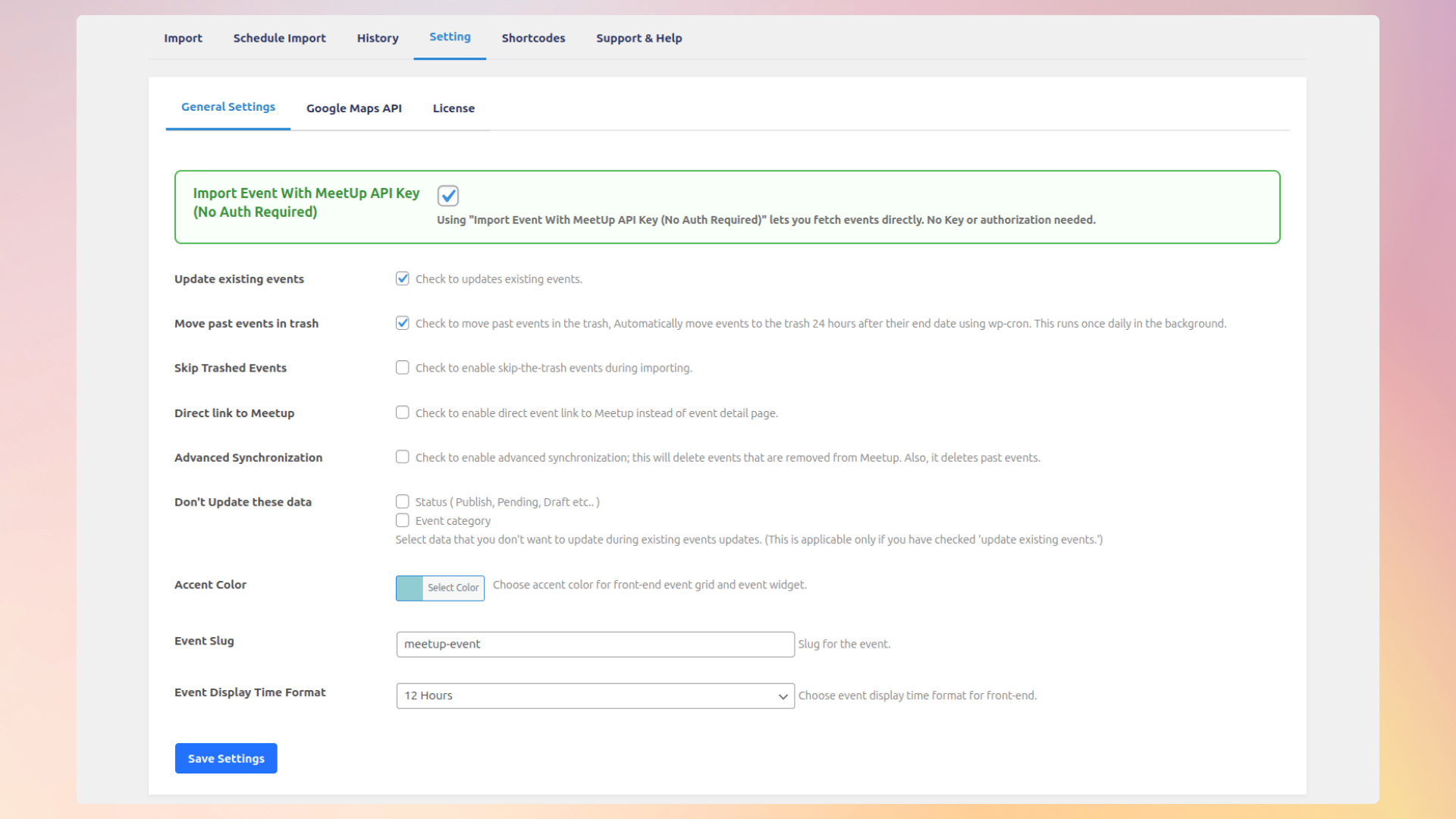
• Advanced synchronization — Pro Version
💡 WHY CHOOSE IMPORT MEETUP EVENTS?
✔ Beginner friendly interface
✔ Developer friendly flexibility
✔ Lightweight & optimized
✔ Clean admin dashboard
✔ Multiple layout styles — Pro Version
✔ Page builder compatibility — Pro Version
✔ Works as standalone or add-on
Perfect for:
• Meetup organizers
• Community websites
• Event bloggers
• Business websites
• Directory portals
Importing from more than just Meetup? Check out our full event import suite:
- Easy Events Calendar — Display imported Facebook, Eventbrite, Meetup, iCal & more events in a clean calendar view on your WordPress site.
- WP Event Aggregator — Import from Facebook, Eventbrite, Meetup, iCal, CSV, XML and more into one calendar.
- Import Eventbrite Events — Dedicated Eventbrite-to-WordPress sync.
- Import Social Events — Facebook Events importer for WordPress.
Automatic Installation:
- Go to Plugins Add New.
- Search for “Import Meetup Events”.
- Click Install Now.
- Activate the plugin.
Manual Installation:
- Download the plugin from WordPress.org.
- Upload it to
/wp-content/plugins/. - Activate from the Plugins menu.
After activation:
• Go to Meetup Import menu
• Enter your Meetup API key
• Start importing events
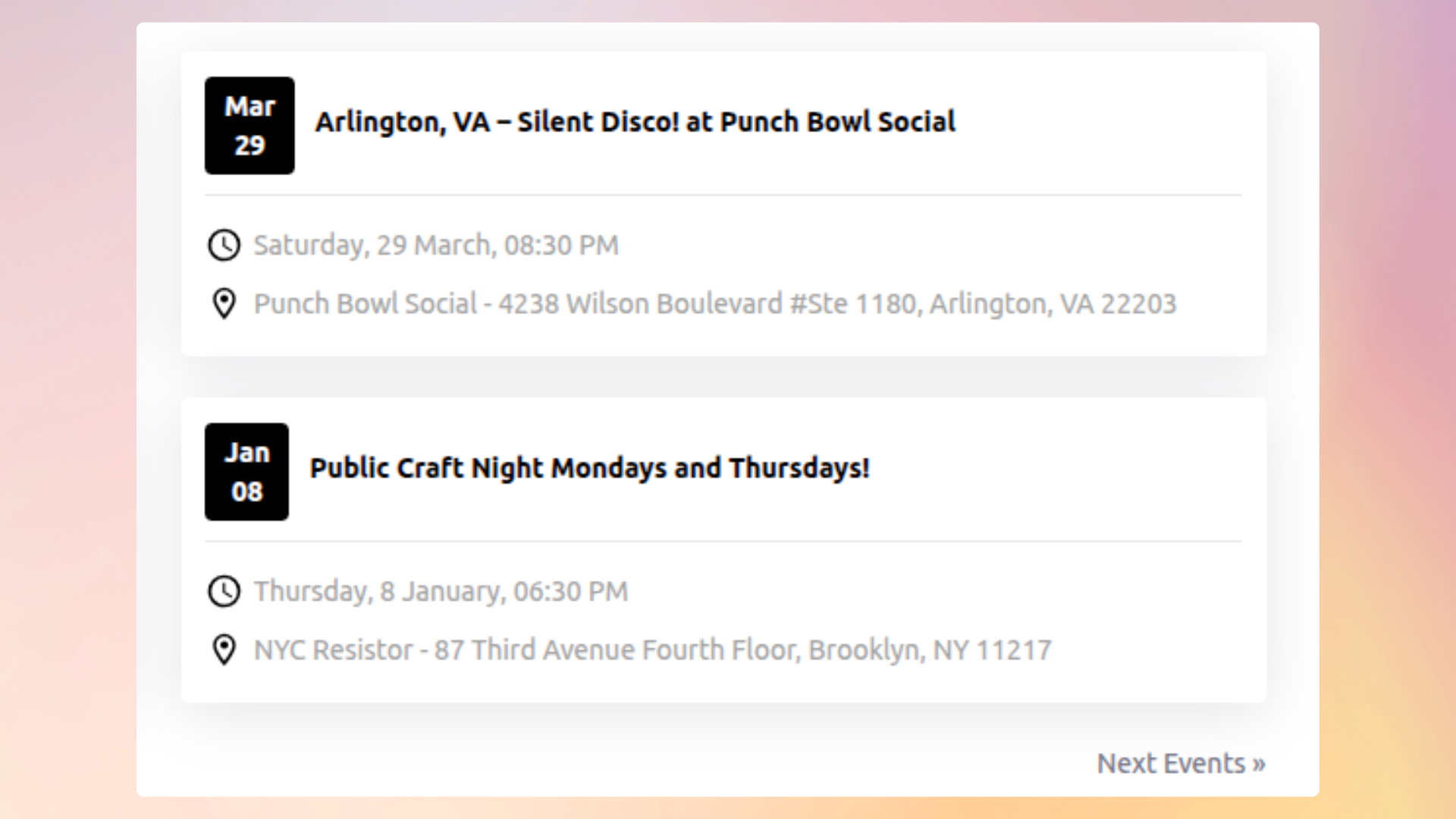
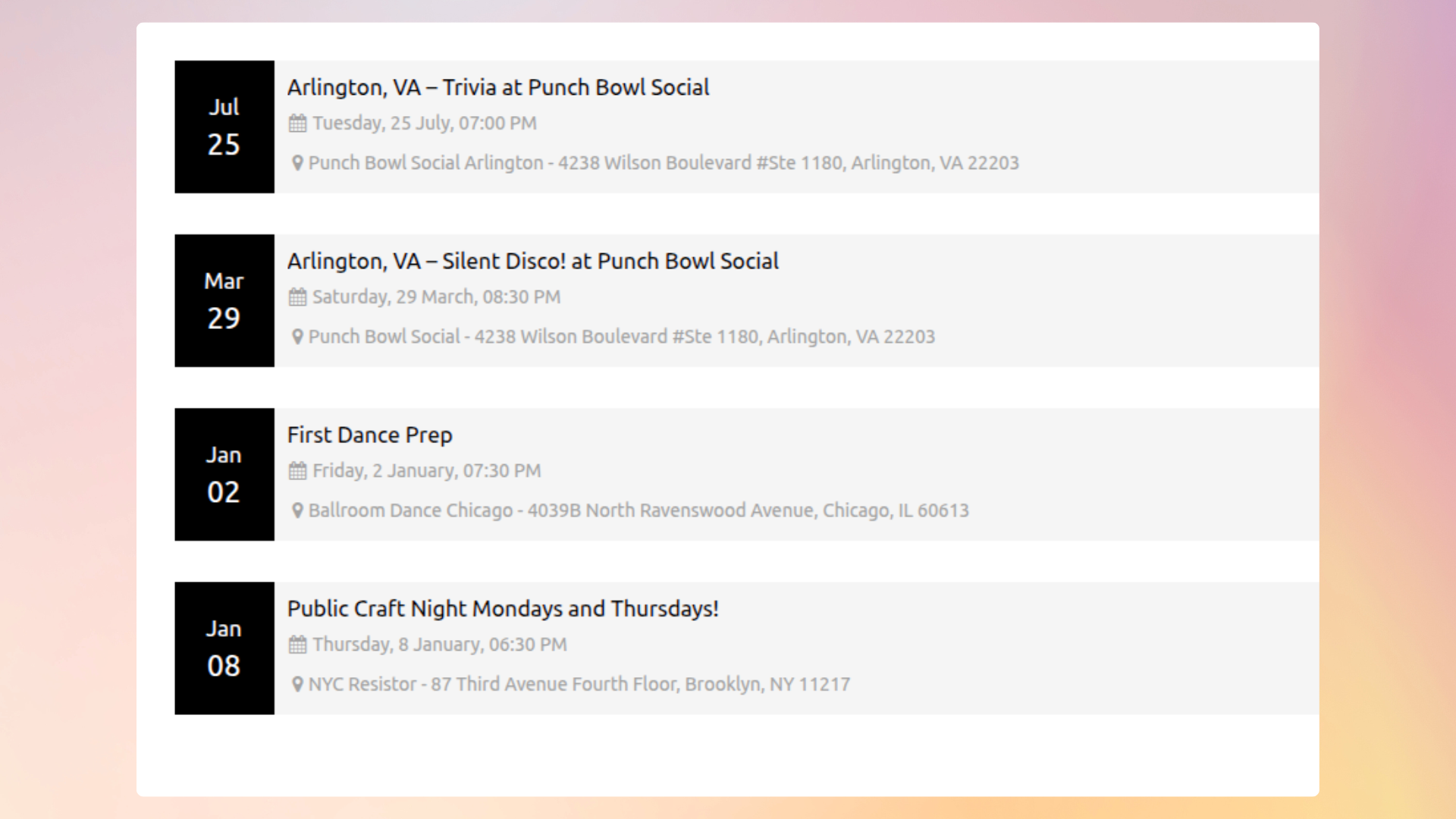
Screenshot Gallery
Yes! You can import Meetup events directly without needing an API key or any authorization. There’s no requirement for a Meetup Pro account, just choose your import method and start importing instantly.
Yes! Import Meetup Events supports popular event plugins including The Events Calendar, Events Manager, Event Organiser, EventON, My Calendar, or you can use the built-in event system.
Yes! It integrates seamlessly with The Events Calendar (by StellarWP), including support for the latest version 6.x. Imported events appear natively in TEC calendar views, categories, and search.
Automatic scheduled imports are available in the Pro version. You can configure hourly, twice-daily, daily, or weekly sync intervals. The free version supports one-click manual imports.
Meetup.com deprecated their legacy API keys in 2019 and migrated to OAuth 2.0. This plugin fully supports the new OAuth 2.0 authorization flow. See our setup guide for step-by-step instructions.
Absolutely. You can use the shortcode [meetup_events], Gutenberg block, Elementor widget, WPBakery Page Builder element, or the classic WordPress widget to display events anywhere.
Yes! You can filter imported events by Group ID using the shortcode and display them in 4 different grid styles for a clean, modern look (Pro version).
Yes. Each import pulls the event title, description, featured image, start/end dates, venue (with address), and organizer information directly from the Meetup.com API.
No. The plugin checks for existing events before importing. If an event has already been imported, it will be updated instead of duplicated. This is especially powerful with the Pro version’s scheduled sync.
Yes. The plugin works on both single-site and multisite WordPress installations. The Pro version includes multisite-friendly licensing for agencies.
Changelog
1.7.5
- ADDED: New setting to configure the number of past events displayed.
- FIXED: Incorrect post ID issue for scheduled posts ( PRO ).
- IMPROVEMENTS: Support for WP 7.1.
1.7.4
- ADDED: Support for importing events into GatherPress.
- ADDED: Support for importing past events ( PRO ).
- FIXED: Resolved the height issue in Style 1 layout.
1.7.3
- FIXED: Invalid Post Type Error.
- FIXED: Events were hidden after the start time. Events now stay visible until the event actually ends.( PRO )
1.7.2
- ADDED: Meetup widget to display events directly on your site. ( PRO )
- ADDED: Import events into Easy Event Calendar plugin.
- ADDED: Sorting functionality for Event Name and Event Category columns.
- FIXED: Advanced Synchronization issue during event imports. ( PRO )
- IMPROVEMENTS: Full compatibility with PHP 8.5.
1.7.1
- IMPROVEMENTS: Support for WP 7.0
- IMPROVEMENTS: Enabled Gutenberg Block Editor support for Custom Post Types.
1.7.0
- ADDED: New Events Grid View (Style 3).
- ADDED: New Events Grid View (Style 4).
- ADDED: Background import process for scheduled imports (Pro version).
- ADDED: Shortcode option to display events by group ID.
- IMPROVEMENTS: Improved security validations and input sanitization.
1.6.9
- ADDED: Revamped admin interface with new, user-friendly GUI
- ADDED: AJAX-based pagination support for the shortcode.
- IMPROVEMENTS: Import events seamlessly using the new Public API integration
- IMPROVEMENTS: Support for WP 6.9
1.6.8
- ADDED: Integrated support for the EventPrime plugin.
- FIXED: Authorized HTTP issue.
1.6.7
- FIXED: Date imezone issue.
1.6.6
- ADDED: Re-created missing schedule functionality (Pro version).
- FIXED: date() function issue on the event details page.
- FIXED: Resolved event import issue with The Events Calendar (TEC) plugin.
- IMPROVEMENTS: New Meetup API Migration
- IMPROVEMENTS: Improved security and compatibility with WordPress coding standards.
- IMPROVEMENTS: Support for WP 6.8
1.6.5
- IMPROVEMENTS: Text changed and Added Feedback from the header
1.6.4
- FIXED: Update Issue in Events Manager
- IMPROVEMENTS: Support for WP 6.7
1.6.3
- ADDED: Copy-Paste button in the settings page.
- IMPROVEMENTS: Support for WP 6.6
1.6.2
- FIXED: Recurring Events Duplicate issue
- FIXED: Schedule import bug after complete action to manually,
- IMPROVEMENTS: Enhanced Schedule import history entry.
1.6.1
- FIXED: Grammar Correction
- FIXED: Plugin Deletion Bug
- IMPROVEMENTS: Support for PHP 8.3
1.6.0
- FIXED: Javascript Exceptions.
- FIXED: Delete WP Cron multiple queue when you delete schedule delete.(PRO)
- IMPROVEMENTS: EventOn Event Metadata.
- IMPROVEMENTS: Added Support for PHP 8.2 and some design and security fixes
- IMPROVEMENTS: Support for WP 6.4
1.5.9
- FIXED: Google Map Iframe Bug
1.5.8
- ADDED: Skip Trashed Events Option
- ADDED: Google Map API key Option
- ADDED: Supported plugin Hook
- ADDED: Responsive grid view style 1 support
- ADDED: Time Format support in grid view style 2 (PRO)
- ADDED: Minimum Pro version notice
- FIXED: Event Metadata Save/Update Bug
- IMPROVEMENTS: Security and GUI changes
1.5.7
- IMPROVEMENTS: Gutenberg Block
- IMPROVEMENTS: Support for WP 6.2
1.5.6
- ADDED: Events Grid List New Layout ( PRO )
- ADDED: Upcoming Events Elementor Widget ( PRO )
- ADDED: Element for Visual Composer ( WPBackery Page Builder)
- ADDED: Admin Submenu Schedule Import, Import History, etc..
- ADDED: Schedule import Source Data Link.
- FIXED: Duplicate Event issue in TEC.
- IMPROVEMENTS: PHPCS Improvements.
- IMPROVEMENTS: Support for PHP 8
1.5.5
- ADDED: Compatibility with The Events Calendar 6.0
- FIXED: Parsedown class conflict issue.
1.5.4
- ADDED: Compatibility with The Events Calendar 6.0
1.5.3
- ADDED: Converted the Event Description Markup to Html import.
- ADDED: Support for don’t update status & category during auto-update. (Pro)
- ADDED: Event source link field in create/edit event.
- FIXED: Duplicate Event issue in My Calendar.
- IMPROVEMENTS: Support for WP 6.0
1.5.2
- ADDED: Shortcode page for help
- ADDED: Import history delete button for clear import history
- FIXED: Placeholder image url not working
- FIXED: OAuth key and secret link issue
- FIXED: Authorization object related error
1.5.1
- ADDED: Support and Docs link in plugin page
- ADDED: Additional classes support in meetup block
- FIXED: Undefined schedule group name issue
1.5.0
- ADDED: GraphQL Support
- ADDED: Considered private status in event already exists check
- IMPROVEMENTS: Support for WP 5.9
1.4.4
- ADDED: Optional Plugin deactivation Feedback
- FIXED: Google map iframe embed error.
- FIXED: Some translation string
- IMPROVEMENTS: Made placehold.it load over https
- IMPROVEMENTS: Support for WP 5.6
1.4.3
- FIXED: jQuery 3.0 Error
1.4.2
- ADDED: EM timezone support.
- ADDED: Option for Direct Event link to Meetup.
- ADDED: Option for author.
- ADDED: Option for time format.
- ADDED: Option for event slug.
- ADDED: Accent Color Functionality
- IMPROVEMENT: New design for Support and help page.
- FIXED: Event get removed before it happens (for some timezones)
1.4.1
- ADDED: Support for Meetup OAuth 2.0 Authorization.
- IMPROVEMENT: Some Improvements
- FIXED: some bug fixes.
1.4.0
- ADDED: Support for WP 5.0
- ADDED: Meetup Events Gutenberg block.
- ADDED: more options in shortcode full shortcode is now like. [meetup_events col=”2″ posts_per_page=”12″ category=”cat1,cat2″ past_events=”yes” order=”desc” orderby=”post_title” start_date=”2017-12-25″ end_date=”2018-12-25″ ]
- ADDED: Merged Pro & Free codebase, Introduced Pro as an add-on
- IMPROVEMENT: Some Improvements
- FIXED: some bug fixes.
1.3.0
- ADDED: Featured Image import support
- IMPROVEMENT: Some Improvements
- FIXED: some bug fixes.
1.2.1
- IMPROVEMENT: Some Improvements
- FIXED: some bug fixes.
1.2.0
- ADDED: Upcoming Facebook Events Widget (Pro)
- ADDED: Advanced sync option in Import Meetup Events. (Pro)
- ADDED: option in shortcode for eventlist “category,col”
- IMPROVEMENTS: make date multilingual
- IMPROVEMENTS: in event archive and single event details page.
- FIXED: some bug fixes in ai1ec events import.
- FIXED: jQuery UI css conflict with DIVI theme
- FIXED: some bug fixes.
1.1.1
- FIXED: some bug fixes in events manage.
1.1.0
- Added: in-built Event management system.
- Added: Import into My Calendar
- Added: Import into eventON
- Added: import into All-in-One Event Calendar
- Added: import into Event Organizer
- Added: Import history
- Added: support links.
- Improvements in scheduled imports
- Fixes: some bug fixes
1.0.0
- Initial Version.
" width="120" height="120">
Available Versions
| Version | Download | Type |
|---|---|---|
| 1.7.5 | Download | Stable |
| 1.7.4 | Download | Stable |
| 1.7.3 | Download | Stable |
| 1.7.2 | Download | Stable |
| 1.7.1 | Download | Stable |
| 1.7.0 | Download | Stable |
| 1.6.9 | Download | Stable |
| 1.6.8 | Download | Stable |
| 1.6.7 | Download | Stable |
| 1.6.6 | Download | Stable |
| 1.6.5 | Download | Stable |
| 1.6.4 | Download | Stable |
| 1.6.3 | Download | Stable |
| 1.6.2 | Download | Stable |
| 1.6.1 | Download | Stable |
| 1.6.0 | Download | Stable |
| 1.5.9 | Download | Stable |
| 1.5.8 | Download | Stable |
| 1.5.7 | Download | Stable |
| 1.5.6 | Download | Stable |
| 1.5.5 | Download | Stable |
| 1.5.4 | Download | Stable |
| 1.5.3 | Download | Stable |
| 1.5.2 | Download | Stable |
| 1.5.1 | Download | Stable |
| 1.5.0 | Download | Stable |
| 1.4.4 | Download | Stable |
| 1.4.3 | Download | Stable |
| 1.4.2 | Download | Stable |
| 1.4.1 | Download | Stable |
| 1.4.0 | Download | Stable |
| 1.3.0 | Download | Stable |
| 1.2.1 | Download | Stable |
| 1.2.0 | Download | Stable |
| 1.1.1 | Download | Stable |
| 1.1.0 | Download | Stable |
| 1.0.0 | Download | Stable |
| Development | Download | Trunk |
