ID4me
Active Installs
10+
Last Updated
June 22, 2021
First Released
May 7, 2019
Download History (Last one month)
Contributors
Simplify your login management with ID4me and utilize a privacy-friendly single-sign-on seamlessly integrated within your WordPress.
The plugin provides:
- Easy access to your WordPress site(s) with your ID4me Identity- you and your users only need to remember one password.
- Data privacy built in. Your login and usage data are not utilised for marketing and never shared with any third parties.
- The ability to login to other services and WordPress Plugins supporting ID4me. New partners coming soon…
How to set it up?
Step 1. Download and Install the ID4me plugin (see Installation)
Step 2. Log into your WordPress Account Management, then add your ID4me Identifier to your account under ID4me Section. Save settings.
Step 3. The next time you log-in to your WordPress, the Login with ID4me button will appear! Use your ID4me Identifier and ID4me Password to access your WordPress.
Follow the normal instructions for installing WordPress plugins.
Automatic Plugin Installation (from WordPress.org)
To add a WordPress Plugin using the built-in plugin installer:
- Go to Plugins > Add New.
- Type “
id4me” into the Search Plugins box. - Find the WordPress Plugin you wish to install.
- Click Details for more information about the Plugin and instructions you may wish to print or save to help setup the Plugin.
- Click Install Now to install the WordPress Plugin.
- The resulting installation screen will list the installation as successful or note any problems during the install.
- If successful, click Activate Plugin to activate it, or Return to Plugin Installer for further actions.
Automatic Plugin Installation (as archive)
You can also install a Plugin as archive (in the Zip Format) when you have a local copy (please note that this method
is not supported for Must-use WordPress Plugins):
- Go to Plugins > Add New.
- Click Upload Plugin to display the WordPress Plugin upload field.
- Click Choose File to navigate your local file directory.
- Select the WordPress Plugin Zip Archive you wish to upload and install.
- Click Install Now to install the WordPress Plugin.
- If successful, click Activate Plugin to activate it, or Return to Plugin Installer for further actions.
Manual Plugin Installation
There are a few cases when manually installing a WordPress Plugin is appropriate.
- If you wish to control the placement and the process of installing a WordPress Plugin.
- If your server does not permit automatic installation of a WordPress Plugin.
- If you want to try the latest development version.
Installation of a WordPress Plugin manually requires FTP familiarity and the awareness that you may put your site at risk if you install a WordPress Plugin incompatible with the current version or from an unreliable source.
Backup your site completely before proceeding.
To install a WordPress Plugin manually:
- Download your WordPress Plugin to your desktop.
- Download from the WordPress directory
- Download from GitHub
- If downloaded as a zip archive, extract the Plugin folder to your desktop.
- With your FTP program, upload the Plugin folder to the
wp-content/pluginsfolder in your WordPress directory online. - Go to Plugins screen and find the newly uploaded Plugin in the list.
- Click Activate to activate it.
Configuration of users
Note: The (current) 1.0.* version only works with already registered WordPress users (who indicated their ID4me identifier
in the ID4me identifier profile field). Next versions will include a more complex user management.
To configure users to log in with ID4me:
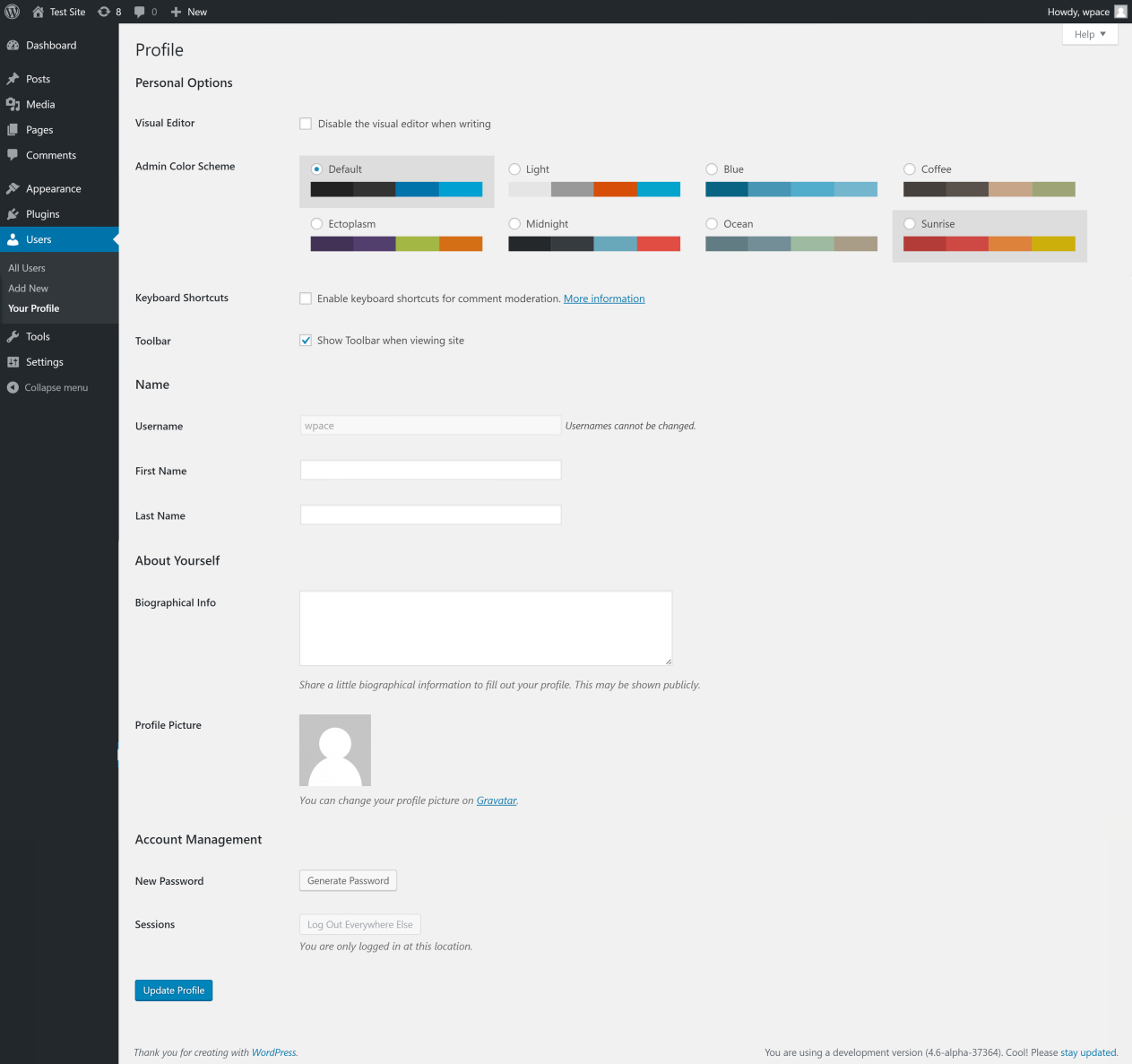
- Go to the user’s Profile Page.
- Save your ID4me identifier in the ‘Website’ parameter.
- Click Update Profile.
This identifier parameter can be updated anytime; the ID4me process will follow on the changes.
Screenshot Gallery


Most providers of ID4me Identities supply them free of charge on top of their managed domains.
The Plugin works the same way for you, your users or to the visitors of your website. Everyone with an access to his own Profile page may then configure the ID4me identifier for himself. Current version of the Plugin does not yet support Sign-Up for new users though. This functionality including import of the needed data will come with one of the coming releases.
Yes. ID4me is an alternative Login method, not a full-replacement.
The Plugin does not interfere with Two-Factor Authentication Plugin you may have installed to protect your regular WordPress login. Please note however, that 2nd Factor set up in the WordPress instance is not verified if Single-Sign On with ID4me is being used. Most of ID-Authorities offer however a possibility to set up 2nd Factor to protect the Identity on this level.
How can I contribute to the ID4me Revolution?
Join the ID4me Revolution! There are different ways for developers to help contribute…
* Slack Community: Sign up to the Slack Workspace and say “Hello” on the #cloudfesthackathon channel
* Gitlab
* Via the ID4me Foundation:
* To join one of the Competence Groups
* To help develop implementation use-cases: Developer Zone
Changelog
1.1.0
- Add user Registration with ID4me
- Improve login screen for interoperability
- Change state now as JWT instead of transients
1.0.3
- Update readme.txt
- Add screenshots
- Update ID4me library to v1.1.1
1.0.2
- Update library version to 1.1.0
1.0.1
- Update doc with tested up to 5.2
1.0.0
- Add cron job to clean up ID4me expired transients
- Add custom HTTP client
- Fix datetime compatibility with MySQL 5.5
- Update library version to 1.0.0
0.1.1
- Implement WP.org feedback: use appropriate sanitize() instead of esc() for sanitizing input in user settings
0.1.0
- Initial
" width="120" height="120">