
Healthy filenames
Active Installs
100+
Last Updated
September 30, 2026
First Released
October 2, 2017
Download History (Last one month)
Contributors
The plugin uses the hooks “wp_handle_upload_prefilter” and “wp_handle_sideload_prefilter” and modifies the filename to remove all special characters.
FEATURES
– Remove accents
– Remove special characters
– Change the filename to lowercase
– Convert non-Latin characters to Latin ones (requires the PHP “intl” extension)
– Optionally replace underscores with hyphens
– Count the uploads that had to be cleaned and the ones that were already clean
Examples :
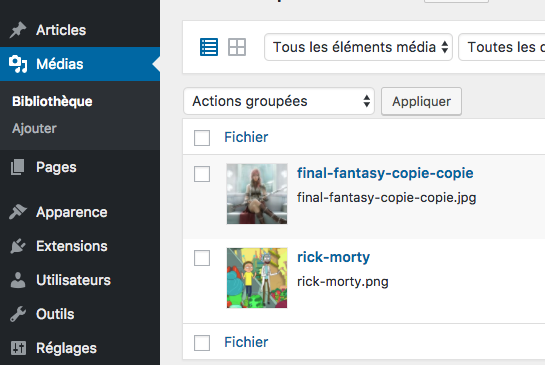
– filename : rick & morty.png > rick-morty.png
– filename : finaL fantasy / (Copié) (Copié).jpg > final-fantasy-copie-copie.jpg
– filename : Привет.jpg > privet.jpg
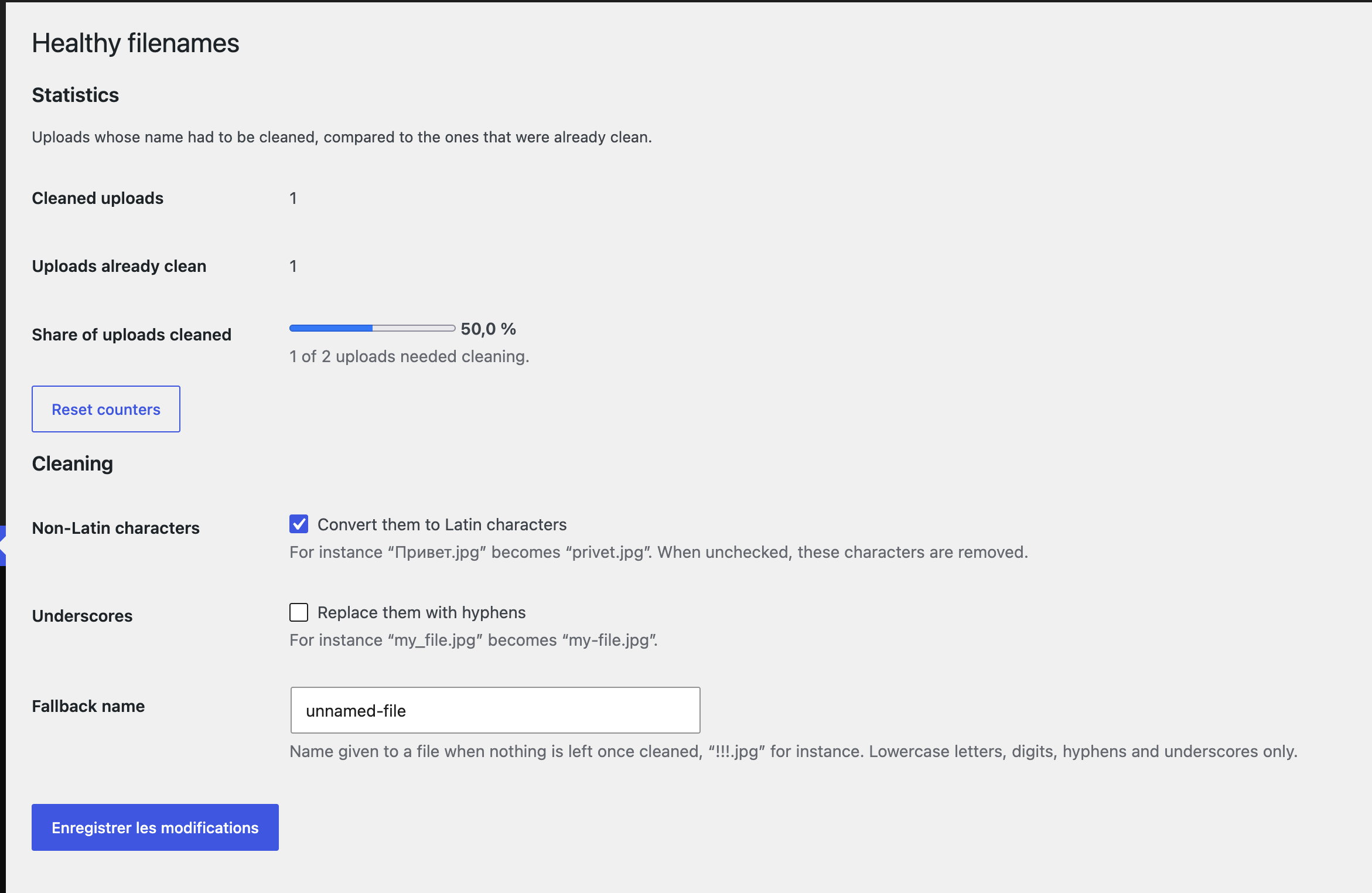
The settings and the counters are in “Settings > Healthy filenames”.
- Upload the plugin files to the
/wp-content/plugins/healthy-filenamesdirectory, or install the plugin through the WordPress plugins screen directly. - Activate the plugin through the ‘Plugins’ screen in WordPress
- Optionally adjust the cleaning in “Settings > Healthy filenames”
Screenshot Gallery
No. Only the files uploaded while the plugin is active are cleaned.
Every file that goes through the WordPress upload functions: media library, editor, REST API, imports from a URL.
No. The extension is left to WordPress, which validates it and converts it to lowercase.
They are converted to Latin characters when the PHP “intl” extension is available: “Привет.jpg” becomes “privet.jpg”. Without it, or when the setting is unchecked, they are removed.
A name made only of special characters, such as “!!!.jpg”, gets a fallback name: “unnamed-file.jpg”. The fallback name can be changed in the settings.
Each upload accepted by WordPress is counted once: either as “cleaned” when its name had to be modified, or as “already clean”. The settings page shows both counters and the share of uploads that needed cleaning. Image sizes generated from an upload are not counted.
Changelog
1.1.0
- 30 September 2026
- New: settings page in “Settings > Healthy filenames”.
- New: counters of cleaned and already clean uploads, with the share of uploads that needed cleaning.
- New: non-Latin characters are converted to Latin ones instead of ending up as hexadecimal codes.
- New: option to replace underscores with hyphens.
- New: sideloaded files are cleaned too (REST API raw uploads, imports from a URL).
- Security: the file extension is no longer injected into a regular expression.
- Fix: files without extension no longer lose their last character.
- Fix: a filename made only of special characters gets a fallback name instead of being rejected.
- Performance: the text domain is no longer loaded on every request.
- Removed the generic “TEXT_DOMAIN” constant, which could collide with other plugins or themes.
- Tested up to WordPress 7.1 and PHP 8.5. Requires WordPress 5.3 and PHP 7.4.
1.0.0
- 02 October 2017
- Initial release \o/
