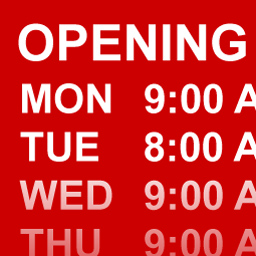
Gravity Forms Business Hours by GravityView
Active Installs
100+
Last Updated
April 23, 2019
First Released
December 18, 2014
Download History (Last one month)
Contributors
This plugin requires Gravity Forms, the best form plugin for WordPress!
Add a Business Hours field to your Gravity Forms form.
This plugin supports:
- Setting closing times after midnight
- Multiple open times per day
- Displaying when a business is currently open
- Fully localized – works great in languages other than English
- Edit existing values when editing an entry
- Works with GravityView and the Gravity Forms Directory plugins
Note: this plugin is actively updated, but customer support is only available to GravityView license holders.
Available Filters
These filters are available for code writers to modify the output:
gravityforms_business_hours_output_template– Change template for open days. Modify the output of the open days. Data inside {{brackets}} will be replaced with the appropriate values.gravityforms_business_hours_output_closed_template– Closed days template. Data inside {{brackets}} will be replaced with the appropriate values.gravityforms_business_hours_open_label– “Open Now” labelgravityforms_business_hours_default_start_time– Default start time inH:iformat (default:09:00)gravityforms_business_hours_default_end_time– Default end time inH:iformat (default:18:00)gravityforms_business_hours_time_format– Modify the time format for the displayed value (default:g:i a)gravityforms_business_hours_interval– Time interval for the time dropdown options (default:30)gravityforms_business_hours_day_format– Modify the date format for how the days appear, in PHP Date formatting.gravityforms_business_hours_days– Array of day values used to display dropdowns and Hours output Only modify the day values. Don’t change the keys!
- Upload plugin files to your plugins folder, or install using WordPress’ built-in Add New Plugin installer
- Activate the plugin
- In Edit Form, under Advanced Fields, click “Business Hours” to add the field to your form


No FAQ provided.
Changelog
2.1.3 on April 23, 2019
- Fixed: “null” being output for empty Business Hours fields
2.1.2 on January 7, 2019
- Fixed: Error when exporting forms in Gravity Forms that contain Business Hours fields
2.1.1 on November 20, 2018
- Fixed: Newly added fields not working properly
2.1 on June 25, 2018
- Updated: Use site’s time format setting for the time dropdowns (24-hour clock now supported)
- Fixed: Not able to update the field’s default label
2.0.1 on February 26, 2018
- Fixed: Network Activation on Multisite
- Moved
GFBusinessHoursclass to its own file
2.0 on November 8, 2017
- Email notifications now show a list of hours instead of code
- Improved output in GravityView by stripping extra whitespace
- Major code rewrite for a better structure (using Gravity Forms
GF_Fieldclass) - Developers: All public methods have been removed. This is a breaking change, if you’re building on top of Version 1.x
1.2.1 on March 10, 2015
- Fixed: Business Hours field would be shown as Required in GravityView Edit Entry mode
- Fixed: PHP notices
1.2 on December 18
- Liftoff!
" width="120" height="120">
