
GiveWP – Donation Plugin and Fundraising Platform
Active Installs
100,000+
Last Updated
October 1, 2026
First Released
April 7, 2015
Download History (Last one month)
GiveWP is the highest rated, most downloaded, and best supported donation plugin for WordPress. Whether you need a simple donate button or a powerful donation platform optimized for online giving, GiveWP is right for you.
Transform the way you accept online donations, starting for free. With GiveWP you can accept gifts for charity or for other purposes, through customizable donation forms. Our donation plugin also allows you to view donor data and fundraising reports, manage donors, and integrate with a wide variety of third-party gateways and services.
✨ GiveWP Features
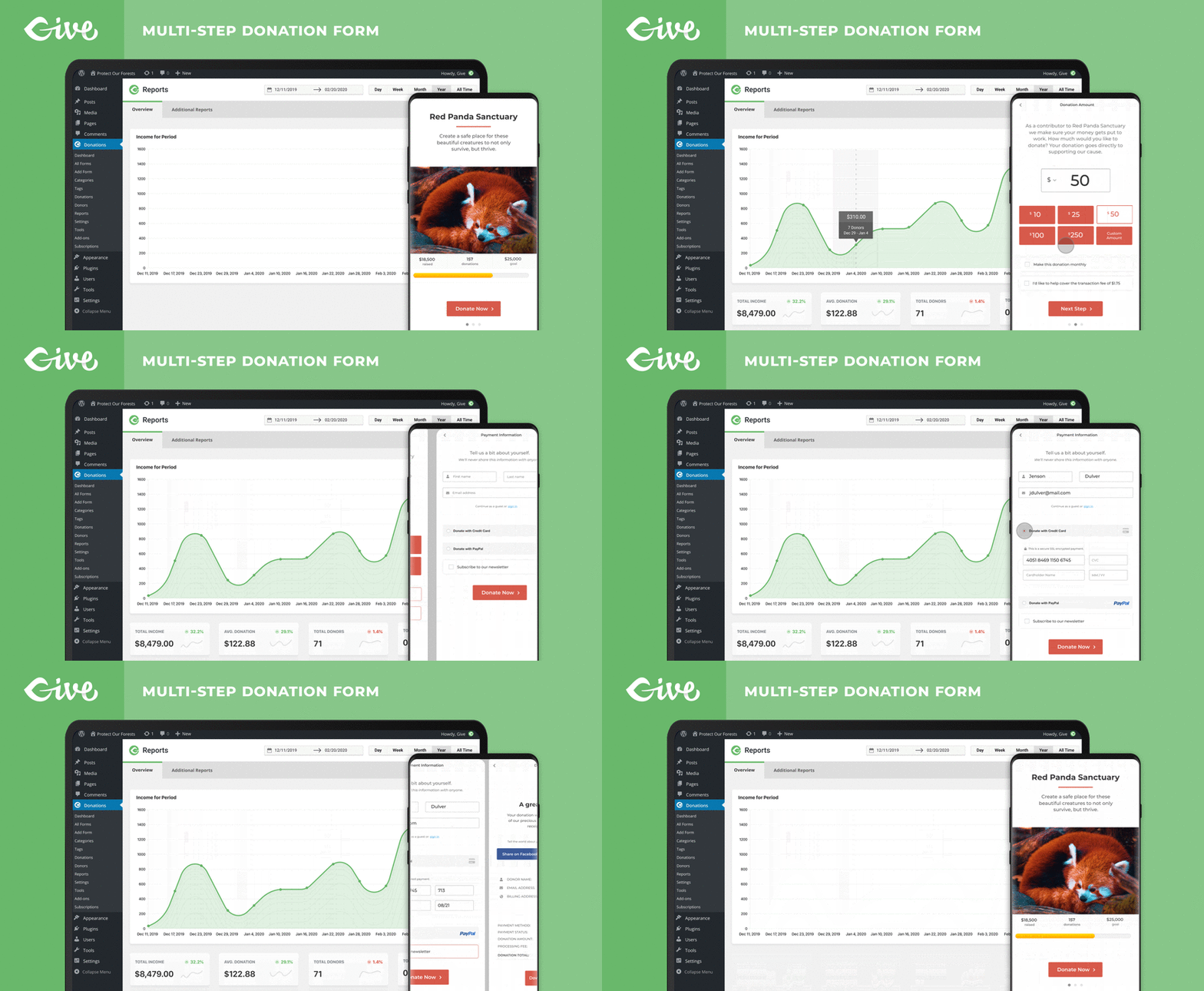
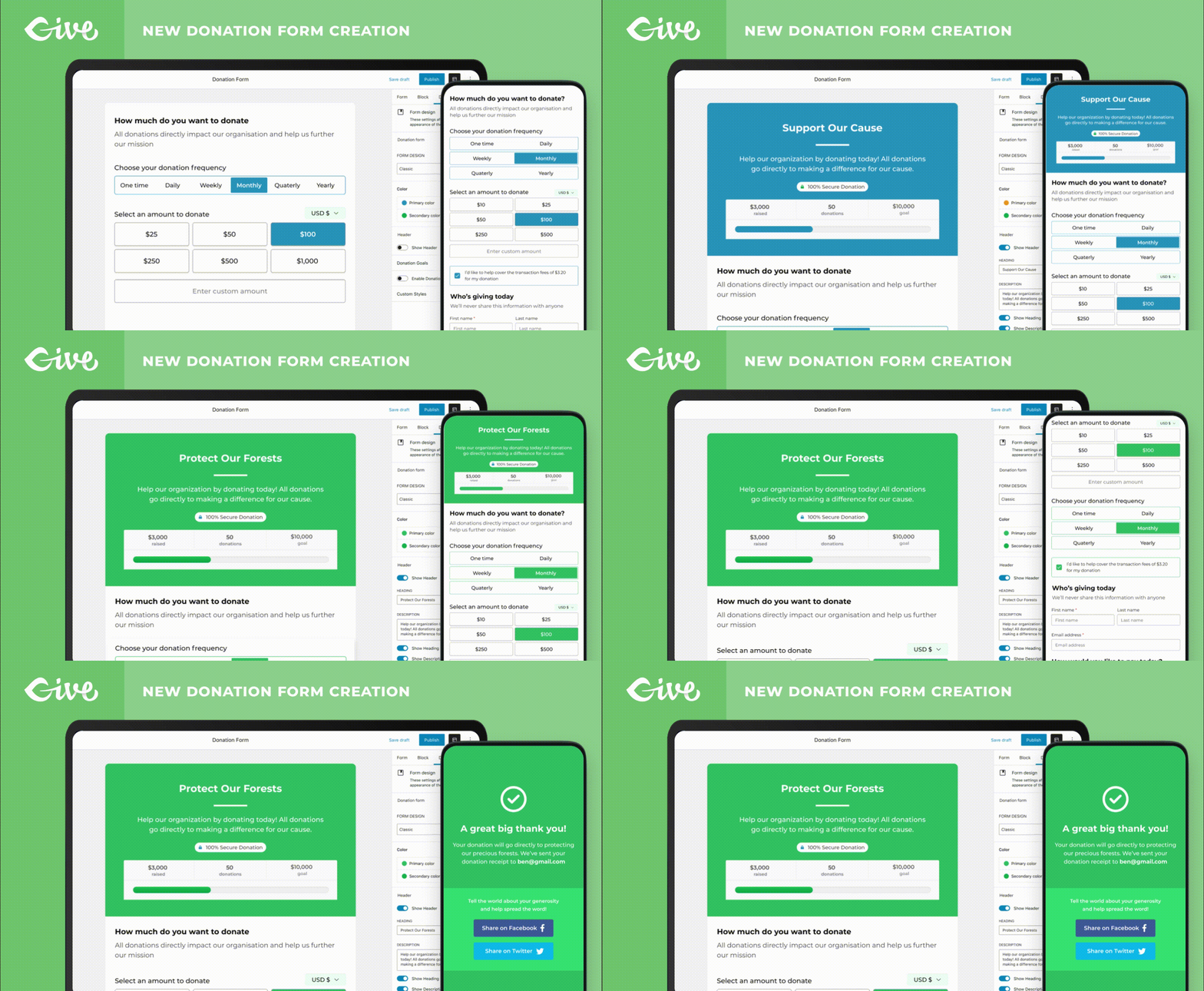
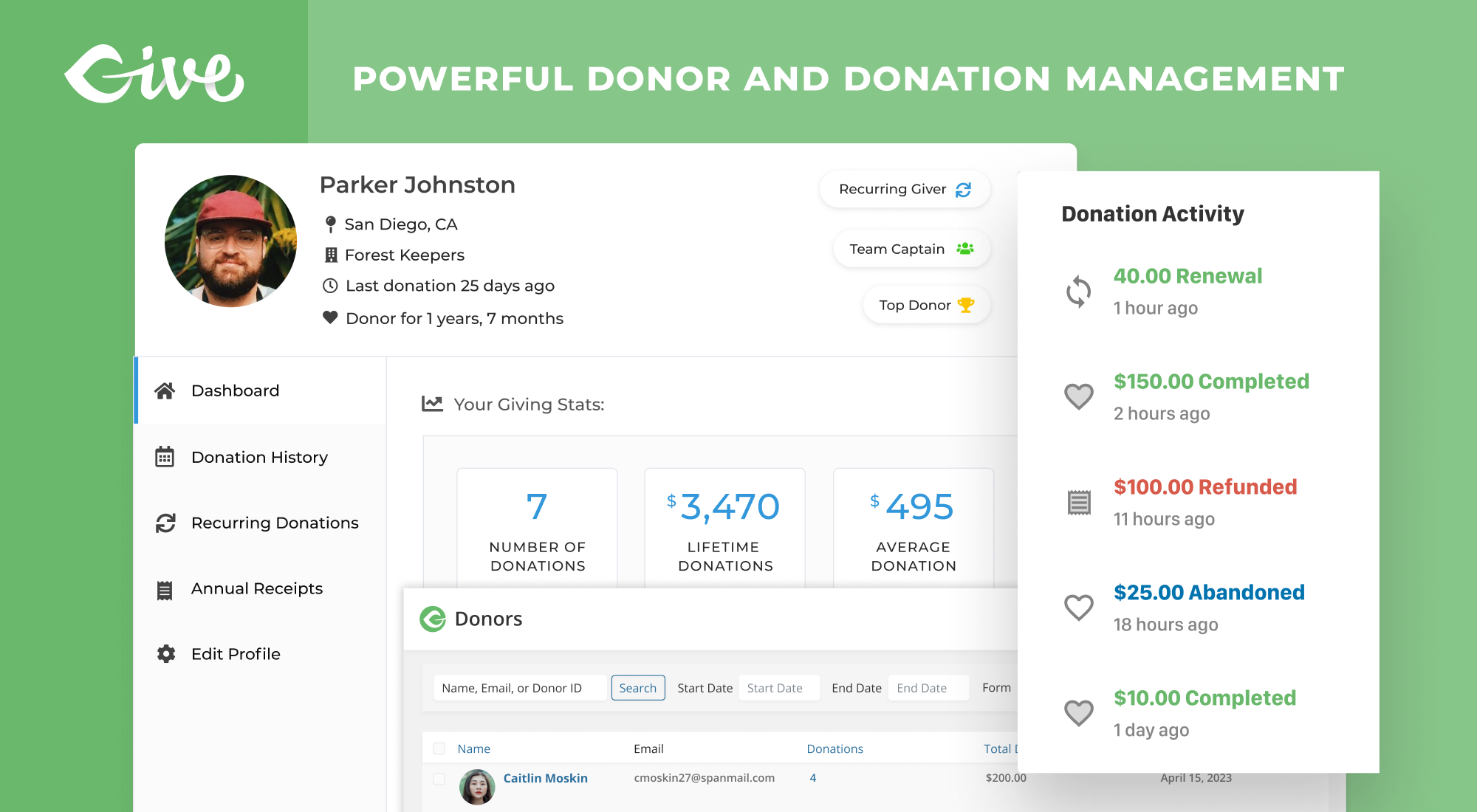
GiveWP is free and full of many advanced features to suit your needs. Start by choosing one of our donation form templates to create your first fundraising campaign. Then, take advantage of full-featured fundraising reports and donor management tools to increase your overall fundraising revenue by learning what makes donors donate.
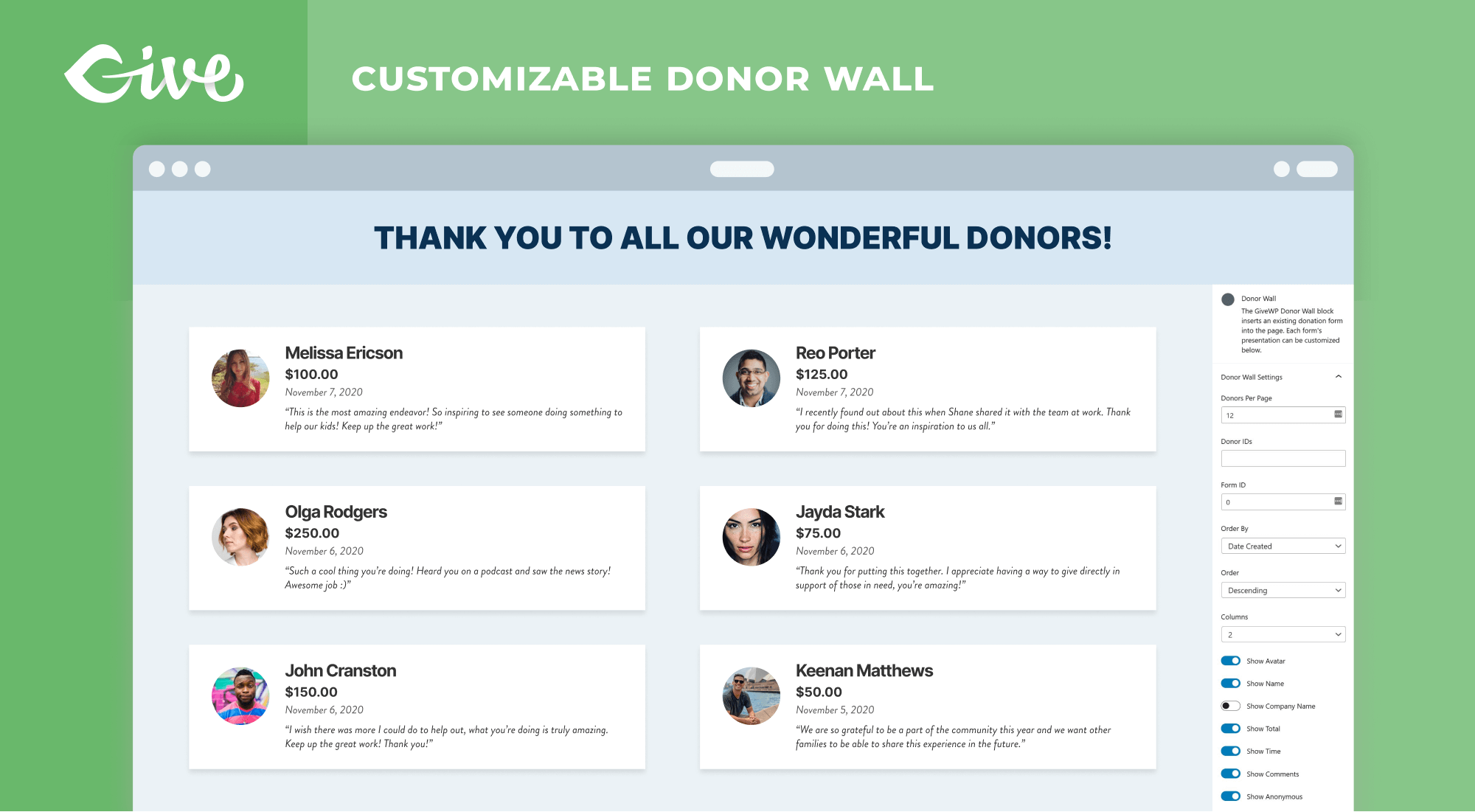
Free donor tools also help keep your donors happy. The donor dashboard helps your donor base easily manage their accounts and access their donation history. With our premium add-ons, you can add additional donor tools, like annual receipts.
Campaign-Based Fundraising and Forms
GiveWP makes it easy to manage and launch successful fundraising campaigns directly from your WordPress site. Whether you’re raising funds for a single project, a long-term cause, or a series of initiatives, GiveWP’s campaign-based approach helps you streamline your efforts and maximize your fundraising potential.
Key Features of Campaign-Based Fundraising
- Campaign Creation: Create multiple campaigns on your site, each with its own unique donation goal, target audience, and messaging.
- Customizable Donation Forms: Each campaign comes with a built-in, fully customizable landing page, created using the WordPress Block Editor. Add text, images, and donation forms to create a visually appealing and engaging page that strengthens your donor connections.
- Dedicated Landing Pages: Create custom landing pages for each campaign, complete with campaign-specific content, donation forms, progress bars, and social sharing options to engage and inspire donors.
- Organized Fundraising: All your donation forms are linked to specific campaigns. This makes it easy to manage and track your efforts, set goals, and monitor campaign performance in one streamlined view.
- Visibility Controls: Publish, archive, or draft campaigns to manage when and how your campaigns appear on your site. This gives you full control over the visibility of your campaigns and associated donation forms.
How Campaigns and Donation Forms Work Together
GiveWP’s donation forms seamlessly integrate with your campaigns, allowing you to:
- Create forms that directly support the campaign’s fundraising goals.
- Customize form fields to match the needs of your campaign, whether it’s a specific project or a general cause.
- Promote campaigns via donation forms displayed on any page on your website.
Campaigns offer more flexibility, better control, and enhanced organization for your fundraising efforts, making it easier to achieve your goals and connect with donors. Whether you’re running a large-scale initiative or multiple smaller projects, Campaigns will help you streamline the process and improve your overall fundraising strategy.
Never used blocks before? No worries – we’ve got you covered with our guide.
Actionable Fundraising Reporting
- Get a detailed breakdown of your donation activity
- Control your fundraising data with exports and reports
- Filter reports by date, form, and payment method
- Measure performance across multiple campaigns
- View a complete history of your donor activity
- Generate tax-deductible receipts
- Allow donors to view their donation history, update their profile, manage their recurring donations, and download PDF receipts through their own donor dashboard
Find out more:
- Visit the GiveWP website
- Read our Docs on How to Use the Visual Form Builder.
- View GiveWP Premium Add-ons
- View GiveWP Free Add-ons
- Book a Live Demo with our Team
🧑🏿🤝🧑🏿 Who Uses GiveWP?
With more than 100,000+ active installs of GiveWP, we hear more and more success stories from nonprofit organizations. Causes are using GiveWP to raise millions of dollars per year. Check out some of our GiveWP Stories and Case Studies for details about their success.
- The City Mission used GiveWP for Giving Tuesday and a competition fundraiser with a neighboring organization, where they raised $45K in 16 hours.
- A local neighborhood watch program switched from using GoFundMe to GiveWP and raised $40,000 in five days for a memorial fundraiser.
- Fans of Ivan the Gorilla have kept his memory alive by fundraising for a conservancy program in his name.
- A hospital raised money through a community-wide virtual dance party during the pandemic.
- Quiltlove, which provides personalized quilts for different life events (like new babies, extended hospital stays, and more), uses GiveWP to create a sustainable business model.
- Niels Vink, a Dutch wheelchair tennis player, uses GiveWP to raise money to train, travel, and participate in competitions. At the 2021 Tokyo Paralympics, Vink earned a gold medal in doubles and a bronze medal in singles.
In addition to nonprofit organizations, GiveWP is widely used for individual or creative purposes. We’ve seen tip jars for blogs or musicians, live streams, and more. Our Donation Upsells for WooCommerce Add-on is even used in some eCommerce stores to collect donations for a cause, or ask for tips in the cart or checkout.
We’ve even seen GiveWP used to collect gifts for birthdays and weddings!
💝 Simple and Pain-Free Giving
We built GiveWP to be the best WordPress donation plugin from day one. Simply install and activate the plugin to get started.
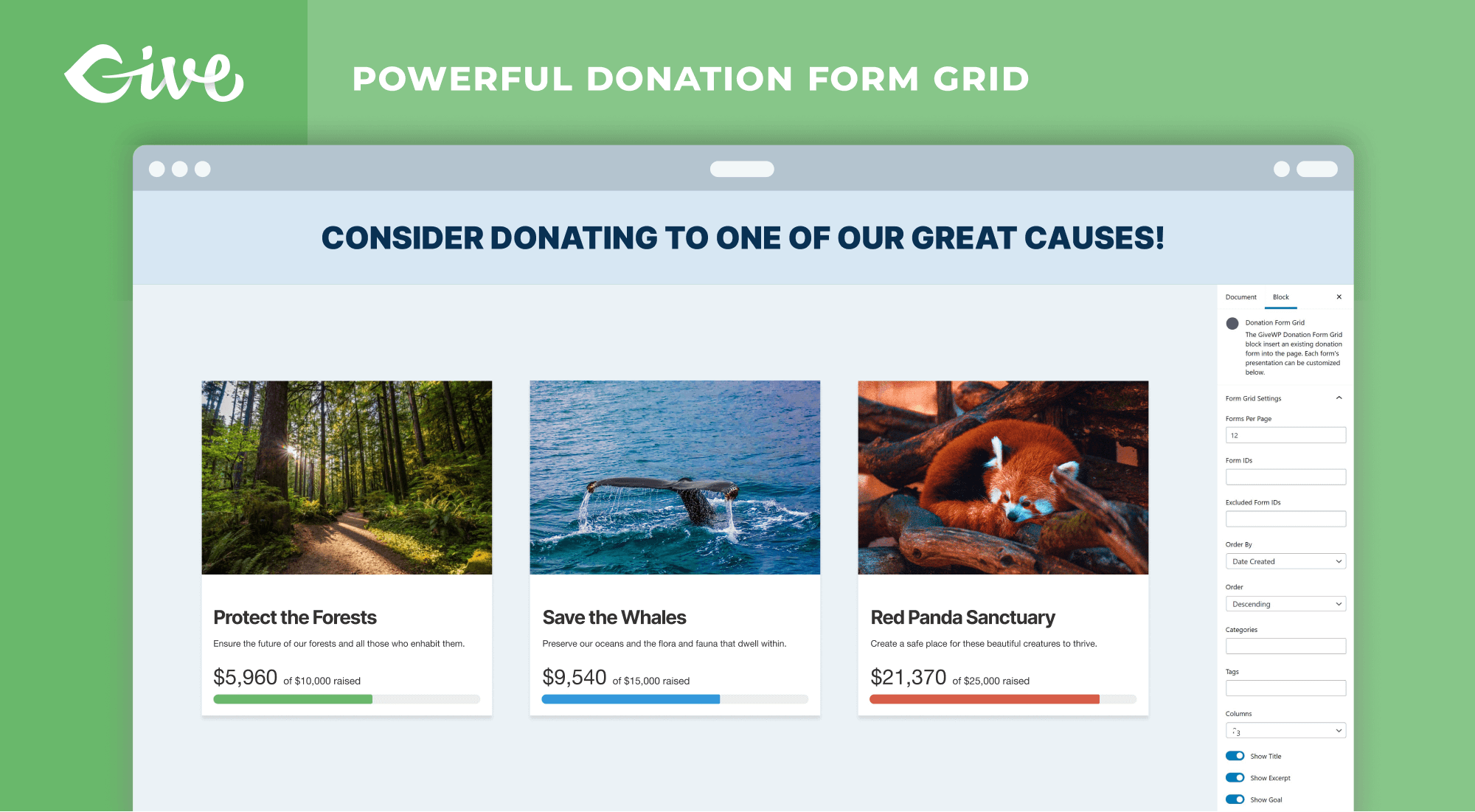
The strength of GiveWP lies within its optimized donation forms. When creating a form, you can start with a template and customize the donation levels, including allowing donors to give a custom amount. The donation forms can then be displayed anywhere on your website using a block, shortcode, widget, or the single donation form page.
You can also integrate your forms with a wide variety of payment processors, including PayPal and Stripe within the free plugin. You can also purchase add-ons to use Authorize,net, Bitpay, Square, and more.
🌱 First Time Users
For new users, we suggest reviewing our Getting Started Guide to get an understanding of how the plugin works. If you run into any trouble, we offer free support to help you with your issues, questions, and concerns.
If you are a GiveWP customer with an active license of any of our popular add-ons, we’d love to hear from you and support you via our Priority Support channel.
💳 Accept Credit Card Donations and More
GiveWP comes with several payment gateway options:
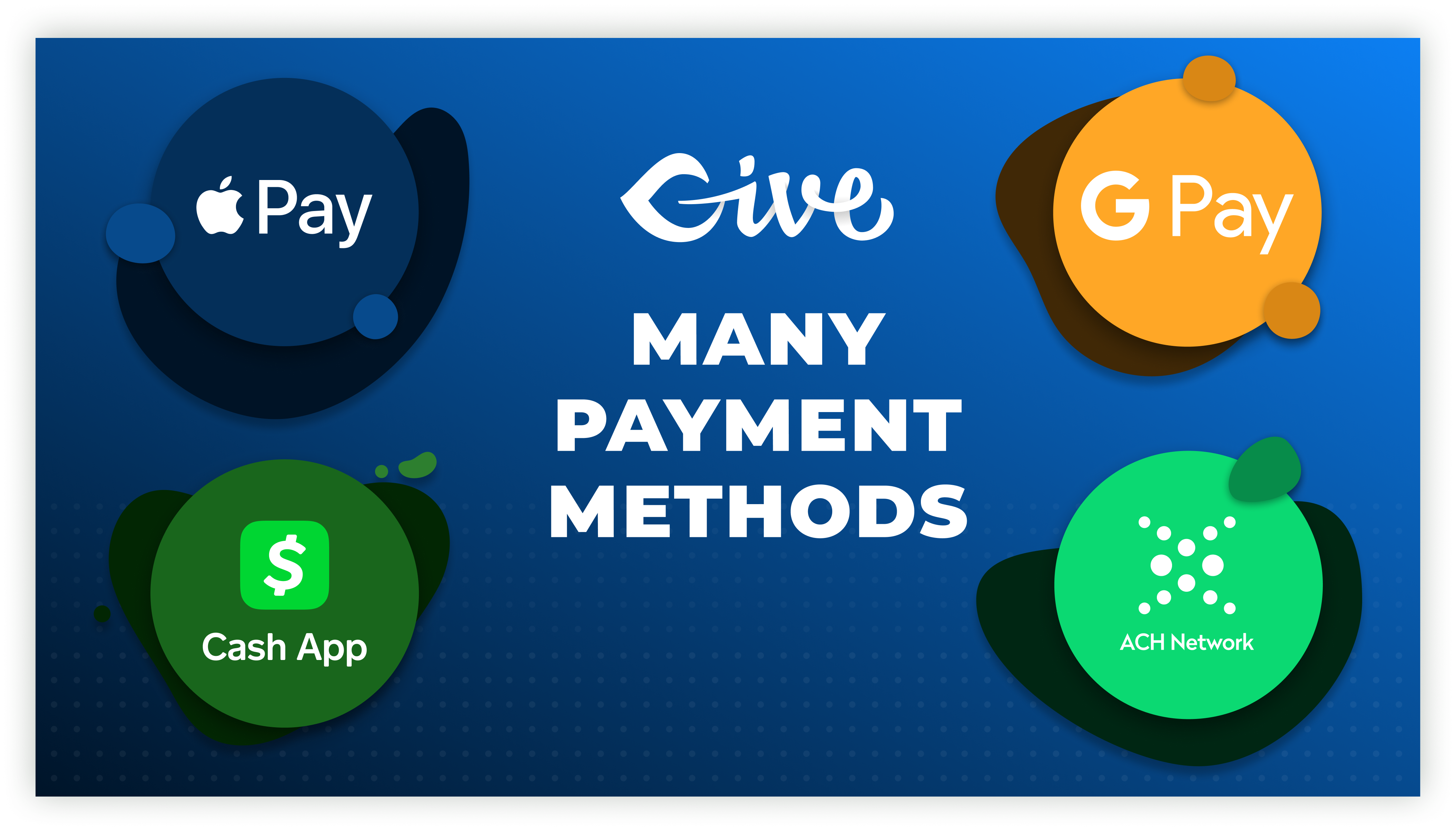
- Stripe Donations — Accept donations through any payment method (like Apple Pay, Google Pay, or ACH) activated in your Stripe accounts. Additional fees may apply for free users. Read our Stripe documentation for more information.
- PayPal Donations — Allow worldwide donations with PayPal Donations. No additional fees applied.
- Venmo Donations — Give donors the option to pay through Venmo with their account balance or connected bank account.
- Offline Donations — Enable your donors to send checks or physical donations with an offline gateway with instructions.
- Test Gateway — use the Test Gateway to see exactly how your donors will walk through the donation process.
- And many more Gateways – View additional payment gateways on our website. These include Authorize.net, Bitpay, Square, Razorpay, Paytm, and more.
- In-Person Donations (Tap To Pay) — Accept swipe, insert, or Tap to Pay card donations right from your mobile device or Stripe reader with Jovvie.
⚙️ Extend GiveWP with Powerful Add-ons
GiveWP’s goal is to “Democratize Generosity.” We want to make it easy for everyone to raise funds online.
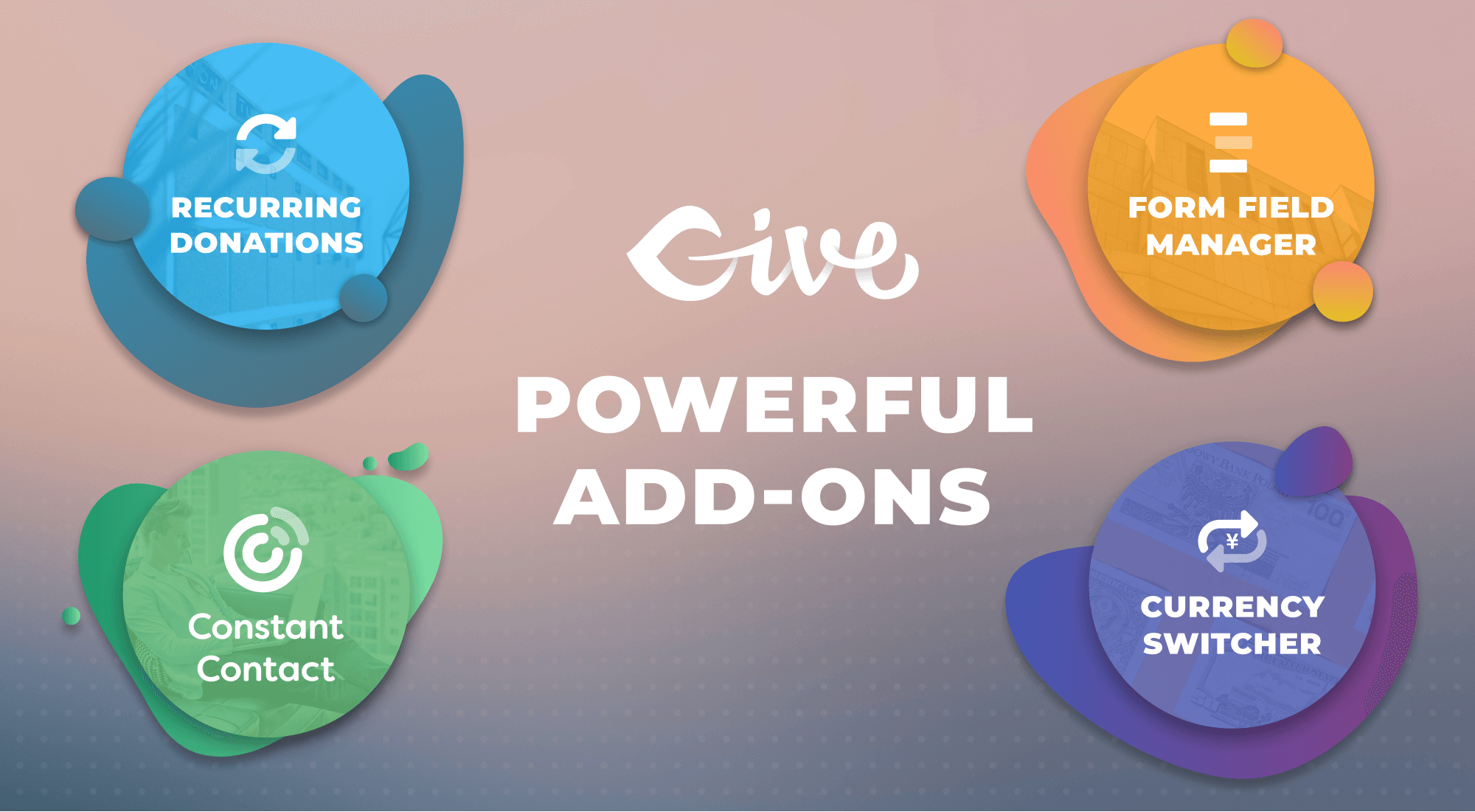
In addition to our free donation plugin, we have premium GiveWP add-ons available to extend the functionality of GiveWP. Ultimately, these tools allow you to raise more money and give you a better relationship with your donors.
Must-Have Add-ons for GiveWP:
- WordPress Recurring Donations
- Peer-to-Peer Fundraising
- Text-to-Give
- Form Field Manager
- Fee Recovery
- Tributes
- PDF Receipts
- Funds & Designations
View all of GiveWP’s Add-ons to discover all the ways you can further enhance and extend GiveWP.
🛠️ Easy to Customize and Enhance
Are you a developer? GiveWP is built with best practices and easy to extend and customize. Here are some great developer-oriented tutorials and docs to help you customize GiveWP to your liking:
- Create Dramatic Donation Email Receipts
- Populate Donor Info with One Click
- Using the GiveWP API to Create Charts with ChartJS
- Theming with GiveWP
- How to Create Custom Form Fields in GiveWP
- How to Build a Gateway Add-on for GiveWP
- How to Style Your GiveWP Forms
- Site Redesigns Without Donation Data Loss
- Handling Custom CSS in WordPress
💚 About the GiveWP Team
The most downloaded fundraising plugin on WordPress, Give has helped users raise over $350 million since 2009. Behind it is a professional team of WordPress developers who know what serious fundraising operations need: flexible tools, rock-solid reliability, and software that grows with your mission. As part of Nexcess’s software offerings, Give is backed by decades of experience building and hosting WordPress solutions.
📧 Connect with GiveWP
Stay in touch with us for important plugin news and updates:
🐱💻 Contribute to GiveWP
This plugin is proudly open source (GPL license) and we’re always looking for more contributors. Whether you know another language, love to code, or just have an idea, we would love your help and input.
Here’s a few ways you can contribute to GiveWP:
-
Star/fork/watch the GiveWP GitHub repository to learn more about what issues we’re tackling and the project is developing. If you’ve never worked with Github before, learn about pull requests here and submit one for GiveWP, we’d love to give you our feedback.
-
Translate GiveWP into your native language. The best place to do that is here on wordpress.org. Go to https://translate.wordpress.org/, then search for your language, click the “Plugins” tab, then search for “GiveWP”. When you’ve submitted at least 95% of GiveWP’s strings, the language moderators will review and approve your translations and then they will be available to all WordPress users for your native language. If you are interested in translating any of our Premium Add-ons, contact us, we’d love to chat with you about that.
-
Join the GiveWP Community Facebook group. We chat about all things related to WordPress, GiveWP, fundraising, and online donations in general.
Minimum Requirements
- WordPress 6.6 or greater
- PHP version 7.4 or greater
- MySQL version 5.7 or greater
- MariaDB version 10 or later
- Some payment gateways require fsockopen support (for IPN access)
- cURL version 5.40 or higher
- An SSL certificate — while this is not strictly required, it is highly recommend. If you are converting your site to use SSL/HTTPS now, we have a detailed guide to help you here.
Automatic installation
Automatic installation is the easiest option as WordPress handles the file transfers itself and you don’t need to leave your web browser. To do an automatic install of GiveWP, log in to your WordPress dashboard, navigate to the Plugins menu and click “Add New”.
In the search field type “GiveWP” and click Search Plugins. Once you have found the plugin you can view details about it such as the point release, rating and description. Most importantly of course, you can install it by simply clicking “Install Now”.
Manual installation
The manual installation method involves downloading our donation plugin and uploading it to your server via your favorite FTP application. The WordPress codex contains instructions on how to do this here.
Updating
Automatic updates should work like a charm; as always though, ensure you backup your site just in case.
Screenshot Gallery
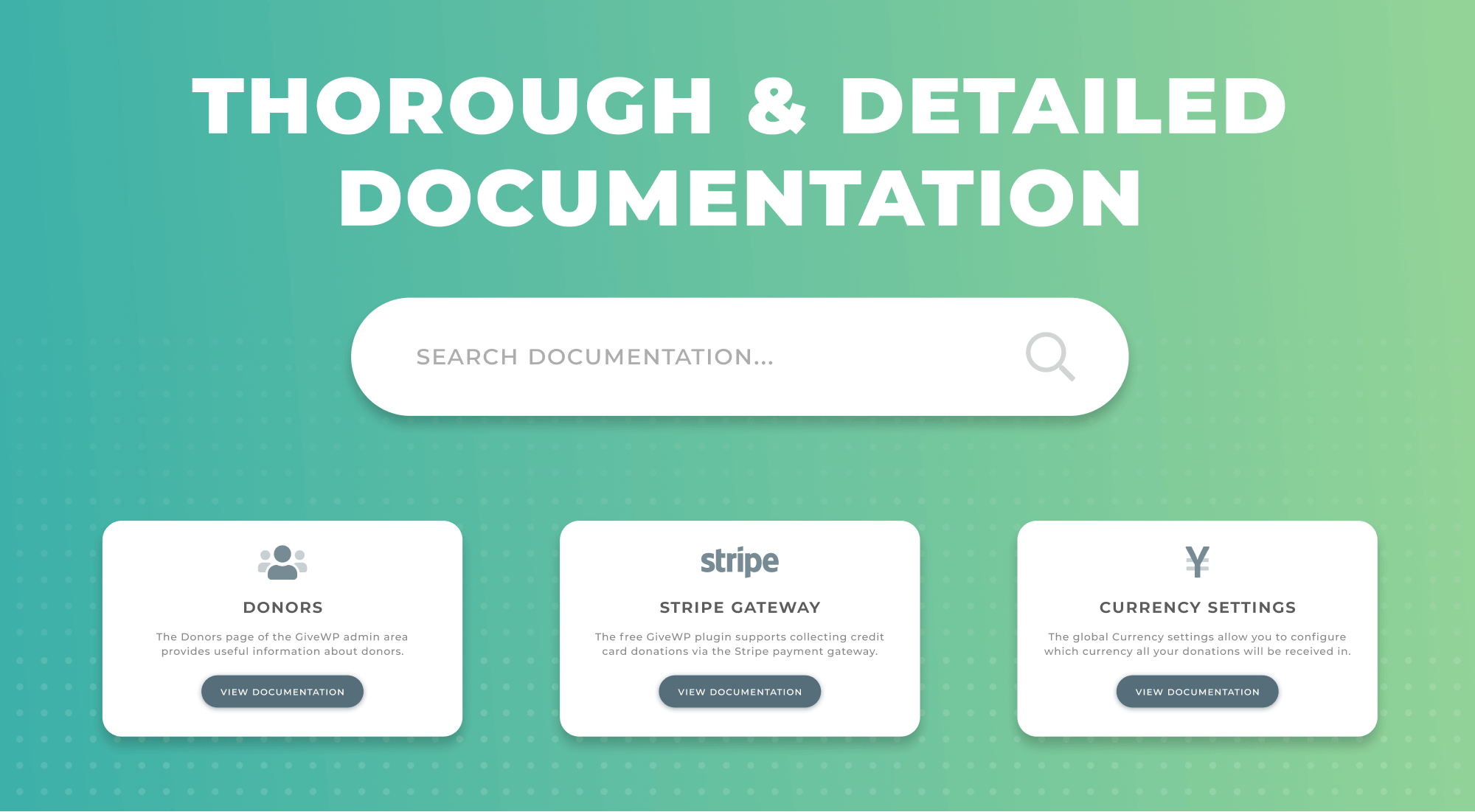
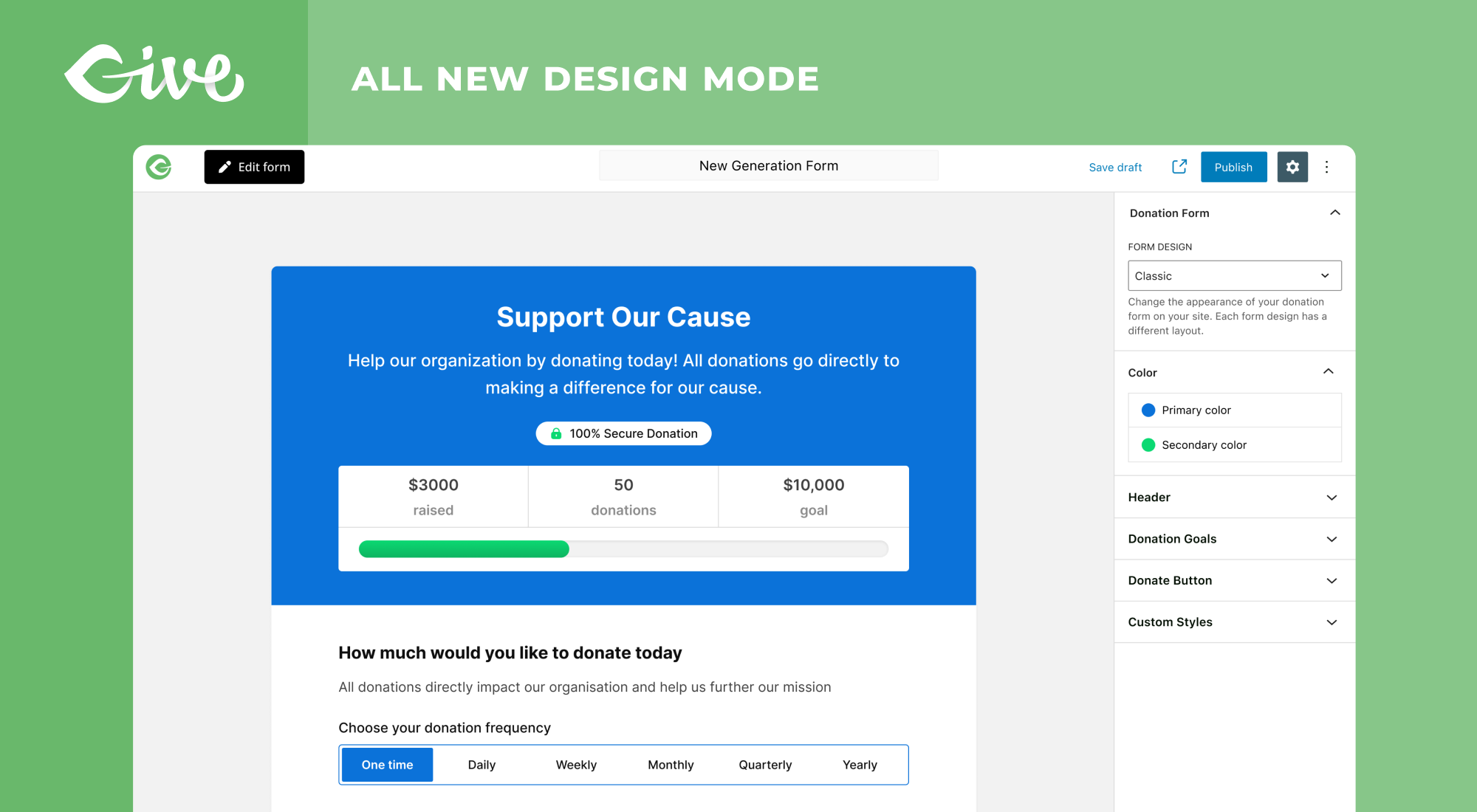
We have extensive documentation on installing and configuring GiveWP on our website. We suggest starting with the GiveWP 101 article.
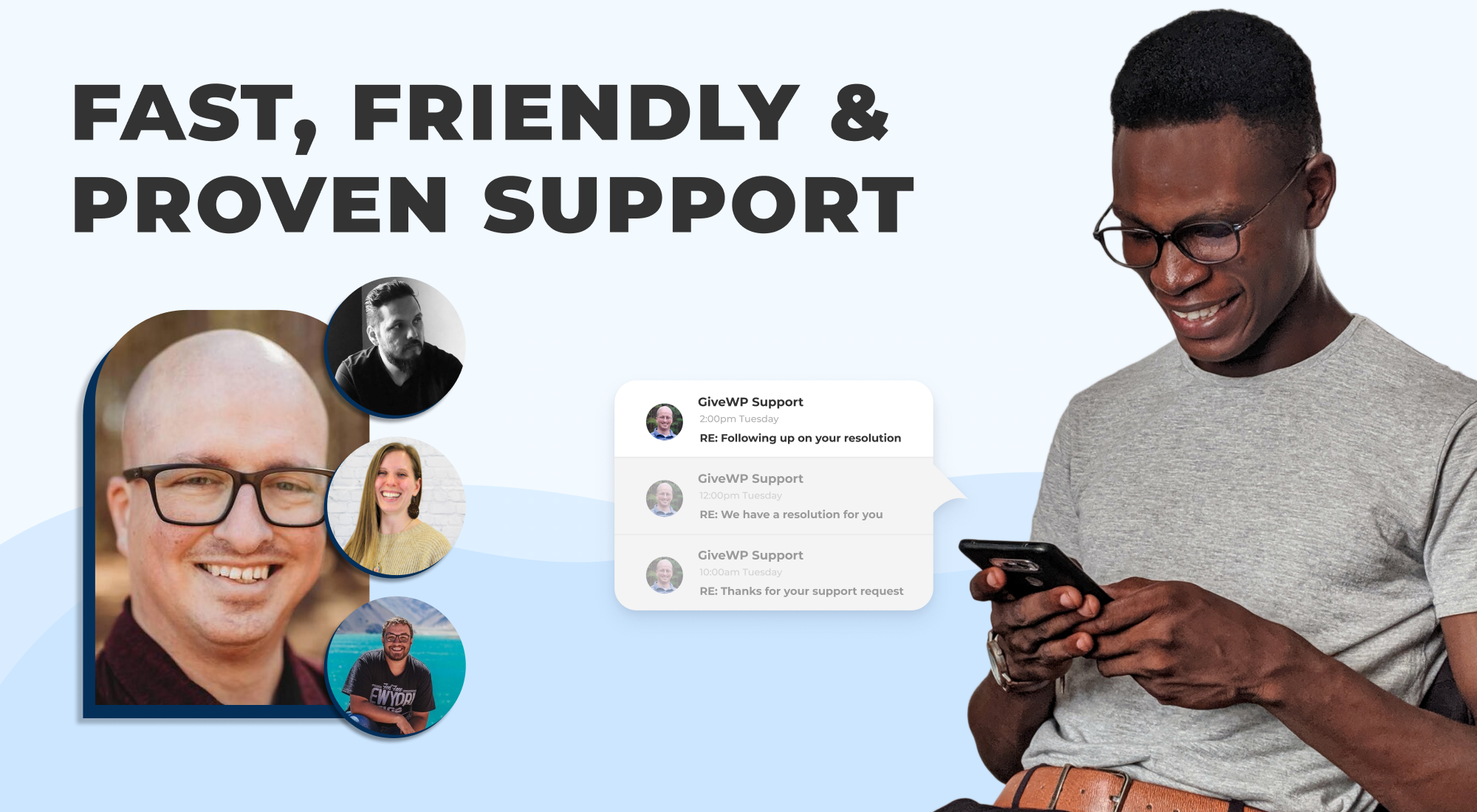
We work hard to the best support possible for GiveWP. The WordPress.org Support Forum is used for free community based support. We continually monitor the forum and do our best to ensure everyone gets a response.
Priority support is given to users who have an active license for one of GiveWP’s Add-ons or Pricing Plans. We provide email-based support to our Premium Add-on customers with an average 1st response time of 2 to 4 hours and average time to resolution of 24-48 hours depending on the severity of the issue.
Yes! We have several live examples of GiveWP and the wide variety of form options you can use with GiveWP. Check out our live demo, where you can see what your donors would see.
GiveWP Plus, Pro, and Agency Plan customers will also get a free 30-minute website audit with our Customer Success Team after they purchase. In this meeting, we’ll cover everything you need to know about GiveWP to fit your needs.
Yes! We have two different types of studies that highlight nonprofits in different ways.
“GiveWP Stories” are stories of how nonprofits or individuals implemented GiveWP with success. You can read them all here.
“Case Studies” are more detailed examples of how an agency implemented GiveWP for a specific purpose for an organization. You can read those here.
PayPal donate buttons take your users off-site, which can cause you to lose some in the process. With GiveWP, your donors can stay on-site and you get the benefit of gathering donor data, viewing free fundraising reports, and creating unlimited donation forms. On the other hand, you can always use GiveWP as a simple customized PayPal donate button if you prefer.
Form plugins are excellent solutions for general intake forms. That said, they most often lack substantial donation reporting features, and donor management options. They also lack a variety of presentation options like GiveWP has for embedding your forms in different places throughout your site. If you want a “Donate Now!” button in the header of your site that opens in a modal, you’ll most often have to do quite a bit of customization to get that working just right with form plugins — but not with GiveWP.
GiveWP works great alongside all the most popular form plugins. Use GiveWP for donations, and Caldera Forms, Ninja Forms, Gravity Forms or other for your general purpose intake forms. They’ll work great alongside each other.
We built GiveWP specifically to overcome many of the hurdles you have to go through in order to get an eCommerce plugin (like WooCommerce) to be streamlined for donations. You want to treat your donors right. No donor wants to add their donation to a cart and go through several page refreshes just to type in their information. You, as the site admin, don’t want to have to change the word “Products” to “Donations” everywhere, and go through all the hoops of removing taxes and shipping, either.
On top of that, customizing the plugin’s terminology is a daunting task. You never want your users to receive an “invoice” for the donation “product” they “purchased.” Rather, you’d like for them to receive a receipt for the donation they gave.
Use GiveWP for donations, and let your WooCommerce or WP eCommerce plugin or the like handle your products. They work alongside each other just fine. Your donors will be happy, your customers will be happy, and so will you.
Additionally, you can use our Donation Upsells for WooCommerce GiveWP add-on to allow your customers to do a donation upsell in the cart or checkout.
You can report security bugs through the Patchstack Vulnerability Disclosure Program. The Patchstack team help validate, triage and handle any security vulnerabilities. Report a security vulnerability.
Changelog
4.18.0: October 1st, 2026
- Enhancement: Improved donations list table performance on sites with hundreds of thousands of donations by paging on IDs first, fixing the total count query, and replacing the single-column donation meta indexes with composite ones
- Enhancement: Improved the Reports screen and legacy earnings stats on large sites by summing and counting donations in the database instead of loading every donation into memory
- Enhancement: Improved donation processing speed by skipping unnecessary offline donation email checks
- Fix: Recurring donation stats on the campaigns list now read from the cache correctly instead of showing empty values
- Fix: Campaign stats now show for campaigns that were added after the stats cache was built
- Fix: Resolved an issue where campaign stats showed as zero after viewing the Campaigns screen with test mode enabled
- Fix: Donations list table was running extremely slowly and including trashed donations on large sites.
- Fix: Resolved an issue where a database error while saving a donation, donor, subscription, campaign, or event caused a critical error and hid the real cause
- Fix: Resolved an issue where sites running PHP 8.4 or newer logged deprecation notices from GiveWP
- Fix: Database migrations started a second time in requests that arrive while a slow migration is still running. Now it runs one time and the migrations list now shows the latest run first.
- Fix: Resolved an issue where a PHP warning could appear on development copies of GiveWP that have not been built
- Fix: Resolved an issue where subscription webhook events caused a fatal error when the subscription had no initial donation
- Fix: Updated campaign duplication to create a single copy of each associated form when form metadata contains duplicate keys.
- Fix: Restored donor names, initials, and totals on the donor wall block and shortcode.
- Security: Enhanced security in Stripe webhook module
- Security: Enhanced security on the campaign block. (CVE-2026-97643)
- Security: Enhanced security for the Donor Dashboard access.
4.17.0: September 23rd, 2026
- Feature: Added the ability to embed donation forms on any website with a copy-paste snippet from the form builder
- Enhancement: Donation form embeds now show a loading state while the form loads
- Fix: Fixed PHP 8.4 deprecation notices about implicitly nullable parameters
- Fix: Fixed the revenue table index migration adding duplicate indexes when it runs more than once
- Fix: Added additional escaping to the legacy donation form’s billing address fields.
- Security: Donors can no longer add unverified email addresses to their own donor record.
- Security: Enhanced security for donations imported from CSV
4.16.9: September 16th, 2026
- Security: Added additional validation to PayPal Commerce donation processing.
- Security: Added additional sanitization to donor information displayed on public pages.
- Fix: Resolved an issue where resuming a paused Stripe subscription triggered a fatal error.
4.16.8.1: September 10th, 2026
- Security: Improved validation of the event tickets purchase flow.
- Security: Added additional validation to PayPal Commerce completed-order processing.
- Security: Added additional validation to donor email lookups. Thanks Jakub Herman for responsibly disclosing this issue.
4.16.8: September 2nd, 2026
- Fix: Fixed a campaign’s default donation form appearing unpublished in the form builder.
- Fix: Fixed PHP warnings on the form builder screen when its page is opened without the locale or donation form ID query arguments.
- Fix: Resolved a plugin conflict that prevented donor first and last names from being recorded when the Charitable plugin was active alongside GiveWP.
- Fix: Resolved an issue where the custom amount minimum and maximum also applied to the donation levels and the set donation amount, so a level below the minimum could not be donated. Forms that leave the minimum empty now fall back to the lowest configured amount, and a minimum or maximum with cents is no longer rounded down.
- Security: Removed vulnerable dead code related to legacy donor relinking. (CVE-2026-82676)
- Security: Enhanced security on donor account access. (CVE-2026-82675)
- Tweak: Replaced the axios HTTP client with WordPress core’s apiFetch in the donor dashboard, reports, onboarding wizard, and the log and migration list tables, and removed axios from the plugin’s JavaScript dependencies.
4.16.7.2: August 27th, 2026
- Security: Added additional hardening for serialized data handling in the donation flow.
4.16.7.1: August 24th, 2026
- Security: Added additional validation to PayPal Donations order requests.
4.16.7: August 20th, 2026
- Security: Hardened donor-account email access authentication.
- Security: Improved validation of the checkout login form.
- Fix: Resolved an issue where paused or failing Stripe Payment Element subscriptions remained stuck when the donor updated their payment method or the subscription was resumed in Stripe.
- Fix: Resolved a conflict where scripts enqueued by other plugins while a donation form was being rendered could stop the form builder design preview and embedded forms from loading.
- Fix: Resolved an issue where editing a page could exhaust the PHP call stack when a theme or plugin filtered post metadata.
- Fix: Activation banner for addons doesn’t show when addons are activated from the Unified License Manager
4.16.6.1: August 12th, 2026
- Security: Added additional validation to PayPal Standard IPN.
4.16.6: August 6th, 2026
- Tweak: Improved the unified licensing page experience.
- Security: Added additional validation when handling serialized data during the donation process.
- Security: Added additional escaping and validation to legacy donor admin screens and the donors REST API.
- Security: Strengthened validation of the donor email-access token and the donation receipt email preview.
- Security: Added a capability check to the onboarding form preview screen to prevent unauthorized access.
- Security: Added nonce verification to the front-end registration handler and restricted automatic donor account linking to the verified donation checkout flow.
- Fix: Added validation to prevent empty password updates in the Donor Dashboard.
- Fix: Resolved an issue where uploading a ZIP add-on with a folder name that differs from the ZIP filename (e.g. give-recurring-donations-2.19.0.zip containing the folder give-recurring/) would fail to detect the plugin after extraction.
4.16.5.1: July 27th, 2026
- Security: Strengthened security on legacy donors listing and donation details pages.
4.16.5: July 22nd, 2026
- Fix: Resolved an issue where selecting a donation amount level would also select other levels with the same value.
- Fix: Resolved an issue where extra separators could render in the donation confirmation page header when line breaks were present in the header text.
- Fix: Resolved an issue where refunding a donation made with a per-form Stripe account would fail because the refund request used the default account instead of the form-specific account.
4.16.4: July 14th, 2026
- Security: Added additional validation to the core settings importer.
- Security: Added additional escaping to donor information displayed in the admin.
- Security: Added additional escaping to the Sequoia (Multi-Step Form) template output. (CVE-2026-14987)
4.16.3: July 6th, 2026
- Security: Added additional validation to ensure donation gateway selection respects the enabled payment gateway settings.
- Security: Improved escaping of donation form template output.
- Security: Improved the security of the recurring donation REST API.
4.16.2: July 1st, 2026
- Security: Added additional escaping and sanitization to the Sequoia (Multi-Step Form) template settings and donation form markup (CVE-2026-13704).
4.16.1: June 29th, 2026
- Security: Standardized email access confirmation AJAX responses to prevent distinguishable server responses.
- Security: Added additional escaping and sanitization to the Campaign Comments block and shortcode attributes (CVE-2026-13246).
4.16.0: June 24th, 2026
- Feature: Added an optional donation ID parameter to gateway webhook event handlers, allowing gateways to locate donations when the transaction ID is only available in the webhook payload.
- Fix: Resolved an issue where multi-step donation forms could be incorrectly rejected as spam because Akismet was checked on every form step; the spam check now runs once on final submission.
4.15.5: June 22nd, 2026
- Security: Improved the security of the Donor Dashboard login process.
4.15.4: June 15th, 2026
- Security: Added additional protection to the email notification settings.
4.15.3: May 28th, 2026
- Fix: Resolved a user role permission conflict with The Events Calendar Pro
- Fix: Resolved an issue when using multiple Stripe accounts, recurring donations, and webhook API 2026-02-25.clover
4.15.2: May 13th, 2026
- Tweak: Update Harbor to 1.2.0, removing the Liquid Web Products page when there are no premium plugins present.
4.15.1: May 12th, 2026
- Tweak: Moved the Liquid Web menu item to Settings -> Liquid Web Products.
- Tweak: The Settings -> Liquid Web Products page now requires a opt-in to communicate with external servers.
4.15.0: May 11th, 2026
- Feature: Integrate with Nexcess Licensing and Portal.
- Tweak: Updated branding references from StellarWP to Nexcess.
- Fix: Resolved issue with separator style for title on donation-form thanks message.
4.14.6: April 22nd, 2026
- Security: Added additional sanitization to the Donation Form.
- Security: Added additional access control checks to the REST API.
4.14.5: April 8th, 2026
- Security: Added additional escaping to the Donation Form Block attributes.
- Fix: Resolved an issue with donation level labels not displaying correctly for multi-currency donations.
4.14.4: April 2nd, 2026
- Security: Added additional validation to PayPal Commerce requests.
4.14.3: March 11th, 2026
- Security: Added additional sanitization to the Donation Form.
4.14.2: February 25th, 2026
- Enhancement: Added form migration and campaign compatibility for P2P.
- Fix: Resolved an accessibility issue with the Form Grid Block where screen readers announced all nested content as a single links
- Fix: Resolved an accessibility issue with buttons on the View Subscription screen on Donor Dashboard page
- Fix: Resolved an issue with the Donation Form modal when opened in a mobile device
- Fix: Resolved an issue with emailTags not being assigned to block fields
- Fix: Resolved an issue with the Donor Confirmation header and description colors on changing text
- Fix: Resolved an issue where campaign default form title didn’t match campaign name
4.14.1: February 11th, 2026
- Fix: Resolved an issue with the Stripe refunded webhook
- Fix: Resolved an issue with importing Subscriptions without a donor_id
- Fix: Resolved an issue when using additional Stripe accounts and recurring donations
- Fix: Resolved an issue with custom visibility conditions on donation forms when initially rendering
- Fix: Resolved several PHP deprecated warnings on the donor dashboard
4.14.0: January 28th, 2026
- New: Added failed donation email notifications to keep you informed when donations don’t go through
- New: Added default country field setting for the billing address block to streamline the donation process
- Enhancement: Improved compatibility with legacy user roles for sites upgrading from older versions of GiveWP
- Fix: Resolved a conflict with the Paid Membership Subscriptions plugin
- Fix: Resolved inconsistencies with the currency switcher display and functionality
- Fix: Resolved an issue where revenue entries were not being properly removed when donations were deleted
- Fix: Resolved schema mismatches for donors and donor subresources in the REST API V3
- Fix: Resolved an issue with the admin fee recovery upgrade notice display
4.13.2: December 8th, 2025
- Fix: Resolved block compatibility with WordPress 6.9
- Security: Added additional sanitization to the donor wall and campaign blocks (CVE-2025-66533)
- Security: Added additional CSRF protection to PayPal onboarding settings (CVE-2025-67467)
4.13.1: November 18th, 2025
- Enhancement: Added Caribbean guilder (XCG) as a currency option
- Enhancement: Added Curaçao as a country option (open-source contribution by @Genevieve-K)
- Security: Added additional escaping to the donor wall (CVE-2025-13206)
- Fix: Resolved a validation issue with some custom form fields using conditional logic
- Fix: Resolved an issue that was causing REST API console log errors in the browser for not being logged in
- Fix: Resolved an issue with Donor REST API and sorting by totalAmountDonated
- Fix: Resolved an issue with merging campaigns and cached campaign goal data
4.13.0: November 5th, 2025
- Enhancement: Updated the date and time formatting throughout the new admin screens to respect WordPress settings for timezone, date format, and time format
- Fix: Resolved an issue with form field manager checkboxes and conditional logic
- Fix: Resolved an issue with the legacy future status of donations
- Fix: Resolved a compatibility issue with the Divi color pickers default palette setting
- Fix: Resolved an issue with Loco Translate that was preventing custom translation files from being loaded properly
- Dev: Updated the schema for Campaigns and Donations in the v3 REST API
- Dev: Updated MCP server to be compatible with Angie 1.0.2
4.12.0: October 29th, 2025
- New: The admin subscription list table has been upgraded to a new design with additional sorting, filters and statistics
- New: Updated the new admin donor list table with additional filters and sorting
- New: Updated the new admin donation list table with additional filters
- Fix: Subscriptions that were transferred to a form using the visual form builder are now referencing the correct form ID
- Fix: Resolved an issue with sorting by revenue on the Campaigns list table
- Fix: Resolved MCP server console errors with Angie v1.0.1
- Fix: Resolved a migration issue that was causing the cache campaign data migration to be incomplete in some cases
4.11.0: October 16th, 2025
- New: Added a new csv subscriptions importer tool for the ability to import recurring donations into GiveWP
- New: The admin donor list table now displays quick stats
- New: The new admin subscription details screen now has record fields for status, gateway subscription ID, campaign, form, and associated donor
- Fix: Resolved conflict from composer with some plugins like KestrelWP
4.10.1: October 2nd, 2025
- Security: Improved REST endpoint permissions for campaigns and forms (CVE-2025-11227, CVE-2025-11228)
4.10.0: October 1st, 2025
- New: The admin list tables have been upgraded to a new design with various enhancements!
- New: The admin donations list table now displays quick stats
- Enhancement: Improved the currency validation for donation forms
- Fix: Resolved an issue where editing an option-based form was resetting various settings
- Fix: Resolved various issues with deactiving and deleting GiveWP
- Fix: Resolved occasional 404 console log errors in the new subscription detail screen
- Dev: Added a sidebar slot fill to the donor details screen
4.9.0: September 17th, 2025
- New: Added MCP server integration with compatibility for Angie by Elementor
- Enhancement: Updated GiveWP for PHP 8.3 compatibility
- Fix: Updated various strings that were missing translations (open-source contribution by @DAnn2012)
- Fix: Resolved schema registration issues in V3 REST endpoints
4.8.1: September 15th, 2025
- Fix: Resolved an issue with the campaign field in the new donation detail screen not saving properly
4.8.0: September 10th, 2025
- New: The subscription admin details screen has been upgraded to a new design and experience!
- Enhancement: Improved the loading performance of the campaign list table and grid
- Enhancement: Added Stripe webhook compatibility with their latest version 2025-03-31.basil
- Enhancement: Improved the performance and experience of the associated donor field in the donation details screen
- Fix: Resolved an issue with some campaign blocks not rendering option-based forms
4.7.1: September 4th, 2025
- Fix: Resolved an issue with the legacy form widget for Elementor not displaying a preview in the builder
- Fix: Resolved an issue with the Elementor GiveWP category not showing up as intended
4.7.0: August 20th, 2025
- New: Elementor support for widgets and campaign landing pages have been added to GiveWP without the need for a separate add-on
- Enhancement: Stripe Payment Element and PayPal Donations have been updated to support refunding
- Fix: Resolved an issue with donation form goal progress when using custom date ranges
- Fix: Resolved an issue with some campaign shortcodes not loading properly
- Dev: Added support for custom REST API fields for donation and donor endpoints
4.6.1: July 29th, 2025
- Security: Addressed an issue with donor information visibility (CVE-2025-47444)
4.6.0: July 23rd, 2025
- New: The donation admin details screen has been upgraded to a new design and experience!
- Fix: Resolved an issue with the bulk actions selector on the campaign forms list
- Fix: Resolved an issue with PayPal donations and zero decimal currencies like Japanese Yen
- Fix: Resolved an issue with some form migrations using different goal formats and PHP 8.1+
- Security: Added additional sanitization and escaping to donor notes (CVE-2025-7205)
- Security: Added additional auth checks for certain Give user roles (CVE-2025-7221)
- Security: Removed PayPal donations client token when not being used
4.5.0: July 9th, 2025
- New: Added a new PayPal setting to optionally accept credit cards when using Smart Buttons
- New: Added shortcodes for givewp_campaign_donations, givewp_campaign_donors, and givewp_campaign_comments
- New: Added support for the gateway transaction ID to the donation importer
- Enhancement: Added core Stripe gateway support for customers in countries BR, IN, MY, MX, SG, TH
- Fix: Resolved a Divi compatibility issue
- Fix: Ensure campaign overview and goal statistics are calculated in the base currency
- Fix: Resolved a style issue causing a double border around the custom amount field
- Fix: Resolved an issue with translations that use ajax (Open-source contribution @Genevieve-K)
- Fix: Resolved PHP 8.1+ compatibility issues with Form Goal Settings
- Fix: Resolved an issue with the global css form setting where some characters were being encoded
- Fix: Resolved an issue with the terms and conditions modal not working properly in Firefox
- Dev: Added API for gateway webhook events
4.4.0: June 18th, 2025
- New: The donor admin details screen has been upgraded to a new design and experience!
- Enhancement: When using the the visual form builder with recurring donations, the gateway options will now only display the ones that support recurring donations
- Fix: Resolved an issue with recurring donation email templates in the visual form builder settings
- Fix: Resolved an issue with the campaign page donate button and option-based forms
4.3.2: June 11th, 2025
- Enhancement: Improved accessibility across form modal and new tab display styles
- Enhancement: Added focus border to donation confirmation donor-dashboard link
- Enhancement: Added aria-support to donation confirmation secure badge
- Enhancement: Replaced definition list tags in donation confirmation field lists for better semantic structure
- Fix: Resolved an issue with additional keyboard focus on new donor wall items
- Fix: Resolved accessibility issues with event ticket elements
- Fix: Resolved an issue with aria labels in form-grid progress bar
- Fix: Resolved an issue with campaign colors for grid and block goal progress
- Fix: Resolved backwards compatibility issues for campaign_id in legacy objects and gateways
- Fix: Resolved an issue where the Campaign Grid block does not show any Campaigns when the Campaign filter is used
- Fix: Resolved an issue with the visual form builder route user roles
- Fix: Resolved an issue with error focus on Date and File fields
- Fix: Resolved an issue where some servers were experiencing a “Missing PayPal webhook header” error
- Fix: Resolved a conflict with custom text fields that use the same name as the billing address block field names
4.3.1: May 30th, 2025
- Fix: Resolved an issue with the Donor wall when filtering by multiple form IDs
- Security: Updated permissions for various endpoints (CVE-2025-4571)
4.3.0: May 21st, 2025
- New: Added a new Campaign form block and shortcode
- Enhancement: Improved the performance of the campaign form list table
- Enhancement: Updated the donation list table to include it’s associated Campaign
- Enhancement: Recurring donation renewals using Stripe will now include meta data
- Enhancement: Made various improvements to the accessiblity of our donation forms
- Enhancement: Updated our advanced migration system to offer the ability to rollback a failed migration
- Enhancement: Updated the campaign admin screen with a sticky header UI
- Fix: Updated the form to campaign migration to take into account the possibility of multiple upgraded forms which would sometimes cause it to fail
- Fix: Resolved remaining WP 6.8 _load_textdomain_just_in_time notice for GiveWP core
- Fix: Updated campaigns admin screen to be translatable
- Fix: Resolved an issue with sites in subdirectories that are using visual form builder forms were producing an error
- Fix: Resolved an issue where some custom fields were not showing up on the donor dashboard
4.2.1: May 7th, 2025
- Fix: Resolved an issue with PayPal Donations and Fee Recovery when using the global option for donor forced opt-in
4.2.0: April 30th, 2025
- New: Added shortcodes for the Campaign Block and Campaign Grid Block
- New: Added the ability to associate orphaned campaign forms to a campaign
- New: Added the ability to duplicate a campaign
- Enhancement: Improved the campaign archiving functionality
- Fix: Resolved an issue with goal progress amounts not calculating correctly throughout Campaigns and Forms
- Fix: Resolved an issue with the Stripe Credit Card gateway and utm tags
- Fix: Resolved an issue with Stripe Payment Element not showing accurate total amount when using Fee Recovery and Apple/Google Pay
- Fix: Resolved an issue where some donations were not storing currency exchange rates correctly
4.1.0: April 16th, 2025
- New: Added the ability for donation forms to inherit Campaign goals and colors
- New: Added a campaign filter to the donation list table
- New: Added a global setting to apply custom css to all donation forms
- New: Added a notice to the campaigns overview that lets your know when the landing page is in draft
- New: Added the ability to update the associated campaign for a donation within the donation details screen
- Enhancement: Updated the PayPal Donations gateway to use the new PayPal Card Fields API
- Enhancement: Improved the donation form modal experience
- Fix: Fixed an issue where a Form Field Manager upgrade notice was still showing with an active license
- Fix: Resolved an issue with the cancel/pause subscription modal in the donor dashboard
4.0.0: March 31st, 2025
- New: Introducing Campaigns! Manage all of your fundraising efforts seamlessly.
- New: The Campaign overview dashboard provides donation data and goal progress monitoring for all forms under the same fundraising campaign.
- New: Campaign pages give you a landing page for each campaign to tell your story and engage with donors.
- New: All donation forms belong to a campaign, and each campaign can have multiple forms.
- Enhancement: Improved the processing of PayPal donations to be more reliable on forms using the visual form builder
" width="120" height="120">
Available Versions
| Version | Download | Type |
|---|---|---|
| 4.18.0 | Download | Stable |
| 4.17.0 | Download | Stable |
| 4.16.9 | Download | Stable |
| 4.16.8.1 | Download | Stable |
| 4.16.8 | Download | Stable |
| 4.16.7.2 | Download | Stable |
| 4.16.7.1 | Download | Stable |
| 4.16.7 | Download | Stable |
| 4.16.6.1 | Download | Stable |
| 4.16.6 | Download | Stable |
| 4.16.5.1 | Download | Stable |
| 4.16.5 | Download | Stable |
| 4.16.4 | Download | Stable |
| 4.16.3 | Download | Stable |
| 4.16.2 | Download | Stable |
| 4.16.1 | Download | Stable |
| 4.16.0 | Download | Stable |
| 4.15.5 | Download | Stable |
| 4.15.4 | Download | Stable |
| 4.15.3 | Download | Stable |
| 4.15.2 | Download | Stable |
| 4.15.1 | Download | Stable |
| 4.15.0 | Download | Stable |
| 4.14.6 | Download | Stable |
| 4.14.5 | Download | Stable |
| 4.14.4 | Download | Stable |
| 4.14.3 | Download | Stable |
| 4.14.2 | Download | Stable |
| 4.14.1 | Download | Stable |
| 4.14.0 | Download | Stable |
| 4.13.2 | Download | Stable |
| 4.13.1 | Download | Stable |
| 4.13.0 | Download | Stable |
| 4.12.0 | Download | Stable |
| 4.11.0 | Download | Stable |
| 4.10.1 | Download | Stable |
| 4.10.0 | Download | Stable |
| 4.9.0 | Download | Stable |
| 4.8.1 | Download | Stable |
| 4.8.0 | Download | Stable |
| 4.7.1 | Download | Stable |
| 4.7.0 | Download | Stable |
| 4.6.1 | Download | Stable |
| 4.5.0 | Download | Stable |
| 4.4.0 | Download | Stable |
| 4.3.2 | Download | Stable |
| 4.3.1 | Download | Stable |
| 4.3.0 | Download | Stable |
| 4.2.1 | Download | Stable |
| 4.2.0 | Download | Stable |
| 4.1.1 | Download | Stable |
| 4.1.0 | Download | Stable |
| 4.0.0 | Download | Stable |
| 3.22.2 | Download | Stable |
| 3.22.1 | Download | Stable |
| 3.22.0 | Download | Stable |
| 3.21.1 | Download | Stable |
| 3.21.0 | Download | Stable |
| 3.20.0 | Download | Stable |
| 3.19.4 | Download | Stable |
| 3.19.3 | Download | Stable |
| 3.19.2 | Download | Stable |
| 3.19.1 | Download | Stable |
| 3.19.0 | Download | Stable |
| 3.18.0 | Download | Stable |
| 3.17.2 | Download | Stable |
| 3.17.1 | Download | Stable |
| 3.17.0 | Download | Stable |
| 3.16.5 | Download | Stable |
| 3.16.4 | Download | Stable |
| 3.16.3 | Download | Stable |
| 3.16.2 | Download | Stable |
| 3.16.1 | Download | Stable |
| 3.16.0 | Download | Stable |
| 3.15.1 | Download | Stable |
| 3.15.0 | Download | Stable |
| 3.14.2 | Download | Stable |
| 3.14.1 | Download | Stable |
| 3.14.0 | Download | Stable |
| 3.13.0 | Download | Stable |
| 3.12.3 | Download | Stable |
| 3.12.2 | Download | Stable |
| 3.12.1 | Download | Stable |
| 3.12.0 | Download | Stable |
| 3.11.0 | Download | Stable |
| 3.10.0 | Download | Stable |
| 3.9.0 | Download | Stable |
| 3.8.0 | Download | Stable |
| 3.7.0 | Download | Stable |
| 3.6.2 | Download | Stable |
| 3.6.1 | Download | Stable |
| 3.6.0 | Download | Stable |
| 3.5.1 | Download | Stable |
| 3.5.0 | Download | Stable |
| 3.4.2 | Download | Stable |
| 3.4.1 | Download | Stable |
| 3.4.0 | Download | Stable |
| 3.3.1 | Download | Stable |
| 3.3.0 | Download | Stable |
| 3.2.2 | Download | Stable |
| 3.2.1 | Download | Stable |
| 3.2.0 | Download | Stable |
| 3.1.2 | Download | Stable |
| 3.1.1 | Download | Stable |
| 3.1.0 | Download | Stable |
| 3.0.4 | Download | Stable |
| 3.0.3 | Download | Stable |
| 3.0.2 | Download | Stable |
| 3.0.1 | Download | Stable |
| 3.0.0 | Download | Stable |
| 2.33.5 | Download | Stable |
| 2.33.4 | Download | Stable |
| 2.33.3 | Download | Stable |
| 2.33.2 | Download | Stable |
| 2.33.1 | Download | Stable |
| 2.33.0 | Download | Stable |
| 2.32.0 | Download | Stable |
| 2.31.1 | Download | Stable |
| 2.31.0 | Download | Stable |
| 2.30.0 | Download | Stable |
| 2.29.2 | Download | Stable |
| 2.29.1 | Download | Stable |
| 2.29.0 | Download | Stable |
| 2.28.0 | Download | Stable |
| 2.27.3 | Download | Stable |
| 2.27.2 | Download | Stable |
| 2.27.1 | Download | Stable |
| 2.27.0 | Download | Stable |
| 2.26.0 | Download | Stable |
| 2.25.3 | Download | Stable |
| 2.25.2 | Download | Stable |
| 2.25.1 | Download | Stable |
| 2.25.0 | Download | Stable |
| 2.24.2 | Download | Stable |
| 2.24.1 | Download | Stable |
| 2.24.0 | Download | Stable |
| 2.23.2 | Download | Stable |
| 2.23.1 | Download | Stable |
| 2.23.0 | Download | Stable |
| 2.22.3 | Download | Stable |
| 2.22.2 | Download | Stable |
| 2.22.1 | Download | Stable |
| 2.22.0 | Download | Stable |
| 2.21.4 | Download | Stable |
| 2.21.3 | Download | Stable |
| 2.21.2 | Download | Stable |
| 2.21.1 | Download | Stable |
| 2.21.0 | Download | Stable |
| 2.20.2 | Download | Stable |
| 2.20.1 | Download | Stable |
| 2.20.0 | Download | Stable |
| 2.19.8 | Download | Stable |
| 2.19.7 | Download | Stable |
| 2.19.6 | Download | Stable |
| 2.19.5 | Download | Stable |
| 2.19.4 | Download | Stable |
| 2.19.3 | Download | Stable |
| 2.19.2 | Download | Stable |
| 2.19.1 | Download | Stable |
| 2.18.1 | Download | Stable |
| 2.18.0 | Download | Stable |
| 2.17.3 | Download | Stable |
| 2.17.1 | Download | Stable |
| 2.17.0 | Download | Stable |
| 2.16.1 | Download | Stable |
| 2.16.0 | Download | Stable |
| 2.15.0 | Download | Stable |
| 2.14.0 | Download | Stable |
| 2.13.4 | Download | Stable |
| 2.13.3 | Download | Stable |
| 2.13.2 | Download | Stable |
| 2.13.1 | Download | Stable |
| 2.13.0 | Download | Stable |
| 2.12.3 | Download | Stable |
| 2.12.2 | Download | Stable |
| 2.12.1 | Download | Stable |
| 2.12.0 | Download | Stable |
| 2.11.3 | Download | Stable |
| 2.11.2 | Download | Stable |
| 2.11.1 | Download | Stable |
| 2.11.0 | Download | Stable |
| 2.10.4 | Download | Stable |
| 2.10.3 | Download | Stable |
| 2.10.2 | Download | Stable |
| 2.10.1 | Download | Stable |
| 2.10.0 | Download | Stable |
| 2.9.7 | Download | Stable |
| 2.9.6 | Download | Stable |
| 2.9.5 | Download | Stable |
| 2.9.4 | Download | Stable |
| 2.9.3 | Download | Stable |
| 2.9.2 | Download | Stable |
| 2.9.1 | Download | Stable |
| 2.9.0 | Download | Stable |
| 2.8.1 | Download | Stable |
| 2.8.0 | Download | Stable |
| 2.7.5 | Download | Stable |
| 2.7.4 | Download | Stable |
| 2.7.3 | Download | Stable |
| 2.7.2 | Download | Stable |
| 2.7.1 | Download | Stable |
| 2.7.0 | Download | Stable |
| 2.6.3 | Download | Stable |
| 2.6.2 | Download | Stable |
| 2.6.1 | Download | Stable |
| 2.6.0 | Download | Stable |
| 2.5.13 | Download | Stable |
| 2.5.12 | Download | Stable |
| 2.5.11 | Download | Stable |
| 2.5.10 | Download | Stable |
| 2.5.9 | Download | Stable |
| 2.5.8 | Download | Stable |
| 2.5.7 | Download | Stable |
| 2.5.6 | Download | Stable |
| 2.5.5 | Download | Stable |
| 2.5.4 | Download | Stable |
| 2.5.3 | Download | Stable |
| 2.5.2 | Download | Stable |
| 2.5.1 | Download | Stable |
| 2.5.0 | Download | Stable |
| 2.4.7 | Download | Stable |
| 2.4.6 | Download | Stable |
| 2.4.5 | Download | Stable |
| 2.4.4 | Download | Stable |
| 2.4.3 | Download | Stable |
| 2.4.2 | Download | Stable |
| 2.4.1 | Download | Stable |
| 2.4.0 | Download | Stable |
| 2.3.2 | Download | Stable |
| 2.3.1 | Download | Stable |
| 2.3.0 | Download | Stable |
| 2.2.6 | Download | Stable |
| 2.2.5 | Download | Stable |
| 2.2.4 | Download | Stable |
| 2.2.3 | Download | Stable |
| 2.2.2 | Download | Stable |
| 2.2.1 | Download | Stable |
| 2.2.0 | Download | Stable |
| 2.1.8 | Download | Stable |
| 2.1.7 | Download | Stable |
| 2.1.6 | Download | Stable |
| 2.1.5 | Download | Stable |
| 2.1.4 | Download | Stable |
| 2.1.3 | Download | Stable |
| 2.1.2 | Download | Stable |
| 2.1.1 | Download | Stable |
| 2.1.0 | Download | Stable |
| 2.0.7 | Download | Stable |
| 2.0.6 | Download | Stable |
| 2.0.5 | Download | Stable |
| 2.0.4 | Download | Stable |
| 2.0.3 | Download | Stable |
| 2.0.2 | Download | Stable |
| 2.0.1 | Download | Stable |
| 2.0.0 | Download | Stable |
| 1.9.0 | Download | Stable |
| Development | Download | Trunk |
