
FooGallery Photo Gallery : Image, Video & Masonry Galleries
Active Installs
100,000+
Last Updated
October 7, 2026
First Released
July 10, 2014
Download History (Last one month)
Contributors
WordPress Gallery Plugin for Photo, Image & Masonry Galleries
FooGallery helps you create fast, responsive WordPress photo galleries, image galleries, masonry galleries, portfolio galleries, albums, and lightbox galleries using a drag-and-drop gallery builder. It is built for site owners, photographers, designers, bloggers, and agencies who need attractive galleries without custom code.
https://www.youtube.com/watch?v=WNM6b1HUdog
Design galleries with live previews, a visual layout selector, mobile controls, the WordPress block editor, and shortcodes. FooGallery includes seven free gallery layouts including Responsive, Image Viewer, Masonry, Portfolio, Justified, Single Thumbnail, and Carousel. FooGallery Pro adds video galleries, filtering, dynamic galleries, advanced pagination, WooCommerce selling tools, watermarking, mobile settings, and image protection.
Launch Your Own FooGallery Demo (Backend included)
Photo Gallery, Image Gallery, Masonry Gallery and Lightbox Features
- 7 Beautiful Free Gallery layouts:
- Built-in Lightbox:
Adjust colors, transitions, captions, and controls with fullscreen, thumb strip, auto progress, prev/next, and download button support. - Advanced Customization:
Control thumbnail sizes, spacing, hover effects, caption line limits, mobile columns, background fill, custom attributes, and more. - Visual Gallery Builder:
Use the gallery layout selector, live preview device switcher, drag-and-drop uploads, advanced attachment modal, and shortcode helpers to build galleries faster. - Block Editor & Shortcodes:
Add galleries with the WordPress block editor, preview them live while editing, and fine-tune output with shortcode arguments and page/offset controls. - Performance Optimized:
Lazy loading, pagination, reduced layout shifts, fingerprinted assets, and broad compatibility with image optimization and caching plugins for fast loading times. - SEO-Ready:
ALT and title attributes, attachment descriptions, and full integration with Yoast, Rank Math, and AIOSEO. - Albums built-in:
- Import / Export galleries between WP installs, with progress and resume support for large imports – docs
- Drag n Drop reordering of images and galleries
- Drag n Drop images into gallery to upload into gallery (and media library)
- Custom CSS for both galleries and albums
- One-click gallery page creation
- FooGallery Migrator – easily migrate from Envira / NextGen / Modula
- Multisite Support
- Password protected image galleries
Create a Masonry Gallery
FooGallery Free includes the Masonry Gallery layout for arranging portrait and landscape images together in a responsive, staggered grid without cropping them to one shape. Choose the thumbnail width and spacing to suit your photos. View the Masonry Gallery demo.
Create a Video Gallery
FooGallery PRO Expert and PRO Commerce let you mix images and videos in the same gallery. Import videos from YouTube, YouTube Shorts, Vimeo, or use self-hosted videos from your Media Library. View video gallery demos.
Add Image Watermarking and Protection
FooGallery PRO Commerce includes image watermarking and per-gallery right-click protection. Add built-in repeating watermarks or your own custom watermark image to help identify and protect gallery images. View the watermarking demo.
Build WooCommerce Galleries and Sell Images
FooGallery PRO Commerce connects FooGallery galleries with WooCommerce. Build galleries from WooCommerce products, link gallery images to individual products, or use one master product with variations for every image in a gallery, including add-to-cart and purchased-image download workflows. Explore the WooCommerce integration.
Media Audit: Find Image Issues Before Your Visitors Do
As your image library grows, it becomes harder to spot missing files, large source images, and accessibility issues one gallery at a time. FooGallery’s built-in Media Audit brings these checks into one report so you can see what needs attention and decide what to fix first.
Open FooGallery > Media Audit to scan your galleries and media library. The scan runs in the background and shows progress as it works. Results include practical guidance and links to affected images and galleries, helping you investigate issues without searching through your library manually.
Use Media Audit to identify missing image files, review large source images that take up storage, and find images whose alternative text may need attention. Each report shows what was checked and any limitations, so incomplete checks are clear. You can download the report and run another scan after making improvements.
It is enabled by default and can be turned off for the whole plugin from FooGallery > Features.
PRO Features
FooGallery PRO adds professional-level features and integrations for photographers, agencies, and eCommerce users.
PRO Starter Plan
Our PRO Starter plan is our most affordable plan and includes features that take your WordPress galleries to the next level! PRO Starter is mostly for photographers or website owners that want better-looking galleries and lightboxes.
- 4 additional gallery layouts:
- 11 hover effect presets – demo
- 12 CSS thumbnail effects (Instagram-style) – demo
- Mobile Gallery Settings:
Tailor supported layouts for smaller screens while using the live mobile preview. Set mobile-specific columns, gaps, Masonry layout and thumbnail width, Justified row size, Carousel items and controls, pagination, caption alignment, and caption line limits. PRO Starter layouts also include mobile controls for Slider aspect ratio, Spotlight autoplay and pagination position, Grid columns and panels, and PRO Portfolio spacing. Settings automatically fall back to their desktop values when no mobile override is set. - Colors and color sorting:
Extract dominant colors from images, sort galleries by color, and apply opaque or tinted backgrounds for a more art-directed look.
PRO Expert Plan
Our PRO Expert plan unlocks exactly what you would expect – expert-level features! Our most popular plan is for professional photographers and website owners who want to invest in how their galleries look and work.
- Video Galleries:
Import from YouTube, YouTube Shorts, Vimeo, or self-hosted sources demos - Filtering & Tagging:
Filter by Media Tags or Categories with multi-level filtering, search, dropdown filter styles, and advanced selection modes demos - Dynamic Galleries:
Load images from folders, Lightroom, Real Media Library, Infinite Uploads, or posts, with support for ACF fields and richer post query controls. demos - Advanced Pagination:
Load More, Infinite Scroll, and Numbered pagination demos - Advanced Custom Captions
Create captions using placeholders & custom HTML demos - EXIF metadata
Showcase your photo metadata in the Lightbox demo - Media Category Folders
Browse and work with media category folders directly inside the attachment modal. - Bulk Copy
Easily copy gallery settings to other galleries more info - ImageGallery SEO Schema
Output opt-in ImageGallery JSON-LD schema for pages that use FooGallery, with per-gallery schema overrides for richer image discovery.
PRO Commerce Features
Our PRO Commerce plan is for the photographers who make a living from selling their photos online. We have integrated with WooCommerce, to bring you innovative tools to help you sell more with hardly any effort.
- WooCommerce integration:
Sell your photos or create dynamic product galleries with sorting, filtering, ratings, stock status controls, and deeper WooCommerce integration. more info - Image Protection:
Watermarking and no right-click options demo - Master Product Setup:
No more separate products for each image – link all your photos to a single master product.
Supports variations, file downloads, WooCommerce blocks, and guided product setup tools. - Buttons and Ribbons
Add custom buttons, download buttons, styled call-to-actions, and attention-grabbing ribbons to your images. demo - Product Info in Lightbox
Show product details, price, stock messaging, add-to-cart, checkout, view product, and download actions directly in the lightbox. - Gallery Blueprints
Create Gallery Templates that share settings across galleries for faster gallery management – docs
PRO Addons
We also have a collection of powerful add-ons available to enhance your gallery experience. All the Addons work with the FREE version too!
- User Uploads Addon:
Allow visitors to upload images & videos into galleries. Includes image moderation, form field customization, email notifications and more. more info - Social Addon:
Increase visitor engagement by allowing them to like, comment and share images in your galleries. more info - Whitelabel:
Allow power users to rename or rebrand “FooGallery”, modify the shortcode, menu, and disable features. more info - Client Proofing:
Create a private proofing page where your clients can select or reject images in the galleries. more info
How to Create a Photo Gallery in WordPress
- Install and activate FooGallery from the Plugins menu.
- Click Add Gallery and choose your layout.
- Upload or select images from your Media Library.
- Customize captions, hover effects, and lightbox settings.
- Publish and embed your gallery using a block or shortcode.
Integrations and Compatibility
- Works seamlessly in the Block Editor / Gutenberg.
- WooCommerce integration to sell photos online.
- Lightbox plugins : FooBox, dFactory.
- Page builders : Elementor, Divi.
- SEO Plugins: Yoast, Rank Math, AIOSEO.
- Caching Plugins: WP Rocket, W3 Total Cache, Autoptimize, WPOptimize.
- Media Tools: ShortPixel, Imagify, Real Media Library, and Infinite Uploads.
- Others : Jetpack, Polylang.
Documentation
- Upload
foogalleryfolder to the/wp-content/plugins/directory - Activate the plugin through the ‘Plugins’ menu in WordPress
- You will be redirected to the FooGallery Help page to get started
Screenshot Gallery
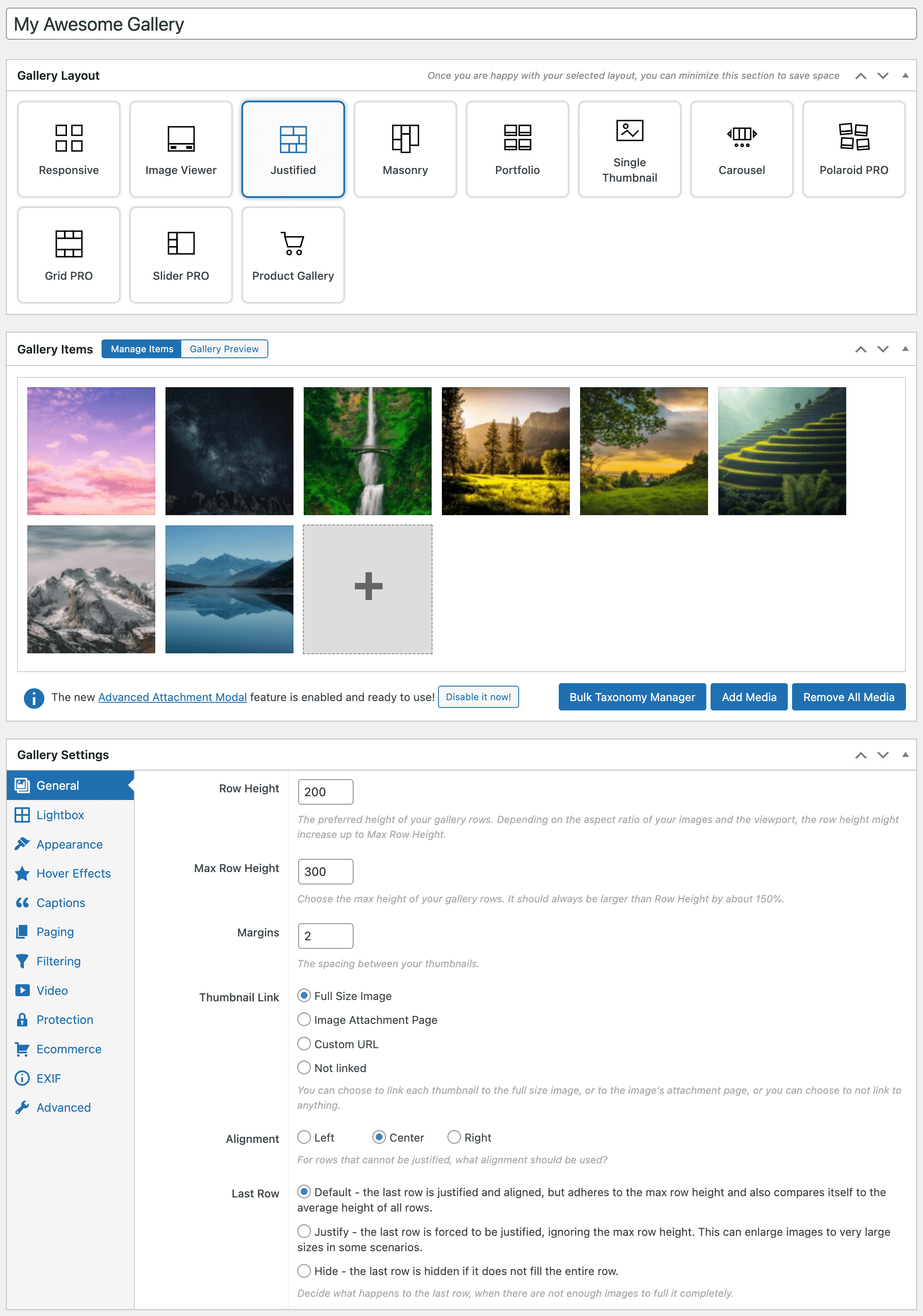

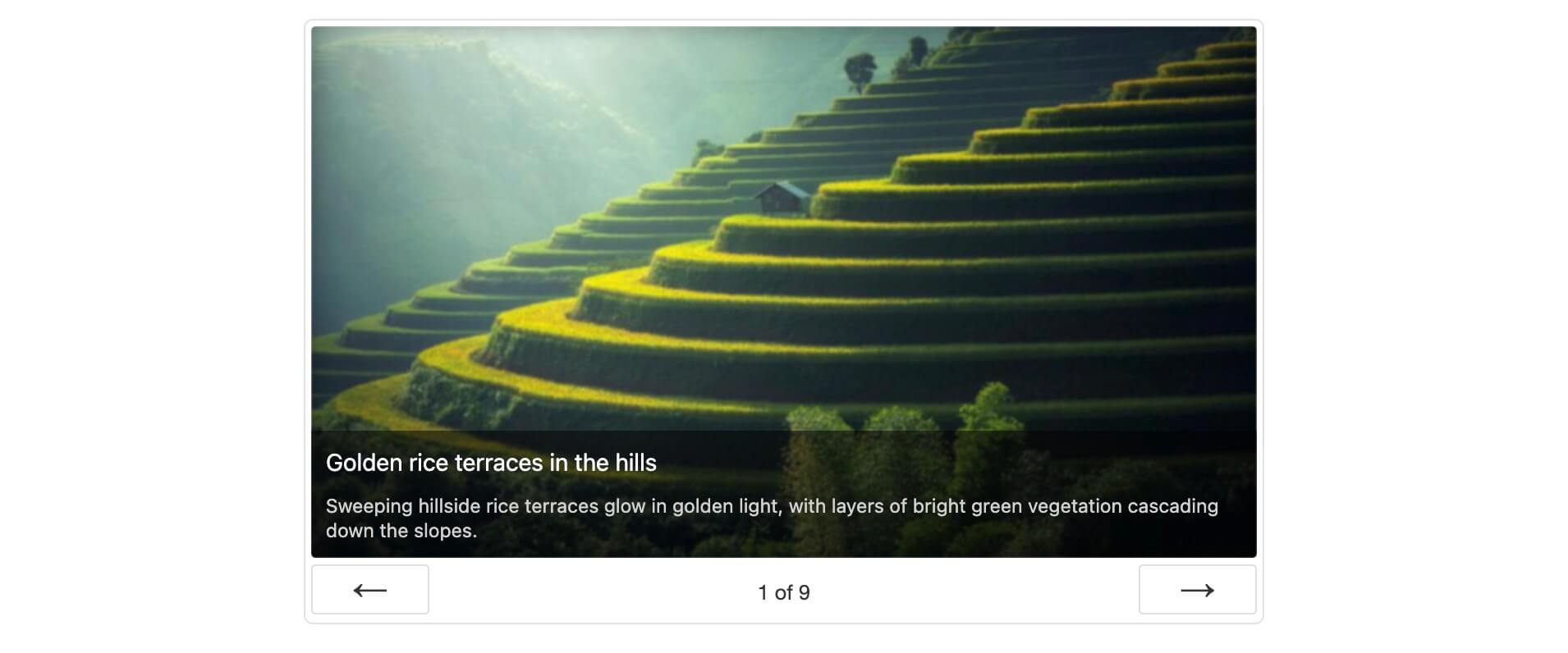
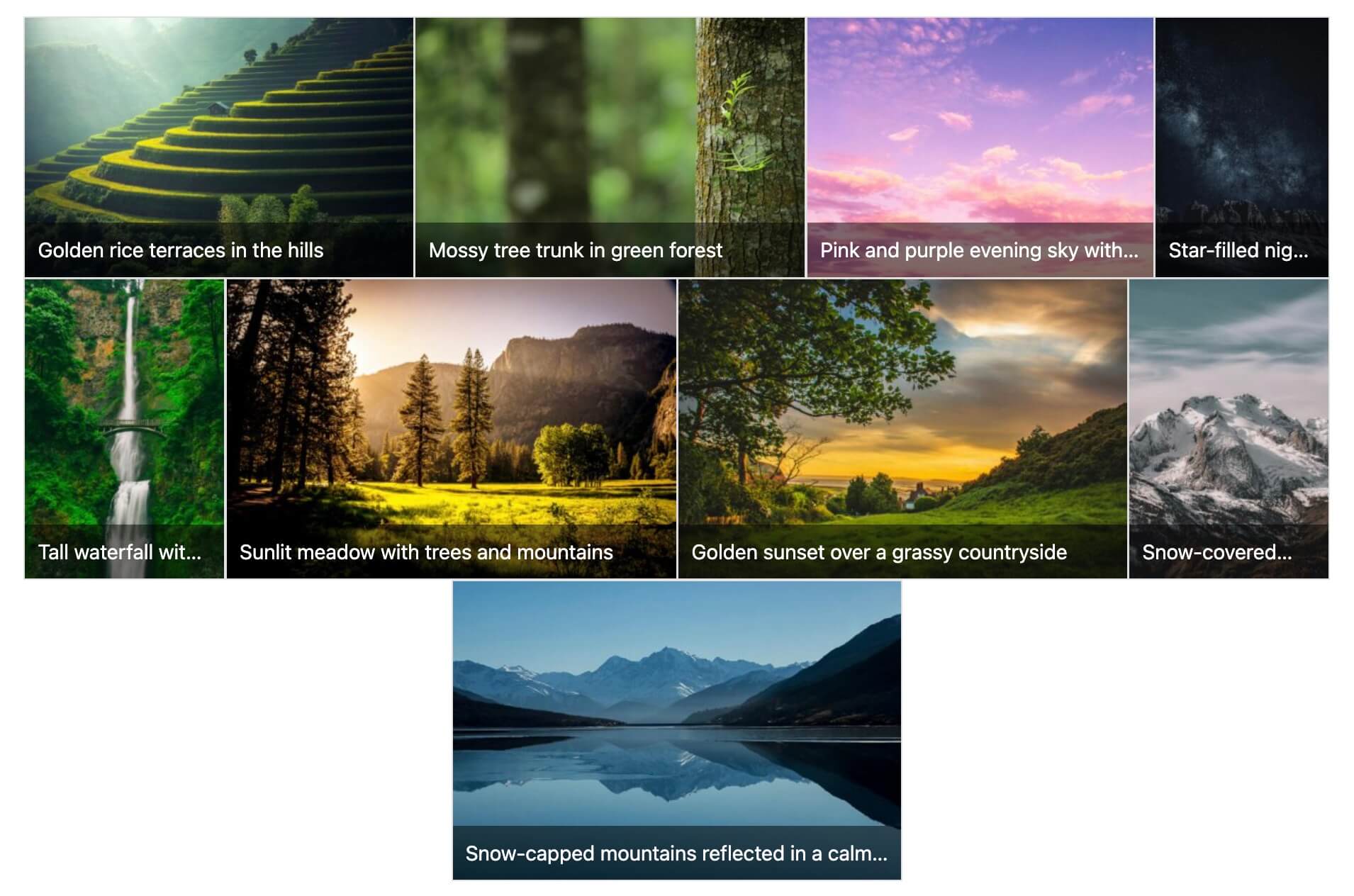
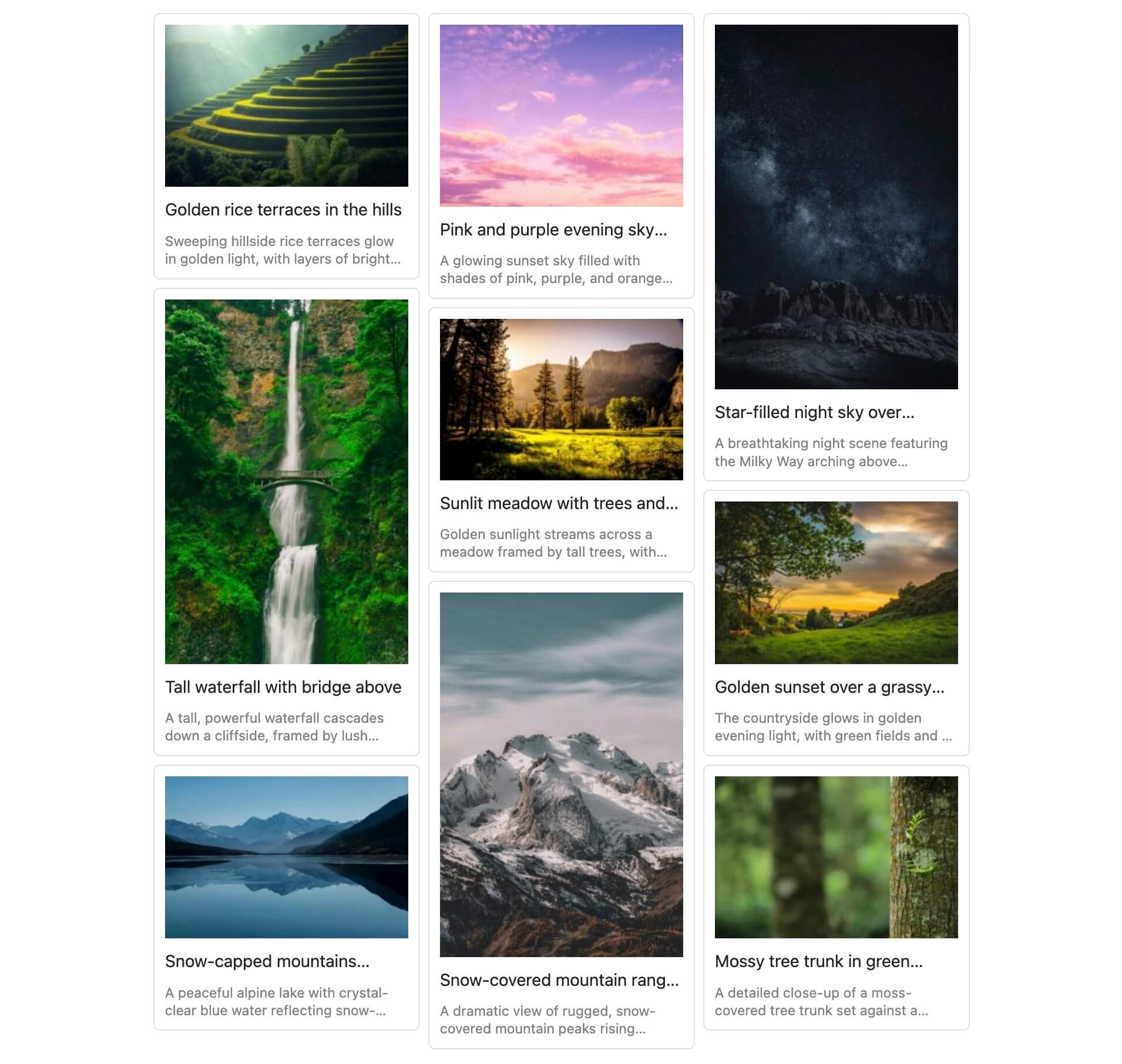
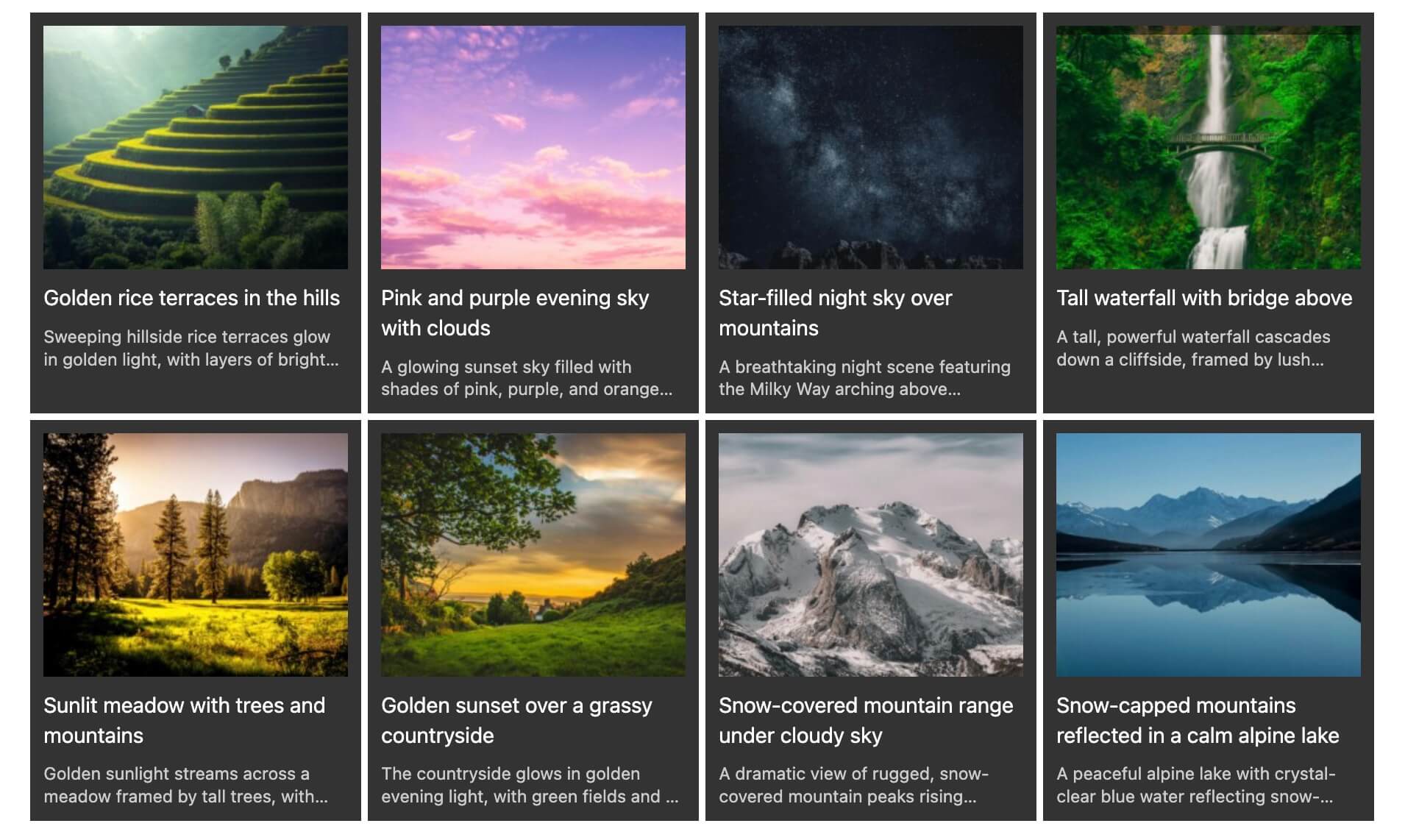


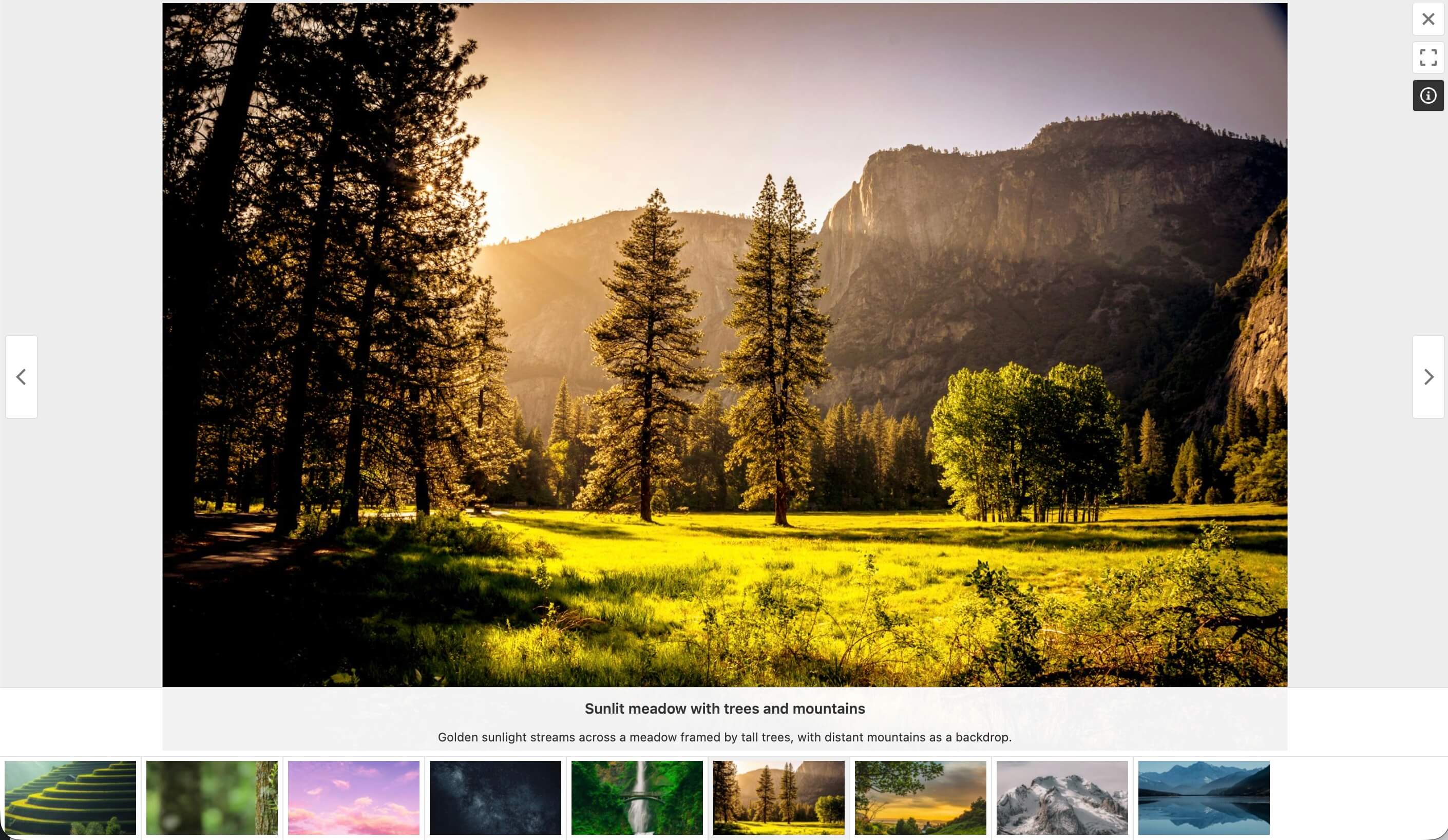
FooGallery has been optimized for performance and has a ton of features in the free version. Read our blog post where we compare FooGallery to other WordPress gallery plugins:
Best WordPress Gallery Plugins Compared
Yes, video galleries are supported in FooGallery PRO Expert. You can import from YouTube, YouTube Shorts, Vimeo or use self-hosted videos.
Yes, that is why we built FooGallery PRO Commerce – it integrates deeply with WooCommerce.
You can build galleries from WooCommerce products, or link every image to a master product. Sell with variations, ribbons, custom buttons, lightbox product info, checkout flows, and image file downloads.
Lazy loading is not working on your gallery. This could be due to a conflict between our plugin and your theme.
You can test this theory by testing a different theme (if possible).
We can help you get it working, by contacting our support.
Sometimes, there are issues when the theme does not follow WordPress best practices.
In order for FooGallery to function properly, the theme needs to have:
* A call to wp_head(); in the header.php file.
* A call to wp_footer(); in the footer.php file.
One way to check if the theme is the problem, is by switching to one of the built-in WordPress themes, and then see if the gallery loads.
Some versions of PHP have issues with the Imagick Image library, which FooGallery uses to generate thumbnails.
To fix this problem, goto FooGallery Settings -> Images, and ensure “Force GD Library” is checked and save settings.
This will force your server to rather use the GD image library to avoid the 503 errors.
Do you have any WordPress caching or optimization plugins? If so, then clear/purge your caches.
Do you have any caching setup at your website host? If so, clear/purge those caches.
First thing to do is restore your site to it’s previous working state.
1. Get access to your site via FTP, or SFTP.
2. Navigate to the wp-content/plugins folder.
3. Rename the foogallery folder to foogallery1 in order to deactivate the plugin.
4. At this point, your site should be working again.
5. Please contact our support and provide the following info:
* What version of WordPress you are running.
* What version of PHP you are using.
* What version of FooGallery you installed.
* What error was shown when your site was broken?
* What plugins and theme are you using?
A faster gallery now means a more favourable ranking in Google!
FooGallery continues to be optimized for Core Web Vitals with faster client-side code, lazy loading, improved layout stability, and broader compatibility with performance plugins.
We focus on the speed of our javascript code and the visual stability of all gallery layouts.
This helps improve the 3 key Lighthouse factors including:
- Largest Contentful Paint – galleries load and appear quicker for your visitors
- First Input Delay – you can interact with the gallery sooner
- Cumulative Layout Shift – gallery images shift around a lot less than before!
Make sure you are running the PRO version. You can check this by visiting the FooGallery -> Account page within the WordPress admin.
If you do not have the PRO version, you can download it by visiting your account page at https://fooplugins.com/account
If you have the PRO version, then clear any caches on your site or for your host. Also clear CSS Optimiztion Cache from FooGallery Settings.
If it still does not work, then please contact our support to help further.
Have you enabled retina support for your galleries? To enable retina support, edit the gallery and locate the Retina Support metabox.
Simply go to the FooGallery Features page and activate the Import/Export feature on your source installation and your destination installation.
Login into your source WordPress install, and click on the FooGallery -> Import/Export menu item.
Click the Export tab and select the galleries you want to export and click Export.
Copy the export data that is generated.
Login into your destination WordPress install, and click on the FooGallery -> Import/Export menu item.
Paste the export data and click Import.
Please note : the images in your source install need to be accessible to your destination install (this means you cannot lock down your source install if you want this to work).
Simply go to the FooGallery Features page and activate the Albums feature.
Yes, our PRO Commerce plan includes image watermarking.
Yes, with the Social Addon more info
Yes, with the User Uploads Addon more info
Yes, you can link to any external website by choosing “Custom URL” for the Thumbnail Link setting. You also then need to set a custom URL for the items in your gallery, which is done by editing the attachment.
If you are getting annoyed with our upsell admin messages, and they do not seem to go away, even after dismissing then, then goto FooGallery Settings -> Advanced Tab and check “Disable PRO Promotions” and then save your settings.
FooGallery’s optional Improve FooGallery reporting does not collect visitor activity or gallery content. Sharing is off by default and requires separate consent. Site administrators can preview what would be shared, pause reporting, or request deletion under FooGallery Settings -> Improve FooGallery.
If you choose to enable Improve FooGallery, it sends a summary of the FooGallery features and add-ons used on your site, along with basic information such as the FooGallery and WordPress versions. It does not send personal information, gallery content, media URLs, visitor activity, customer details, or license information.
You can preview the report and view all collection, privacy, and deletion details under FooGallery Settings -> Improve FooGallery. See the FooPlugins privacy policy and terms.
Yes. FooGallery registers the following abilities:
– Create Gallery
– Get gallery
– List Galleries
– List Gallery Layouts
– Update Gallery attachments
– Update Gallery
– Get Gallery Layout Schema
– Media Search
Please report security bugs found in the source code of the FooGallery plugin through the Patchstack Vulnerability Disclosure Program.
The Patchstack team will assist you with verification, CVE assignment, and notify the developers of this plugin.
Changelog
3.3.8
- Date Updated : 2 Oct 2026
- Fix : Prevented a startup fatal when an invalid Action Scheduler logger class is supplied; valid custom loggers still work (PR #417).
- Fix : Improved HTML cache performance for large and paginated galleries by caching complete gallery output, including pagination data and noscript markup (PR #425).
- Fix : Preserved quotes and backslashes in cached captions and gallery data, and kept repeated gallery embeds working correctly.
- Fix : Refreshed gallery caches after plugin, extension, and theme changes, while keeping Social interactions and User Uploads forms current.
3.3.7
- Date Updated : 21 Sep 2026
- New : Added Media Audit to scan galleries and the media library for image issues, with background progress, practical fix guidance, links to affected items, and downloadable reports.
- New : Added optional usage reporting under FooGallery Settings > Improve FooGallery, with report previews, pause and resume controls, deletion requests, weekly collection, and environment identification.
- Fix : Restored Smart caption titles and caption overrides for FooBox Free and PRO without changing image Alt Text, while preserving saved settings across FooGallery edition changes.
- Fix : Improved frontend rendering for captions, gallery items, filtering with unlimited paging, and offscreen Image Viewer and Spotlight loaders, with stronger validation for developer-only Custom Settings.
- Fix : Improved gallery editor stability and responsiveness by grouping Portfolio lightbox controls correctly, preventing preview scroll jumps, and reducing media-library lag and memory growth.
3.3.3
- Date Updated : 3 Sep 2026
- Fix : Restored gallery images in the block editor when Polylang Media translations are enabled.
- Fix : Improved handling of custom gallery item data by cleaning captions and descriptions before display and preventing shortcode overrides of developer-only Custom Settings.
3.3.1
- Date Updated : 27 Aug 2026
3.3.0
- Date Updated : 25 Aug 2026
- New : Added Divi Builder compatibility with automatic FooGallery asset loading for shortcodes and a gallery-selection module.
- Fix : Sanitized imported gallery custom CSS before saving it to prevent unsafe markup from being persisted.
- Fix : Enforced WordPress plugin-management permissions for FooGallery extension downloads, activation, deactivation, and error cleanup.
- New : Added mobile-specific gallery settings with live mobile preview support, allowing layouts to be tuned independently for smaller screens.
- New : Added mobile controls for Responsive gallery columns and gaps; Justified gallery row sizing and gaps; Masonry layout, thumbnail width, and gaps; Simple Portfolio gaps; and Thumbnail gallery positioning.
- New : Added mobile controls for Carousel maximum visible items, thumbnail gaps, navigation arrows, and pagination dots.
- New : Added mobile page-size and compact numbered-pagination controls shared by supported gallery layouts.
- New : Added mobile caption alignment plus separate title and description line limits across supported gallery layouts.
- New : Added extra-small hover preset sizing and a dedicated mobile hover preset size.
- Update : Improved the gallery editor’s mobile preview so responsive option changes and template-specific CSS classes update immediately and safely.
- Fix : Preserved mobile caption line-limit overrides and handled gallery templates without registered mobile option mappings.
- Fix : Centered Spotlight navigation SVGs within their circular controls and isolated their layout from theme CSS.
- Fix : Corrected gallery admin mobile previews so Responsive gallery layouts honor the configured one-, two-, or three-column mobile setting.
- Update : Added a thumbnail visibility fallback so gallery images remain visible until gallery scripts initialize, with an Advanced setting to disable the fallback when needed.
- Update : Reorganized global Advanced settings into consistent, predictable groups and clarified their descriptions.
- Update : Standardized Portfolio naming and gallery layout terminology throughout user-facing settings, help text, and documentation.
3.2.6
- Date Updated : 6 Aug 2026
- Fix : Added descriptive alternative text to images throughout the FooGallery admin interface.
- Update : Improved performance when loading and managing sites with many galleries.
- Fix : Prevented direct access to FooGallery PHP files.
- Fix : Hardened gallery, album, media search, attachment lookup, and uninstall database queries.
- Fix : Preserved settings sanitization by removing a duplicate legacy settings registration.
- Fix : Improved attachment file-size handling across supported WordPress versions.
- Update : Improved translation context and corrected text domains throughout FooGallery.
- Update : Replaced deprecated API usage and native URL and random helpers with supported WordPress equivalents.
- Update : Improved release Plugin Check tooling and kept development-only files out of release scans and ZIPs.
3.2.5
- Date Updated : 4 Aug 2026
- Update : Added a reusable core API for creating galleries and atomically retrieving, replacing, adding, or removing Media Library attachments.
- Update : Unified gallery attachment validation, cache clearing, save hooks, datasource enforcement, and video-count maintenance across core and WordPress Abilities.
3.2.4
- Date Updated : 4 Aug 2026
3.2.3
- Date Updated : 3 Aug 2026
3.2.2
- Date Updated : 3 Aug 2026
3.2.1
- Date Updated : 19 Jul 2026
- Fix : Registered the legacy block categories filter only on WordPress versions below 5.8.
3.2.0
- Date Updated : 18 Jul 2026
- Update : Increased the minimum supported PHP version to 7.0.
- Update : Improved compatibility across PHP 7 through PHP 8.5 and WordPress 5.3 and newer.
- Fix : Hardened remote imports, attachment metadata, datasource settings, and related gallery editing workflows.
- Update : Improved delayed loading, Infinite Scroll, jQuery compatibility, Gutenberg assets, and CSP handling.
- Update : Added album descriptions and extension APIs, with safer nested rendering, routing, and saving.
- Update : Improved thumbnail generation, effects, cache URLs, HTTPS handling, lazy loading, and ShortPixel compatibility.
- Update : Updated to Freemius SDK v2.13.4.
- Update : Added Image Viewer autoplay, lightbox Auto Progress controls, SEO fallbacks, optional ImageGallery schema, Polylang support, and improved paged-gallery search.
- Fix : Improved safe attachment captions, mobile in-app downloads, and lightbox scrolling on Firefox for Android.
For the complete release history, see the FooGallery changelog.
" width="120" height="120">
Available Versions
| Version | Download | Type |
|---|---|---|
| 3.3.8 | Download | Stable |
| 3.3.7 | Download | Stable |
| 3.3.3 | Download | Stable |
| 3.3.2 | Download | Stable |
| 3.3.0 | Download | Stable |
| 3.2.6 | Download | Stable |
| 3.1.36 | Download | Stable |
| 3.0.6 | Download | Stable |
| 2.4.32 | Download | Stable |
| 2.3.3 | Download | Stable |
| 2.2.44 | Download | Stable |
| 2.1.34 | Download | Stable |
| 2.0.24 | Download | Stable |
| 1.10.3 | Download | Stable |
| Development | Download | Trunk |
