
Flexible PDF Coupons – Gift Cards & Vouchers for WooCommerce
Active Installs
2,000+
Last Updated
June 24, 2026
First Released
June 23, 2020
Download History (Last one month)
Contributors
Flexible PDF Coupons – Gift Cards & Vouchers for WooCommerce – plugin you can use to design, sell and send by e-mail gift cards, vouchers or coupons in PDF format.
WooCommerce gives you the possibility to use discount coupons in your store. Now, you may let your customers buy such gift cards – with WooCommerce coupon on it, right in your store. Such gift cards and vouchers may be also sent as a gift.
🎁🛍️🎀
PDF Gift Cards, Coupons, Tickets, Vouchers for WooCommerce
- PDF gift cards are using WooCommerce discount coupon system,
- PDF tickets for online and local events,
- PDF vouchers for your local business (beauty salon, florist’s shop, gym, and many others).
You may also design and then sell in your WooCommerce store any PDF products that fulfil your business scenarios!
Why to add gift cards in a store
-
Offer your customers a new way of shopping experience and buying vouchers for gifts. And boost your sale today.
-
You can sell your PDF gift cards and vouchers in minutes after installation. Find out how this plugin is easy to use!
-
You may use a gift card with a WooCommerce coupon for both Simple Product and Variable Product!
-
Let your customers decide for themselves depending on their needs by creating different prices for gift cards.
-
And last but not least, send PDF coupons automatically to your clients based on WooCommerce order statuses.
Where to use gift cards
⭐⭐⭐⭐⭐
Gift cards and gift vouchers are often used e.g. in stores with:
- clothes, shoes, or fashion in general
- cosmetics, perfumes
- food for delivery, groceries, healthy food
- sporting articles and accessories
- digital products, books, ebooks, games, VOD content, subscriptions
- services: cosmetics, courses, training, taxi rides, courses, tips
- home and garden equipment
- zoological articles, RTV equipment, and household appliances
- reservation of places, trips, and transport services
- flower delivery and occasional gift cards
- and many more
Let’s see some features in detail that the Flexible PDF Coupons – Gift Cards & Vouchers for WooCommerce plugin offers you out-of-the-box.
⭐⭐⭐⭐⭐
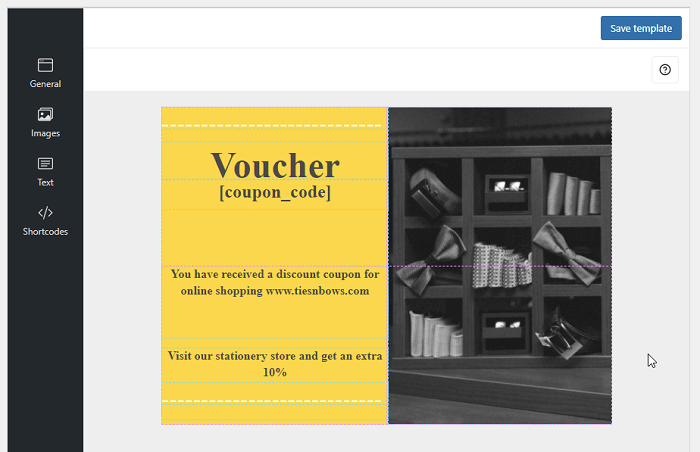
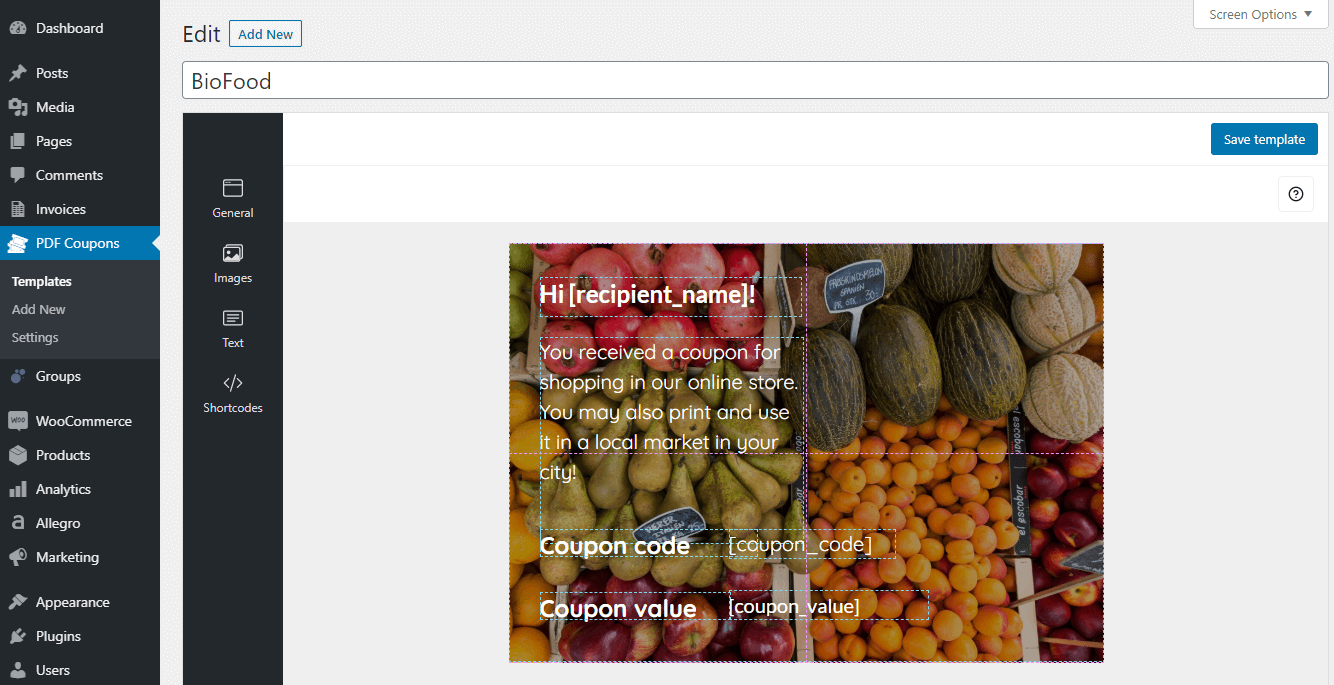
Graphic editor for gift cards in WooCommerce
- User-friendly, drag&drop graphic editor,
- Design an unlimited number of coupon templates,
- Add your own graphics and images to PDF gift card templates,
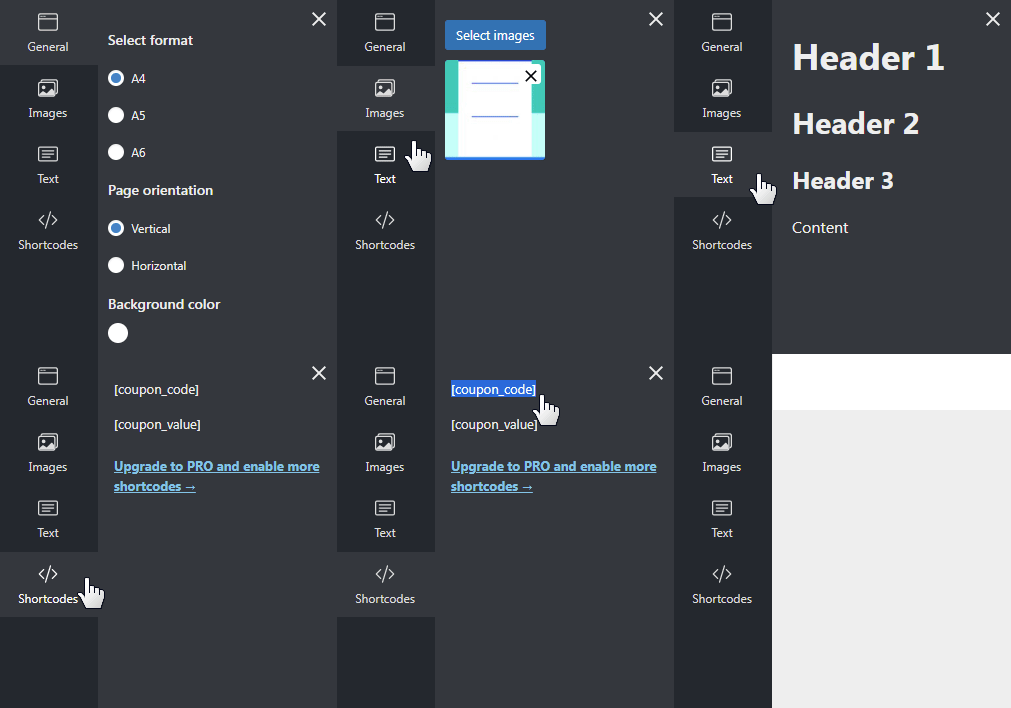
- Set up coupon size. You can choose predefined A6, A5, and A4 sizes,
- Define your own coupon background,
- Use alignment lines to position your content,
- Take advantage of layers.
- Support for various fonts defined in the plugin,
- Predefined headings,
- Changing of font size,
- Changing of font color,
- Changing of text alignment,
Support for free shortcodes for gift card templates
- Coupon value,
- Coupon code
In the PRO version, you can choose whether your voucher is to be sent directly to clients, or a buyer can choose the email address of the coupon recipient. You may also use additional shortcodes and PRO settings listed below.
PRO shortcodes for gift card templates
- PRO Product name,
- PRO Coupon expiry date,
- PRO Customer name,
- PRO Customer address,
- PRO Recipient message,
- PRO Recipient email,
- PRO Recipient name,
- PRO Site URL.
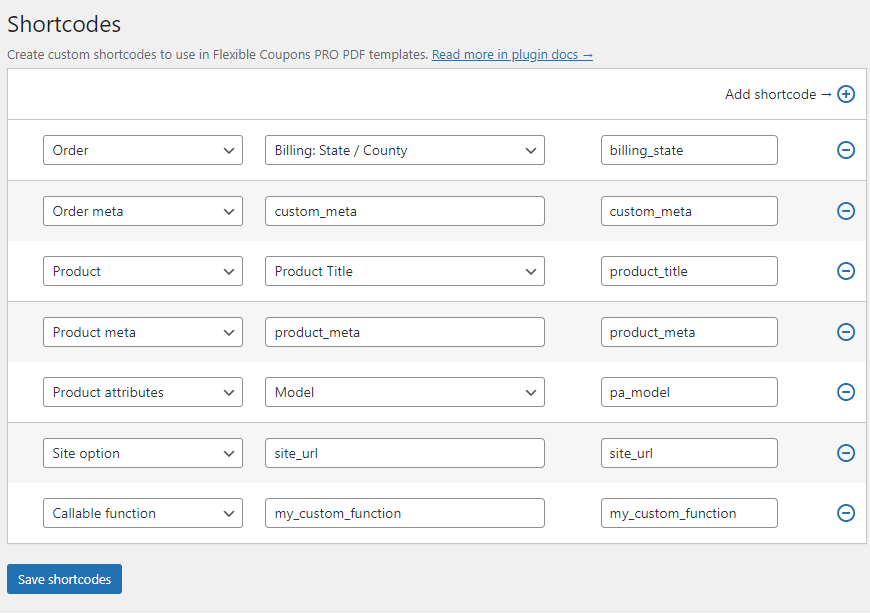
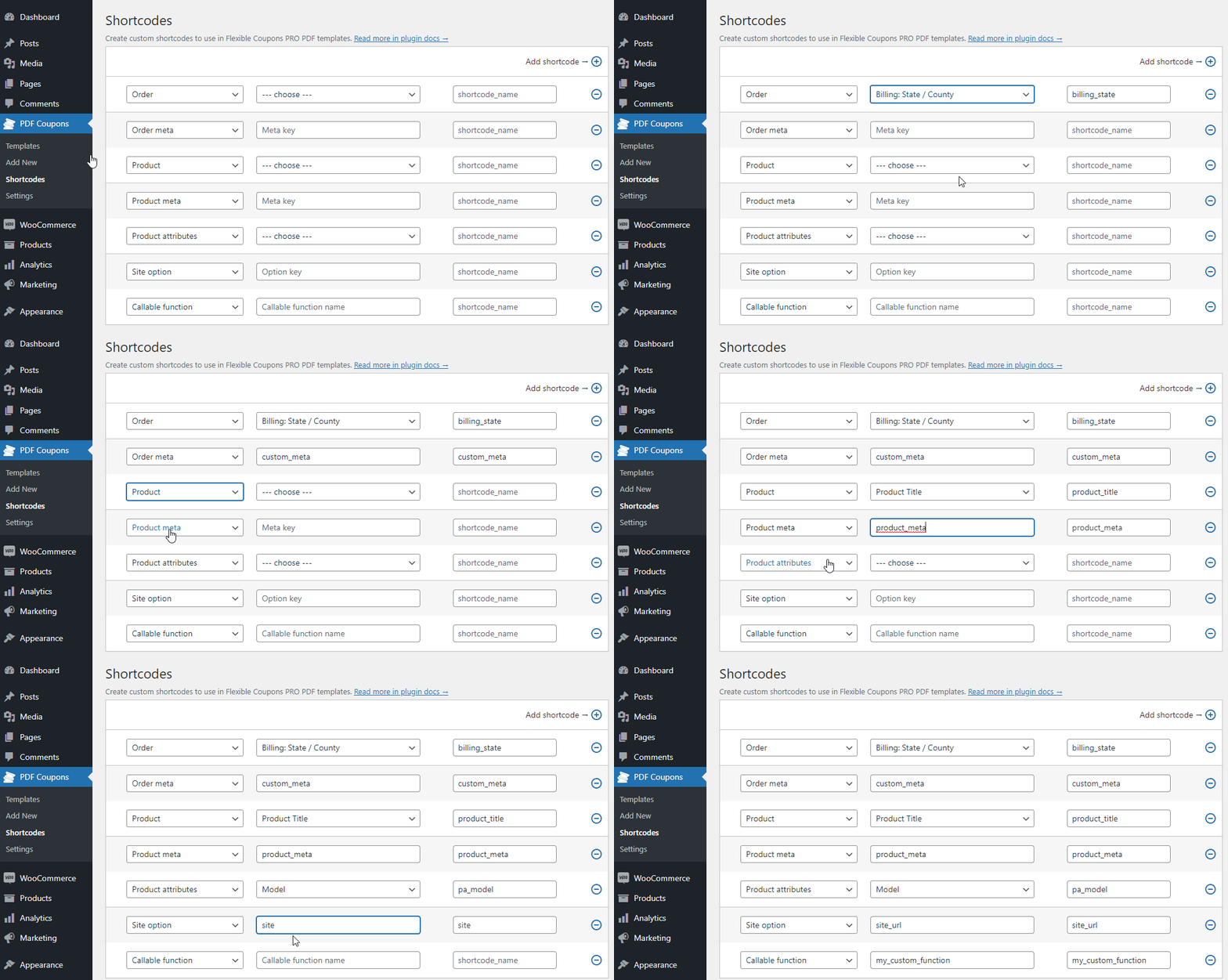
In the PRO version, you may also create and use your additional custom shortcodes
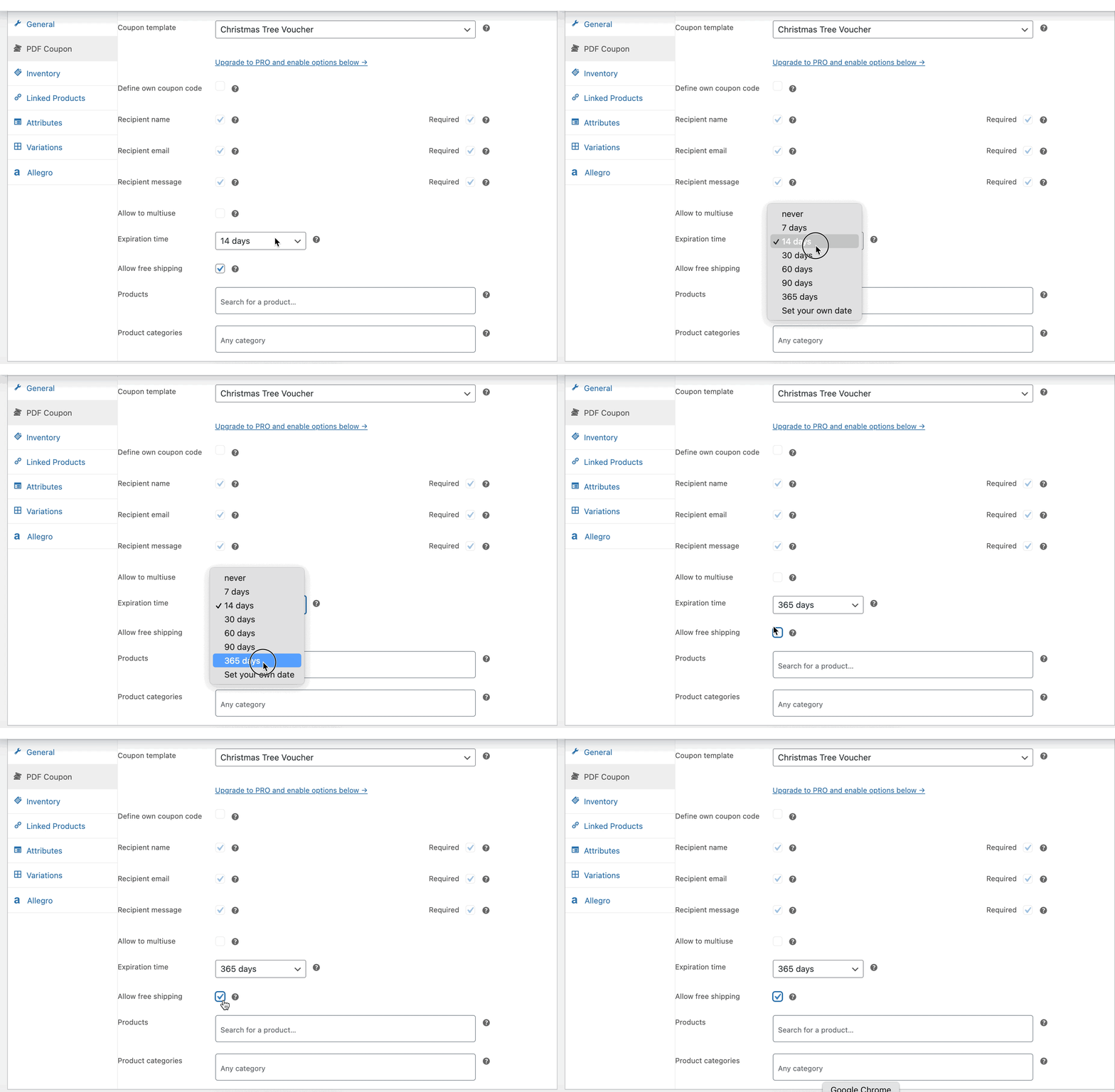
Settings for the Coupon – Edit Product Page
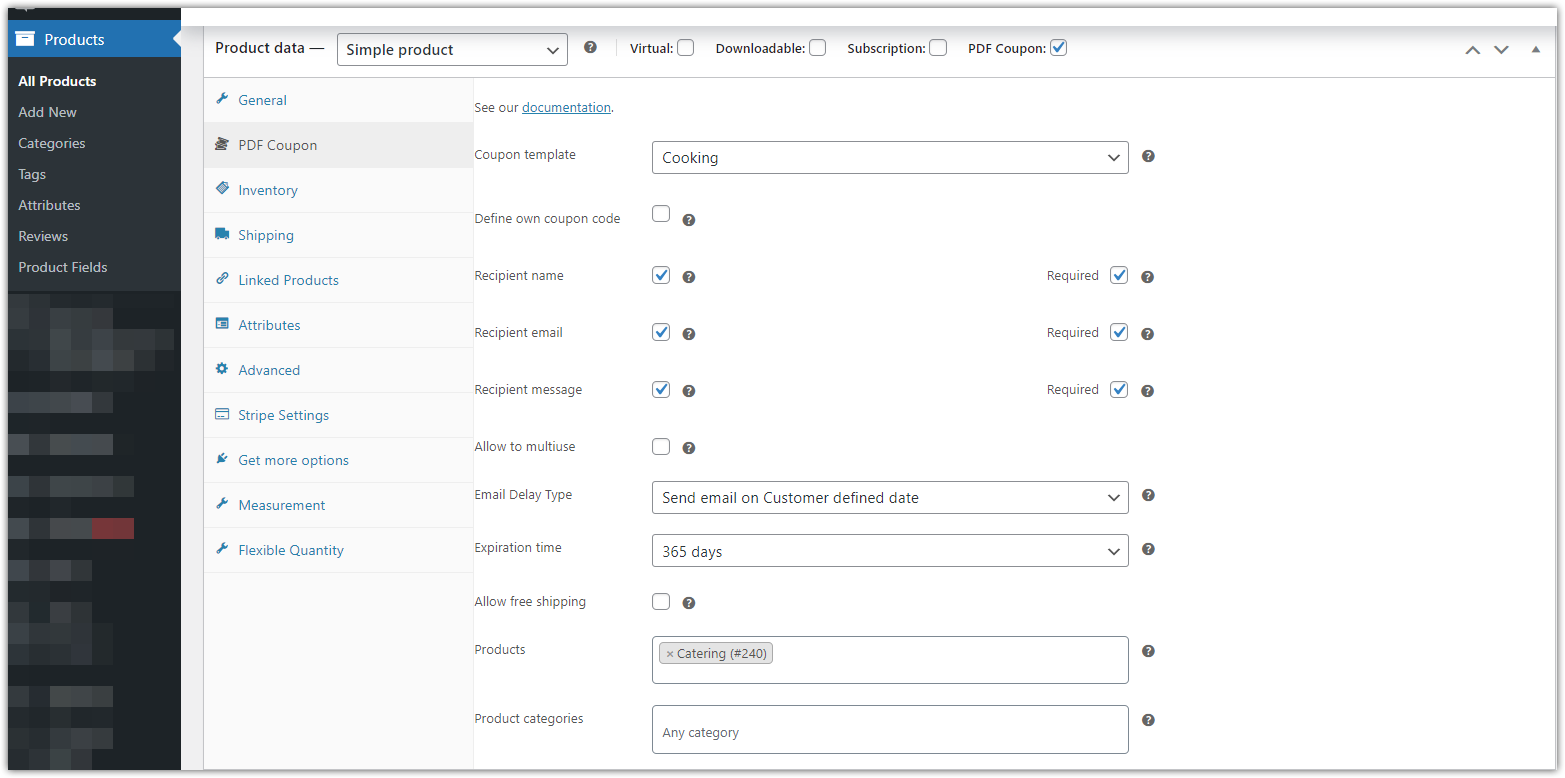
You may customize PDF gift cards – coupons using these options at the Edit Product Page for a PDF Coupon.
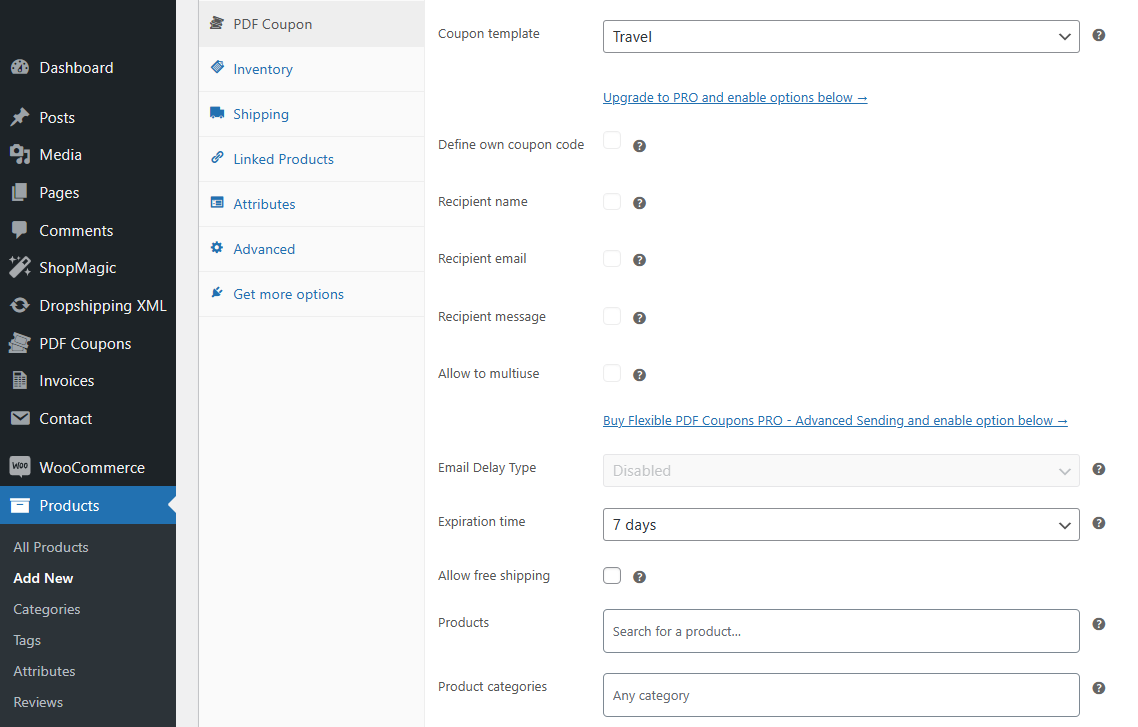
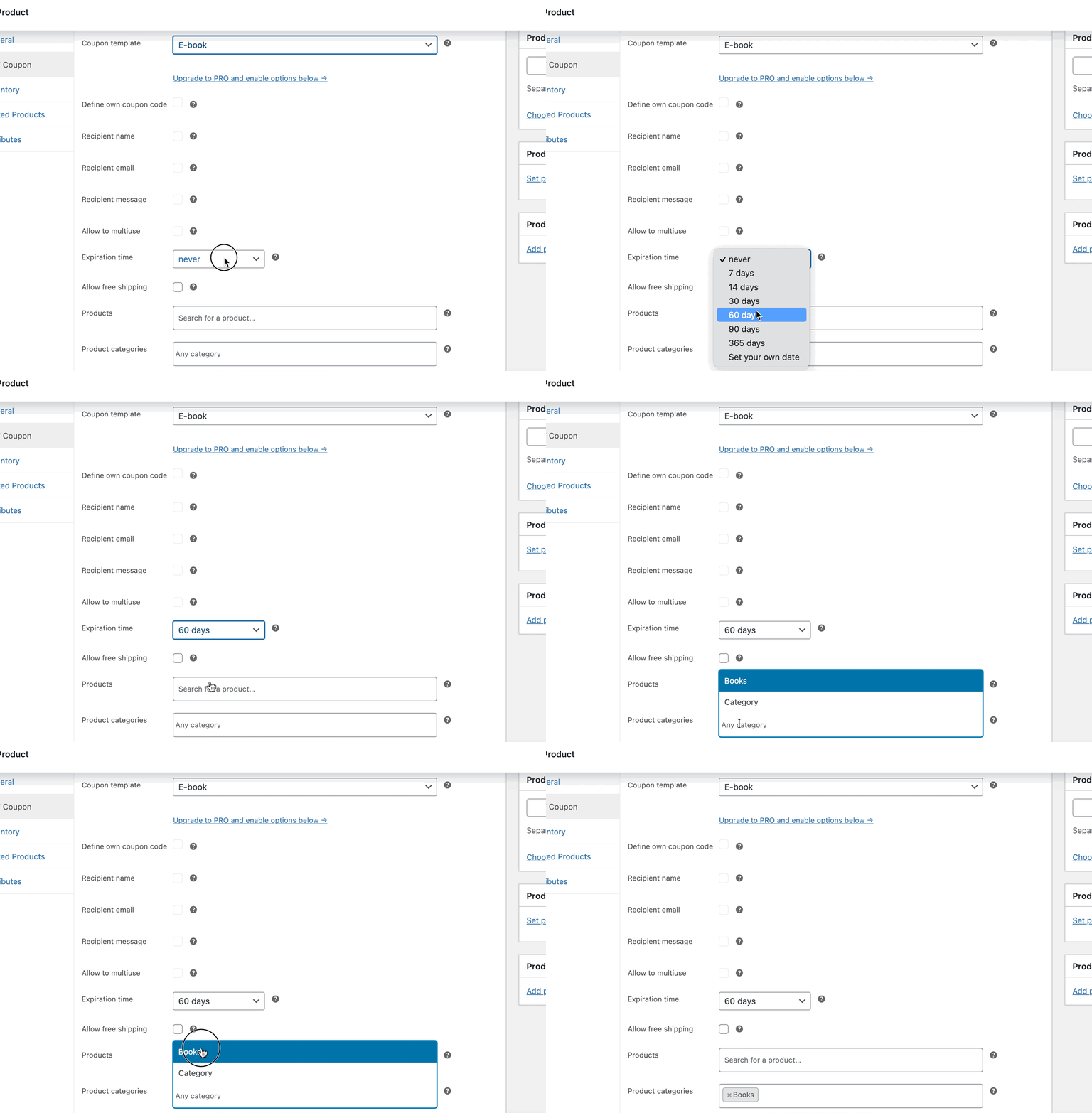
- Expiration time – you may set the number of days that the gift card – coupon is valid (7, 14, 30, 60, 90, 360 days, never or a custom value),
- Free shipping – allow using the voucher for purchase that will include free shipping (combined with the chosen WooCommerce shipping methods that require the use of such a coupon),
- Conditions for the coupon – choose a product (products) and/ or a category (categories) in WooCommerce that the pdf voucher will work for.
Additional PRO settings
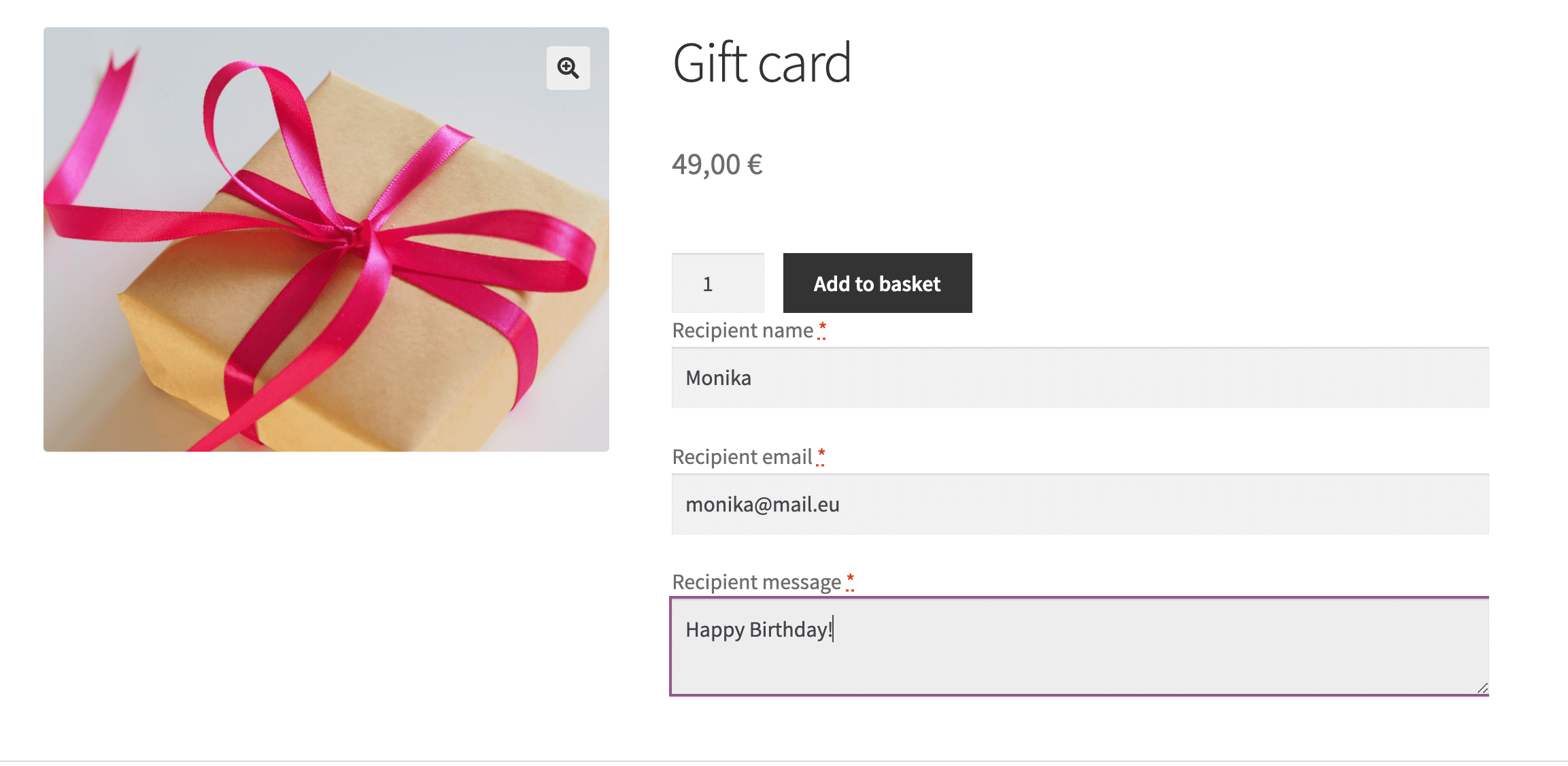
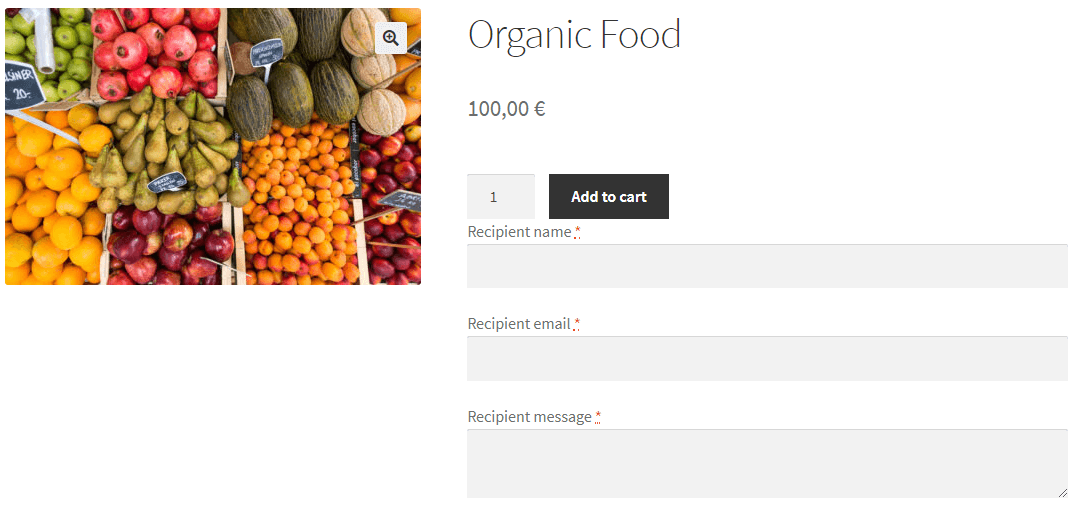
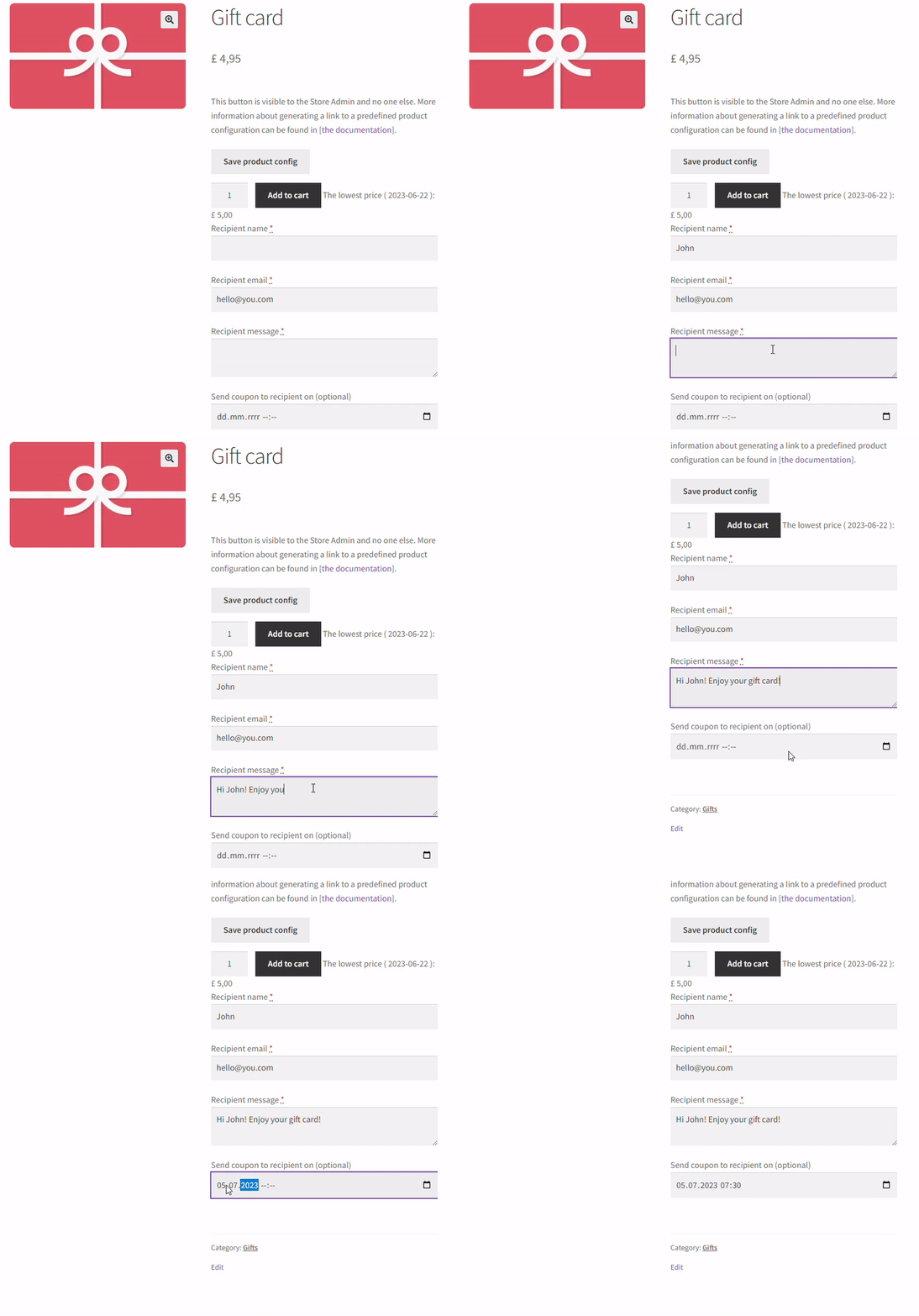
You may enable fields on the product page to personalize your Gift Cards & Vouchers for WooCommerce even more with these additional fields and options.
- PRO Recipient name field on the coupon product page,
- PRO Recipient email field on the coupon product page,
- PRO Message field on the coupon product page,
- PRO Allow to multiuse – a voucher can be used several times,
- PRO Define custom product fields,
- PRO Set the coupon expiry date format,
- PRO Enable to add PDF coupons as email attachments,
- PRO Coupon fields position on the product page (above, below the Add to Cart button),
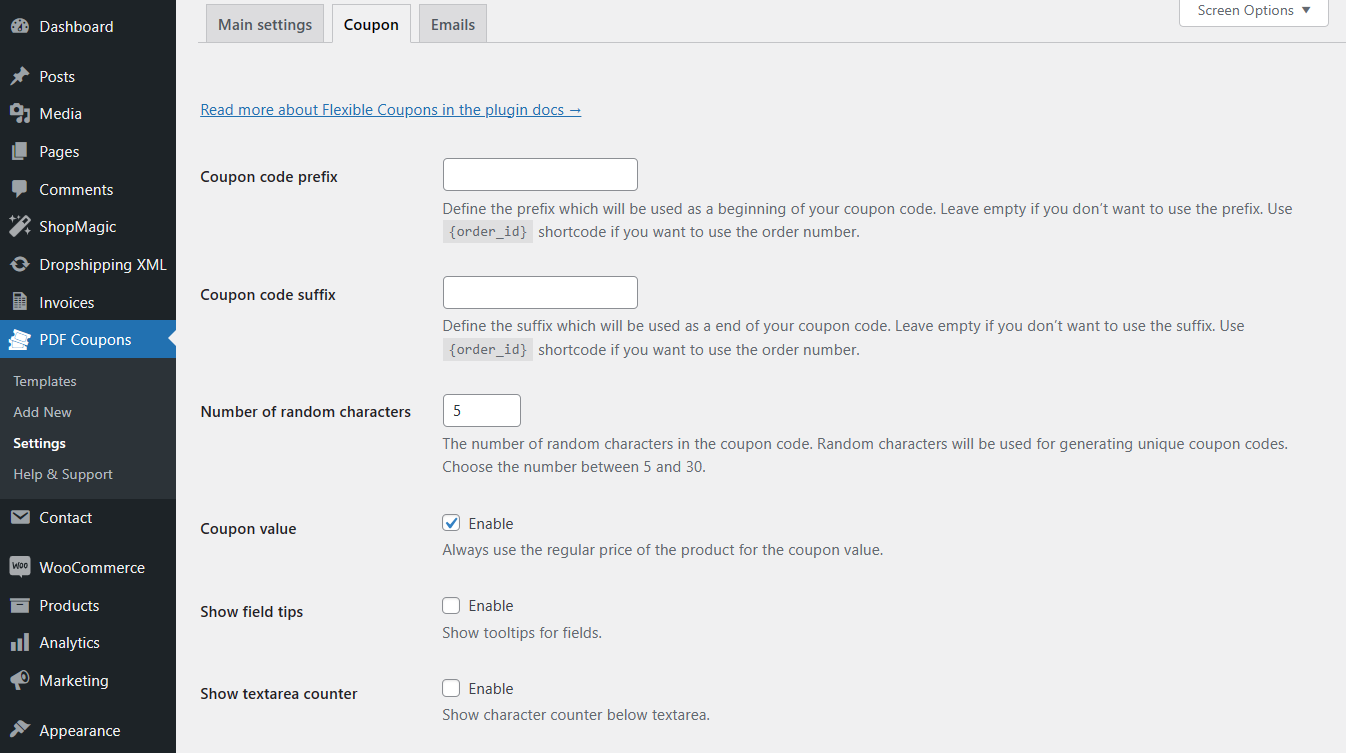
- PRO Set the coupon code prefix, suffix, and number of random characters,
- PRO Add order numbers to the coupon code,
- PRO Define own coupon codes for each product,
- PRO Custom settings for individual variation (template, expiration time, and other conditions),
- PRO Disabling email notifications for recipients,
- PRO Additional filter options for coupons,
- PRO Always use the regular price of the product for the coupon value,
- PRO Show tooltips for fields in PDF Coupon products,
- PRO Show character counter below text area.
If you would like to enhance the free version of the plugin, upgrade to PRO now →
Documentation
Please visit the official documentation of Flexible PDF Coupons – Gift Cards & Vouchers for WooCommerce to learn more about the plugin’s features and settings.
Support
We provide limited support for the free version in the plugin Support Forum. Please purchase a PRO version to get priority e-mail support as well as all e-commerce features.
Premium Live Demo
You may test Flexible PDF Coupons – Gift Cards & Vouchers for WooCommerce (free and PRO) and all of our plugins in free demo.
Languages
The Flexible PDF Coupons – Gift Cards & Vouchers for WooCommerce plugin is available in:
- English
- German by christian712
- Spanish
- Polish
- Ukrainian
You may help us translate the plugin.
Roadmap
In the future, we plan to add the following features to the plugin to make your work with gift cards even more flexible:
- Coupon use limitation,
- Editable e-mail content,
- Templates of coupon codes.
If you have any questions about these features or you have any other interesting ideas – let us know! 🙂
Data use policy
Learn about Use of Data Policy by WP Desk Plugins
To install the plugin and get it working:
- Upload the plugin files to the
/wp-content/plugins/directory, or install the plugin through the WordPress plugins screen directly. - Activate the plugin through the ‘Plugins’ screen in WordPress
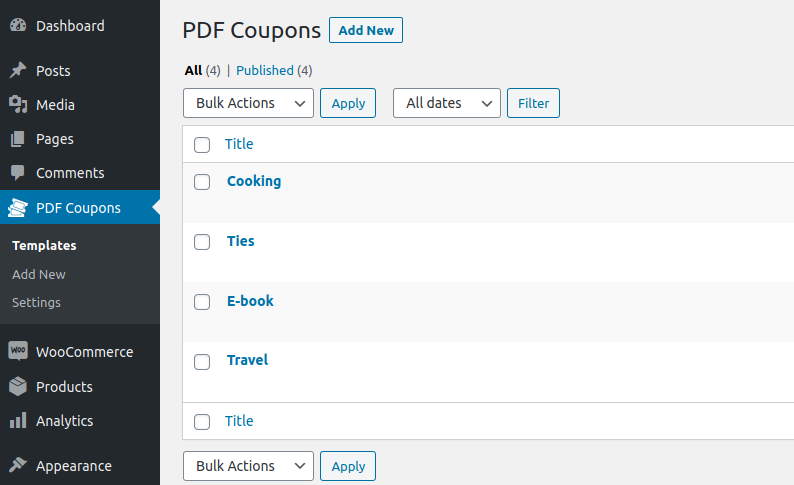
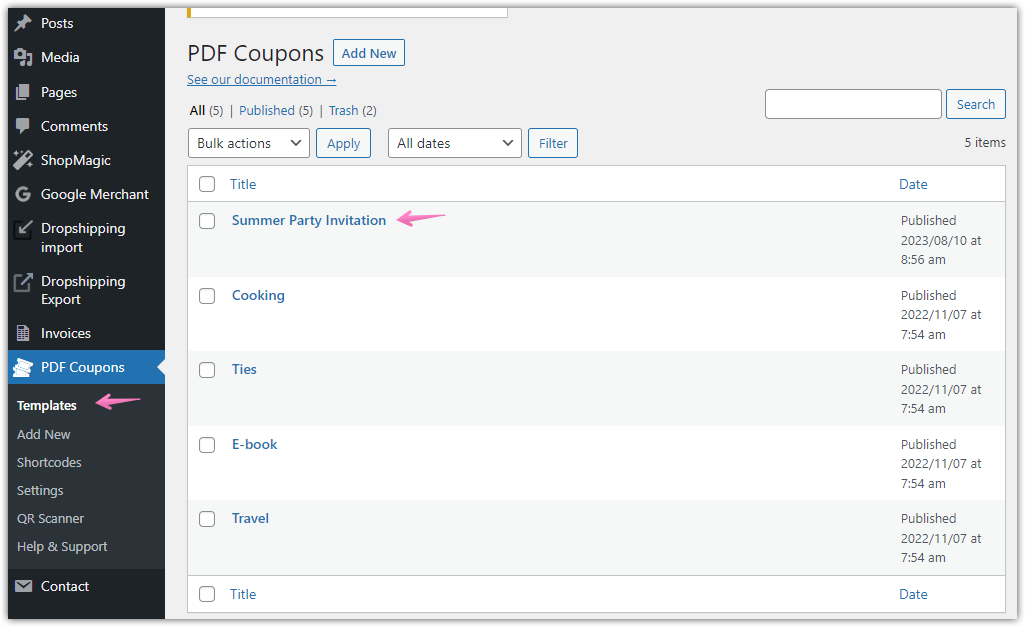
- Use the PDF Coupons -> Templates screen to manage coupon templates
Screenshot Gallery



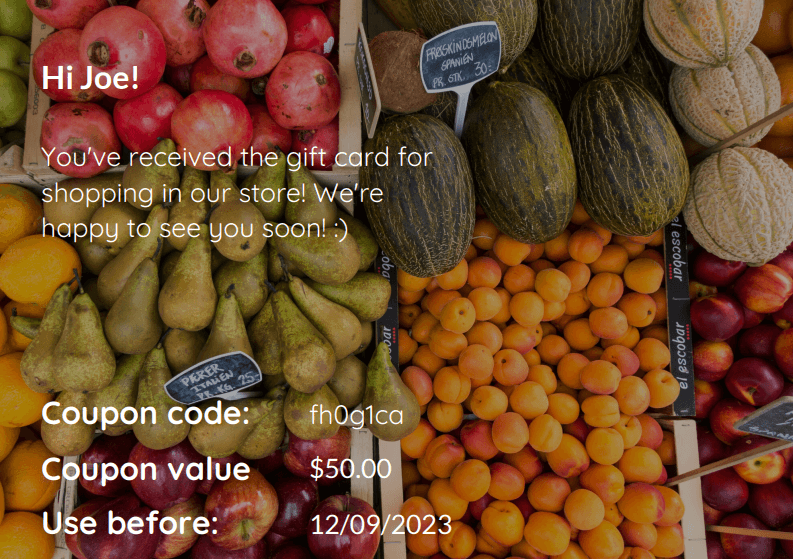
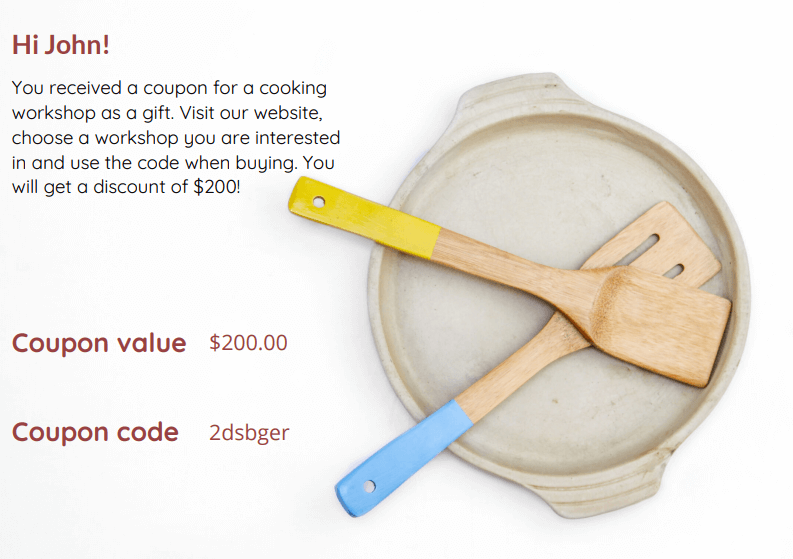


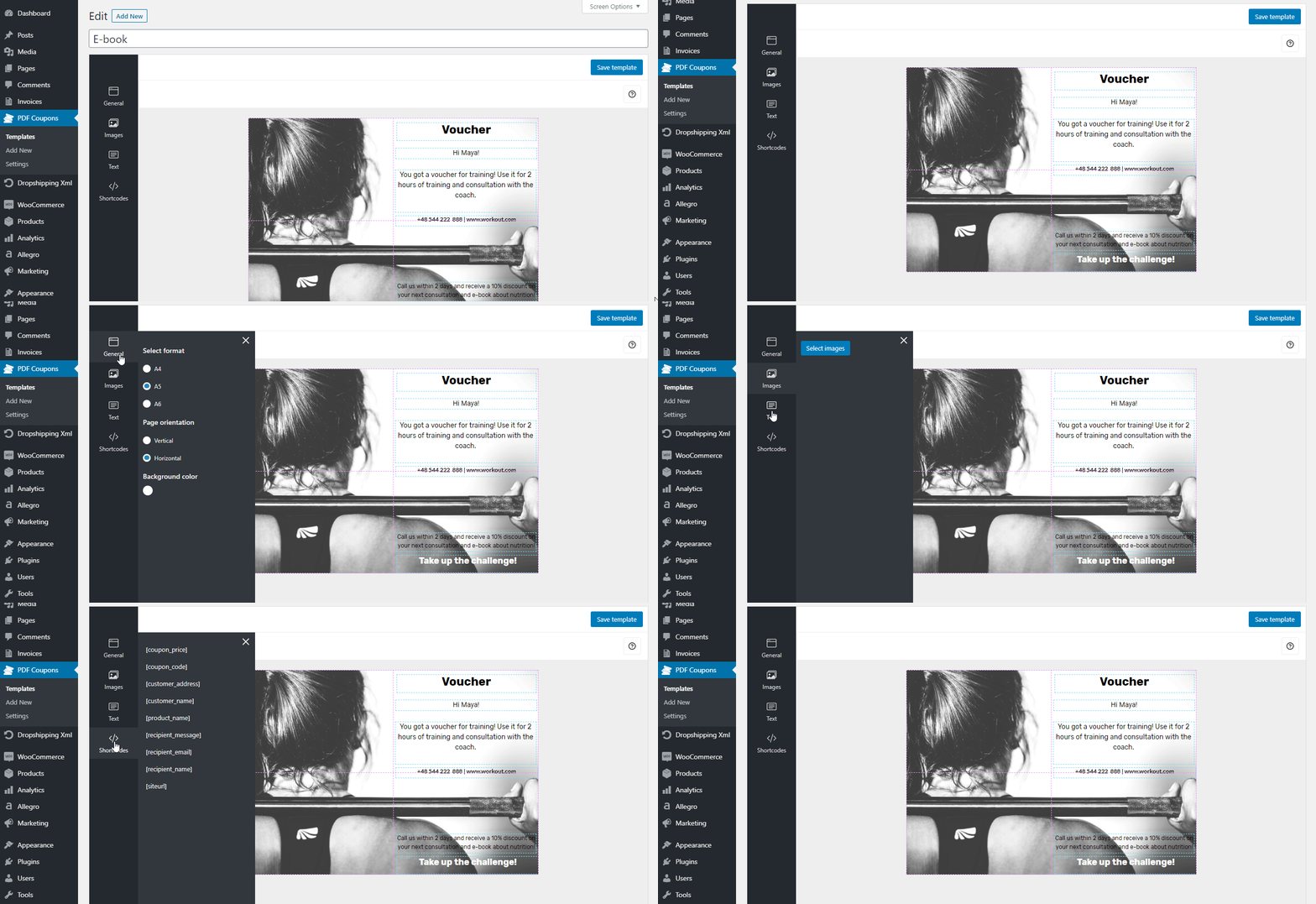
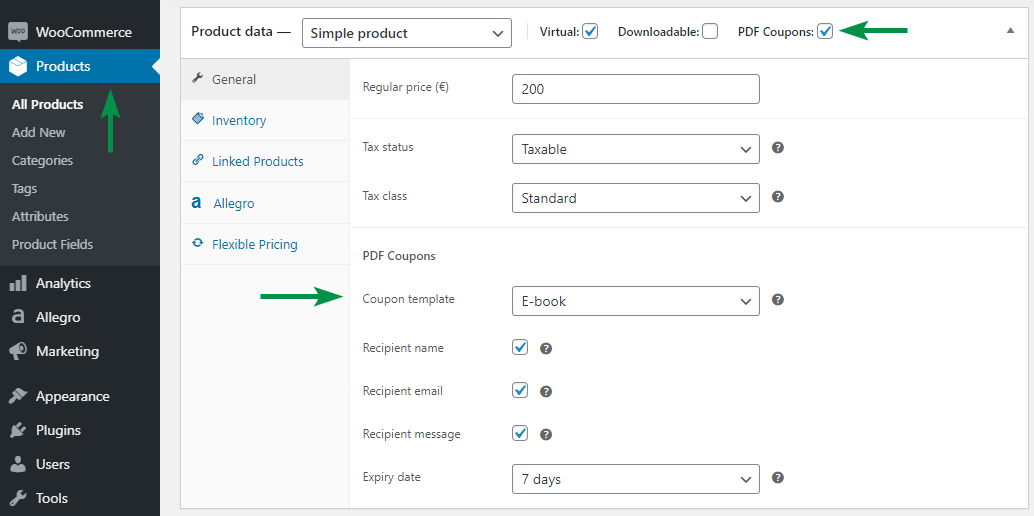
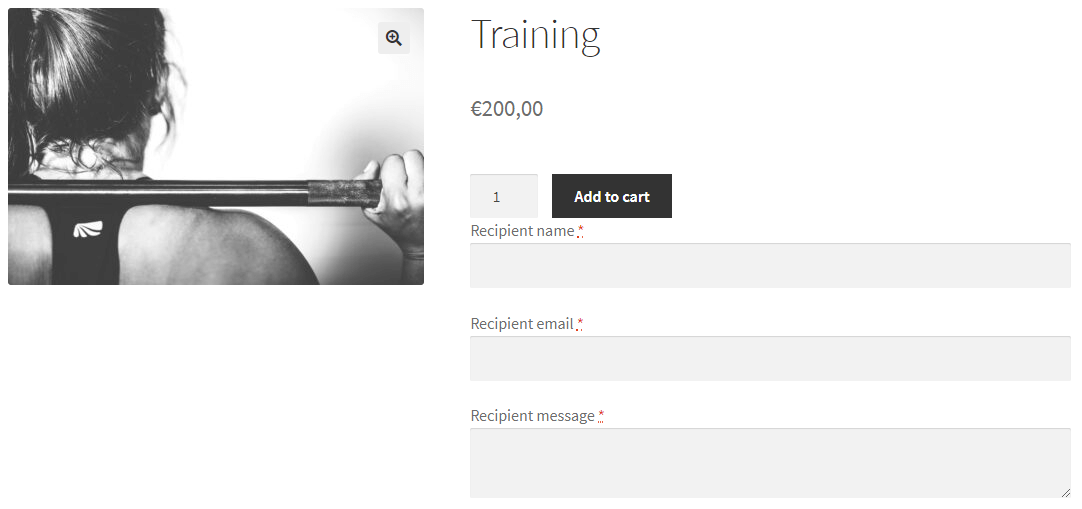
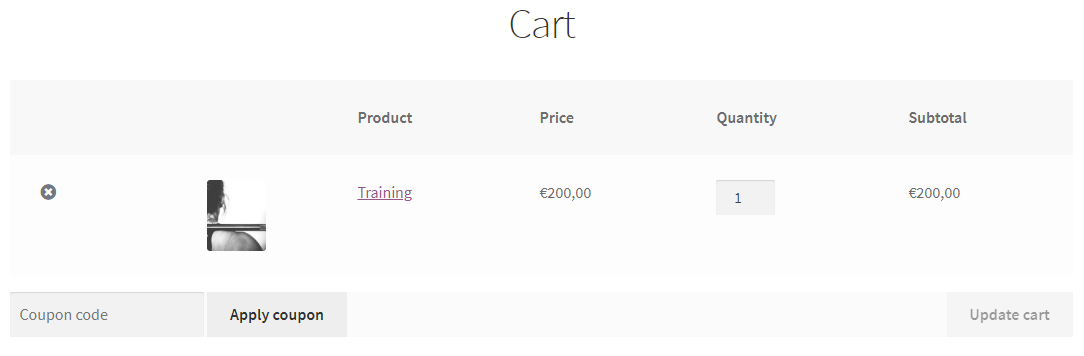






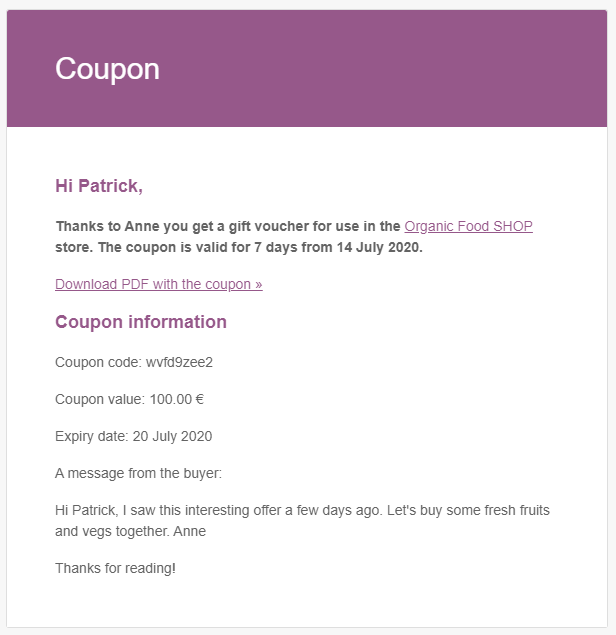
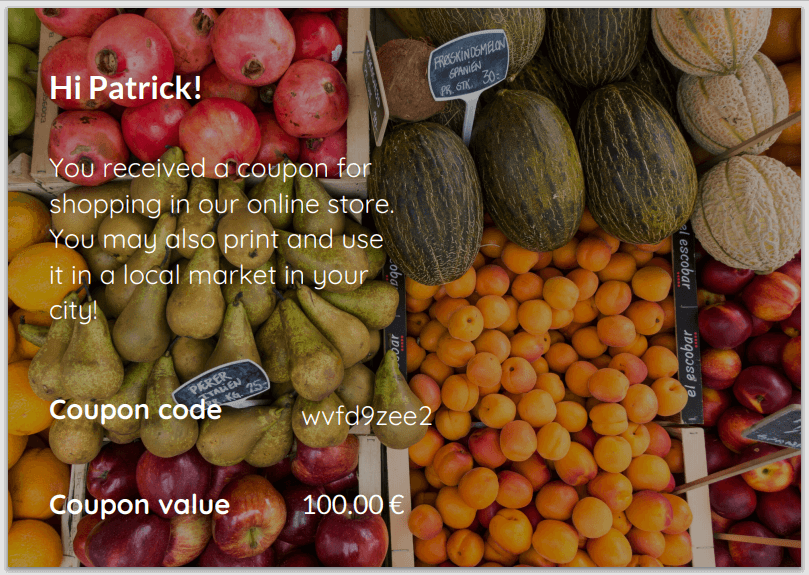
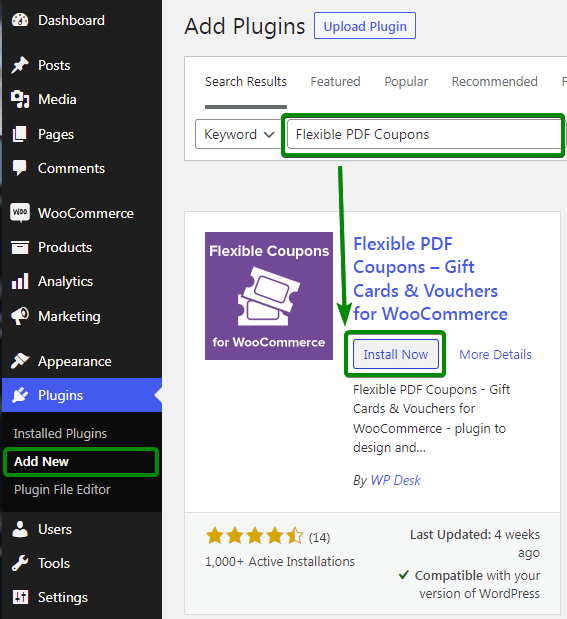
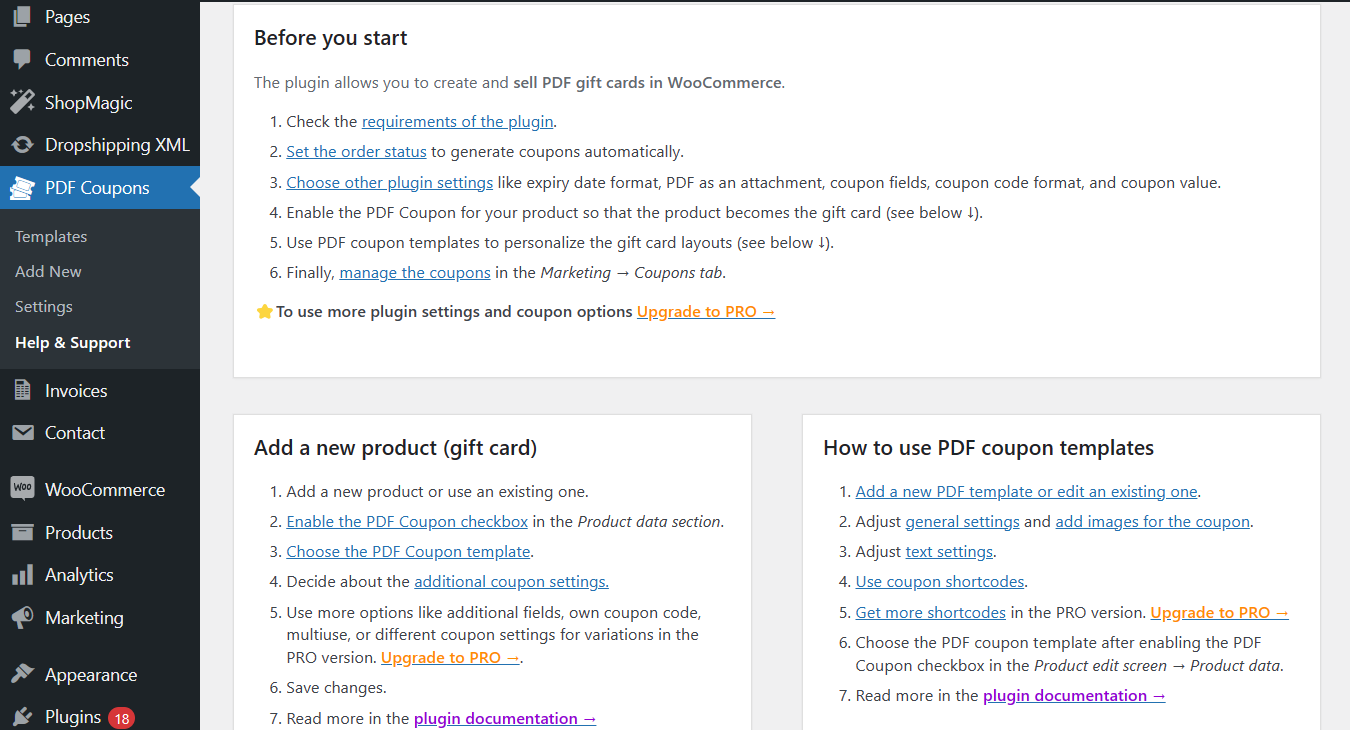

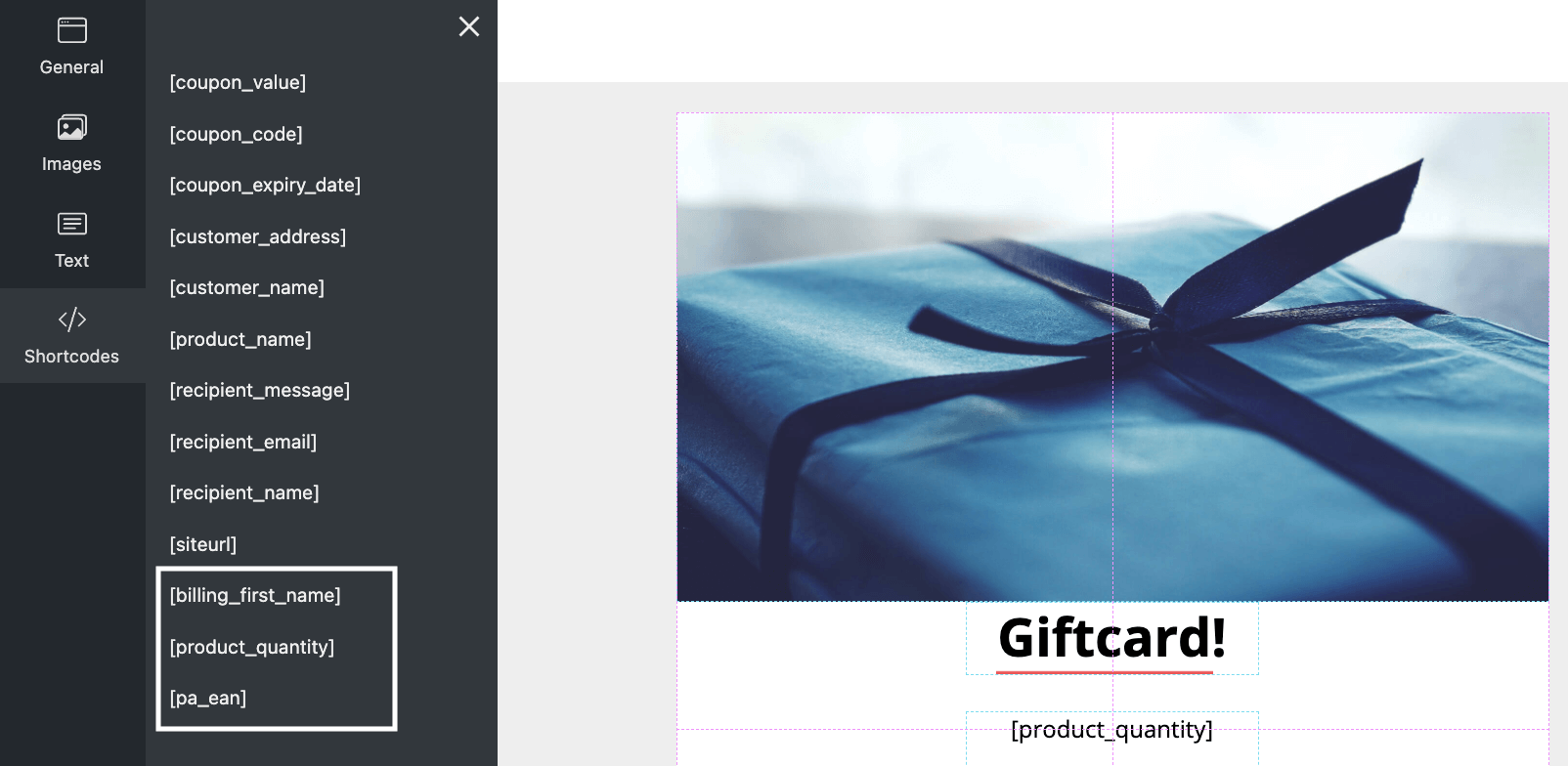
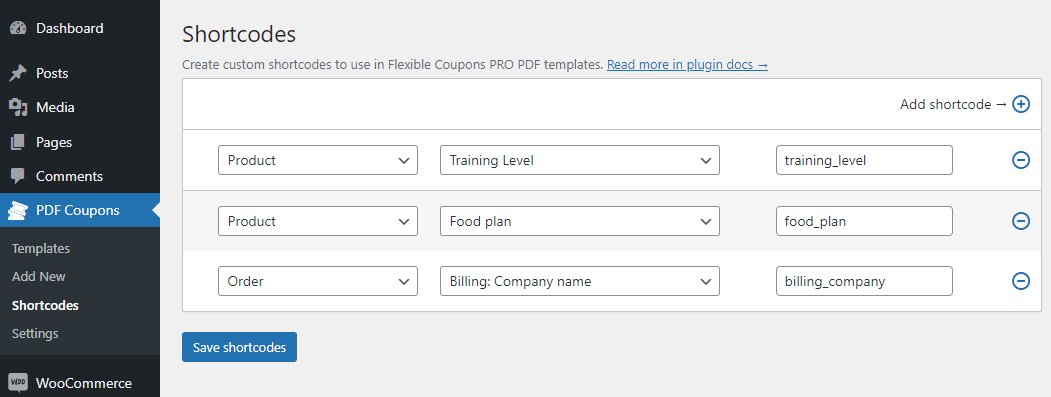
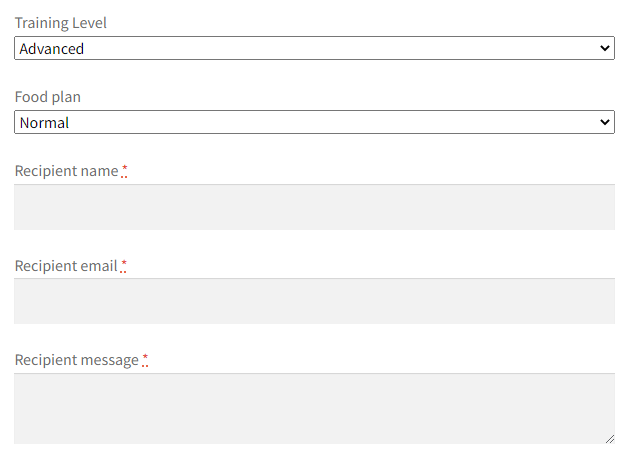

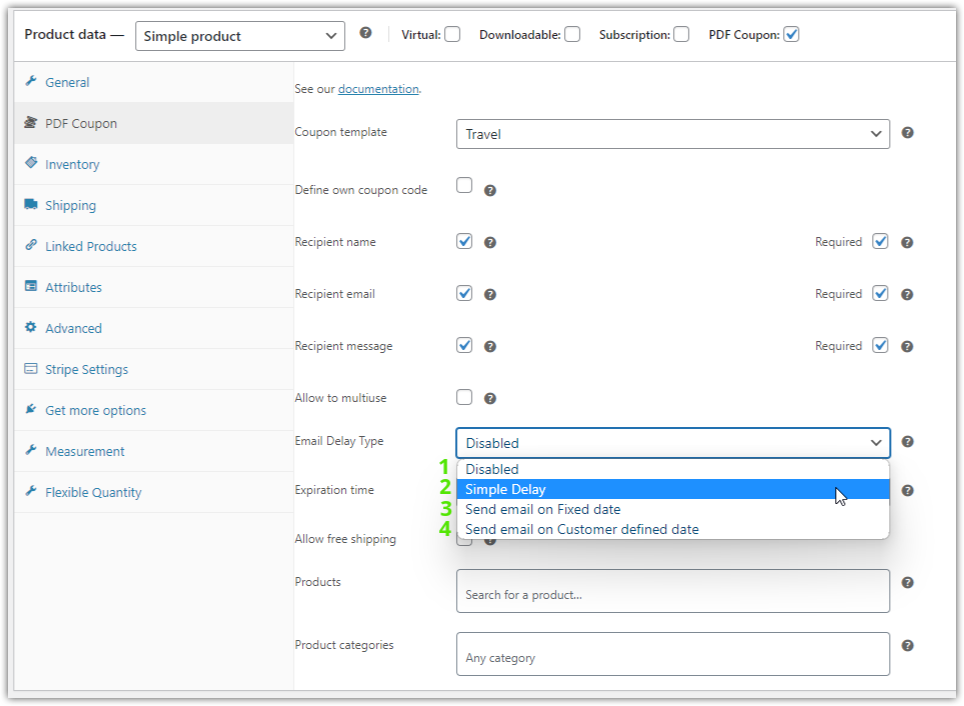
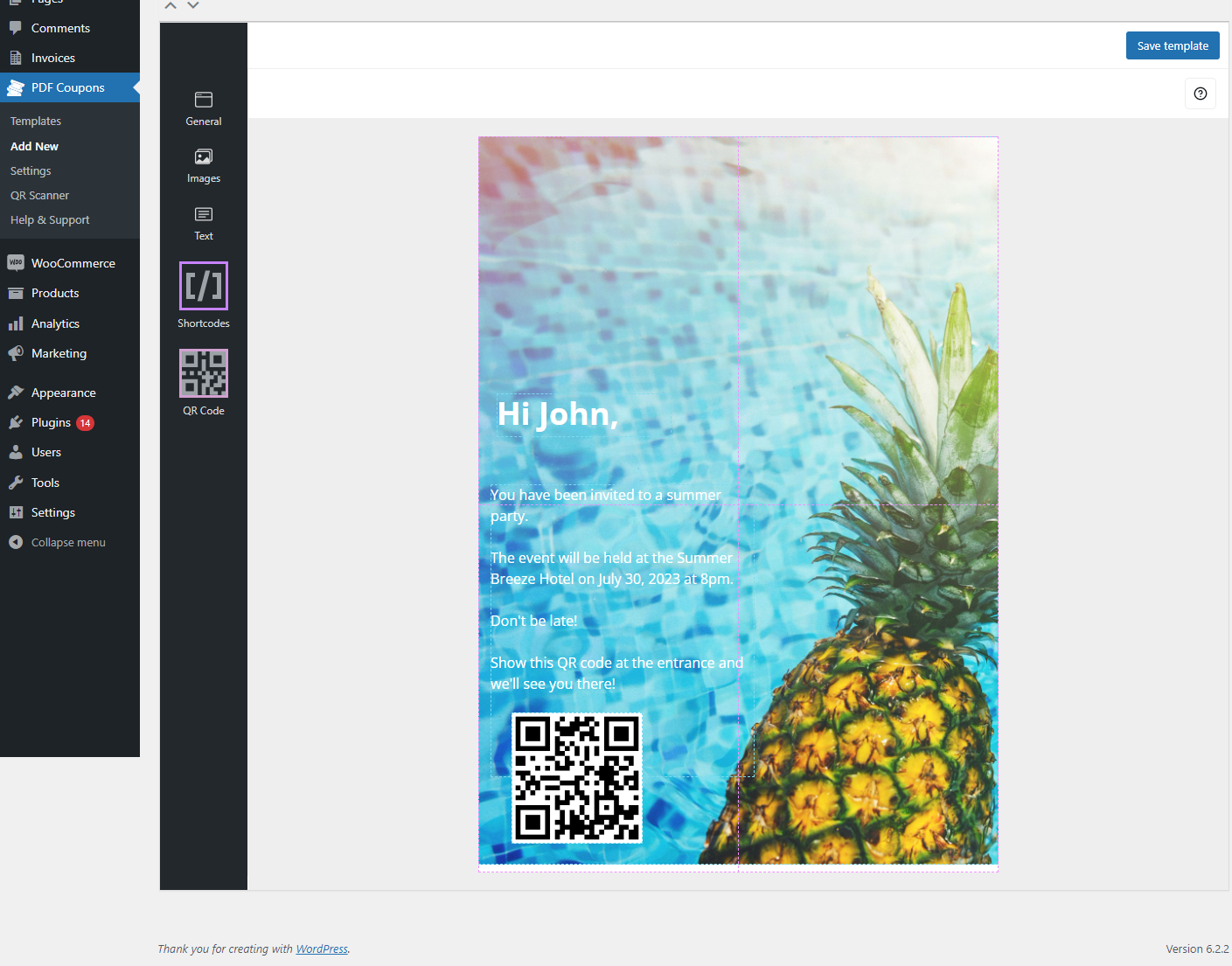

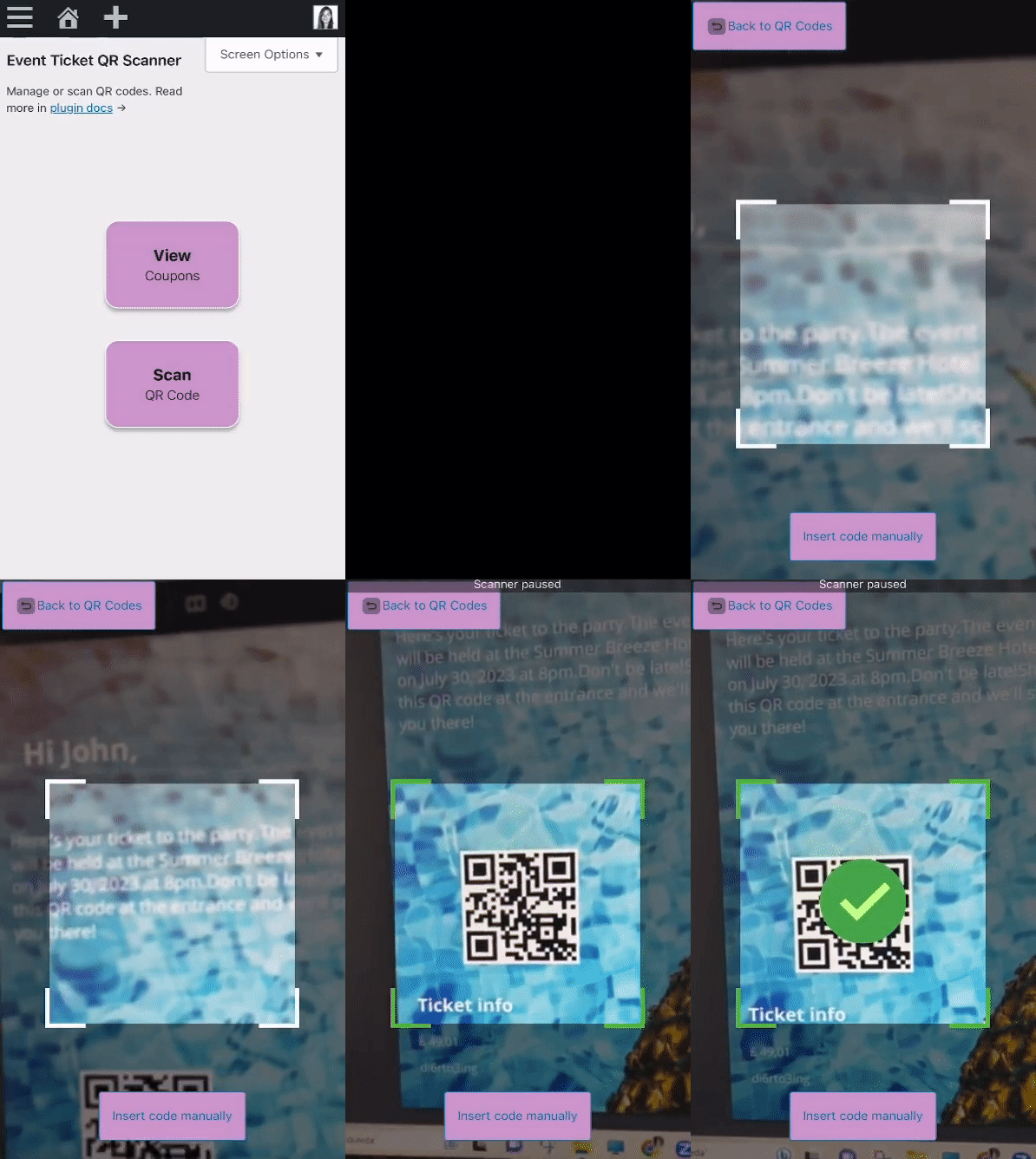


The plugin lets you change any product to a gift card, voucher, or ticket with WooCommerce coupon codes ⭐!
1️⃣ First, download the plugin.
2️⃣ Log into your WordPress backend and go to the Plugins menu.
3️⃣ Then, install the plugin by uploading it or using a search bar (Flexible Coupons) ⚙️.
4️⃣ Go to the PDF Coupons menu to set a template for your WooCommerce PDF gift card, voucher, or ticket 🪟.
5️⃣ Finally, set a new or existing WooCommerce product to become a gift card, voucher, or ticket. And that’s it 😊.
From now on, you will sell WooCommerce gift cards, vouchers, or tickets. Of course, you may use PDF coupon templates for selling more WooCommerce products as gift cards and vouchers 🚀!
Of course 😊.
You may use the plugin to:
- Design your own PDF coupons and sell them as gift cards, tickets, or vouchers in WooCommerce 🛍️
- Increase your revenue with new gift card products in WooCommerce 💰
- Let your WooCommere customers buy vouchers, gift cards, or tickets as gifts 🎁
- Test new WooCommerce products and marketing ideas and with gift cards 💝
- Sell PDF vouchers with variable products in WooCommerce 💲
- Track the coupon conversion and gift card sales in WooCommerce 📈
- Automatically print the WooCommerce order data on the PDF gift cards and vouchers using shortcodes 🪟
- Send PDF vouchers by mail and adjust the gift card email templates in WooCommerce 📨
- Add multiple coupon templates for better gift cards and WooCommerce product customization ⭐
- Let customers personalize gift cards directly on the WooCommerce product page 😊
- Grow your WooCommerce with PDF vouchers, tickets, and gift cards on special days 🎄
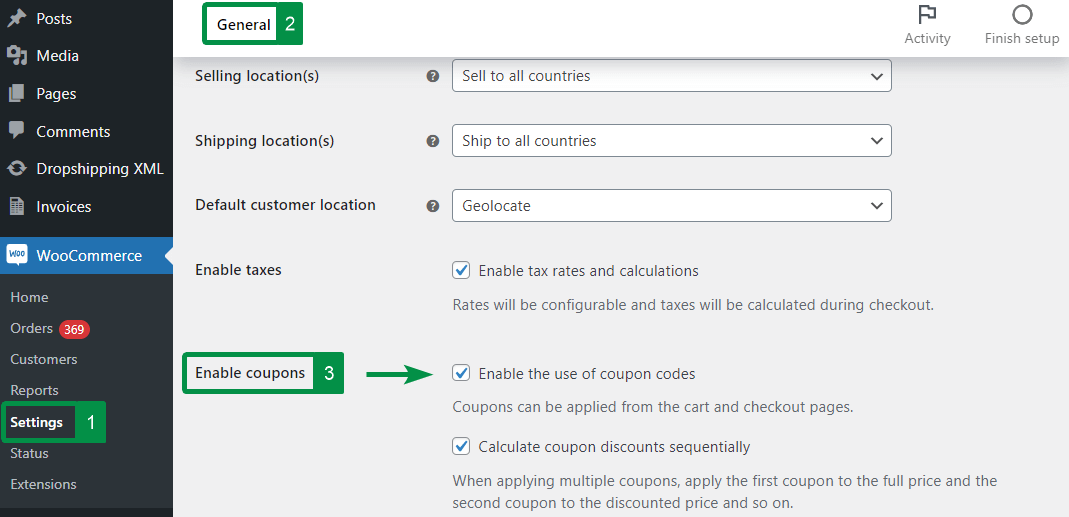
First, you need to turn on coupons in the WooCommerce → Settings → General.
You should also have allow_url_fopen ON and GD Support enabled in your server environment.
Finally, the gift card template editor requires a minimal browser version e.g.:
- Microsoft Edge – 83.0.478.45
- Chrome – 83.0.4103.97
- Internet Explorer 11.0.9600.18860
- Opera 68.0.3618.156
- Firefox 77.0
- Safari 13.1.1
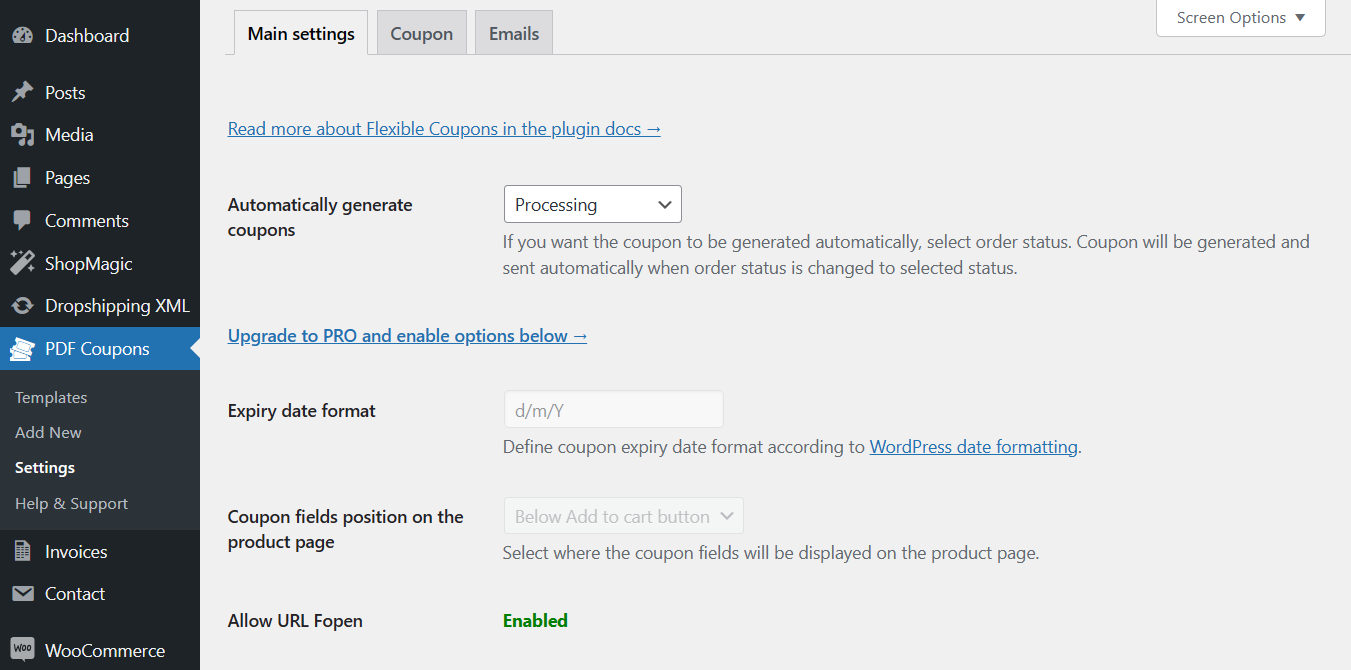
You may set automatic PDF gift card creation for WooCommerce order statuses: processing, pending payment, on hold, or completed 🚀.
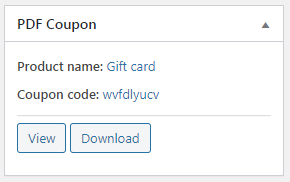
You can also choose not to generate the PDF vouchers automatically, but to make them manually on the WooCommerce order screen.
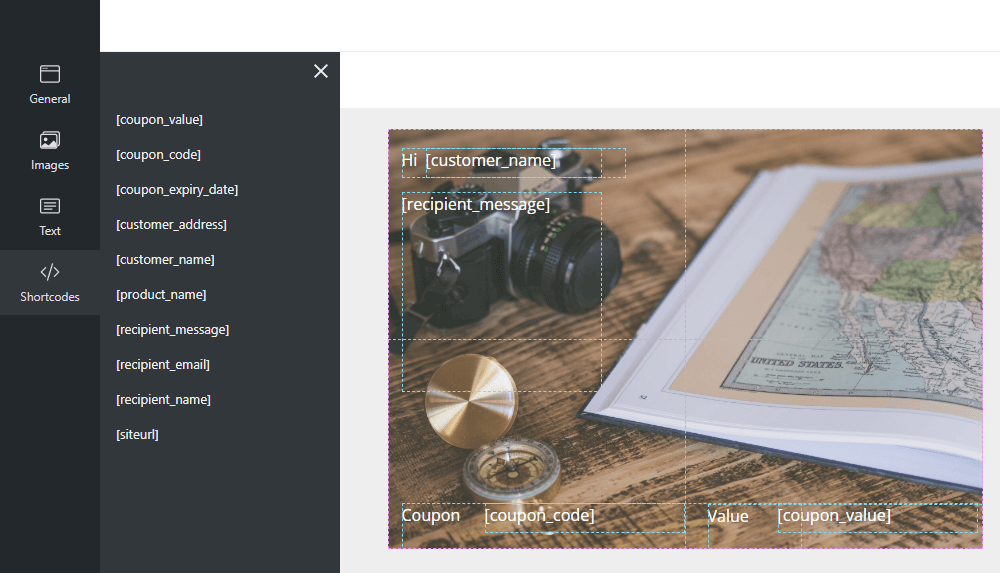
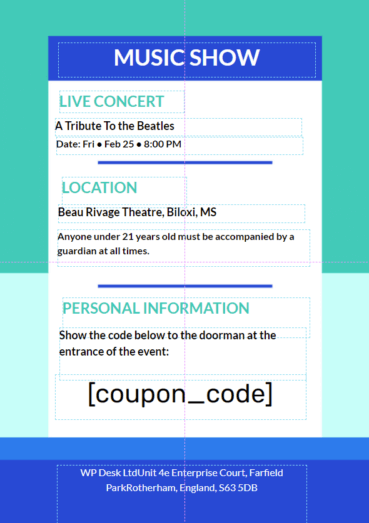
The plugin uses a coupon template to create PDF gift cards, vouchers, or tickets in WooCommerce according to your design 🎨.
You can enter some text, images, styling, and shortcodes.
The gift card template uses shortcodes to insert specific WooCommerce or plugin-related data dynamically ⭐.
Of course 😊.
You may choose the specific PDF voucher template on the WooCommerce product edit screen. It will be visible after enabling the PDF coupon checkbox in the Product data section. The coupon template will be used to create PDF vouchers for simple and variable WooCommerce products 🚀.
What’s more, in the PRO version of the plugin, you can set different coupon templates per each product variation ⭐!
The plugin lets you change any product to a gift card, voucher, or ticket with WooCommerce coupon codes ⭐!
1️⃣ First, install and activate the plugin ⚙️.
2️⃣ Log into your WordPress backend 🔐.
3️⃣ Then, go to the PDF Coupons menu to set a template for your WooCommerce PDF gift card, voucher, or ticket 🪟.
4️⃣ Next, edit a new or existing WooCommerce product (simple and variable) 😊.
5️⃣ Go to the Product Data section and enable the PDF Coupon checkbox ✅.
6️⃣ Decide about the coupon settings and choose the appropriate PDF coupon template 📚.
7️⃣ Finally, save the changes and see new types of WooCommerce products (gift cards, vouchers, and tickets) 😊.
Yes 😊. The plugin will work for simple and variable products.
What’s more, in the PRO version of the plugin, you can set different coupon templates per each product variation ⭐!
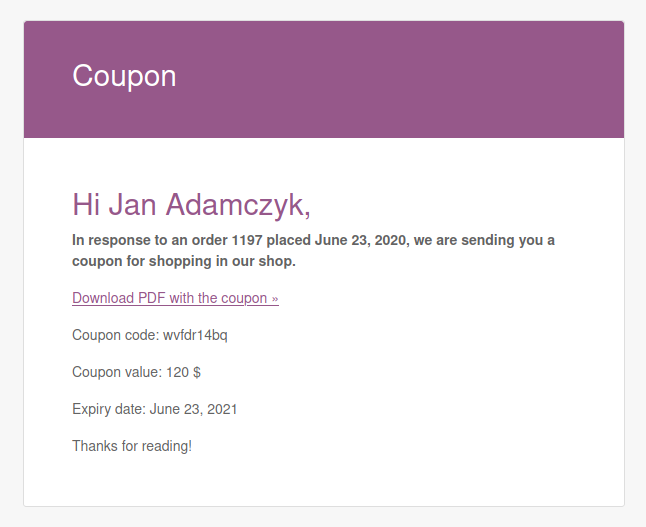
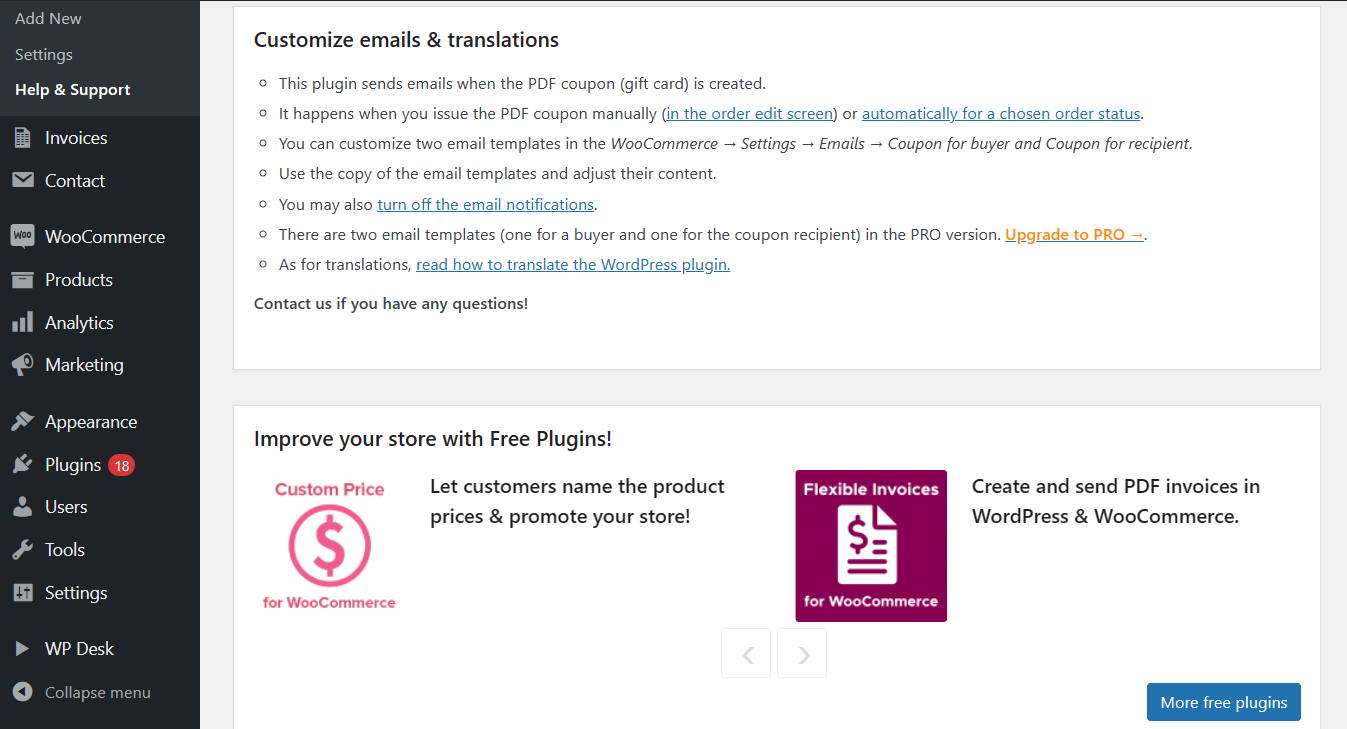
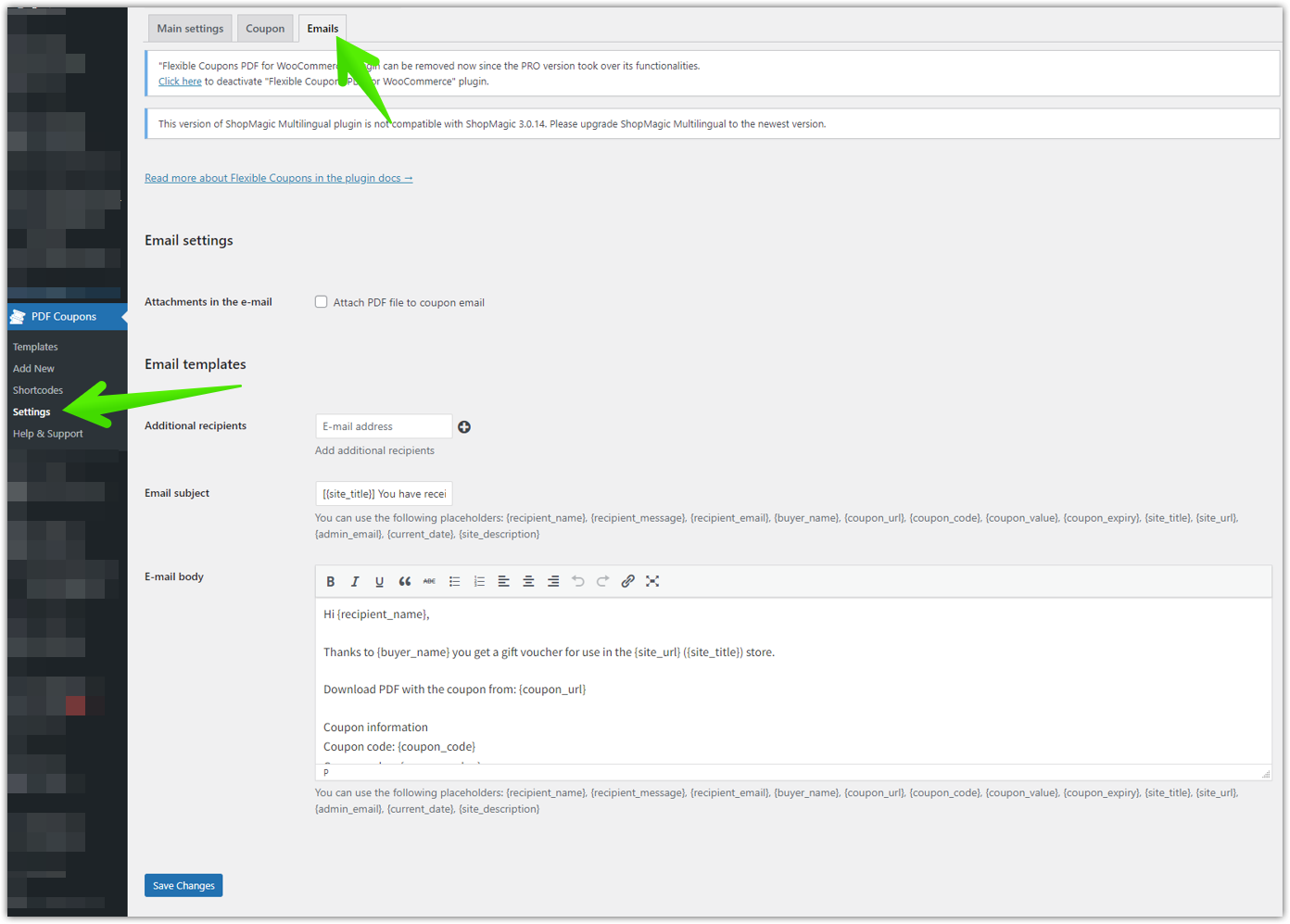
Yes 😊. You can customize the email templates for Flexible PDF Coupons – Gift Cards & Vouchers for WooCommerce in WooCommerce → Settings → Emails → Coupon for buyer. There is also the Coupon for recipient email template in the PRO version of the plugin.
You may also use a PRO add-on to schedule gift card delivery and edit the email for recipients using WYSIWYG text editor ⭐.
Read the following article: How to set WooCommerce extended coupon features? Schedule gift card delivery.
Go to the Flexible PDF Coupons – Gift Cards & Vouchers for WooCommerce PRO page to see all features of the plugin ⭐!
Yes 😊.
You may use the following add-ons:
- Flexible Coupons PRO – Advanced Sending
- Flexible Coupons PRO – Event Ticket QR Scanner
- Flexible Coupons PRO – Custom Shortcodes
- Flexible Coupons PRO – Multiple PDFs
- Flexible PDF Coupons PRO – Coupon Codes Import
Note: They will work with Flexible PDF Coupons – Gift Cards & Vouchers for WooCommerce PRO ⭐!
Yes, you may create gift cards for any products in your store. In the PRO version, you can also choose products and/ or categories for the voucher use.
No, you can create as many vouchers and coupons as you like. That way your gift cards will always be customized to your needs.
Yes, you can use built-in templates and create new ones (without any limitations). You will be able to easily design such coupon templates, add your own graphics, images, text, headings. You may also use shortcodes (2 in the free and 10 in PRO) to automatically and dynamically use the buyer’s input on a gift card.
By default, the WooCommerce coupon is for one purchase. You may edit the remaining amount after the coupon is used. The PRO version of the plugin allows having both one-time and reusable vouchers.
Of course 😊.
You may see some examples of gift cards, vouchers, and tickets for WooCommerce in the articles (the below question).
You can also see them in the Screenshots section.
Anything you can imagine. The most popular use of such gift cards is for any celebrations (birthday, wedding day, baby shower), Holidays, and special days throughout the year. The plugin gives you a better way to reach more customers who want to buy such vouchers as gifts for their loved ones.
So, you may use the plugin as you please. If you want to read more about possible scenarios and see the settings of the plugin in action see some articles e.g.
⭐⭐⭐⭐⭐
- WooCommerce Coupons for local shopping
- PDF Gift Cards in WooCommerce
- Gift Card for Course and Subscription in WooCommerce
- Reusable Voucher & conditions for the Coupon in WooCommerce
- Customize WooCommerce coupons & sell PDF vouchers
- Sell WooCommerce tickets using a FREE plugin
- How to add extra cost to a WooCommerce product like a gift card?
- Sell PDF Vouchers in WooCommerce (Gift Cards for Christmas)
- How to use credits and vouchers in your WooCommerce store
- How to set up coupon variations in WooCommerce?
- Gift a product with purchase & 3 FREE plugins to sell gifts in WooCommerce
- The Ultimate WooCommerce Gift Cards Plugin (personalized templates & custom shortcodes)
- Host a summer event and experience the benefits of QR code ticketing
- Gift cards email delivery with delay. Discover the possible ways to do it.
- How to set WooCommerce extended coupon features? Schedule gift card delivery.
⭐⭐⭐⭐⭐
We have prepared for you the detailed step-by-step guide in our Flexible PDF Coupons Docs page ⚙️.
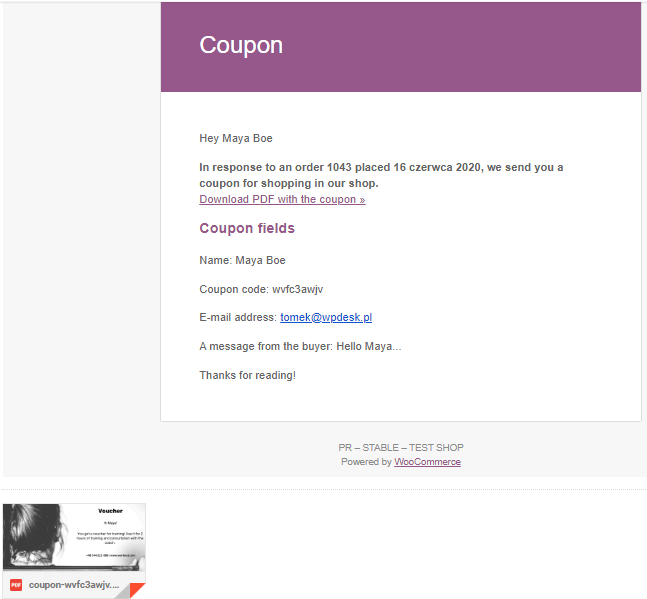
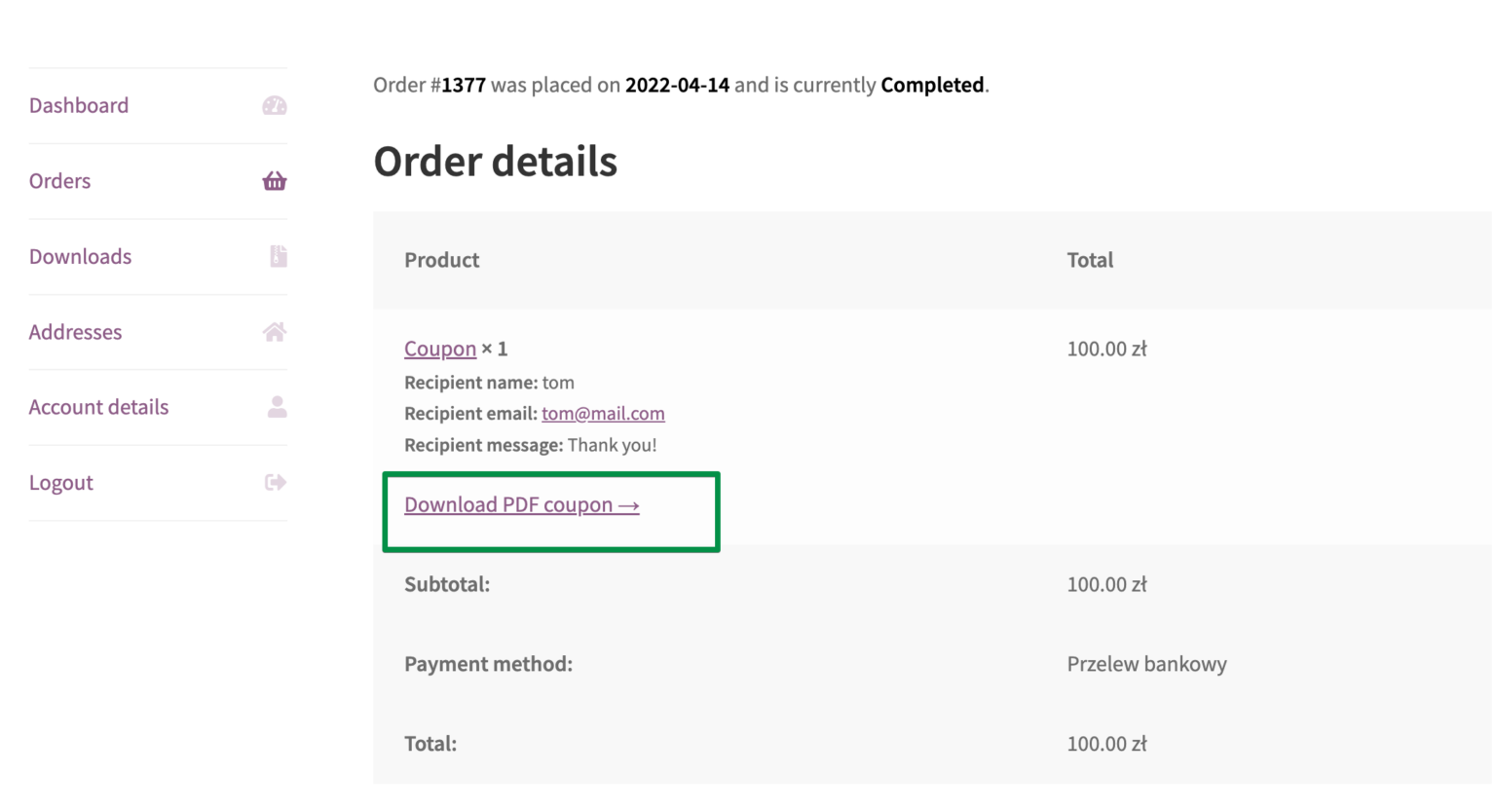
The customer will receive an email with a link to the gift card with a coupon code. After the successful payment one can also download the voucher from the Thank You Page & My Account (in the order details).
The Flexible PDF Coupons WooCommerce plugin uses the built-in WooCommerce Coupons for creating discount codes in your store. Read more about WooCommerce Coupons. You will learn how to enable WooCommerce Coupons. Also, to choose the WooCommerce coupon settings and the coupon usage limitations.
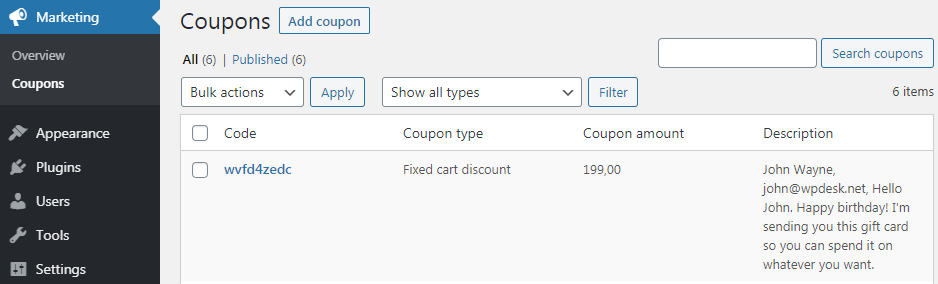
Because the WooCommerce coupon codes are by default the built-in feature of your store. That means that you may use the same place for managing your coupons in WooCommerce and coupons for gift cards. Also, you will be able to use similar settings, edit the WooCommerce coupon if you need to, or export the data about all WooCommerce coupons.
Yes. You can allow your customers to define the custom price for the gift card with the Custom Price for WooCommerce free plugin. Read more and learn how to have Custom price gift cards based on user input in WooCommerce.
If you want to sell your products with flexible pricing & discounts based on the quantity, order value, the number of items, you could use a plugin to create such discounts for you. Many of them have an option to dynamically show better prices for specific user roles or customer groups. If you are interested in such a plugin (instead of the one that uses WooCommerce Coupons & coupon codes) check the article about WooCommerce Pricing & Product Tables Plugins, Tools & Pro-Sales Tips. I hope you’ll find the right tool for your store that may work instead of or with WooCommerce Coupons & Gift Cards 🙂
Please visit the official documentation of Flexible PDF Coupons – Gift Cards & Vouchers for WooCommerce to learn more about the plugin’s features and settings.
We provide limited support for the free version in the plugin Support Forum. Please purchase a PRO version to get priority e-mail support as well as all e-commerce features.
Yes 😊.
You may test Flexible PDF Coupons – Gift Cards & Vouchers for WooCommerce (free and PRO) and all of our plugins in free demo.
Yes 😊.
⭐⭐⭐⭐⭐
- Flexible Product Fields – customize the WooCommerce product page with custom fields!
- Flexible Checkout Fields – customize the WooCommerce checkout page with a free customizer!
- ShopMagic – use this free email marketing plugin for WordPress and WooCommerce (with 5 free add-ons) to create, customize, and send personalized emails to your WordPress users and WooCommerce customers.
- Flexible Wishlist – allow customers to create product wishlists in WooCommerce, share their favorite products, or save carts for future shopping!
- Dropshipping XML – Import Products – import and update WooCommerce products from any CSV or XML file quickly.
- Flexible Quantity – set new units of measure for your WooCommerce products.
- Flexible Invoices – generate free PDF invoices in WordPress and WooCommerce.
- Custom Price – allow customers to name the WooCommerce product prices. Receive donations and sell products at custom prices.
- Flexible Refund – speed up refunds, returns, and warranty requests in WooCommerce.
⭐⭐⭐⭐⭐
Please report security bugs found in the source code of the Flexible PDF Coupons plugin through the Patchstack Vulnerability Disclosure Program. The Patchstack team will assist you with verification, CVE assignment, and notify the developers of this plugin.
Changelog
1.14.8 – 2026-06-24
- Added support for WooCommerce 10.9
- Fixed display images with active https redirection
- Fixed no images on sample vouchers on plugin activation (wrong image url)
1.14.7 – 2026-05-27
- Fixed deprecated warnings for php 8.3 and above in mpdf dependency
1.14.6 – 2026-05-19
- Added support for WordPress 7.0
1.14.5 – 2026-05-07
- Added support for WooCommerce 10.8
1.14.4 – 2026-04-07
- Added support for WooCommerce 10.7
1.14.3 – 2026-03-23
- Fixed incorrect coupon amount subtraction
- Fixed creating coupon for non PDF product
1.14.2 – 2026-03-07
- Added support for WooCommerce 10.6
1.14.1 – 2026-01-19
- Added support for WooCommerce 10.5
- Fixed php 8.4 deprecated warnings
1.14.0 – 2026-01-14
- Added WPML plugin support
1.13.8 – 2026-01-07
- Fixed coupon price calculation for multiple items
1.13.7 – 2025-12-04
- Added support for WordPress 6.9
- Added support for WooCommerce 10.4
1.13.6 – 2025-11-26
- Fixed plugin promo links
1.13.5 – 2025-11-12
- Fixed column layout for products
1.13.4 – 2025-10-29
- Fixed my account coupons table
1.13.3 – 2025-10-20
- Changed plugin links
1.13.2 – 2025-10-13
- Added support for WooCommerce 10.3
- Added Patchstack Vulnerability Disclosure Program
1.13.1 – 2025-09-03
- Fixed printing images for pdf
1.13.0 – 2025-08-27
- Added UI improvements
- Added Bold and italic fonts in editor
1.12.2 – 2025-08-13
- Added support for WooCommerce 10.1
- Fixed some marketing links
1.12.1 – 2025-07-10
- Added support for WooCommerce 10.0
- Fixed error on woocommerce email preview page
1.12.0 – 2025-07-01
- Added Flexible Coupons Advanced Sending v2.0 add-on settings
- Added Flexible Coupons Advanced Sending v2.0 add-on marketing content
1.11.0 – 2025-06-03
- Added Flexible Coupons PDF – Coupon Code Import addon marketing content
- Added support for WooCommerce 9.9
1.10.10 – 2025-05-23
- URL Shorteners
1.10.9 – 2025-05-23
- URL Shorteners
1.10.8 – 2025-05-12
- Added support for WordPress 6.8
1.10.7 – 2025-03-07
- Added support for WooCommerce 9.8
1.10.6 – 2025-03-04
- Added support for WooCommerce 9.7
- Enhanced logging errors across the plugin
- Enhanced security
1.10.5 – 2024-12-23
- Can not add new coupon templates
- ArrayAccess deprecated notice in php 8
1.10.4 – 2024-12-21
- Added support for WooCommerce 9.6
1.10.3 – 2024-12-13
- Fixed bulk variations update
- Fixed potential XSS vulnerabilitie in template editor
1.10.2 – 2024-12-09
- Fixed xss vulnerabilitie
1.10.1 – 2024-11-21
- Added support for WordPress 6.7
- Added support for WooCommerce 9.5
1.10.0 – 2024-10-10
- Added support for WooCommerce 9.4
- Added support for 2.0 core library
1.9.15 – 2024-09-07
- Added support for WooCommerce 9.3
1.9.14 – 2024-08-27
- Fixed Logger
- Increased minimal PHP requirement to 7.4
1.9.13 – 2024-08-22
- Updated readme
1.9.12 – 2024-08-07
- Added support for WooCommerce 9.2
1.9.11 – 2024-07-29
- Fixed pdf fonts do not work fo some alphabets (ex. cyrillic)
1.9.10 – 2024-07-23
- Added support for WordPress 6.6
- Fixed use of dynamic property notice
- Fixed min and max char validation for some alphabets (ex. cyrillic)
1.9.9 – 2024-06-26
- Added support for WooCommerce 9.1
- Update repo banner
1.9.8 – 2024-06-18
- Update readme.txt
1.9.7 – 2024-06-05
- Added support for WooCommerce 9.0
- Update readme.txt
1.9.6 – 2024-04-19
- Fixed translation placeholder error
1.9.5 – 2024-04-18
- Added support for WooCommerce 8.8
- Marketing changes (links and styles)
1.9.4 – 2024-03-25
- Added support for WordPress 6.5
1.9.3 – 2024-03-11
- Fixed AJAX nonce check in op-in form
1.9.2 – 2024-03-05
- Added support for WooCommerce 8.7
- Fixed coupon price set with tax even when woo settings expects prices without tax
1.9.1 – 2023-12-18
- Added support for WooCommerce 8.4
1.9.0 – 2023-11-16
- Added dashboard widget
1.8.2 – 2023-11-07
- Added support for WordPress 6.4
- Added support for WooCommerce 8.3
1.8.1 – 2023-10-09
- Added support for WooCommerce 8.2
1.8.0 – 2023-09-19
- Added disable PDF Coupon option for variations
- Fixed links
1.7.2 – 2023-08-28
- Readme & screenshots update
1.7.1 – 2023-08-21
- Fixed Help & Support menu tab slug conflict
1.7.0 – 2023-08-10
- Added qr codes tab in editor
- Added advanced sending tab in editor
- Added support for WordPress 6.3
- Added support for WooCommerce 8.0
1.6.3 – 2023-07-13
- Fixed return type for screen_layout_columns filter
1.6.2 – 2023-07-03
- Fixed display pro button on coupon template edit page
1.6.1 – 2023-06-26
- Added support for WordPress 6.2
- Added support for WooCommerce 7.9
1.6.0 – 2023-06-21
- Added settings menu with tabs
- Added integration with Flexible PDF Coupons PRO – Advanced Sending
= 1.5.16 – 2023-03-08
* Fixed issue with old coupons
* Fixed issue on edit product page
1.5.15 – 2023-02-07
- Added option to create not only virtual coupons for variations
1.5.14 – 2022-12-29
- Fixed product options when editing product
1.5.13 – 2022-12-14
- Added support for WooCommerce high performace order storage
- Fixed pot file
1.5.12 – 2022-10-12
- Fixed pot file
1.5.11 – 2022-10-11
- Added docs & support page
- Added docs links
- Fixed pot file
1.5.10 – 2022-09-17
- Fixed compatibility issue with Composer
1.5.8 – 2022-09-14
- Fixed compatibility issue with WooCommerce 6.9
1.5.7 – 2022-04-21
- Added char counter for textarea field
- Added tooltip for fields
- Added coupon URL in thank you page
- Fixed regular price for variants
- Fixed expiration date when date format is empty
1.5.6 – 2022-03-17
- Fixed loading fields for variation
- Update library
- Update Tests
- Update SEO
1.5.5 – 2021-01-20
- Fixed product to download
1.5.4 – 2021-12-14
- Fixed fatal error
1.5.3 – 2021-12-02
- Fixed JS
1.5.2 – 2021-11-09
- Fixed cart validation
- Fixed fatal error
- Fixed currency symbol
- Fixed expiry date format
1.5.1 – 2021-10-25
- Fixed coupon code
1.5.0 – 2021-10-19
- Removed deprecated flexible_coupons_pdf_filename filter. Use fcpdf/core/pdf/filename instend.
- Removed deprecated flexible_coupons_coupon_code_random_lenght filter. Use fcpdf/core/coupon/code/length
- Removed deprecated flexible_coupons_coupon_code_prefix filter. Use fcpdf/core/coupon/code/prefix
- Removed deprecated flexible_coupons_font_data filter. Use fcpdf/core/fonts/data
- Removed deprecated flexible_coupons_font_dir filter. Use fcpdf/core/fonts/dir
- Update plugin libraries
1.4.4 – 2021-07-12
- Fixed own coupon expiry date
- Fixed date in email template
1.4.3 – 2021-06-24
- Fixed coupon expiry date
- Fixed email template
1.4.2 – 2021-06-02
- Update readme
- Fixed coupon expiry date
1.4.1 – 2021-03-31
- Fixed coupon expiration time
1.4.0 – 2021-03-24
- Added field for define own expiration time
- Added ‘fcpdf/core/pdf/filename’ filter to change filename of PDF file attached in email or downloaded
- Added ‘fc/core/editor/fonts’ filter to adds new fonts to editor.
- Added ‘fcpdf/core/fonts/dir’ filter to manipulate PDF library font directories.
- Added ‘fcpdf/core/fonts/data’ filter to manipulate PDF library fonts data.
- Added ‘fcpdf/core/coupon/code/suffix’ filter to manipulate coupon suffix.
- Remove ‘flexible_coupons_coupon_code_prefix’ filter in next minor version.
- Remove ‘flexible_coupons_coupon_code_random_lenght’ filter in next minor version.
1.3.0 – 2021-02-10
* Fixed MPDF library
* Added support for WooCommerce 5.0
* Fix PDF coupon tab
1.2.2 – 2021-01-19
* Fixed email template
1.2.1 – 2021-01-03
* Readme & screenshots update
1.2.0 – 2020-12-17
* Minor version
* Added usage restriction for PDF coupon on the product edit page
* Changed PDF Coupon view on the product edit page
* Added filter ‘fcpdf/core/coupon/code/length’ for change coupon code length
* Added filter ‘fcpdf/core/coupon/code/prefix’ for change coupon code prefix
* Added filter ‘fcpdf/core/coupon/expiry’ for change coupon expires date
* Added filter ‘fcpdf/core/coupon/before/create’ for change coupon object
* Added filter ‘fcpdf/core/coupon/before/after’ for change meta data saved to post meta
* Added ‘never’ option for expiration date of the coupon on the product edit page
* Fixed bug for auto generating vouchers with other products
* Fixed font rendering on the template editor
1.1.3 – 2020-12-09
* Added support for WordPress 5.6
* Added support for WooCommerce 4.8
1.1.2 – 2020-11-30
* Fixed RTL
* Added filter ‘fc/core/shortcodes’ for define own shortcodes (pro)
* Added links to PDF Coupons in My Account
1.1.1 – 2020-09-15
* Fixed coupon amount format
* Fixed product title shortcode
1.1.0 – 2020-08-19
* Fixed email template
* Fixed post_per_page for coupon template
1.0.4 – 2020-08-04
- Added disable plugin poll
1.0.3 – 2020-07-16
- Update Mpdf
- Fixed meta box notice
1.0.2 – 2020-07-01
- Readme
1.0.1 – 2020-06-25
- Readme
1.0.0 – 2020-06-24
- First Release!
" width="120" height="120">
Available Versions
| Version | Download | Type |
|---|---|---|
| 1.14.8 | Download | Stable |
| 1.14.7 | Download | Stable |
| 1.14.6 | Download | Stable |
| 1.14.5 | Download | Stable |
| 1.14.4 | Download | Stable |
| 1.14.3 | Download | Stable |
| 1.14.2 | Download | Stable |
| 1.14.1 | Download | Stable |
| 1.14.0 | Download | Stable |
| 1.13.8 | Download | Stable |
| 1.13.7 | Download | Stable |
| 1.13.6 | Download | Stable |
| 1.13.5 | Download | Stable |
| 1.13.4 | Download | Stable |
| 1.13.3 | Download | Stable |
| 1.13.2 | Download | Stable |
| 1.13.1 | Download | Stable |
| 1.13.0 | Download | Stable |
| 1.12.2 | Download | Stable |
| 1.12.1 | Download | Stable |
| 1.12.0 | Download | Stable |
| 1.11.0 | Download | Stable |
| 1.10.10 | Download | Stable |
| 1.10.9 | Download | Stable |
| 1.10.6 | Download | Stable |
| 1.10.5 | Download | Stable |
| 1.10.3 | Download | Stable |
| 1.10.2 | Download | Stable |
| 1.10.1 | Download | Stable |
| 1.10.0 | Download | Stable |
| 1.9.14 | Download | Stable |
| 1.9.13 | Download | Stable |
| 1.9.12 | Download | Stable |
| 1.9.11 | Download | Stable |
| 1.9.10 | Download | Stable |
| 1.9.9 | Download | Stable |
| 1.9.8 | Download | Stable |
| 1.9.7 | Download | Stable |
| 1.9.6 | Download | Stable |
| 1.9.5 | Download | Stable |
| 1.9.4 | Download | Stable |
| 1.9.3 | Download | Stable |
| 1.9.2 | Download | Stable |
| 1.9.0 | Download | Stable |
| 1.8.2 | Download | Stable |
| 1.8.1 | Download | Stable |
| 1.8.0 | Download | Stable |
| 1.7.2 | Download | Stable |
| 1.7.1 | Download | Stable |
| 1.7.0 | Download | Stable |
| 1.6.3 | Download | Stable |
| 1.6.2 | Download | Stable |
| 1.6.1 | Download | Stable |
| 1.6.0 | Download | Stable |
| 1.5.16 | Download | Stable |
| 1.5.15 | Download | Stable |
| 1.5.14 | Download | Stable |
| 1.5.13 | Download | Stable |
| 1.5.12 | Download | Stable |
| 1.5.11 | Download | Stable |
| 1.5.7 | Download | Stable |
| 1.5.6 | Download | Stable |
| 1.5.5 | Download | Stable |
| 1.5.4 | Download | Stable |
| 1.5.3 | Download | Stable |
| 1.5.2 | Download | Stable |
| 1.5.1 | Download | Stable |
| 1.5.0 | Download | Stable |
| 1.4.4 | Download | Stable |
| 1.4.3 | Download | Stable |
| 1.4.2 | Download | Stable |
| 1.4.1 | Download | Stable |
| 1.4.0 | Download | Stable |
| 1.3.0 | Download | Stable |
| 1.2.2 | Download | Stable |
| 1.2.1 | Download | Stable |
| 1.2.0 | Download | Stable |
| 1.1.3 | Download | Stable |
| 1.1.2 | Download | Stable |
| 1.1.1 | Download | Stable |
| 1.1.0 | Download | Stable |
| 1.0.4 | Download | Stable |
| 1.0.3 | Download | Stable |
| 1.0.2 | Download | Stable |
| 1.0.1 | Download | Stable |
| 1.0.0 | Download | Stable |
| Development | Download | Trunk |
