
Flexible Checkout Fields for WooCommerce – WooCommerce Checkout Manager
Active Installs
80,000+
Last Updated
June 21, 2026
First Released
September 7, 2016
Download History (Last one month)
Contributors
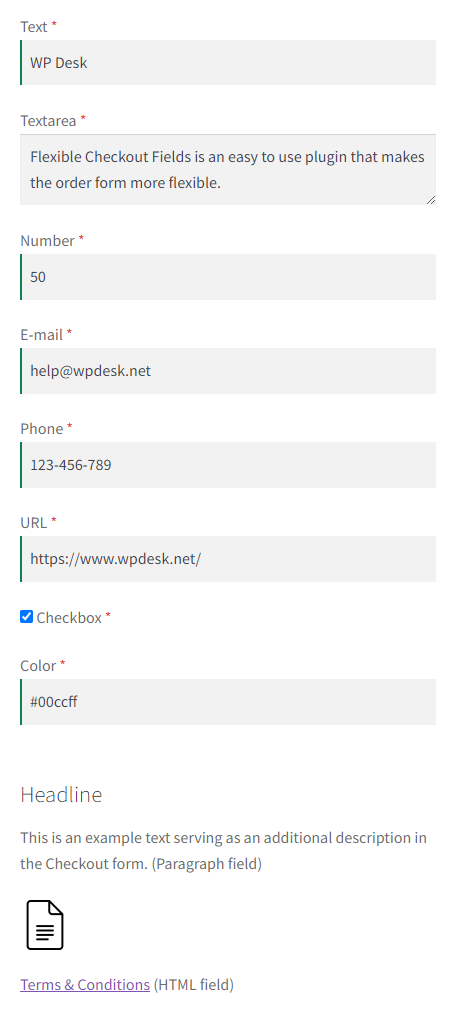
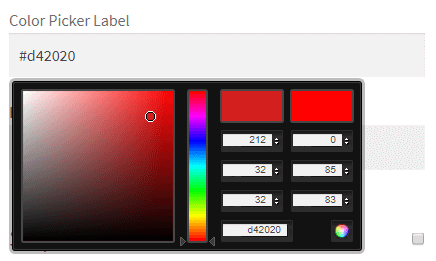
We think WooCommerce is the best ecommerce plugin for WordPress. But it lacks some very basic features like customizing checkout fields with a checkout manager in an easy to use interface. You can do it by hooks and filters but why bother if you can do it by Flexible Checkout Fields for WooCommerce – WooCommerce Checkout Manager. With this single page checkout plugin you can edit the default fields (change labels, hide, delete) or add your own checkout fields. You can set your own fields order. There are a lot of field types such as a checkbox field, a date field or a color picker field (some of them exclusively in the PRO version). Read on to see how easy it is to edit WooCommerce checkout fields with this plugin and how powerful it is.
Using the WooCommerce Checkout Blocks?
If you are using the block-based checkout (Checkout Blocks), check out our dedicated plugin Flexible Checkout Fields For Blocks, which lets you edit and add fields in the new block-based checkout for WooCommerce.
👉 Flexible Checkout Fields (this plugin) works with the classic checkout form based on the shortcode.
👉 Flexible Checkout Fields For Blocks is designed specifically for the block-based checkout (Checkout Blocks).
Faster checkout for more conversions 🛒
The Flexible Checkout Fields plugin is a free extension for editing the WooCommerce checkout page.
Adjust the checkout with the right tool. It’s easier than the WooCommerce checkout shortcode customization.
You can download the plugin or try it in a free demo.
WooCommerce checkout fields customizer ⭐
Use the free plugin to customize the WooCommerce checkout page without coding or additional snippets.
Custom checkout design for better user experience.
Key features ℹ️
The free plugin comes with the following options:
- Edit the checkout form (billing and shipping fields)
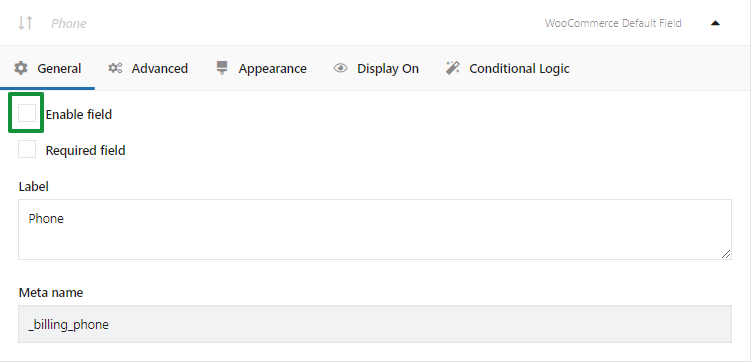
- Remove (hide) fields
- Move or rearrange them
- Make a field required or optional
- Enable field validation
- Set labels and placeholders
- Set CSS classes
- Show fields on specific pages and in emails
✅ Edit and add checkout fields
The plugin allows the field customization for existing and add new checkout fields.
✅ Remove (hide) fields
You may disable some fields to make the checkout form lighter and faster.
✅ Arrange fields
It’s also possible to show fields in a custom order without custom coding.
✅ Make fields required or optional
The plugin gives an easy way to set what fields should be mandatory.
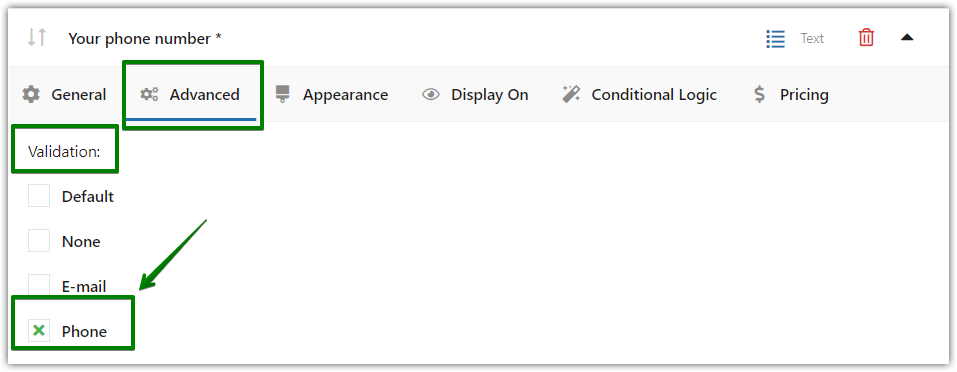
✅ Field validation
What’s more, you can enable validation per field.
✅ Show fields on pages and in emails
Each field has display options as well.
✅ Set labels, placeholders, and CSS classes
Moreover, by using labels and placeholders, you can personalize the checkout form and make it more SEO-friendly.
And you can customize the checkout layout and design using styles.
Flexible Checkout Fields overview
You may also see the short video presenting the plugin features.
The free checkout page editor for WooCommerce 🚀
★★★★★
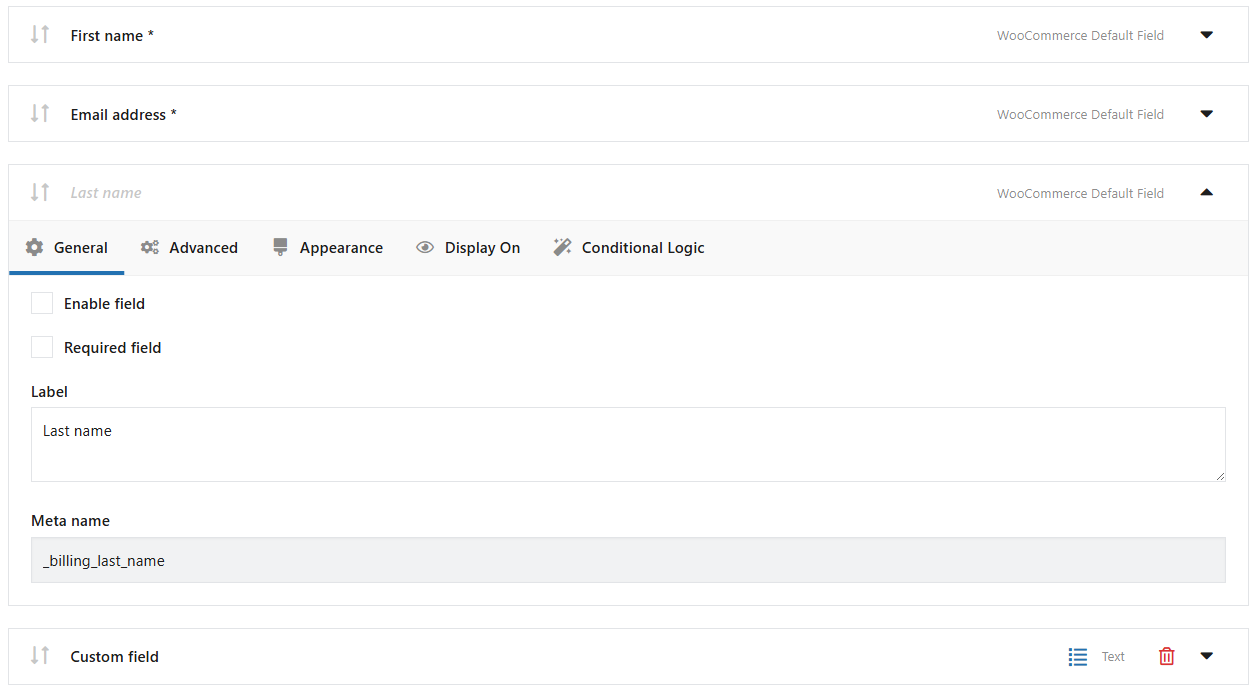
Flexible Checkout Fields beautifully integrates with the WordPress dashboard. It is probably the best looking checkout field editor for WooCommerce on the market. And you can do some powerful stuff with it too. See some screenshots
>>> Go to the FCF admin demo <<< – here you can test the admin panel of all WP Desk plugins including Flexible Checkout Fields
Show or Hide Fields
You do not need a customer’s phone number or second line address? Just hide the fields from the checkout and you’re good to go. This is just one click away. Decide to show it later? Just another click and the field shows again. You can validate email too and hide WooCommerce price.
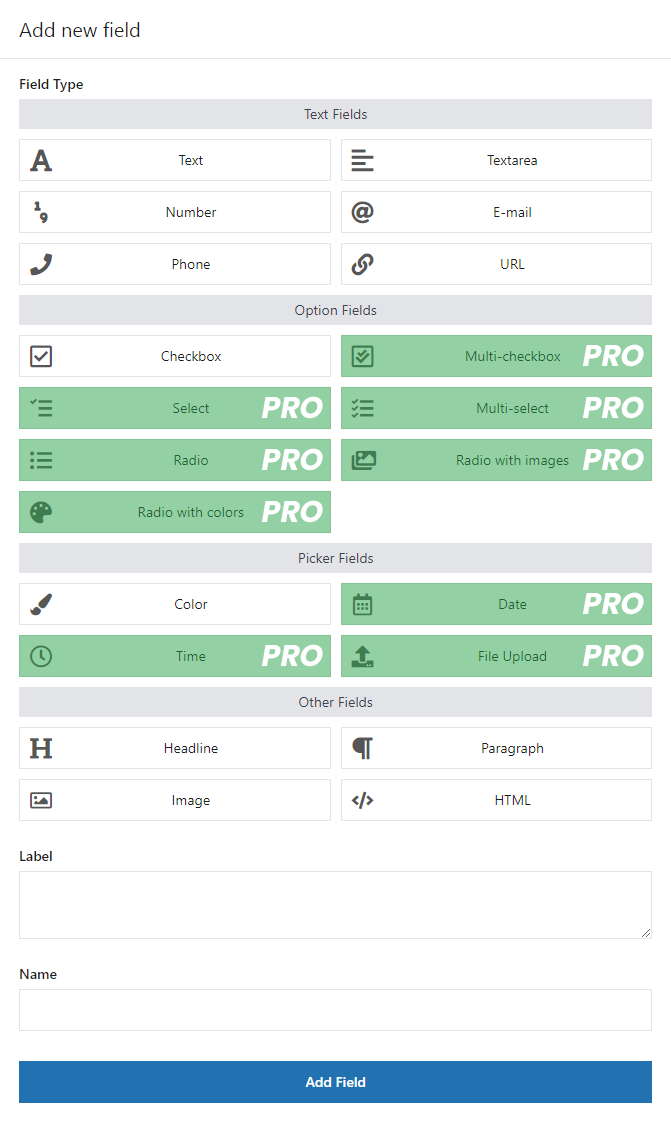
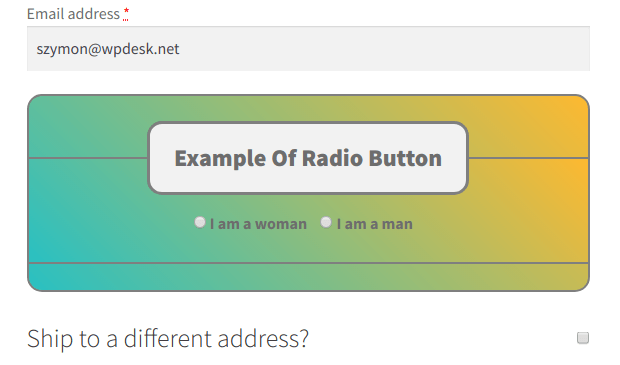
Add New WooCommerce Custom Checkout Fields
Add WooCommerce additional fields to your checkout page with your new WooCommerce checkout customizer:
Free
PRO
- Multi-checkbox
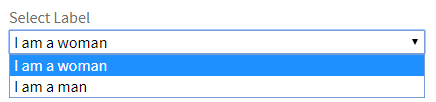
- Select
- Multi-select
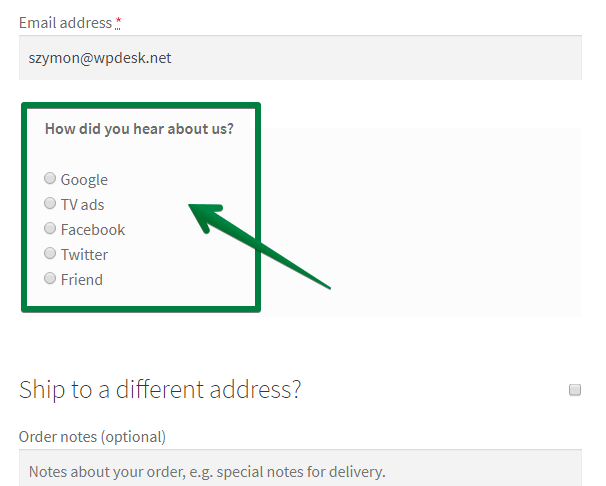
- Radio
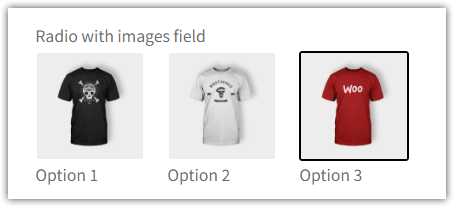
- Radio with images
- Radio with colors
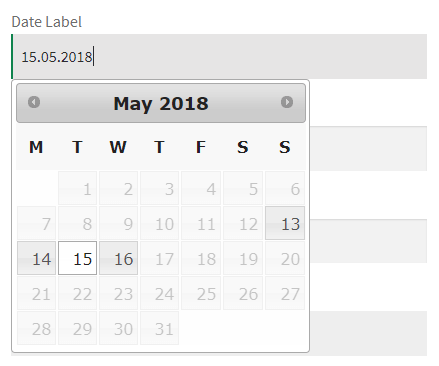
- Date
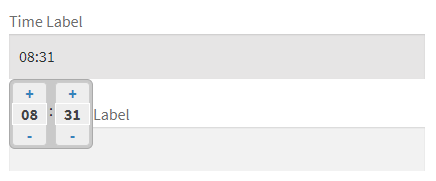
- Time
- File Upload
- Hidden
Get all PRO features and priority e-mail support. Upgrade to PRO
Well Documented
We are proud of our docs. We spend a great deal of time to polish them and make them as complete as possible. Read Flexible Checkout Fields Docs
Support Policy
We provide a limited support for the free version in the plugin Support Forum. Please purchase a PRO version to get priority e-mail support as well as all e-commerce features. ⭐Upgrade to PRO
Get more WooCommerce plugins from WP Desk
We provide premium plugins for customizing checkout, shipping, invoicing and more. Check out our premium WooCommerce plugins here
Free WooCommerce plugins →
🤔 How can I customize the WooCommerce checkout page?
- Step 1: Install and activate Flexible Checkout Fields for WooCommerce.
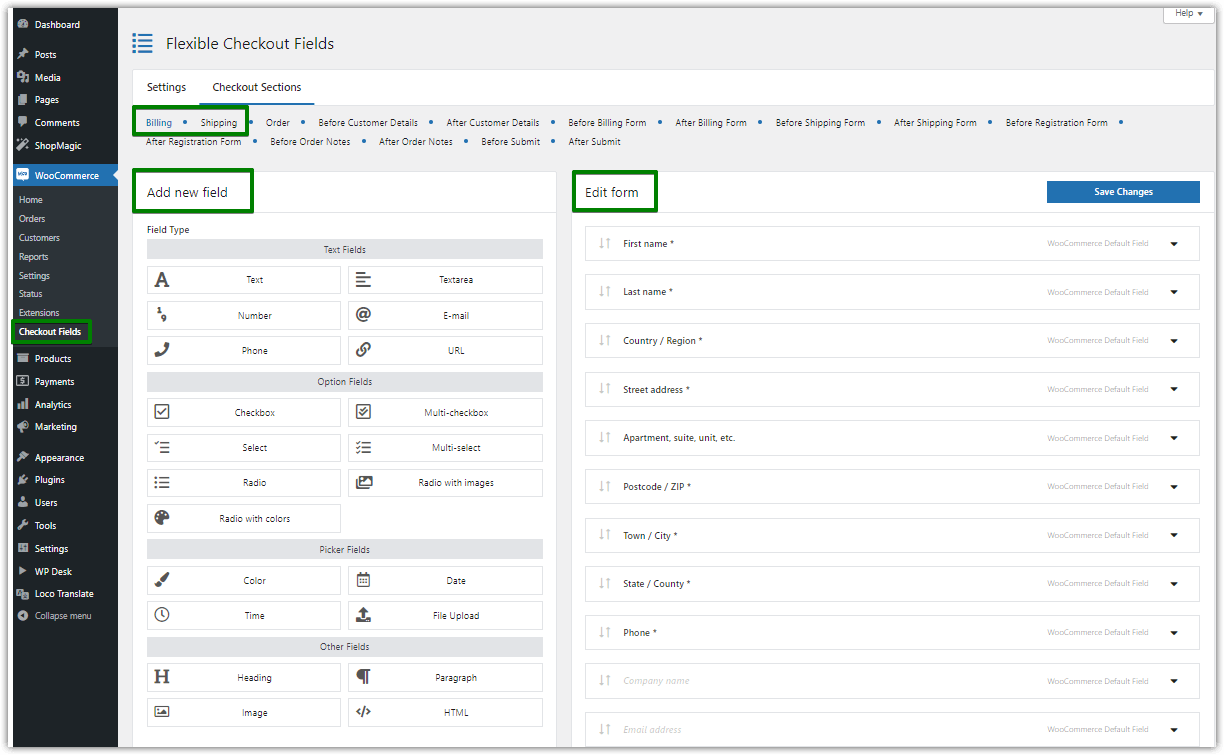
- Step 2: Go to your WordPress backend, open the WooCommerce menu, and click Checkout Fields.
- Step 3: Choose the WooCommerce Checkout Section to customize.
- Step 4: Manage, reorder, hide, show, or add custom fields to the WooCommerce checkout page.
- Step 5: Use custom sections of the WooCommerce checkout page, more checkout fields, conditional logic, pricing per field, and additional options in PRO.
You can adjust the WooCommerce checkout page with custom checkout fields and this free customizer in a few moments 🚀!
Read FAQ for detailed information about the plugin options.
🔀 Fields Order
Just drag&drop to reorder checkout fields on the checkout page. You can reorder WooCommerce built-in fields as well as custom fields that you add yourself. Mix them any way you like or need. Simply customize checkout yourself. If other plugins add their custom fields in many cases you will also be able to rearrange them (if added properly by the plugin author).
✅ Field validation
WooCommerce has built-in validation of a phone number, an email address (validate email) and a postcode. We let you use this validation in the new fields you add to your store using this plugin.
Standard WooCommerce validation is not enough? You can add your own validation to any field you create in this plugin. You can find a code example in Flexible Checkout Fields docs
❌ Required or Optional Fields
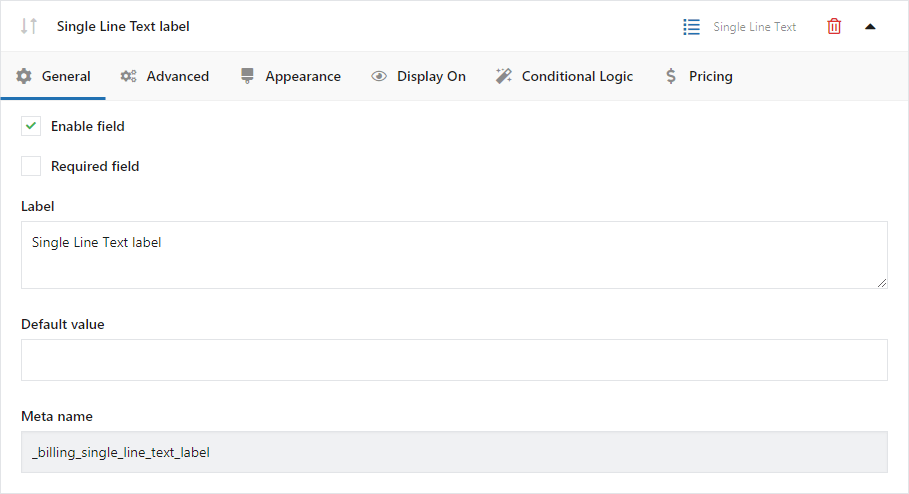
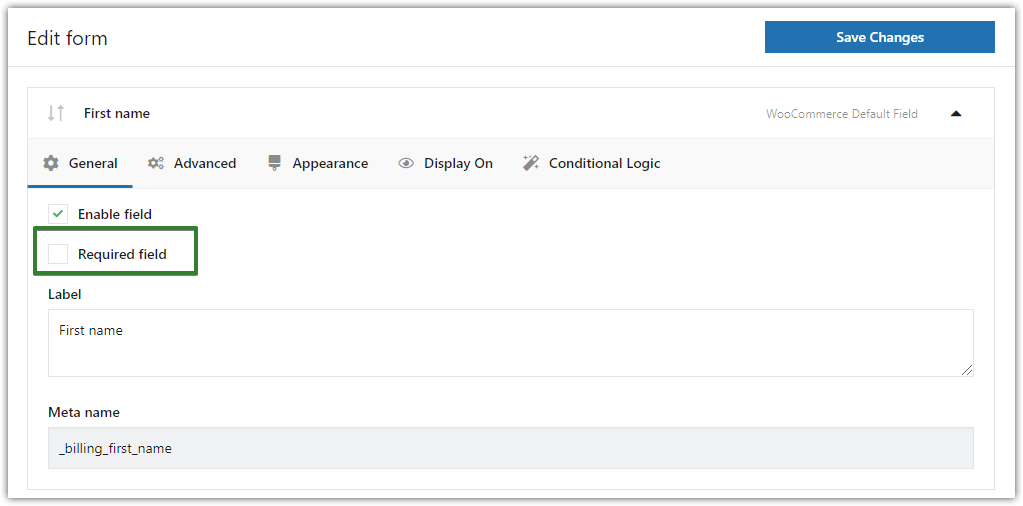
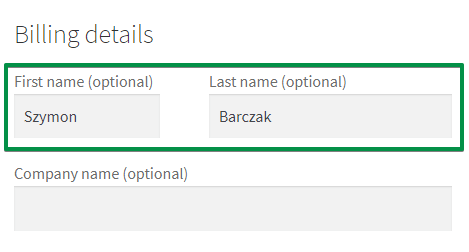
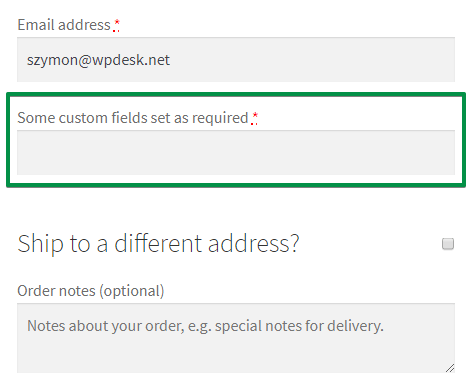
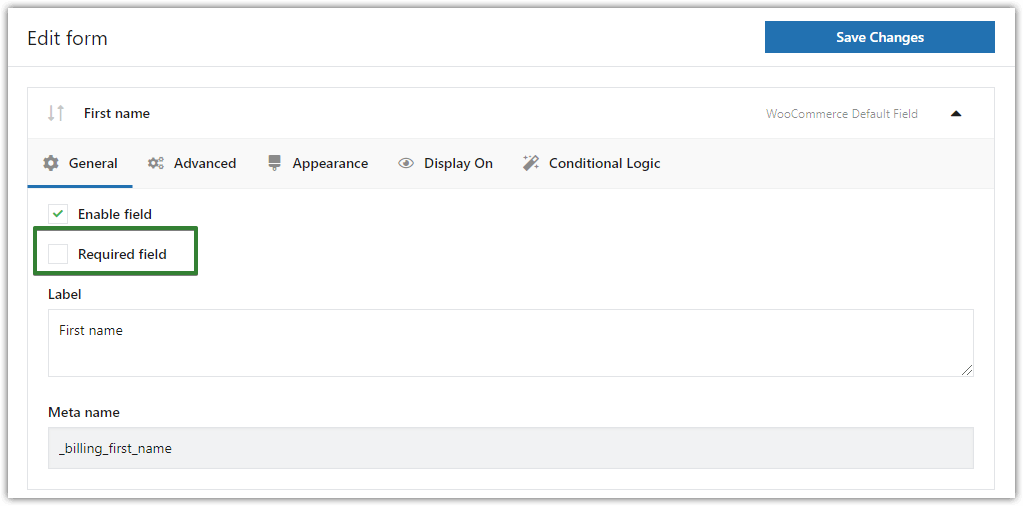
This WooCommerce Checkout Editor will let you easily manage which fields should be required and which optional. Just click a required checkbox in the field settings and make a field required or optional. Works both ways.
🏷️ Labels and Placeholders
Want to change Company name to just Company or Your Awesome Company? Just edit the label and it will instantly appear in the checkout page. Pro tip: You can also use HTML inside labels!
Want to give your customers a tip on how to fill a checkout field? You can do it with an explanatory placeholder (it will show inside the field). For example Enter your full company name.
📃 Display Checkout Fields on Other Pages
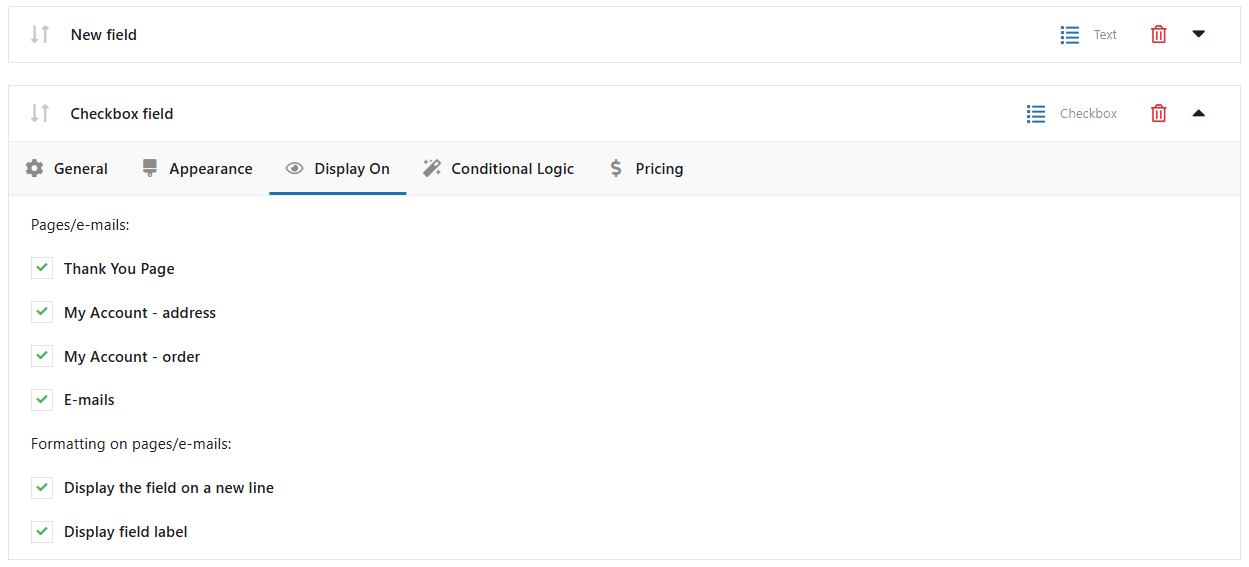
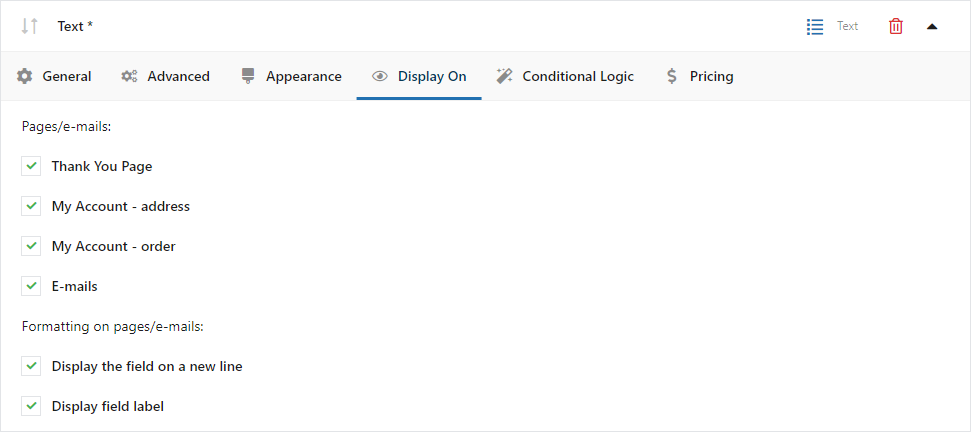
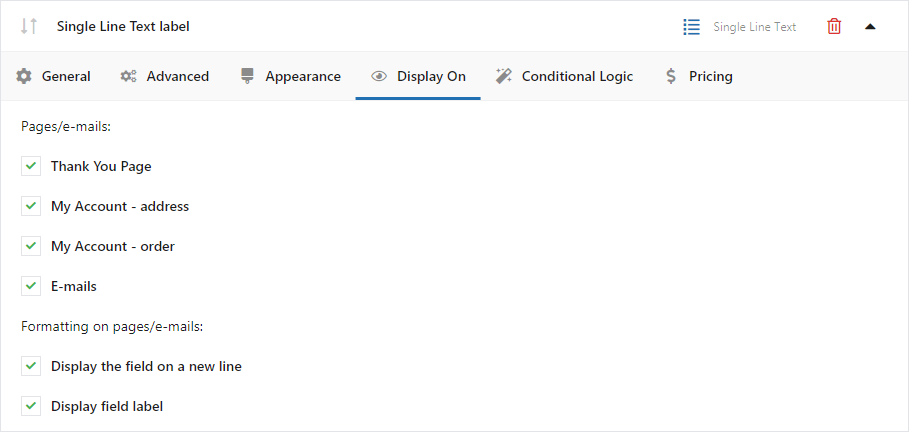
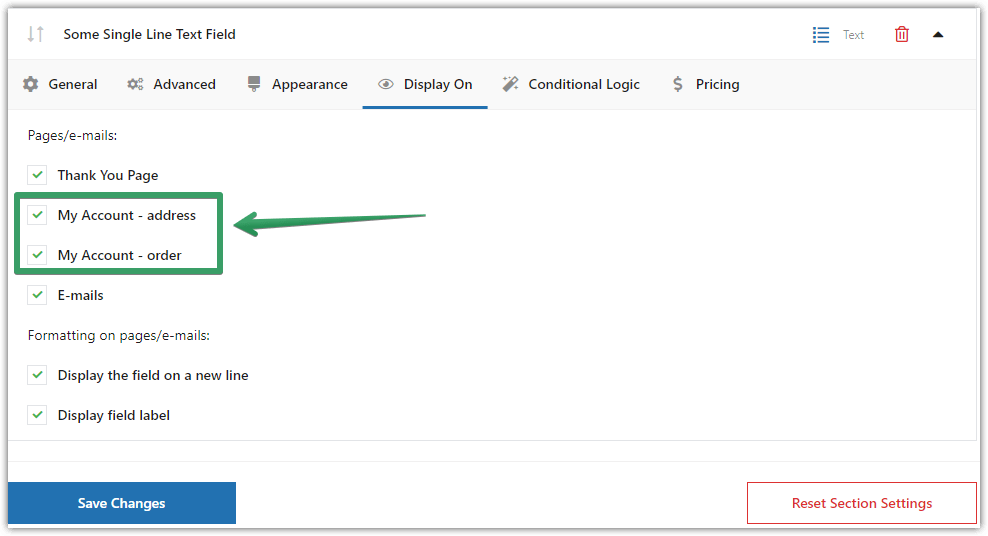
You can display the fields not only in the checkout page. Just mark a specific checkbox under the “Display On” tab as checked. You have 4 different locations to use:
- Thank You Page
- My Account – address
- My Account – order
- Emails
For custom fields, you may also decide about field formatting on pages/emails.
➿ Custom CSS Class
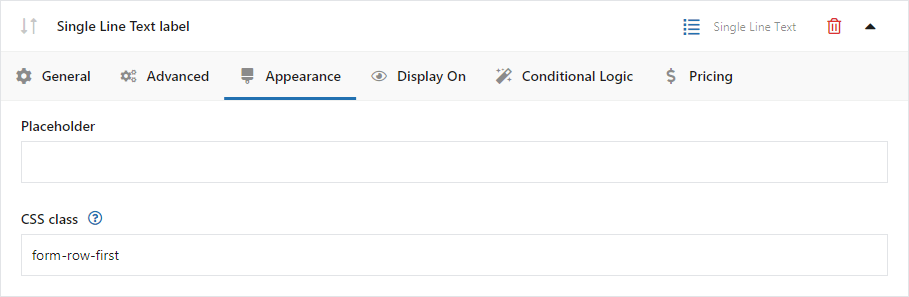
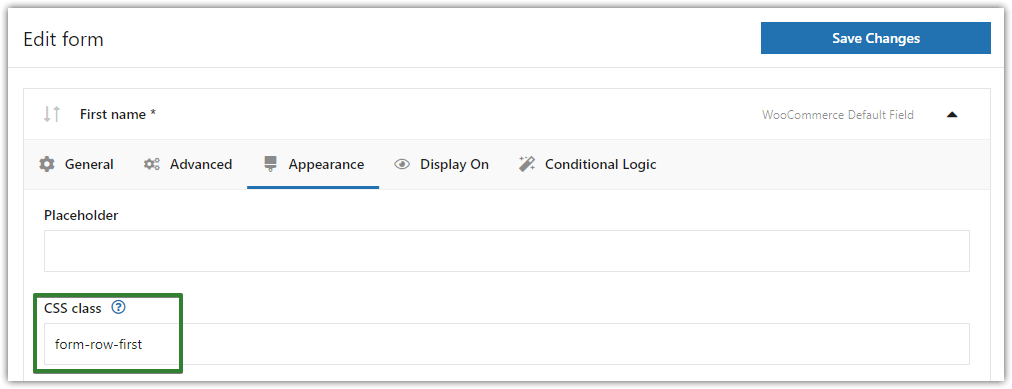
Add some style to your fields. By adding a custom class to each field you can then uniquely style it in your theme’s stylesheet.
🖥️ Use your meta names
Are you a developer? You can set any meta name you want. This is the name of the field in the database. You can easily integrate this WooCommerce plugin for one page checkout with your custom code due to this function.
🌎 Multilanguage ready
Flexible Checkout Fields (checkout manager) is compatible with WPML and Polylang and lets you translate fields data to other languages.
⭐ Custom Field Sections (PRO)
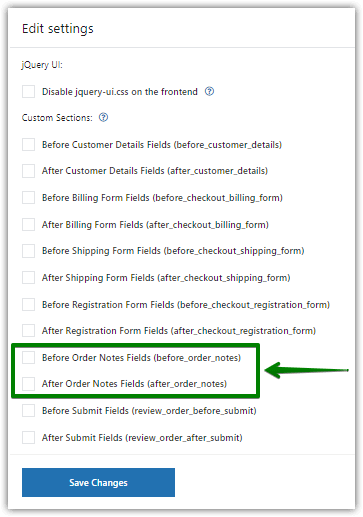
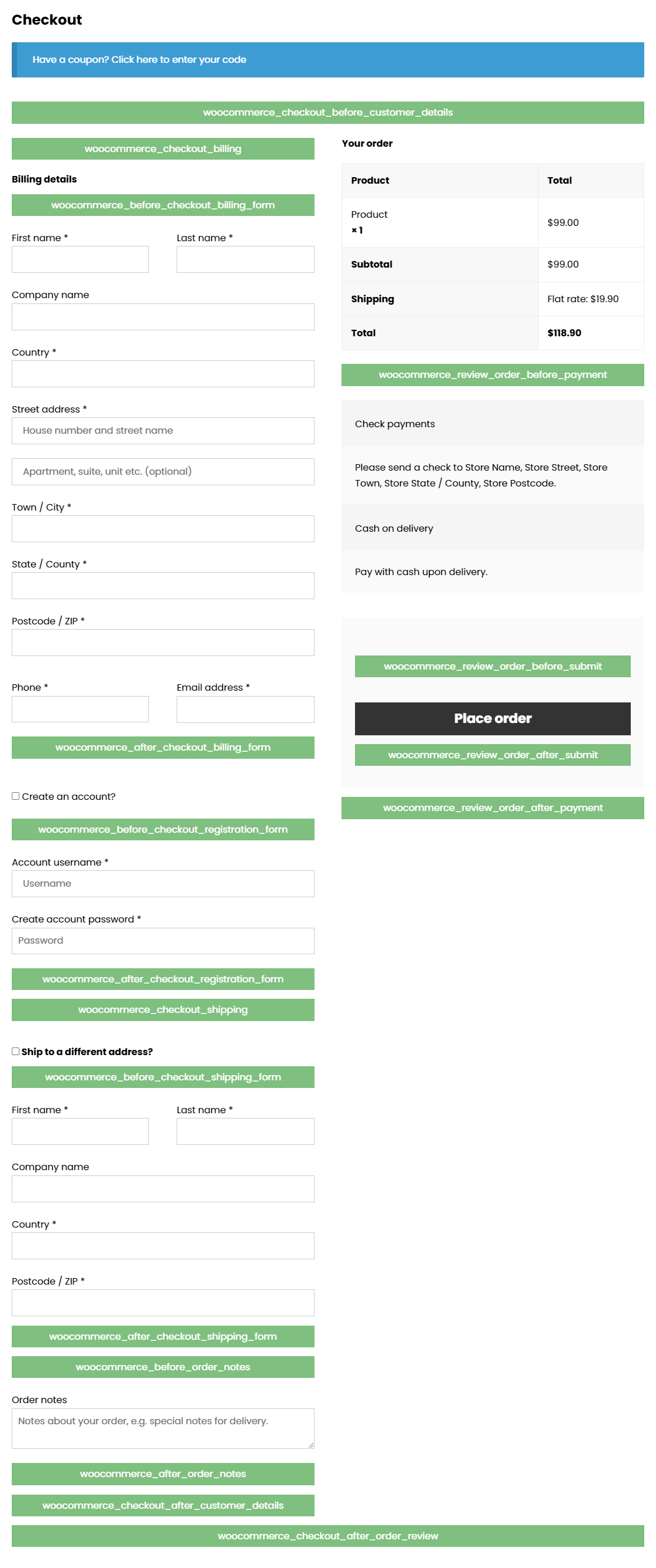
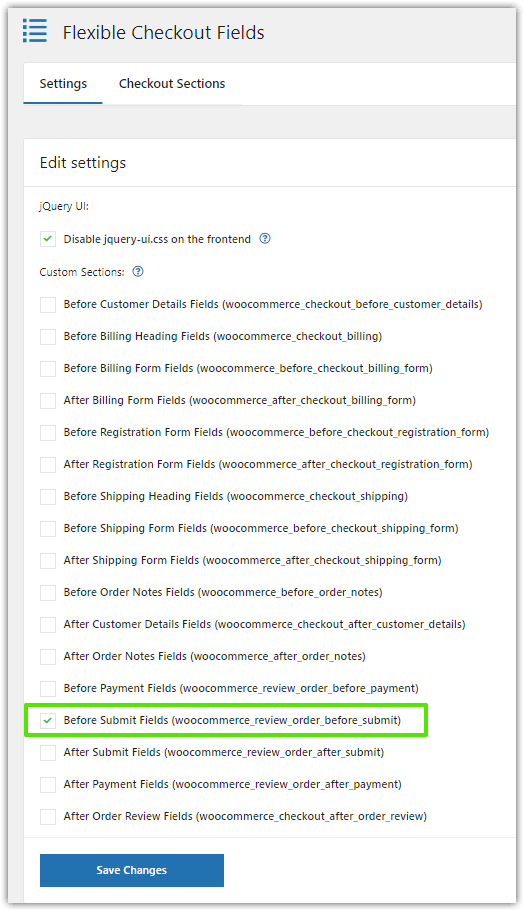
Billing, Shipping or Order sections are not enough? Now you can add fields to 12 other checkout sections. Below you will find all sections and their corresponding hooks (hooks are just for developers’ reference – if you do not know what hooks are, just ignore them and you’ll be just fine – it will just work).
- Before Customer Details
- After Customer Details
- Before Billing Heading
- Before Billing Form
- After Billing Form
- Before Shipping Heading
- Before Shipping Form
- After Shipping Form
- Before Registration Form
- After Registration Form
- Before Order Notes
- After Order Notes
- Before Payment
- After Payment
- After Order Review
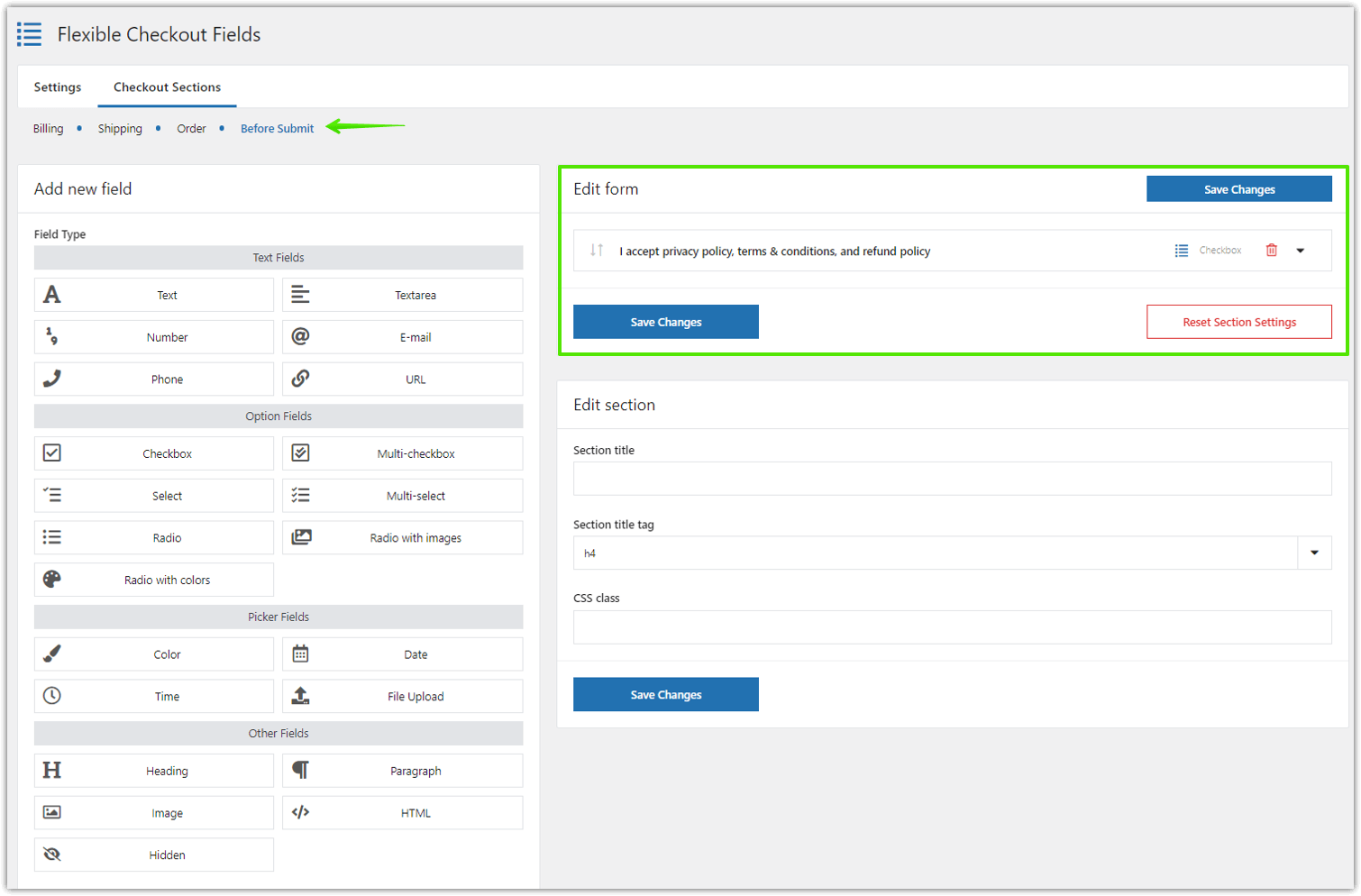
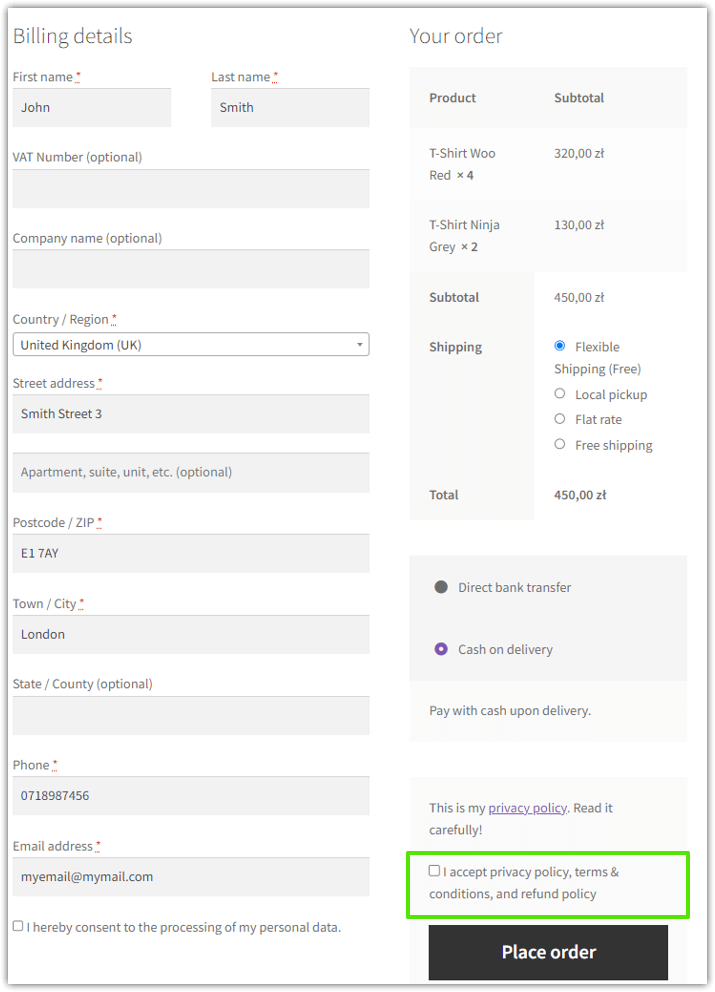
- Before Submit
- After Submit
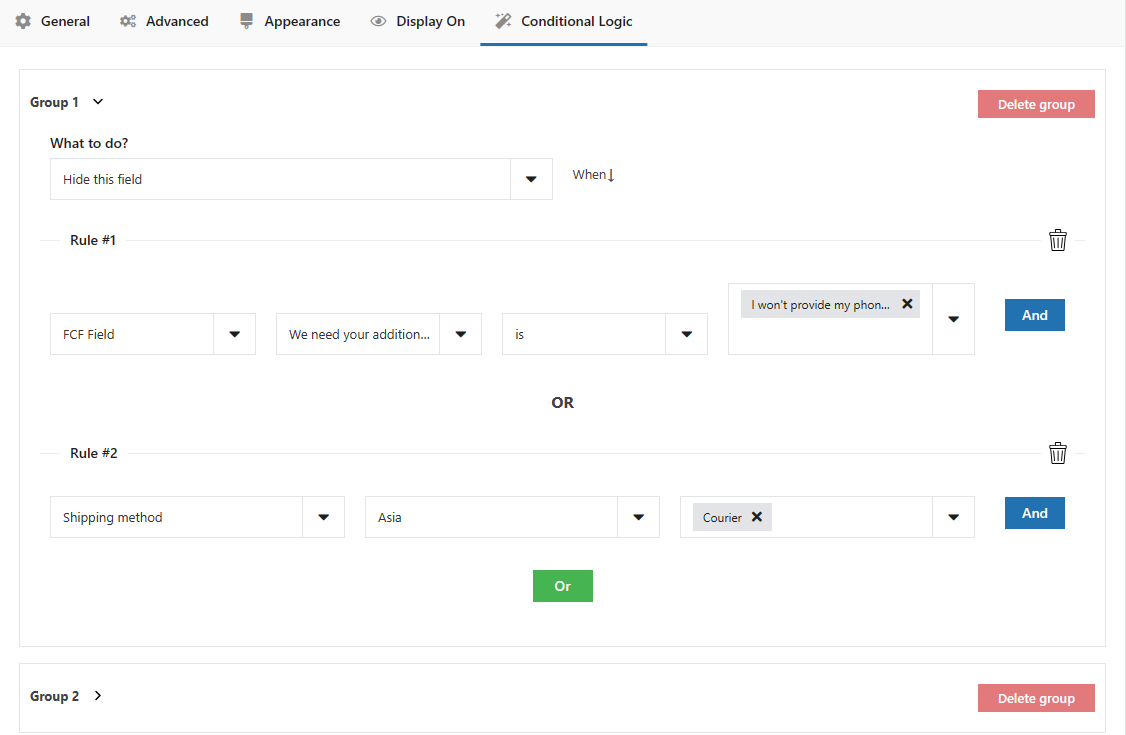
⭐ Conditional Logic for Fields (PRO)
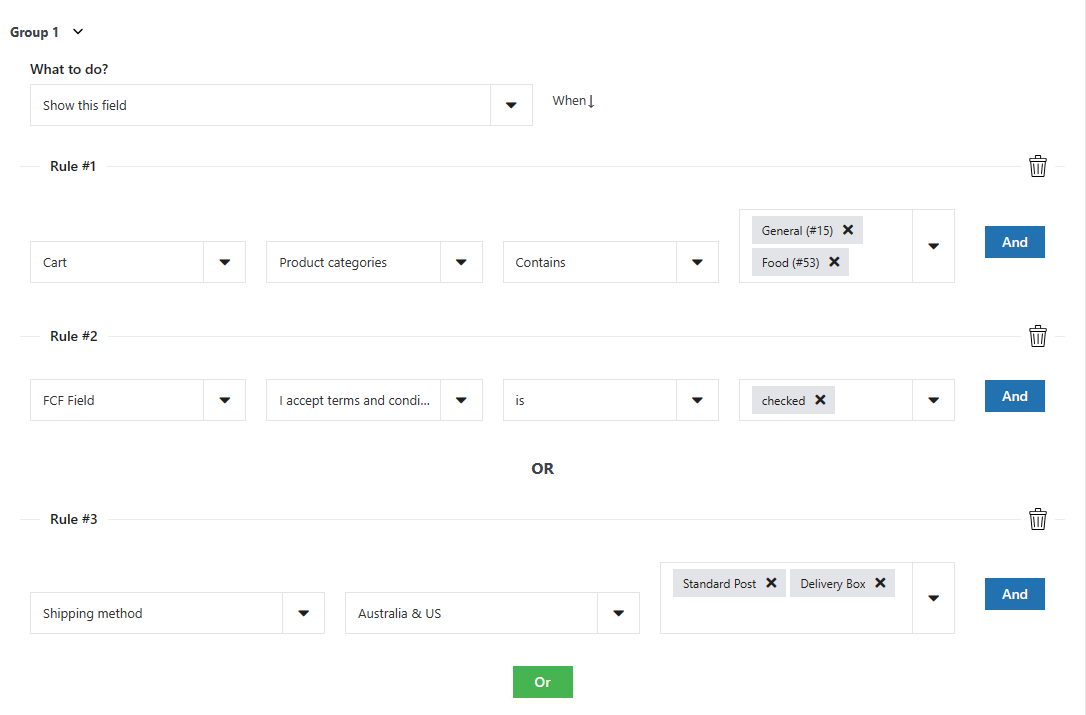
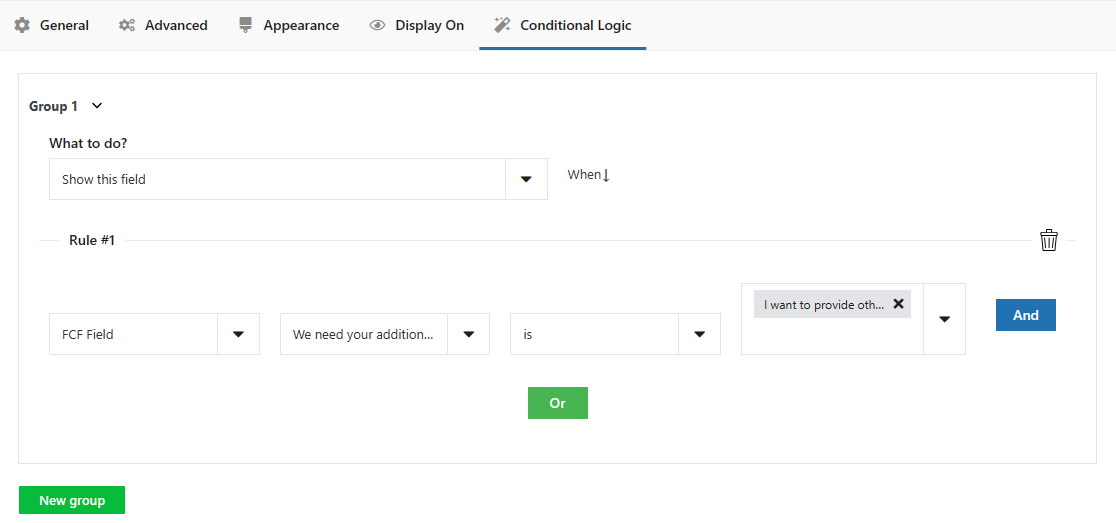
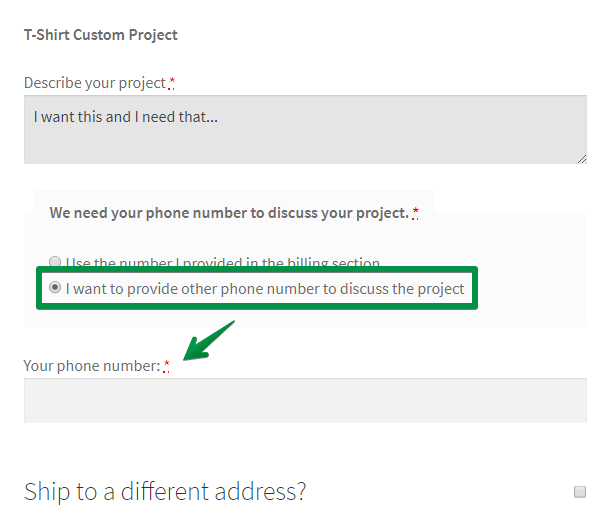
NEW: You can also use the PRO version of the plugin to show, hide, and set a field as required based on multiple conditions 🚀. We also give you the option to perform no action at all if one or more of the conditions you set is not fulfilled.
For example, set a VAT field to be required if the customer selects the company checkbox or is from a specified country. You can also:
Enable conditional logic (show, hide, set as required or perform no action) for fields based on:
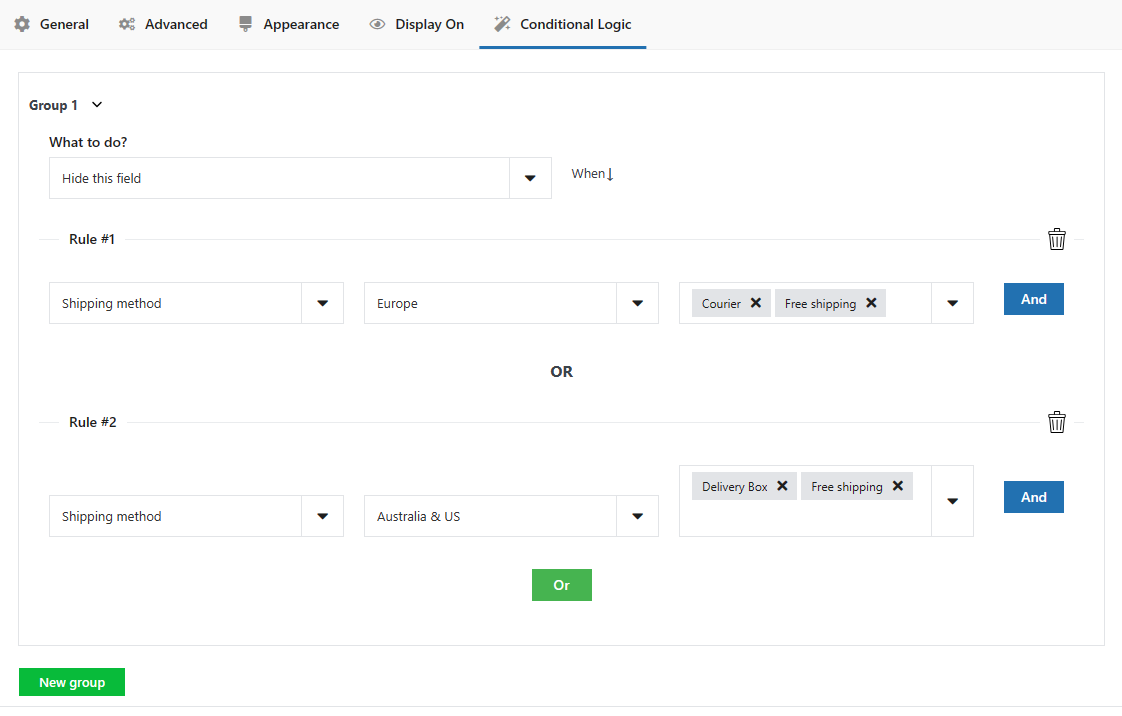
🧩 Shipping Methods
Enable conditional logic (show, hide, set as required or perform no action) for fields based on selected shipping method.
🧩 Payment Methods
Enable conditional logic (show, hide, set as required or perform no action) for fields based on selected payment method.
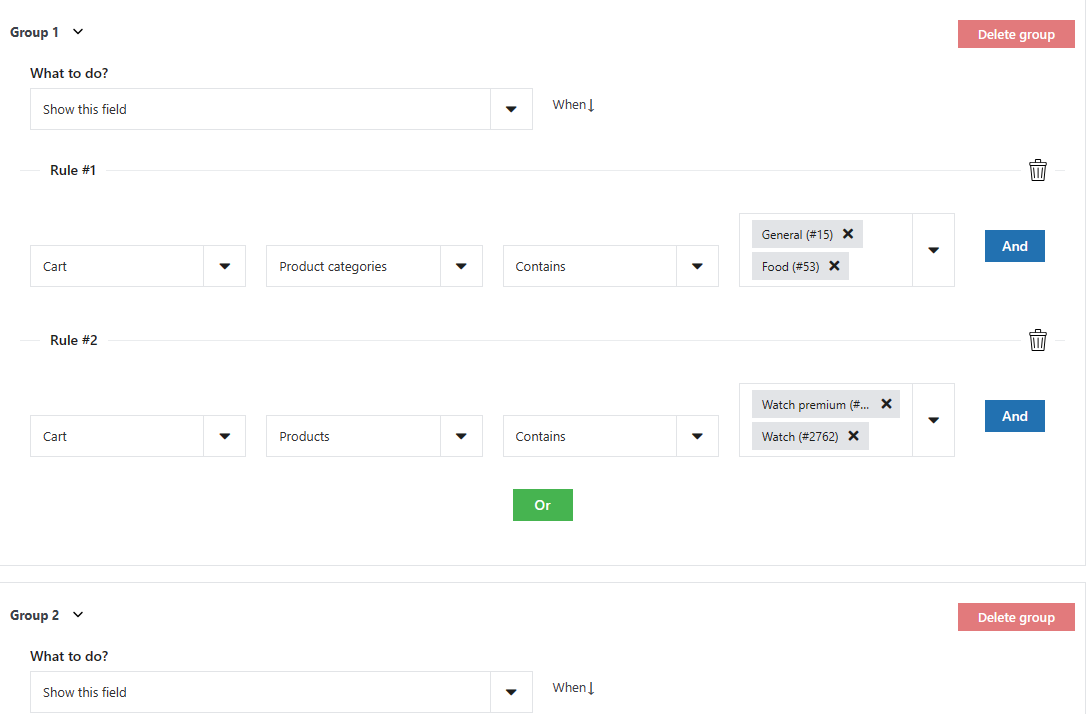
🧩 Products and Categories in Cart
Enable conditional logic (show, hide, set as required or perform no action) for fields based on products and/or categories in the cart, i.e.:
- Show engraving field for jewelery category
- Show delivery date option only for physical products
- Show VAT Number for digital goods
- Hide address fields for digital goods
🧩 Cart value
Enable conditional logic (show, hide, set as required or perform no action) for fields based on product value in cart.
🧩 Flexible Checkout Fields plugin fields
Enable conditional logic (show, hide, set as required or perform no action) for fields based on other fields added with Flexible Checkout Fields.
🧩 Flexible Product plugin fields
Enable conditional logic (show, hide, set as required or perform no action) for fields based on other fields added with Flexible Product Fields.
🧩 Default WooCommerce plugin fields
Enable conditional logic (show, hide, set as required or perform no action) for fields based on default Woo fields.
🧩 User role
Enable conditional logic (show, hide, set as required or perform no action) for fields based on the user role.
🧩 Date
Enable conditional logic (show, hide, set as required or perform no action) for fields based on the date you select.
This plugin is compatible with variable products.
You can set many conditions (OR) under one or more condition groups (AND) for each field. The conditional logic feature will help you in advanced WooCommerce checkout page customization 🎉!
⭐ Upgrade to Flexible Checkout Fields PRO
Get all PRO features and priority e-mail support. ⭐ Upgrade to PRO
Flexible Checkout Fields in a nutshell
Key features:
- make the purchasing experience as flawless as possible for your users. Single page checkout is just 1 click away,
- remove pain points related to the checkout process,
- allow for delivery personalization,
- manage fields in WooCommerce,
- text fields in WooCommerce checkout,
- time picker in WooCommerce checkout,
- date picker in WooCommerce checkout,
- checkbox in WooCommerce checkout,
- color picker in WooCommerce checkout,
- file upload in WooCommerce checkout,
- manage fields in WooCommerce,
- add WooCommerce VAT ID number,
- add WooCommerce checkout fields,
- price per date,
- checkout phone validator,
- fixed price,
- add WooCommerce custom checkout fields.
Data use policy
Learn about Use of Data Policy by WP Desk Plugins
You can install this plugin like any other WordPress plugin.
- Download and unzip the latest release zip file.
- Upload the entire plugin directory to your /wp-content/plugins/ directory.
- Activate the plugin through the Plugins menu in WordPress Administration.
You can also use WordPress uploader to upload plugin zip file in menu Plugins -> Add New -> Upload Plugin. Then go directly to point 3.
Screenshot Gallery
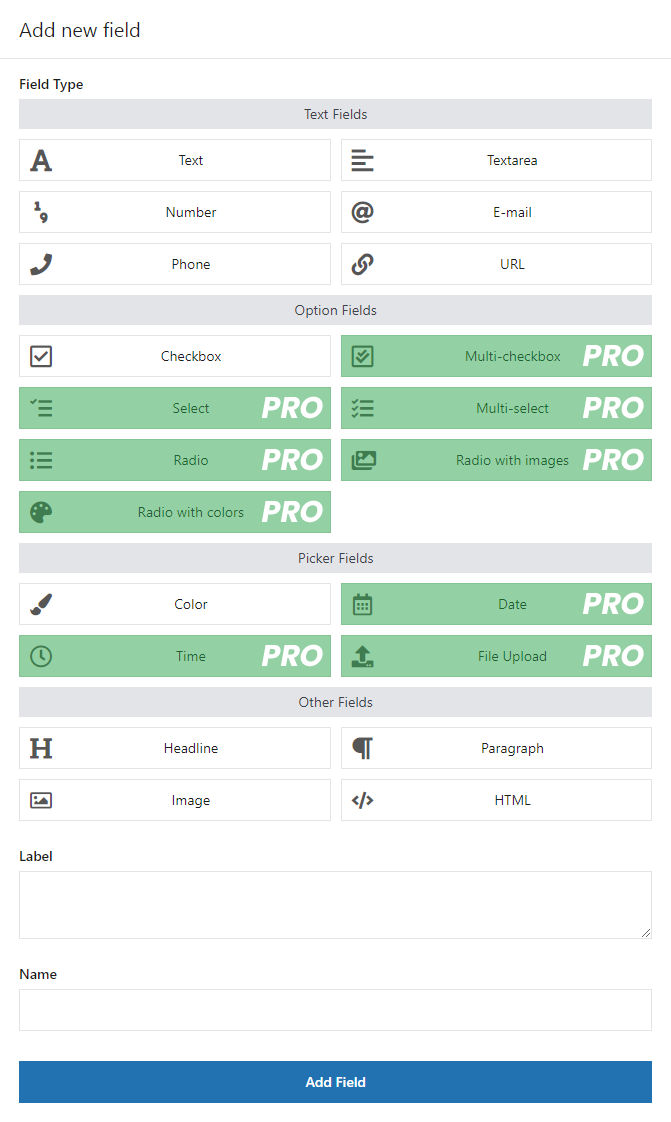
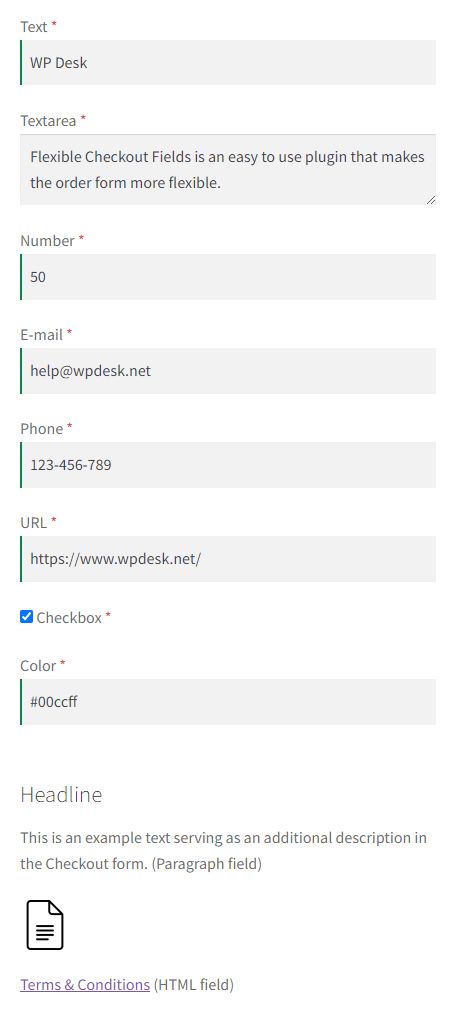
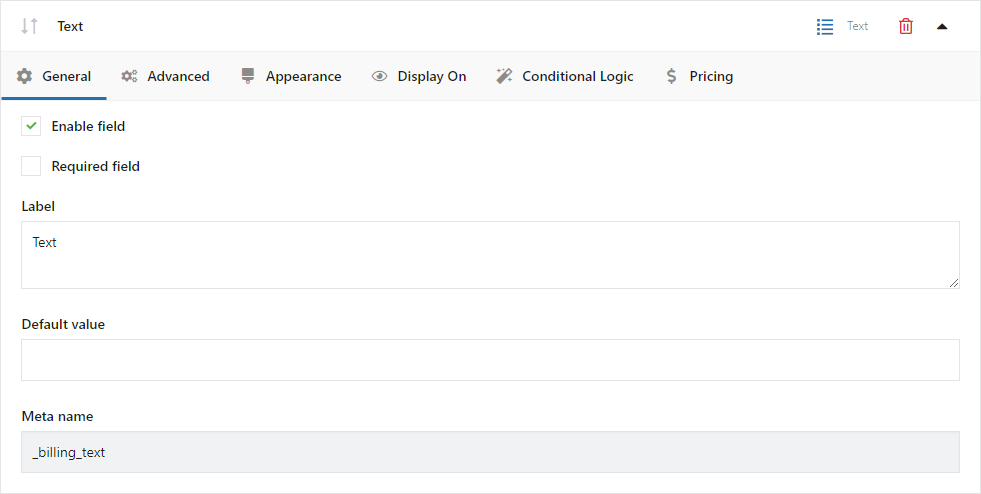
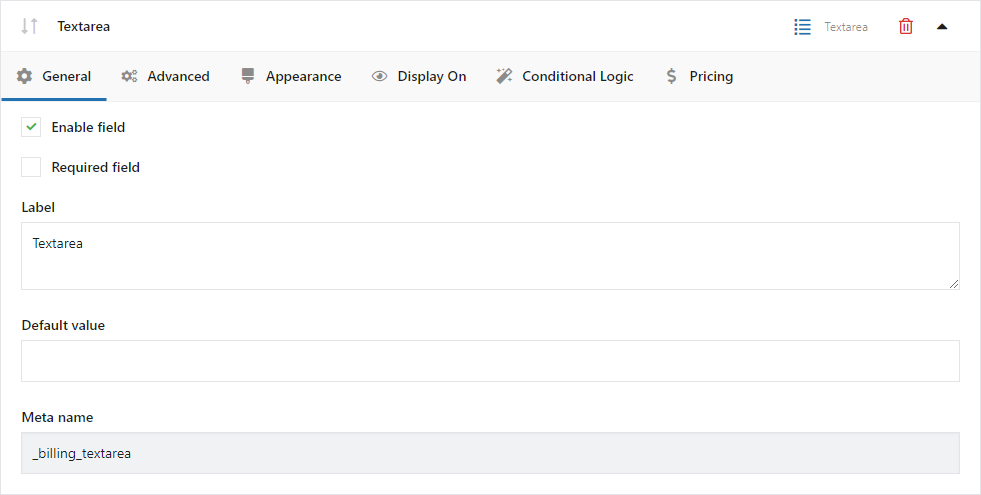
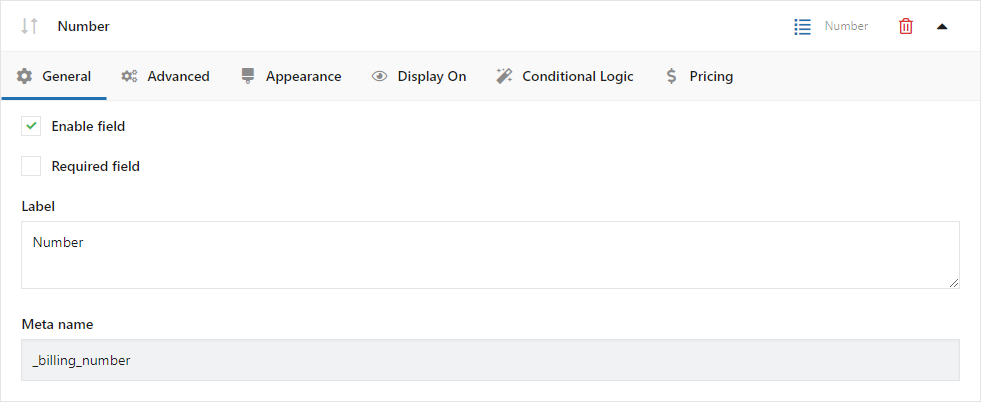
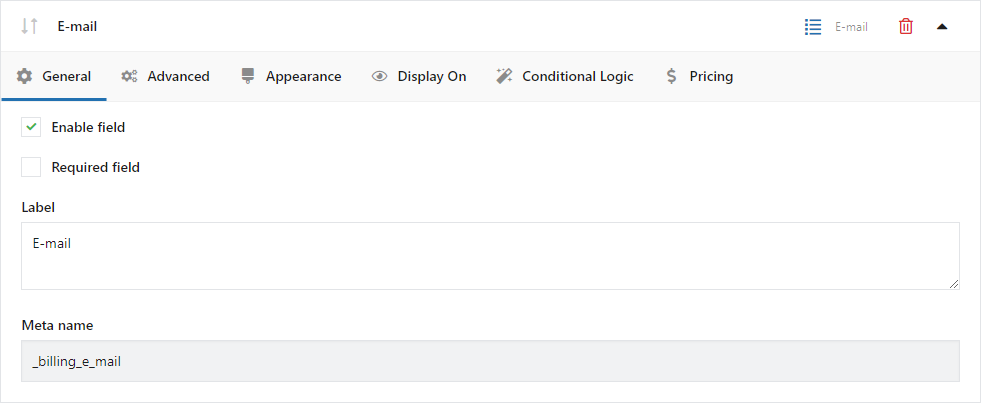
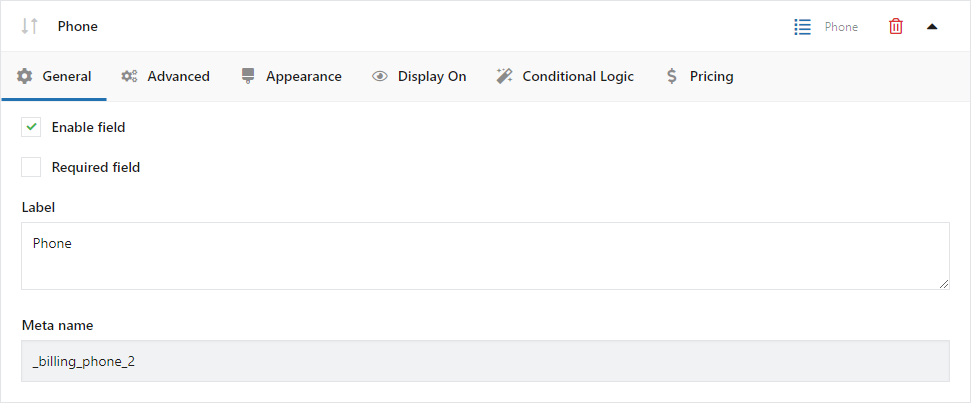
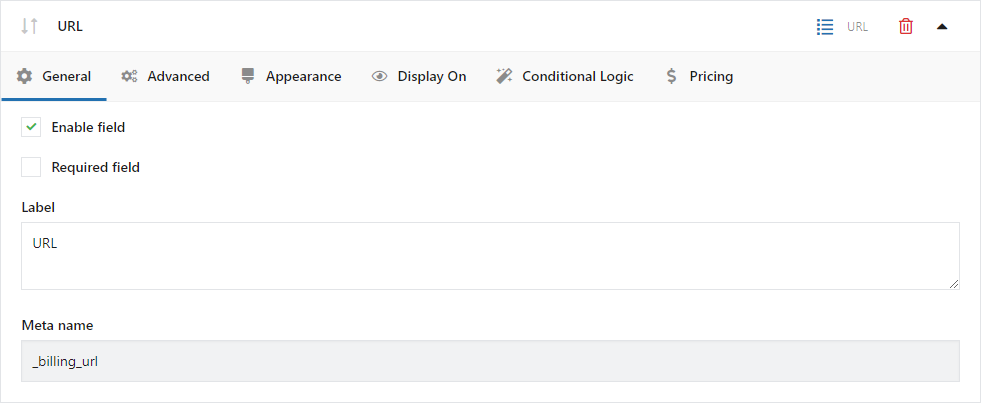
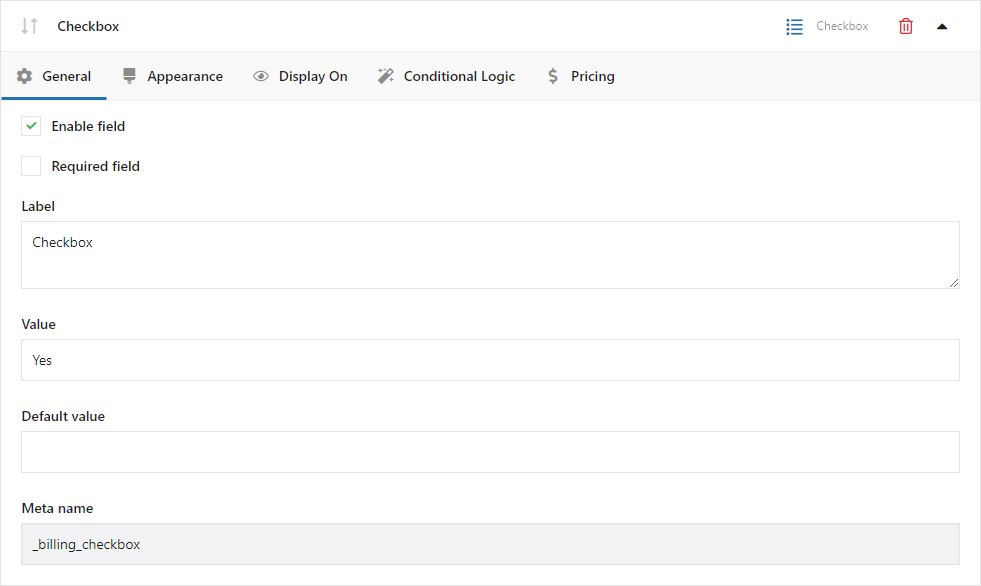
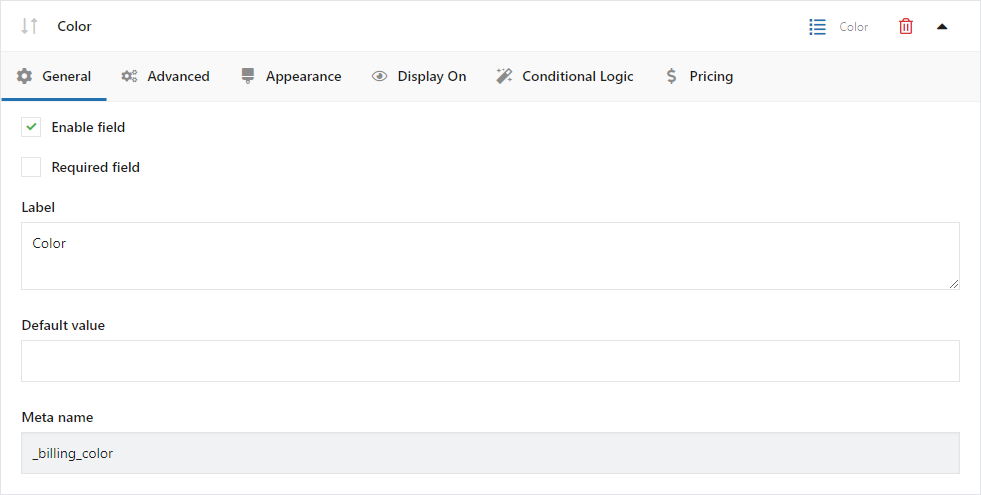
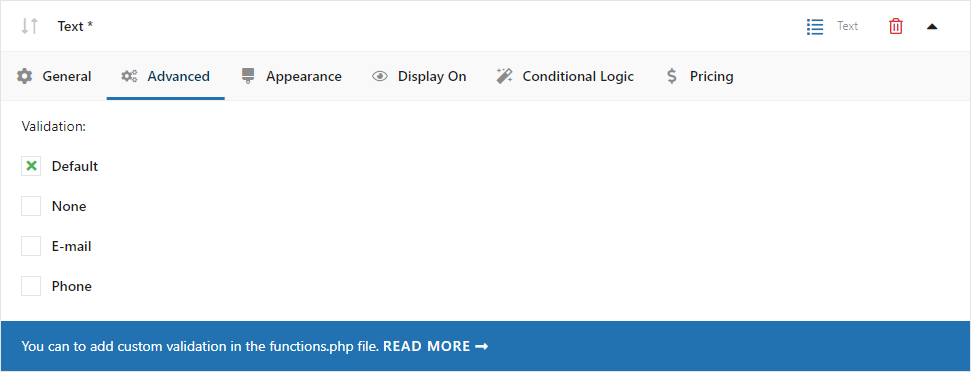
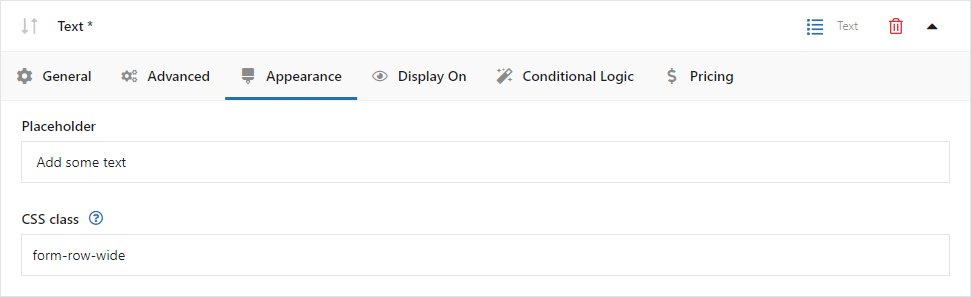


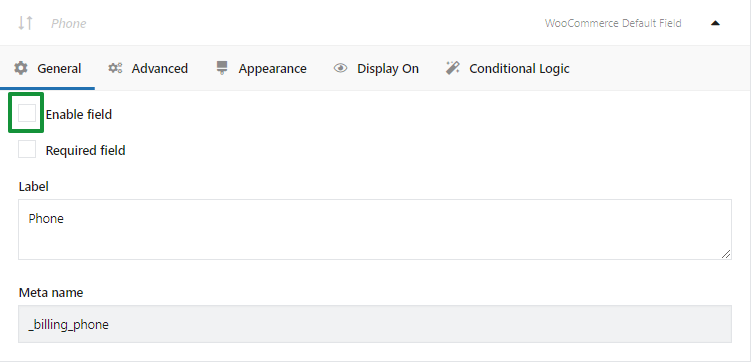
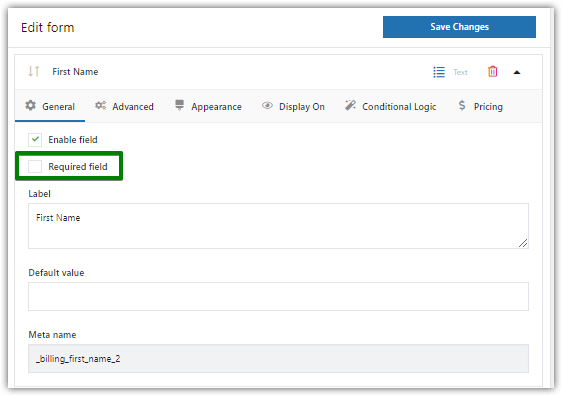

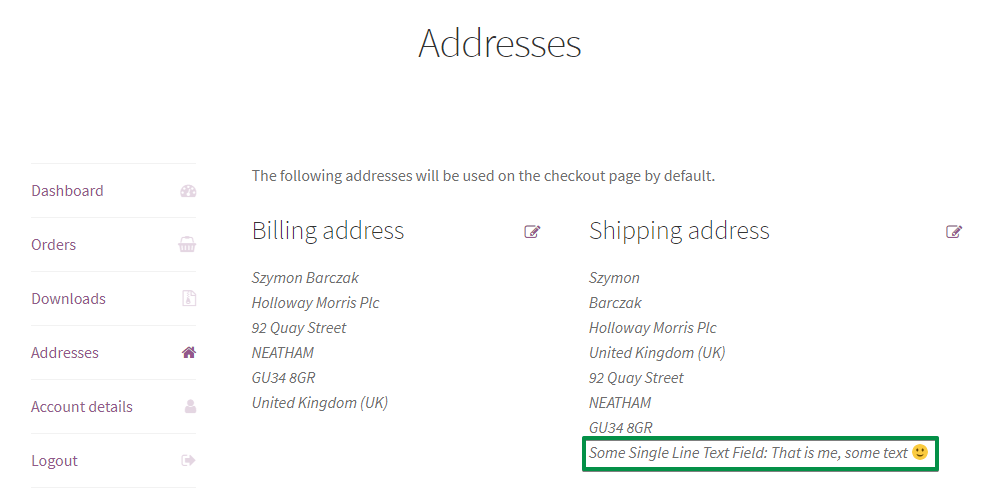
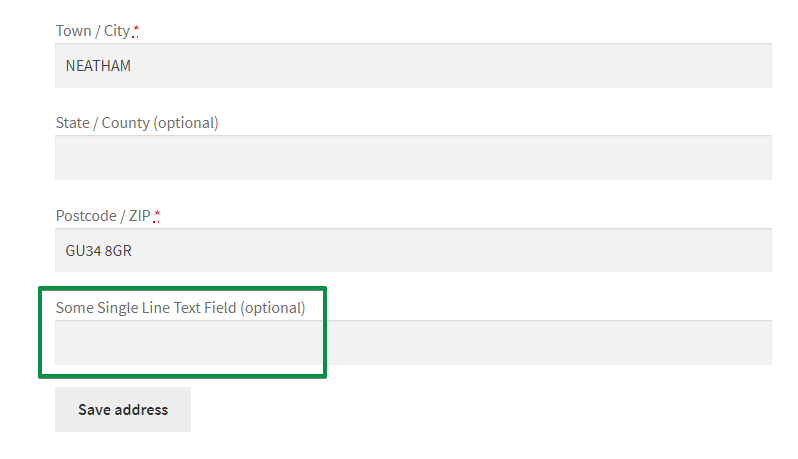
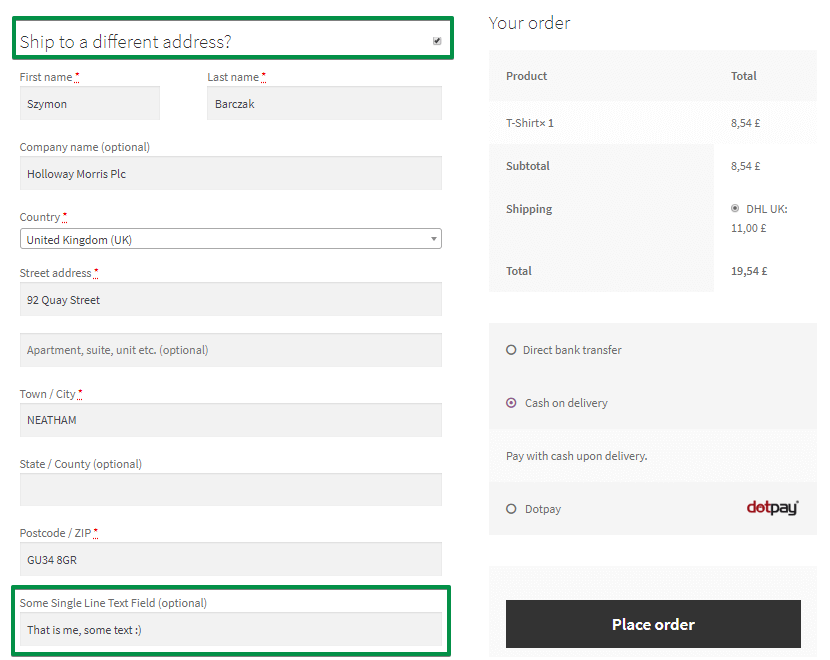
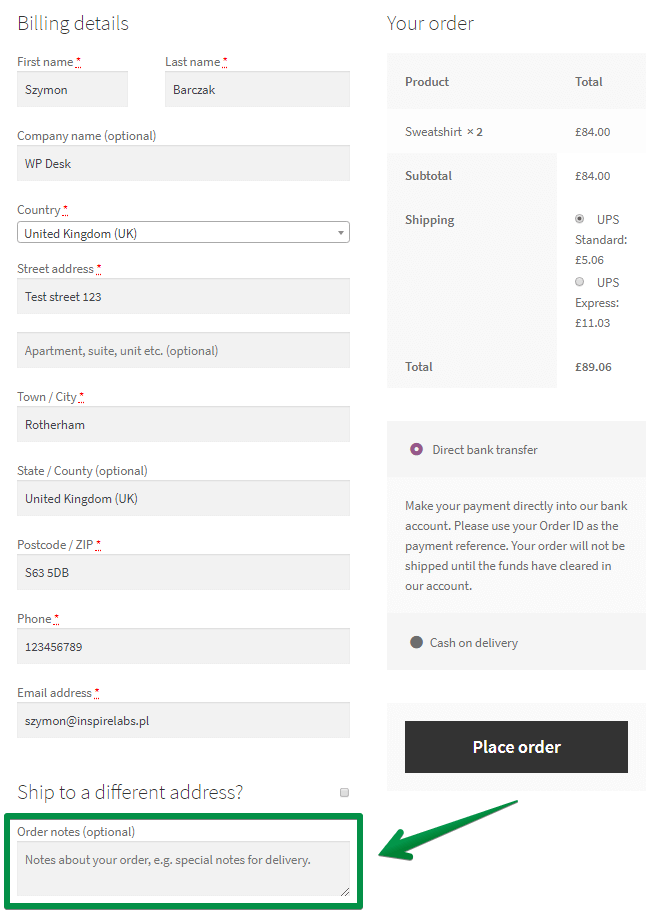
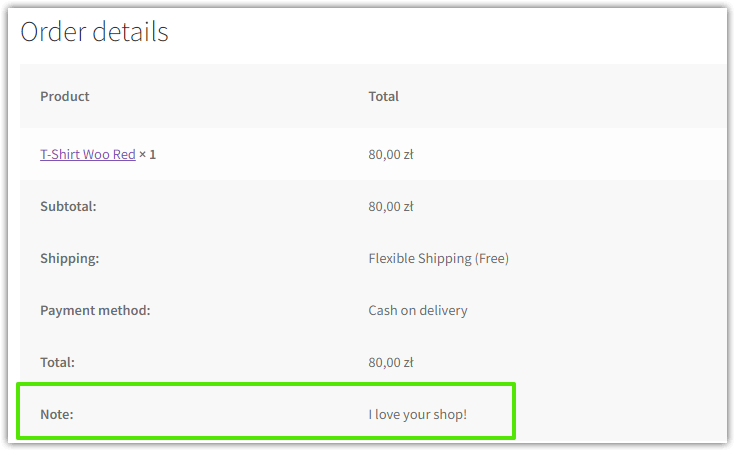





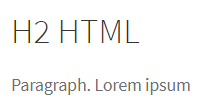
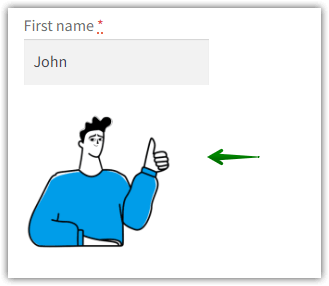
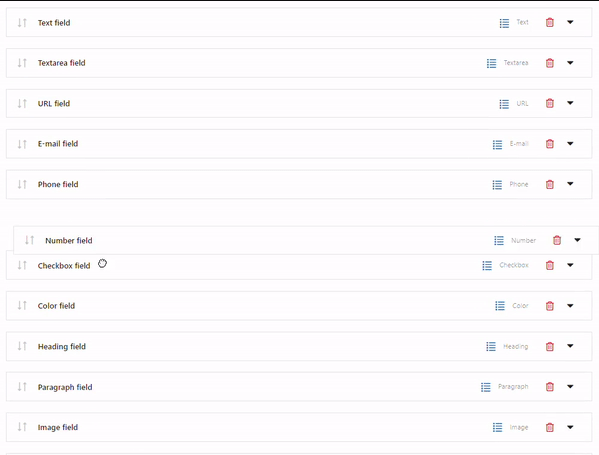
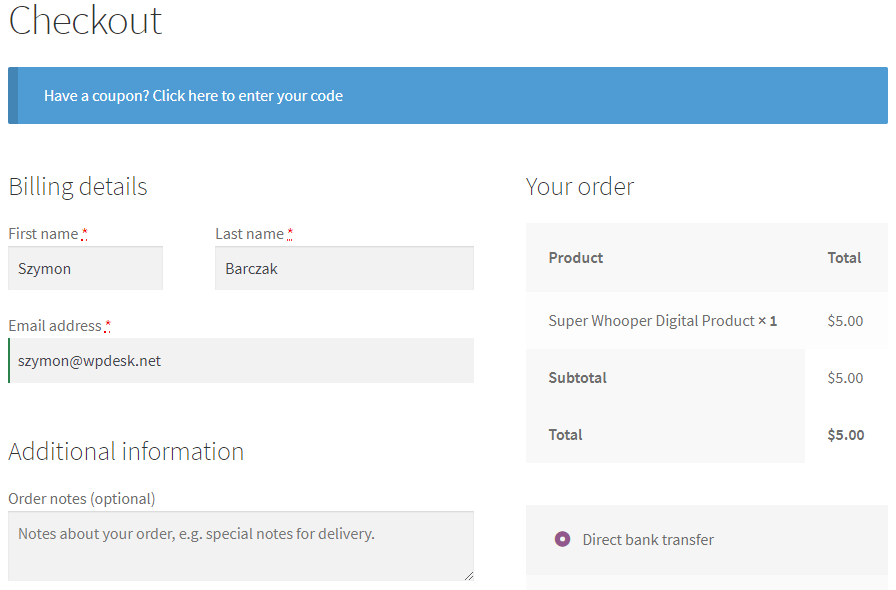
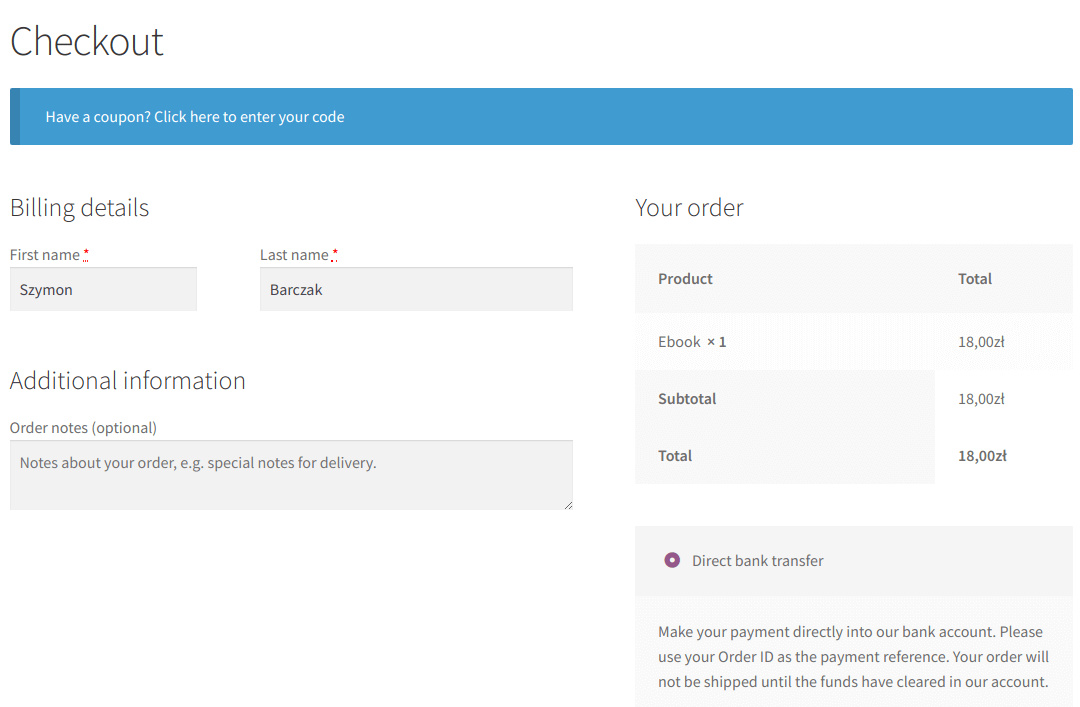
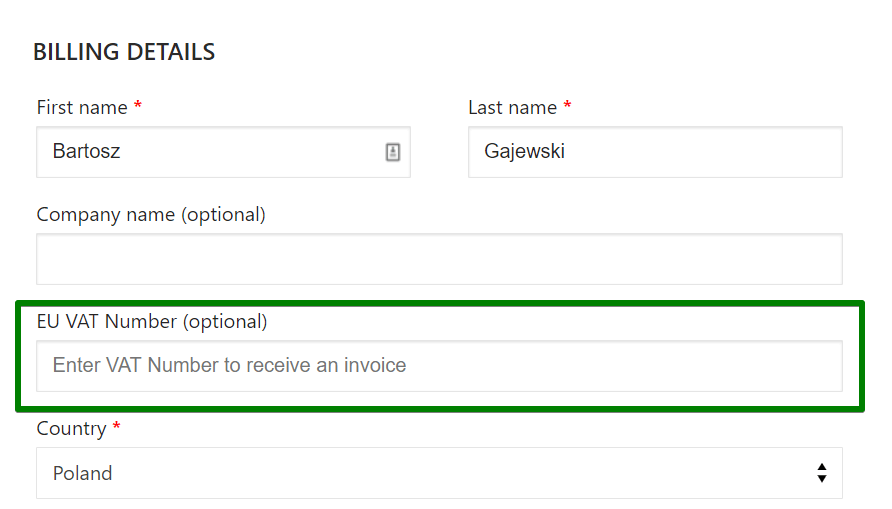
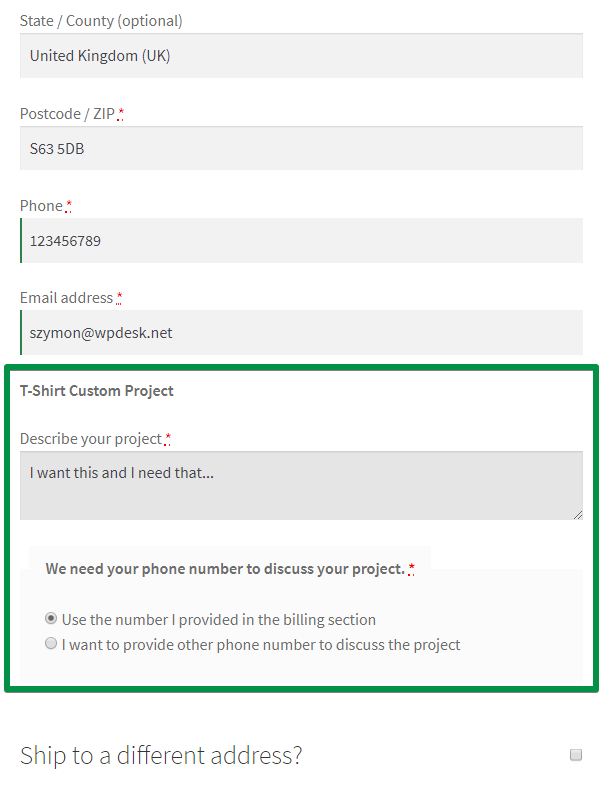
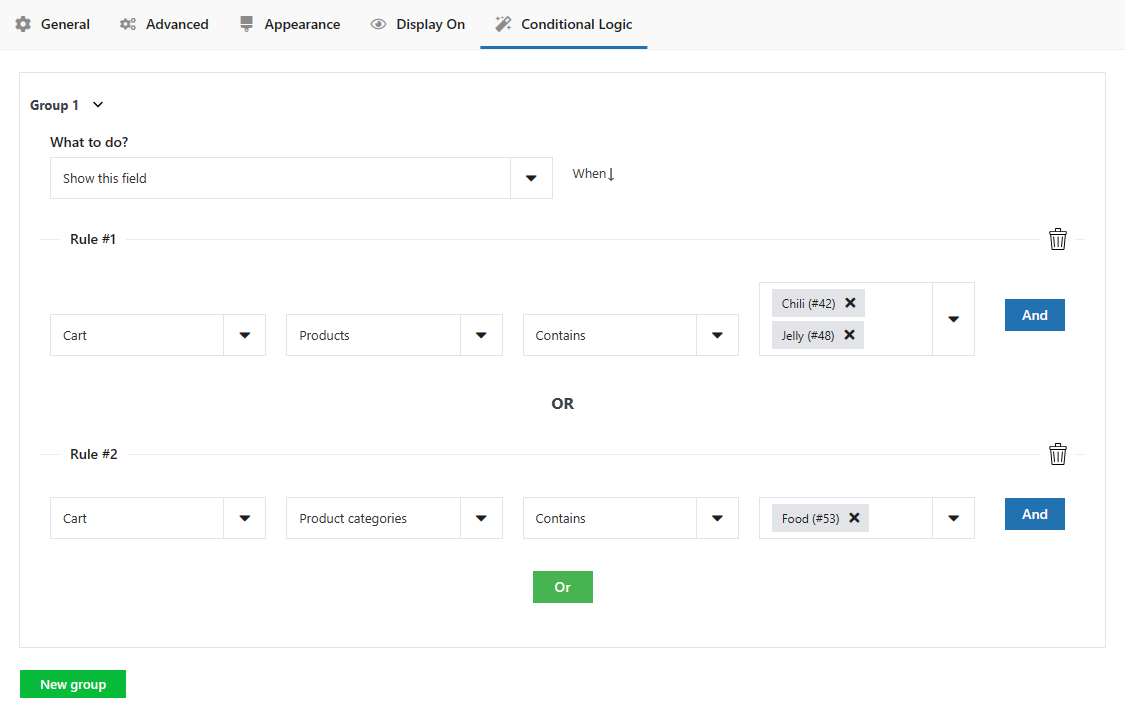
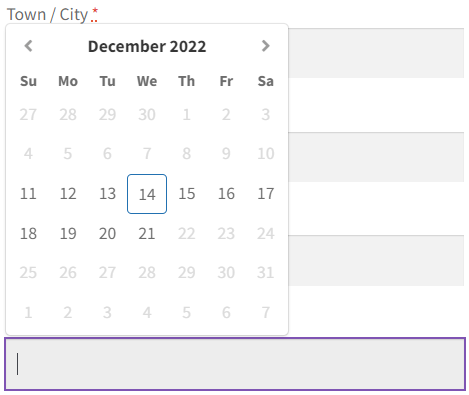
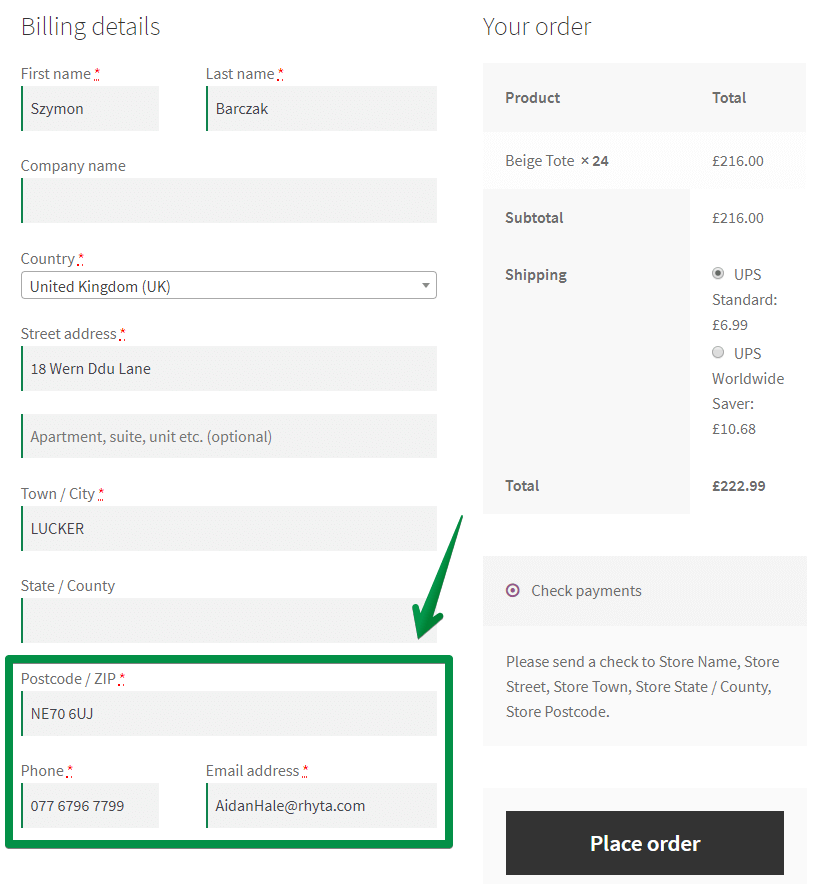
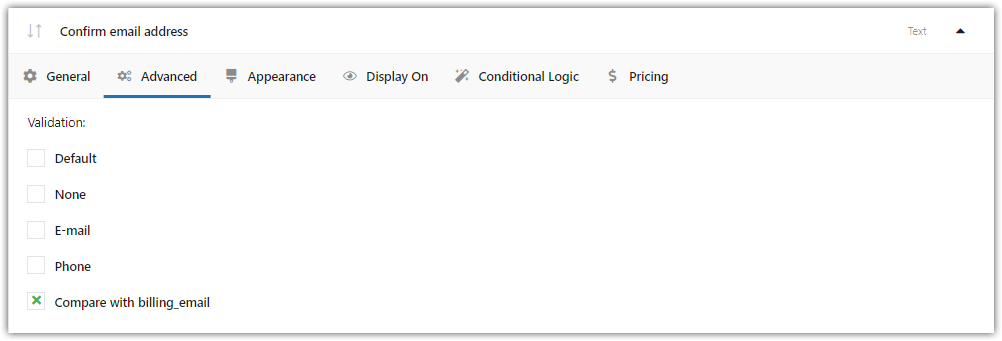

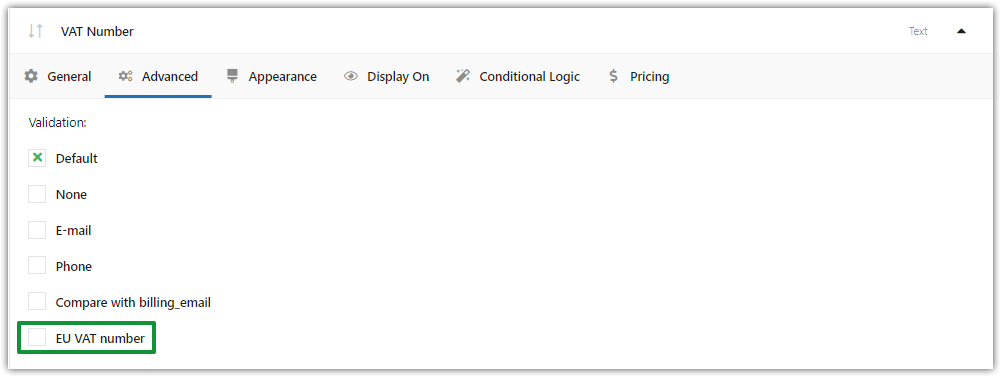
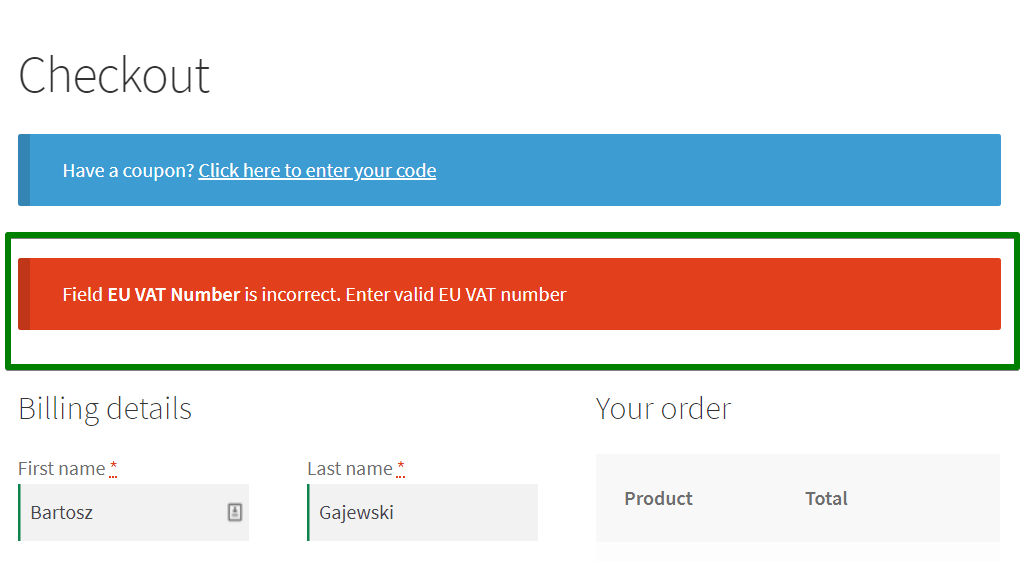
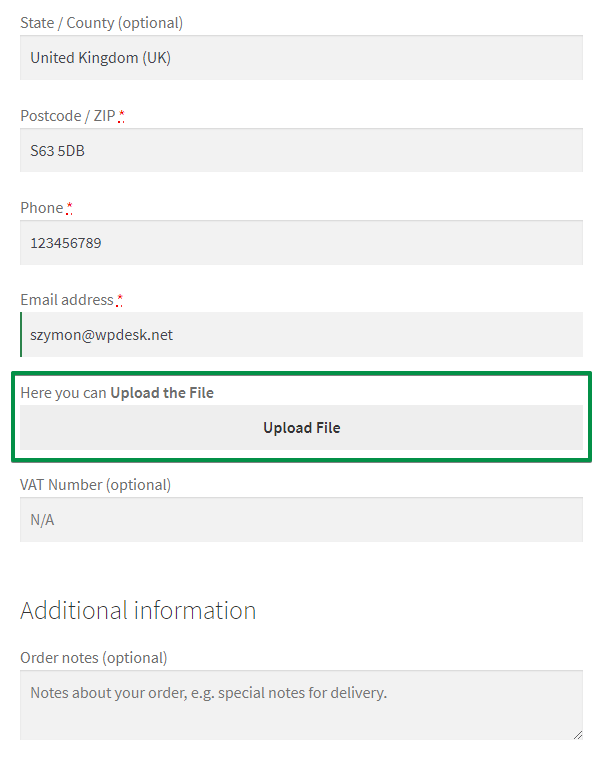

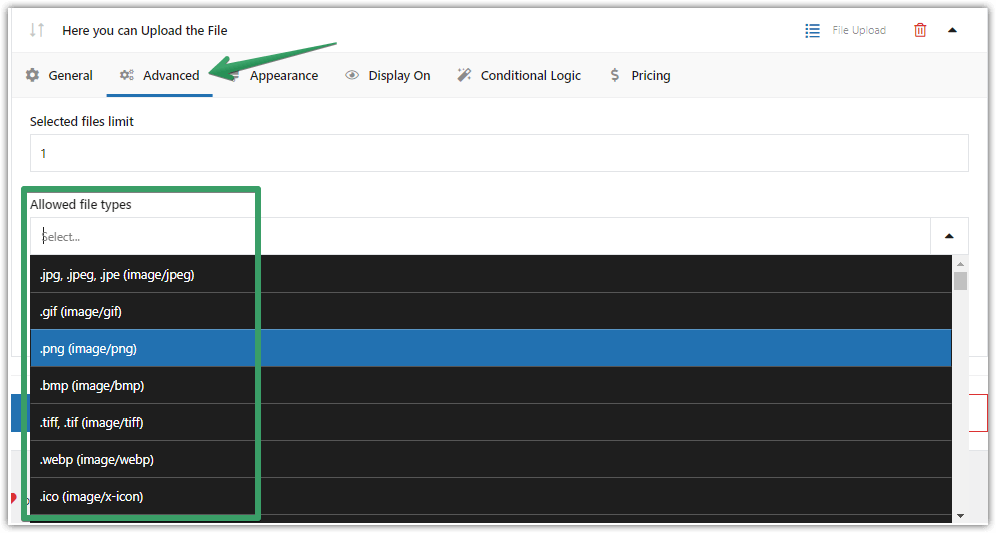
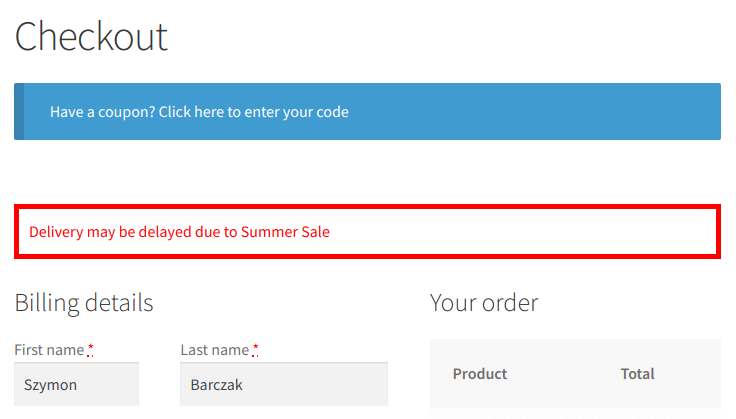
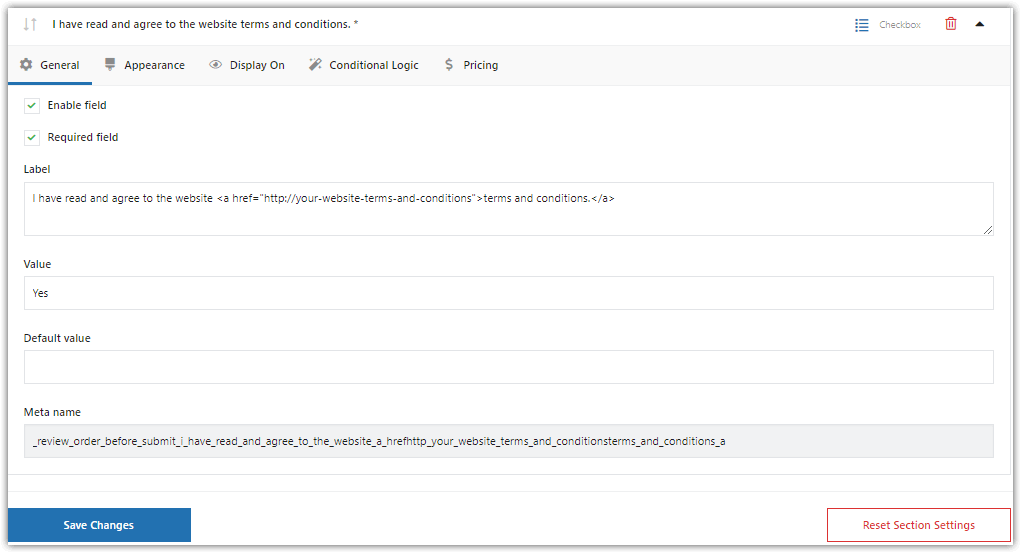
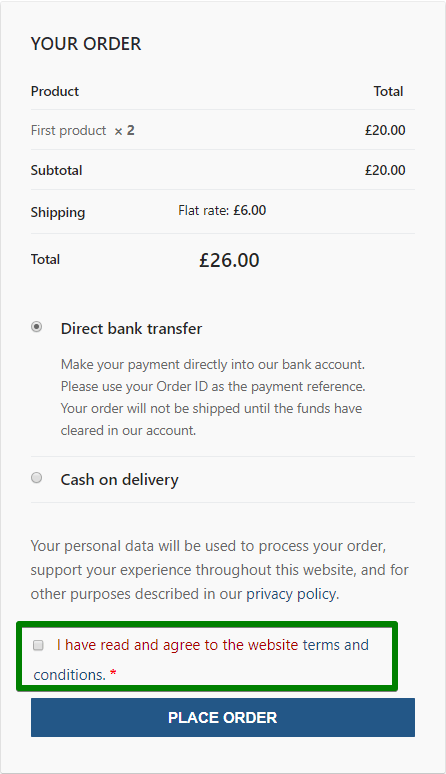
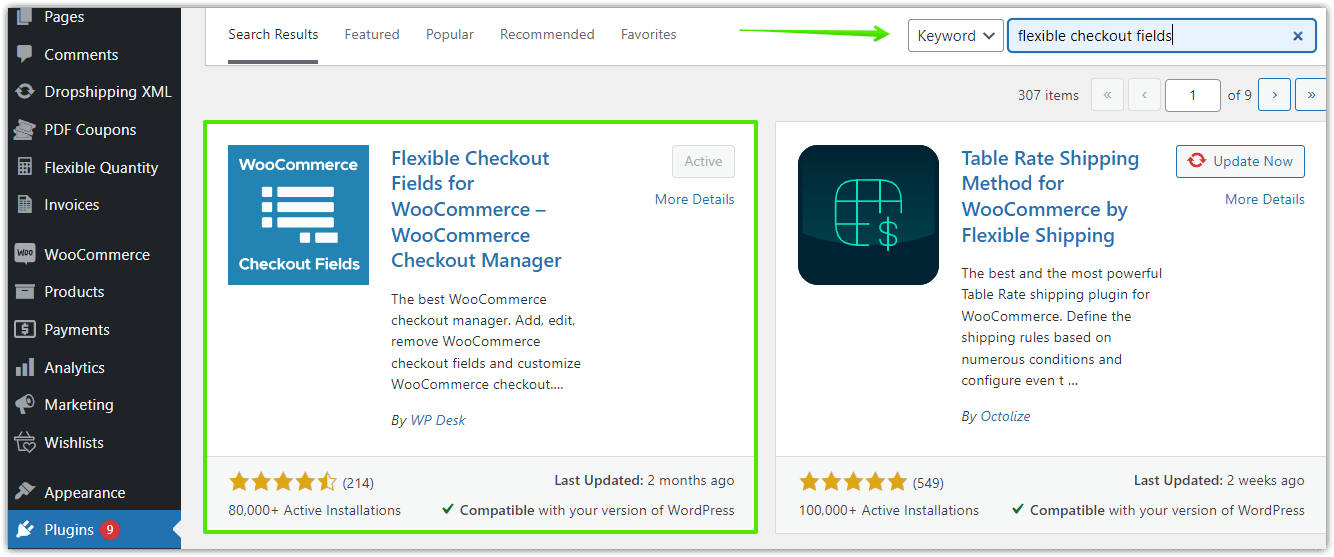
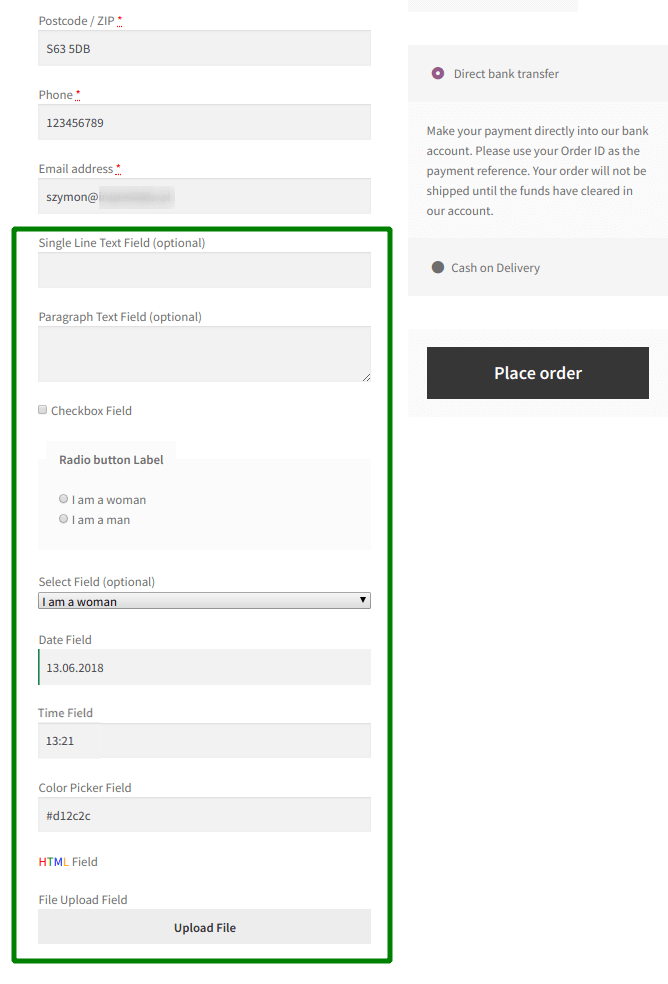
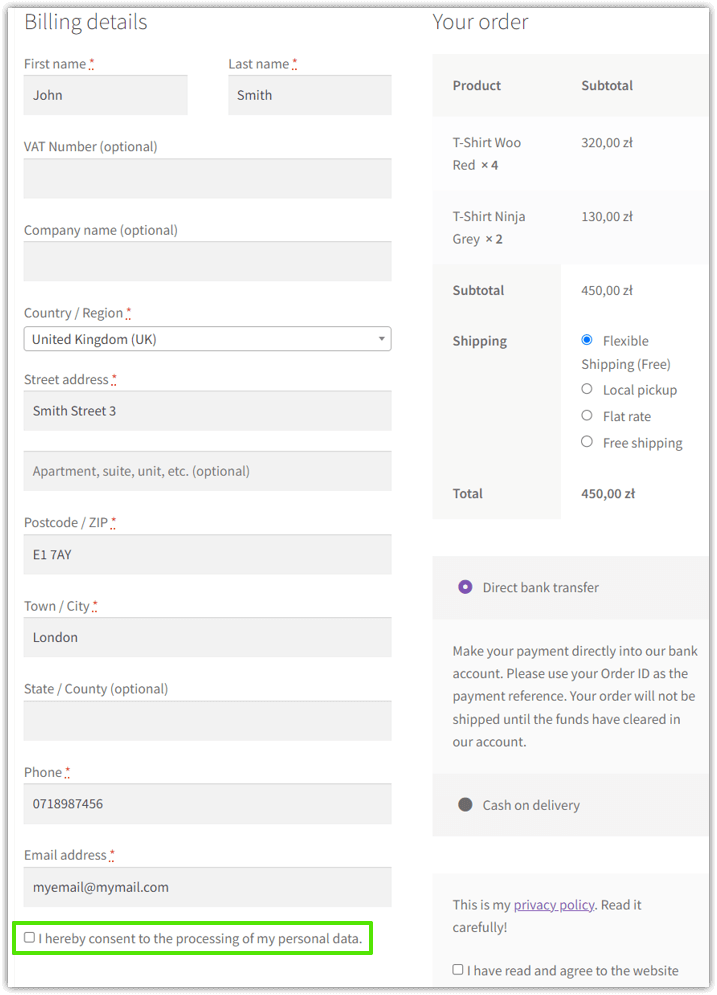
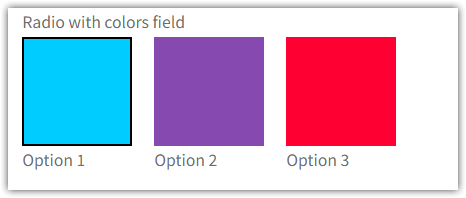

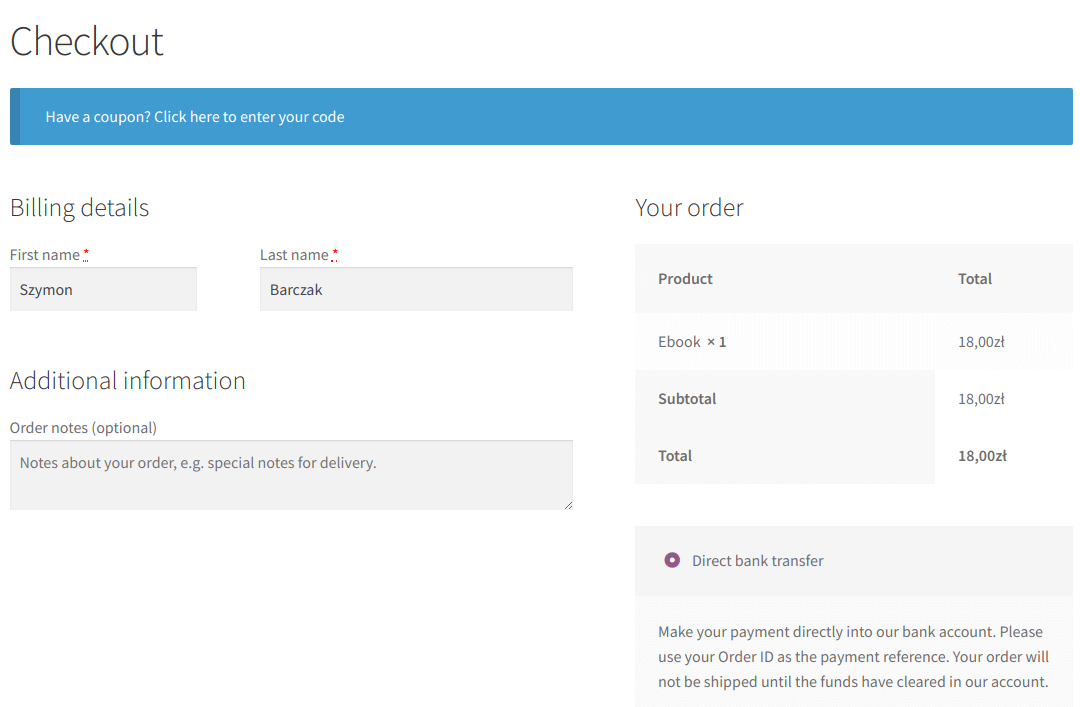
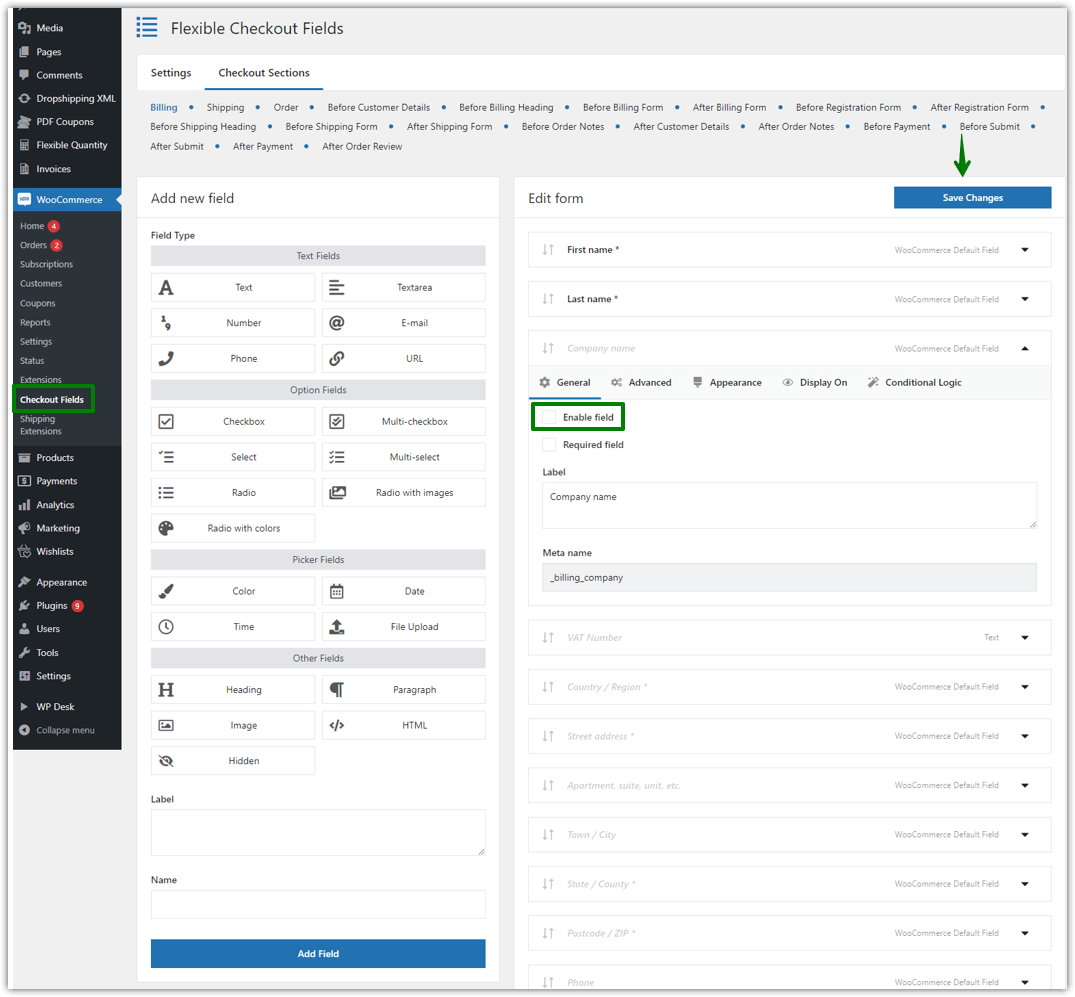
The docs are located here: Flexible Checkout Fields Docs
1️⃣ First, download the plugin.
2️⃣ Then, log in to your WordPress backend and go to the Plugins menu.
3️⃣ Finally, install the plugin by uploading it. You may also use the Plugins search bar to look for Flexible Checkout Fields for WooCommerce 😊.
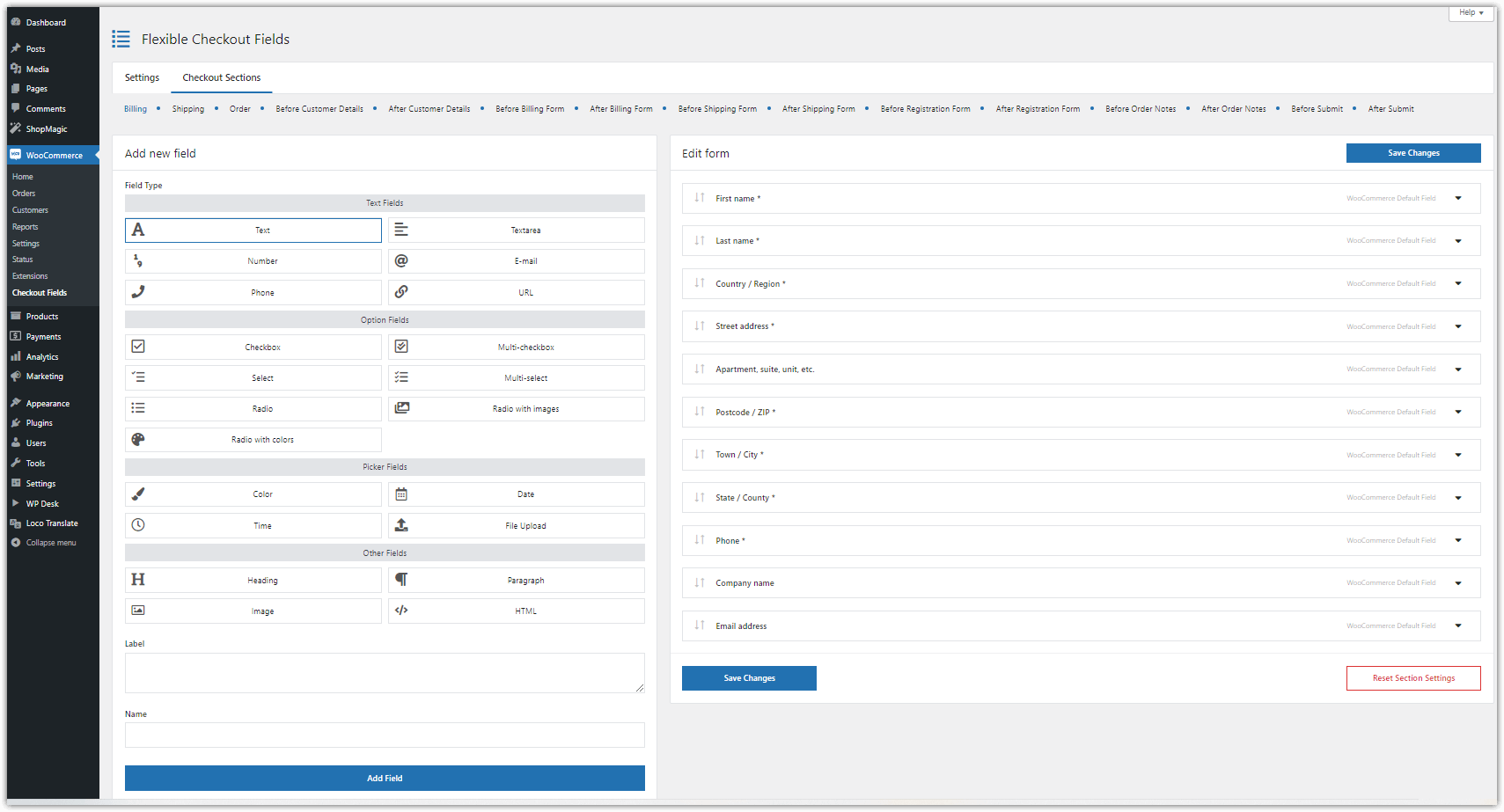
The plugin is available in the WordPress menu in the WooCommerce > Checkout Fields tab.
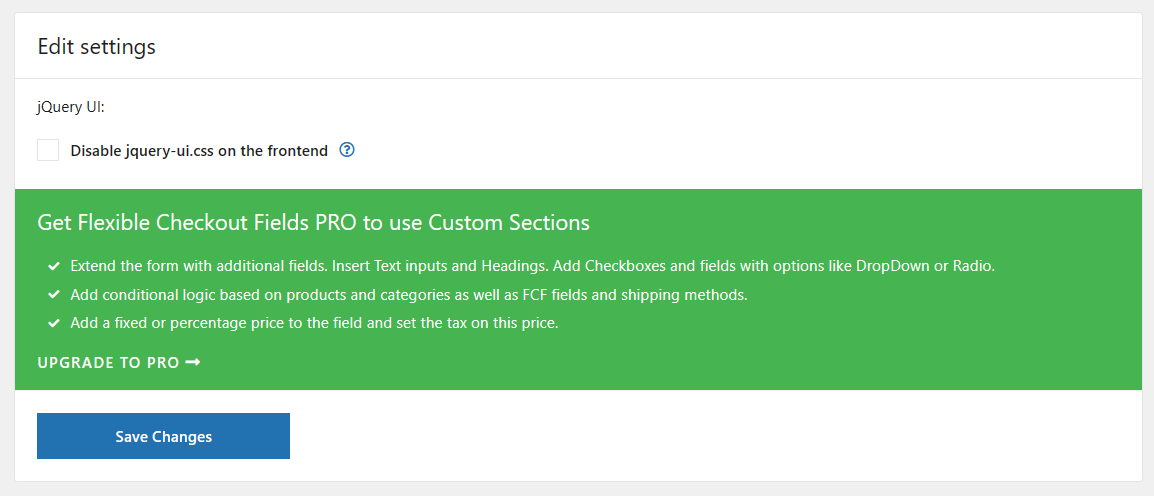
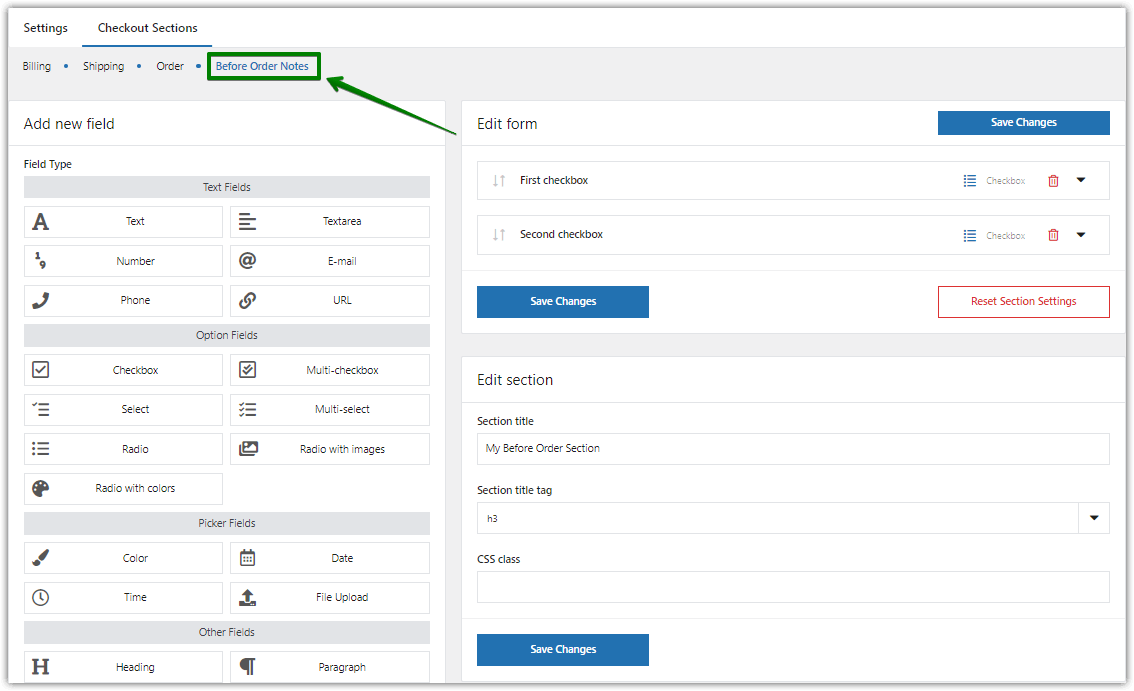
The plugin menu is in the upper left corner and contains two items. The first is Settings where it is possible to turn on additional sections. The second item is Checkout Sections and clicking on it will show all sections enabled in the Settings tab.
Yes, but you will have to purchase Flexible Checkout Fields PRO.
Then, you’ll be able to manage the specific section of the WooCommerce checkout page 😊.
- Step 1: Install and activate Flexible Checkout Fields for WooCommerce.
- Step 2: Go to your WordPress backend, open the WooCommerce menu, and click Checkout Fields.
- Step 3: Choose the WooCommerce Checkout Section to customize.
- Step 4: Manage, reorder, hide, show, or add custom fields to the WooCommerce checkout page.
- Step 5: Use custom sections of the WooCommerce checkout page, more checkout fields, conditional logic, pricing per field, and additional options in PRO.
Read more on how to add custom checkout fields in WooCommerce →
Thanks to new custom fields in the free checkout field editor, you will design your custom WooCommerce checkout page much easier 🚀!
- Multi-checkbox
- Select
- Multi-select
- Radio
- Radio with images
- Radio with colors
- Date
- Time
- File Upload
- Hidden
Additional custom fields will help you customize more advanced checkout page for WooCommerce 😊.
Get all PRO features and priority e-mail support. Upgrade Now
Our plugin supports fields on the Checkout page (hence its name). So the plugin will work if the form is on the page set in WooCommerce as Checkout.
WooCommerce > Settings > Advanced > Checkout page
Our plugin uses the Checkout subpage environment and WooCommerce purchasing mechanisms. These two conditions must be met. The plugin will not work if e.g. there is a quotation plugin that skips this purchasing process.
1️⃣ First, you can customize the WooCommerce checkout page by hiding some fields ⭐.
2️⃣ You may also add more custom fields to adjust the WooCommerce checkout to your needs 🪟.
3️⃣ Or rearrange WooCommerce checkout fields with any coding knowledge 🎨.
4️⃣ You can design your WooCommerce checkout page to speed up customer purchases 🚀.
5️⃣ And finally, the plugin options let you see what WooCommerce checkout page is the best by fast field management 😊!
The checkout fields manager for WooCommerce will help you when you want to:
- Add custom fields and get more details from your customers about WooCommerce orders 🪟
- Get feedback and specific information from customers 🗃️
- Sell more by hiding checkout fields, for example, for digital products 💻
- Speed up the WooCommerce checkout and thus lower the cart abandonment rate 🚀
- Make some fields required, rearrange fields, or customize the WooCommerce checkout page layout & design 🎨
In the PRO version of the plugin:
- You have more types of custom checkout fields to edit your WooCommerce checkout page 🪟
- It’s possible to customize the WooCommerce checkout page with custom sections ⭐
- You may use conditional logic to make your WooCommerce checkout dynamic 🚀
- Field pricing can help you get additional income 💰
- Also, you receive professional priority email support and latest features 😊
Get all PRO features and priority e-mail support. Upgrade Now
You can use new fields, conditional logic, pricing, and custom sections to further customize your WooCommerce checkout page ⭐!
The PRO version of the plugin lets you build your custom checkout page in WooCommerce much easier.
1️⃣ First, you may set additional fees on the WooCommerce checkout based on customer choices 💰.
2️⃣ There is also more custom fields to choose from ⭐.
3️⃣ What’s more, the conditional logic and custom sections will help you design your WooCommerce checkout page better 🚀.
4️⃣ Your checkout page will be dynamic and adjusted to your needs 🪟.
5️⃣ Finally, you will receive email support, so no more guessing how to edit the WooCommerce checkout fields 😊.
For any field, it is possible to set rules on when to show or hide a WooCommerce checkout field ✔️.
It’s also possible to set a field as required based on selected conditions.
There are three types of this logic:
- Conditional Logic for Fields
- Conditional Logic for Products and Product Categories in the Cart
- Conditional Logic for Shipping Methods
The plugin lets you set multiple conditions for each field with OR and AND condition groups.
So, you can customize the WooCommerce checkout page with dynamic fields based on customer choices.
Using the Conditional Logic option of Flexible Checkout Fields for WooCommerce is available in PRO.
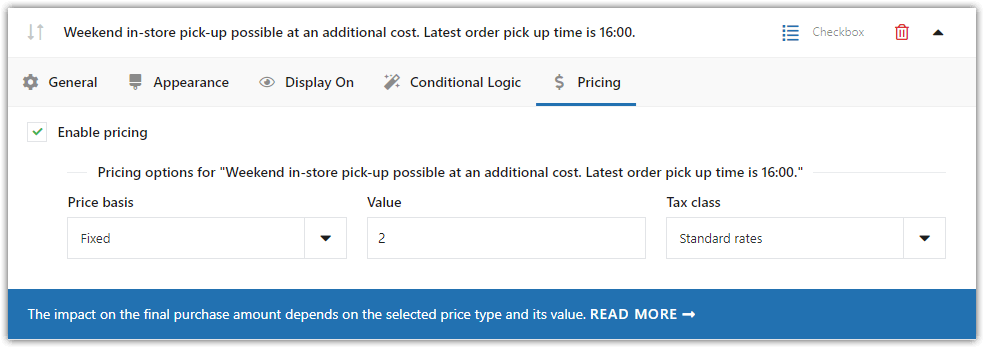
The PRO version of the plugin lets you set the additional prices per WooCommerce checkout field 💰.
You may choose the following options:
- Fixed
- Percentage of Subtotal (ex. VAT)
- Percentage of Subtotal (incl. VAT)
- Percentage of Total
The option to add a price is available for custom checkout fields:
- Text
- Textarea
- Number
- Phone
- URL
- Checkbox
- Multi-checkbox
- Select
- Multi-select
- Radio
- Radio with images
- Radio with colors
- Color
- Date
- Time
- File Upload
Using the Pricing option of Flexible Checkout Fields for WooCommerce is available in PRO.
Flexible Checkout Fields for WooCommerce free lets you customize the Billing, Shipping, and Order sections 🪟.
The PRO version of the plugin allows you to add and customize more sections of the WooCommerce checkout page.
Cached sections in free:
- Billing
- Shipping
Non-cached sections in free:
- Order
Cached sections in PRO:
- Before Customer Details
- Before Billing Heading
- Before Billing Form
- After Billing Form
- Before Shipping Heading
- Before Shipping Form
- After Shipping Form
- After Customer Details
Non-cached sections in PRO:
- Before Registration Form
- After Registration Form
- Before Order Notes
- After Order Notes
- Before Payment
- Before Submit
- After Submit
- After Payment
- After Order Review
Read more about the Custom Sections in the plugin documentation →
Using the Custom Sections option of Flexible Checkout Fields for WooCommerce is available in PRO.
Yes 😊.
Go to the FCF admin demo <<<](https://www.wpdesk.link/flexible-checkout-fields-demo/) – here you can test the admin panel of all WP Desk plugins including Flexible Checkout Fields
The docs are located here: Flexible Checkout Fields Docs
Also, read the articles about WooCommerce checkout page customization 😊:
- How to add custom fields to the WooCommerce checkout?
- How to Remove Required Fields from the WooCommerce Checkout & How to Set any field as required or optional?
- How to Personalize the Shipping and Billing Address Section in WooCommerce?
- WooCommerce Checkout Hooks – A Visual Guide with Examples
- My Account in WooCommerce – Settings, Shortcode & Custom Fields
- How to Customize WooCommerce Checkout Page with a FREE plugin?
- Simple Guide to Configure Custom Fields in WooCommerce Checkout
- WooCommerce Checkout Notes: Configure the Section the Way You Want
- Disable the shipping address and remove billing fields from the WooCommerce checkout page
- Add the EU VAT number field for the WooCommerce checkout
- How to add conditional logic to WooCommerce checkout fields?
- WooCommerce Checkout – Settings, Shortcode & Configuration Guide
- How to add Radio Buttons to the WooCommerce Checkout?
- An easy way to add the Date Time Picker field to your WooCommerce checkout
- How to customize the WooCommerce checkout page & fields with CSS?
- How to Configure Validation for WooCommerce Checkout Fields Verification (like Email)?
- How to show or hide a WooCommerce checkout field for a specific country?
- How to add the confirm email address field on the WooCommerce checkout page and verify it?
- How to add gift wrapping option to WooCommerce products?
- How to Add Custom Upload Field to Your WooCommerce Store?
- Additional fees on WooCommerce checkout – Custom fields with prices
Yes 😊.
- Flexible Product Fields – customize the WooCommerce product page with custom fields!
- Flexible PDF Coupons – sell pdf gift cards, vouchers, and tickets in WooCommerce.
- ShopMagic – a free email marketing plugin for WordPress and WooCommerce (with 5 free add-ons)! Create, customize, and send personalized emails to your WordPress users and WooCommerce customers.
- Flexible Wishlist – let customers create product wishlists in WooCommerce, share favorite products, and save their carts for future shopping!
- Dropshipping XML – Import Products – import and update WooCommerce products from any CSV or XML file.
- Flexible Quantity – choose new units of measure for your WooCommerce products.
- Flexible Invoices – issue free PDF invoices in WordPress and WooCommerce.
- Custom Price – let customers name the WooCommerce product prices. Receive donations and sell products at custom prices.
- Flexible Refund – manage refunds, returns, and warranty requests in WooCommerce.
Please report security bugs found in the source code of the Flexible Checkout Fields for WooCommerce plugin through the Patchstack Vulnerability Disclosure Program. The Patchstack team will assist you with verification, CVE assignment, and notify the developers of this plugin.
Changelog
4.1.38 – 2026-06-21
- Added support for WooCommerce 10.9
4.1.37 – 2026-05-20
- Added support for WordPress 7.0
- Added support for WooCommerce 10.8
4.1.36 – 2026-03-07
- Added support for WooCommerce 10.6
4.1.35 – 2026-02-17
- Readme update
4.1.34 – 2026-01-27
- Fixed security vulnerabilities – axios library update
4.1.33 – 2026-01-21
- Added support for WooCommerce 10.5
4.1.32 – 2026-01-15
- Fixed warnings about outdated code for PHP 8.4
4.1.31 – 2025-12-16
- Added new messages about block checkout support
4.1.30 – 2025-12-03
- Added support for WordPress 6.9
- Added support for WooCommerce 10.4
4.1.29 – 2025-10-14
- Changed plugin links
4.1.28 – 2025-10-13
- Added support for WooCommerce 10.3
- Added Patchstack Vulnerability Disclosure Program
4.1.27 – 2025-09-07
- Added support for WooCommerce 10.2
4.1.26 – 2025-08-19
- Fixed optional label for non-required fields
4.1.25 – 2025-08-07
- Added support for WooCommerce 10.1
4.1.24 – 2025-07-01
- Added support for WooCommerce 10.0
4.1.23 – 2025-06-23
- Fixed fatal error on new woocommerce email preview feature in some checkout configurations
4.1.22 – 2025-06-12
- Added support for WooCommerce 9.9
- Clean up unused js scripts
4.1.21 – 2025-05-23
- Fixed faq url
4.1.20 – 2025-05-12
- Added support for WordPress 6.8
4.1.19 – 2025-03-21
- Added support for WooCommerce 9.8
4.1.18 – 2025-02-18
- Fixed checkbox field is checked on the first visit when its value in the settings is empty
4.1.17 – 2025-02-07
- Added support for WooCommerce 9.7
4.1.16 – 2025-01-29
- Added support for WooCommerce 9.6
- Update readme and screenshots
4.1.15 – 2024-11-21
- Added support for WordPress 6.7
- Added support for WooCommerce 9.5
4.1.14 – 2024-09-07
- Added support for WooCommerce 9.3
4.1.13 – 2024-08-28
- Fixed undefined array key warning
4.1.12 – 2024-08-07
- Added support for WooCommerce 9.2
4.1.11 – 2024-07-24
- Added support for WordPress 6.6
- Fixed hook names (both flexible_chekout_fields_fields, and flexible_checkout_fields_fields are deprecated)
4.1.10 – 2024-07-18
- Removed unnecessary title
4.1.9 – 2024-07-09
- Updated readme
4.1.8 – 2024-06-26
- Added support for WooCommerce 9.1
- Update repo banner
4.1.7 – 2024-06-07
- Added support for WooCommerce 9.0
4.1.6 – 2024-05-21
- Added support for WooCommerce 8.9
4.1.5 – 2024-04-08
- Added support for WooCommerce 8.8
- Fixed some minor issues
4.1.4 – 2024-03-25
- Added support for WordPress 6.5
- Added start here link on plugins page
4.1.3 – 2024-03-12
- Fixed uncaught TypeError
- Fixed wp-notice library
4.1.2 – 2024-03-12
- Added support for WooCommerce 8.7
- Fixed tracker
- Fixed settings crash when some plugins are active (UNISEND for WooCommerce)
4.1.1 – 2024-02-21
- Added support for WooCommerce 8.6
- Fixed settings crash when field pricing saved with empty values
4.1.0 – 2024-02-14
- Added Support Page
4.0.0 – 2024-02-05
- Major Update!
- Added integration with a PRO plugin version 4
- Added new conditional logic tab in admin settings
3.6.0 – 2024-01-16
- Added support for WooCommerce 8.5
- Added support for HPOS
- Fixed save issue (class index not defined) on newly added field
- Fixed TypeError for SelectMultiField
3.5.19 – 2023-12-20
- Added support for WooCommerce 8.4
- Fixed saving issue, when multiple fields
- Fixed JS uncaught type error on checkout page
- Fixed user role shop manager can not save settings
3.5.18 – 2023-11-09
- Fixed deprecated in php8.2 dynamic property creation
3.5.17 – 2023-11-07
- Added support for WordPress 6.4
3.5.16 – 2023-11-02
- Added support for WooCommerce 8.3
- Fixed undefined array key 0 in links_filter
3.5.15 – 2023-10-05
- Added support for WooCommerce 8.2
- Added minor UI/links changes
- Fixed jQuery dependecy in inline js scripts
3.5.14 – 2023-09-21
- Changed required PHP version to 7.2
- Disable composer php version check
3.5.13 – 2023-08-23
- Fixed special characters in MulitCheckbox and MultiSelect fields value
3.5.12 – 2023-08-23
- Readme update
3.5.11 – 2023-08-10
- Added support for WordPress 6.3
- Added support for WooCommerce 8.0
3.5.10 – 2023-06-27
- Fixed new lines in textarea fields
- Added support for WooCommerce 7.9
- Added PHP 8.2 support
3.5.9 – 2023-05-18
- Added stricter logic for displaying fields on specific pages
- Fixed file upload field displays on myaccount address page
3.5.8 – 2023-05-15
- Fixed rare fatal checkout error with guest checkout
- Bumped support for WooCommerce
3.5.7 – 2023-03-13
- Added support for WooCommerce 7.5
3.5.6 – 2023-02-27
- Fixed missing stylesheets in frontend
3.5.5 – 2023-02-21
- Added support for WooCommerce 7.4.
- Minor changes in readme description.
3.5.4 – 2022-11-24
- Removed notifications about promotions
3.5.3 – 2022-11-15
- Changed readme
3.5.2 – 2022-11-14
- Changed readme
3.5.1 – 2022-11-09
- Added promotion notices
3.5.0 – 2022-11-04
- Added support for WooCommerce 7.1
- Added support for High-Performance Order Storage
3.4.3 – 2022-10-13
- Fixed settings for Number field
- Added support for WordPress 6.1
- Added support for WooCommerce 7.0
3.4.2 – 2022-09-08
- Added support for WooCommerce 6.9
3.4.1 – 2022-08-01
- Fixed data loading into widget in Admin Dashboard
- Added support for WooCommerce 6.8
3.4.0 – 2022-07-28
- Fixed escaping of field label
- Fixed translation for Select field
- Fixed image refreshing for Image field
- Added support for upload_mimes filter
- Added support for WooCommerce 6.7
3.3.0 – 2022-06-20
- Added compatibility with FCF PRO 3.3.0
3.2.4 – 2022-06-14
- Fixed hiding fields in form
- Added shipping_phone as reserved name for new field
- Added support for WooCommerce 6.6
3.2.3 – 2022-05-12
- Fixed default value for Multi-checkbox field type
- Added support for WordPress 6.0
- Added support for WooCommerce 6.5
3.2.2 – 2022-03-09
- Fixed ability to edit fields from custom sections in user profile
- Fixed loading of Select field in Order section
- Added validation rules for Number field
- Added support for WooCommerce 6.3
3.2.1 – 2022-02-15
- Fixed saving values for fields from custom sections
- Fixed field translations
- Fixed validation classes for field templates
- Fixed template of HTML field
- Added support for WooCommerce 6.2
3.2.0 – 2022-02-08
- Added new field type: Number
- Added new field type: E-mail
- Added new field type: Phone
- Added new field type: URL
- Added new field type: Checkbox
- Added new field type: Heading
- Added new field type: Paragraph
- Added new field type: Image
- Added new field type: HTML
- Added ability to edit all field types in address edit form in My Account page
- Added ability to edit all field types in user edit form in WordPress Dashboard
3.1.3 – 2022-02-03
- Added settings migration tool
- Added support for WordPress 5.9
- Added support for WooCommerce 6.1
3.1.2 – 2021-11-29
- Fixed saving line breaks for textarea field
- Added support for WooCommerce 6.0
3.1.1 – 2021-11-04
- Changed plugin deactivation modal
3.1.0 – 2021-09-09
- Removed duplicate contact details in order edit in administration panel
- Fixed validation of field value in plugin settings
- Changed plugin deactivation modal
- Added limit length of field name
3.0.11 – 2021-07-15
- Added support for WordPress 5.8
- Added support for WooCommerce 5.5
3.0.10 – 2021-05-20
- Fixed support for checkbox, radio and select fields added by other plugins
- Added support for WooCommerce 5.3
3.0.9 – 2021-04-28
lexible Checkout Fields PRO version
* Fixed compatibility with WPML
* Added support for WooCommerce 5.2
3.0.8 – 2021-03-31
- Removed validation for Postcode for fields other than Postcode/ZIP
- Fixed formatting values of State/County fields
3.0.7 – 2021-03-18
- Fixed support for fields generated by other plugins
- Fixed Days before / Days after options for Date field type
- Added notice for fields generated by other plugins
3.0.6 – 2021-03-12
- Fixed displaying Country/Region field
3.0.5 – 2021-03-11
- Fixed displaying fields without specific field type
- Added support for WordPress 5.7
- Added support for WooCommerce 5.1
3.0.4 – 2021-03-03
- Fixed support for default checkbox field type
3.0.3 – 2021-03-02
- Fixed displaying address fields on Order editing screen
- Fixed issue about footer in administration panel
- Fixed retrieval of options for Select fields
3.0.2 – 2021-03-01
- Fixed editing of order in administration panel
3.0.1 – 2021-03-01
- Fixed adding of new field
3.0.0 – 2021-03-01
- Major Update!
- Dropped support for Flexible Checkout Fields PRO version lower than 3.0
- Added new admin page to manage plugin settings
- Added validation for fields on settings page
2.9.2 – 2021-02-11
- Added support for WooCommerce 5.0
2.9.1 – 2021-01-14
- Updated hook for integration with FCF plugin
2.9.0 – 2020-12-16
- Changed hook for integration with FCF plugin
- Changed URLs for docs
- Added notice asking for plugin review
2.8.0 – 2020-12-09
- Added hook for integration with FCF plugin
2.7.1 – 2020-12-01
- Added support for WooCommerce 4.8
- Added support for WordPress 5.6
2.7.0 – 2020-11-02
- Added support for pricing in FCF PRO
2.6.0 – 2020-10-15
- Changed required PHP version to 7.0
- Fixed integration with Flexible Invoices (VAT Number field)
- Fixed display of HTML code in Additional Information section on Thank You Page
- Added support for WooCommerce 4.6
2.5.7 – 2020-10-01
- Fixed saving field values to User Metadata from Order section
- Added escaping output for field label
2.5.6 – 2020-09-23
- Added notice of planned change of required PHP version to 7.0
2.5.5 – 2020-09-17
- Fixed placeholder option for Radio and Multi-select field
2.5.4 – 2020-09-16
- Added placeholder option for Select field (with empty value)
2.5.3 – 2020-09-01
- Fixed copying shipping details from billing details for same fields
- Added support for WooCommerce 4.5
2.5.2 – 2020-08-25
- Fixed overwriting of field classes by WooCommerce locale
2.5.1 – 2020-08-10
- Added support for WordPress 5.5
2.5.0 – 2020-08-06
- Added action
flexible_checkout_fields_validate_{$field_type}for custom validation - Added new argument to callback function for filter
flexible_checkout_fields_custom_validation
2.4.14 – 2020-07-22
- Fixed displaying empty address in user profile
2.4.13 – 2020-07-08
- Fixed SyntaxError in JavaScript
2.4.12 – 2020-06-23
- Added additional request sanitization
2.4.11 – 2020-05-12
- Fixed field name validation – validation works only on currently added fields
2.4.10 – 2020-05-04
- Fixed additional fields not saved in user profile
2.4.9 – 2020-04-21
- Fixed missing Copy from billing address button
2.4.8 – 2020-04-09
- Fixed warnings on settings saving
2.4.7 – 2020-04-03
- Fixed warnings on settings page
2.4.6 – 2020-03-30
- Fixed missing jQuery UI images
- Fixed checkboxes in user profile
- Fixed 0 in default value
2.4.5 – 2020-03-23
- Fixed HTML in field label
- Fixed file upload error
2.4.4 – 2020-03-20
- Fixed fatal error in user profile
2.4.3 – 2020-03-12
- Fixed user profile form
- Fixed field name validation
- Fixed multiselect value warning
- Added ability to display state code
2.4.2 – 2020-03-12
- Fixed error in settings on unknown field type
2.4.1 – 2020-03-10
- Added formatting for billing and shipping fields on pages and emails
2.4.0 – 2020-03-06
- Added additional request sanitization
- Tweaked remote calling css files
2.3.4 – 2020-02-25
- Fixed attibute/value escaping in admin panel and on checkout page
- Added additional security hardenings
2.3.3 – 2020-02-25
- Added security nonce to settings form
2.3.2 – 2020-02-25
- Fixed security issue on settings update
2.3.1 – 2020-02-20
- Added support for the latest Flexible Checkout Fields PRO release
- Fixed customer address’ details on thank you page
2.2.4 – 2020-01-27
- Fixed typo in the settings’ field tooltip
2.2.3 – 2020-01-03
- Added support for WooCommerce 3.9
2.2.2 – 2019-12-17
- Fixed WPML compatibility
2.2.1 – 2019-11-05
- Fixed fakepath in the file’s name
2.2.0 – 2019-09-23
- Prefixed libraries
2.1.4 – 2019-09-19
- Fixed invoice fields integration for wFirma/iFirma/inFakt/Fakturownia
2.1.3 – 2019-09-09
- Fixed display of fields that contains name ‘billing’
2.1.2 – 2019-09-04
- Fixed reordering fields in account address page
- Fixed set require for WC predefined fields
2.1.1 – 2019-08-29
- Fixed warning “Illegal string offset” when shipment is disabled
2.1.0 – 2019-08-21
- Fixed integration with Flexible Invoices invoice_ask field
- Added filter flexible_checkout_fields_invoices_integration_enabled
2.0.10 – 2019-08-19
- Fixed required field validation for html field
- Fixed “display on” section in custom sections
2.0.8 – 2019-08-13
- Fixed fatal error when WPDesk_Tracker_Factory is not loaded by autoloader
2.0.7 – 2019-08-12
- Fixed warning in admin are on CSS class
2.0.5 – 2019-08-06
- Postcode validation is available only in billing and shipping sections
2.0.4 – 2019-07-11
- Fixed error while activating in multisite environment
2.0.3 – 2019-07-11
- Fixed rare change for fatal error when activating plugin
2.0.2 – 2019-07-03
- Fixed integration with a PRO plugin
2.0.1 – 2019-07-02
- Fixed jQuery conflict with WOOBE Bulk editor plugin
2.0.0 – 2019-06-25
- Fixed state field: requirement is controlled by WooCommerce
- Added support for WPDesk libraries
1.9.3 – 2019-05-06
- Fixed field name verification – used toLowerCase method.
1.9.2 – 2019-04-04
- Fixed fatal error in restore_default_city_validation
1.9.1 – 2019-03-14
- Fixed account error notice on checkout page
- Fixed single quote in placeholder
- Fixed licence checking
- Remove slashes from additional information
1.9.0 – 2019-02-26
- Fixed section settings fields saving
1.8.3 – 2019-02-25
- Tweaked FCF PRO activation checking
- Fixed error of sorting fields
1.8.2 – 2019-01-31
- Fixed fields order in configuration
- Fixed unwanted validation on additional sections when PRO plugin disabled
- Fixed box display for incorrect validation
- Fixed errors after save fields
- Fixed Polylang translations on select options
- Fixed non city countries validation
1.8.1 – 2019-01-15
- Fixed CSS WP Menu
1.8 – 2018-12-19
- Added ability to edit placeholder on City and Postcode
- Added file field in thank you page and emails
- Added functionality for removed ability to edit file field for customer
- Fixed: PHP warning invalid argument supplied for foreach
- Removed display checkbox on My Account – address for file field
1.7.2 – 2018-12-19
- Fixed missing additional fields in emails
1.7.1 – 2018-12-13
- Added DIVI compatibility
1.7.0 – 2018-12-06
- Added required changes for PRO version and multi-select field
- Added required changes for PRO version and select2 styling
1.6.10 – 2018-10-16
- Added support for WooCommerce 3.5
- Dropped support for WooCommerce 3.0 and older (the plugin may still work with older versions but we do not declare official support)
1.6.9 – 2018-09-18
- Fixed edit address pages for WPML Strings
1.6.8 – 2018-07-10
- Removed fields name validation on existing fields
1.6.7 – 2018-06-26
- Fixed error with conflict in tracker
1.6.6 – 2018-06-25
- Tweaked tracker data anonymization
- Fixed tracker notice
1.6.5 – 2018-05-25
- Fixed missing address in emails
1.6.4 – 2018-05-23
- Added support for WooCommerce 3.4
1.6.3 – 2018-04-19
- Fixed hooks priority for Display On settings tab
- Fixed required field message – removed HTML tags from field label
- Fixed add field function with HTML in label
- Fixed display NIP field added by the iFirma plugin
1.6.2 – 2018-03-29
- Fixed problems with display email and phone fields on order edit page in admin area
- Fixed display the checkbox ‘I would like to receive a VAT invoice in checkout’ after turn on the Flexible Checkout Fields plugin when Flexible Invoices is available
- Removed hiding fields on order edit (the field will always be display on)
- Removed ‘fakepath’ from upload field
1.6.1 – 2018-03-01
- Fixed problems with deactivation plugin on multisite
- Fixed some minor issues
1.6 – 2018-01-21
- Added the option of disabling the display of fields in the Thank You Page and Emails, My Account
- Added protection removing the field and resetting the section settings
- Added the option to set custom meta name for the field
- Added standard WooCommerce validation for fields
- Added a filter to add custom validation
- Added a field type name to the field bar
- Fixed bug if WooCommerce is turn off
1.5.8 – 2018-01-28
- Added support for WooCommerce 3.3
1.5.7 – 2017-12-14
- Fixed issue with changing name and placeholder for core WooCommerce fields
- Fixed displaying field name when it’s removed
1.5.6 – 2017-11-22
- Added unintrusive review request for WordPress.org – please support the free version and add a 5-star review!
- Fixed a minor display glitch in the admin
1.5.5 – 2017-11-08
- Fixed a bug with character encoding in emails
- Fixed a bug with required fields if option is unchecked
- Fixed fields position in My Account in Addresses tab
1.5.4 – 2017-10-25
- Fixed docs links
- Fixed some warnings in WooCommerce dashboard
1.5.3 – 2017-10-10
- Added support for WooCommerce 3.2
- Dropped support for WooCommerce 2.5.x (the plugin may still work but we do not declare official support)
1.5.2 – 2017-07-27
- Fixed issue with the fields order in the checkout
- Tweaked message in WP Desk Tracker class
1.5.1 – 2017-05-30
- Fixed fields sorting bug
- Integrated WP Desk Tracker class to help us understand how you use the plugin (you need to opt in to enable it)
- Added upgrade link to quick links
1.5 – 2017-04-03
- Added support for upcoming WooCommerce 3.0
- Dropped support for WooCommerce below 2.5 (the plugin may still work with older versions but we do not declare official support)
1.4 – 2017-02-15
- Added support for conditional logic in FCF PRO 1.4 (this update is necessary for FCF PRO 1.4)
- Disabled editing field name for: Town, State, Postcode (unsupported in WooCommerce)
- CSS tweaks for WordPress 4.7.x
1.3.3 – 2016-11-28
- Fixed radio buttons saving
- Strip tags from labels when viewing fields settings
1.3.2 – 2016-11-23
- Limit field names to 20 characters in order to prevent DB problems (this is only behind the scenes, labels and all user visible elements remain intact)
1.3.1 – 2016-10-24
- Fixed resetting section’s settings which blocked ability to edit fields in the order
- Fixed potential warning on the thank you page
1.3 – 2016-10-07
- Added support for fields conditional logic based on products and categories (available in the PRO version)
- Added option to reset section settings
- Added better support for third party plugins that add checkout fields
- Added WPML and Polylang support
1.2.3 – 2016-09-22
- Fixed a warning on line 530
1.2.2 – 2016-09-16
- Fixed removing the last field from the section
- Fixed checkboxes default settings
- Fixed select not showing up
- Fixed removing order notes field
1.2.1 – 2016-09-08
- Fixed saving select field
1.2 – 2016-09-07
- Major Update!
- Released in WordPress Plugin Directory
- Changed name from WooCommerce Checkout Fields to Flexible Checkout Fields for WooCommerce
- Released a PRO version
1.1 – 2016-06-21
- Added new field: file upload
- Completely new look and feel that plays well with WordPress dashboard
- Converted to English
- Added Polish (pl_PL) translation
- Prepared the code for plugin new versions
1.0.2 – 2016-03-08
- Fixed (again) required asterisk for not required fields
1.0.1 – 2016-03-07
- Fixed required asterisk for not required fields
1.0 – 2016-01-26
- Automatic updates and license system
0.9.12 – 2015-04-14
- Added possibility to add HTML to labels
0.9.11 – 2015-02-27
- Tweaked editing custom fields in order details
- Added possibility to add HTML to additional checkboxes
0.9.10 – 2015-02-27
- Tweaked errors display for WooCommerce 2.3 compatibility
0.9.9 – 2015-01-20
- Fixed (again) additional checkboxes warnings
0.9.8 – 2015-01-20
- Fixed additional checkboxes warnings
0.9.7 – 2015-01-20
- Added additional checkboxes settings to display under payment details
0.9.6 – 2014-12-19
- Added new fields: select, radio, checkbox
0.9.5 – 2014-12-04
- Added e-mail and phone fields in order details
- Tweaked label, placeholder and class fields not to be required
0.9.4 – 2014-12-01
- Fixed Shipping Address override when the checkbox is checked
0.9.3 – 2014-11-26
- Tweaked CSS files to load only on required pages
- Added Settings tab and option to disable jQuery UI CSS
0.9.2 – 2014-11-24
- Fixed a bug preventing checkout registration
0.9.1 – 2014-11-04
- Fixed checkout fields CSS styles
0.9 – 2014-11-04
- Release!
" width="120" height="120">
Available Versions
| Version | Download | Type |
|---|---|---|
| 4.1.38 | Download | Stable |
| 4.1.37 | Download | Stable |
| 4.1.36 | Download | Stable |
| 4.1.35 | Download | Stable |
| 4.1.34 | Download | Stable |
| 4.1.32 | Download | Stable |
| 4.1.31 | Download | Stable |
| 4.1.30 | Download | Stable |
| 4.1.29 | Download | Stable |
| 4.1.28 | Download | Stable |
| 4.1.27 | Download | Stable |
| 4.1.26 | Download | Stable |
| 4.1.25 | Download | Stable |
| 4.1.24 | Download | Stable |
| 4.1.23 | Download | Stable |
| 4.1.22 | Download | Stable |
| 4.1.21 | Download | Stable |
| 4.1.20 | Download | Stable |
| 4.1.19 | Download | Stable |
| 4.1.18 | Download | Stable |
| 4.1.17 | Download | Stable |
| 4.1.16 | Download | Stable |
| 4.1.15 | Download | Stable |
| 4.1.14 | Download | Stable |
| 4.1.13 | Download | Stable |
| 4.1.12 | Download | Stable |
| 4.1.11 | Download | Stable |
| 4.1.10 | Download | Stable |
| 4.1.9 | Download | Stable |
| 4.1.8 | Download | Stable |
| 4.1.7 | Download | Stable |
| 4.1.6 | Download | Stable |
| 4.1.5 | Download | Stable |
| 4.1.4 | Download | Stable |
| 4.1.3 | Download | Stable |
| 4.1.2 | Download | Stable |
| 4.1.1 | Download | Stable |
| 4.1.0 | Download | Stable |
| 4.0.0 | Download | Stable |
| 3.6.0 | Download | Stable |
| 3.5.19 | Download | Stable |
| 3.5.18 | Download | Stable |
| 3.5.17 | Download | Stable |
| 3.5.16 | Download | Stable |
| 3.5.15 | Download | Stable |
| 3.5.14 | Download | Stable |
| 3.5.13 | Download | Stable |
| 3.5.12 | Download | Stable |
| 3.5.11 | Download | Stable |
| 3.5.10 | Download | Stable |
| 3.5.9 | Download | Stable |
| 3.5.8 | Download | Stable |
| 3.5.7 | Download | Stable |
| 3.5.6 | Download | Stable |
| 3.5.5 | Download | Stable |
| 3.5.4 | Download | Stable |
| 3.5.3 | Download | Stable |
| 3.5.2 | Download | Stable |
| 3.5.1 | Download | Stable |
| 3.5.0 | Download | Stable |
| 3.4.3 | Download | Stable |
| 3.4.2 | Download | Stable |
| 3.4.1 | Download | Stable |
| 3.4.0 | Download | Stable |
| 3.3.0 | Download | Stable |
| 3.2.4 | Download | Stable |
| 3.2.3 | Download | Stable |
| 3.2.2 | Download | Stable |
| 3.2.1 | Download | Stable |
| 3.2.0 | Download | Stable |
| 3.1.3 | Download | Stable |
| 3.1.2 | Download | Stable |
| 3.1.1 | Download | Stable |
| 3.1.0 | Download | Stable |
| 3.0.11 | Download | Stable |
| 3.0.10 | Download | Stable |
| 3.0.9 | Download | Stable |
| 3.0.8 | Download | Stable |
| 3.0.7 | Download | Stable |
| 3.0.6 | Download | Stable |
| 3.0.5 | Download | Stable |
| 3.0.4 | Download | Stable |
| 3.0.3 | Download | Stable |
| 3.0.2 | Download | Stable |
| 3.0.1 | Download | Stable |
| 3.0.0 | Download | Stable |
| 2.9.2 | Download | Stable |
| 2.9.1 | Download | Stable |
| 2.9.0 | Download | Stable |
| 2.8.0 | Download | Stable |
| 2.7.1 | Download | Stable |
| 2.7.0 | Download | Stable |
| 2.6.0 | Download | Stable |
| 2.5.7 | Download | Stable |
| 2.5.6 | Download | Stable |
| 2.5.5 | Download | Stable |
| 2.5.4 | Download | Stable |
| 2.5.3 | Download | Stable |
| 2.5.2 | Download | Stable |
| 2.5.1 | Download | Stable |
| 2.5.0 | Download | Stable |
| 2.4.14 | Download | Stable |
| 2.4.13 | Download | Stable |
| 2.4.12 | Download | Stable |
| 2.4.11 | Download | Stable |
| 2.4.10 | Download | Stable |
| 2.4.9 | Download | Stable |
| 2.4.8 | Download | Stable |
| 2.4.7 | Download | Stable |
| 2.4.6 | Download | Stable |
| 2.4.5 | Download | Stable |
| 2.4.4 | Download | Stable |
| 2.4.3 | Download | Stable |
| 2.4.2 | Download | Stable |
| 2.4.1 | Download | Stable |
| 2.4.0 | Download | Stable |
| 2.3.4 | Download | Stable |
| 2.3.3 | Download | Stable |
| 2.3.2 | Download | Stable |
| 2.3.1 | Download | Stable |
| 2.2.4 | Download | Stable |
| 2.2.3 | Download | Stable |
| 2.2.2 | Download | Stable |
| 2.2.1 | Download | Stable |
| 2.2.0 | Download | Stable |
| 2.1.4 | Download | Stable |
| 2.1.1 | Download | Stable |
| 2.1.0 | Download | Stable |
| 2.0.8 | Download | Stable |
| 2.0.7 | Download | Stable |
| 2.0.6 | Download | Stable |
| 2.0.5 | Download | Stable |
| 2.0.4 | Download | Stable |
| 2.0.3 | Download | Stable |
| 2.0.1 | Download | Stable |
| 2.0.0 | Download | Stable |
| 1.9.3 | Download | Stable |
| 1.9.2 | Download | Stable |
| 1.9.1 | Download | Stable |
| 1.9.0 | Download | Stable |
| 1.8.3 | Download | Stable |
| 1.8.2 | Download | Stable |
| 1.8.1 | Download | Stable |
| 1.8 | Download | Stable |
| 1.7.2 | Download | Stable |
| 1.7.1 | Download | Stable |
| 1.7 | Download | Stable |
| 1.6.10 | Download | Stable |
| 1.6.9 | Download | Stable |
| 1.6.8 | Download | Stable |
| 1.6.7 | Download | Stable |
| 1.6.6 | Download | Stable |
| 1.6.5 | Download | Stable |
| 1.6.4 | Download | Stable |
| 1.6.3 | Download | Stable |
| 1.6.2 | Download | Stable |
| 1.6.1 | Download | Stable |
| 1.6 | Download | Stable |
| 1.5.8 | Download | Stable |
| 1.5.7 | Download | Stable |
| 1.5.6 | Download | Stable |
| 1.5.5 | Download | Stable |
| 1.5.4 | Download | Stable |
| 1.5.3 | Download | Stable |
| 1.5.2 | Download | Stable |
| 1.5.1 | Download | Stable |
| 1.5 | Download | Stable |
| 1.4 | Download | Stable |
| 1.3.3 | Download | Stable |
| 1.3.2 | Download | Stable |
| 1.3.1 | Download | Stable |
| 1.3 | Download | Stable |
| 1.2.3 | Download | Stable |
| 1.2.2 | Download | Stable |
| 1.2.1 | Download | Stable |
| 1.2 | Download | Stable |
| Development | Download | Trunk |
