
FastPixel Cache – Optimize Page Speed: Compress Images, Minify, Clean Database & CDN
Active Installs
4,000+
Last Updated
September 29, 2026
First Released
May 8, 2024
Download History (Last one month)
Contributors
🚀 The Ultimate Caching and Speed Improvement Plugin for WordPress
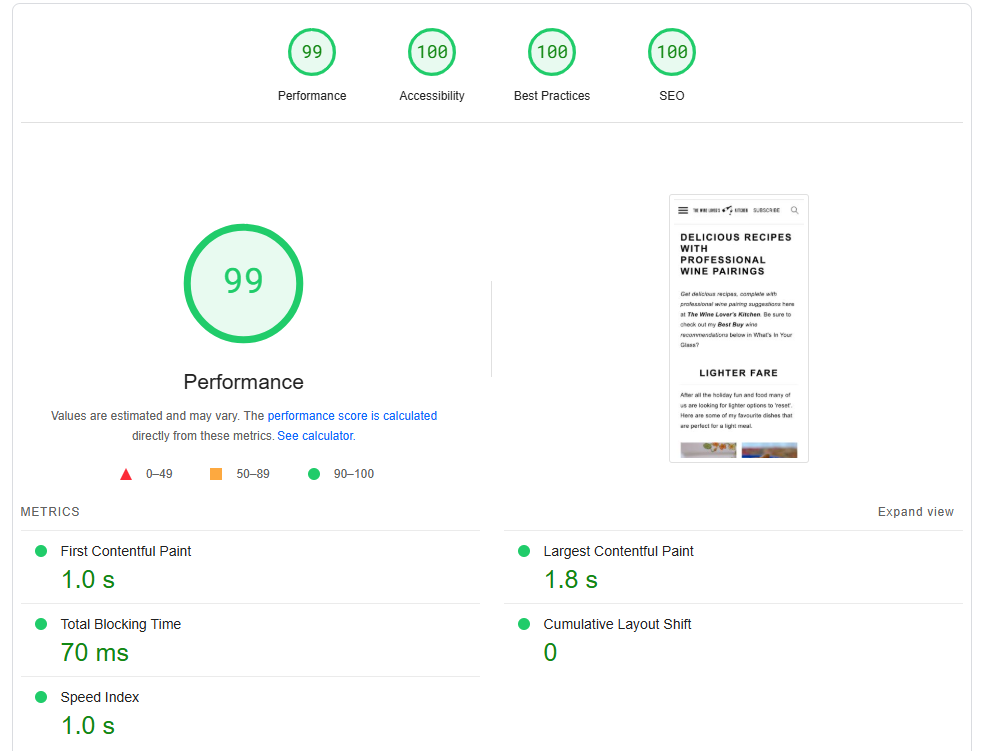
Have you ever wished your website scored 90+ on Google PageSpeed Insights, GTMetrix and other website performance analysis tools?
And achieve that without the need to pay expensive fees to consultants or learn a lot of advanced technical stuff?
⚡ FastPixel automatically integrates all the latest technical enhancements, such as Page Caching, HTML/CSS/JS minification, DNS prefetching and preloading, Critical CSS, ShortPixel’s Smart Image Optimization, adaptive images, background image scaling and optimization, HTTP/2 support, fonts loading optimization, caching, a global CDN, and Core Web Vitals, within an easy-to-use, 1-minute-setup interface.
🎬 Ready for a Quick TEST of our Speed Optimization Tool?
There is no need to install our plugin to run a test.
You can test FastPixel live on a sandbox website at TasteWP or you can quickly assess how FastPixel can optimize your website by conducting a test. Simply use this test page, and we will apply all optimizations to a copy of your website.
This way, you can easily evaluate the substantial speed improvements it can achieve using the most widely recognized website performance analysis tools.
🆕 New! Global Cache – Now Available!
Global Cache stores your fully optimized pages directly on global CDN edge nodes, so they can be delivered to visitors from a location closer to them instead of always reaching your origin server. This means faster page delivery, lower server load, and better performance for visitors around the world.
Choose the setup that works best for you: FastPixel CDN or Cloudflare. FastPixel handles the caching and cache purging automatically, so your visitors get faster pages while your content stays fresh.
– Full-page caching at global edge locations
– Works with FastPixel CDN or Cloudflare — your choice
– Faster page delivery for visitors around the world
– Reduced load on your origin server
– Automatic edge cache purging when your FastPixel cache is cleared
– Works seamlessly with our optimization and cache system
– Simple setup with no complex CDN configuration
🆕 New! Object Cache
You can now connect FastPixel to your Redis or Memcached server and let our plugin handle the rest.
Object caching stores the results of database queries in memory, so WordPress skips repetitive work on every page load, meaning faster pages and less load on your server. No configuration needed. Just connect and go.
– No need for additional plugins
– Tuned for WooCommerce compatibility
– Built for maximum performance with the same resources
– Smart cache prefetching
– Fully compliant with WordPress
– Improved efficiency with simple settings and defaults
– Encrypted communication
💡 Why choose FastPixel Caching plugin?
- Website Performance Boost: Just activate the plugin and within seconds the optimized webpages will start to be served.
- Lower the CPU/RAM Impact: Using the plugin will reduce the impact on the resources used by your website. All the CPU intensive processing is done in the cloud and resulting pages will generally be served from a cached version and the optimized images from the CDN.
- Automated Core Web Vitals Optimization: FastPixel takes care of all technical aspects automatically.
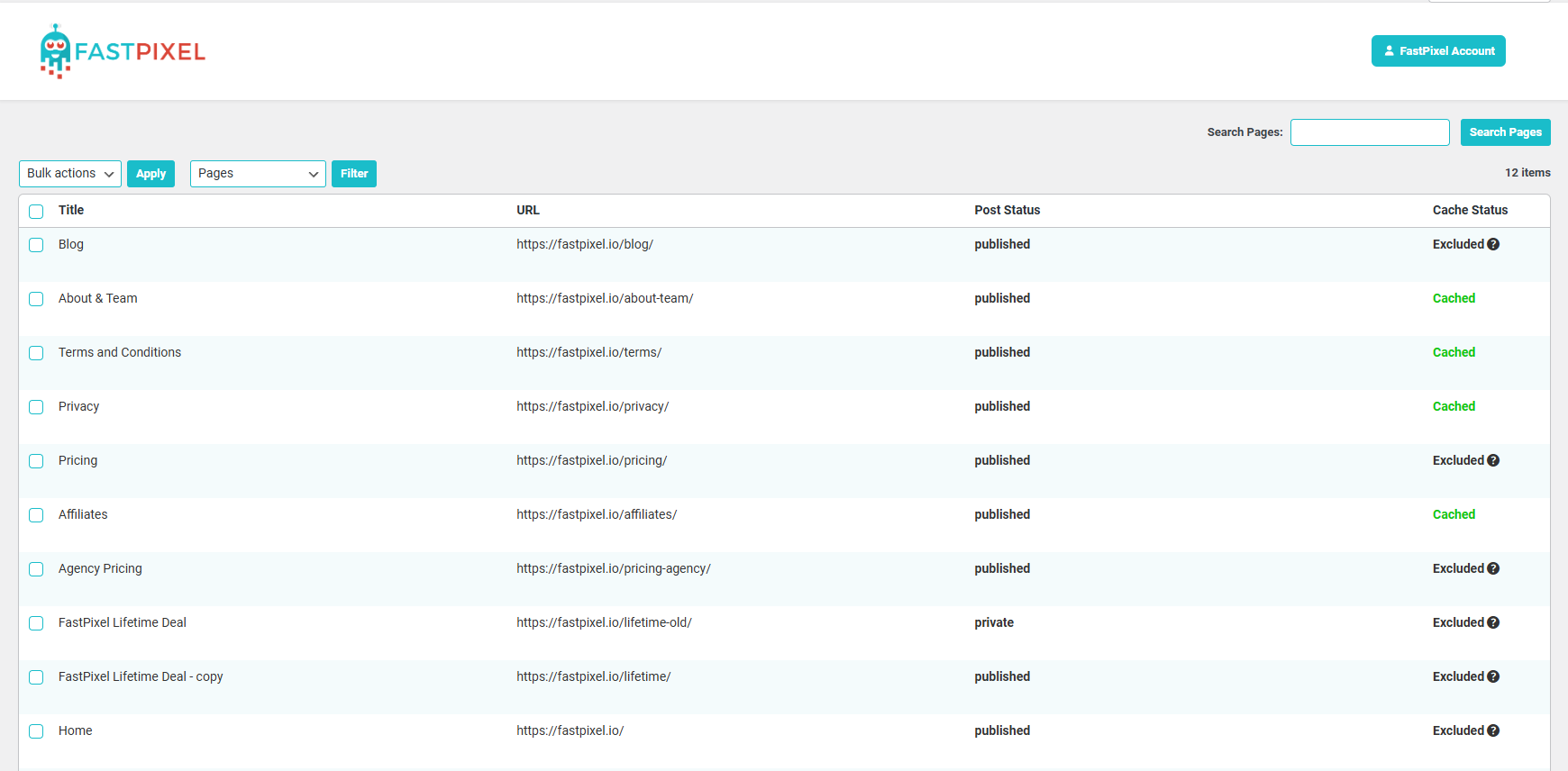
- Smart Cache Warmup/Update: The cache warmup and update are taken care of automatically in a smart way. Pages are cached as they are visited and also updated if you update the content.
- Critical CSS: CCSS is automatically generated for each page for lightning-fast page loads.
- CSS/JS Processing: CSS/JS files are combined and also minified and compressed before they are served from our CDN.
- HTML Optimization: A single, highly optimized HTML file is generated, adaptively serving the ideal webpage based on the visitor’s viewport or device (e.g., mobile, tablet, laptop).
- DNS Preconnects: Accelerates resource fetching, reduces the access time to external resources.
- Font Processing: All the techniques to accelerate the processing and delivery of fonts are employed, e.g. font subsetting, font loading control, font compression, font embedding (lower CLS result).
- Image Resizing & Optimization: Images are automatically resized to fit their placeholders, optimized, and delivered through the ShortPixel CDN.
- Automatic Next-Gen Images Delivery: Based on the visitor’s browser capabilities, original JPG, PNG, or GIF images are converted to and served as WebP or AVIF when supported. For browsers without support, the original format is provided.
🌟 Happy users that use our plugin
If you’re satisfied with the test, just search for “FastPixel” in your WordPress Dashboard > Plugins, install the plugin and see for yourself how much faster your site becomes.
Testimonials:
★★★★★ It’s as fast as it says in the title! liquidsnake2021
★★★★★ I was a tester and now I`m a happy user jppl
★★★★★ This plugin’s fast and easy to set up—I barely have to configure anything fajrisp
★★★★★ Works really well! touto
★★★★★ One of the best tools! torsten3d
★★★★★ Super easy to install and worked out of the box diffler
more testimonials
📩 Additional questions
If you have more questions, technical or otherwise, please refer to our FAQ section below, our docs or contact us.
We typically respond within 15 minutes.
Hooks
FastPixel provides WordPress action hooks that allow developers to programmatically trigger cache purges and react to cache events. This is useful when integrating FastPixel with custom plugins, WooCommerce, ACF, or any workflow that modifies content outside the standard WordPress editor.
Example hooks:
do_action(‘fastpixel/purge/all’); – Purges the entire site cache.
do_action(‘fastpixel/purge/single’, [‘id’ => 123]); – Purges the cache for a single post, page, or taxonomy term.
do_action(‘fastpixel/purge/url’, ‘https://example.com/my-landing-page/’); – Purges the cache for a specific URL.
For a detailed documentation about the hooks, please see this page: https://fastpixel.io/docs/fastpixel-hooks/
No installation instructions provided.
Screenshot Gallery


Our plugin is intentionally designed to be straightforward, so you usually won’t require assistance.
However, if you have any questions or concerns, don’t hesitate to contact us, and we’ll be quick to assist you.
Yes, we do! Please contact us to discuss about this.
The FastPixel plugin offers an all-in-one solution to speed up your website. It’s easy to set up, integrates the latest website speed optimization technologies, and is superbly supported by the ShortPixel support team
Yes, FastPixel can be used with Cloudflare. It also includes a Cloudflare integration that allows it to automatically purge the Cloudflare cache remotely once a page has been optimized.
Yes, FastPixel can easily replace any other caching plugin and we recommend disabling any other caching plugins when using FastPixel to avoid potential conflicts.
Yes, our plugin works with all hosting providers, but if you encounter any issues just let us know and we will be happy to help!
“Queued” cache status means that the page is in queue to be processed by our servers and will soon appear as “Cached”.
If your WordPress changes are not appearing, please make sure to clear the FastPixel cache, as you are likely seeing a cached version of the page. Once the cache is purged, the changes should appear instantly.
Yes, as long as you install it on a website that doesn’t generate more than 1,000 page views/month, you don’t have to pay for it 🙂
If you exceed this threshold no worries, affordable monthly or yearly plans are available for you.
That’s probably enough for most small websites! If your website is visited by less than 50 visitors per day, it will most likely not exceed 1,000 pageviews/month.
Yes, FastPixel definitely works with WooCommerce stores and should boost your speed significantly!
Yes, FastPixel is the ultimate plugin to boost and pass Core Web Vitals without needing any technical skills or complex setups!
Yes, FastPixel is fully GDPR compliant. We have servers located in Europe, and our CDN includes over 119 points of presence worldwide, including several in Europe.
Yes, if you make any changes to a page that has already been cached, the page will automatically be cached with the new content.
Yes, you can definitely exclude pages from optimization either individually or in bulk!
We have taken great care to ensure that FastPixel plugin won’t interfere with other themes, plugins or widgets, minimizing the chances of compatibility issues. Despite our best efforts to mitigate the risks, considering the vast array of hosting providers, along with tens of thousands of plugins and themes available in the WordPress ecosystem, occasional conflicts with other plugins or widgets are possible. If you encounter any issues or suspect interference with other plugins or widgets, please don’t hesitate to contact us.
Yes, a caching plugin is essential for speeding up your website and improving its performance!
Caching plugins in WordPress improve website performance by storing static versions of your pages, reducing server load, and speeding up load times. This enhances user experience, boosts SEO rankings, and can handle higher traffic more efficiently.
If you’re using this plugin alongside other caching tools like WP Rocket, LiteSpeed Cache, WP Optimize or W3 Total Cache, make sure to disable them to make this one work at the best performance.
Our plugin integrates with an external service via dedicated API endpoints. This process involves sending a request with specific data to the server API endpoint, which then queues and processes the request to generate HTML content. Once your request reaches the front of the queue, the service processes the data, generates the HTML content based on the specified URL, and then sends the HTML back to the plugin using the provided postback URL. The plugin automatically receives the generated HTML content and saves it to the disk on your WordPress installation. This process is designed to be seamless and requires no manual intervention.
Example data sent to server API endpoint ‘https://api.fastpixel.io/api/v1/enqueue’ to request HTML page generation:
{
    "url":"https://example.com/",
    "postbackUrl":"https://example.com/wp-json/fastpixel-website-accelerator/v1/update",
    "settings":{
        "modules":{
            "ScriptRewrite":{
                "enabled":true,
                "settings":{
                    "exclude":{
                        "strings":[],
                        "regexps":[]
                    },
                    "eventHandlersRewrite":false,
                    "excludeGDPR":true
                },
            "injectBootstrapScripts":true,
            "rdelay":0
            },
            "ImageRewrite":{
                "enabled":true,
                "settings":{
                    "forceImageDimensions":false
                }
            },
            "ReducedFonts":{
                "settings":{
                    "soft":true
                }
            }
        },
        "imageQuality":"lossy",
        "cropImages":false
    },
    "plugin_version":"1.0.22",
    "siteKey":"randomKey"
}
Also there are two enpoints on external service:
https://api.fastpixel.io/api/v1/purge_all – this endpoint is used to request pages cache. Url is put into queue and once your request reaches the front of the queue, service processes request. Service request page and parse it to get list of links to other pages. Pages from this list are requested too. New html pages will be prepared and send back to wordpress installation for all pages from the list.
Example data sent to server API endpoint ‘https://api.fastpixel.io/api/v1/purge_all’ to request HTML page generation:
{
    "url":"https://example.com/",
    "siteKey":"randomKey"
}
https://api.fastpixel.io/api/v1/detect_endpoints – this endpoint is used to check which rest api route is available, /wp-json/fastpixel-website-accelerator/v1/update or ?rest_route=/fastpixel-website-accelerator/v1/update. Response from this endpoint return list of available endpoints and first item from this list is saved for future use. This endpoint is used only if default rest api endpoint is not available.
Example data sent to server API endpoint ‘https://api.fastpixel.io/api/v1/detect_endpoints’ to request HTML page generation:
{
    "url":"https://example.com/",
    "siteKey":"randomKey"
}
More information can be found on https://fastpixel.io
Security Measures
We prioritize your security and privacy. All communications between the plugin and the external service are encrypted, ensuring that your data remains private and secure. Furthermore, the plugin securely stores the generated HTML content on your disk, adhering to the highest data protection standards.
Support and Documentation
For more detailed information on how to use the plugin or the API, troubleshooting tips, or if you need assistance, please check our docs or contact us.
Changelog
2.0
⚡ FastPixel 2.0 – The Next Generation Update
Release Date: September 30, 2026
FastPixel 2.0 is here! This major release introduces smarter caching for mobile visitors, full page cache delivery from CDN edge locations, deeper Cloudflare and hosting integrations, WP-CLI support, and a long list of improvements under the hood to make caching faster, safer, and more reliable.
✨ New Features
- Global Cache: FastPixel can now cache your pages within the CDN edge nodes and deliver your full page cache directly from our global CDN locations. This works with our CDN or Cloudflare, your choice!
- Mobile Cache: FastPixel can now maintain a separate optimized cache for mobile visitors, rather than using the same responsive version.
- WP-CLI Support: FastPixel can now be fully managed via WP-CLI.
- Hosting Cache Integrations: Cache purges are now synchronized with 15+ hosting platforms, including server-side LiteSpeed Cache purging.
- Automatic Account Linking: During onboarding, your domain is now automatically linked to your new FastPixel account, making setup even easier.
⚡ Improvements
- Smarter Homepage Purging: The homepage cache is now correctly purged when switching from a static front page to “latest posts.”
- Page Builder Cache Purging: Cache is automatically purged when Elementor Kit global styles or WPBakery custom CSS are updated.
- Sucuri Compatibility: Added Sucuri’s anti-cache parameter to the list of ignored URL parameters.
- Better Archive Purging: Post archives are now purged whenever a post is published, not only when its status changes.
- No More Duplicate Purges: A post is now purged only once per request, avoiding unnecessary duplicate operations, including a double-purge scenario with Avada.
- Improved URL Exclusions: Refined how URL exclusions are managed in Settings.
- Smarter WP-Cron Checks: When WP-Cron is disabled or hasn’t run in the last two days, FastPixel now displays a helpful notice instead of a warning.
- Refactored Cloudflare Integration: Reworked the Cloudflare integration and removed the old synchronization code for a cleaner, more maintainable implementation.
- Better Logs: Log entries now include date and time prefixes, making troubleshooting easier.
🛠️ Fixes
- REST API Security: Hardened authentication for the REST API endpoint for improved security.
- Always Purge Rebuild: URLs configured as “Always Purge” are now properly queued for reoptimization after being invalidated.
- Exclusions Saving: Fixed an issue where exclusions weren’t saved correctly because the configuration file wasn’t updated.
- Hosting Purge Accuracy: Improved WP Engine and other hosting integrations so post purges only affect exact URL matches while external purge requests retain their original paths.
- Memcached Reliability: Prevented stale object-cache entries from being served after Memcached evicts a group’s version key.
- Site URL Purging: Fixed purge requests where a flag parameter could be dropped.
- Swift Performance Detection: Swift Performance and Swift Performance Lite are now detected separately for more accurate compatibility handling.
- Translation Improvements: Several previously non-translatable strings can now be properly localized.
- TranslatePress Compatibility: Fixed an additional compatibility issue with TranslatePress.
- More Bug Fixes: This release includes over 35+ small stability and compatibility fixes.
FastPixel 2.0 lays the groundwork for the next generation of FastPixel caching, with smarter cache management, deeper platform integrations, stronger unit testing, and a more robust architecture. 🚀
1.9.0
🤖 The Smart Exclusions Update
Release Date: July 17, 2026
✨ New Features
- User-Agent Exclusions: Search engine crawlers and AI bots no longer consume your pageview quota. You can also add your own user-agent exclusions to prevent specific visitors from triggering page optimizations or using pageviews.
- CSS Exclusions: Exclude specific CSS files from optimization with dedicated controls for greater flexibility and compatibility.
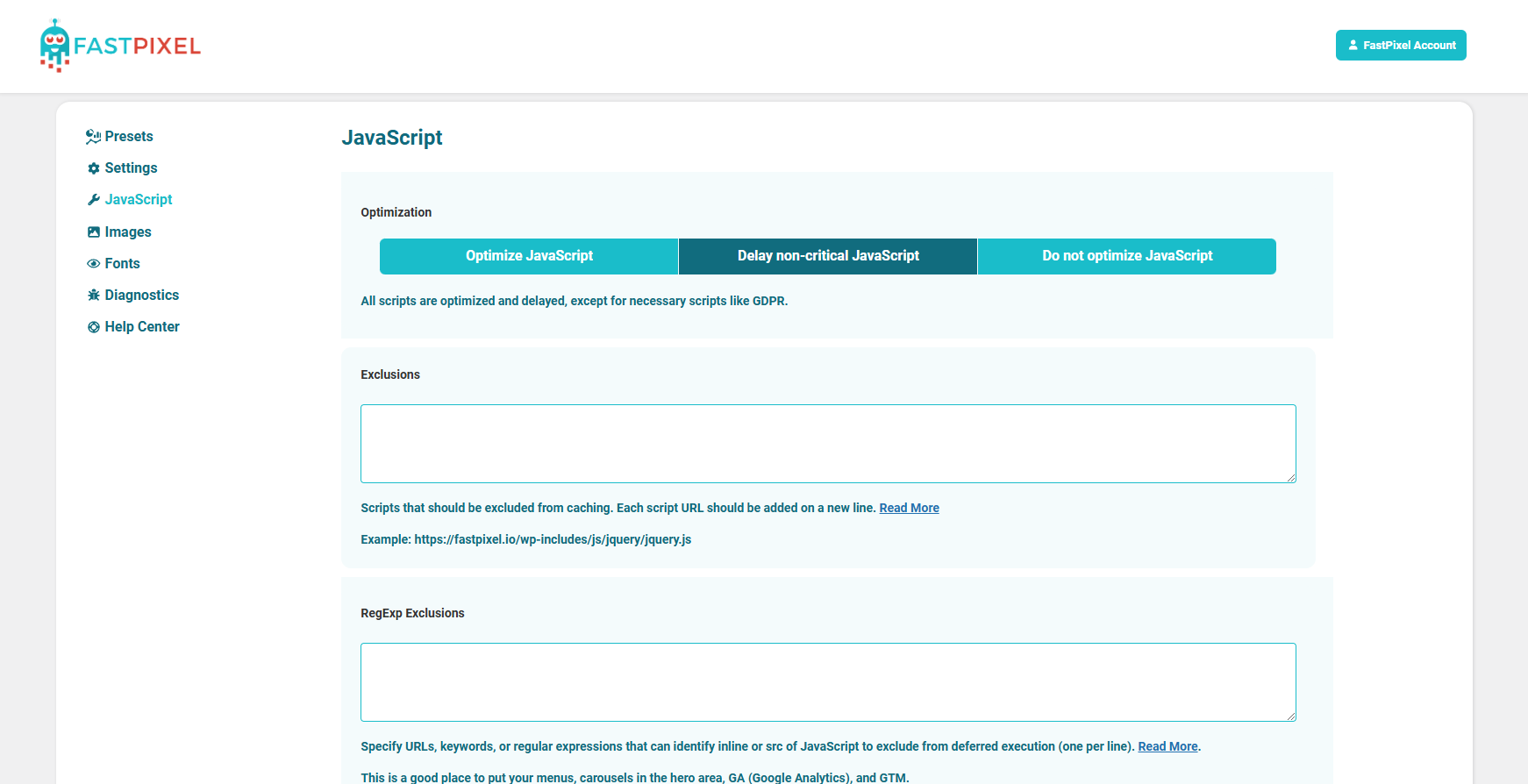
- JavaScript Delay Exclusions: You can now exclude JavaScript files from being delayed when using the Delay JavaScript option rather than fully excluding them from optimization.
- Automatic Plugin Compatibility: FastPixel now detects supported plugins and automatically enables the appropriate compatibility fixes behind the scenes, no manual configuration required.
- Redesigned Exclusions UI: JavaScript and CSS exclusions now have a new streamlined interface for a cleaner and more intuitive experience.
🛠️ Fixes & Improvements
- General Enhancements: Various small fixes and under-the-hood improvements to further enhance stability, compatibility, and performance.
Update now for smarter optimization, better compatibility, and even more control over how FastPixel works on your website! ⚡
1.8.0
🍪 The Vary Cache Update
Release Date: June 24, 2026
✨ New Features
- Vary Cache: Create and serve different cached versions of the same page based on cookies. Perfect for personalized content, membership sites, eCommerce stores, and other dynamic experiences.
- WPDiscuz Compatibility: Added dedicated compatibility for WPDiscuz comments to ensure a smoother caching experience and up-to-date comment sections.
🎨 UI Improvements
- Interface Refinements: Made several small UI improvements for a cleaner and more intuitive experience throughout the plugin.
🛠️ Fixes & Improvements
- Compatibility Updates: Added several small compatibility improvements.
Update now for smarter caching, improved comment compatibility, and an even better user experience! 🚀
1.7.0
📊 The Dashboard Insights Update
Release Date: June 11, 2026
✨ New & Improved Dashboard
- Enhanced Dashboard Experience: The Dashboard area has been improved to provide clearer insights into your website’s performance. You can now easily track pageview usage and view the latest performance scores at a glance.
🛠️ Fixes & Improvements
- Local Cache Fixes: Resolved several issues related to local cache handling for improved reliability.
- Notification Improvements: Fixed various notification-related issues to ensure messages are displayed correctly and at the right time.
- Compatibility Updates: Added several small compatibility improvements to ensure smoother integration with different WordPress environments.
🚀 What’s Next?
This may look like a small update, but it’s an important foundation for several major features and improvements that are coming very soon. Stay tuned, exciting things are on the way! 🎉⚡
1.6.0
🌱 The Spring Update
Release Date: April 16, 2026
✨ New Features
- Cache Purge Hooks: Added hooks to clear the entire cache or clear individual pages, giving developers more precise control over cache behavior. For more details on how to use these hooks, please check the documentation here: https://fastpixel.io/docs/fastpixel-hooks/
- Auto Purge on Stock Changes: Product page cache and some other linked pages are now automatically purged when stock or quantity changes, ensuring customers always see accurate availability.
- Scheduled Pricing Support: Cache is automatically cleared when scheduled product prices/sales begin or end, keeping pricing up to date.
🛠️ Fixes & Improvements
- Callback Domain Fix: Resolved an error that could occur in certain edge cases when migrating the website under a different URL.
- CDN URL Encoding: Updated how CDN URLs are encoded for better reliability and compatibility across more unusual setups.
- Security Enhancements: Applied small security fixes to further strengthen stability and best practices.
- Deactivation UI Revamp: Improved the plugin deactivation experience with a more intuitive interface.
Some new and very interesting features are coming, so keep an eye out for updates in the coming weeks! 🚀
1.5.0
⭐ The Smarter Cache & Control Update
Release Date: April 6, 2026
✨ New Features
- Cache Size Limit: Set a maximum cache size and automatically purge pages that haven’t been accessed lately when nearing that limit.
- Cookie Exclusions: You can now exclude requests from caching based on specific cookies, perfect for handling logged-in users, personalized content, or dynamic sessions.
- Bulk Exclusions: You can now exclude multiple pages at once directly from the Bulk Actions menu.
- Ignore Unregistered Parameters: When unregistered parameters are detected, the cached page is served without those parameters. This option helps reduce disk usage, increase cache efficiency, and improve the cache hit ratio.
- One-Click Cleanup on Disable: When disabling the plugin, you can now remove all settings with a single click for a clean reset.
⚙️ Improvements
- Revamped Notifications UI: Notifications have been redesigned for better clarity, improved layout, and a cleaner experience.
- Better Onboarding Experience: A smoother and more intuitive setup flow for new users.
- Enhanced Error Display: Improved UI and error messages to make issues easier to spot and understand.
- MailPoet Compatibility: Improved compatibility for MailPoet newsletters to ensure proper behavior with caching and optimization.
- General Compatibility Fixes: Various under-the-hood improvements for better integration across different environments and plugins.
Update now for smarter cache management, improved compatibility, and a more streamlined experience! 🚀
1.4.1
🛠️ Fixes
Minor Hotfixes: Applied small fixes to improve stability and ensure everything runs smoothly.
1.4.0
⚡ The Object Cache Update
Release Date: March 16, 2026
🚀 New Feature
- Object Cache: FastPixel can now connect directly to your Redis or Memcached server, enabling powerful object caching with minimal setup. Just configure the connection and let the plugin handle the rest.
✨ Improvements
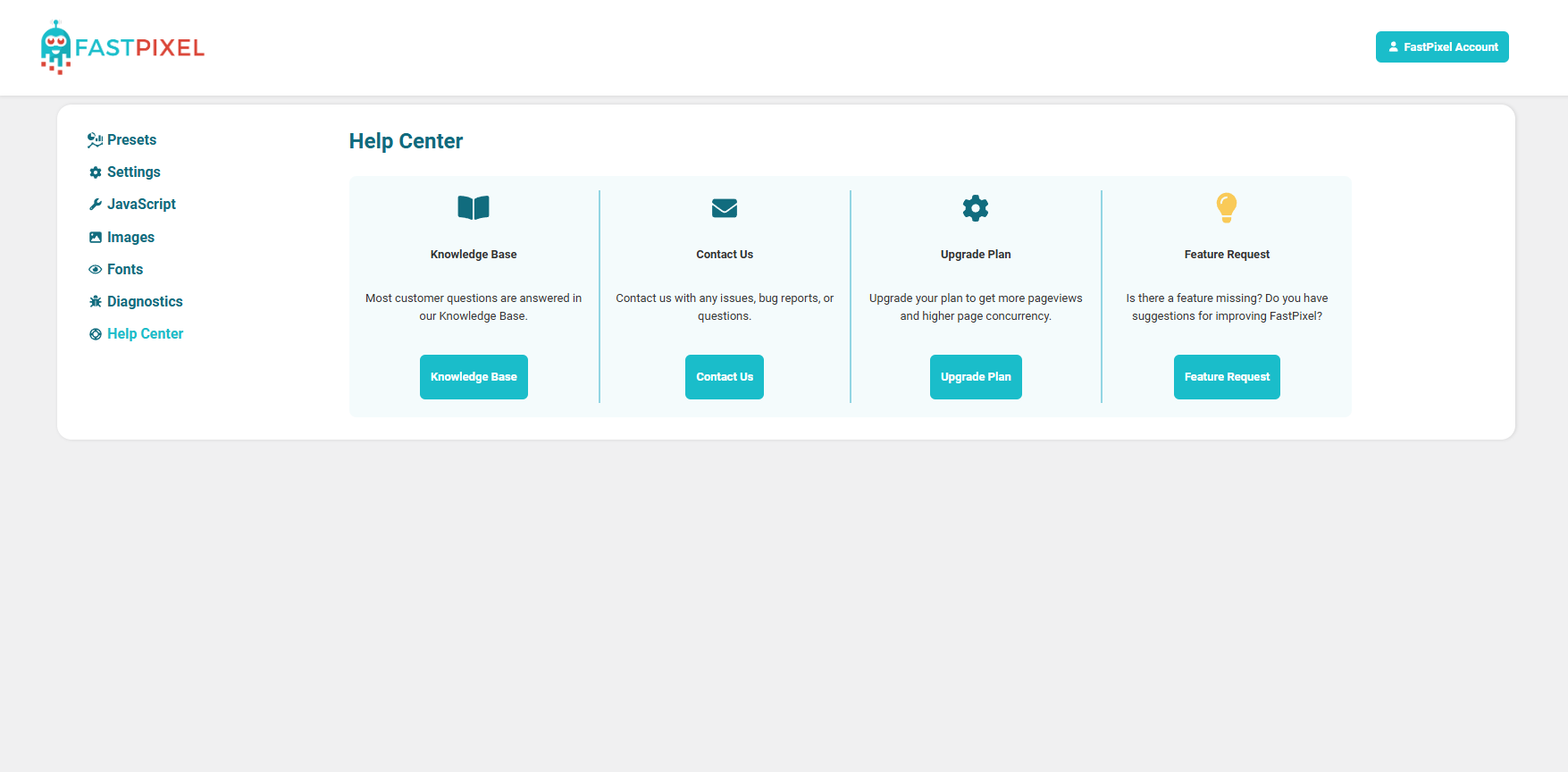
- Revamped Help Center: The Help Center page inside the plugin has been redesigned to make finding guides and support resources faster and easier.
- Notification Improvements: Some previously non-dismissible notifications can now be dismissed for a cleaner dashboard experience.
- Parameter Handling Improvements: Improved the way parameters are processed during optimization to ensure more reliable and consistent results.
- Small UI Fixes: Minor visual tweaks and adjustments across the plugin interface.
Update now to unlock faster performance with object caching and enjoy a cleaner, more helpful interface! 🚀
1.3.3
🛠️ Fixes & Improvements
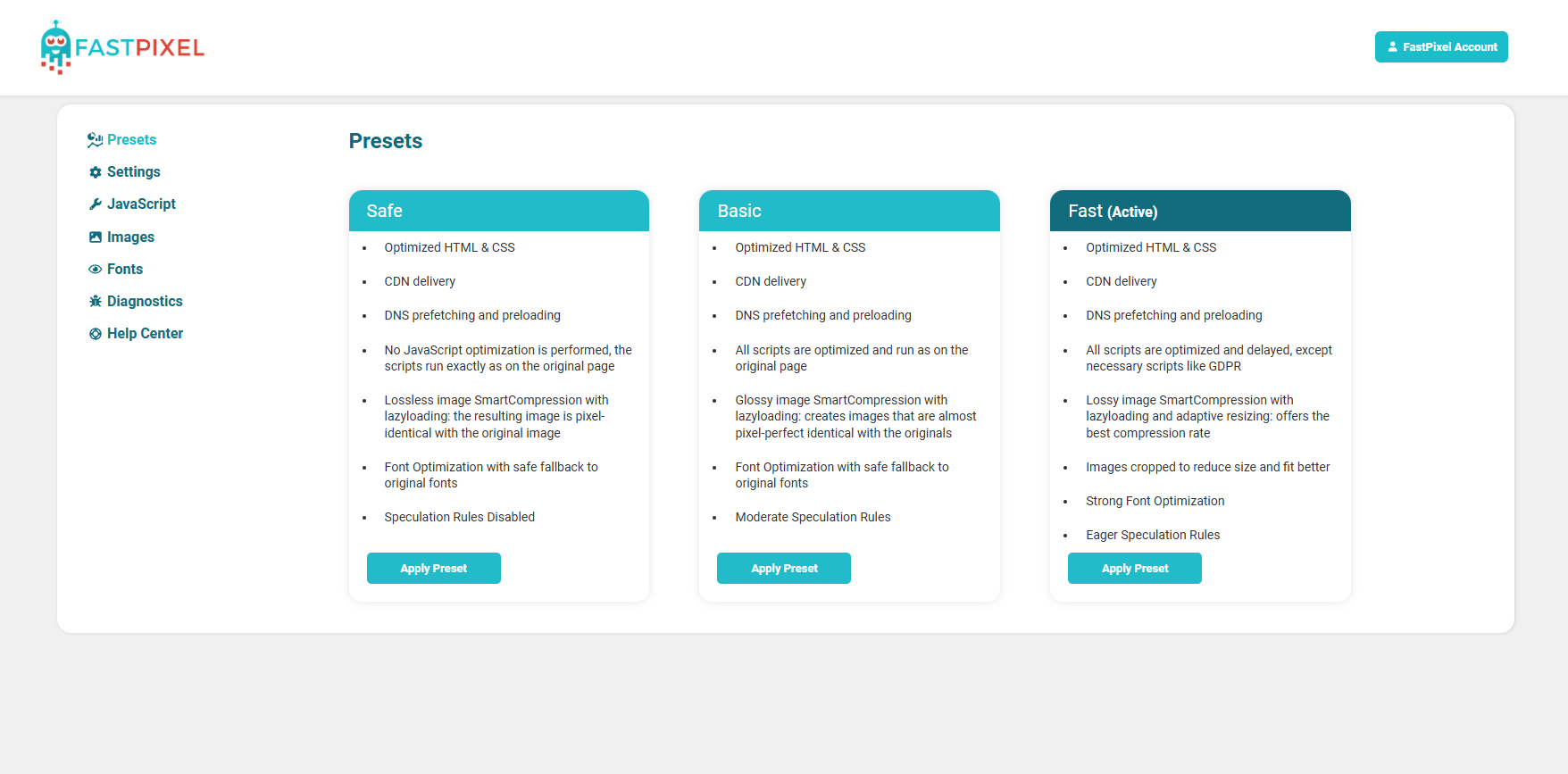
- Improved compatibility: The Fast preset is now selected by default when FastPixel is installed.
- Improved onboarding: Prevents the onboarding flow from being accidentally skipped.
- GZIP fix: When serving gzipped content from PHP, the end comment is now correctly included in the compressed output.
1.3.2
🛠️ Fixes
- Fix the domain API URL.
1.3.1
🛠️ Fixes
- Fix the dashboard URL.
1.3.0
✨ The Onboarding Update
Release Date: March 5, 2026
🚀 Enhancements
- New Onboarding Experience: Introduced a redesigned onboarding screen to help new users get started faster and configure FastPixel more easily.
🛠️ Fixes
- Minor Bug Fixes: Addressed several small issues to improve overall stability and usability.
Update now for a smoother first-time setup and a more polished experience! 🚀
1.2.3
Release Date: February 10, 2026
🛠️ Fixes & Improvements
- Small fixes and UI improvements
1.2.2
🔧 Hotfix update
Release Date: January 28, 2026
- Fix two phase loading option
1.2.1
🛠️ Hotfix update
Release Date: January 27, 2026
- Fix issue on some installs where notices are displayed if the server doesn’t provide HTTP_ACCEPT_ENCODING
1.2.0
🧵 The CSS Update
Release Date: January 21, 2026
🚀 Enhancements
- Custom CSS Tab: A brand-new CSS settings tab lets you easily add custom styles, perfect for critical CSS tweaks and advanced control.
- Improved Settings Navigation: Settings are now grouped into a clean, collapsible menu — complete with new icons for Pages and CSS sections.
- AI Chatbot Assistant: Need help fast? A new AI-powered chatbot is now available in the Dashboard for real-time guidance and support.
🛠️ Fixes & Improvements
- Smarter Cache Purge: Single-item cache purging is now more reliable for posts, taxonomies, archives, authors, and even the homepage.
- Advanced-Cache Handling: The advanced-cache.php file now auto-regenerates on updates and supports overrides for the API host, debug mode, and cache directory.
- Proxy Protocol Fix: Improved support for HTTP_X_FORWARDED_PROTO headers with comma-separated values for better compatibility in proxy setups.
Update now to take control of your CSS, enjoy a cleaner UI, and benefit from smarter cache and proxy handling! 🚀
1.1.0
🎄 The Christmas Update
Release Date: December 8th, 2025
🎁 What’s New
- Unified Interface: The Cache Status page is now integrated into the Settings pages for a cleaner, more intuitive experience.
- Smarter Exclusions: You can now exclude pages directly from the Cache Status/Dashboard and the top toolbar — easier access, faster workflows.
- Scheduled Posts Support: Cache is now automatically purged when scheduled posts are published, so your visitors always see the latest content.
- Search Function Fix: Resolved a bug affecting the search functionality to ensure reliable and more accurate results in multiple cases.
- Improved Tooltips: Tooltips on the Cache Status page now appear on click instead of hover, making them easier to read and more mobile-friendly.
- Minor Bug Fixes: Polished up a few small issues to keep everything running smoothly.
Update now and enjoy a smoother, more festive FastPixel experience! 🎅🚀
1.0.48
🧭 The Clarity Update
Release Date: May 9, 2025
✨ Enhancements
- Smarter Notifications: We’ve fine-tuned our notifications to make them more relevant and easier to understand—especially when changing Settings or Presets.
- Cache Status by ID: You can now sort pages by ID in the Cache Status page, making it easier to track and manage which pages are cached.
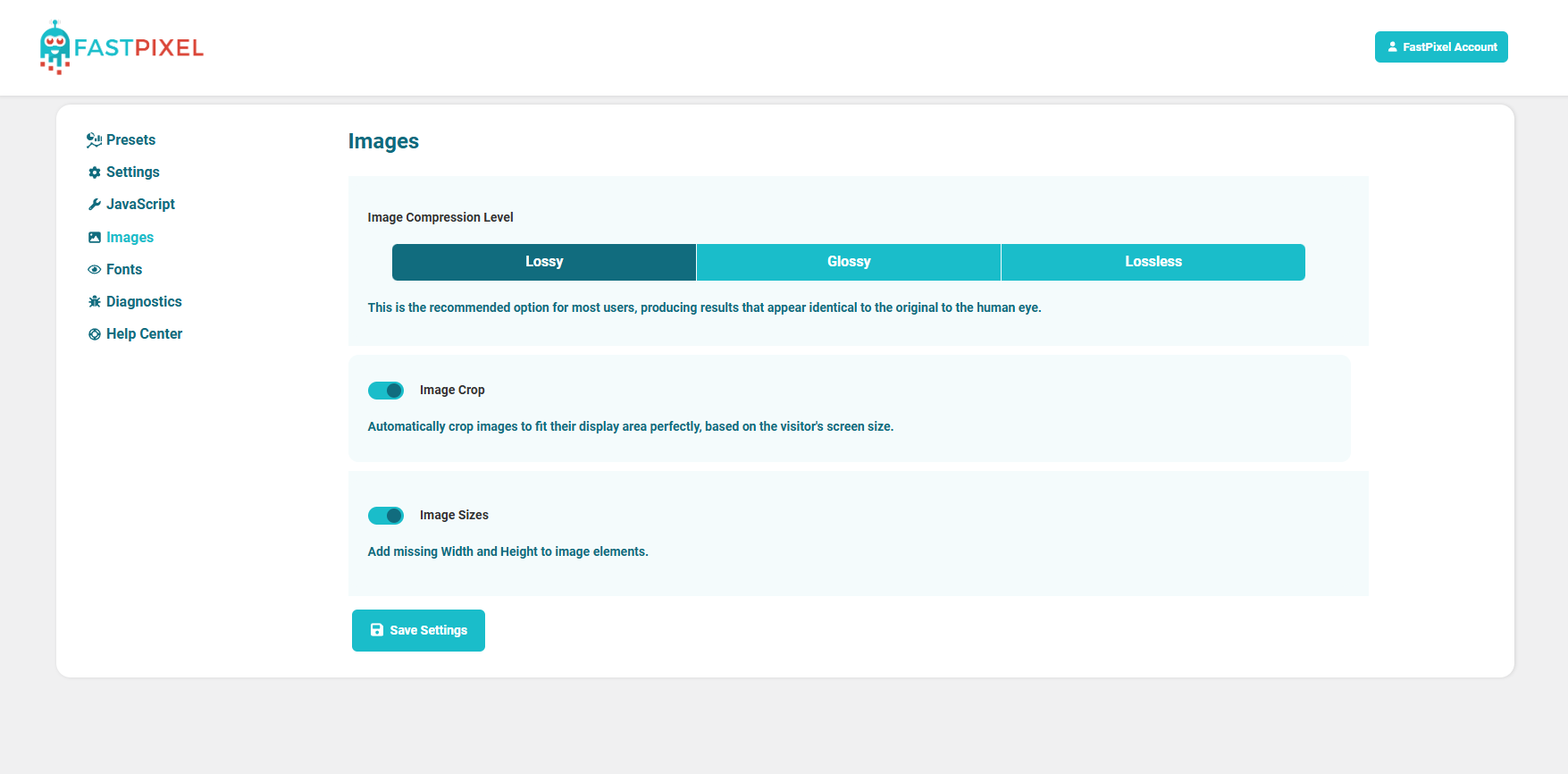
- Streamlined Compression Settings: Reorganized the image compression levels for a cleaner look and added clearer explanations about WebP conversion and delivery.
- UI Polishing: Minor interface improvements for a more seamless user experience.
Update now to enjoy a cleaner, clearer, and more intuitive optimization workflow! 🚀
1.0.47
🧹 The Clean Logs Update
Release Date: April 16, 2025
🛠️ Fixes & Improvements
- Error Log Cleanup: Fixed several notices that were cluttering error logs in some cases, helping keep your server logs clean and easy to read.
- Bugfixes: Addressed various minor issues to improve stability and performance.
Update now for a smoother, quieter backend experience! 🚀
1.0.46
🛒 The Woo Fix Update
Release Date: March 31, 2025
🛠️ Fixes & Improvements
- WooCommerce Compatibility Fixes: Resolved various issues to ensure smoother optimization across WooCommerce pages.
Update now to keep your WooCommerce store running fast and flawlessly! 🚀
1.0.45
🌐 The Smart Purge Update
Release Date: March 28, 2025
✨ New Features
- Always Purge URL(s): You can now define specific page URLs that should always be purged from the cache whenever posts, pages, or plugins are added, edited, or removed. Perfect for keeping key landing pages and dynamic content fresh!
🤝 Compatibility Improvements
- WPML Support Enhanced: Added redirect patches to improve compatibility with multilingual setups using WPML.
- Affiliate Parameter Handling: Improved support for affiliate tracking parameters to ensure they don’t interfere with caching or optimization.
🛠️ Bug Fixes
- Various under-the-hood bugfixes to improve stability and performance.
1.0.44
🔄 The Smarter Cache Update
🚀 Enhancements
-
Improved Automatic Cache Purging: Introduced new hooks to ensure fresh content is always served after changes, making your site even more responsive and up-to-date.
🛠️ Fixes & Improvements
-
Bug Fixes: Resolved various issues for better stability and performance.
Update now to keep your site lightning-fast with smarter cache management! 🚀
1.0.43
🌍 The Multilingual Performance Update
Release Date: March 3, 2025
🚀 New Features
- TranslatePress Compatibility: FastPixel now fully supports websites using TranslatePress, ensuring seamless optimization for multilingual sites. Your translated pages will now be superfast!
🛠️ Fixes
- BugFixes: Various optimizations and refinements to enhance stability and performance.
Update now to keep your multilingual website running at peak speed! 🚀
1.0.42
☁️ The Cloudflare Boost Update
Release Date: February 24, 2025
🚀 New Features
- Cloudflare Integration: FastPixel now integrates directly with Cloudflare! Automatically purge your Cloudflare cache after optimizing pages, ensuring visitors always see the latest version.
- Smarter Cache Purging: The cache is now automatically cleared when adding/removing plugins, themes, or updating WordPress, keeping your site fresh without extra effort.
🛠️ Fixes
- Bugfixes: We’ve squashed various bugs to enhance performance and stability.
- UI Fixes: Made small UI adjustments for a cleaner and more intuitive experience.
Update now to take advantage of the new Cloudflare integration and improved caching! ✨
1.0.41
🔧 Maintenance Update
Release Date: January 28, 2025
🛠️ Fixes & Improvements
* PHP 8.4 Compatibility: Enhanced compatibility to ensure smooth performance with the latest PHP version.
* Exclusion Fixes: Resolved minor issues with exclusions for a more reliable optimization process.
* UI Fixes: Made small UI adjustments for a cleaner and more intuitive experience.
Update now to keep everything running smoothly and efficiently! 🚀
1.0.40
🛠️ Maintenance Update
Release Date: January 21, 2025
⚙️ Fixes & Improvements:
* JavaScript Exclusions: Resolved minor issues to ensure smoother handling of excluded scripts.
* Conflicting Plugins List: Updated the list of known conflicting plugins for improved compatibility and seamless integration.
Stay up-to-date and keep your site running at peak performance! 🚀
1.0.39
The New Year’s Update 🎉
Release Date: January 16, 2025
🚀 New Features & Enhancements
* Brand New Design: Enjoy a modern, streamlined interface designed for better usability and a more intuitive experience.
* Improved Texts: All descriptions and instructions have been refined to make setup and configuration smoother than ever.
🛠️ Bug Fixes
* Minor Bug Fixes: We’ve addressed small issues to ensure a more stable and reliable performance.
Update now to experience a faster, easier, and better way to optimize your website!
1.0.38
Release Date: December 23, 2024
🔒 Security Enhancements
* Asymmetric Request Signing: Improved communication security between the FastPixel WordPress plugin and the optimization service by implementing RSA-2048 asymmetric cryptography. This ensures robust authentication and enhanced protection against unauthorized access or tampering.
🛠️ Improvements
* Updated Plugin Compatibility: allowing CookieYes to properly scrape optimized pages
* Updated conflicting plugins list
✨ Your website optimization just got even more secure! 🎉
1.0.37
Release Date: December 17, 2024
* Some more bug fixes to make the experience even better
1.0.36
The Holiday Update 🎄
Release Date: December 17, 2024
Celebrate the season with a smoother, more feature-packed experience! Here’s what’s new in this festive update:
🆕 New Features
- Exclude WooCommerce Items: Now you can exclude specific WooCommerce products, categories, and tags from optimization, giving you more control over your store’s behavior.
- Post Type Exclusions: Added the ability to exclude custom post types, ensuring your site performs just the way you want it.
- Automatic Homepage Cache Refresh: The homepage cache is automatically refreshed whenever a new post is added, ensuring that the displayed content is always up to date.
- WordPress Taxonomies: You can now view cached pages on the Cache Status page filtered by your taxonomies.
🛠️ Improvements
- Updated Plugin Compatibility: We’ve refreshed the list of conflicting plugins to improve compatibility and avoid potential issues.
- Bricks Builder Compatibility: We’ve added new built-in parameter exclusions to improve compatibility with Bricks Builder.
🐞 Bug Fixes
- Squashed several pesky bugs to ensure a more stable and reliable experience.
Thank you for being part of our journey! Your feedback helps us make every update better. 🎁
1.0.35
Release date: Nov 28, 2024
* Better cache purge
* Bug Fixes
1.0.34
Release date: Nov 26, 2024
* Added purge button to the admin bar
* Bug Fixes
1.0.33
Release date: Nov 25, 2024
* Improved multisite compatibility
* Small UI Fixes
* Bug Fixes
* URLs have been added within the plugin for easier access to the documentation
* Replaced deactivation popup
1.0.32
Release date: Nov 15, 2024
* Bug Fix for WooCommerce product cache purge
1.0.31
Release date: Nov 14, 2024
* Bug fix
1.0.30
Release date: Nov 12, 2024
* Bug fixes, updated advanced-cache.php file and WP_CACHE constant check
1.0.29
Release date: Oct 31, 2024
* Bug Fix
1.0.28
Release date: Oct 31, 2024
* Bug Fixes: Small fixes for wildcard and regexp exclusions.
1.0.27
Release date: Oct 31, 2024
* Bug Fixes: Resolved various issues for improved stability and performance.
New Features:
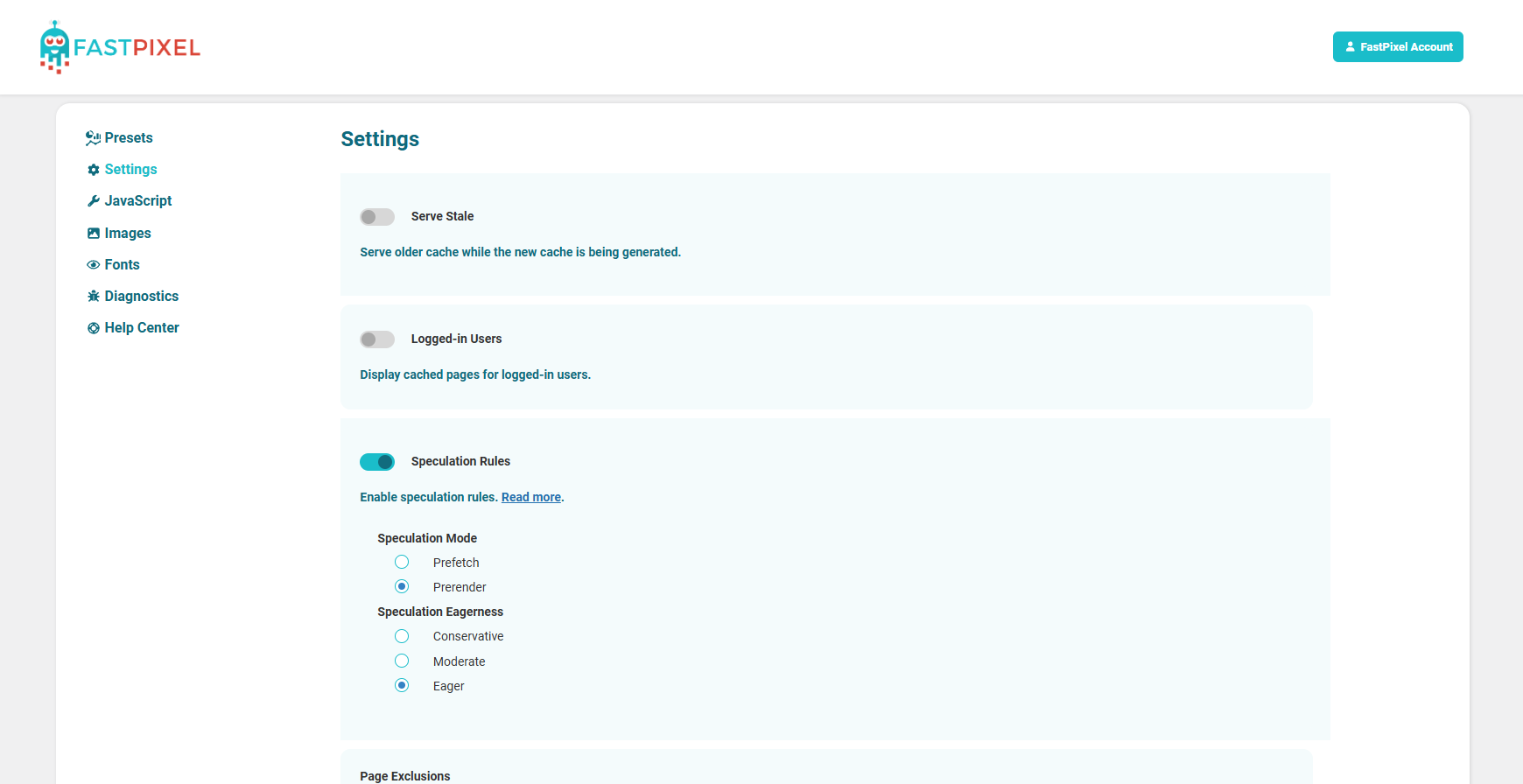
* Added speculation rules and Speculative Loading for improved performance.
* Improved the exclusion system by adding wildcard support for page exclusions, allowing pages to be excluded in bulk.
* Added the option to disable all query parameters, improving the disk space usage.
1.0.26
Release date: Aug 31, 2024
* Security Fix
1.0.25
Release date: Aug 3, 2024
* Presets added, security fixes
1.0.24
Release date: May 20, 2024
* Fixed bug with non disappearing “limit” message
1.0.23
Release date: May 15, 2024
* Bugfixes, added ability to serve cached page for logged in user
1.0.22
Release date: May 8, 2024
* Bugfix after wrong merge
1.0.21
Release date: May 8, 2024
* Fixes for complying with WP guidelines
1.0.0
Release date: October 13, 2023
* Initial release
Available Versions
| Version | Download | Type |
|---|---|---|
| 2.0.0 | Download | Stable |
| 1.9.0 | Download | Stable |
| 1.8.0 | Download | Stable |
| 1.7.0 | Download | Stable |
| 1.6.0 | Download | Stable |
| 1.5.0 | Download | Stable |
| 1.4.1 | Download | Stable |
| 1.4.0 | Download | Stable |
| 1.3.3 | Download | Stable |
| 1.3.2 | Download | Stable |
| 1.3.1 | Download | Stable |
| 1.3.0 | Download | Stable |
| 1.2.3 | Download | Stable |
| 1.2.2 | Download | Stable |
| 1.2.1 | Download | Stable |
| 1.2.0 | Download | Stable |
| 1.1.0 | Download | Stable |
| 1.0.48 | Download | Stable |
| 1.0.47 | Download | Stable |
| 1.0.46 | Download | Stable |
| 1.0.45 | Download | Stable |
| 1.0.44 | Download | Stable |
| 1.0.43 | Download | Stable |
| 1.0.42 | Download | Stable |
| 1.0.41 | Download | Stable |
| 1.0.40 | Download | Stable |
| 1.0.39 | Download | Stable |
| 1.0.38 | Download | Stable |
| 1.0.37 | Download | Stable |
| 1.0.36 | Download | Stable |
| 1.0.35 | Download | Stable |
| 1.0.34 | Download | Stable |
| 1.0.33 | Download | Stable |
| 1.0.32 | Download | Stable |
| 1.0.31 | Download | Stable |
| 1.0.30 | Download | Stable |
| 1.0.29 | Download | Stable |
| 1.0.28 | Download | Stable |
| 1.0.27 | Download | Stable |
| 1.0.26 | Download | Stable |
| 1.0.25 | Download | Stable |
| 1.0.24 | Download | Stable |
| 1.0.23 | Download | Stable |
| 1.0.22 | Download | Stable |
| 1.0.21 | Download | Stable |
