
Document Viewer – let visitors view files right in the browser
Active Installs
2,000+
Last Updated
September 30, 2026
First Released
November 13, 2019
Download History (Last one month)
Contributors
Office files rendered by Microsoft, not by a converter.
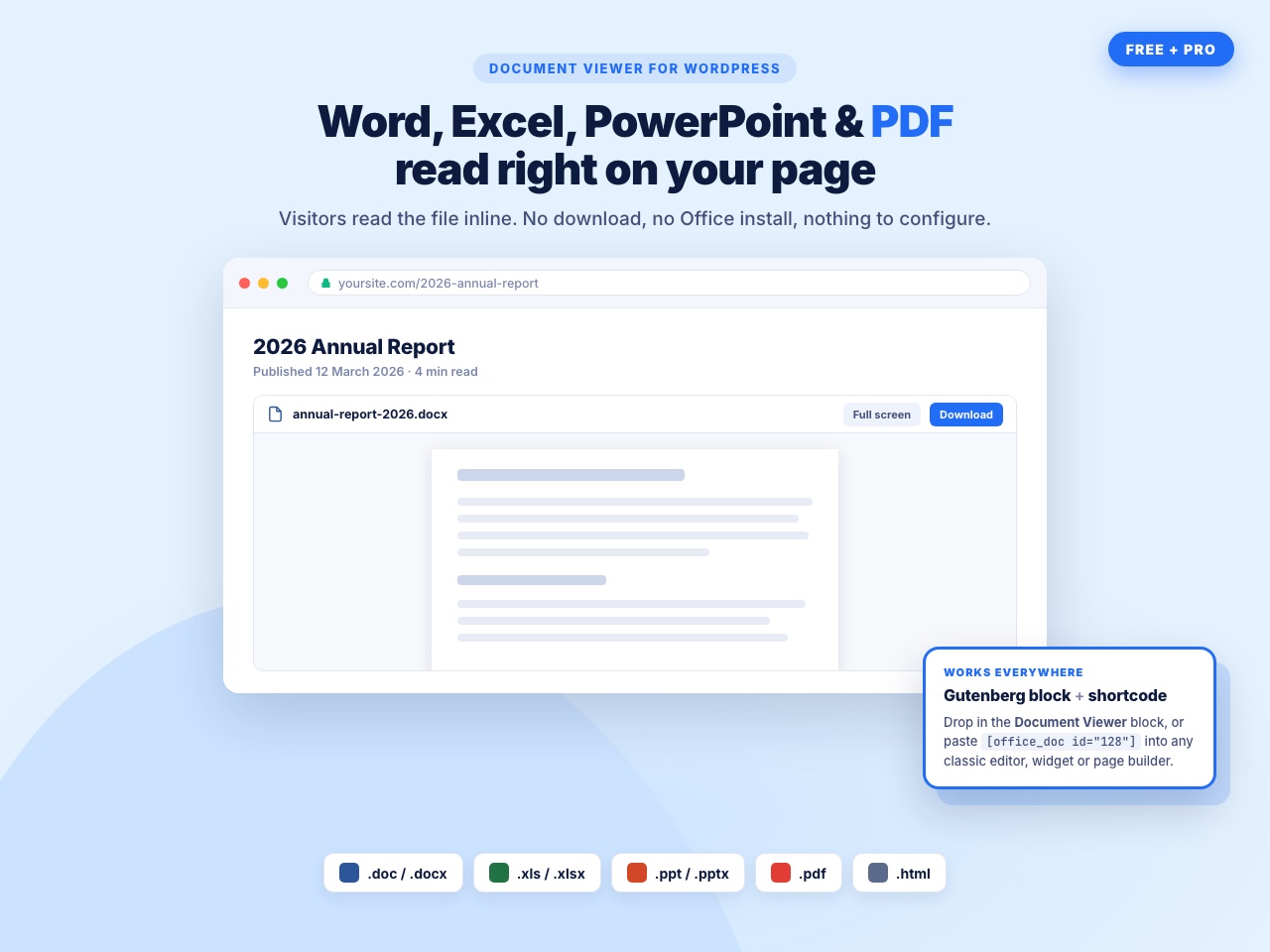
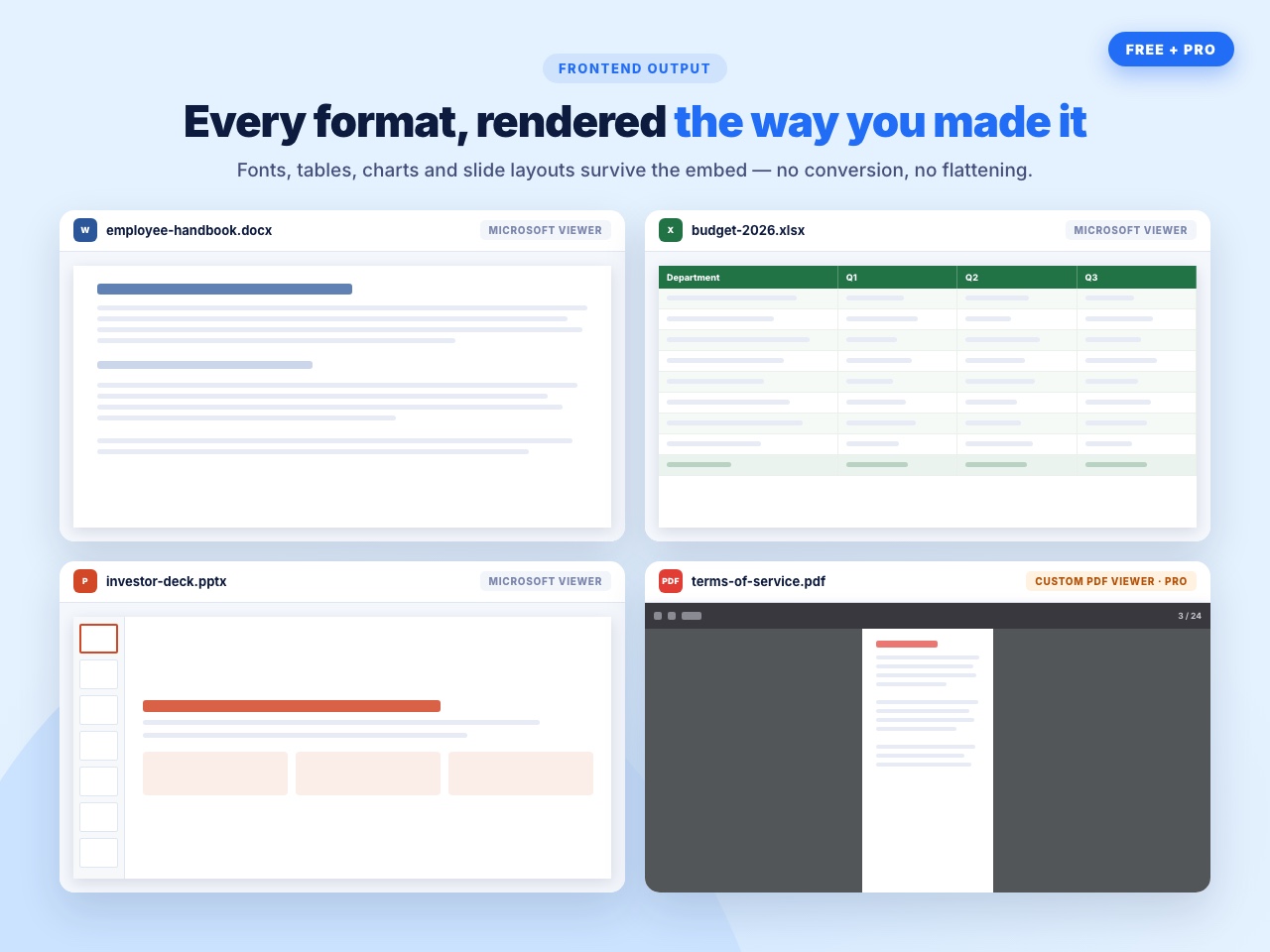
Most embed plugins push your Word and Excel files through a third-party converter, and complex layouts come out broken — tables collapse, fonts change, slide animations disappear. Document Viewer uses Microsoft’s own Office Web Viewer, the same engine behind Office Online, so a .docx looks like a .docx and an .xlsx keeps its columns.
Your visitors read the file on the page. No download, no Office installation, no conversion step for you.
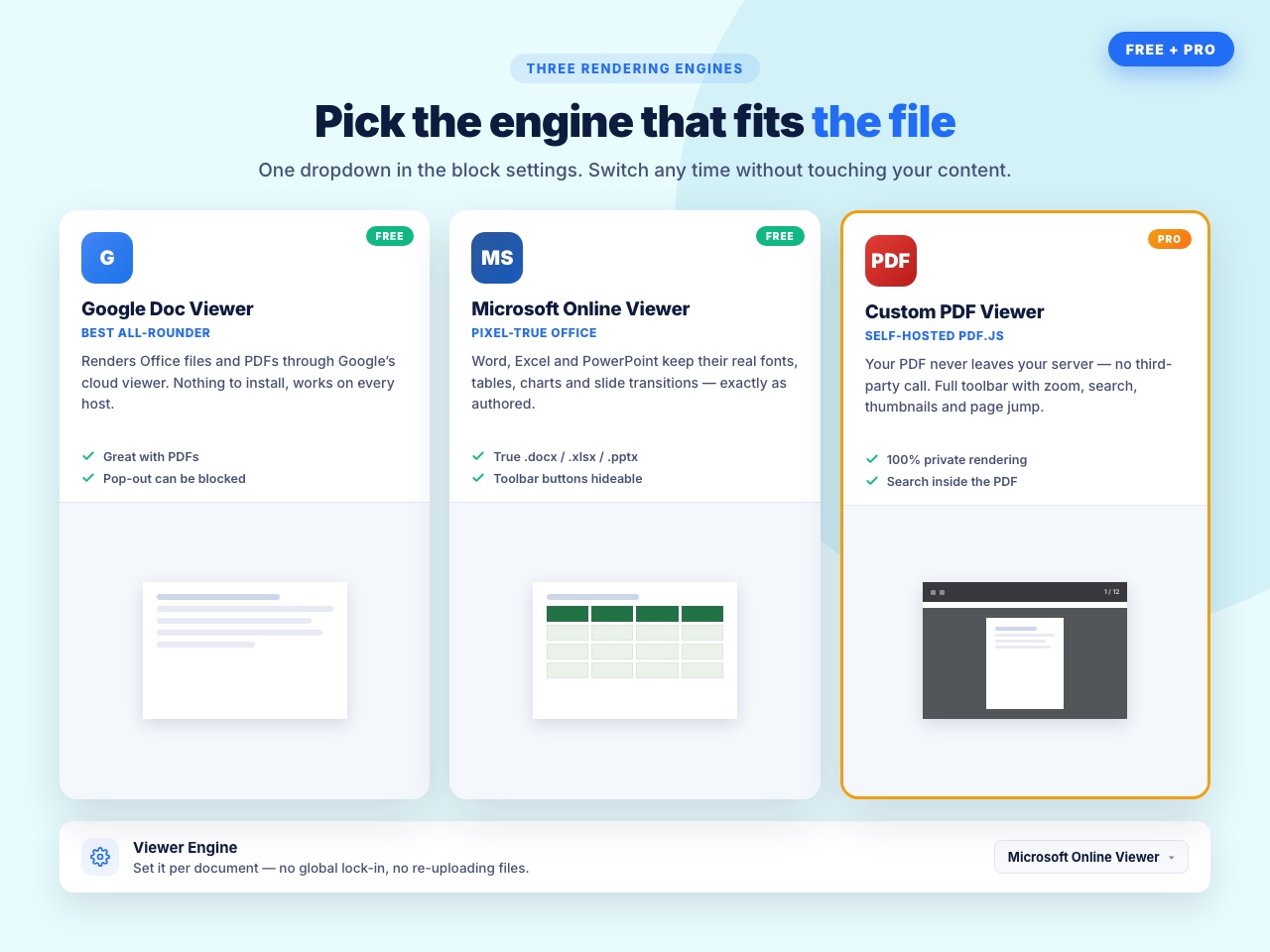
Two viewer engines, both free
- Microsoft Office Web Viewer — the best choice for Word, Excel and PowerPoint. Formatting, tables, charts and slide layouts stay intact because Microsoft renders them.
- Google Docs Viewer — a good fallback, and it handles PDF well.
Switch between them with a dropdown. No account and no API key for either.
What you can embed
Word — .doc, .docx
Excel — .xls, .xlsx
PowerPoint — .ppt, .pptx
PDF — .pdf
Files can come from your Media Library or from a direct URL.
Why people use this one
- A spreadsheet that still looks like a spreadsheet. Google’s viewer often flattens Excel formatting. Microsoft’s does not.
- No conversion. You do not turn a .docx into a PDF or an HTML table first. Upload the file you already have.
- Visitors do not need Office. They read it in the browser, on a phone as easily as a desktop.
- It stays small. One shortcode, one block, a handful of settings. If you want a document library, a flipbook and sixteen file formats, that is a different plugin.
Who uses it for what
- Schools and training sites — handouts and slide decks students read in the browser.
- Theatre, events and clubs — schedules and scripts shared with cast and crew.
- Accountants and consultants — rate cards and spreadsheets a client reads without downloading.
- Councils and associations — minutes, forms and policies published as the Word files they already keep.
- Internal pages — a price list or process document embedded on a members-only page.
How to add a document
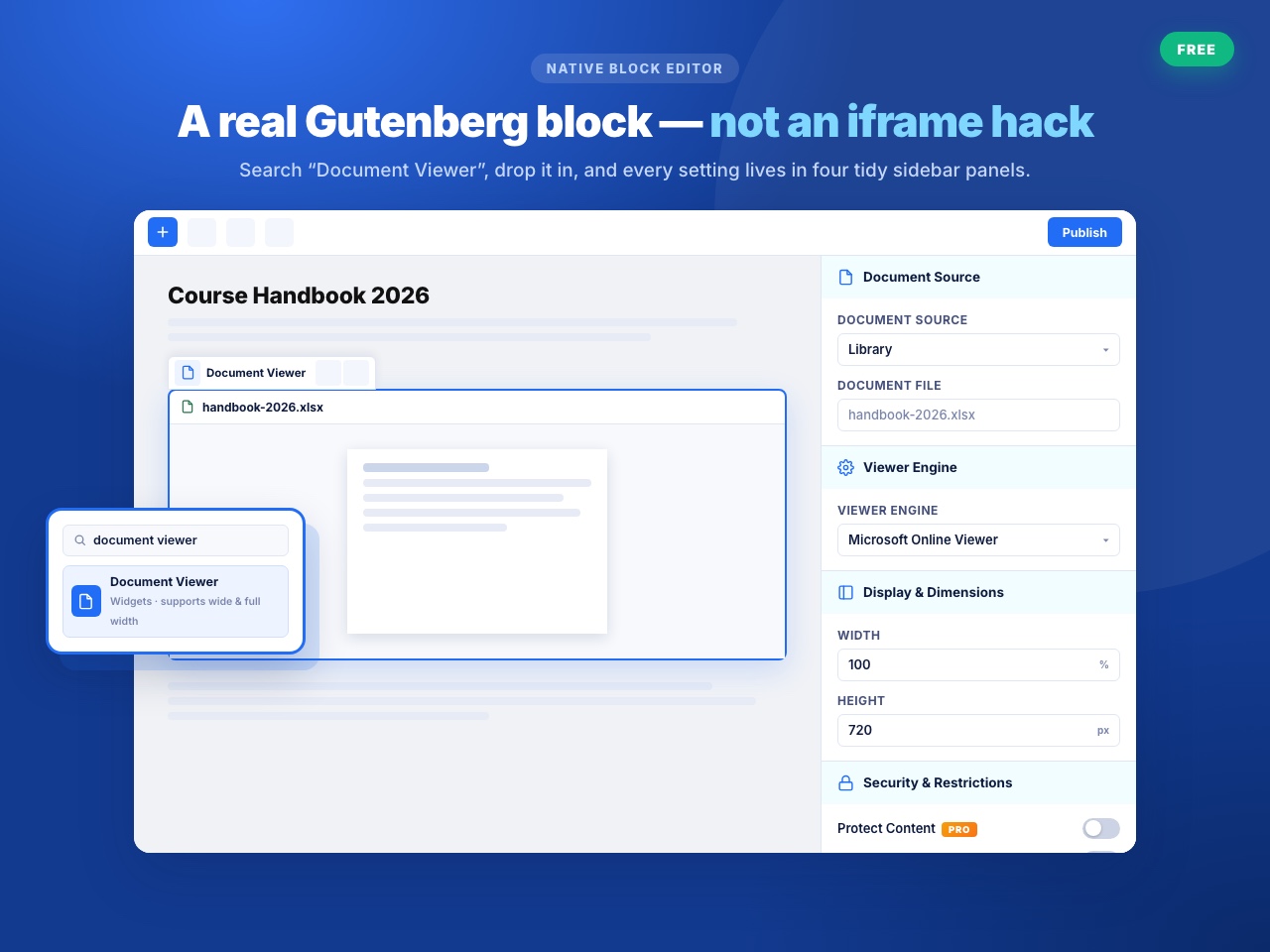
Gutenberg block
- Open any post or page in the Block Editor.
- Add the Document Viewer block.
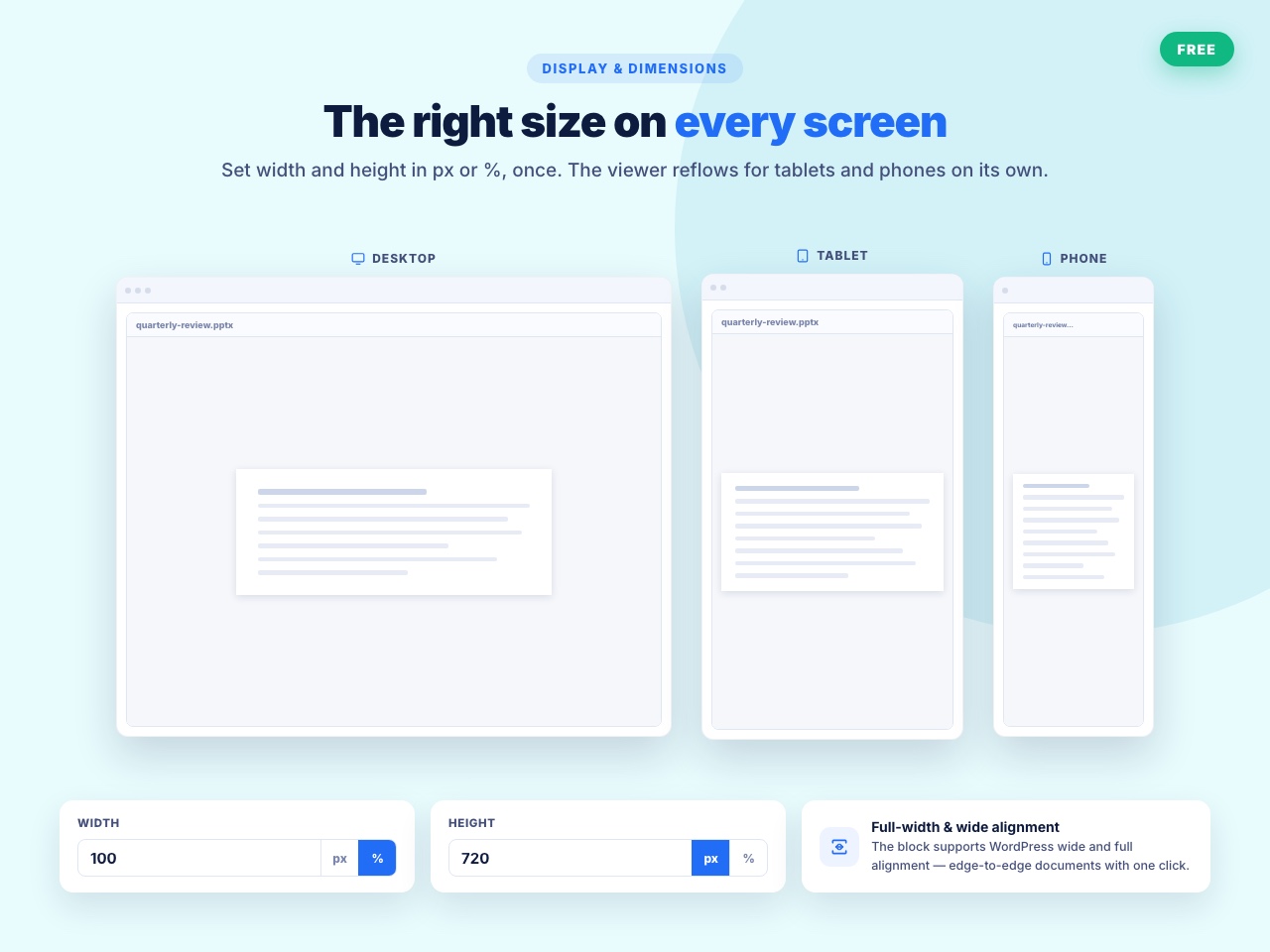
- Upload a file or paste a URL, choose the viewer, set the size.
The block settings are grouped into four panels — Document Source, Viewer Engine, Display Dimensions, and Security Restrictions — so you are not hunting through one long sidebar.
Shortcode
Use [office_doc] anywhere shortcodes run, including Elementor, Divi, Bricks, WPBakery, Beaver Builder and Oxygen. Generate one from the document’s edit screen and paste it in.
Free features
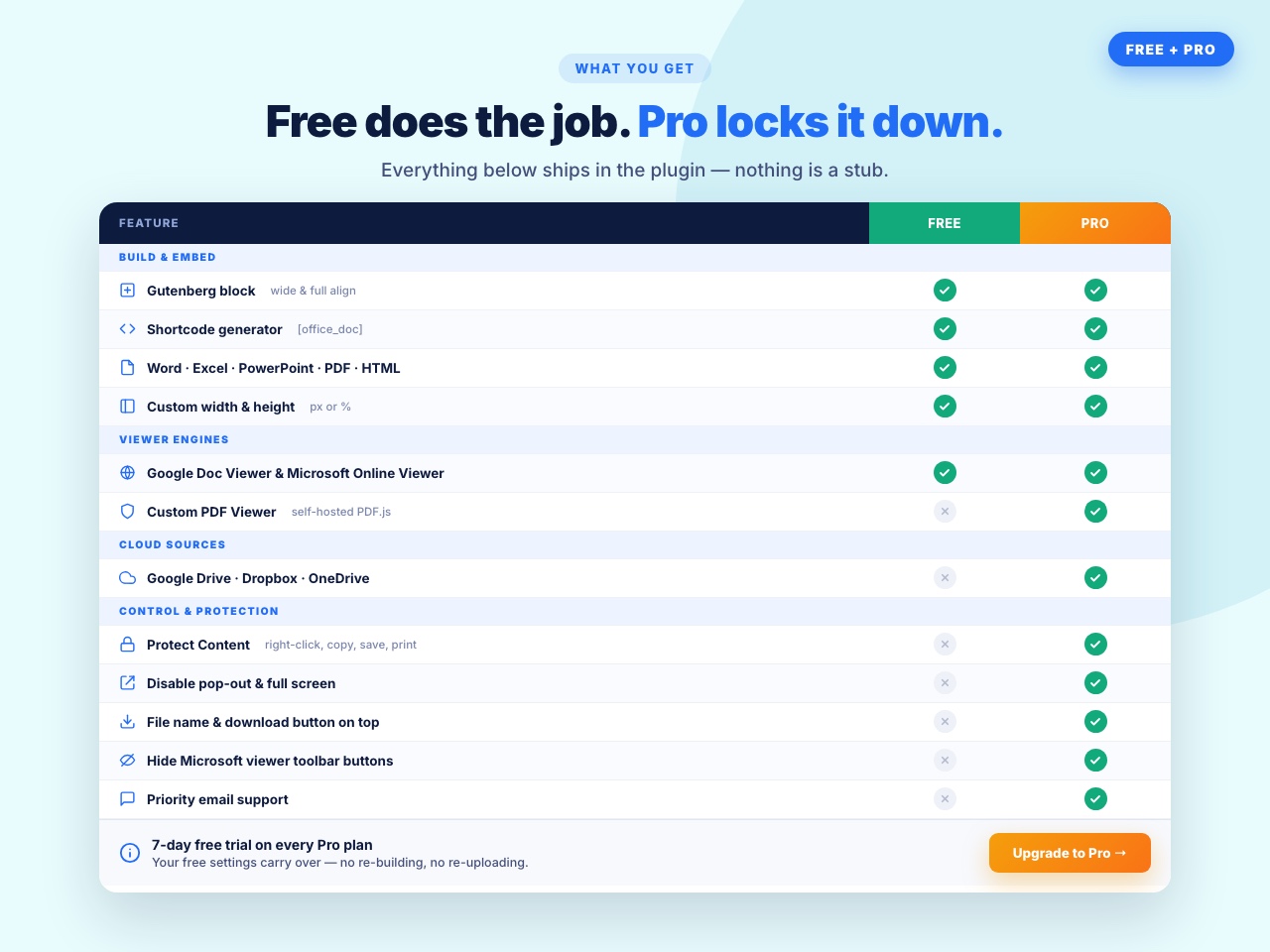
- Two viewer engines — Microsoft Office Web Viewer and Google Docs Viewer.
- Gutenberg block with grouped settings panels.
[office_doc]shortcode for the Classic Editor and page builders.- Custom width and height so the viewer fits your layout.
- Dedicated document screen for managing the files you embed.
Document Viewer Pro
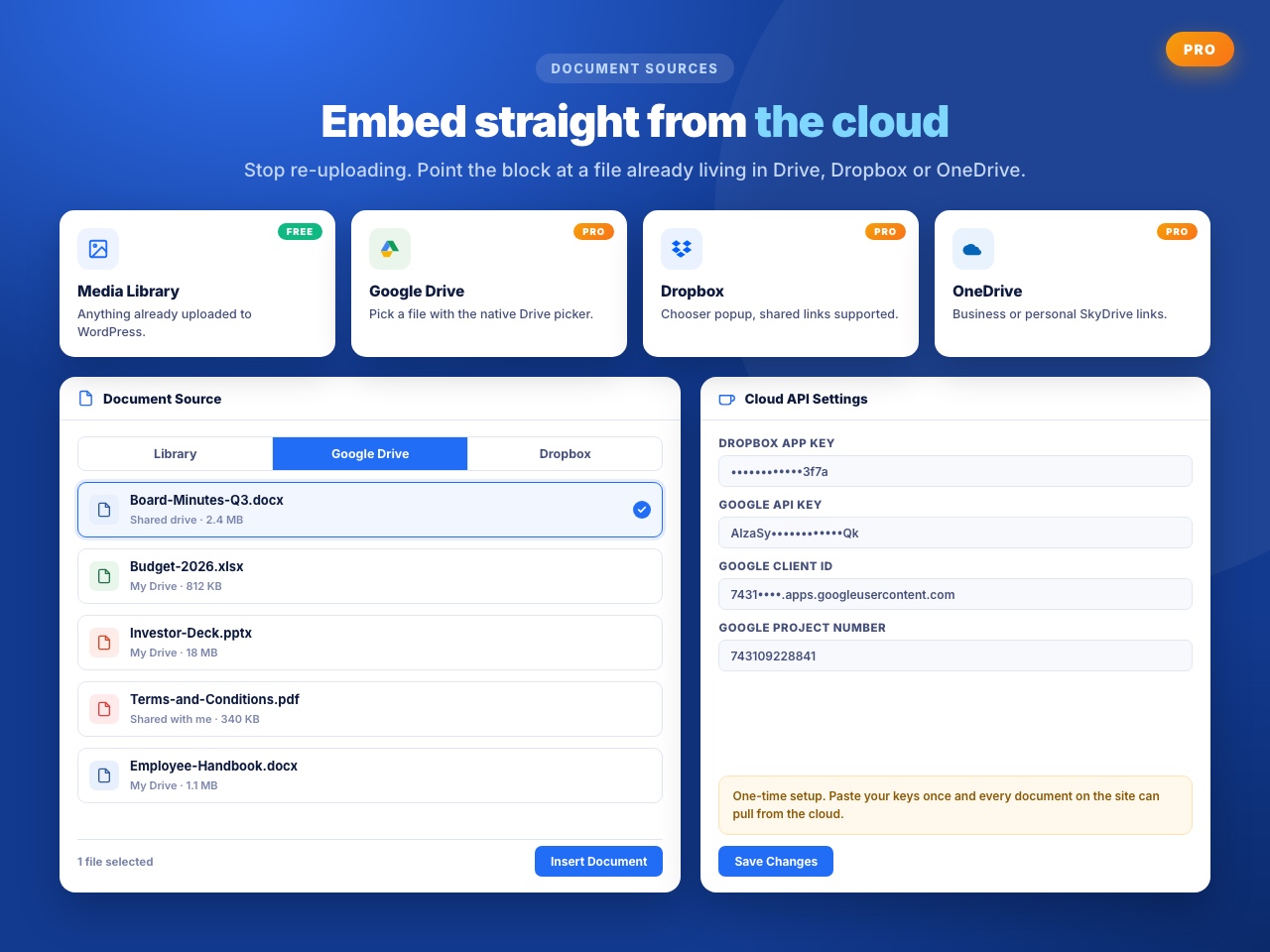
- Cloud sources — pick documents straight from Google Drive, OneDrive or Dropbox.
- Download button — show a download button on the toolbar, or leave it off.
- Filename display — show or hide the document title above the viewer.
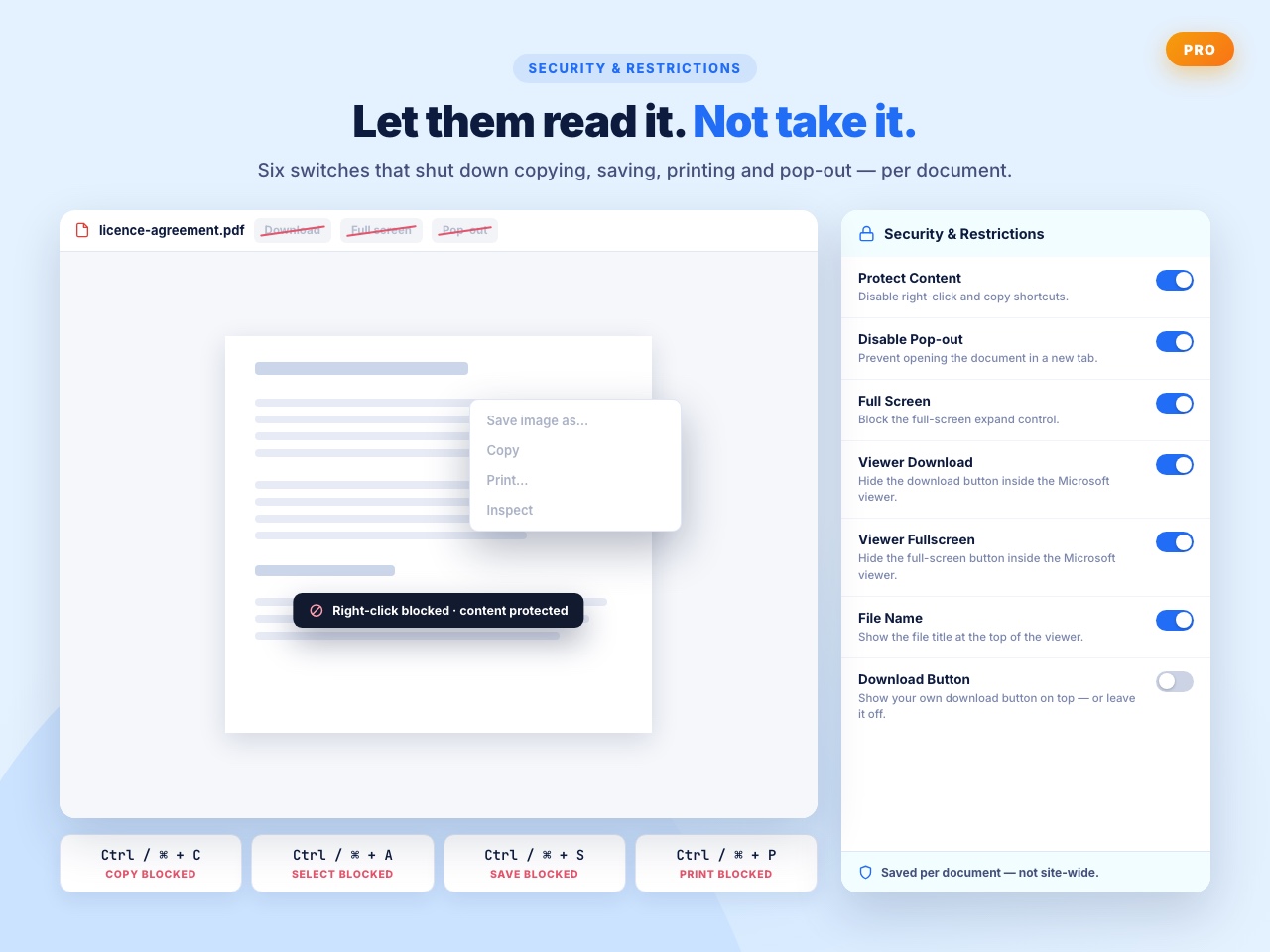
- Pop-out control — stop visitors opening the document in a separate window.
- Content protection — disable right-click, text selection and the Ctrl/Cmd + C, A, S, P shortcuts.
- Full-screen control — allow or block full-screen viewing.
What users say
⭐⭐⭐⭐⭐ Exactly What I Need
“I am a theatre director and I use my website to communicate with my performers and technical crews. I wanted to SHOW them documents in situ as well as enable them to easily download them and, after looking at other solutions, this plugin is PERFECT for this. I am delighted with it and cannot recommend it highly enough.” — jfortune
⭐⭐⭐⭐⭐ Impressively Stable
“Nice wp plugin ever. I’ve use it for 4 years.” — aircess
⭐⭐⭐⭐⭐ Does the job well.
“This plugin works fine” — muhammadarooj
Liked it? Disliked it? Want a feature? Send us your feedback
Help translate this plugin
Document Viewer runs on sites around the world. If you speak another language, you can help — no coding needed:
https://translate.wordpress.org/projects/wp-plugins/embed-office-viewer/
New to translating? Start here: https://make.wordpress.org/polyglots/handbook/translating/first-steps/
Other plugins by bPlugins
- Document Embedder – 16+ file types, four viewers, 3D FlipBook and a searchable document library.
- PDF Poster – display and embed PDF files in different styles.
- HTML5 Video Player – single videos and playlists in multiple skins.
- HTML5 Audio Player – audio with visualisations.
- 3D Viewer – embed interactive 3D models and products.
External Services
This plugin relies on external services to render your documents. Please read this section before embedding anything confidential.
Microsoft Office Web Viewer
- Service: Microsoft Office Web Viewer –
https://view.officeapps.live.com - What it does: Renders Word, Excel and PowerPoint files in an iframe on your page.
- What data is sent: The public URL of the document you embed is passed to Microsoft, which then fetches and renders that file. Your visitor’s browser connects directly to Microsoft’s servers, so their IP address and browser details are visible to Microsoft. No WordPress user data is sent by the plugin.
- When: Every time a page containing an embedded document is viewed, if the Microsoft viewer is selected.
- Terms of Service: https://go.microsoft.com/fwlink/?LinkID=206977
- Privacy Policy: https://go.microsoft.com/fwlink/?LinkId=521839
Google Docs Viewer
- Service: Google Docs Viewer –
https://docs.google.com/viewer - What it does: Renders documents, including PDFs, in an iframe on your page.
- What data is sent: The public URL of the document you embed is passed to Google, which then fetches and renders that file. Your visitor’s browser connects directly to Google’s servers, so their IP address and browser details are visible to Google. No WordPress user data is sent by the plugin.
- When: Every time a page containing an embedded document is viewed, if the Google viewer is selected.
- Terms of Service: https://policies.google.com/terms
- Privacy Policy: https://policies.google.com/privacy
bPlugins API
- Service: bPlugins product API –
https://api.bplugins.com - What it does: When you open the plugin’s admin dashboard, the plugin requests product information so it can display product cards, version information and upgrade options.
- What data is sent: A request containing the product identifier. No personal data or site content is sent.
- When: Only while an administrator is viewing the plugin’s dashboard in wp-admin.
- Terms of Service: https://bplugins.com/terms-of-service/
- Privacy Policy: https://bplugins.com/privacy-policy/
WordPress.org Plugins API
- Service: WordPress.org Plugins Info API –
https://api.wordpress.org - What it does: The dashboard queries the public WordPress.org Plugins API to list other plugins published by the author.
- What data is sent: A public, read-only query. No personal data is sent.
- When: Only while an administrator is viewing the plugin’s dashboard in wp-admin.
- Privacy Policy: https://wordpress.org/about/privacy/
Third-Party Libraries
Freemius SDK
- Source: https://freemius.com/
- GitHub: https://github.com/Freemius/wordpress-sdk
- License: GPLv3 – https://github.com/Freemius/wordpress-sdk/blob/master/LICENSE.txt
- Purpose: Provides opt-in usage tracking, licensing and checkout functionality.
From your dashboard
- Go to Plugins Add New.
- Search for Document Viewer by bPlugins.
- Click Install Now, then Activate.
By upload
- Download the plugin zip from WordPress.org.
- Go to Plugins Add New Upload Plugin.
- Choose the zip, click Install Now, then Activate.
Adding your first document
- Go to Document Viewer Add New in the admin menu.
- Upload a Word, Excel, PowerPoint or PDF file, or paste a direct URL.
- Choose the viewer engine and set the width and height.
- Copy the
[office_doc]shortcode and paste it into any post or page — or add the Document Viewer block in the Block Editor instead.
Screenshot Gallery
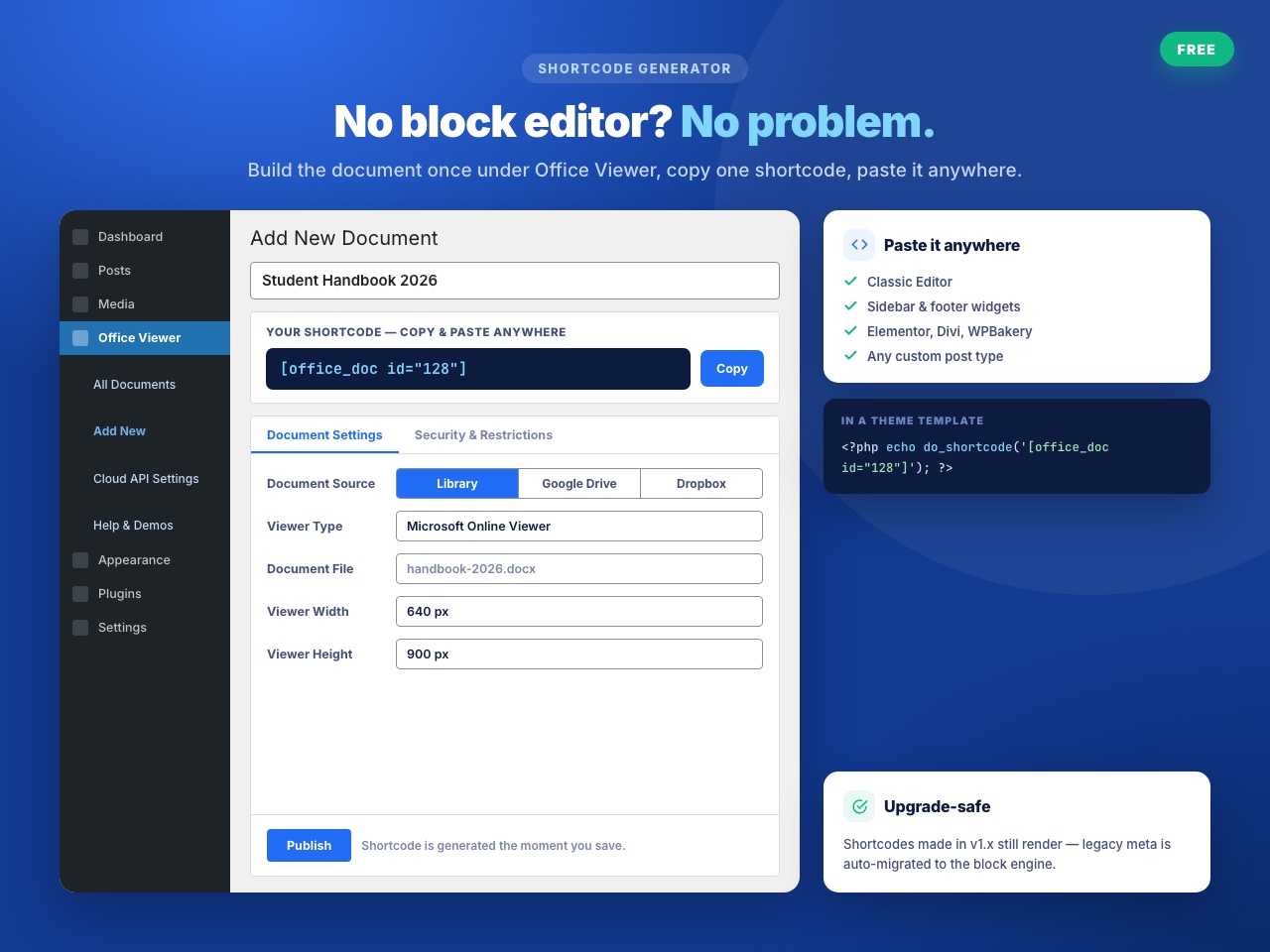
[office_doc]. Generate the exact shortcode for a document from its edit screen, then paste it into any post, page, widget or page builder that supports shortcodes.
Word (.doc, .docx), Excel (.xls, .xlsx), PowerPoint (.ppt, .pptx) and PDF. If you need images, code files, archives, 3D formats or a document library, use Document Embedder instead.
No. Upload the .docx, .xlsx or .pptx you already have. There is no conversion to PDF or HTML.
No. The file is rendered in the browser. Visitors need nothing installed, on desktop or mobile.
For Word, Excel and PowerPoint, use the Microsoft Office Web Viewer — it keeps the original formatting because it is Microsoft’s own renderer. For PDF, the Google Docs Viewer is usually the better choice.
Yes, and you should know exactly how. Both viewers work by passing your document’s public URL to an external service — Microsoft’s Office Web Viewer or Google Docs Viewer — which renders it in an iframe. See the External Services section below for the full detail. If your documents are confidential, this plugin is not the right choice; use a plugin that renders locally instead.
Yes. Microsoft and Google fetch the file over the internet, so a file behind a login or on a local development site will not render.
Yes. Use the [office_doc] shortcode in any builder with a shortcode widget — Elementor, Divi, Bricks, WPBakery, Beaver Builder, Oxygen and others.
The download button, along with filename display, pop-out control and content protection, is part of the Pro version.
Pro includes content protection — it disables right-click, text selection and the Ctrl/Cmd + C, A, S and P shortcuts. Treat it as a deterrent rather than real security: anything a browser can display can ultimately be copied.
There is no limit in the plugin itself, but very large files take longer for the external viewer to fetch and render. Files under about 20 MB are the most reliable.
Please report security bugs found in the source code of the Document Viewer plugin through the Patchstack Vulnerability Disclosure Program. The Patchstack team will assist you with verification, CVE assignment, and notify the developers of this plugin.
Changelog
2.4.2 – 11 August 2026
- Security: Updated the Freemius SDK dependency to the latest version to patch identified vulnerabilities.
2.4.1 – 27 June 2026
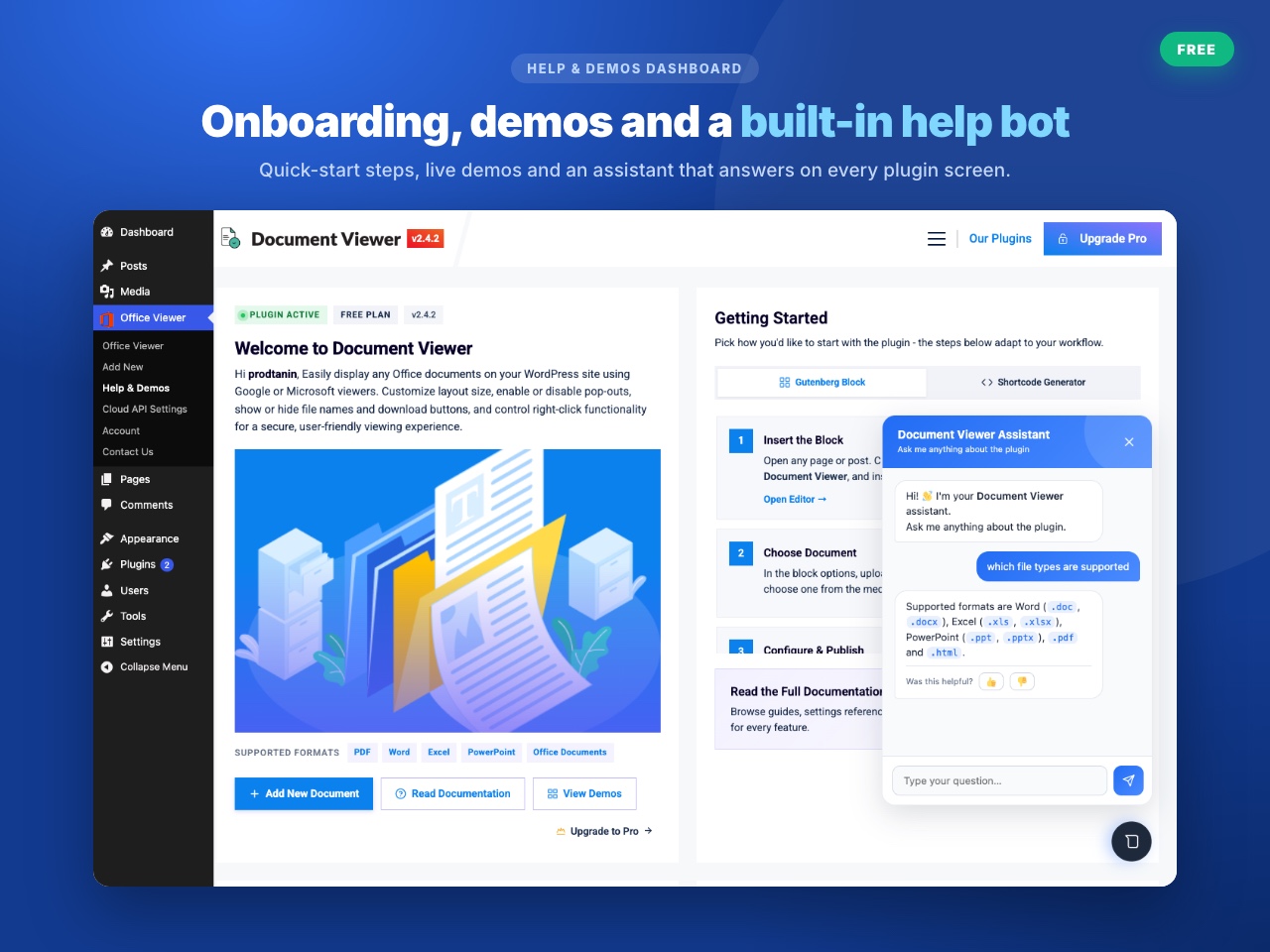
- Update: Redesigned and integrated the new standardized help and demos admin dashboard.
2.4.0 – 3 June 2026
- New: Added four dedicated settings panels (Document Source, Viewer Engine, Display Dimensions, Security Restrictions) to group the Gutenberg block settings.
- New: Added custom SVG icons inside the block settings panel titles.
- Update: Redesigned block settings field titles to use friendlier, clearer wording for non-technical users.
- Update: Consolidated admin asset enqueuing into a single class loader.
- Update: Standardized core classes under
includes/core/and helper files underincludes/helper/for namespace consistency. - Improvement: Integrated Composer autoloading to boot and resolve PHP dependencies dynamically.
- Improvement: Unified the legacy shortcode rendering pipeline to run through the Gutenberg block rendering engine via the native
render_block()API. - Improvement: Replaced the block settings TabPanel with separate, sequential settings panels.
- Improvement: Added detailed file format descriptions to simplify the document selector.
- Improvement: Added a fixed height and fade-in transition to the upload UI to prevent layout jumping on tab change.
- Improvement: Reorganized metabox fields into two tabbed sections: Document Settings and Security & Restrictions.
- Fix: Resolved a fatal error during the
plugins_loadedhook by replacing query loops withget_posts()in the ImportMeta class. - Fix: Resolved cross-origin iframe console errors in the block editor under content protection mode.
- Fix: Resolved pop-out overlay alignment and responsiveness using CSS container queries.
- Fix: Resolved Protect Content bypasses via text selection and keyboard shortcuts (Ctrl/Cmd + C, A, S, P).
- Fix: Resolved Disable Full Screen and pop-out overlay style targeting mismatches.
- Fix: Resolved missing i18n translation wrappers on the Protect Content toggle labels.
2.3.3 – 8 November 2025
- Update: Improved the block editor upload options.
2.3.2 – 10 October 2025
- New: Added a modern admin dashboard.
2.3.1 – 12 July 2025
- Fix: Resolved reported issues.
2.3.0 – 10 May 2025
- Fix: Resolved the text domain issue.
- New: Added a fully featured Gutenberg block.
2.2.10 – 29 January 2025
- Update: Freemius WordPress SDK.
2.2.9 – 4 July 2024
- Update: Freemius WordPress SDK.
2.2.7
- Update: Freemius WordPress SDK.
2.2.5
- Update: Freemius WordPress SDK.
2.2.4
- Fix: Height issue.
2.2.3
- Security: Fixed a security issue.
- Improvement: Performance.
2.0.9
- New: PDF viewer support.
- Improvement: Performance.
1.1
- New: Document management screen.
- New: Gutenberg block support.
- Improvement: Performance.
" width="120" height="120">
Available Versions
| Version | Download | Type |
|---|---|---|
| 2.4.2 | Download | Stable |
| 2.4.1 | Download | Stable |
| 2.4.0 | Download | Stable |
| 2.3.3 | Download | Stable |
| 2.3.2 | Download | Stable |
| 2.3.1 | Download | Stable |
| 2.3.0 | Download | Stable |
| 2.2.10 | Download | Stable |
| 2.2.9 | Download | Stable |
| 2.2.8 | Download | Stable |
| 2.2.6 | Download | Stable |
| 2.2.4 | Download | Stable |
| 2.0.1 | Download | Stable |
| 1.1 | Download | Stable |
| 1.0.1 | Download | Stable |
| 1.0 | Download | Stable |
| Development | Download | Trunk |
