
Embed Block for Figma
Active Installs
100+
Last Updated
September 15, 2026
First Released
September 5, 2024
Download History (Last one month)
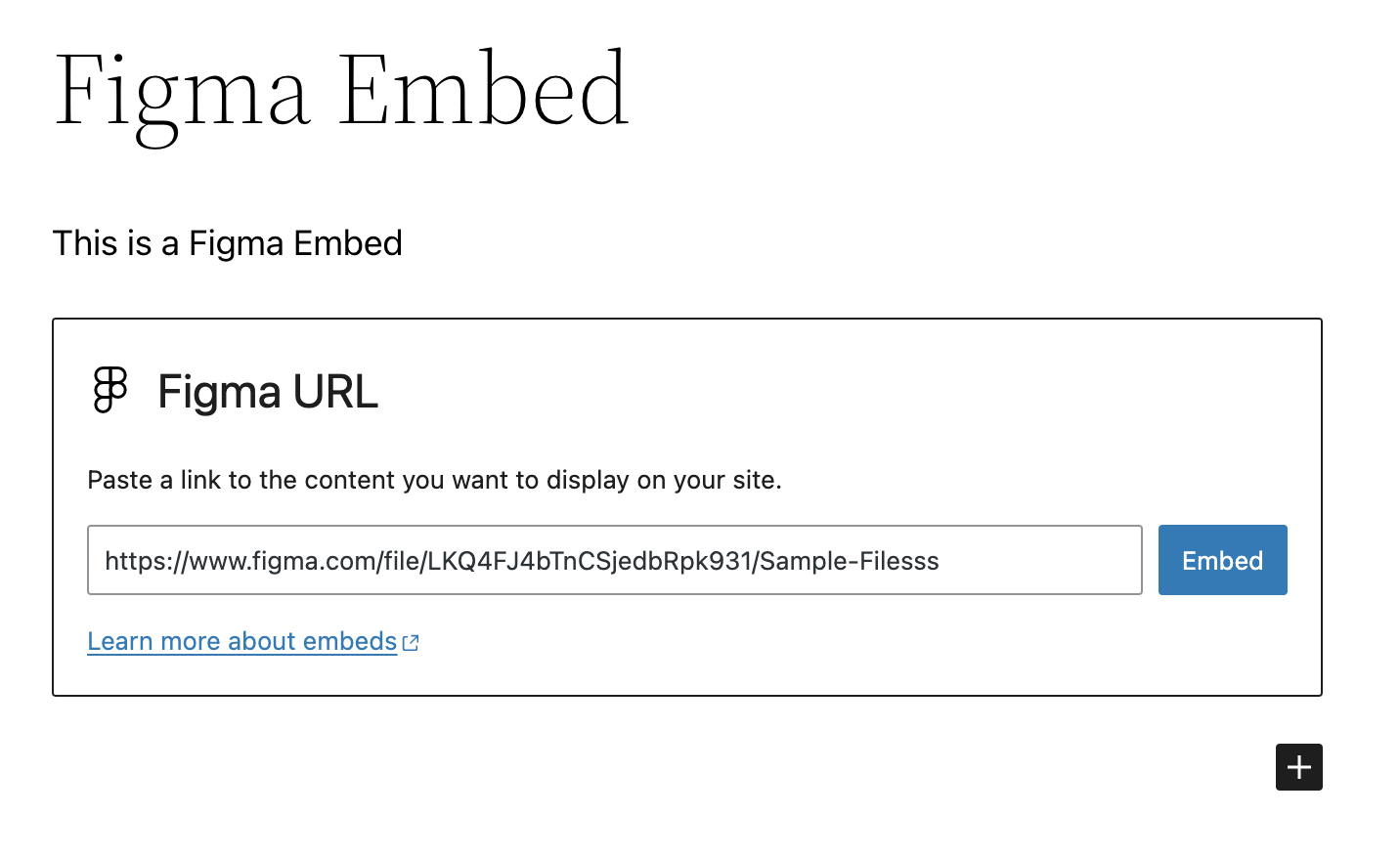
- Embed a Figma file using a block in the WordPress editor.
- Paste a Figma URL on a new line in the Block Editor to automatically convert it to a Figma Embed block.
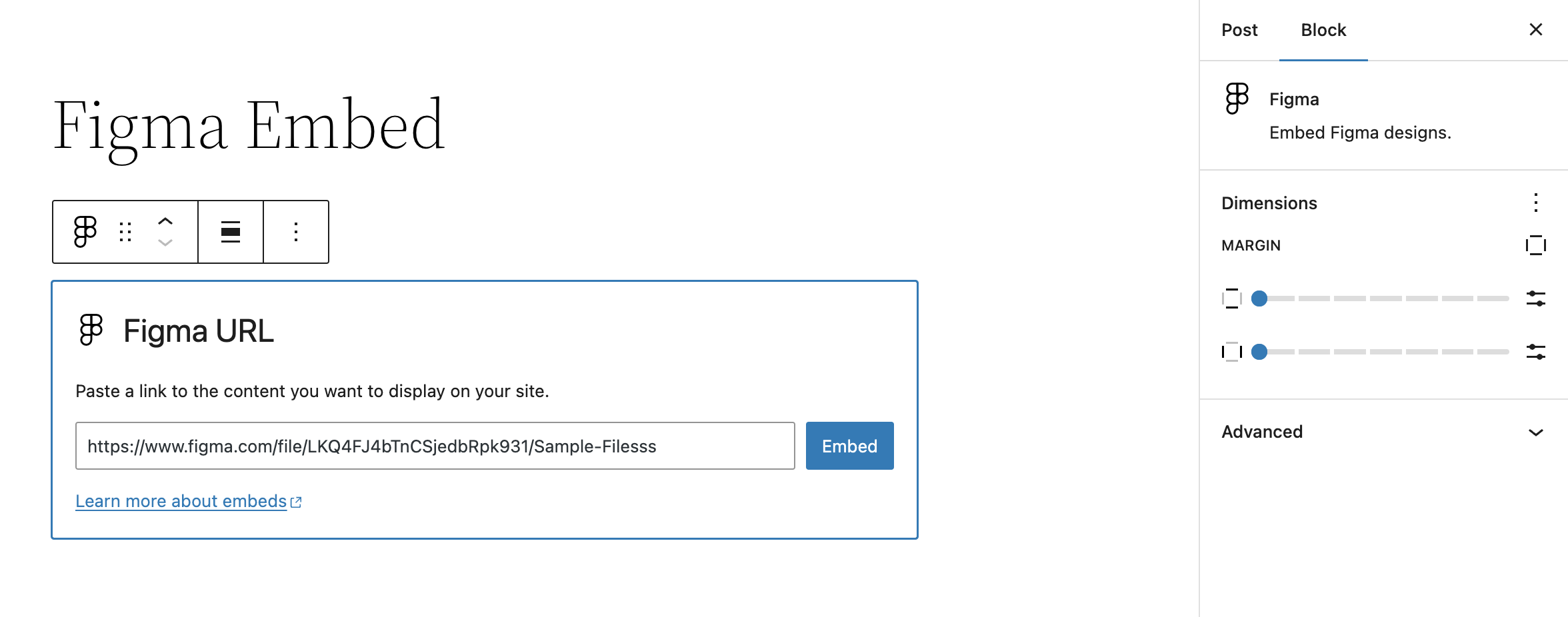
- Block settings allow for altering margins of rendered Figma file embed
Getting Started
Once the plugin is installed and activated, you should see a new Figma Embed block. Insert this block into your content and enter the URL of the Figma file you want to embed.
Assuming it’s a valid URL, the block will automatically fetch the Figma file and display it in the editor. Once saved, this will also display on the front-end.
No installation instructions provided.


Please report security bugs found in the source code of the Embed Block for Figma plugin through the Patchstack Vulnerability Disclosure Program. The Patchstack team will assist you with verification, CVE assignment, and notify the developers of this plugin.
Changelog
0.4.0 – 2025-05-19
Note that this release bumps the WordPress minimum version from 6.4 to 6.6.
- Changed: Bump WordPress “tested up to” version 6.8 (props @thrijith, @jeffpaul via #42, #43, #48, #49).
- Changed: Bump WordPress “requires at least” version 6.6 (props @thrijith, @jeffpaul via #42, #43, #48, #49).
- Changed: Bump Support Level from
BetatoStable(props @jeffpaul, @dkotter via #52). - Security: Bump
expressfrom 4.21.1 to 4.21.2 (props @dependabot, @dkotter via #47). - Security: Bump
body-parserfrom 1.20.2 to 1.20.3 (props @dependabot, @iamdharmesh via #38). - Security: Bump
http-proxy-middlewarefrom 2.0.7 to 2.0.9 andtar-fsfrom 2.1.1 to 3.0.8 (props @dependabot, @dkotter via #53).
0.3.1 – 2024-09-05
Initial plugin release on WordPress.org 🎉
0.3.0 – 2024-08-29
- Added: WordPress.org Playground preview (props @thrijith, @dkotter, @jeffpaul via #29).
- Changed: Updated plugin name from “Figma Block” to “Embed Block for Figma” (props @thrijith, @dkotter, @jeffpaul via #28, #31).
- Security: Bump
webpackfrom 5.90.3 to 5.94.0 (props @dependabot, @dkotter via #30).
0.2.0 – 2024-07-11
Initial public plugin release. 🎉
- Changed: Bump WordPress “tested up to” version 6.6 (props @psorensen, @jeffpaul via #21).
- Changed: Updated documentation (props @jeffpaul via #17).
- Security: Bump
bracesfrom 3.0.2 to 3.0.3 (props @dependabot, @psorensen via #15). - Security: Bump
wsfrom 7.5.9 to 7.5.10 (props @dependabot, @psorensen via #15).
0.1.0 – 2024-06-25
- Initial private plugin release.
" width="120" height="120">
