
Email Subscribers & Newsletters by Icegram Express – Email Marketing, Post Notifications & WooCommerce Marekting Automation for WordPress
Active Installs
50,000+
Last Updated
October 23, 2026
First Released
May 9, 2014
Download History (Last one month)
Contributors
Grow your email list, automate blog post notifications, and run high-converting newsletters & WooCommerce email campaigns — 100% inside WordPress with zero monthly subscriber taxes.
Email Subscribers & Newsletters by Icegram Express makes email marketing simple, reliable, and fully WordPress-native. Whether you are a blogger sending automatic new post alerts, a small business broadcasting weekly newsletters, or a WooCommerce store recovering abandoned carts, Icegram Express gives you complete control over your audience and deliverability without writing a single line of code.
Trusted by 100,000+ businesses and creators (with 1,020+ five-star reviews on WordPress.org), Icegram Express replaces expensive, capped SaaS platforms like Mailchimp and restrictive plugins with an all-in-one, self-hosted email marketing suite inside your WordPress dashboard.
- Explore Features: Icegram Express Official Page
- Compare Plans: Icegram Express Pricing (Free & Max)
- Read the Guides: Icegram Express Knowledge Base & Documentation
Why Switch to Email Subscribers & Newsletters by Icegram Express?
Most WordPress newsletter plugins either cap your free list at 500–1,000 subscribers, add mandatory branding, or lock basic automated blog post notifications behind paid add-ons. Icegram Express gives you the essentials Free, with no subscriber limits:
- Unlimited Subscribers & Lists: Collect unlimited contacts and organize unlimited lists in the free version (compared to 500–1,000 subscriber caps on typical SaaS and freemium plugins).
- Unlimited Email Sends & Broadcasts: Send unlimited newsletters and campaigns with no monthly send quota restrictions from our plugin.
- 100% Free Automated Post Notifications: Automatically email subscribers when new blog posts go live, filtered by category or custom post type (often locked behind paid add-ons in competing plugins).
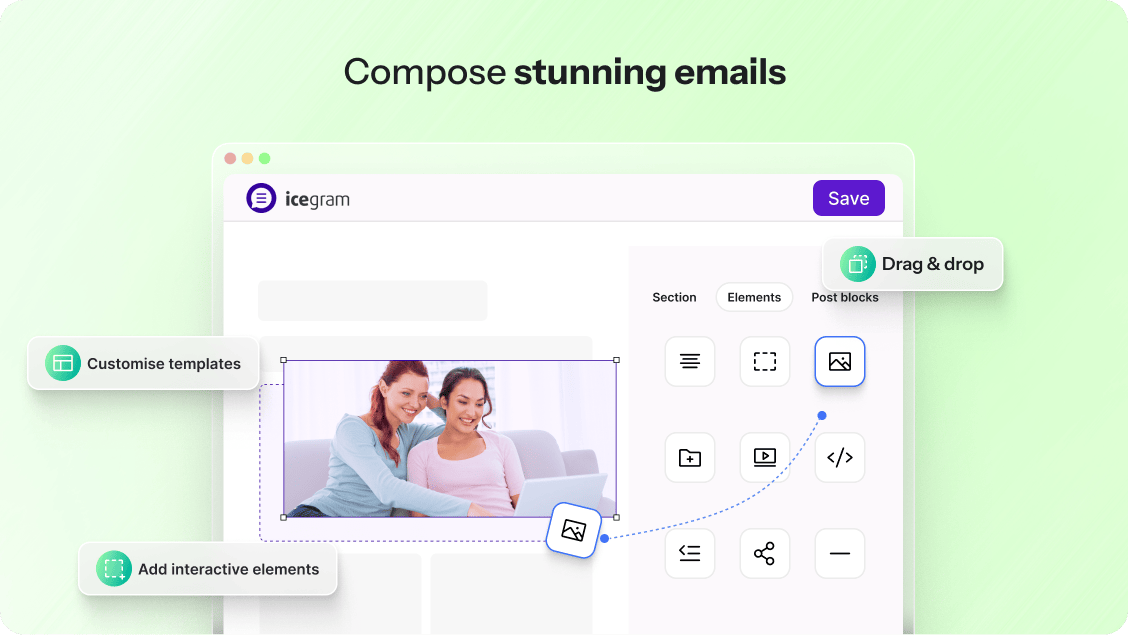
- 3 Visual Email Builders Included: Design campaigns using the Drag & Drop Composer, the Gutenberg Block Email Editor, or the Classic/HTML Editor.
- 100% Self-Hosted Data Ownership (GDPR Ready): All subscriber and campaign data lives in your WordPress database rather than external third-party SaaS clouds.
- Total SMTP & Delivery Freedom: Send via any WordPress SMTP plugin, Icegram Mailer, Amazon SES, SendGrid, Mailgun, Postmark, Brevo, or your host.
Curious how we stack up head-to-head? Read our in-depth comparisons with The Newsletter Plugin, FluentCRM, Kit (ConvertKit), and MailPoet & Budget Email Tools.
What’s New in Recent Releases (v5.8 – v5.9.40)
- Revamped Dashboard with AI Suggestions & Growth Charts: Navigate campaigns, subscriber growth trends, unsubscribe metrics, and actionable AI insights from a unified, high-speed interface.
- Gutenberg Block Email Editor + Drag & Drop Composer: Build campaigns using the native WordPress Block Editor, our visual Drag & Drop builder, or raw HTML with saved template galleries.
- Pause, Resume & Resend Failed Campaigns: Control live dispatches directly from the Reports screen and retry failed deliveries in one click.
- Microsoft Outlook API & Postmark Message Streams (Max): Connect modern enterprise senders alongside Amazon SES, SendGrid, Mailgun, Brevo, and SparkPost.
- Campaign Archives Gutenberg Block (Max): Display past newsletter issues on any public WordPress page or post to boost SEO and social proof.
- One-Click Unsubscribe Compliance: Fully compliant out of the box with Gmail, Yahoo, and GDPR bulk-sender requirements via native
List-Unsubscribeheaders.
Everything You Get 100% Free — Forever (No Trial, No Credit Card)
Everything in this section is included in the core plugin with no artificial contact limits or expiring trials:
1. High-Converting Lead Generation & Opt-In Forms
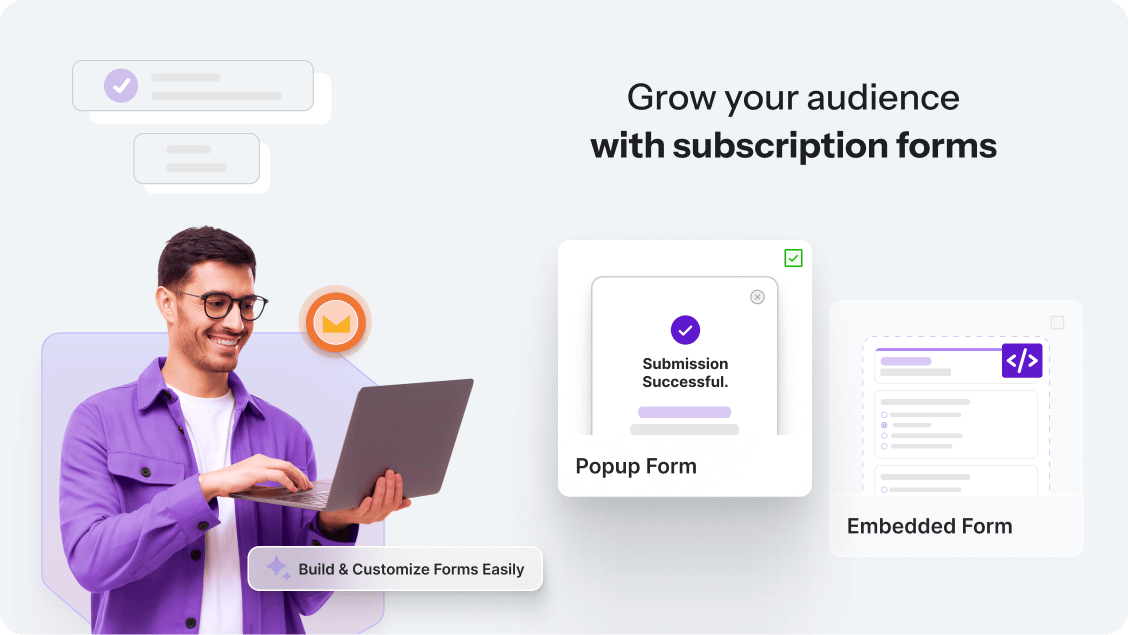
– Flexible Form Placements: Embed subscription forms via the Icegram Express Form Gutenberg block, shortcodes, sidebar/footer widgets, inline post forms, or exit-intent/timed popups.
– Ready-Made Form Designs: Launch quickly with pre-built form templates, custom titles for popup forms, and one-click form duplication.
– GDPR & Privacy Ready: Built-in single or double opt-in workflows, customizable privacy consent checkboxes, and custom post-signup redirect URLs (for thank-you pages or lead magnets).
– Frictionless List Building: Unlimited subscriber lists, bulk CSV import/export with custom column mapping, and direct Mailchimp subscriber import.
2. Automated Post Notifications & Broadcast Newsletters
– Automatic New Post Notifications: Send instant email alerts to subscribers the moment a new blog post goes live — filtered by post categories or custom post types.
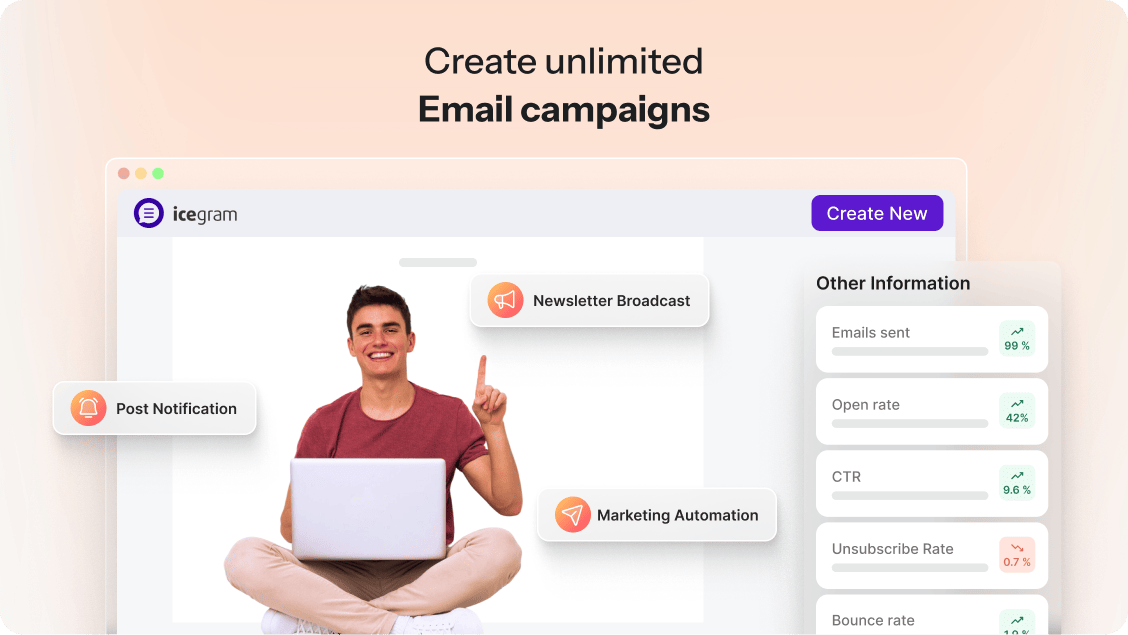
– Unlimited Newsletter Broadcasts: Design and send or schedule one-off announcements, seasonal promotions, and editorial updates to any list.
– Automated Welcome & Confirmation Emails: Greet new subscribers immediately with personalized onboarding emails and notify admins on every signup.
– Dynamic Merge Tags & Personalization: Personalize subjects and body copy with {{FIRSTNAME}}, {{LASTNAME}}, {{EMAIL}}, {{POSTTITLE}}, {{POSTLINK}}, {{POSTIMAGE-URL}}, {{POSTEXCERPT}}, {{POSTCATS}}, and {{POSTAUTHOR}}.
3. Intuitive Email Design & Template Gallery
– 3 Ways to Build: Choose between the visual Drag & Drop editor, the Gutenberg Block email editor, or the Classic/HTML editor.
– Responsive Pre-Built Templates: Start from mobile-ready Icegram Express email templates for blog digests, product launches, and announcements, plus save your own reusable templates.
– Pre-Send Verification: Preview campaigns across desktop and mobile or send instant test emails before scheduling.
4. Complete Delivery Control & Throttling
– Bring Your Own Sender: Connect any WordPress SMTP plugin, host mailer, or Icegram Mailer (includes a free sending tier).
– Smart Queue & Batch Throttling: Configure hourly sending limits and cron batch sizes to match your web host’s capacity and protect sender reputation.
– Real-Time Campaign Analytics: Track sent counts, opens, link clicks, unsubscribes, and subscriber engagement scores per campaign.
Icegram Express Max — Advanced Automation, Targeting & Revenue
When your store or publication is ready to scale, Icegram Express Max unlocks multi-step automation workflows, deeper WooCommerce revenue recovery, and enterprise deliverability tools:
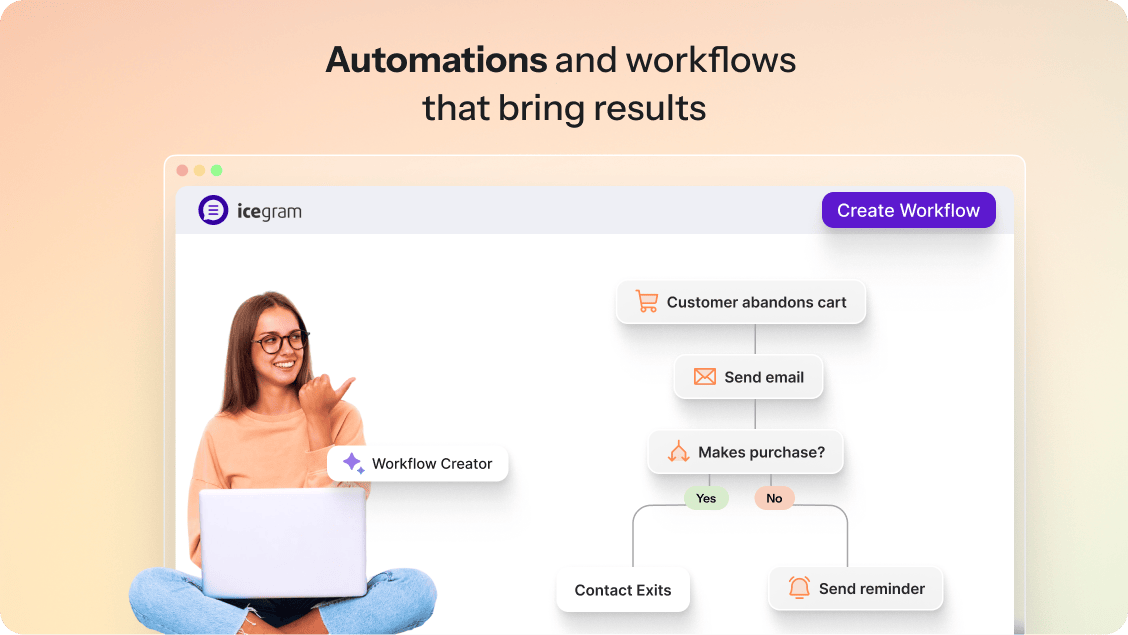
- Visual Automation Workflows & Autoresponder Drip Sequences: Trigger multi-step welcome series, educational drip courses, birthday offers, and event-driven follow-ups based on user actions.
- Automated Post Digests & Smart Scheduling: Batch your blog content into daily, weekly, or monthly digests, and schedule campaigns by subscriber timezone or send-time optimization.
- WooCommerce Abandoned Cart Recovery & Dynamic Coupons: Automatically follow up on abandoned carts, send next-order discount coupons, trigger order-status workflows, and run win-back campaigns for inactive buyers.
- Spam Score Checker & Automated List Cleanup: Test campaign spam scores before hitting send, block bot signups with Google reCAPTCHA, handle hard/soft bounces automatically, and auto-prune unengaged contacts.
- Custom Fields & Advanced Audience Segmentation: Collect custom subscriber attributes and filter broadcasts or sequences by list membership (
is in List/is not in List), engagement score, country, or purchase history. - Campaign Attachments, Archive Blocks & Bulk Reporting: Add file attachments to campaigns, embed past newsletter archives via Gutenberg block, export detailed campaign analytics to CSV, and track device/email client breakdowns.
- Team Role Access & Developer REST API: Assign granular plugin permissions by WordPress user role and connect external apps via REST API and webhooks.
Built for WooCommerce Email Marketing
Running an online store? Icegram Express turns one-time shoppers into repeat buyers directly from WordPress:
- Capture Buyers at Checkout (Free & Max): Automatically add WooCommerce customers to targeted lists and segment buyers for product promotions.
- Recover Lost Revenue Automatically (Max): Trigger multi-email abandoned cart recovery sequences with personalized cart contents and dynamic coupon codes.
- Behavioral Purchase Triggers (Max): Launch automated cross-sells, upsells, and review requests when orders are created, placed on hold, processing, or completed — plus native wishlist triggers for YITH WooCommerce Wishlist.
Seamless WordPress Ecosystem Integrations
Icegram Express connects natively with the plugins and email delivery services you already run on your WordPress site:
- eCommerce & Digital Stores: WooCommerce, Easy Digital Downloads (EDD), YITH WooCommerce Wishlist.
- Form Builders & Lead Capture: Icegram Collect, Icegram Engage, Contact Form 7 (CF7), WPForms, Gravity Forms, Elementor Pro Forms, Ninja Forms, Forminator, Toolset Forms.
- LMS, Memberships & Events: LearnDash, MemberPress, Paid Memberships Pro, Ultimate Member, WP Event Manager.
- Email Delivery & Transactional Mailers (SMTP / API): Icegram Mailer, Amazon SES, SendGrid, Mailgun, Postmark (with Message Streams), Brevo (Sendinblue), SparkPost, Pepipost, Microsoft Outlook API, Post SMTP, WP Mail SMTP, and any standard SMTP relay.
- Page Builders & Editors: Gutenberg Block Editor, Classic Editor, Elementor, Page Builder by SiteOrigin, Divi.
- Automation & Developer Tools: WordPress REST API, Webhooks, Zapier, Make (Integromat).
Native Gutenberg Blocks
- Icegram Express Form: Embed any subscription form directly inside pages, posts, or block themes.
- Campaign Archives (Max): Display an archive of past sent newsletters on any frontend page.
Why 100,000+ Site Owners Love Icegram Express
“Better than Mailchimp – and way cheaper!” – brianharper
“Grew my subscriber list by 20% in just a month!” – fedephyto
“I’ve been using Icegram Express for a long time and it has made email marketing inside WordPress really simple. Creating subscriber lists, sending newsletters, and setting up post notification emails is easy and beginner-friendly… Emails are sent reliably and everything works smoothly inside WordPress without needing extra tools.” – shikhargoel1990
“Worked where other plugins failed: easy setup and instant results (unlike those big shots!)” – laurendevine
“Best plugin for post notifications and Newsletter broadcasting!” – Roopesh Jain
“Best customer support I’ve ever experienced – both on free and paid plans.” – chaffeeb
Available in 11+ Languages
Icegram Express is localization-ready and translated into Czech, Dutch, English (UK), English (US), German, Hungarian, Polish, Russian, Spanish (Mexico), Spanish (Spain), and Spanish (Venezuela). You can also customize or translate any text string using Loco Translate or the WordPress.org translation project.
Other Popular Plugins from the Icegram Team
- Icegram Engage – Popups, welcome bars, slide-ins, opt-ins, and lead generation campaigns for WordPress.
- Icegram Mailer – Zero-code, high-deliverability email sending service for WordPress and WooCommerce.
- Icegram Collect – Lead capture, contact forms, and subscription forms with instant Icegram Express sync.
- Temporary Login Without Password – Create self-expiring magic login links for developers, agencies, and support teams.
- Smart Manager – Bulk edit and manage WooCommerce products, orders, coupons, and WordPress posts in an Excel-like spreadsheet.
Option 1: Install Directly from Your WordPress Dashboard (Recommended)
- Log in to your WordPress Admin Dashboard and navigate to Plugins > Add New.
- Search for Email Subscribers or Icegram Express.
- Click Install Now next to Email Subscribers & Newsletters by Icegram Express, then click Activate.
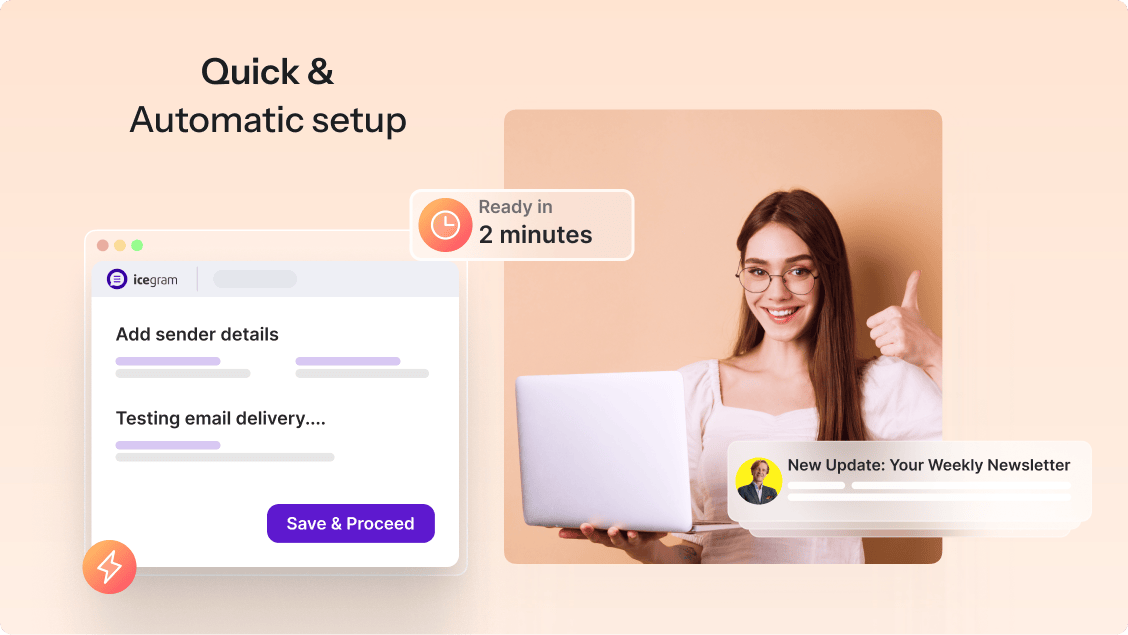
- Follow the guided 3-minute onboarding wizard under Icegram Express to create your first subscription form and default campaign.
Option 2: Manual ZIP Upload
- Download the
email-subscribers.ziparchive from the WordPress.org plugin page. - In your WordPress Admin Dashboard, go to Plugins > Add New and click Upload Plugin at the top of the screen.
- Select the downloaded
email-subscribers.zipfile, click Install Now, and click Activate Plugin.
Screenshot Gallery




No. Unlike SaaS tools or capped plugins, the free version of Icegram Express lets you collect unlimited email subscribers, create unlimited lists, and send unlimited newsletters and automated post notifications without mandatory monthly fees.
Mailchimp and MailPoet restrict free users to 500–1,000 subscribers before requiring recurring monthly subscriptions, and The Newsletter Plugin requires a paid add-on for automated blog post notifications. Icegram Express includes unlimited subscribers, drag-and-drop email building, and automated post notifications 100% free inside WordPress, with a predictable flat-rate Icegram Express Max upgrade when you need advanced WooCommerce automation.
No. Icegram Express stores subscriber, list, campaign, and analytics records in optimized custom database tables and processes outgoing emails in background batches via cron throttling, keeping your frontend pages fast and cache-friendly.
Yes. Icegram Express supports single and double opt-in, explicit GDPR consent checkboxes, optional IP anonymization, and mandatory one-click List-Unsubscribe headers required by Gmail and Yahoo bulk-sender policies. Read our full GDPR compliance documentation for details.
Go to Icegram Express > Forms to customize your form, then embed it anywhere using the Icegram Express Form Gutenberg block, the form shortcode, the WordPress sidebar/footer widget, or a triggered popup. No coding is required. See the step-by-step guides in our Icegram Express Documentation.
Navigate to Icegram Express > Campaigns, click Create Campaign > Broadcast, choose a responsive template from the Email Templates gallery or start from scratch in the drag-and-drop or Gutenberg editor, select your recipient list(s), and send immediately or schedule for a future date.
Go to Icegram Express > Campaigns, create a Post Notification campaign, select which post categories or custom post types should trigger the alert, and choose your email template. Whenever you publish a matching post, Icegram Express automatically queues and sends the notification to your subscribers.
Email delivery issues are almost always caused by web hosts blocking default PHP wp_mail() or missing SPF/DKIM authentication rather than a plugin bug. For reliable inbox placement, connect Icegram Mailer or an authenticated SMTP/API provider (such as Amazon SES, SendGrid, Mailgun, or Postmark) under Icegram Express > Settings > Email Sending, then use the Send Test button to verify delivery.
Go to Icegram Express > Audience and click Import or Export. You can upload a CSV file (and map custom columns to lists and statuses), import directly from existing WordPress users, WooCommerce customers, or Mailchimp, or export your filtered contacts to CSV.
Yes. Icegram Express supports both network-wide activation and single-site activation on WordPress Multisite networks. Each sub-site manages its own independent subscriber lists, forms, and email campaigns.
Every campaign template includes a compliant one-click unsubscribe link via the {{UNSUBSCRIBE-LINK}} merge tag by default. You can restyle or reposition it anywhere in the email footer using the campaign editor or customize system messages under Icegram Express > Settings.
When creating or editing a form under Icegram Express > Forms, set the display type to Popup (or pair it with Icegram Engage) and configure your custom popup title and display trigger.
Navigate to Icegram Express > Settings to edit default double opt-in confirmation emails, welcome messages, admin signup alerts, cron batch intervals, and role-based access permissions (Max) for editors or team members.
Audience Sync automatically keeps your subscriber lists updated when users register on your WordPress site, leave a blog comment, or complete a WooCommerce purchase, eliminating manual CSV updates.
Icegram Express is 100% translation-ready. You can customize or localize any frontend form label or system string using a plugin like Loco Translate or contribute translations via GlotPress on WordPress.org.
Broadcast and sequence emails support dynamic subscriber tags including {{FIRSTNAME}}, {{LASTNAME}}, {{NAME}}, {{EMAIL}}, {{LIST}}, {{TOTAL-CONTACTS}}, and custom field merge tags to personalize every message.
Post Notification and Post Digest campaigns support {{POSTTITLE}}, {{POSTLINK}}, {{POSTLINK-ONLY}}, {{POSTLINK-WITHTITLE}}, {{POSTIMAGE}}, {{POSTIMAGE-URL}}, {{POSTEXCERPT}}, {{POSTCONTENT}}, {{POSTAUTHOR}}, {{POSTDATE}}, {{POSTCATS}}, {{POSTMORETAG}}, and {{POSTID}}.
On any Broadcast, Post Notification, or Sequence editing screen, enter your email address in the Send Test box to preview the exact layout, images, and merge tag rendering in your inbox before activating the campaign.
Go to Icegram Express > Reports to inspect real-time delivery status, open rates, link click tracking, bounce counts, and unsubscribes for every sent campaign, or pause/resume active dispatches.
In Icegram Express > Audience, filter or select multiple contacts using the checkboxes and use the Bulk Actions dropdown to change their status (Subscribed, Unconfirmed, Unsubscribed), move or add them to another list, or resend confirmation emails.
Edit your form under Icegram Express > Forms and enter your destination URL in the Redirect URL after subscription setting to send new subscribers straight to a custom thank-you page or downloadable resource.
Enable CAPTCHA protection under your form’s security settings in Icegram Express > Forms (supports Google reCAPTCHA and built-in honeypot protection without breaking page caching).
Copy your unique Cron URL from Icegram Express > Settings > Email Sending. In cPanel (Cron Jobs) or Plesk (Tools & Settings > Scheduled Tasks), schedule a job calling that URL every 5–15 minutes. If your hosting provider does not offer server cron, Icegram Express can use WordPress cron or an external pinger service. Full server cron setup instructions are available in the Icegram Express Documentation.
Changelog
5.9.40 (22.10.2026)
- Improvement: Improved spam protection for subscription forms
- Fix: Fixed “No Lists” appearing on the campaigns list page for some older campaigns
5.9.39 (14.10.2026)
- Improvement: Show subscriber IP addresses when Track IP Address setting is enabled [MAX]
- Improvement: Added pause/resume controls for campaigns on the Reports page
- Fix: Resolved campaign processing stability edge cases
5.9.38 (01.10.2026)
- Improvement: Optimized Reports page analytics queries for better performance
- Fix: Fixed subscription form widget compatibility with “Page Builder by SiteOrigin”
- Fix: Resolved an issue where editing a form created a new form
5.9.37 (23.09.2026)
- Fix: Fixed an issue with email link tracking
5.9.36.1 (16.09.2026)
- Fix: Fixed “This link is invalid or has expired.” error when subscribing
5.9.35 (14.09.2026)
- Improvement: Enhanced onboarding experience and default campaign setup
- Improvement: Improved validation for subscribe, unsubscribe, open, and click events
- Update: Tested up to WordPress 7.1
- Fix: Fixed PHP deprecation warning “WPCF7_TagGenerator::add(): Use of tag generator instances older than version 2 is deprecated”
- Fix: Fixed incorrect campaign recipient counts for non-English sites
5.9.34 (26.08.2026)
- Improvement: Optimized link-related queries on Reports page
- Fix: Fixed site caching being disabled when form CAPTCHA security is on [MAX]
5.9.33 (06.08.2026)
- Improvement: Enhanced translation support for deactivation survey
5.9.32 (30.07.2026)
- Improvement: Improved localization support
5.9.31 (23.07.2026)
- Fix: Disabled editing options for sent campaigns
- Fix: Resolved UI issues in WP 7.0
5.9.30 (16.07.2026)
- Improvement: Added an option to “Resend” failed campaigns
- Fix: Resolved page caching compatibility issue [MAX]
- Fix: Form editor now shows updated list names after renaming
5.9.29 (02.07.2026)
- New: Send emails using “Microsoft Outlook” API [MAX]
- Improvement: Contacts can now be sorted using “Last Opened” column in the Audience page
- Fix: Fixed report deletion issue on sites using RTL language
5.9.28 (24.06.2026)
- New: Show unsubscribe stats in the audience dashboard
- New: Option to set title for “Popup form”
- Fix: Broadcast campaigns were showing the incorrect sent date in report
Available Versions
| Version | Download | Type |
|---|---|---|
| 5.9.40 | Download | Stable |
| 5.9.39 | Download | Stable |
| 5.9.38 | Download | Stable |
| 5.9.37 | Download | Stable |
| 5.9.36.1 | Download | Stable |
| 5.9.36 | Download | Stable |
| 5.9.35 | Download | Stable |
| 5.9.34 | Download | Stable |
| 5.9.33 | Download | Stable |
| 5.9.32 | Download | Stable |
| 5.9.31 | Download | Stable |
| 5.9.30 | Download | Stable |
| 5.9.29 | Download | Stable |
| 5.9.28 | Download | Stable |
| 5.9.27 | Download | Stable |
| 5.9.26 | Download | Stable |
| 5.9.25 | Download | Stable |
| 5.9.24 | Download | Stable |
| 5.9.23 | Download | Stable |
| 5.9.22 | Download | Stable |
| 5.9.21 | Download | Stable |
| 5.9.20 | Download | Stable |
| 5.9.19 | Download | Stable |
| 5.9.18 | Download | Stable |
| 5.9.17 | Download | Stable |
| 5.9.16 | Download | Stable |
| 5.9.15 | Download | Stable |
| 5.9.14 | Download | Stable |
| 5.9.13 | Download | Stable |
| 5.9.12 | Download | Stable |
| 5.9.11 | Download | Stable |
| 5.9.10 | Download | Stable |
| 5.9.9 | Download | Stable |
| 5.9.8 | Download | Stable |
| 5.9.7 | Download | Stable |
| 5.9.6 | Download | Stable |
| 5.9.5 | Download | Stable |
| 5.9.4 | Download | Stable |
| 5.9.3 | Download | Stable |
| 5.9.2 | Download | Stable |
| 5.9.1 | Download | Stable |
| 5.9.0 | Download | Stable |
| 5.8.12 | Download | Stable |
| 5.8.11 | Download | Stable |
| 5.8.10 | Download | Stable |
| 5.8.9 | Download | Stable |
| 5.8.8 | Download | Stable |
| 5.8.7 | Download | Stable |
| 5.8.6 | Download | Stable |
| 5.8.5 | Download | Stable |
| 5.8.4 | Download | Stable |
| 5.8.3 | Download | Stable |
| 5.8.2 | Download | Stable |
| 5.8.1 | Download | Stable |
| 5.8.0 | Download | Stable |
| 5.7.59 | Download | Stable |
| 5.7.58 | Download | Stable |
| 5.7.57.1 | Download | Stable |
| 5.7.57 | Download | Stable |
| 5.7.56 | Download | Stable |
| 5.7.55 | Download | Stable |
| 5.7.54 | Download | Stable |
| 5.7.53.1 | Download | Stable |
| 5.7.53 | Download | Stable |
| 5.7.52 | Download | Stable |
| 5.7.51 | Download | Stable |
| 5.7.50 | Download | Stable |
| 5.7.49 | Download | Stable |
| 5.7.48 | Download | Stable |
| 5.7.47 | Download | Stable |
| 5.7.46 | Download | Stable |
| 5.7.45 | Download | Stable |
| 5.7.44 | Download | Stable |
| 5.7.43 | Download | Stable |
| 5.7.42 | Download | Stable |
| 5.7.41 | Download | Stable |
| 5.7.40 | Download | Stable |
| 5.7.39 | Download | Stable |
| 5.7.38 | Download | Stable |
| 5.7.37 | Download | Stable |
| 5.7.36 | Download | Stable |
| 5.7.35 | Download | Stable |
| 5.7.34 | Download | Stable |
| 5.7.33 | Download | Stable |
| 5.7.32 | Download | Stable |
| 5.7.31 | Download | Stable |
| 5.7.30 | Download | Stable |
| 5.7.29 | Download | Stable |
| 5.7.28 | Download | Stable |
| 5.7.27 | Download | Stable |
| 5.7.26 | Download | Stable |
| 5.7.25 | Download | Stable |
| 5.7.24 | Download | Stable |
| 5.7.23 | Download | Stable |
| 5.7.22 | Download | Stable |
| 5.7.21.1 | Download | Stable |
| 5.7.21 | Download | Stable |
| 5.7.20 | Download | Stable |
| 5.7.19 | Download | Stable |
| 5.7.18 | Download | Stable |
| 5.7.17 | Download | Stable |
| 5.7.16 | Download | Stable |
| 5.7.15 | Download | Stable |
| 5.7.14 | Download | Stable |
| 5.7.13 | Download | Stable |
| 5.7.12 | Download | Stable |
| 5.7.11 | Download | Stable |
| 5.7.10 | Download | Stable |
| 5.7.9 | Download | Stable |
| 5.7.8 | Download | Stable |
| 5.7.7 | Download | Stable |
| 5.7.6 | Download | Stable |
| 5.7.5 | Download | Stable |
| 5.7.4 | Download | Stable |
| 5.7.3 | Download | Stable |
| 5.7.2 | Download | Stable |
| 5.7.1 | Download | Stable |
| 5.7.0 | Download | Stable |
| 5.6.24 | Download | Stable |
| 5.6.23 | Download | Stable |
| 5.6.22 | Download | Stable |
| 5.6.21 | Download | Stable |
| 5.6.20 | Download | Stable |
| 5.6.19 | Download | Stable |
| 5.6.18 | Download | Stable |
| 5.6.17 | Download | Stable |
| 5.6.16 | Download | Stable |
| 5.6.15 | Download | Stable |
| 5.6.14 | Download | Stable |
| 5.6.13 | Download | Stable |
| 5.6.12 | Download | Stable |
| 5.6.11 | Download | Stable |
| 5.6.10 | Download | Stable |
| 5.6.9 | Download | Stable |
| 5.6.8 | Download | Stable |
| 5.6.7 | Download | Stable |
| 5.6.6 | Download | Stable |
| 5.6.5 | Download | Stable |
| 5.6.4 | Download | Stable |
| 5.6.3 | Download | Stable |
| 5.6.2 | Download | Stable |
| 5.6.1 | Download | Stable |
| 5.6.0 | Download | Stable |
| 5.5.15 | Download | Stable |
| 5.5.14 | Download | Stable |
| 5.5.13 | Download | Stable |
| 5.5.12 | Download | Stable |
| 5.5.11 | Download | Stable |
| 5.5.10 | Download | Stable |
| 5.5.9 | Download | Stable |
| 5.5.8 | Download | Stable |
| 5.5.7 | Download | Stable |
| 5.5.6 | Download | Stable |
| 5.5.5 | Download | Stable |
| 5.5.4 | Download | Stable |
| 5.5.3 | Download | Stable |
| 5.5.2 | Download | Stable |
| 5.5.1 | Download | Stable |
| 5.5.0 | Download | Stable |
| 5.4.19 | Download | Stable |
| 5.4.18 | Download | Stable |
| 5.4.17 | Download | Stable |
| 5.4.16 | Download | Stable |
| 5.4.15 | Download | Stable |
| 5.4.14 | Download | Stable |
| 5.4.13 | Download | Stable |
| 5.4.12 | Download | Stable |
| 5.4.11 | Download | Stable |
| 5.4.10 | Download | Stable |
| 5.4.9 | Download | Stable |
| 5.4.8 | Download | Stable |
| 5.4.7 | Download | Stable |
| 5.4.6 | Download | Stable |
| 5.4.5 | Download | Stable |
| 5.4.4.1 | Download | Stable |
| 5.4.4 | Download | Stable |
| 5.4.3 | Download | Stable |
| 5.4.2 | Download | Stable |
| 5.4.1 | Download | Stable |
| 5.4.0 | Download | Stable |
| 5.3.18 | Download | Stable |
| 5.3.17 | Download | Stable |
| 5.3.16 | Download | Stable |
| 5.3.15 | Download | Stable |
| 5.3.14 | Download | Stable |
| 5.3.13 | Download | Stable |
| 5.3.12 | Download | Stable |
| 5.3.11 | Download | Stable |
| 5.3.10 | Download | Stable |
| 5.3.9 | Download | Stable |
| 5.3.8 | Download | Stable |
| 5.3.7 | Download | Stable |
| 5.3.6 | Download | Stable |
| 5.3.5 | Download | Stable |
| 5.3.4 | Download | Stable |
| 5.3.3 | Download | Stable |
| 5.3.2 | Download | Stable |
| 5.3.1 | Download | Stable |
| 5.3.0 | Download | Stable |
| 5.2.0 | Download | Stable |
| 5.1.0 | Download | Stable |
| 5.0.9 | Download | Stable |
| 5.0.8 | Download | Stable |
| 5.0.7 | Download | Stable |
| 5.0.6 | Download | Stable |
| 5.0.5 | Download | Stable |
| 5.0.4 | Download | Stable |
| 5.0.3 | Download | Stable |
| 5.0.2 | Download | Stable |
| 5.0.1 | Download | Stable |
| 5.0.0 | Download | Stable |
| 4.9.1 | Download | Stable |
| 4.9.0 | Download | Stable |
| 4.8.6 | Download | Stable |
| 4.8.5 | Download | Stable |
| 4.8.4 | Download | Stable |
| 4.8.3 | Download | Stable |
| 4.8.2 | Download | Stable |
| 4.8.1 | Download | Stable |
| 4.8.0 | Download | Stable |
| 4.7.9 | Download | Stable |
| 4.7.8 | Download | Stable |
| 4.7.7 | Download | Stable |
| 4.7.6 | Download | Stable |
| 4.7.5.1 | Download | Stable |
| 4.7.5 | Download | Stable |
| 4.7.4 | Download | Stable |
| 4.7.3 | Download | Stable |
| 4.7.2 | Download | Stable |
| 4.7.1 | Download | Stable |
| 4.7.0 | Download | Stable |
| 4.6.14 | Download | Stable |
| 4.6.13 | Download | Stable |
| 4.6.12.1 | Download | Stable |
| 4.6.12 | Download | Stable |
| 4.6.11 | Download | Stable |
| 4.6.10 | Download | Stable |
| 4.6.9 | Download | Stable |
| 4.6.8 | Download | Stable |
| 4.6.7 | Download | Stable |
| 4.6.6 | Download | Stable |
| 4.6.5 | Download | Stable |
| 4.6.4 | Download | Stable |
| 4.6.3 | Download | Stable |
| 4.6.2 | Download | Stable |
| 4.6.1 | Download | Stable |
| 4.6.0 | Download | Stable |
| 4.5.6 | Download | Stable |
| 4.5.5 | Download | Stable |
| 4.5.4 | Download | Stable |
| 4.5.3 | Download | Stable |
| 4.5.2 | Download | Stable |
| 4.5.1 | Download | Stable |
| 4.5.0.1 | Download | Stable |
| 4.5.0 | Download | Stable |
| 4.4.10.1 | Download | Stable |
| 4.4.10 | Download | Stable |
| 4.4.9 | Download | Stable |
| 4.4.8 | Download | Stable |
| 4.4.7 | Download | Stable |
| 4.4.6 | Download | Stable |
| 4.4.5 | Download | Stable |
| 4.4.4 | Download | Stable |
| 4.4.3 | Download | Stable |
| 4.4.2 | Download | Stable |
| 4.4.1.1 | Download | Stable |
| 4.4.1 | Download | Stable |
| 4.4.0 | Download | Stable |
| 4.3.13 | Download | Stable |
| 4.3.12 | Download | Stable |
| 4.3.11 | Download | Stable |
| 4.3.10 | Download | Stable |
| 4.3.9 | Download | Stable |
| 4.3.8 | Download | Stable |
| 4.3.7 | Download | Stable |
| 4.3.6 | Download | Stable |
| 4.3.5.1 | Download | Stable |
| 4.3.5 | Download | Stable |
| 4.3.4.1 | Download | Stable |
| 4.3.4 | Download | Stable |
| 4.3.3 | Download | Stable |
| 4.3.2 | Download | Stable |
| 4.3.1 | Download | Stable |
| 4.3.0 | Download | Stable |
| 4.2.4 | Download | Stable |
| 4.2.3 | Download | Stable |
| 4.2.2 | Download | Stable |
| 4.2.1 | Download | Stable |
| 4.2.0 | Download | Stable |
| 4.1.15 | Download | Stable |
| 4.1.14 | Download | Stable |
| 4.1.13 | Download | Stable |
| 4.1.12 | Download | Stable |
| 4.1.11 | Download | Stable |
| 4.1.10 | Download | Stable |
| 4.1.9 | Download | Stable |
| 4.1.8 | Download | Stable |
| 4.1.7 | Download | Stable |
| 4.1.6 | Download | Stable |
| 4.1.5 | Download | Stable |
| 4.1.4 | Download | Stable |
| 4.1.3 | Download | Stable |
| 4.1.2.2 | Download | Stable |
| 4.1.2.1 | Download | Stable |
| 4.1.2 | Download | Stable |
| 4.1.1 | Download | Stable |
| 4.1 | Download | Stable |
| 4.0.18 | Download | Stable |
| 4.0.17 | Download | Stable |
| 4.0.16 | Download | Stable |
| 4.0.15 | Download | Stable |
| 4.0.14.1 | Download | Stable |
| 4.0.14 | Download | Stable |
| 4.0.13 | Download | Stable |
| 4.0.12 | Download | Stable |
| 4.0.11 | Download | Stable |
| 4.0.10 | Download | Stable |
| 4.0.9 | Download | Stable |
| 4.0.8 | Download | Stable |
| 4.0.7 | Download | Stable |
| 4.0.6 | Download | Stable |
| 4.0.5 | Download | Stable |
| 4.0.4 | Download | Stable |
| 4.0.3 | Download | Stable |
| 4.0.2 | Download | Stable |
| 4.0.1 | Download | Stable |
| 4.0 | Download | Stable |
| 3.5.18 | Download | Stable |
| 3.5.17 | Download | Stable |
| 3.5.16 | Download | Stable |
| 3.5.15 | Download | Stable |
| 3.5.14 | Download | Stable |
| 3.5.13 | Download | Stable |
| 3.5.12 | Download | Stable |
| 3.5.11 | Download | Stable |
| 3.5.10 | Download | Stable |
| 3.5.9 | Download | Stable |
| 3.5.8 | Download | Stable |
| 3.5.7 | Download | Stable |
| 3.5.6 | Download | Stable |
| 3.5.5 | Download | Stable |
| 3.5.4 | Download | Stable |
| 3.5.3 | Download | Stable |
| 3.5.2 | Download | Stable |
| 3.5.1 | Download | Stable |
| 3.5.0 | Download | Stable |
| 3.4.12 | Download | Stable |
| 3.4.11 | Download | Stable |
| 3.4.10 | Download | Stable |
| 3.4.9 | Download | Stable |
| 3.4.8 | Download | Stable |
| 3.4.7 | Download | Stable |
| 3.4.6 | Download | Stable |
| 3.4.5 | Download | Stable |
| 3.4.4 | Download | Stable |
| 3.4.3 | Download | Stable |
| 3.4.2 | Download | Stable |
| 3.4.1 | Download | Stable |
| 3.4.0 | Download | Stable |
| 3.3.7 | Download | Stable |
| 3.3.6 | Download | Stable |
| 3.3.5 | Download | Stable |
| 3.3.4 | Download | Stable |
| 3.3.3 | Download | Stable |
| 3.3.2 | Download | Stable |
| 3.3.1 | Download | Stable |
| 3.3 | Download | Stable |
| 3.2.11 | Download | Stable |
| 3.2.10 | Download | Stable |
| 3.2.9 | Download | Stable |
| 3.2.8 | Download | Stable |
| 3.2.7 | Download | Stable |
| 3.2.6 | Download | Stable |
| 3.2.5 | Download | Stable |
| 3.2.4 | Download | Stable |
| 3.2.3 | Download | Stable |
| 3.2.2 | Download | Stable |
| 3.2.1 | Download | Stable |
| 3.2 | Download | Stable |
| 3.1.5 | Download | Stable |
| 3.1.4 | Download | Stable |
| 3.1.3 | Download | Stable |
| 3.1.2 | Download | Stable |
| 3.1.1 | Download | Stable |
| 3.1 | Download | Stable |
| Development | Download | Trunk |
