
Easy File Upload & Approval – A Simple File Submission & Review System
Active Installs
50+
Last Updated
May 6, 2026
First Released
December 16, 2025
Download History (Last one month)
Contributors
WP Easy File Upload & Approval lets users effortlessly upload and submit files for review through a clean and simple drag-and-drop interface. Designed for websites that require file submissions, it gives site owners a powerful way to review and manage uploaded files with full control over approvals, rejections, and deletions.
Designed for job applications, contests, print shops, educators, agencies, and service providers, any platform that needs a simple yet powerful file submission and approval workflow.
With customizable upload settings, flexible role permissions, and built-in email notifications, this plugin streamlines how files are received and reviewed – ensuring a smooth experience for both users and administrators.
Workflow: Users upload their files the admin receives a notification the admin reviews and approves or rejects the submission users are automatically notified of the final status.
Simple uploads. Easy approvals. Complete control.
Features
- Drag & drop uploader or standard “Browse” upload option.
- Multiple file selection with the ability to delete or re-add files before submission.
- Role-based uploader visibility control.
- Manual file approval or rejection.
- Display the uploader on specific pages (via settings), Gutenberg blocks, or using the [easyfua_upload] shortcode.
- Allow reviewers or admins to leave notes upon rejection.
- Define custom allowed file types or extensions.
- Set minimum and maximum file upload limits.
- Limit the total number of files that can be uploaded.
- Restrict the maximum file size for each upload.
- Bulk download approved files as a ZIP archive (ie: submission-122.zip).
- Bulk “approve”, “reject”, “delete”, or “download” files.
- Customizable error and validation messages.
- Notify admins of new file submissions.
- Notify users via email when files are submitted, approved, or rejected.
- Option to enable or disable “Name” and “Email Address” fields for users.
- Google reCAPTCHA v3 ready for spam protection.
- Customizable email templates for both admin and user notifications.
- Automatically “delete temporary” files after 24 hours.
- Define a custom upload folder name. (ie: /wp-content/uploads/{custom_folder})
- AJAX-powered uploader for smooth, reload-free submissions.
- Supports multiple languages (WPML & Polylang compatible).
- Fully mobile-responsive design.
⭐ Premium Features ⭐
Check out the available features in the PRO version.
🔥 Upload Large File – Supports uploading large files.
🔥 Chunked Uploads – Upload large files in smaller chunks to avoid timeouts.
🔥 Organize Folder – Choose a specific folder to store file submissions.
* Submission ID – Organize files into folders by submission ID.
* Random Folder – Timestamp-based folders.
* Date & Time – Auto generated letters & numbers.
* Daily or Monthly – Store files in daily or monthly folders.
✅ Image Preview – Displays thumbnails for images only.
✅ Max Total Size – Set the “maximum” total size for all uploaded files.
✅ Parallel Upload – Limit simultaneous uploads to optimize server performance.
✅ Image Size Validation – Validate and set minimum image width and height requirements.
✅ One-Click ZIP Download – Download submission files as zip.
✅ Role Based approvals – Control which “user roles” can approve file submissions.
✅ Ajax Upload & Submission – Upload & submit files without page reload for a seamless experience.
✅ Security – Ensure security with regular updates, vulnerability scans, and threat protection.
✅ Optimized Code & Performance – Improve speed and efficiency.
You can get PRO Version here!
External services
This plugin connects to the Google reCAPTCHA API (https://www.google.com/recaptcha/api.js) to help protect forms against spam and automated abuse.
When enabled, the plugin loads the reCAPTCHA script from Google’s servers to verify user interactions. This may result in Google collecting some information about the user, such as IP address and interaction data, to provide and improve the reCAPTCHA service.
This service is provided by Google LLC.
Terms of Service: https://policies.google.com/terms
Privacy Policy: https://policies.google.com/privacy
- Upload the plugin folder to
/wp-content/plugins/. - Activate WP Easy File Upload & Approval through the Plugins screen.
- Go to Easy File Upload ▸ Settings to configure the plugin.
- Select the “Show Uploader On” option and choose the page where you want the uploader to appear. Alternatively, you can insert the
[easyfua_upload]shortcode on any page. You may also use the Gutenberg block—just search for “Easy File Upload.”
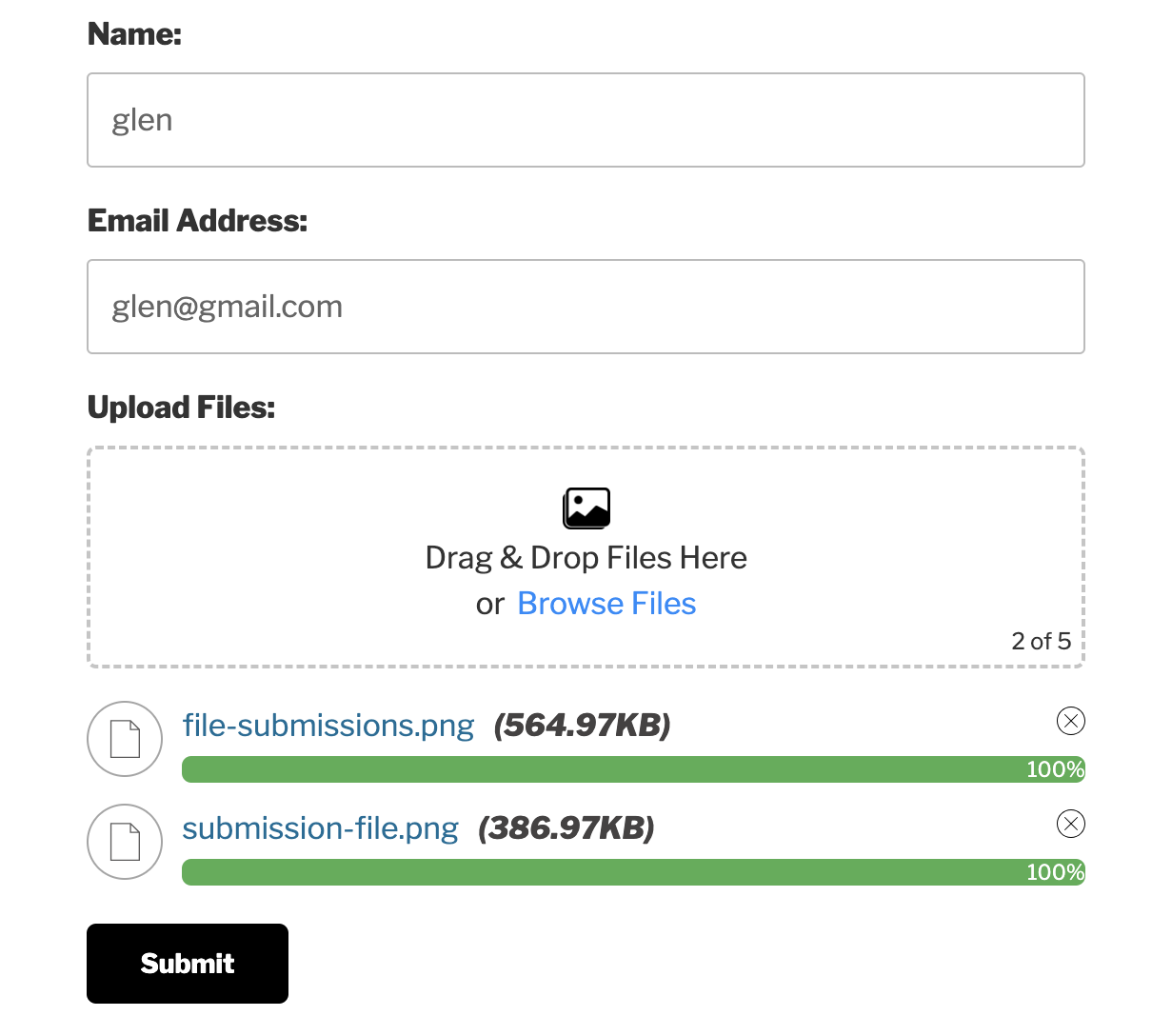
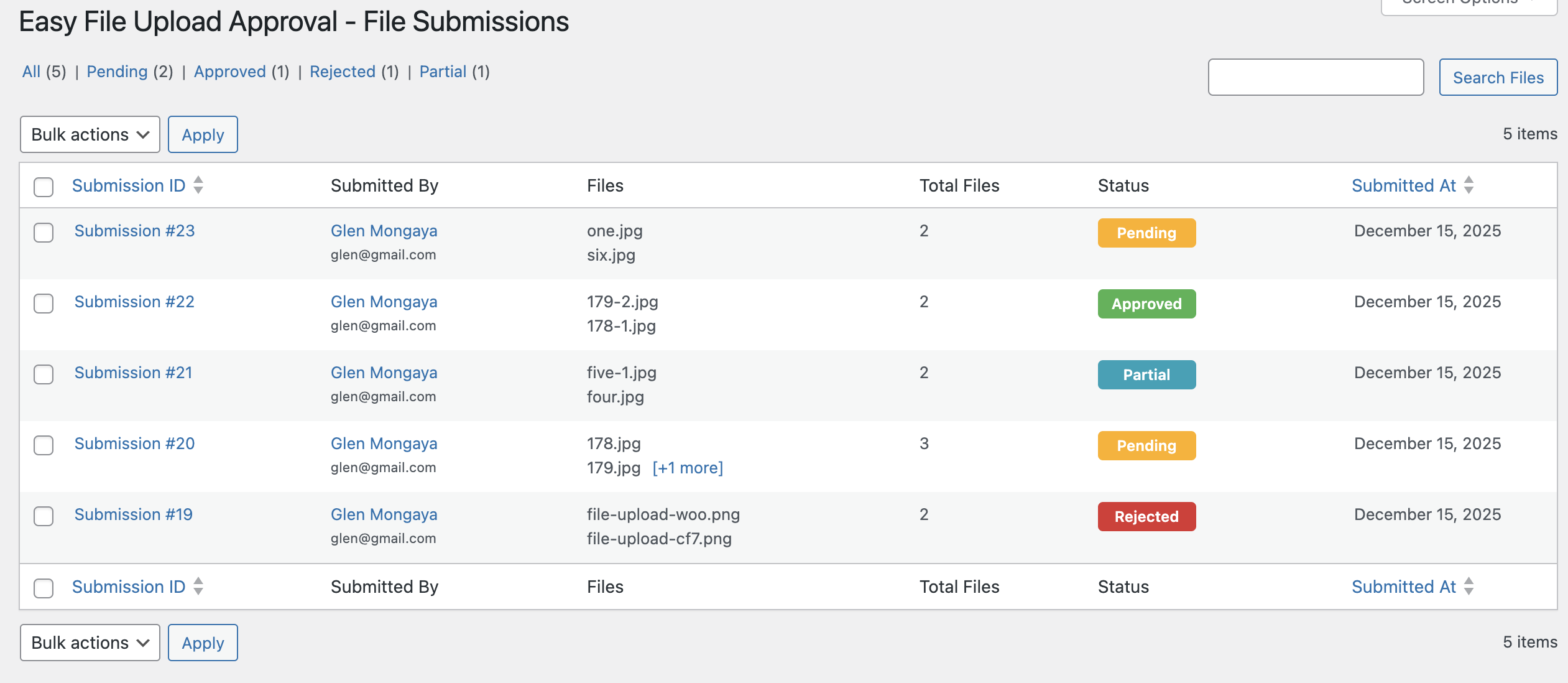
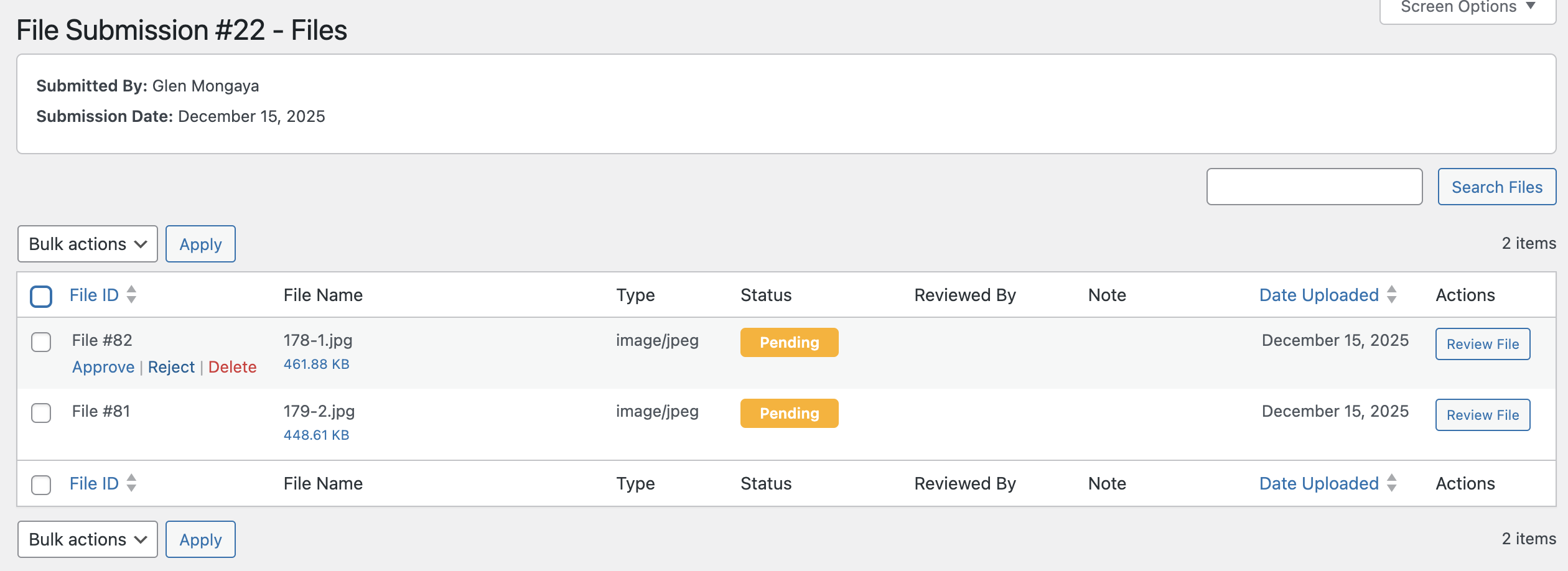
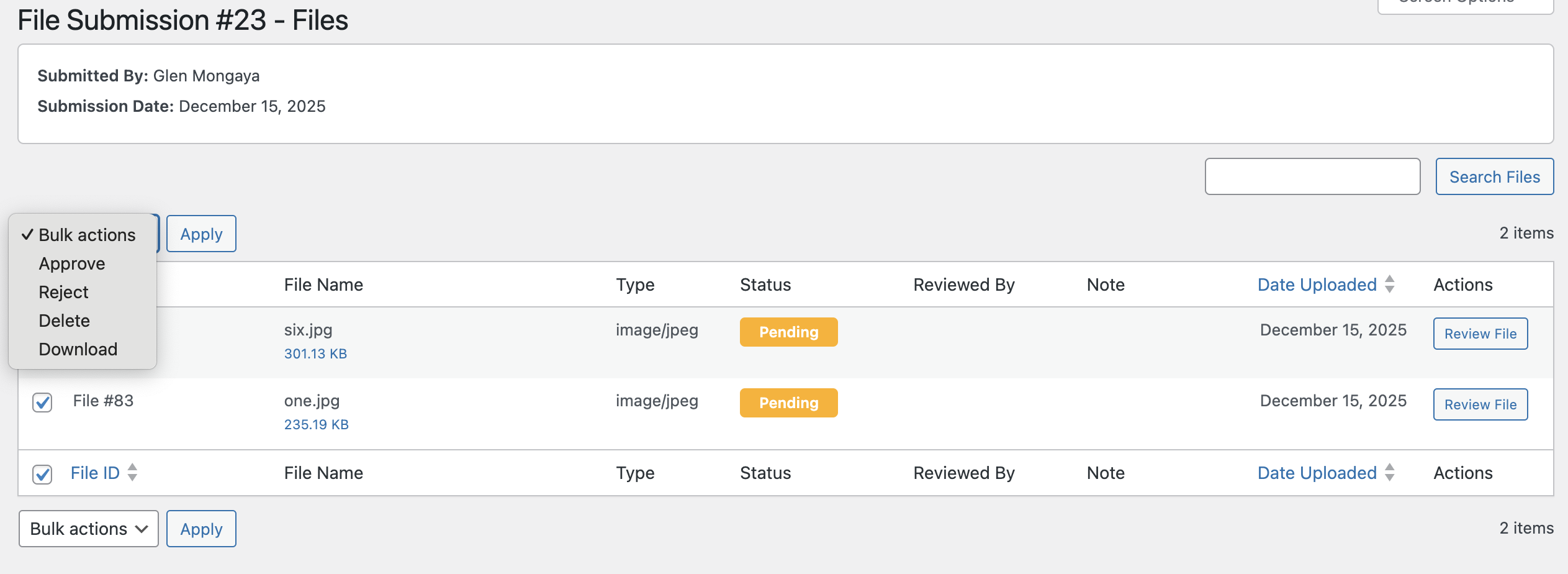
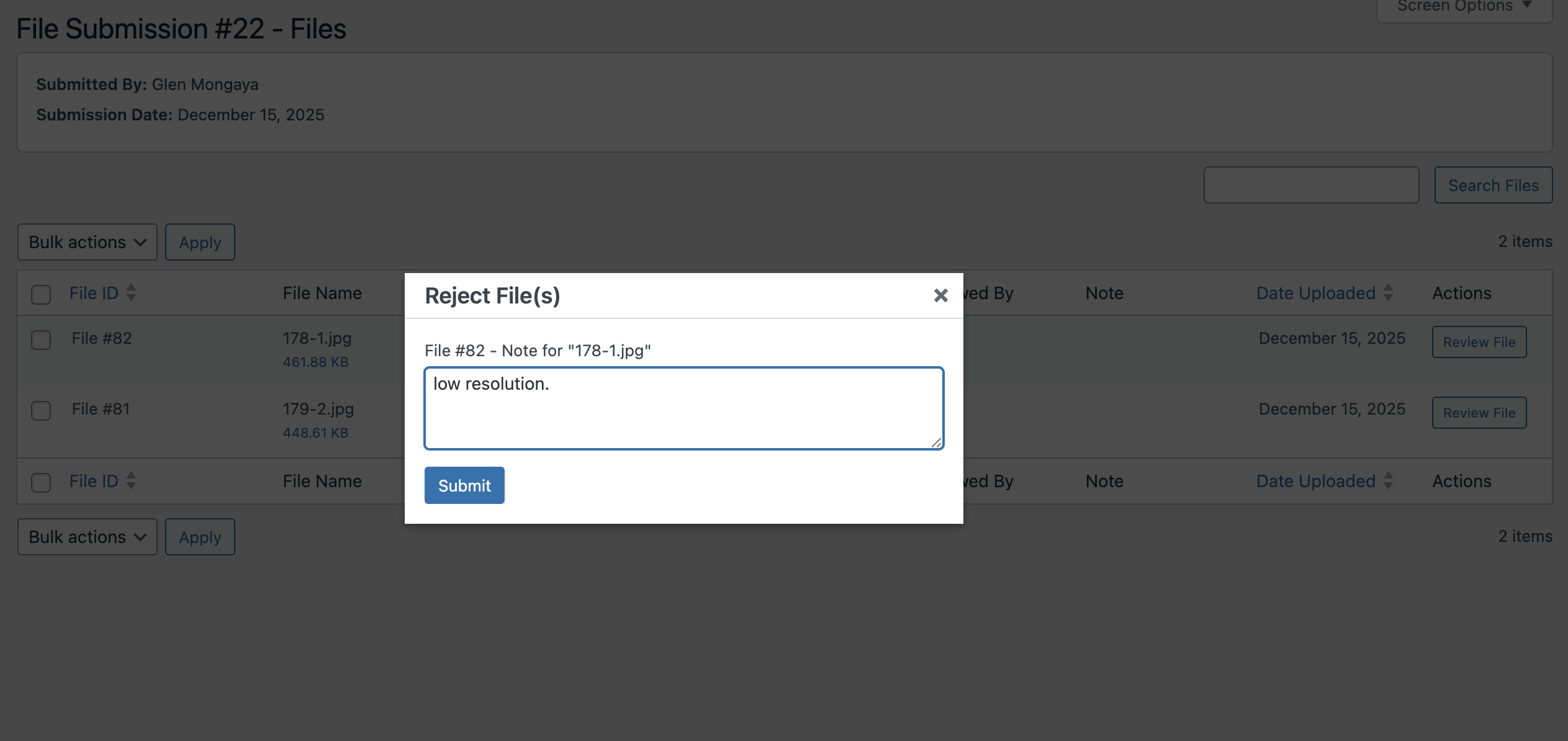
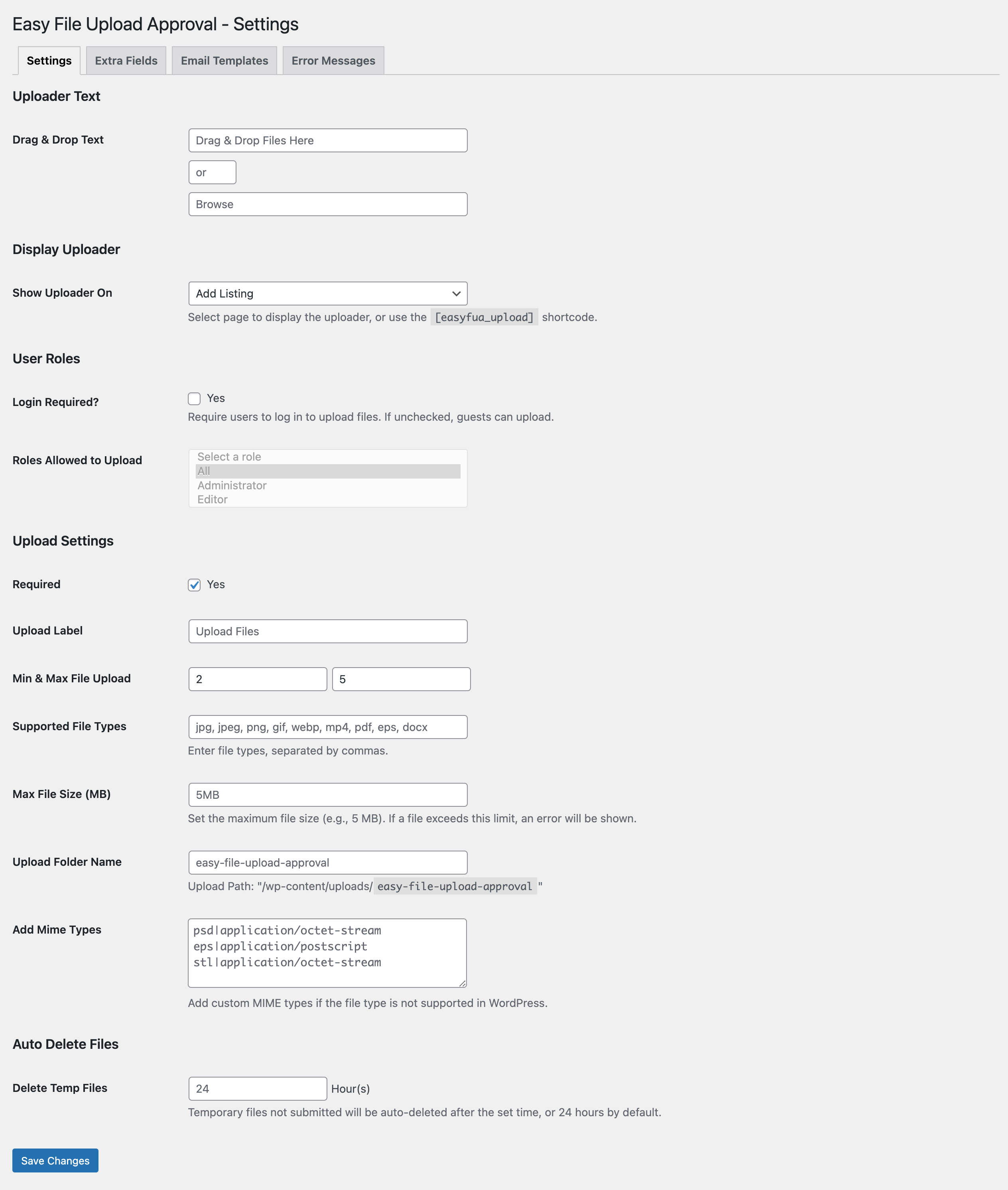
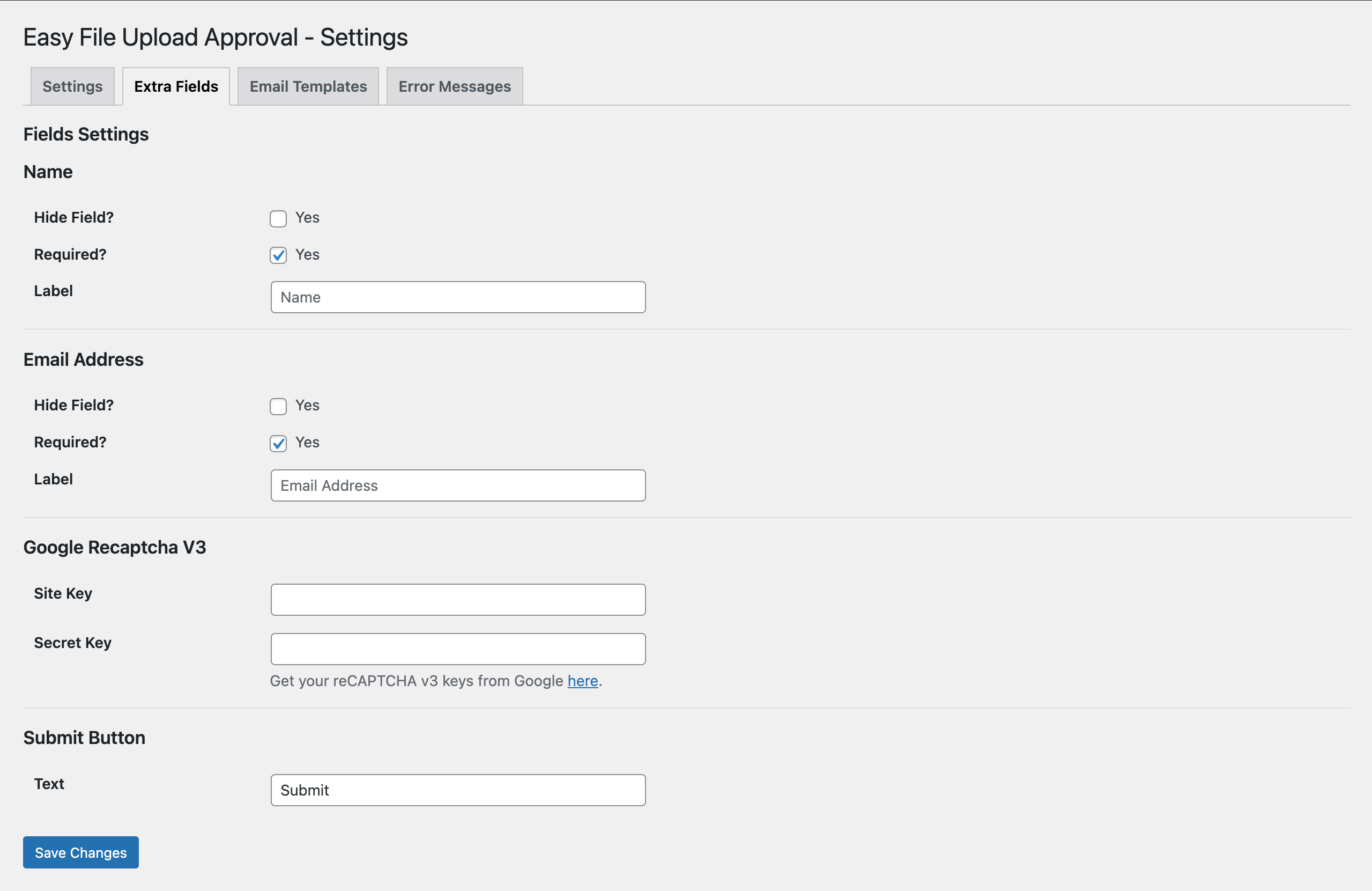
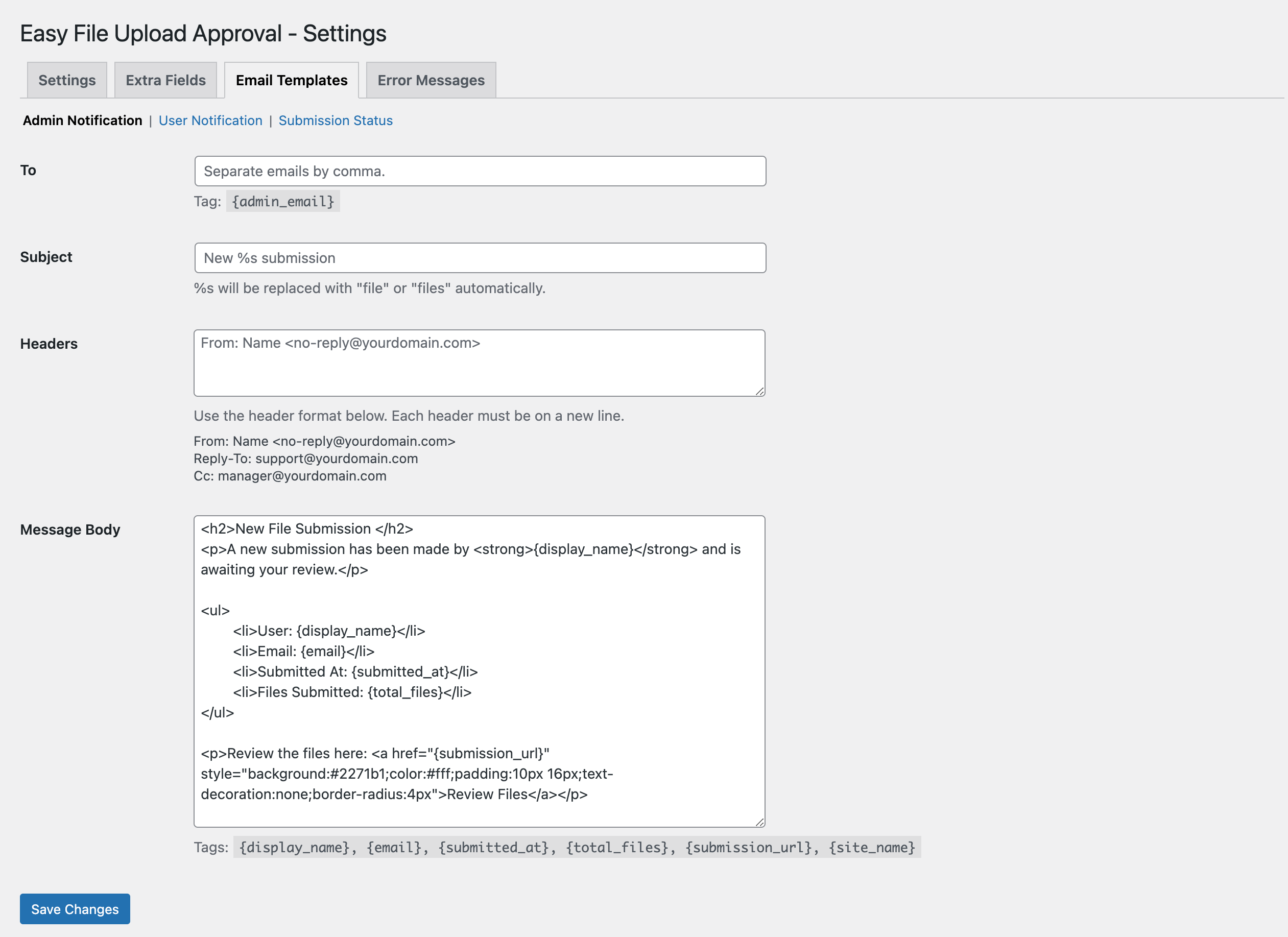
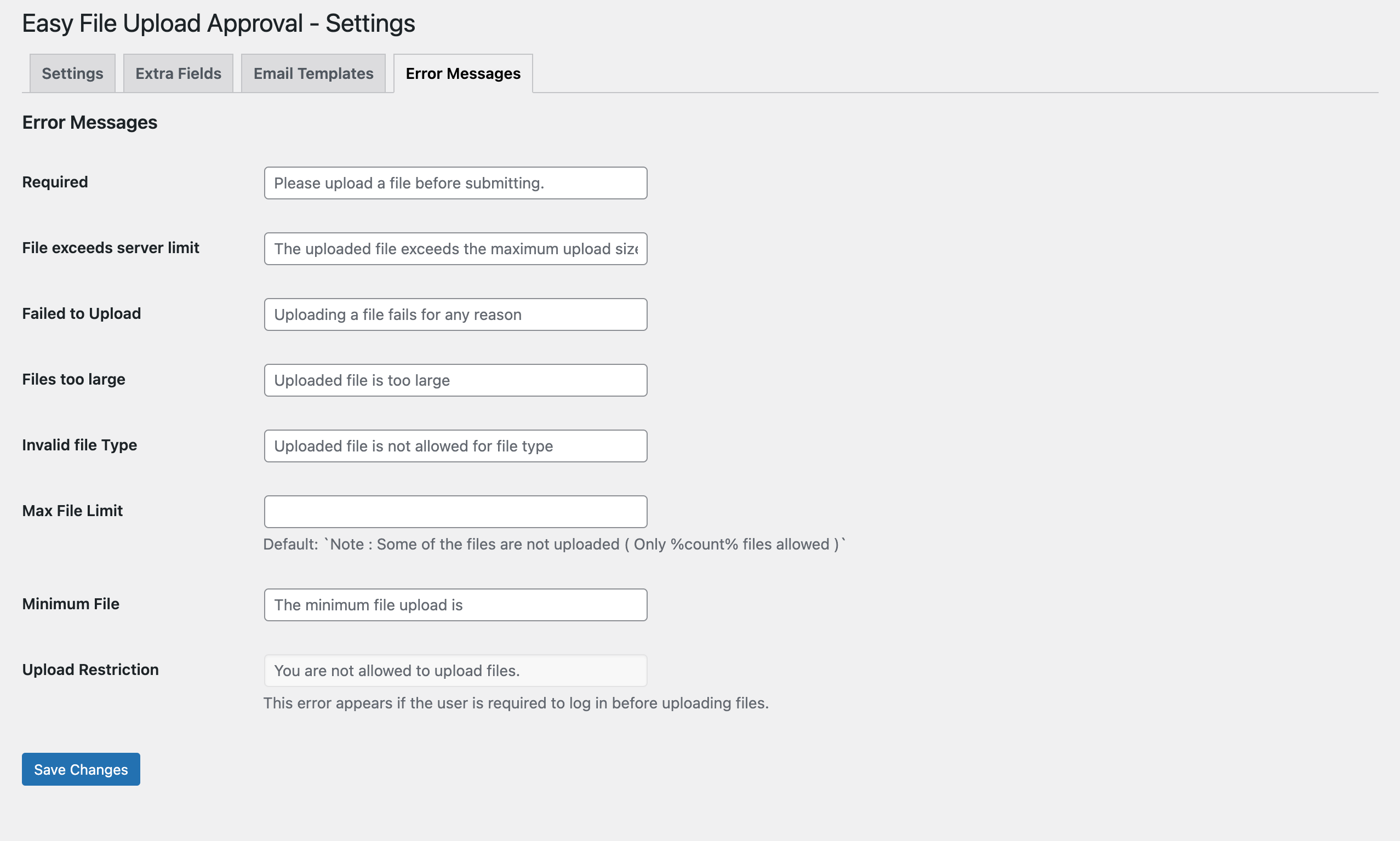
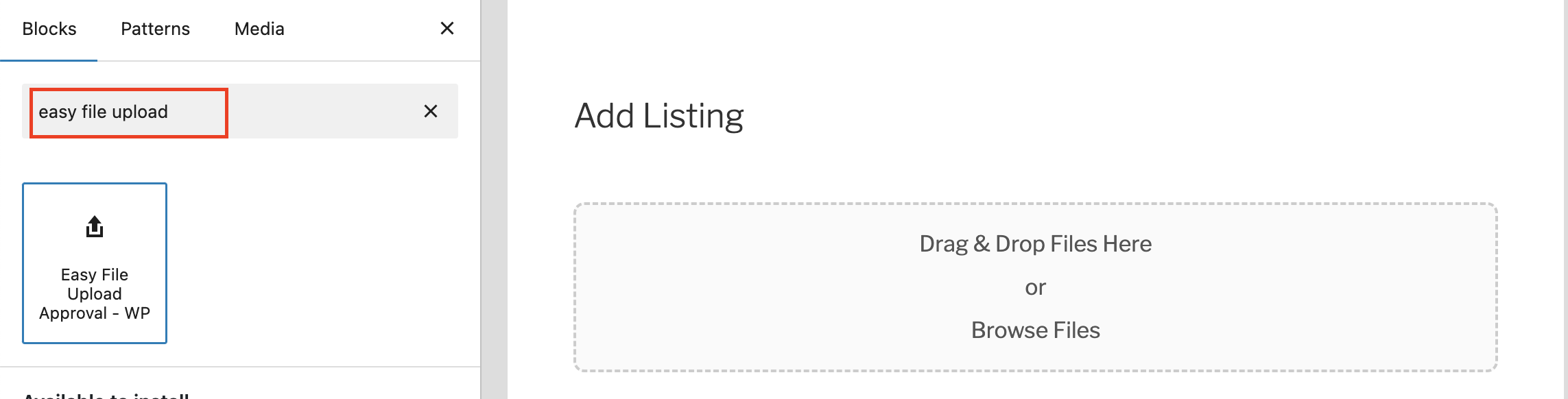
You can easily add the uploader using the [easyfua_upload] shortcode or via upload settings. The plugin also includes a Gutenberg block for easy placement.
Yes. You can limit access by user role or make the uploader available to everyone, including guest users.
No — uploads are open to everyone. Both guests and registered users can submit files.
You can define your own list of allowed file types in the plugin settings. Common formats such as PDF, JPG, PNG, and DOCX are supported by default.
Yes. The plugin automatically sends customizable email notifications to users and administrators for each submission and approval/rejection event.
Yes. The plugin supports WPML and Polylang, making it fully translatable.
Yes. The admin dashboard allows bulk approval, rejection, deletion, or download of submissions as a ZIP archive.
Yes. Temporary uploads are automatically deleted after 24 hours to keep your site optimized.
Yes. The plugin supports Google reCAPTCHA v3 to protect against spam and unwanted submissions.
Go to Easy File Upload Settings Upload Settings.
You can:
• Set the Max File Size (MB) allowed per file (e.g., 10MB).
• Define Min & Max File Upload upload limits to fit your workflow.
Go to Easy File Upload Settings Upload Settings.
On the settings find “Upload Folder Name” option and add your desired folder name.
Changelog
1.0.1
- Bug Fix – Fixed duplicate validation error message.
- Improvement – Improve css and validation
1.0.0
- Initial public release. [Dec 16, 2025]
" width="120" height="120">
