Cyrlitera – Transliteration of Links and File Names
Active Installs
40,000+
Last Updated
May 19, 2026
First Released
March 16, 2018
Download History (Last one month)
Contributors
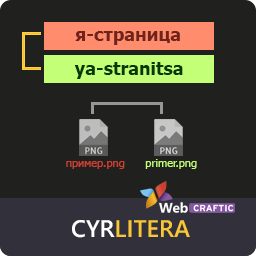
Cyrlitera converts Cyrillic and Georgian URLs and file names to Latin. It works for all post types, pages, and terms. It gives you options to define your own custom characters and enable automatic redirects.
How It Works
Transliteration is the process of converting characters from one writing system to another, such as converting Cyrillic symbols to Latin. Because most web software and URLs are designed around Latin characters, using Cyrillic or other non-Latin symbols in links or file names can lead to unreadable URLs, accessibility issues, and even broken links. Transliteration ensures your URLs and file names remain clean, readable, and compatible across all platforms.
Cyrlitera automatically replaces Cyrillic and Georgian characters with Latin equivalents to create clean and readable URLs for posts, categories, taxonomies, products, and custom post types. It also fixes incorrect file names by removing unsafe characters and transliterating them during upload, helping prevent 404 errors and broken media links.
Examples
Cyrillic URL before transliteration:
https://example.com/%D0%BF%D1%80%D0%B8%D0%B2%D0%B5%D1%82-%D0%BC%D0%B8%D1%80
Same URL transliterated to Latin:
https://example.com/privet-mir
Incorrect file names before transliteration:
%D0%BC%D0%BE%D0%B5_image_290.jpg
A+nice+picture.png
Readable transliterated file names:
moe_image_290.jpg
a-nice-picture.png
By using Latin-based file names and URLs, you avoid issues with encoding, broken links, and unreadable paths. This plugin performs the transliteration automatically each time a file is uploaded, ensuring your media library stays clean and consistent.
Features
- Automatically transliterates all new permalinks for posts, pages, categories, tags, and custom post types.
- Automatically transliterates all new attachment file names on upload, with an option to convert them to lowercase.
- Creates automatic redirects from old URLs to new transliterated ones to prevent broken links.
- Supports multiple alphabets, including Russian, Belarusian, Ukrainian, Bulgarian, and Georgian.
- Fully customizable character mapping – define your own characters and their Latin substitutions to support any language.
- Preserves original permalinks, keeping old URLs intact so nothing is lost during conversion.
- Optional conversion of existing slugs, allowing you to transliterate existing URLs.
- Rollback tool that lets you restore original URLs if needed.
Support
We’re here to help. Feel free to open a new thread on the [Support Forum] (https://wordpress.org/support/plugin/cyrlitera/).
Useful Resources
- If you like this plugin, you’re sure to love our other plugins as well.
- Our blog is a great place to learn more about WordPress.
- Get the most out of your website with our helpful WordPress YouTube Tutorials.
- In your WordPress admin, go to Plugins > Add New
- In the Search field, type “Cyrlitera”
- Under “Cyrlitera” by Themeisle, click the Install Now link
- Once the process is complete, click the Activate Plugin link
- Go to Settings Cyrlitera to configure the plugin
Screenshot Gallery


If a character is not transliterated the way you expect, you can fix it using the plugin’s Custom Character Sets feature. This allows you to redefine any character and assign your own Latin substitution. Simply add the problematic character and specify how you want it to be converted, and Cyrlitera will apply your custom rule to all new URLs and file names.
If you used the option to convert existing article URLs and want to undo those changes, Cyrlitera includes a Rollback Tool. This will restore all previously converted slugs back to their original versions.
Important: The rollback works only for URLs that Cyrlitera converted. It does not roll back file names.
Cyrlitera can automatically redirect old slugs to the new transliterated URLs, but this feature must be enabled in the plugin settings. Once redirections are turned on, the plugin will create redirects for all URLs it converts, helping prevent 404 errors and preserving your SEO after the transliteration process.
No. The plugin only affects slugs (URLs) and file names. Your post content remains unchanged.
Yes. Cyrlitera allows you to create custom character mappings, so you can define exactly how each character should be transliterated. This is useful for supporting additional languages or adjusting special cases.
Yes. Any post type that supports slugs (such as products, portfolio items, or custom taxonomies) can be automatically transliterated.
Changelog
Version 1.3.4 (2026-05-19)
- Improved compatibility with WP 7.0
- Updated dependencies
Version 1.3.3 (2026-05-07)
- Update dependencies
Version 1.3.2 (2026-01-12)
- Improved and simplified settings page layout
- Updated newsletter
- Enhanced security and updated dependencies
Version 1.3.1 (2025-12-16)
- Enhanced security
Version 1.3.0 (2025-11-06)
Cyrlitera plugin has been acquired by Themeisle 🎉
We’re happy to announce that Themeisle is now the new owner of Cyrlitera. This acquisition will help ensure the plugin’s continued development, better support, and exciting new updates in the future.
Your existing setup will continue to work as usual — no action is required on your part.
1.2.0 (05.12.2024)
- Added: Compatibility with WordPress 6.7
1.1.9 (21.03.2024)
- Added: Compatibility with WordPress 6.5
- Added: Compatibility with php 8.3
1.1.7 (21.11.2023)
- Added: Compatibility with WordPress 6.4
- Added: Compatibility with php 8.2
1.1.7 (22.03.2023)
- Fixed: Freemius framework conflict
- Added: Compatibility with WordPress 6.2
1.1.6 (30.05.2022)
- Added: Compatibility with WordPress 6.0
1.1.5 (24.03.2022)
- Added: Compatibility with Disable admin notices plugin
1.1.4 (23.03.2022)
- Added: Compatibility with WordPress 5.9
- Fixed: Minor bugs
1.1.3 (20.10.2021)
- Added: Compatibility with WordPress 5.8
- Fixed: Minor bugs
1.1.2 (15.12.2020)
- Added: Subscribe form
- Fixed: Minor bugs
1.1.1
- Added: Compatibility with WordPress 4.2 – 5.x
- Added: Gutenberg support
- Added: Multisite support
- Fixed: Minor bugs
1.0.5
Fixed: Update core
Fixed: Bug with bodypress
Fixed: Transliteration on the frontend
Fixed: Added option to disable transliteration on frontend
1.0.4
Fixed: Bug with transliteration of file names
Added: Compatibility with PHP 7.2
Added: Forced transliteration for file names
1.0.3
- Fixed: Small bugs
1.0.2
- Added: Function of converting files to lowercase
- Added: Forced transliteration function
- Added: The function of redirecting old records to new ones
- Added: Ability to change the base of symbols of transliteration
- Added: Button for converting old posts, categories, tags
- Added: Button to restore old links
1.0.1
- Fixed small bugs
1.0.0
- Plugin release
" width="120" height="120">
Available Versions
| Version | Download | Type |
|---|---|---|
| 1.3.4 | Download | Stable |
| 1.3.3 | Download | Stable |
| 1.3.2 | Download | Stable |
| 1.3.1 | Download | Stable |
| 1.3.0 | Download | Stable |
| 1.1.8 | Download | Stable |
| 1.1.7 | Download | Stable |
| 1.1.6 | Download | Stable |
| 1.1.5 | Download | Stable |
| 1.1.3 | Download | Stable |
| 1.1.1 | Download | Stable |
| 1.0.5 | Download | Stable |
| 1.0.4 | Download | Stable |
| 1.0.0 | Download | Stable |
| Development | Download | Trunk |
