
Custom Fields for Gutenberg
Active Installs
1,000+
Last Updated
July 17, 2026
First Released
March 28, 2018
Download History (Last one month)
Contributors
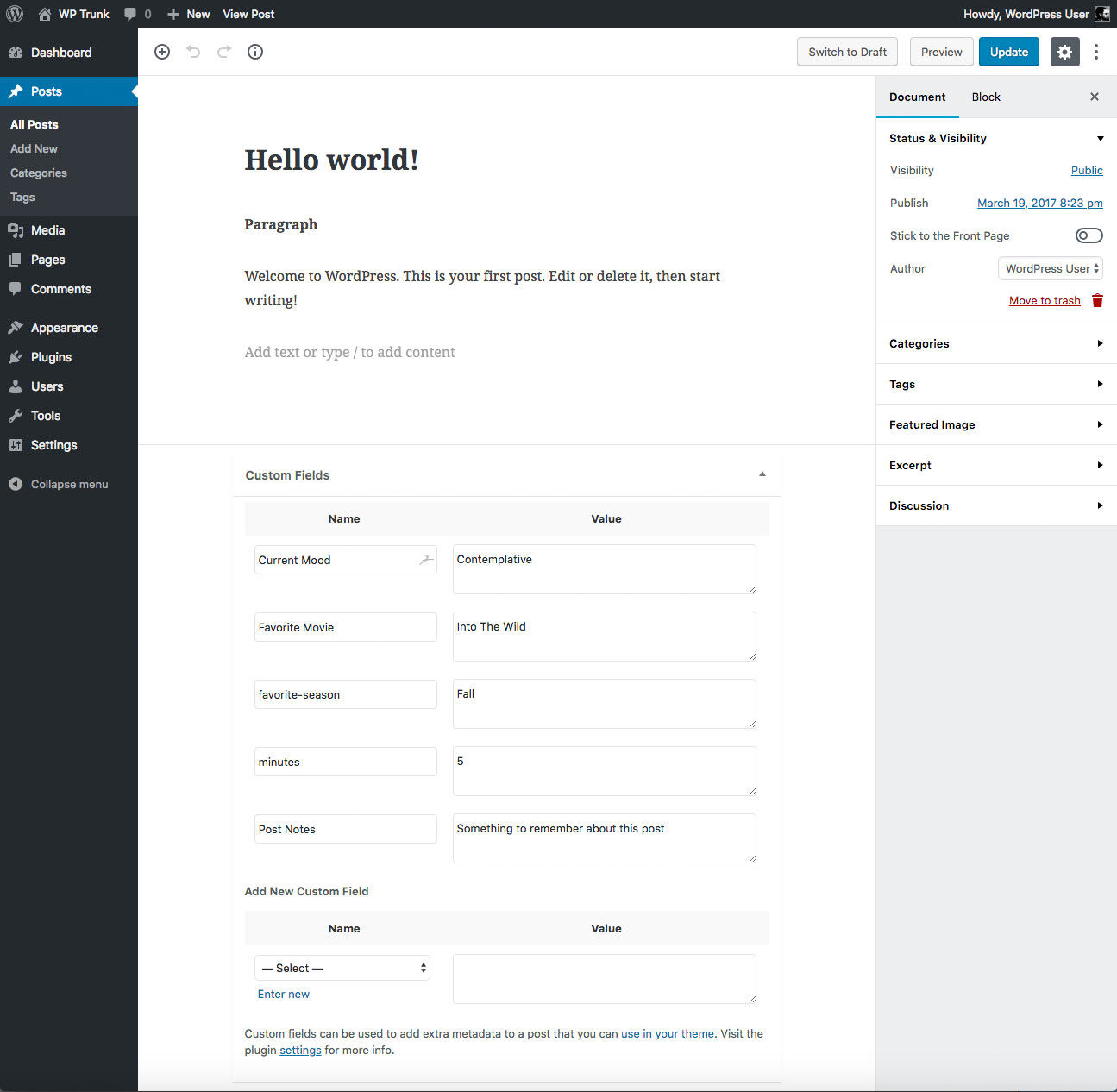
Restores the Custom Field meta box for the Gutenberg Block Editor.
Update: This plugin currently is not needed, as WordPress version 5.0+ displays Custom Fields natively. Just click the settings button (three dots) and go to Options, where you will find the option to display the Custom Fields meta box. So this plugin still works great, but it is recommended to use native WP custom fields instead. For more information, read this post.
Features
- Easy to use
- Clean code
- Built with the WordPress API
- Lightweight, fast and flexible
- Works great with other WordPress plugins
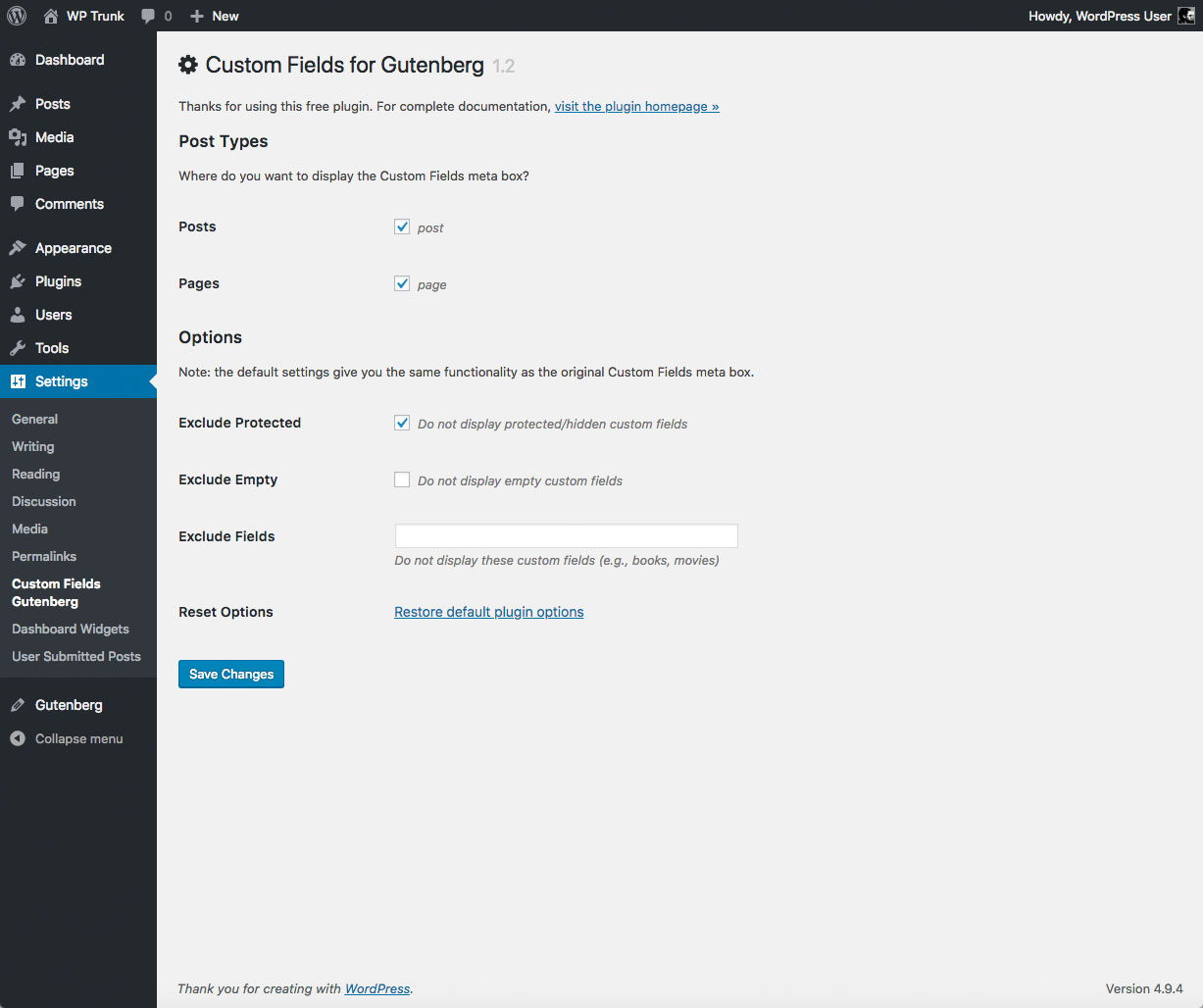
- Plugin options configurable via settings screen
- Focused on flexibility, performance, and security
- One-click restore plugin default options
- Translation ready
Options
- Specify the post types that should display custom fields
- Exclude custom fields that are protected/hidden
- Exclude custom fields with empty values
- Exclude specific custom fields by name
Planned Features
- Ajaxify adding of new Custom Fields
- Ajax method to Delete custom fields
Privacy
This plugin does not collect or store any user data. It does not set any cookies, and it does not connect to any third-party locations. Thus, this plugin does not affect user privacy in any way.
Custom Fields for Gutenberg is developed and maintained by Jeff Starr, 15-year WordPress developer and book author.
Support development
I develop and maintain this free plugin with love for the WordPress community. To show support, you can make a donation or purchase one of my books:
- The Tao of WordPress
- Digging into WordPress
- .htaccess made easy
- WordPress Themes In Depth
- Wizard’s SQL Recipes for WordPress
And/or purchase one of my premium WordPress plugins:
- BBQ Pro – Blazing fast WordPress firewall
- Blackhole Pro – Automatically block bad bots
- Banhammer Pro – Monitor traffic and ban the bad guys
- GA Google Analytics Pro – Connect WordPress to Google Analytics
- Head Meta Pro – Ultimate Meta Tags for WordPress
- REST Pro Tools – Awesome tools for managing the WP REST API
- Simple Ajax Chat Pro – Unlimited chat rooms
- USP Pro – Unlimited front-end forms
Links, tweets and likes also appreciated. Thanks! 🙂
Installing the plugin
- Upload the plugin to your blog and activate
- Configure the plugin settings as desired
- Enable theme switcher via settings or shortcode
More info on installing WP plugins
Usage
Works just like the original “Custom Fields” meta box, except:
- Edit custom field — make any changes and then click the Post “Update” or “Publish” button
- Add new custom field — add new custom field, click “Update” or “Publish”, and then reload the page
- Delete custom field — set the field custom field Key/Name to a blank value, click “Update” or “Publish”, then reload the page
Uninstalling
This plugin cleans up after itself. All plugin settings will be removed from the WordPress database when the plugin is deleted via the WP Plugins screen. Note: custom fields will NOT be removed, only plugin settings.
Like the plugin?
If you like Custom Fields for Gutenberg, please take a moment to give a 5-star rating. It helps to keep development and support going strong. Thank you!
No. As of WordPress 5.0, Custom Fields are natively supported, so this plugin is not needed to view custom fields on posts (via the “Edit Post” screen). Understand however that custom fields may not be supported after 2022, so this plugin may again be useful if/when that happens. For more information, check out this post.
Send any questions or feedback via my contact form
Changelog
If you like Custom Fields for Gutenberg, please take a moment to give a 5-star rating. It helps to keep development and support going strong. Thank you!
2.4.7 (2026/07/17)
- Fixes bug with minimum required version
- Updates plugin settings page
- Tests on WordPress 7.1
2.4.6 (2026/04/17)
- Updates plugin settings page
- Fixes bug with reset options
- Tests on WordPress 7.0
Full changelog @ https://plugin-planet.com/wp/changelog/custom-fields-gutenberg.txt
" width="120" height="120">
Available Versions
| Version | Download | Type |
|---|---|---|
| 2.4.7 | Download | Stable |
| 2.4.6 | Download | Stable |
| 2.4.5 | Download | Stable |
| 2.4.4 | Download | Stable |
| 2.4.3 | Download | Stable |
| 2.4.2 | Download | Stable |
| 2.4.1 | Download | Stable |
| 2.4 | Download | Stable |
| 2.3.9 | Download | Stable |
| 2.3.8 | Download | Stable |
| 2.3.7 | Download | Stable |
| 2.3.6 | Download | Stable |
| 2.3.5 | Download | Stable |
| 2.3.4 | Download | Stable |
| 2.3.3 | Download | Stable |
| 2.3.2 | Download | Stable |
| 2.3.1 | Download | Stable |
| 2.3 | Download | Stable |
| 2.2 | Download | Stable |
| 2.1.1 | Download | Stable |
| 2.1 | Download | Stable |
| 2.0 | Download | Stable |
| 1.9 | Download | Stable |
| 1.8 | Download | Stable |
| 1.7 | Download | Stable |
| 1.6 | Download | Stable |
| 1.5 | Download | Stable |
| 1.4 | Download | Stable |
| 1.3 | Download | Stable |
| 1.2 | Download | Stable |
| Development | Download | Trunk |
