
GSheetConnector for CF7 – Connect Contact Form 7 to Google Sheets and Send Form Submissions in Real Time
Active Installs
40,000+
Last Updated
May 20, 2026
First Released
September 2, 2016
Download History (Last one month)
Contributors
GSheetConnector for CF7
🚀 A Most Popular WordPress Plugin.
★★★★★
Google Sheets Connector for CF7 is an addon plugin, A bridge between your WordPress based Contact Form 7 forms and Google Sheets.
When a visitor submits his/her data on your website via a Contact Form 7 form, upon form submission, such data are also sent to Google Sheets.
Homepage | Documentation | Support | Demo | Premium Version
= 📝 CF7 ➜ ✍️Google Sheet=
Get rid of making mistakes while adding the sheet settings or adding the headers ( Mail Tags ) to the sheet column. We have Launched the Googlesheet Connector PRO version with more automated features.
✔ PRO Features
➜ Custom Google API Integration Settings
➜ Allowing to Create a New Sheet from Plugin Settings
➜ Custom Ordering Feature / Manage Fields to Display in Sheet using Enable-Disable / Edit the Fields/ Headers Name to display in Google Sheet.
➜ Using all the Special Mail Tags Fields in Headers
➜ Syncronize Existing Entries for WPForms PRO users
➜ Freeze Header Settings
➜ Header Color and Row Odd/Even Colors.
Refer to the features and benefits page for more detailed information on the features and free vs pro of the CF7 Google Sheet Connector PRO Addon Plugin
⚡️ Check Live Demo
Demo URL: Google Sheets Connector for CF7
Google Sheet URL to Check submitted Data
⚡️ How to Use this Plugin
-
Step: 1 – In Google Sheets
➜ Log into your Google Account and visit Google Sheets.
➜ Create a new Sheet and name it.
➜ Rename or keep default name of the tab on which you want to capture the data.
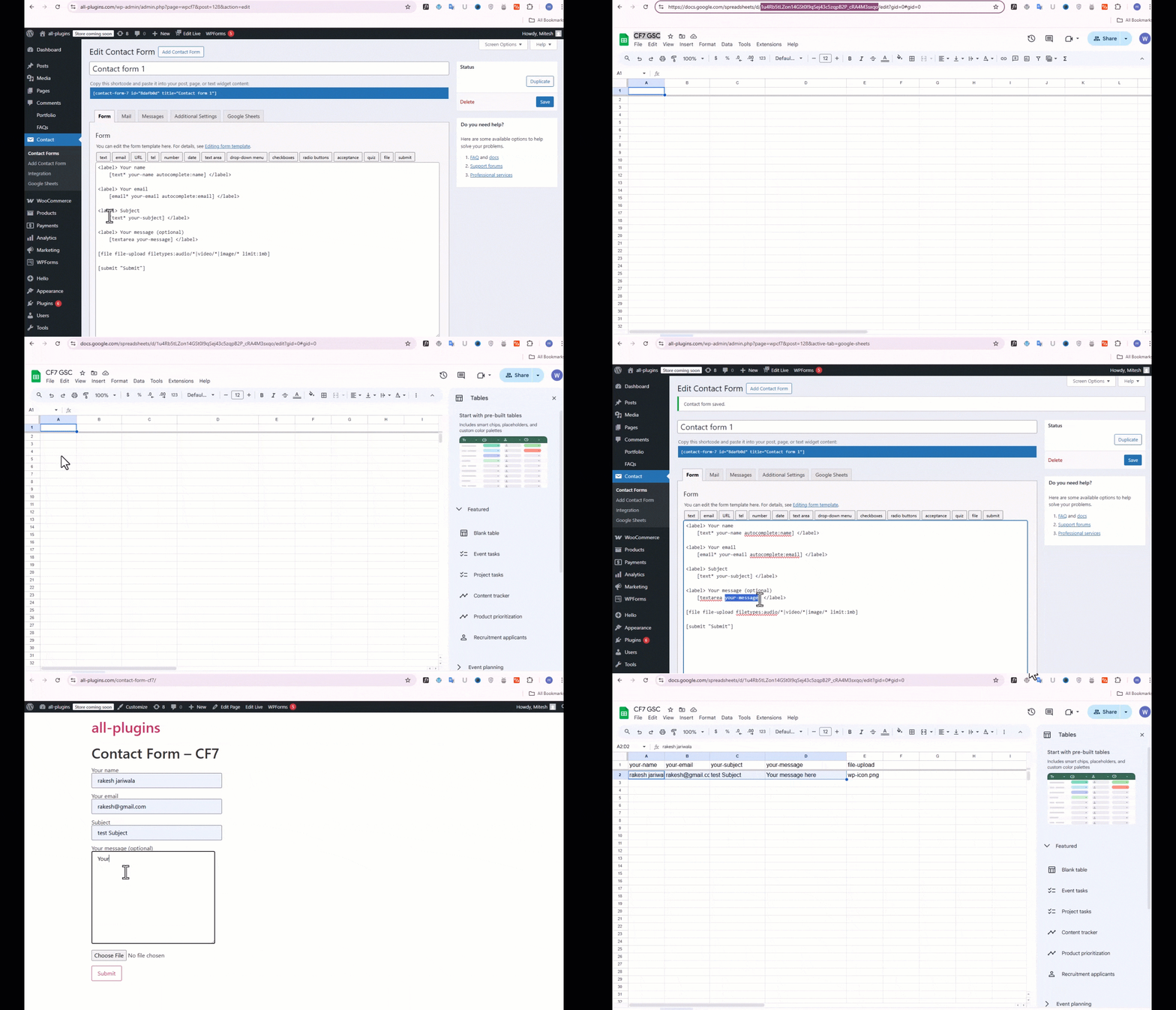
➜ Copy Sheet Name, Sheet ID, Tab Name and Tab ID (Refer Screenshots) -
Step: 2 – In WordPress Admin
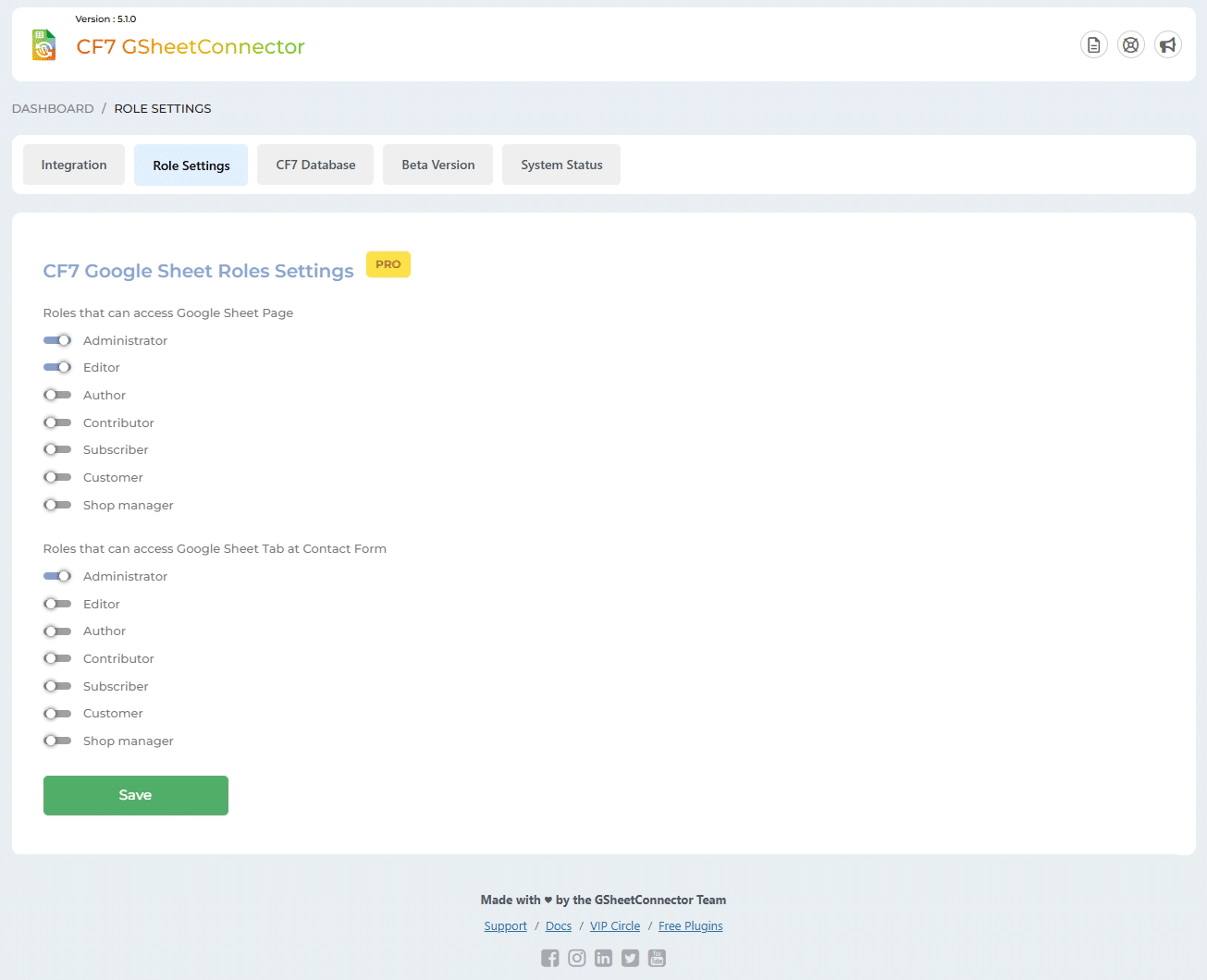
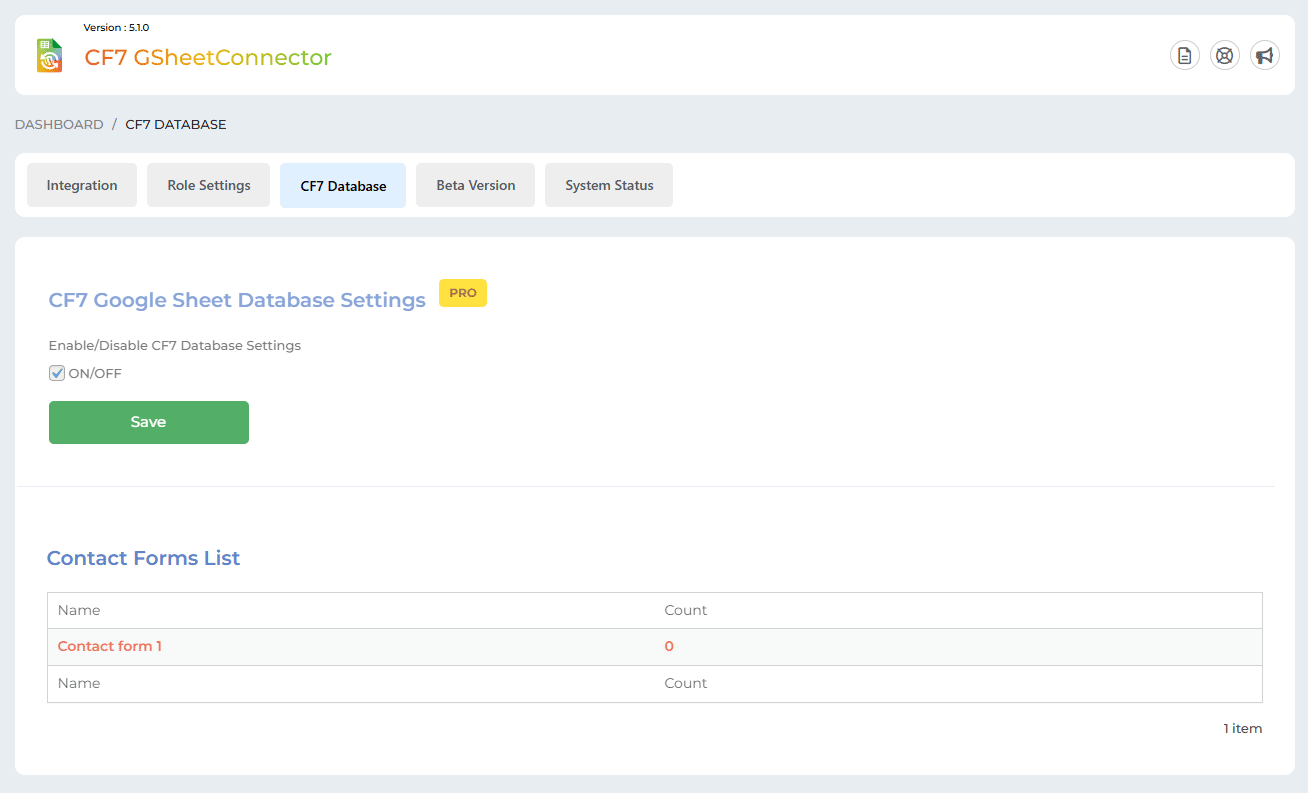
➜ Create or Edit the Contact Form 7 form from which you want to capture the data. Set up the form as usual in the Form and Mail etc tabs. Thereafter, go to the new “Google Sheets” tab.
➜ On the “Google Sheets” tab, copy-paste the Google Sheets sheet name and tab name into respective positions, and hit “Save”. -
Step: 3 – Arranging Columns in Sheet
➜ In the Google sheets tab, provide column names in row 1. The first column should be “date”. For each further column, copy paste mail tags from the Contact Form 7 form (e.g. “your-name”, “your-email”, “your-subject”, “your-message”, etc).
➜ Test your form submit and verify that the data shows up in your Google Sheet.
🔥 Videos to help you get started with Google Sheets Connector for CF7
🚀How to Install, Authenticate and Integrate Contact Form with your Google Sheet.
Important Notes
➜ You must pay very careful attention to your naming. This plugin will have unpredictable results if names and spellings do not match between your Google Sheets and form settings.
👉 Get CF7 GoogleSheetConnector PRO today
- Upload
cf7-google-sheets-connectorto the/wp-content/plugins/directory, ORSite Admin > Plugins > New > Search > CF7 Google Sheets Connector > Install. - Activate the plugin through the ‘Plugins’ screen in WordPress.
- Use the
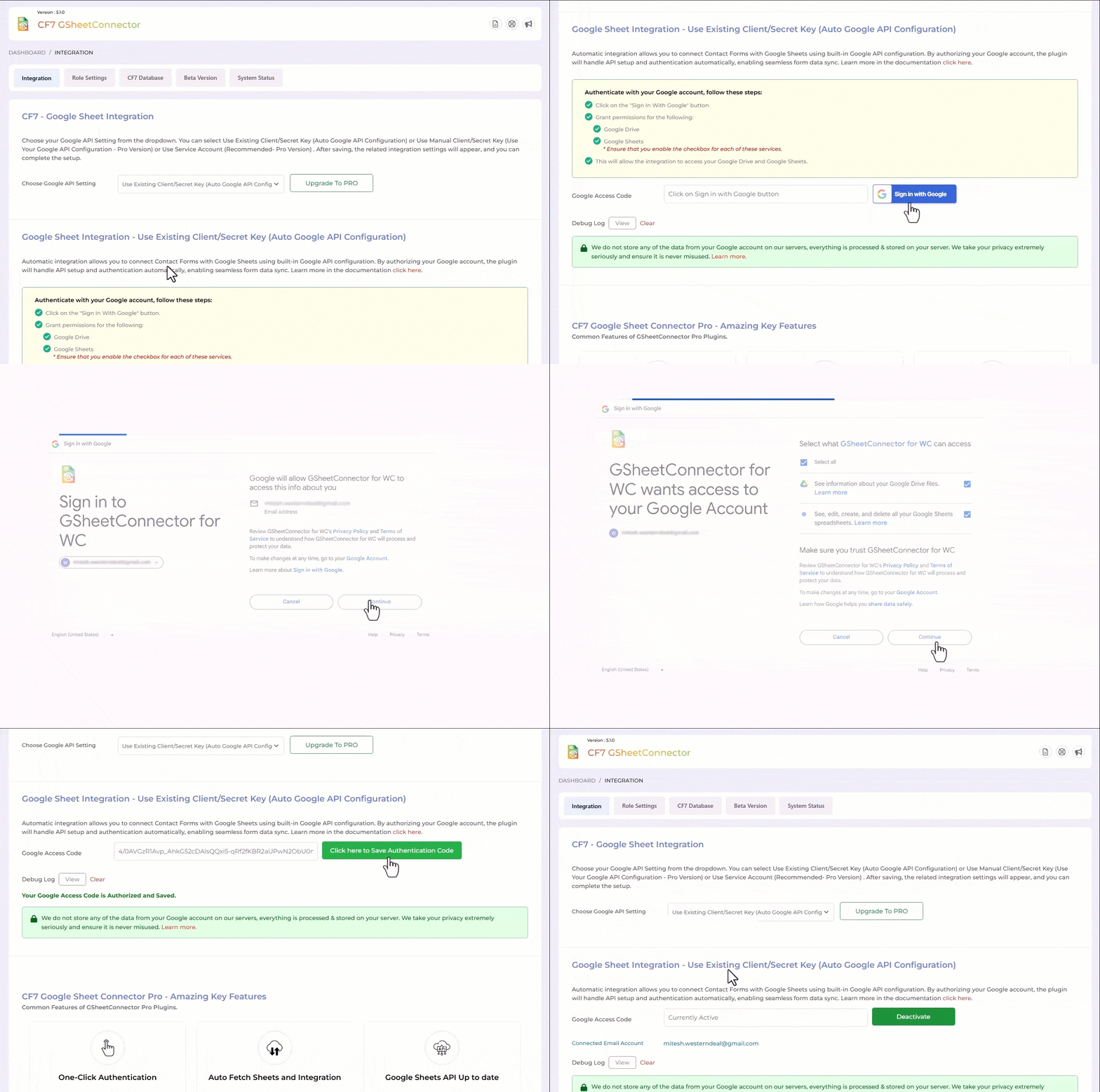
Admin Panel > Contact form 7 > Google Sheetsscreen to connect toGoogle Sheetsby entering the Access Code. You can get the Access Code by clicking the “Get Code” button.
Enjoy!
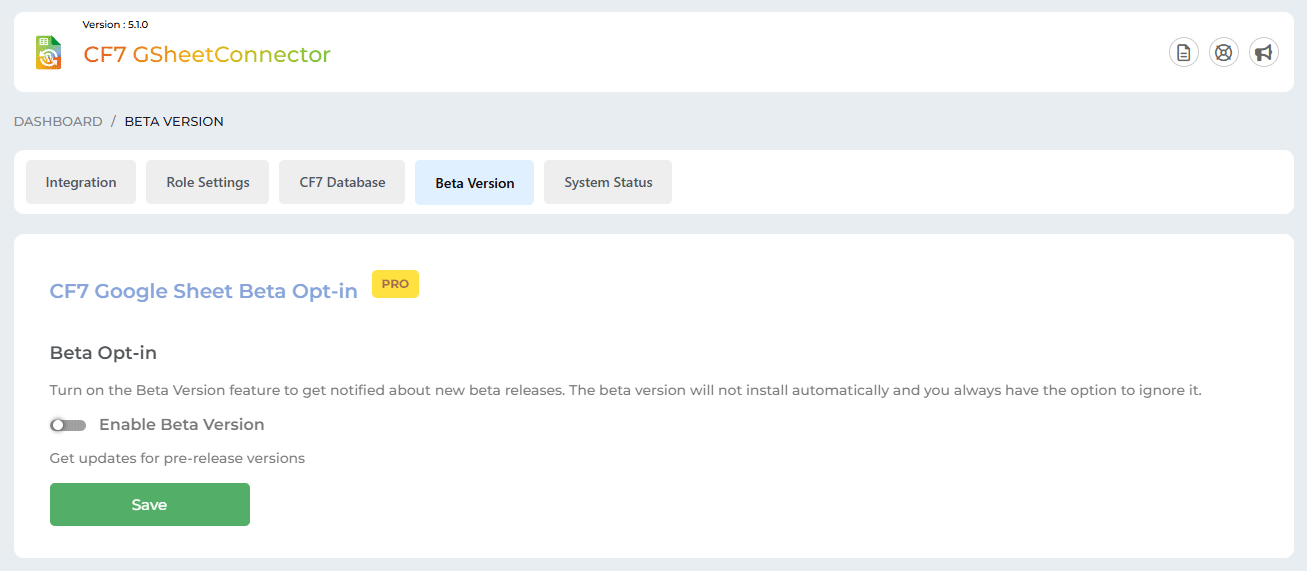
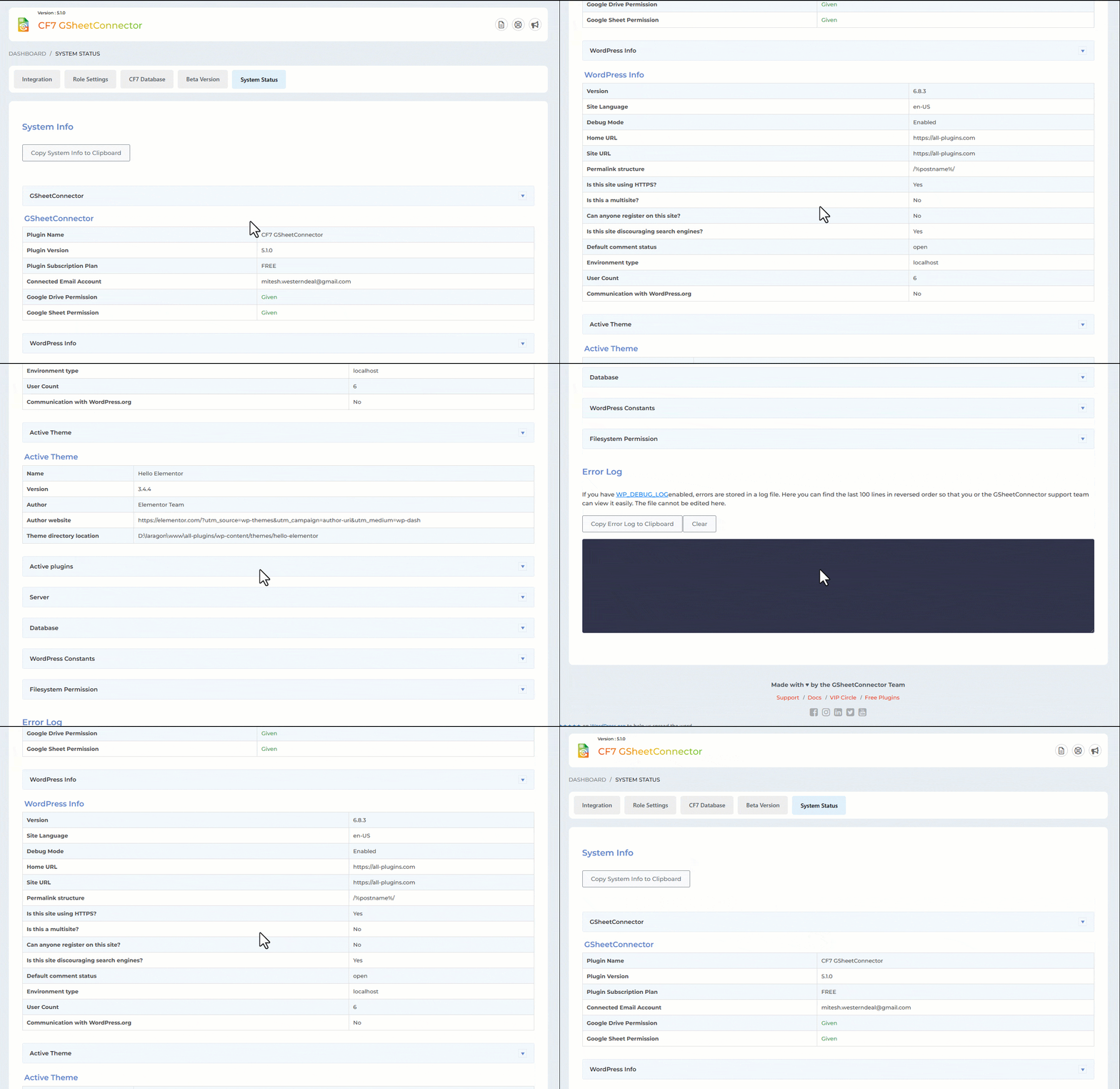
Sometimes it can take a while of spinning before it goes through. But if the entries never show up in your Sheet then one of these things might be the reason:
- Wrong access code ( Check debug log )
- Wrong Sheet name or tab name
- Wrong Column name mapping ( keep in mind that not to use capital letters, number as initial and special characters like underscores, double or single code, space etc. You can only use small letters and hyphen. )
Please double-check those items and hopefully getting them right will fix the issue.
- On the
Admin Panel > Contact form 7 > Google Sheetsscreen, click the “Get Code” button. - In a popup Google will ask you to authorize the plugin to connect to your Google Sheets. Authorize it – you may have to log in to your Google account if you aren’t already logged in.
- On the next screen, you should receive the Access Code. Copy it.
- Now you can paste this code back on the
Admin Panel > Contact form 7 > Google Sheetsscreen.
Changelog
5.1.6 (10-02-2026)
- Fixed: Fixed Freemius integration issue.
5.1.5 (04-02-2026)
- Fixed: Admin notices not getting closed and showing error.
5.1.4 (26-12-2025)
- Fixed: OAuth authentication failure caused by API request timeout and PHP 8.2 compatibility issues when saving API credentials.
- Fixed: Permission issues with the plugin settings page by switching to the “manage_options” capability.
- Improved: code compatibility based on WordPress guidelines.
5.1.3 (28-11-2025)
- Updated: Made few performance tweaks to minimize unnecessary API calls and lower the overall quota usage.
5.1.2 (14-11-2025)
- Fixed: Updated the text domain name.
- Fixed: Improved responsive CSS.
- Updated: Updated the header logo and the dashboard widget logo.
5.1.1 (13-10-2025)
- Updated: The plugin name from “Google Sheet Connector for CF7” to “GSheetConnector for CF7”.
5.1.0 (27-09-2025)
- Updated: The plugin name from “CF7 Google Sheet Connector” to “Google Sheet Connector for CF7”.
5.0.22 (18-09-2025)
- Updated: Readme file updated.
- Fixed: UI improvements.
- Fixed: Debug log display moved to the uploads folder directory.
5.0.21 (26-06-2025)
- Fixed: Compatible with Contact Form 7 version 6.1 (latest version).
5.0.20 (22-04-2025)
- Added: Moved saving of credentials to database for Auto API Integration.
5.0.19
(27-01-2025)
* Fixed: Minor UI changes.
5.0.18
(23-01-2025)
* Fixed: Vulnerabilities issues.
5.0.17
(18-12-2024)
* Added: Freemius integration.
* Added: Showcased the “Manual Method” button on the Integration tab.
* Added: Added “Requires By” in our plugin and “Required By” in the parent plugin.
5.0.16
(29-11-2024)
* Fixed: Alert displayed while moving to another page after saving settings.
* Fixed: Undefined error while clicking on “Copy to Clipboard” button.
5.0.15
(09-08-2024)
* Fixed: Fix the CSS conflict with the Contact Form 7 plugin.
5.0.14
(07-08-2024)
* Added: Display a notification when authentication expires.
5.0.13
(30-07-2024)
* Fixed: Google hasn’t verified this app error.
5.0.12
(26-06-2024)
* Security Improvements: Enhanced user input sanitization to prevent malicious code execution in connected Google Sheets.
5.0.11
(11-06-2024)
* Fixed: not allowing users to enter the administration screen.
5.0.10
(07-06-2024)
* Fixed: Vulnerabilities issues.
5.0.9
(09-04-2024)
* Added: UI changes.
5.0.8
(11-03-2024)
* Added : Added links for support,docs.
* Added : Showcasing PRO Features in Google Sheets tab.
5.0.7
(11-12-2023)
* Done UI changes for Tag list in Google Sheet Tab under Contact Form settings.
* Fixed : Resolved active plugins listing issue in system status tab.
5.0.6
(05-10-2023)
* Fixed : Resolved debugging view, open and close link systematically.
* Added : For user without Google Drive and Google Sheets permissions displayed error message.
5.0.5
(03-10-2023)
* Added: Get Code button has replaced with the Sign in with Google button.
* Added: For user without Google Drive and Google Sheets permissions authentication shows alert with message.
* Added: Redesigned System Status and Error Log for improved functionality and user experience.
* Fixed : Vulnerabilities issues.
5.0.4
(24-06-2023)
* Added: few more minor UI changes.
5.0.3
(04-05-2023)
* Added: minor UI changes.
5.0.2
(27-04-2023)
* Fixed : Vulnerabilities issues.
5.0.1
(23-02-2023)
* Added : Remove access permission from google account while deactivating authentication.
* Fixed : Make it compatible with plugin Smart Grid-Layout Design for Contact Form 7.
5.0.0
(05-08-2022)
* Updated: API Library to latest version 2.12.6 and Guzzle Library to version 7.4.3
* Migrated: OAuth OOB to alternative method as getting deprecated from 3rd October 2022.
4.9.2
(19-01-2022)
* Fixed: \’Line Break\’ on textarea issue resolved.
4.9.1
- Fixed: Undefined index issue.
4.9
- Fixed issue with incorrect or expired auth code
- Fixed deactivation issue while adding incorrect and expired auth code.
- Fixed displaying of error while setting Contact Form initially.
4.8
- Fixed vulnerability issues.
- Added ‘Upgrade to PRO’ links.
- Added Google sheet link in settings.
- Updated Google API version to 2.10.1 and Guzzle Library to 7.3.0
- Did few UI changes.
4.7
- New: Displayed authenticated email id at the integration page.
- Fixed: Data not getting saved under exact column names.
- Fixed: composer functions to avoid clashing with other plugins.
4.6
- Updated API library to avoid conflicts with “Facebook for WordPress” plugin and others.
4.5
- Fixed saving of incorrect file name to the Google Sheet.
4.4
- Fixed the special mail tag issue due to WordPress Contact Form 7 5.2.2
4.3
- Fixed the special mail tag issue due to WordPress Contact Form 7 5.2.1
4.2
- Allow user to deactivate authentication.
- Fixed – conflicts error.
4.1
- Fixed displaying of single quote sign in front of numeric and date values.
4.0
- Upgrade Google APIs Client Library to version v4.
- CF7 input field names and header name can have capital letters, underscore, number and space.
- Fixed addition of backslash in front of apostrophes and quotation marks
3.0
- Update API Library.
- Allowed user to permanently close Google Sheet Connector Pro notice.
2.9
- Hide Google Sheet menu and settings as per user role contact form 7 edit capabilities.
2.8
- Fixed – Displaying of Google Sheet Connector notice to be dismissible.
2.7
- Done UI changes.
- Fixed – Not to delete authentication data when upgrade to Pro Version.
- Changed few classes and functions name to not get conflict when upgrade to pro Version
2.6
- Done UI changes at Google Sheet Tab under Contact Form settings.
2.5
- Removed Limitation
2.4
- Fixed – Connections of Contact Forms with Google Sheet.
- Added limitation to connect first 5 Contact Forms to Google Sheet.
2.3.1
- Fixed images not being displayed.
2.3
- Fixed integration issues.
- Fixed the functionality issues of limitations as per the last update.
2.2
- Done few UI changes and solved few bugs.
- Added a limitation for contact form to be connected with the Google Sheet.
2.1
- Added Google Sheet Connector dashboard widget for quick access to the contact form connected with Google Sheet.
- Added option to clear logs.
- Fixed – Multisite plugin activation issue.
2.0 ( 11/06/2018 )
- Fixed – Bypassing of CF7 built-in data validation.
1.9
- Fixed – Not fetching contact form data to google sheet.
1.8
- Fixed the hijacking( loading issue front-end form ) of page after submit actions.
- Integrated New Special Mail Tags ( including flamingo serial number ) with Spread Sheet without (_) underscores(Refer screenshot).
1.7 (26/08/2017)
- Integrated Special Mail Tags with Spread Sheet without (_)underscores(Refer screenshot).
- Fixed Date Format as per wordpress standards.
1.6
- Updated Google Spread Sheet Library
- Changed classes name for PHP Google Auth library.
- Delete all data on uninstallation of plugin.
1.5
- Fixed more class names due to conflict with other plugins.
- Fixed issue to send hidden fields via dynamic text extension.
- Added settings link on activation of plugin.
1.4
- Fixed 500 Internal Server Error if sheet name or tab name is not set.
1.3
- Added .pot file for easier translation.
1.2
- Updated plugin description etc.
1.1
- Fixed date format and display issues related to non-English dates.
- Fixed the class name due to conflict with other plugins.
1.0
- First public release
- Integrated Contact form 7 with Google sheets.
" width="120" height="120">
Available Versions
| Version | Download | Type |
|---|---|---|
| 5.1.6 | Download | Stable |
| 5.1.5 | Download | Stable |
| 5.1.4 | Download | Stable |
| 5.1.3 | Download | Stable |
| 5.1.2 | Download | Stable |
| 5.1.1 | Download | Stable |
| 5.1.0 | Download | Stable |
| 5.0.22 | Download | Stable |
| 5.0.21 | Download | Stable |
| 5.0.20 | Download | Stable |
| 5.0.19 | Download | Stable |
| 5.0.18 | Download | Stable |
| 5.0.17 | Download | Stable |
| 5.0.16 | Download | Stable |
| 5.0.15 | Download | Stable |
| 5.0.14 | Download | Stable |
| 5.0.13 | Download | Stable |
| 5.0.12 | Download | Stable |
| 5.0.11 | Download | Stable |
| 5.0.10 | Download | Stable |
| 5.0.9 | Download | Stable |
| 5.0.8 | Download | Stable |
| 5.0.7 | Download | Stable |
| 5.0.6 | Download | Stable |
| 5.0.4 | Download | Stable |
| 5.0.3 | Download | Stable |
| 5.0.2 | Download | Stable |
| 5.0.1 | Download | Stable |
| 5.0.0 | Download | Stable |
| 4.9.2 | Download | Stable |
| 4.9.1 | Download | Stable |
| 4.9 | Download | Stable |
| 4.8 | Download | Stable |
| 4.7 | Download | Stable |
| 4.6 | Download | Stable |
| 4.5 | Download | Stable |
| 1.0 | Download | Stable |
| Development | Download | Trunk |
