
SiteEase Bulk Delete Manager
Active Installs
500+
Last Updated
January 6, 2026
First Released
August 12, 2024
Download History (Last one month)
Contributors
SiteEase Bulk Delete Manager is a content management utility designed for WordPress administrators who need to clean up large volumes of site content quickly and efficiently.
The plugin allows bulk deletion of pages, posts, media files, and comments from a centralized admin interface. All actions are handled using AJAX, ensuring smooth operation without page reloads.
This plugin is ideal for:
– Cleaning test or demo content
– Removing unused media files
– Managing large sites with frequent content updates
– Administrators who need precise control over bulk deletion actions
No coding knowledge is required, and all actions are performed directly from the WordPress admin dashboard.
Features
Page Management
- Delete all pages with a single action from the Page Settings tab
Post Management
- Delete all posts easily from the Post Settings tab
Media Management
- Delete all media files at once
- Delete media by month-year upload folders
- View and manage:
- Total images and storage size
- Attached images
- Unattached images
- Filter media by:
- Date range
- Month and year
- Year
- Author
- Remove media entries stored in the WordPress options table
Comment Management
- Delete all comments quickly from the Comments Settings tab
All deletion actions are clearly separated by section to prevent accidental data loss.
- Go to Plugins > Add New
- Search for SiteEase Bulk Delete Manager
- Install and activate the plugin
- Navigate to SiteEase Bulk Delete Manager in the admin menu
- Choose the content type you want to manage and follow on-screen instructions

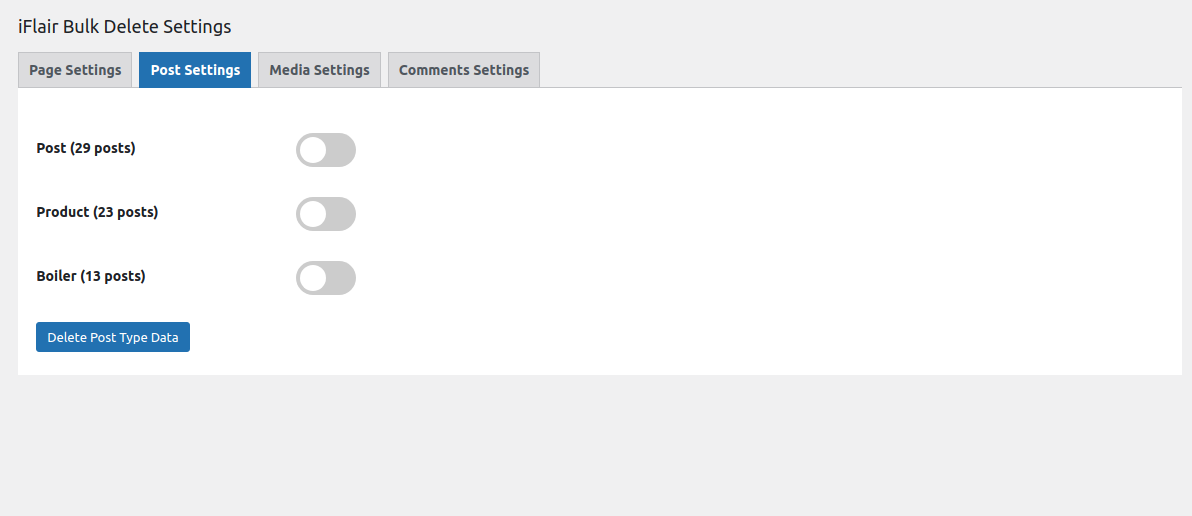


It allows administrators to bulk delete pages, posts, media files, and comments from the WordPress admin area using an AJAX-based interface.
Yes. Deleted content cannot be recovered unless you have a backup. It is recommended to create a backup before performing bulk deletions.
Yes. Media files can be filtered and deleted based on date range, month, year, author, attachment status, or upload folders.
Yes. The interface is designed to be simple and clearly separated by content type, making it easy to use even for non-technical users.
No. All actions are handled using AJAX, so the page does not reload during operations.
Changelog
Version 1.0.0
- Initial release
Version 1.1.0
- Minor bug fixes and performance improvements
Version 1.1.1
- Core file updates and internal improvements
Version 1.1.2
- Updated plugin admin menu naming
Version 1.1.3
- Renamed plugin for uniqueness and improved documentation clarity
