
BuddyVerified
Active Installs
20+
Last Updated
March 1, 2017
First Released
November 5, 2010
Download History (Last one month)
Contributors
Allows admins to specify verified accounts. Adds a badge to verified usernames.
Notes
- Upload ‘buddyverified’ to the ‘/wp-content/plugins/’ directory
- Activate the plugin through the ‘Plugins’ menu in WordPress
- Then go to wp-admin > Users > Extended Profile >> and choose various settings.
Screenshot Gallery
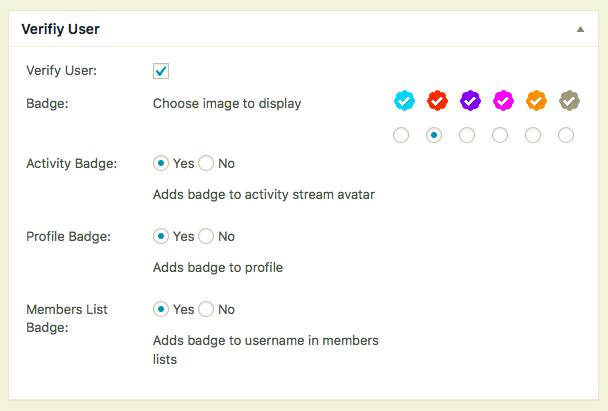


No FAQ provided.
Changelog
2.4.1
remove old files fixes duplicate function error
2.4.0
Fix for settings not saving
Moved badge to username. Too many issues with avatar placement
Added template tag to display badge. bp_verified_image( $user_id )
Added setting to display badge in members lists
Added bp_is_verified( $user_id ) function to check if a user is a verified account
Added bp_get_verified_image filter for custom badge
A lot of code changes to make it better, efficient
2.3.1
fixed missing non verified avatars * props Brajesh
2.3
Update to CSS for WP yearly themes.
Added option to add custom CSS for badge placement. Settings -> BuddyPress, click option tab.
2.2
removed tooltip as is caused to many conflicts. verfied text no in member header
2.1
All new plugin
" width="120" height="120">
