
Brozzme Plugins Thumbnails
Active Installs
70+
Last Updated
October 28, 2021
First Released
January 6, 2018
Download History (Last one month)
Contributors
Add thumbnail column to plugins displays thumbnails for WordPress plugins on the plugins list page, on admin (wp-admin/plugins.php).
Brozzme Add Plugins Thumbnails would help to easily identify plugins. Add your own thumbnails for premiums or personal plugins.
Just activate plugin to see thumbnail.
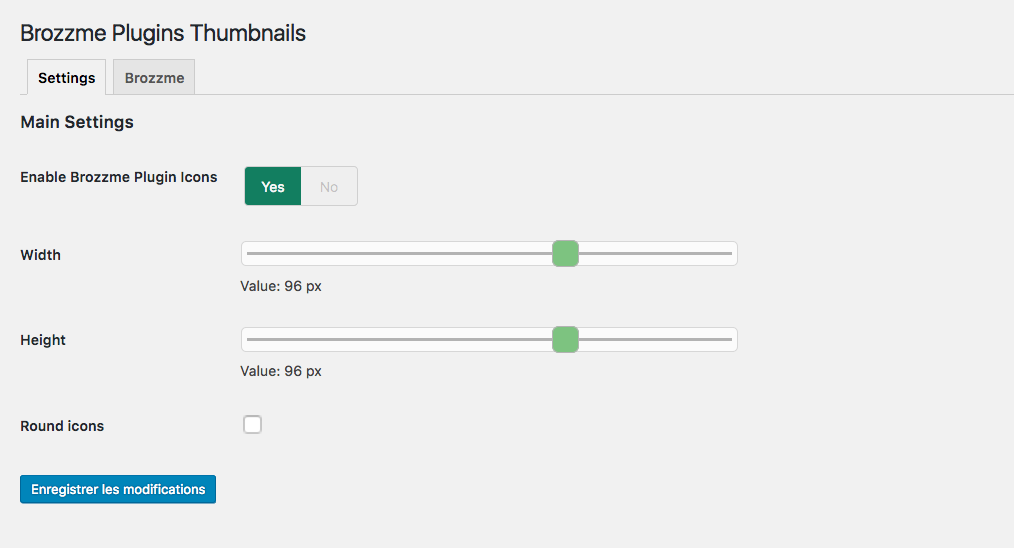
Options
- Icon width and height
- Round icon
- Reset transients
- Transient expiration
- Add your special thumbnails
Behaviour
- thumbnail from wordpress.org repository
- thumbnail fallback with text, random colors or your own thubnails
- specials links to the thumbnails
- transients
- Upload “brozzme plugins thumbnails” to the “/wp-content/plugins/” directory.
- Activate the plugin through the “Plugins” menu in WordPress.
- Manage options in Brozzme->Plugin Icons if needed.


No FAQ provided.
Changelog
1.4.5
- compatibility fix with other plugin
1.4.2
- bugfixe on Brozzme plugins css
1.4
- add filter for premium or unknow plugin
- add setting page for specials plugins
- delete transient
- curl functions replace with wp_get_remote
1.0
- Initial release.
" width="120" height="120">
