
Elementor Blocks for Gutenberg
Active Installs
9,000+
Last Updated
November 26, 2024
First Released
October 15, 2018
Download History (Last one month)
Contributors
Elementor Blocks for Gutenberg, officially created by Elementor Page Builder, allows you to easily insert any Elementor template into Gutenberg with just one click.
This plugin is the smartest way to combine Elementor & Gutenberg to incorporate more advanced layouts into Gutenberg.
Elementor Blocks requires Gutenberg & Elementor to both be active on your site (after Gutenberg merges into WordPress 5, only an Elementor installation will be required).
How to Use Elementor Blocks?
- Install & Activate Elementor Blocks for Gutenberg
- In Gutenberg search for ‘Elementor Library’
- Choose an existing template or create a new one from scratch
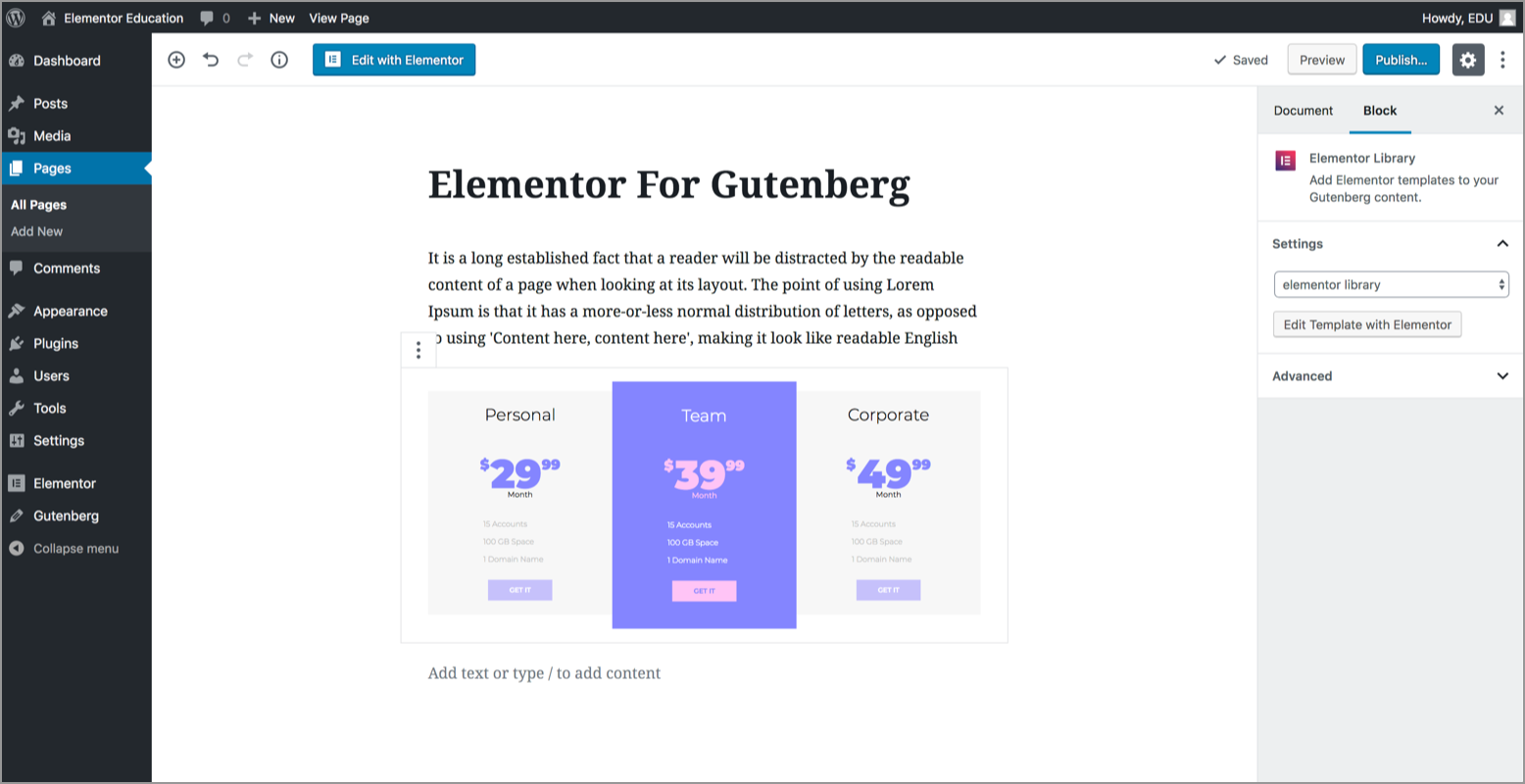
- Done! Now you can see the Elementor template you chose previewed inside Gutenberg
Features
- Insert Elementor blocks and templates in any area inside Gutenberg
- Preview the template right inside the Gutenberg editor
- Easy access to edit any Elementor template right from Gutenberg editor
- Choose from over 300+ pre-designed blocks & 100+ pre-designed pages
- Customize your Elementor blocks with unlimited design options
Multilingual & RTL Supported
We’ve integrated RTL and multi-language support, so you get a translated panel right out of the box, and you can even add more languages by going to: https://translate.wordpress.org/projects/wp-plugins/block-builder
Minimum Requirements
- Elementor 3.5.0 or greater
- PHP version 7.0 or greater (PHP 7.4 or greater is recommended)
- MySQL version 5.6 or greater
- WordPress Memory limit of 64 MB or greater (128 MB or higher is preferred)
Installation
- Install using the WordPress built-in Plugin installer, or extract the .zip file and drop the content into the wp-content/plugins/ directory of your WordPress installation
- Activate the plugin via the ‘Plugins’ menu in WordPress
- Go to Gutenberg > Add New Block
- Choose the Elementor Library Block
- Now you can choose a template from the list inside the content area
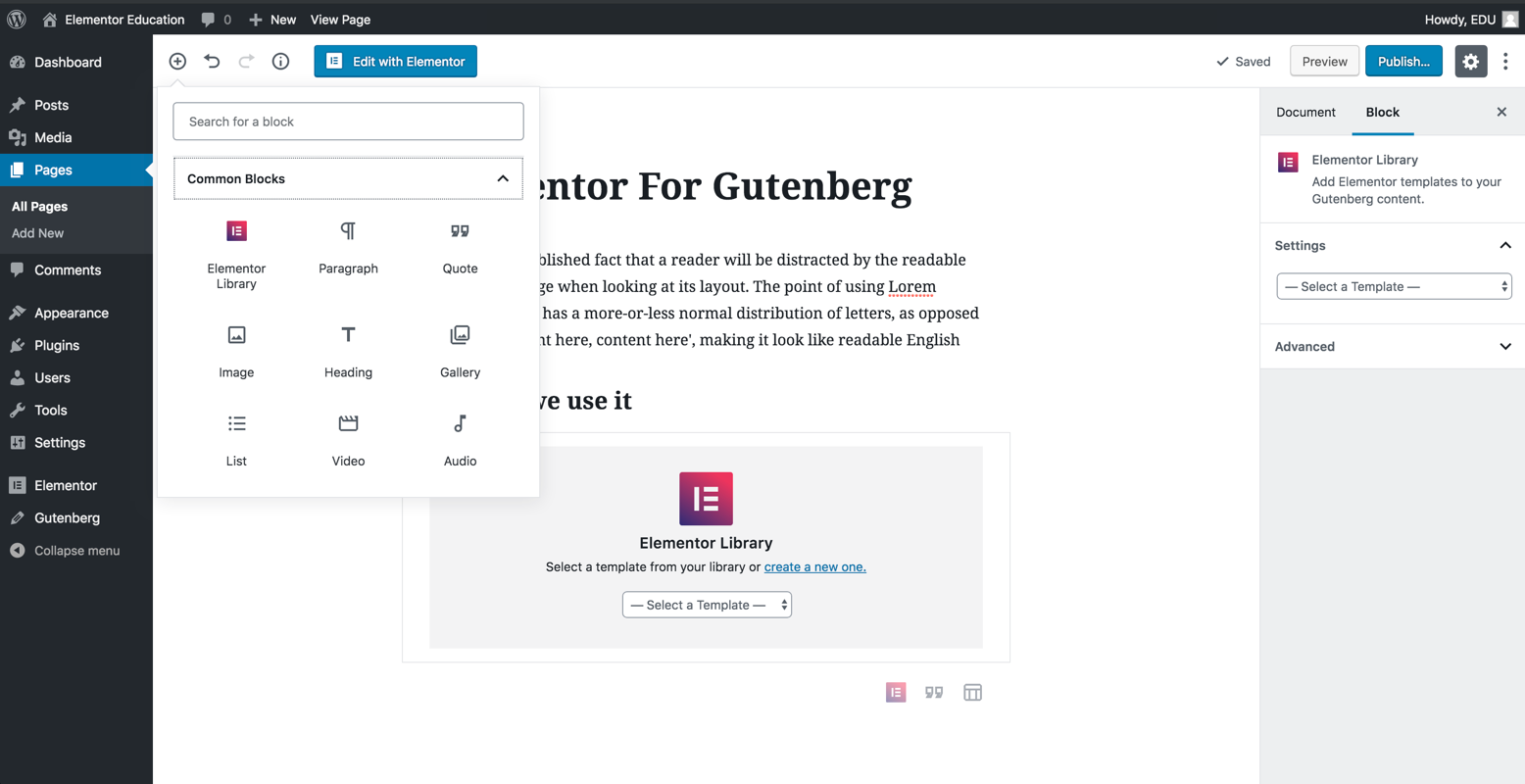
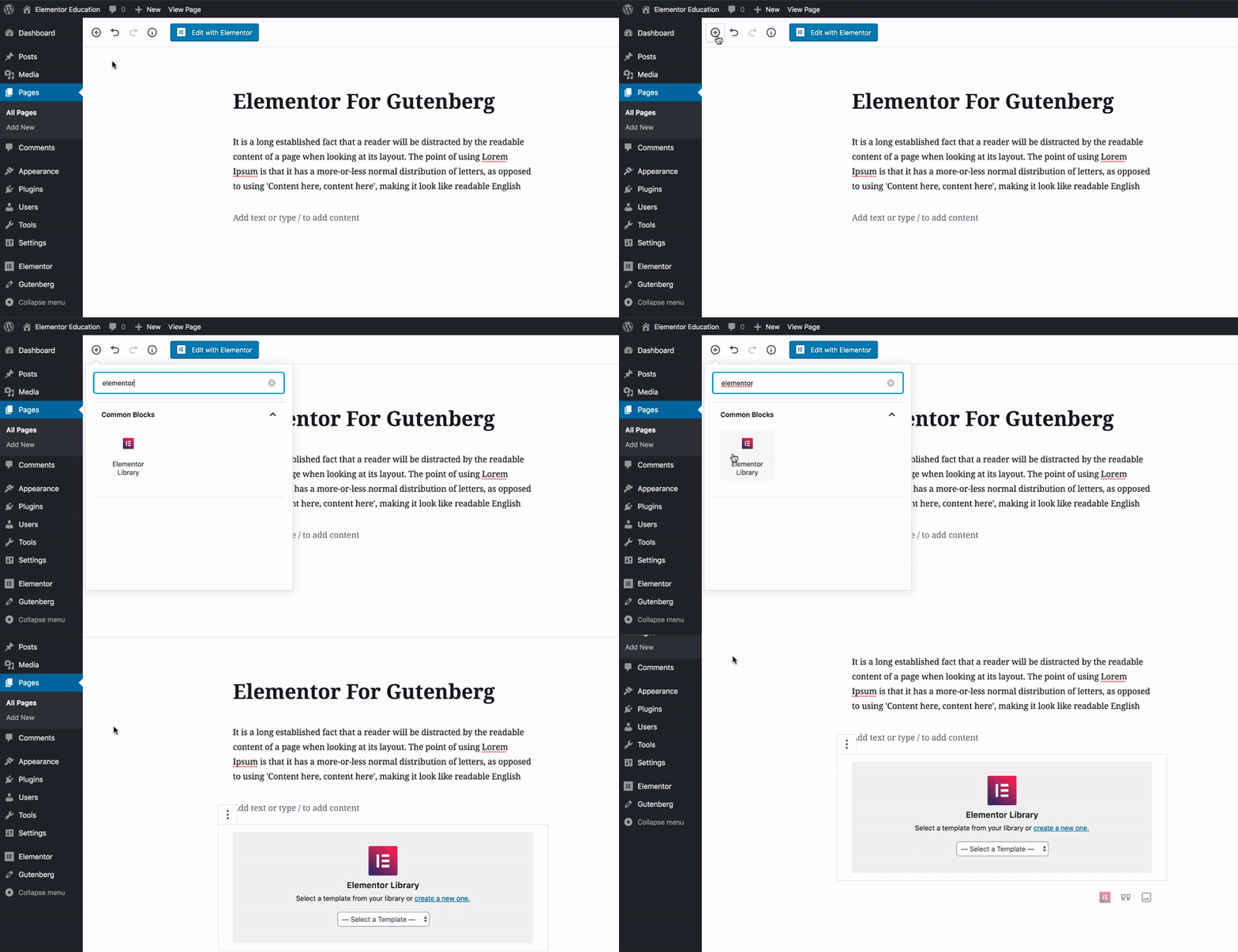
- Install & Activate Elementor Blocks for Gutenberg
- In Gutenberg search for ‘Elementor Library’
- Choose an existing template or create a new one from scratch
- Done! Now you can see the Elementor template you chose inside Gutenberg
You can report security bugs through the Patchstack Vulnerability Disclosure Program. The Patchstack team help validate, triage and handle any security vulnerabilities. Report a security vulnerability.
Changelog
1.1.5 – 2024-11-26
- Fix: Some strings are not translatable
1.1.4 – 2024-03-18
- Tweak: Added Required Plugins header support for Elementor dependencies
1.1.3 – 2023-11-14
- Fix: Compatibility with WordPress 6.4
1.1.2 – 2023-06-28
- Fix: The template preview doesn’t appear in some edge cases
1.1.1 – 2022-11-30
- Fix: Remove deprecated error log by using different method (Topic)
1.1.0 – 2022-10-06
- Tweak: Added an option to hide preview
- Tweak: Updated the minimum requirement to PHP v7.0
- Tweak: Updated the minimum requirement to Elementor v3.5
- Tweak: Updated the Elementor logo icon
- Fix: Added compatibility for WordPress v6.0 by removing (Topic 1, Topic 2)
- Fix: Preview only the template without header or footer (Topic)
1.0.1 – 2018-11-06
- Tweak: Added compatibility for WordPress v5.0 Beta (Topic)
1.0.0 – 2018-10-15
- Initial Public Release
