
Bing Boards
Active Installs
10+
Last Updated
January 21, 2014
First Released
October 15, 2013
Download History (Last one month)
Contributors
Get started with Bing Boards
If you are new to Bing Boards, request an invitation at http://www.bing.com/boards#emailSignup. Bing will review your request and email confirmation and instructions on how to get your key within a few days.
How it works
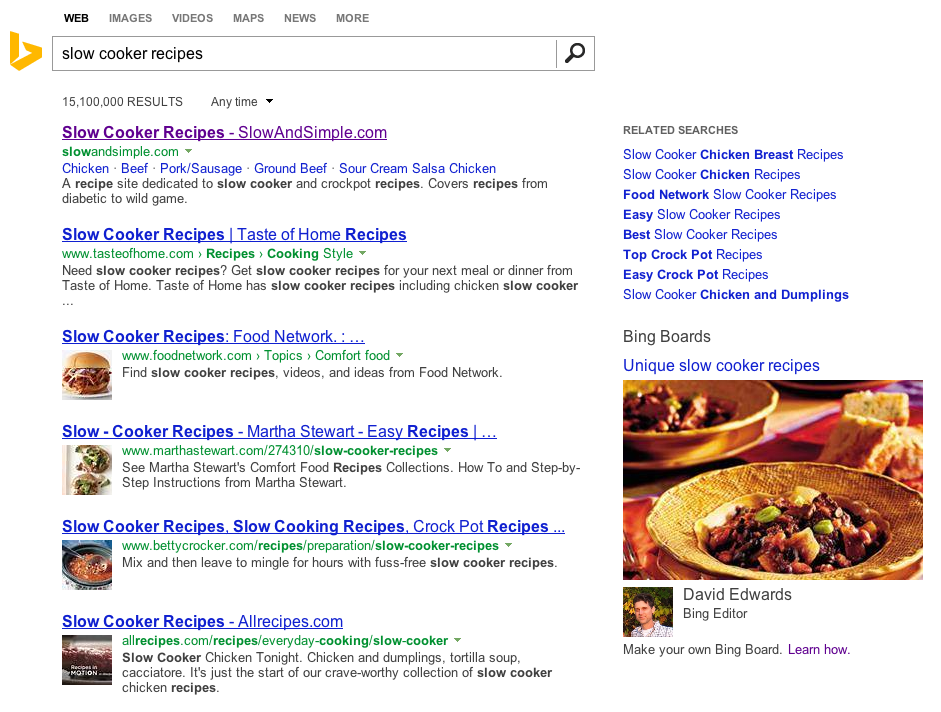
We’re looking for unique, visual content that has a point of view. Bing Boards must have rich images and descriptive text that’s sourced from your blog.
Once you’ve submitted a board, a Bing editor will take a look to ensure your board is right for Bing. If we have any questions, we’ll contact you. Once your board is good to go, we’ll add relevant keywords so that Bing users can find your board when they search.
In addition to keywords related to your board, we’ll also add keywords for your blog. That way, if a Bing user searches for you or your blog by name, they’ll find your board, too.
Bing Boards guidelines
- Share your point of view: Make it personal! Let your passion for the topic speak for itself. That means a real person writes these boards. Real identities only.
- Make it visual: Great boards need great images. Say it with pictures. No stock photography.
- Keep it clean: Nothing salacious, slanderous, or explicitly sexual in nature.
- Give credit: It’s OK to share things you’ve found around the web, but credit the person who made it.
- These aren’t ads:* If someone paid you to create content for them, it doesn’t belong here. That includes sponsored content.
Thanks for using the WordPress plugin for Bing Boards!
More questions? Email yourteam@bing.com at any time for help.
Credits
Produced by Microsoft Bing
Project Lead: John Licata
Program Manager: Chen Fang
Design Researcher: Llewyn Paine
Product Designer: Cathie Toshach
Software Developer: Ankur Sharma
Software Developer: Archit Nallan Chakravarti
Test Lead: Swaroop Rane
Developed by Modern Tribe, Inc.
Art Director: Shane Pearlman
Project Manager: C. Peter Chester
Lead Developer: Daniel Dvorkin
Javascript Developer: Samuel Estok
Quality Assurance Lead: Rob LaGatta
Quality Assurance: Kelly Groves
Included Libraries
jCarousel by Jan Sorgalla
http://sorgalla.com/jcarousel
Placeholder by Mathias Bynens
http://mths.be/placeholder
Spin.js by Felix Gnass
http://fgnass.github.io/spin.js
Font Awesome by Dave Gandy
http://fontawesome.io/
- Upload the plugin to the
/wp-content/plugins/directory - Activate the plugin through the ‘Plugins’ menu in WordPress


How do I get started with Bing Boards?
If you are new to Bing Boards, request access here: http://www.bing.com/boards#emailSignup. Already a Bing Boards user? Email yourteam@bing.com and let us know you’re ready to start using the plugin.
How do I get a WordPress key?
Once you’ve been onboarded as a Bing Boards contributor, we’ll give you the WordPress key to add to the Bing Boards plugin. Everyone needs to do this, but once you’ve got the key, you can start submitting boards.
Add your WordPress key in Users > Your Profile > About Yourself
Why can’t I click the Submit to Bing button?
If the Submit to Bing button is greyed out, you may not be an approved Bing Boards contributor yet. You’ll need to request access.
What’s the difference between a Bing Board and a panel?
A panel is what we call a ‘page’ of a board. In general, we like Bing Boards to have at least 5 panels, or pages. If you’re in preview mode, add a panel to a board by clicking the Create a New Panel thumbnail at the bottom of the preview screen. If you see a list of panels but no preview, add a panel by clicking the blue Add New Panel button.
What happens after I submit a board?
Bing editors will review your board and make minor edits, if necessary. If larger edits are needed, we’ll reach out to you directly. Once the board is ready, we’ll add keywords that make your board appear in search results and publish your board to Bing. We will send you a mail letting you know once your board has been published.
What are good topics for Bing Boards?
Right now we are only publishing boards in the lifestyle category. Lifestyle is a broad category that includes everything from recipes and crafts to gardening and photography. If you have an idea for a board and you’re not sure it’s a fit for lifestyle, please reach out to yourteam@bing.com.
When choosing topics for your boards, think about which topics are most popular on your blog. Holidays generally see high search volume. If you have content that aligns well to an upcoming holiday or seasonal event, consider using it for a board topic-or you can create entirely new content to appear on Bing. We accept content that’s already published on your blog as well as new content that you publish first on Bing. Finally, you can use Bing Ads (https://bingads.microsoft.com/) to evaluate how popular a particular topic is before you create your board.
Still have questions?
Email yourteam@bing.com at any time for help.
Changelog
1.0.2
Fixed a critical bug in saving the panels.
1.0.1
Minor background image bug.
1.0
Initial release! Let’s party!
" width="120" height="120">
